
Camera Utils 是一款客户端侧的 Fabric 模组,为玩家相机添加了便捷的功能。
功能
- 动态缩放
- 相机分离
- 可调节第三人称距离
- 两种可自定义的第三人称视角
- 高级电影化相机控制
- 移动平滑处理
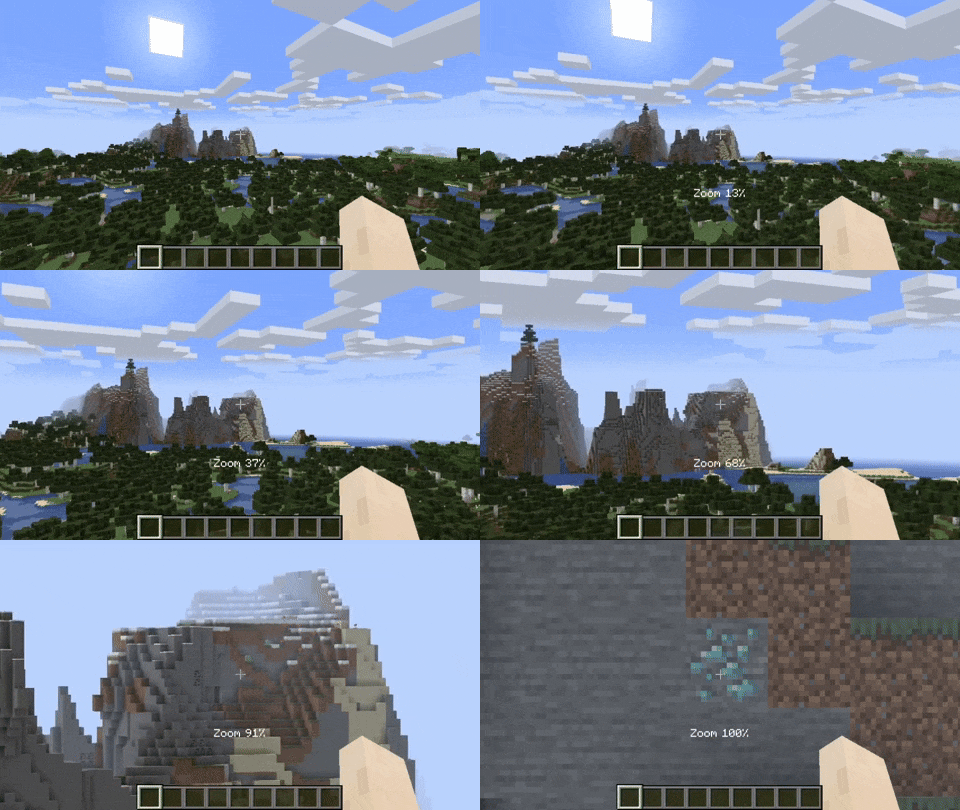
动态缩放
默认情况下,缩放键绑定为 Z。
按住缩放键并滚动鼠标滚轮可动态调整缩放值。
相机分离
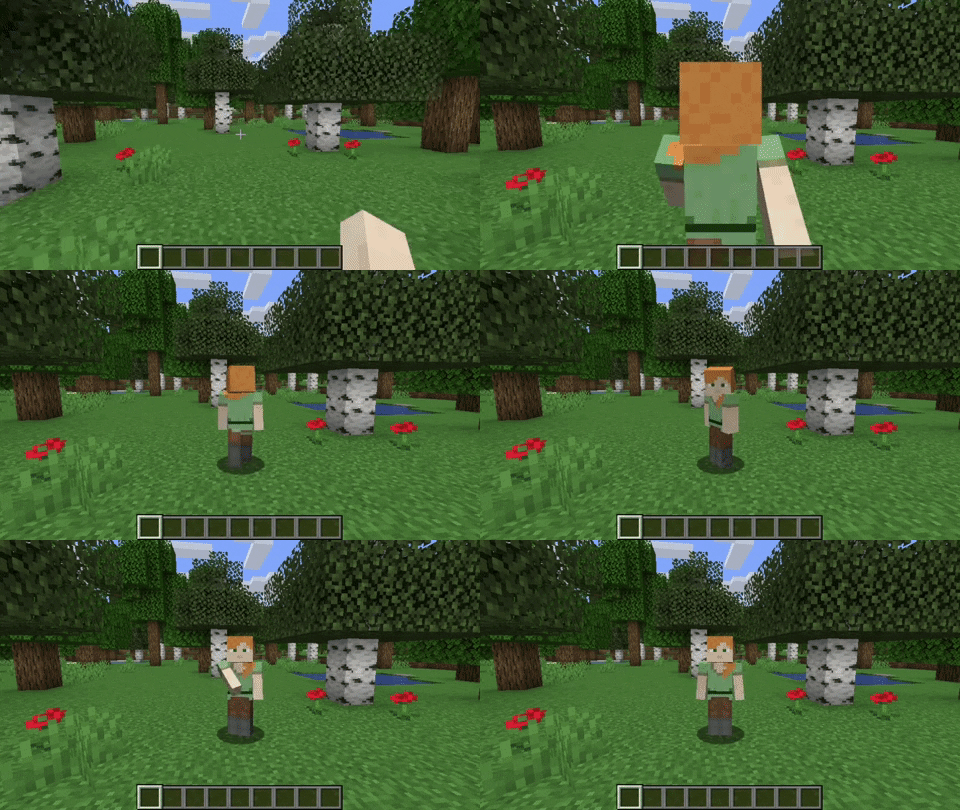
按下分离相机按钮后,玩家相机会锁定在当前位置。
你仍然可以像以前一样控制玩家,只是从另一个视角进行观察。
同时按下 RIGHT ALT 和分离相机键,相机将返回到最后一次分离时的位置。
可调节第三人称距离
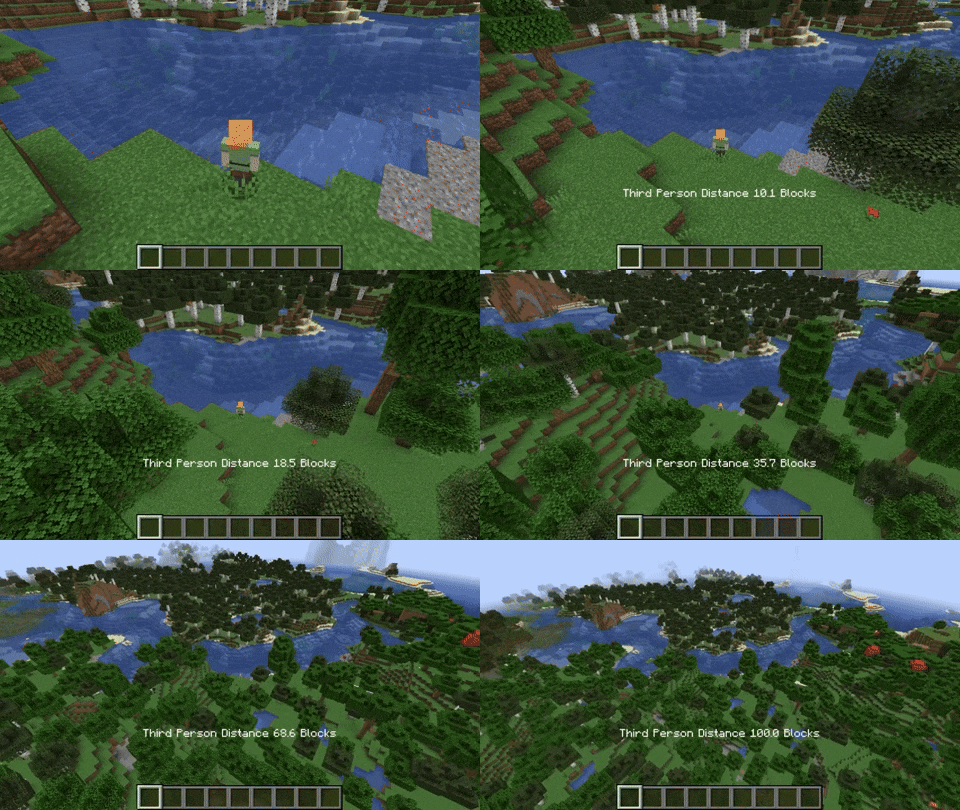
在第三人称模式下按住第三人称距离修饰键时,你可以滚动使相机最多拉远至距离玩家 100 格的位置。
可自定义的第三人称视角
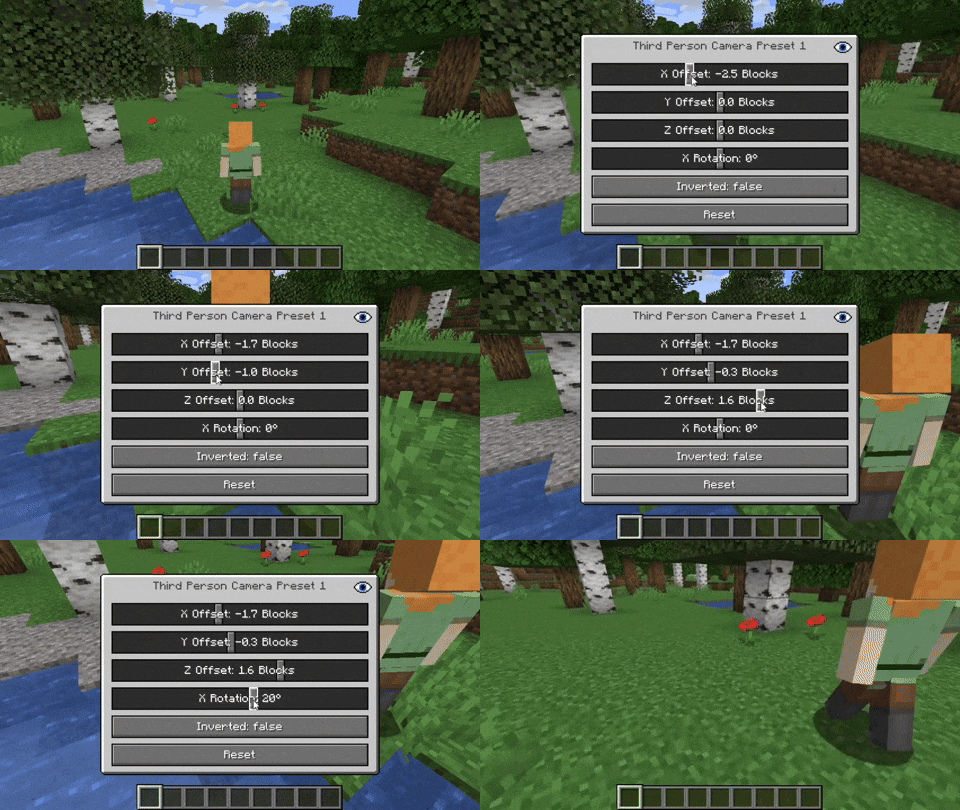
此模组允许设置两种自定义的第三人称视角。
默认情况下,它们分别绑定为 F6 和 F7。
可以通过分别按下 RIGHT ALT 与 F6 或 F7 来修改这些视角。
高级电影化相机控制
按下 RIGHT ALT 和电影化相机按钮,即可调整电影化相机的属性。
附加信息
将任何与 Camera Utils 模组相关的按键与 RIGHT ALT 组合按下,
将打开一个设置 GUI,允许你更改属性
或将它们重置为默认值。
请注意,此模组不兼容 OptiFine。
Camera Utils is a client side Fabric mod that adds convenient features related to the players camera.
Features
- Dynamic zoom
- Camera detaching
- Adjustable third person distance
- Two customizable third person perspectives
- Advanced cinematic camera controls
- Movement smoothing
Dynamic Zoom
By default the zoom key is bound to Z.
Holding the zoom key and scrolling dynamically adjusts the zoom value.
Camera Detaching
By hitting the detach camera button, the players camera is locked to the current position.
You can still control the player like before, just from another point of view.
By pressing RIGHT ALT in combination with the detach camera key, the camera goes back to the position, the camera was last detached.
Adjustable Third Person Distance
When holding the third person distance modifier in third person, you are able to scroll out up to 100 blocks away from the player.
Customizable Third Person Perspectives
This mod allows for two custom third person perspectives.
These are bound to F6 and F7 by default.
These can be modified by pressing RIGHT ALT and F6 or F7 respectively.
Advanced Cinematic Camera Controls
By pressing RIGHT ALT and the cinematic camera button, you can adjust the properties of the cinematic camera.
Additional Information
Pressing any key related to the camera utils mod in combination with RIGHT ALT
will open a settings GUI which allows you to change properties
or to reset them back to their default values.
Note that this mod is not compatible with OptiFine.

下载 Camera Utils
需要联机服务器吗?
稳定流畅、一键部署,几分钟即可和朋友联机开服
最低仅需 8 元/月 即可畅快联机
下载 Camera Utils
需要联机服务器吗?
稳定流畅、一键部署,几分钟即可和朋友联机开服
最低仅需 8 元/月 即可畅快联机
下载 Camera Utils
需要联机服务器吗?
稳定流畅、一键部署,几分钟即可和朋友联机开服
最低仅需 8 元/月 即可畅快联机
下载 Camera Utils
需要联机服务器吗?
稳定流畅、一键部署,几分钟即可和朋友联机开服
最低仅需 8 元/月 即可畅快联机
下载 Camera Utils
需要联机服务器吗?
稳定流畅、一键部署,几分钟即可和朋友联机开服
最低仅需 8 元/月 即可畅快联机
下载 Camera Utils
需要联机服务器吗?
稳定流畅、一键部署,几分钟即可和朋友联机开服
最低仅需 8 元/月 即可畅快联机
下载 Camera Utils
需要联机服务器吗?
稳定流畅、一键部署,几分钟即可和朋友联机开服
最低仅需 8 元/月 即可畅快联机
下载 Camera Utils
需要联机服务器吗?
稳定流畅、一键部署,几分钟即可和朋友联机开服
最低仅需 8 元/月 即可畅快联机
下载 Camera Utils
需要联机服务器吗?
稳定流畅、一键部署,几分钟即可和朋友联机开服
最低仅需 8 元/月 即可畅快联机
下载 Camera Utils
需要联机服务器吗?
稳定流畅、一键部署,几分钟即可和朋友联机开服
最低仅需 8 元/月 即可畅快联机
- 已更新至 26.3
关于这个资源的讨论、问题反馈与使用心得
还没有讨论,来发第一帖吧
你是这个资源的作者?登录后可认领此资源。
相似资源
 模组

显示你正在注视的方块的信息。(适用于 Minecraft 1.16+ 的 Hwyla/Waila 分支)
 模组

查看物品与配方
 模组
在游戏画面角落显示附近世界地形、玩家、生物和实体的地图。可创建路径点,帮助你找到标记过的位置。
 模组
使用 JavaScript 编辑配方、添加自定义物品、编写世界事件!
 模组
添加区块认领和玩家组队功能,并与 Xaero's Minimap 和 World Map 集成
 模组
添加全屏世界地图,显示你在世界中已探索的区域。与 Xaero's Minimap 搭配使用效果极佳。
评论 0
登录后参与评分
还没有评论,来抢沙发吧