
可配置客户端调整 [CCT]
当前(可选)功能:
第一人称视角:
- 将生命值显示为条形而非半颗心
- 更改“着火”覆盖层的位置(例如高度)
- 更改盾牌位置(所有三个方向)
- 更改物品位置(所有三个方向)
外观装饰:
- 在你周围显示粒子效果
当前可用的粒子:
末影人
火焰
灵魂之火 - 显示自定义斗篷模型
- 在头部显示自定义模型
- 在身体上显示自定义模型
背部物品
- 在背部显示一个物品(可随意更改位置和旋转角度)
- 显示一个额外模型(需要资源包,见下文)
加载模型:
通过 资源包 加载模型。
使用命名空间下的 "namespace/items/item_model.json" 中的物品模型来加载。
示例:
如果你创建了一个物品模型并将其保存为 "cct/items/backpack.json"(该模组默认包含此文件),
那么在游戏中应按以下方式加载该模型:
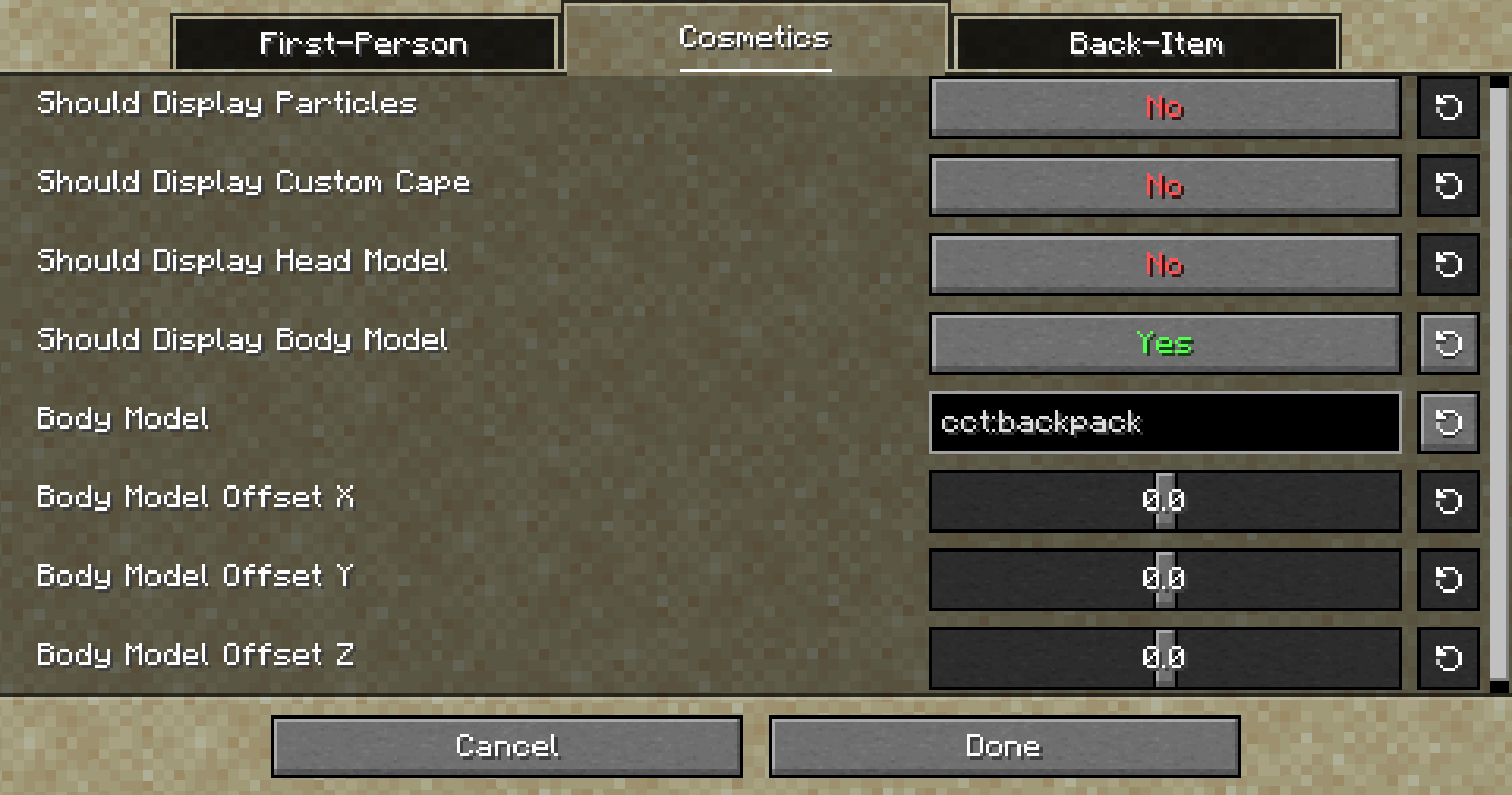 (支持动画)
为背部物品加载额外模型:
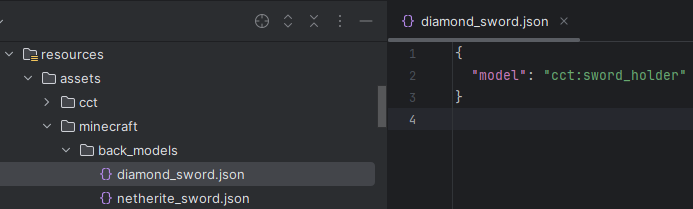
这可以通过配置文件或资源包完成,但这次你需要在你的命名空间下创建一个名为 "back_models" 的新文件夹,然后放入一个以你的物品命名的新 json 文件。
(示例:"minecraft/back_models/diamond_sword.json")
在其中你可以设置当该物品被设为背部物品时渲染的物品模型。
示例:

你是这个资源的作者?登录后可认领此资源。
相似资源
 模组

鞘翅纹饰Elytra Trims
KikuGie
可定制的鞘翅模组,支持装饰纹饰、旗帜图案等更多功能!
装饰装备
265
 模组

玉Jade ?
Snownee
显示你正在注视的方块的信息。(适用于 Minecraft 1.16+ 的 Hwyla/Waila 分支)
实用前置
247
 模组

物品管理器Just Enough Items (JEI)
mezz
查看物品与配方
前置实用
229
 模组
Xaero的小地图
thexaero
在游戏画面角落显示附近世界地形、玩家、生物和实体的地图。可创建路径点,帮助你找到标记过的位置。
冒险交通
196
 模组
KubeJS
Lat
使用 JavaScript 编辑配方、添加自定义物品、编写世界事件!
前置实用
181
 模组

AAA Particles
ChloePrime
适用于 MC 1.18+ 的 Effekseer 加载器
前置装饰
173
评论 0
登录后参与评分
还没有评论,来抢沙发吧