
Chatting
Chatting 是对 Minecraft 聊天系统的重做,并添加了许多新功能。
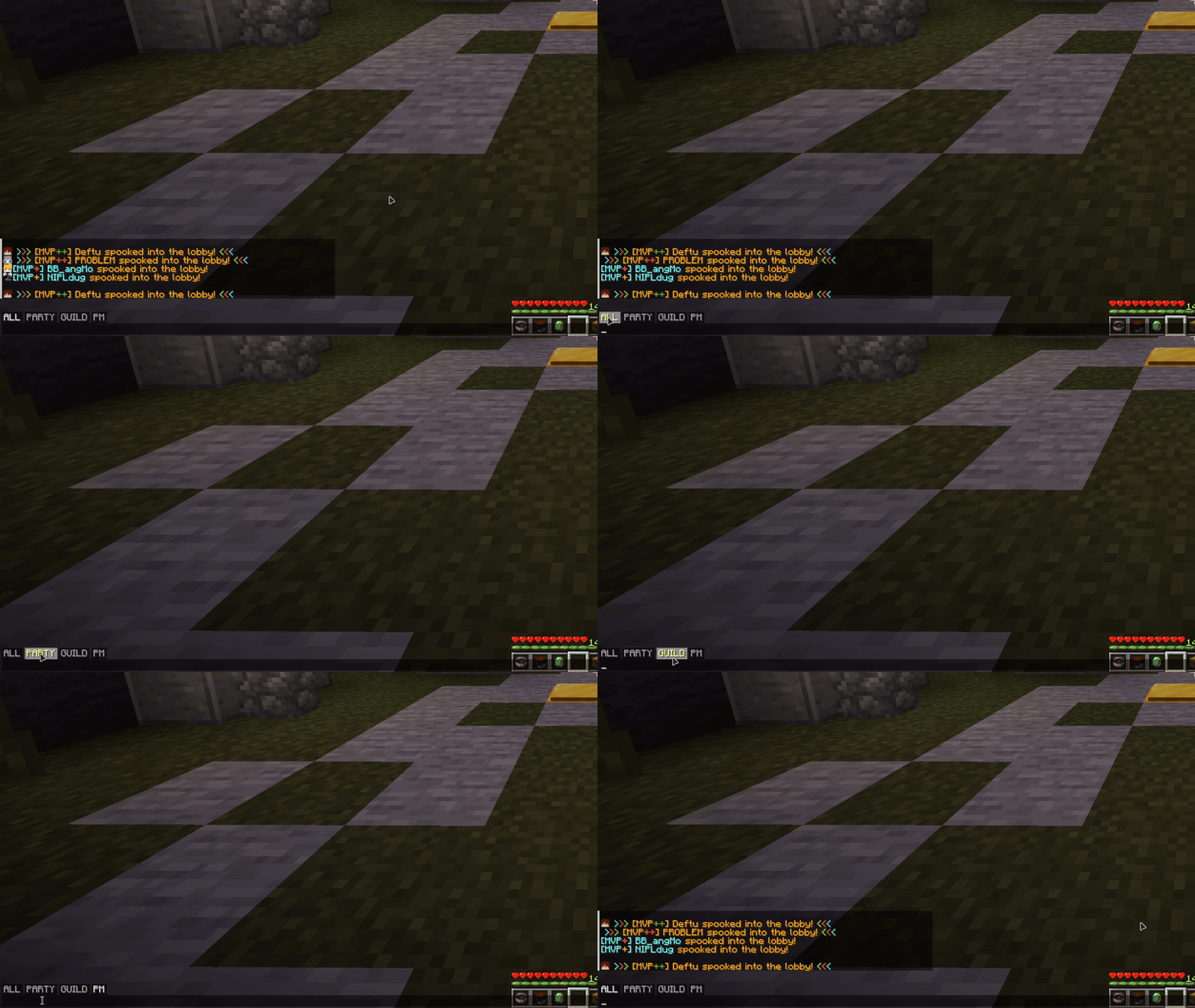
聊天标签页
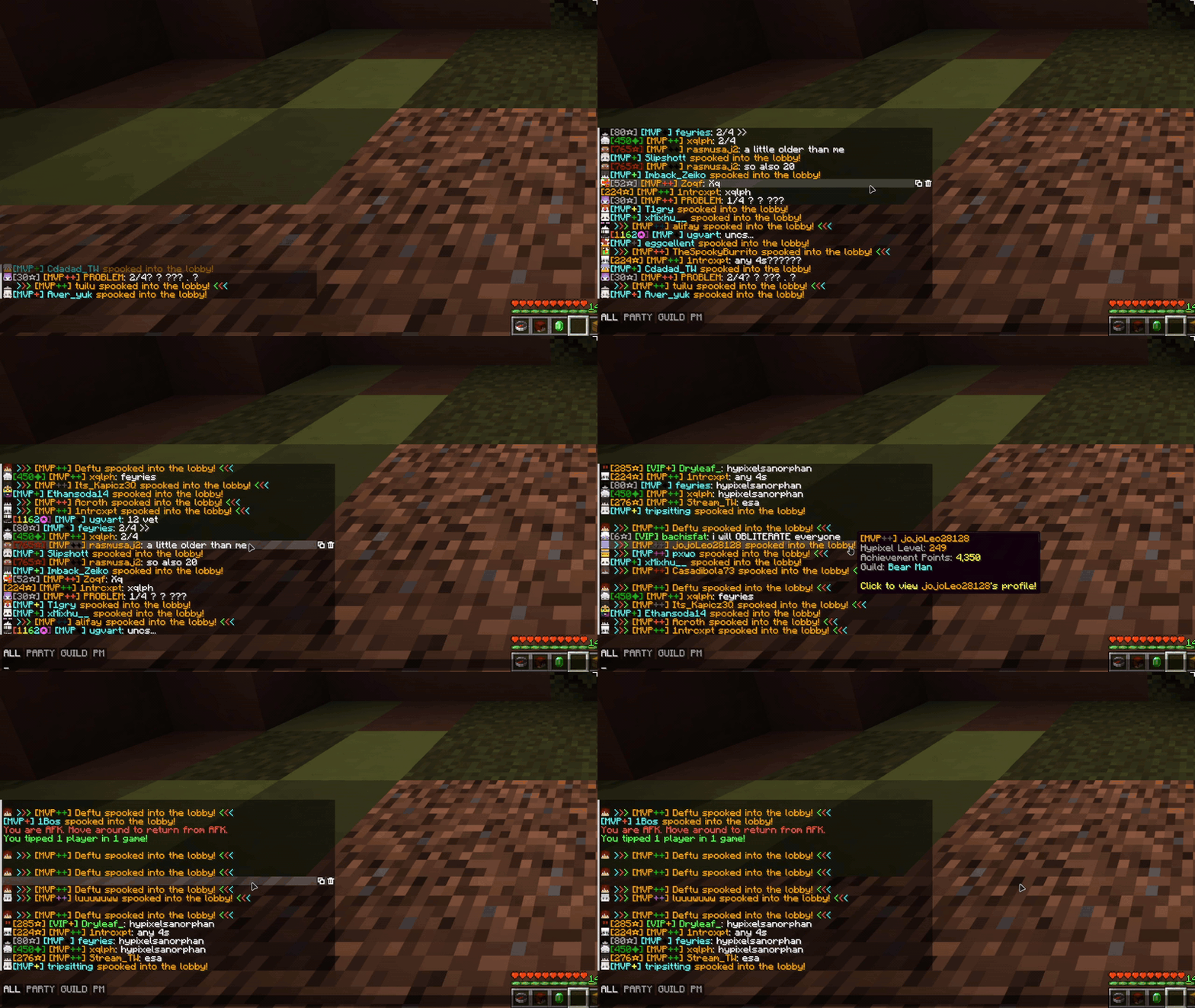
通过标签页过滤你的聊天内容!默认的 ALL(全部)、PARTY(队伍)、GUILD(公会)和 PM(私聊)标签页是专为 Hypixel 设计的,在选中某个标签页时输入的任何内容都会发送到该频道(无需再手动输入 /pc)。
- 按住 Shift 键点击可同时选中多个标签页
- 使用前缀、后缀、子串和正则表达式规则创建你自己的标签页(参见 聊天标签页指南)
- 除非你关闭此限制,否则标签页仅在 Hypixel 上显示
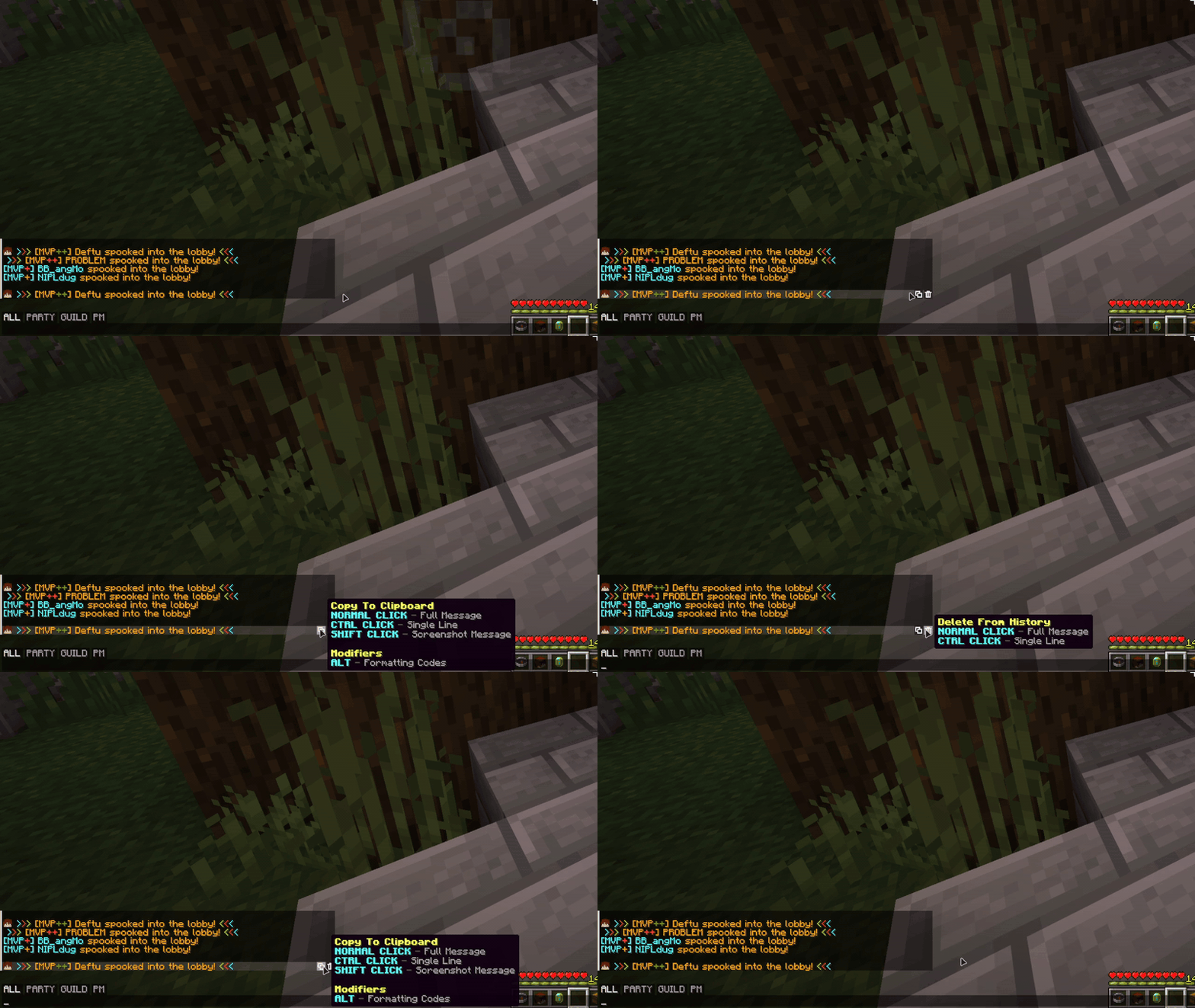
消息按钮
将鼠标悬停在一条消息上即可复制、删除或将其保存为图片。图片可以保存到文件、剪贴板或两者兼有。
- 搜索聊天中的任何文本
- 一键清除整个聊天记录
- 按住 Ctrl + 右键点击可复制一条消息
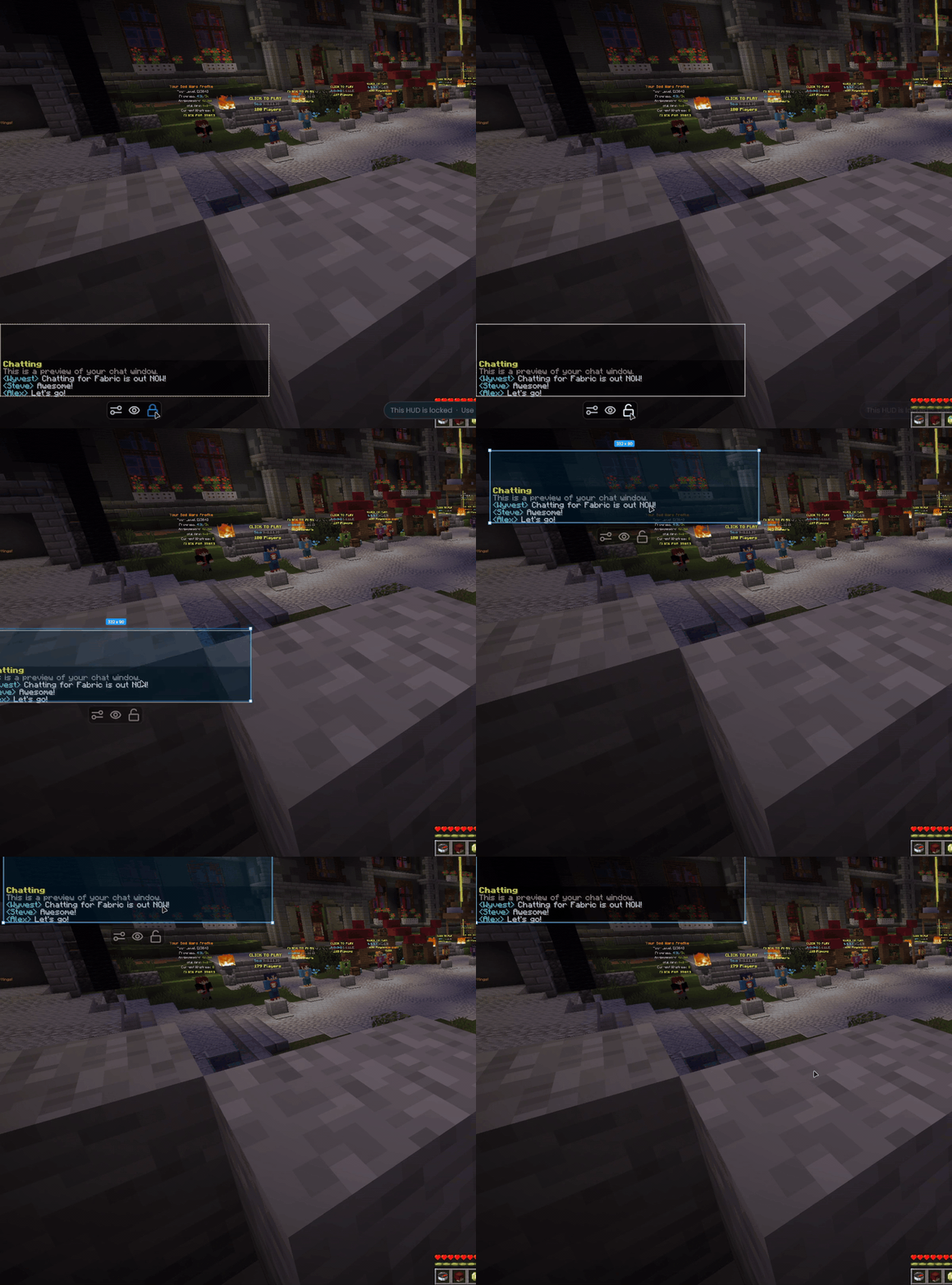
聊天窗口
- 在 OneConfig HUD 编辑器中移动和调整聊天窗口的大小
- 设置精确的宽度,并为聊天打开和关闭状态分别设置高度
- 更改背景颜色、圆角化边缘或移除文字阴影
- 选择消息在淡出前停留在屏幕上的时长
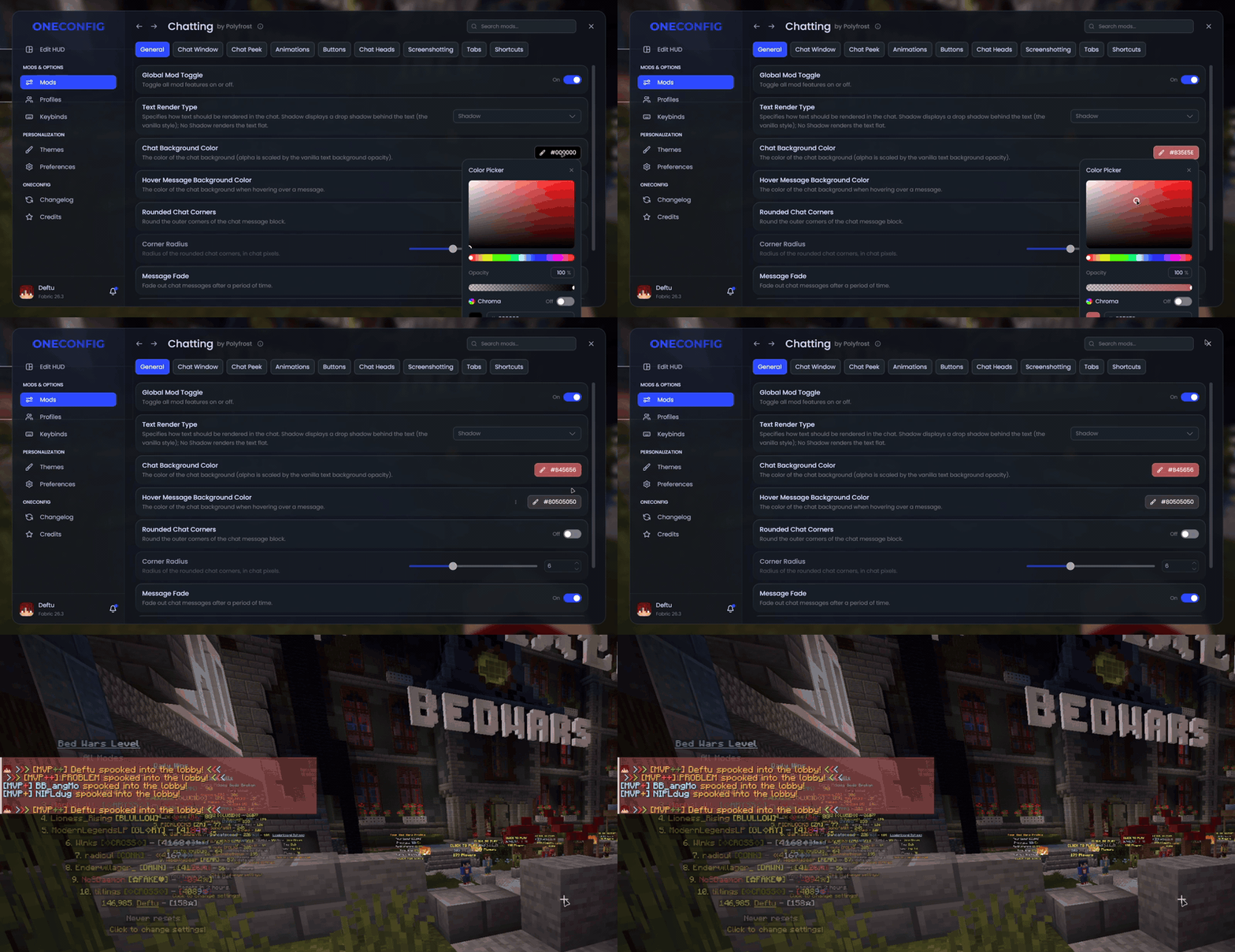
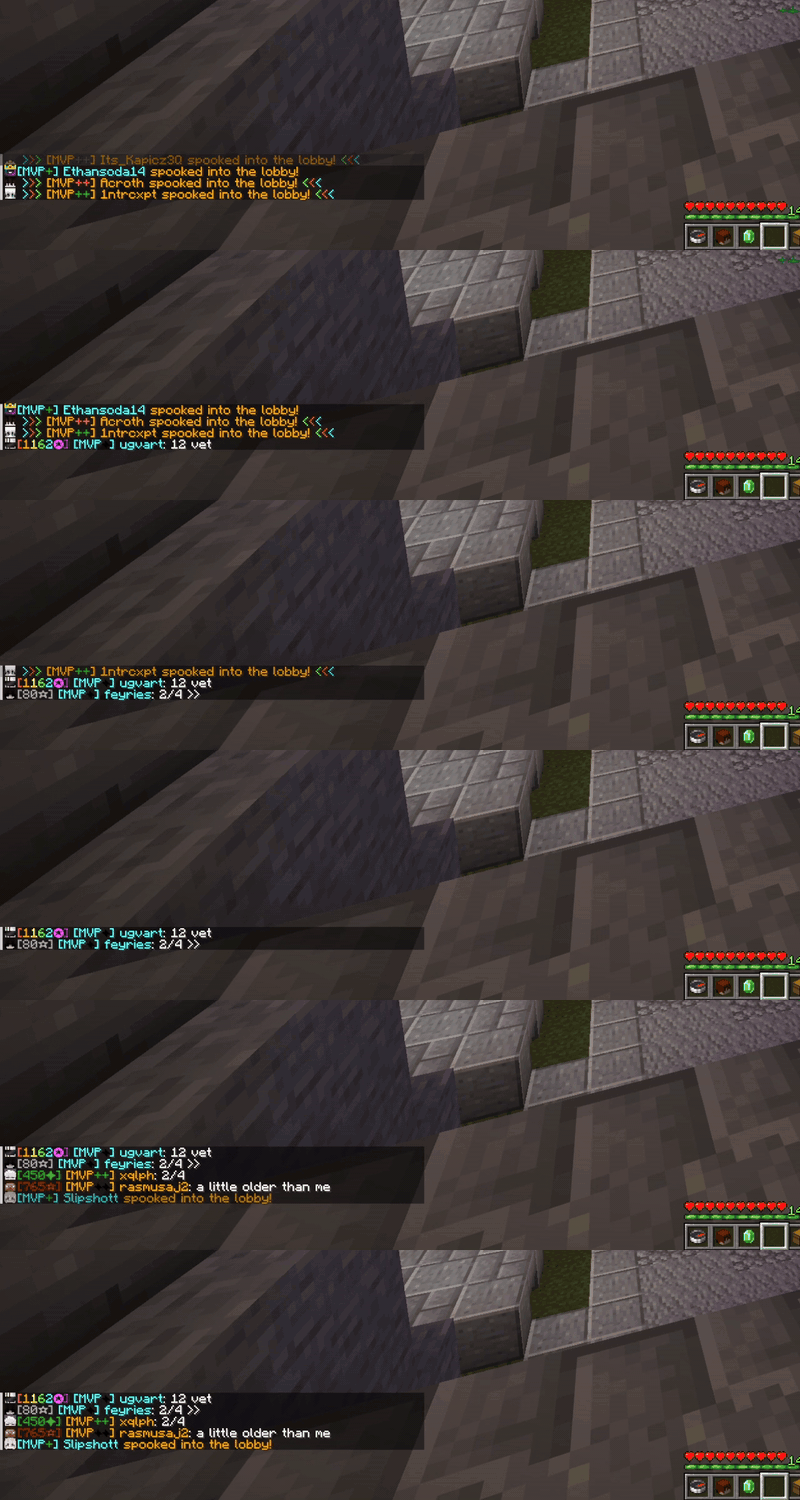
其他功能
- 聊天消息旁边带有 3D 帽子层的玩家头像
- 在保持移动的同时瞥视聊天并滚动它
- 新消息动画效果和流畅滚动
- 聊天快捷方式,可将简短别名转换为完整命令(仅限 Hypixel,除非你更改此设置)
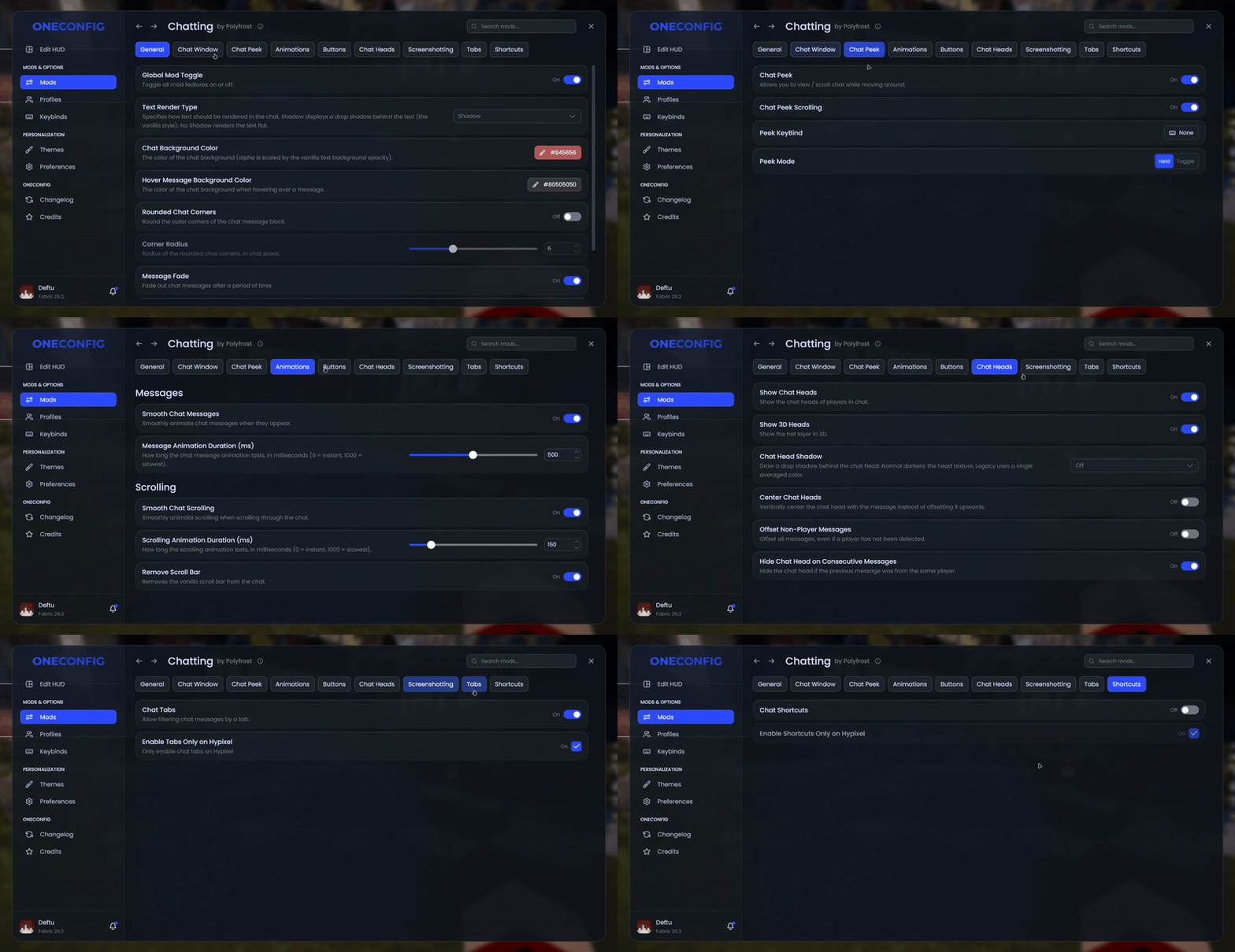
兼容性
Chatting 与 Chat Patches 不兼容。如果你安装了 Chat Heads 模组,当 Chatting 自带的聊天头像启用时,Chat Heads 将被禁用。
支持版本
- Minecraft 1.8.9 (Ornithe)
- Minecraft 1.21.1-26.3 (Fabric)
Chatting 需要 OneConfig 和 Fabric Language Kotlin。
支持
- 在 Polyfrost Discord 报告错误并提出问题。
- 如果 Polyfrost 服务宕机,请查看 Polyfrost Status。
Chatting
Chatting is a rework of the Minecraft chat, with a bunch of new things added on.
Chat tabs
Filter your chat with tabs! The default ALL, PARTY, GUILD and PM tabs are made for Hypixel, and anything you type while a tab is selected goes to that channel (no more typing /pc).
- Shift-click to select more than one tab at once
- Make your own tabs with prefix, suffix, substring and regex rules (see the chat tabs guide)
- Tabs only show up on Hypixel unless you turn that restriction off
Message buttons
Hover over a message to copy it, delete it or save it as an image. The image can go to a file, your clipboard or both.
- Search your chat for any text
- Clear your whole chat history with one button
- Ctrl + right click to copy a message
Chat window
- Move and scale the chat in the OneConfig HUD editor
- Set an exact width, plus separate heights for when the chat is open and closed
- Change the background color, round the corners or remove the text shadow
- Choose how long messages stay on screen before they fade
Extras
- Player heads with a 3D hat layer next to chat messages
- Peek at the chat and scroll it while you keep moving
- Animated new messages and smooth scrolling
- Chat shortcuts that turn a short alias into a full command (Hypixel only, unless you change that)
Compatibility
Chatting doesn't work together with Chat Patches. If you have the Chat Heads mod installed, it's turned off while Chatting's own chat heads are enabled.
Supported versions
- Minecraft 1.8.9 on Ornithe.
- Minecraft 1.21.1-26.3 on Fabric.
Chatting needs OneConfig and Fabric Language Kotlin.
Support
- Report bugs and ask questions on the Polyfrost Discord.
- Check Polyfrost Status if a Polyfrost service is down.

下载 Chatting (Chat Animations + More)
下载 Chatting (Chat Animations + More)
下载 Chatting (Chat Animations + More)
下载 Chatting (Chat Animations + More)
下载 Chatting (Chat Animations + More)
下载 Chatting (Chat Animations + More)
下载 Chatting (Chat Animations + More)
下载 Chatting (Chat Animations + More)
下载 Chatting (Chat Animations + More)
下载 Chatting (Chat Animations + More)
3.2.7
- 修复损坏的 Mixins
3.2.6
- 已更新至 OneConfig 1.8.0
- 修复了命令快捷键不忽略大小写的问题
- 当聊天刷新时,聊天头像现在能更快地被检测到
- 改善了与其他修改聊天内容的模组的兼容性
3.2.5
- 为未聚焦的聊天添加了单独的背景颜色
- 修复了在搜索结果和过滤后的聊天标签页中,复制和删除操作作用于错误消息的问题
- 修复了聊天按钮的颜色问题
- 修复了在 1.8.9 版本中聊天按钮绘制在悬停工具提示上的问题
- 修复了 Windows 和 Linux 系统下的剪贴板复制问题
- 修复了聊天截图中文本阴影被截断的问题
- 需要 OneConfig 1.5.0
3.2.5
- 为未聚焦的聊天窗口添加独立的背景颜色
- 修复在搜索结果和过滤后的聊天标签页中,复制和删除操作作用于错误消息的问题
- 修复聊天按钮的颜色问题
- 修复在 1.8.9 版本中聊天按钮覆盖悬浮提示框的问题
- 修复 Windows 和 Linux 系统下的剪贴板复制功能
- 修复聊天截图中的文字阴影被截断的问题
- 要求 OneConfig 1.5.0
关于这个资源的讨论、问题反馈与使用心得
还没有讨论,来发第一帖吧
你是这个资源的作者?登录后可认领此资源。
相似资源
 模组

显示你正在注视的方块的信息。(适用于 Minecraft 1.16+ 的 Hwyla/Waila 分支)
 模组
使用 JavaScript 编辑配方、添加自定义物品、编写世界事件!
 模组

查看物品与配方
 模组
在游戏画面角落显示附近世界地形、玩家、生物和实体的地图。可创建路径点,帮助你找到标记过的位置。
 模组
AE2:一款流行的自动化与存储模组
 模组
添加区块认领和玩家组队功能,并与 Xaero's Minimap 和 World Map 集成
评论 0
登录后参与评分
还没有评论,来抢沙发吧