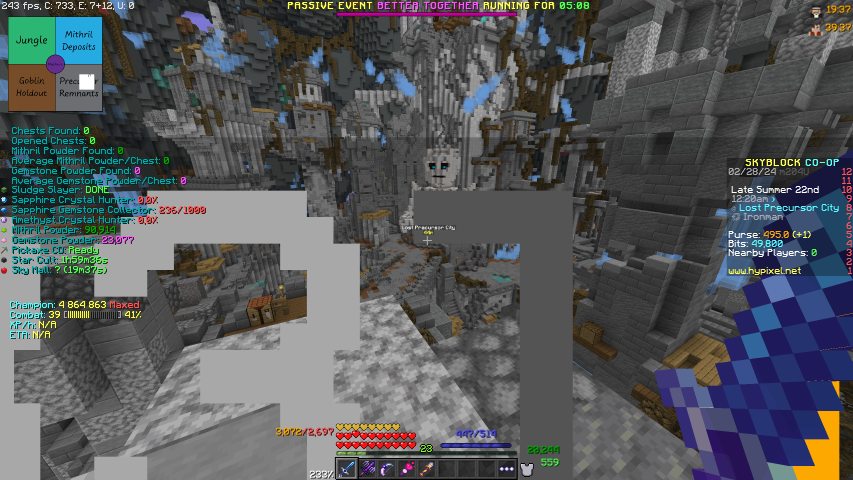
停止维护 (EOL)
本整合包已不再维护。
Hypixel 即将要求 Minecraft 1.21.5 或更高版本才能运行 SkyBlock。1.8.9 版本将不再接收任何更新或修复。
请切换至 SkyBlock Enhanced – Modern Edition:
SkyBlock Enhanced:你的 Hypixel Skyblock 一站式模组整合包!
SkyBlock Enhanced 捆绑了必要的模组,以提升你在 Hypixel Skyblock 中的游戏体验。享受简单的一键安装,获得更好的性能以及屏幕上有用的生活质量(QoL)功能。
? 重要提示(安装前必读!)
- ? 必须手动安装 Optifine: 为了使用自定义的 Skyblock 材质并获得最佳性能,你必须单独安装 Optifine。
- ? 分配足够的内存: 请为 Minecraft 分配至少 4GB 的 RAM 以保证流畅的游戏体验。分配 2GB 会导致卡顿和延迟。
- 喜欢这个整合包吗?请在 论坛帖子 上表达你的赞赏。
⚙️ 预配置以实现最佳性能
SkyBlock Enhanced 对所有包含的模组进行了微调的配置,确保它们无缝协作,并防止重叠的 GUI 导致屏幕混乱。
自动配置(2.0 及以上版本):
PackCore 管理不同屏幕分辨率(1440p 和 1080p)的设置。
- 首次启动: 系统将提示你选择最适合你屏幕的配置。
- 重置: 若要重置,请进入主菜单中的
PackCore Configs,启用 Show Default Config Dialog,然后重启游戏。(警告: 这将覆盖你当前的设置!)
2.0 之前版本的配置
- 默认: 初始应用 1080p 设置。
- 更改设置(例如改为 1440p):
- 进入
Settings(设置)。
- 点击
Easy Configs(右下角)。
- 点击
Load Configs。
- 选择
EasyConfigSave1 用于 1440p(或 EasyConfigSave0 用于 1080p)。
- 可选:勾选
include mcOptions 以包含按键绑定和视频设置。
- 点击
Load 并重启游戏。
✨ 如何安装 Optifine(需手动安装)
由于 Optifine 的许可限制,它不能包含在整合包中,必须手动安装。Optifine 能提升性能并启用自定义的 Skyblock 材质。
视频教程:(从 2:32 开始观看)
? 想要阅读文字教程请点击此处。
如何安装 Optifine
- 前往 Optfine 网站并下载适用于 1.8.9 的 Optifine。下载链接
- 当你点击链接后,你应该会看到以下页面。
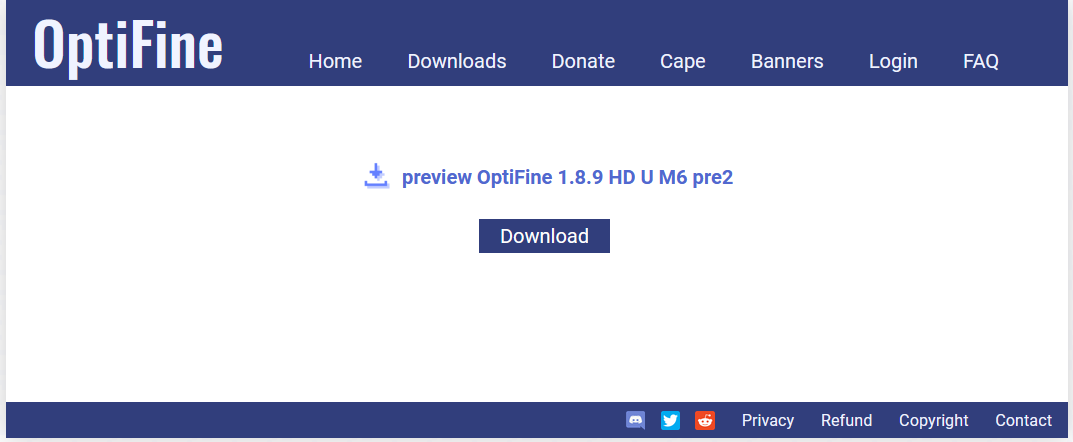
- 点击下载
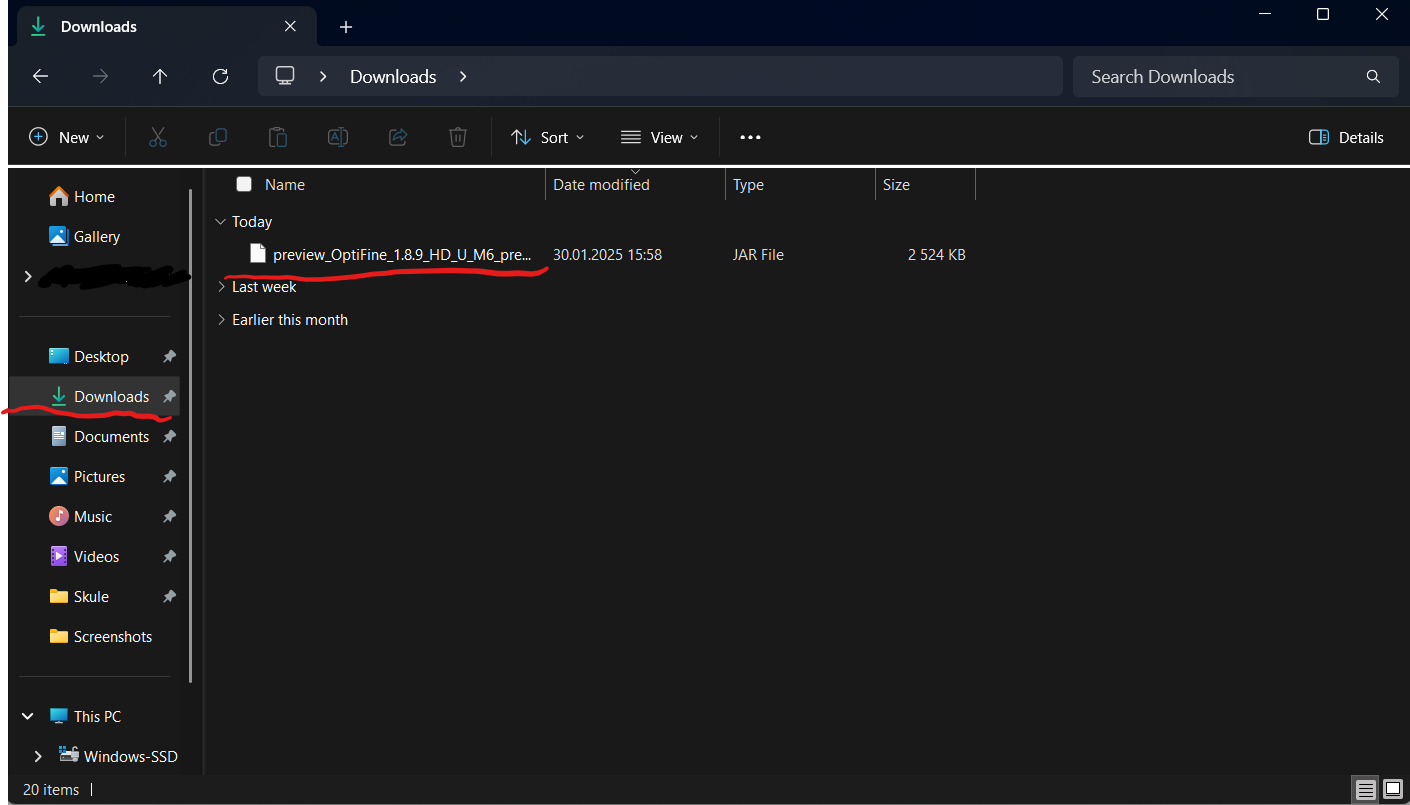
- 下载文件完成后,你可以在文件资源管理器的“下载”文件夹中找到它。
- 打开 Modrinth 应用程序,找到 SkyBlock Enhanced 的安装位置。
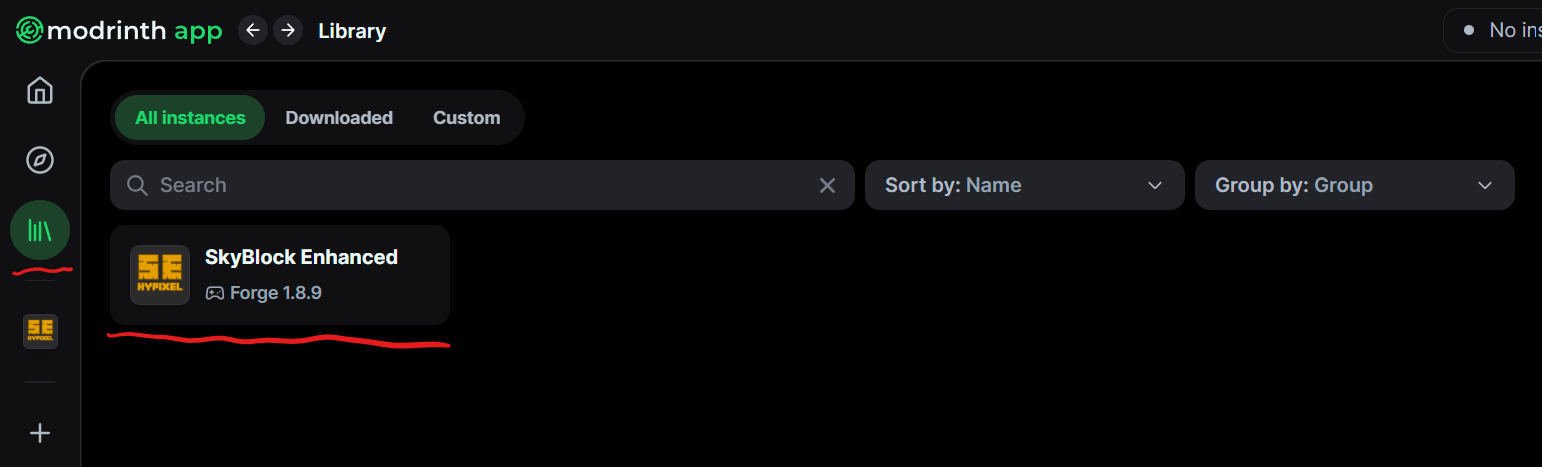
- 然后打开该安装的文件夹。

- 找到 mods 文件夹并打开它。
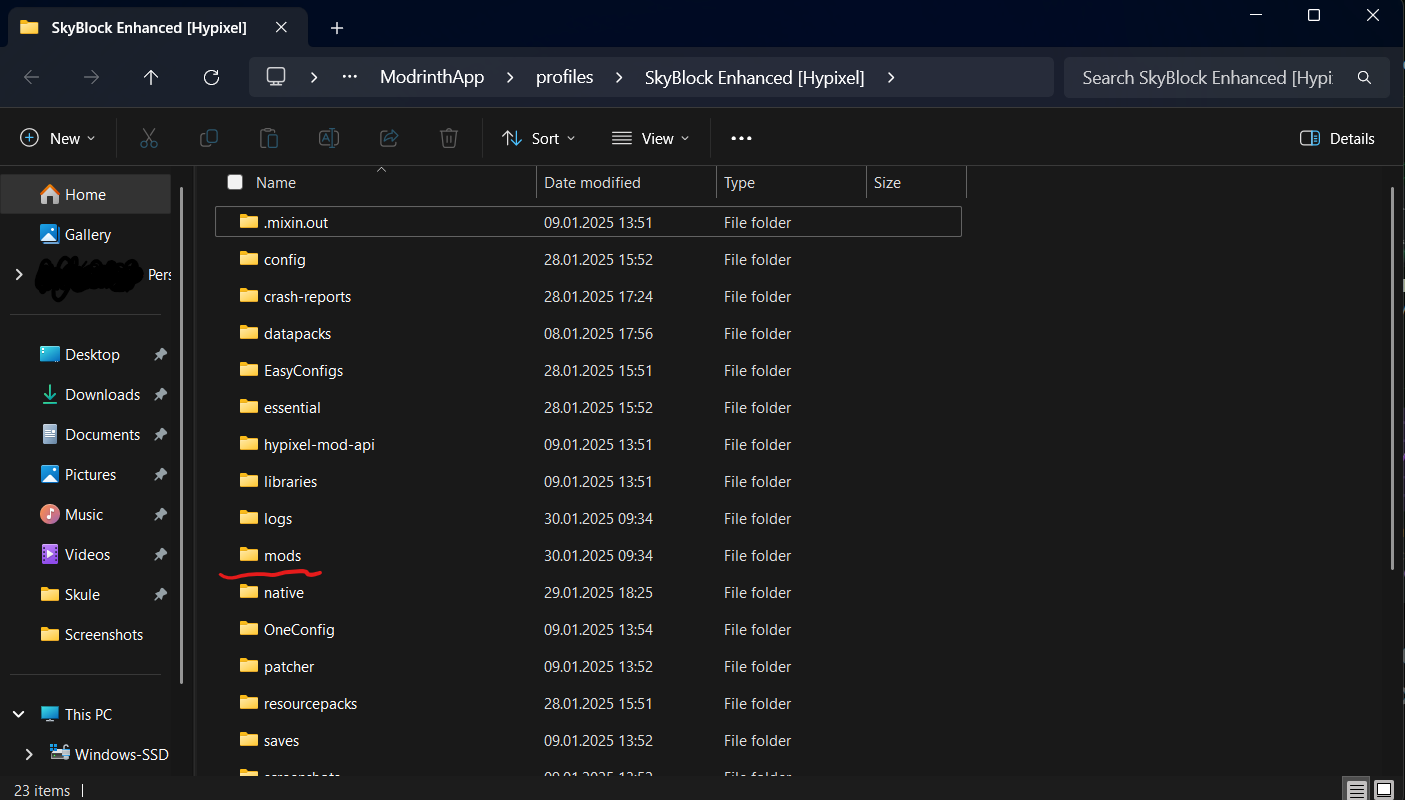
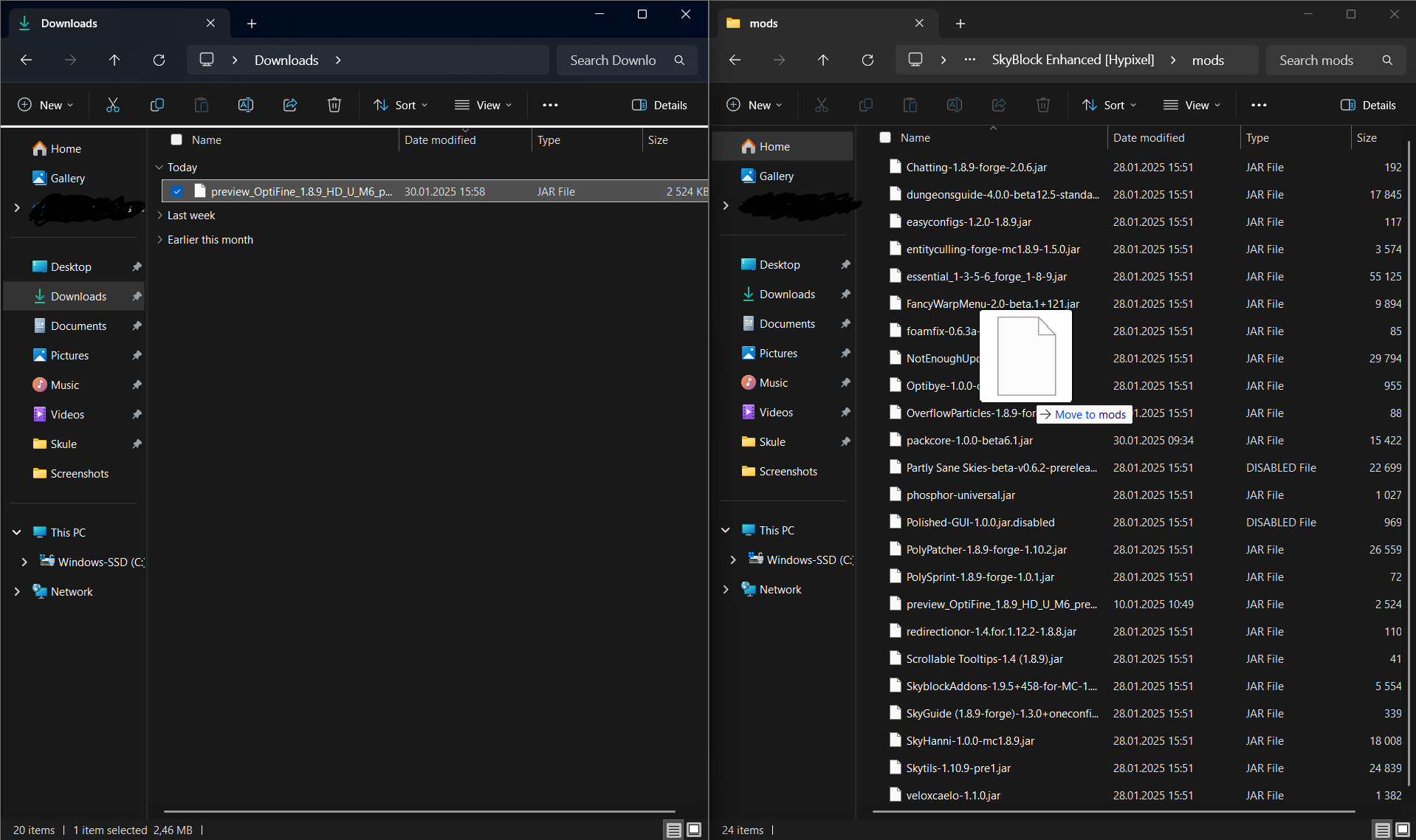
- 打开后,将从下载文件夹复制的 Optifine 文件拖放到刚刚打开的 mods 文件夹中。这可以通过左键单击 optfine jar 文件并将其按住不放,直到移动到 mods 文件夹上方来完成。
- 打开 Modrinth,点击播放,尽情游玩吧!
✨如何安装
如果你在安装整合包时需要帮助,请观看视频。如有问题,请在视频下评论,我会提供帮助。
?想要阅读文字教程请点击此处。
第一步 下载 Modrinth 应用程序(稍后将添加针对不同启动器的教程)
第二步 下载 Skyblock Enhanced 整合包
如何安装 Modrinth 应用程序
- 前往
- 如果你在 Windows PC 上,请点击绿色按钮。

或者在其他类型的 PC 上点击“More Download Option”按钮并找到正确的选项。

- 下载完成后,点击它。
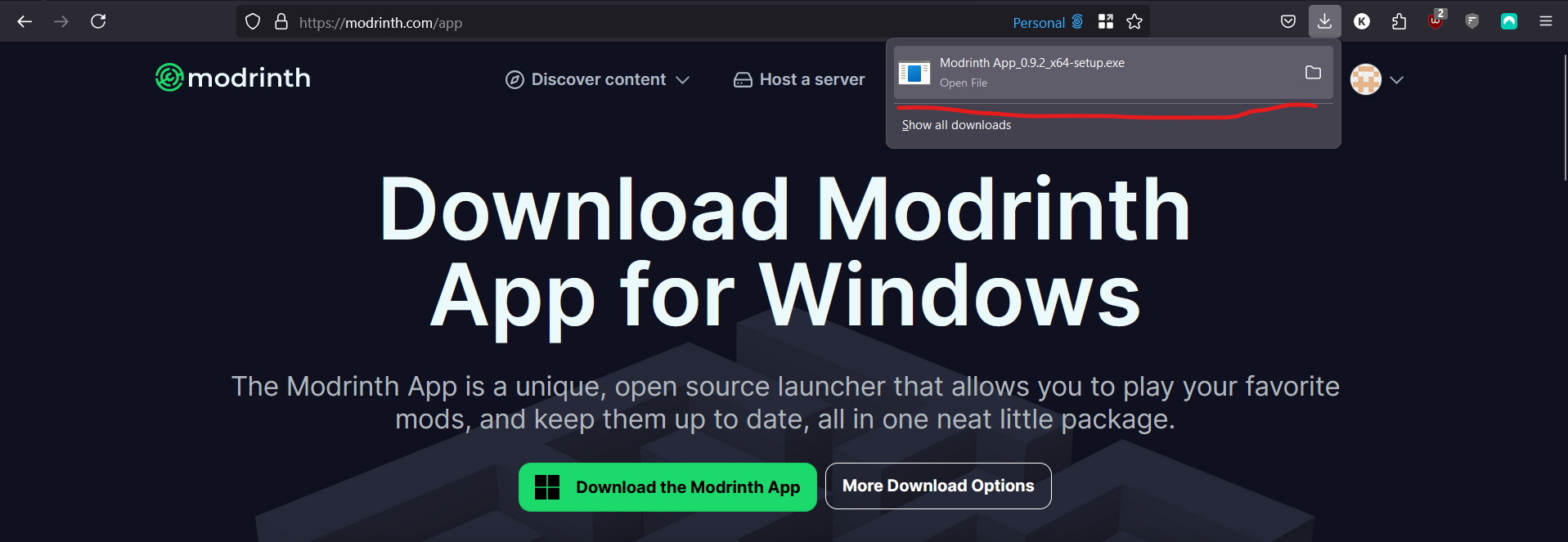
如果看不到下载的文件,请打开文件资源管理器。
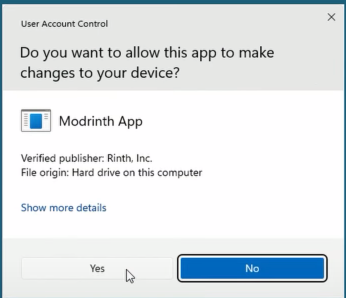
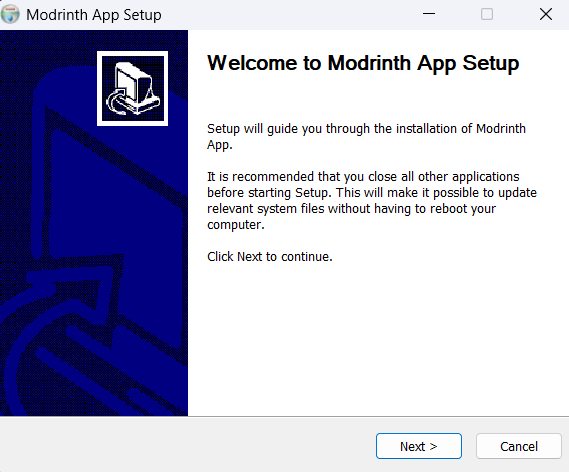
- 随后安装程序将打开,点击“下一步”直到出现以下界面
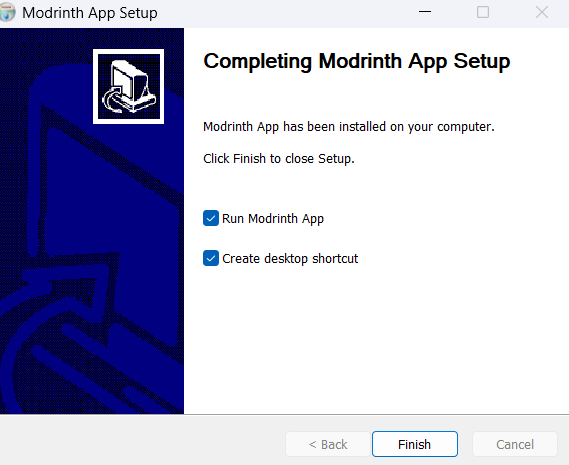
从这一步开始的教程已过时,虽然功能可能正常运作,但界面外观可能会有所不同。
5 现在应用程序将打开,你需要登录。点击“开始使用”,然后点击“登录”。
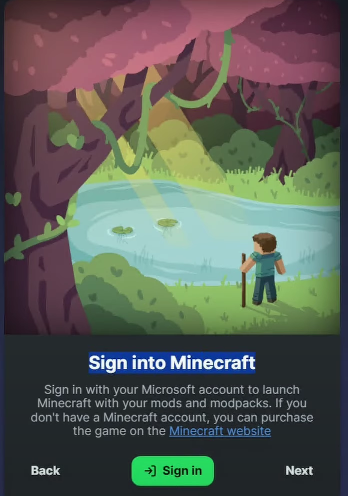
浏览器窗口将会打开,你可以在其中登录你的账户。
首先它会要求输入一个代码,该代码可以在应用程序中通过点击任务栏上的应用程序图标找到。
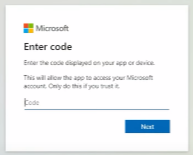
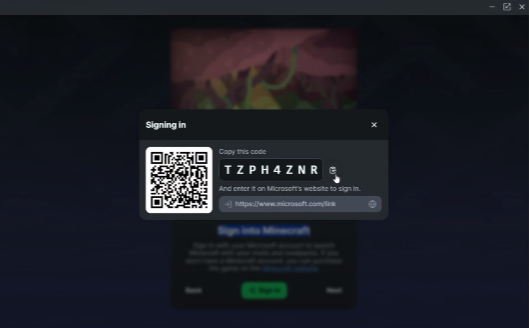
然后会要求你输入账户的电子邮件和密码。你的 Minecraft 账户是一个 Microsoft 账户。
6 现在你会被要求登录你的 Modrinth 账户,如果你没有账户,只需点击“下一步”即可。

7 现在你会看到很多提示,只需点击“下一步”即可。
8 接下来设置 Minecraft 的内存限制。
点击应用程序左下角的选项。

然后找到内存限制滑块,并根据你的 RAM 大小将其设置为 2000MB 到 4000MB 之间的值。如果你不知道自己的 RAM 有多少,可以使用 3000MB,这是一个安全的数值。

然后你需要安装 Java。找到安装 Java 的按钮,并在 Java 8 版本下点击“安装推荐版本”。

9 此时你已经准备好安装任何你想要的整合包。查看下方关于如何安装 SkyBlock Enhanced 整合包的剧透指南。
如何安装 SkyBlock Enhanced 整合包
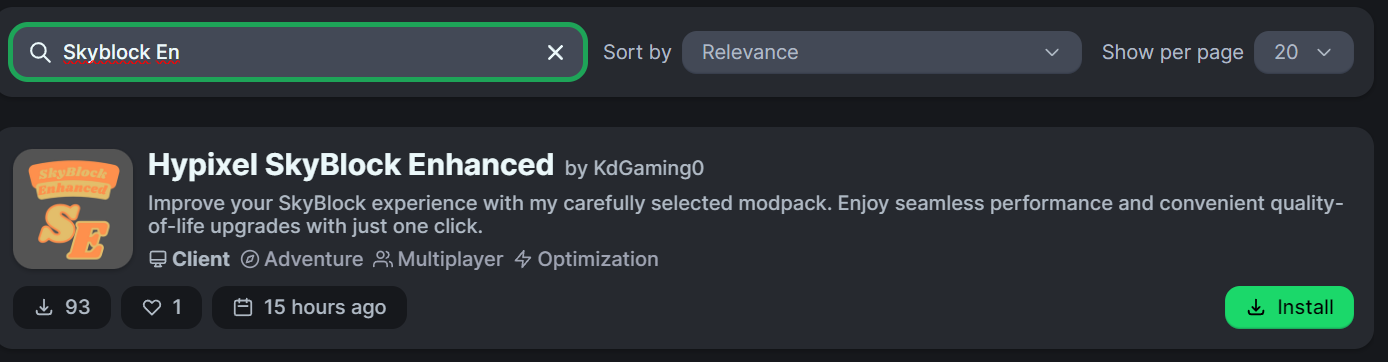
- 打开 Modrinth 应用程序,在左侧找到搜索按钮。

- 搜索 SkyBlock Enhanced 并点击安装。这可能需要一些时间,请耐心等待。
- 点击左侧的库(Library)按钮。

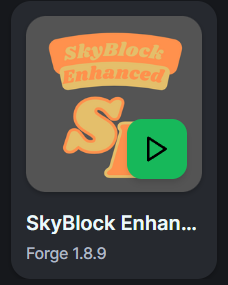
- 你会在那里找到该整合包,当鼠标悬停在它上面时,可以点击绿色按钮启动游戏。在游戏首次启动时,你会收到一个请求权限的弹出窗口,请点击“是”。请记住你需要手动安装 Optifine。有关如何操作的说明可以在上方找到。
不想使用 Modrinth 应用程序
如何使用原版 Minecraft 启动器安装整合包
如果你不想使用 Modrinth 应用程序,可以使用原版启动器,但这会更麻烦,并且不会自动更新。

下载完成后,点击你下载的文件。
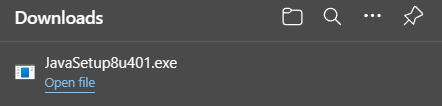
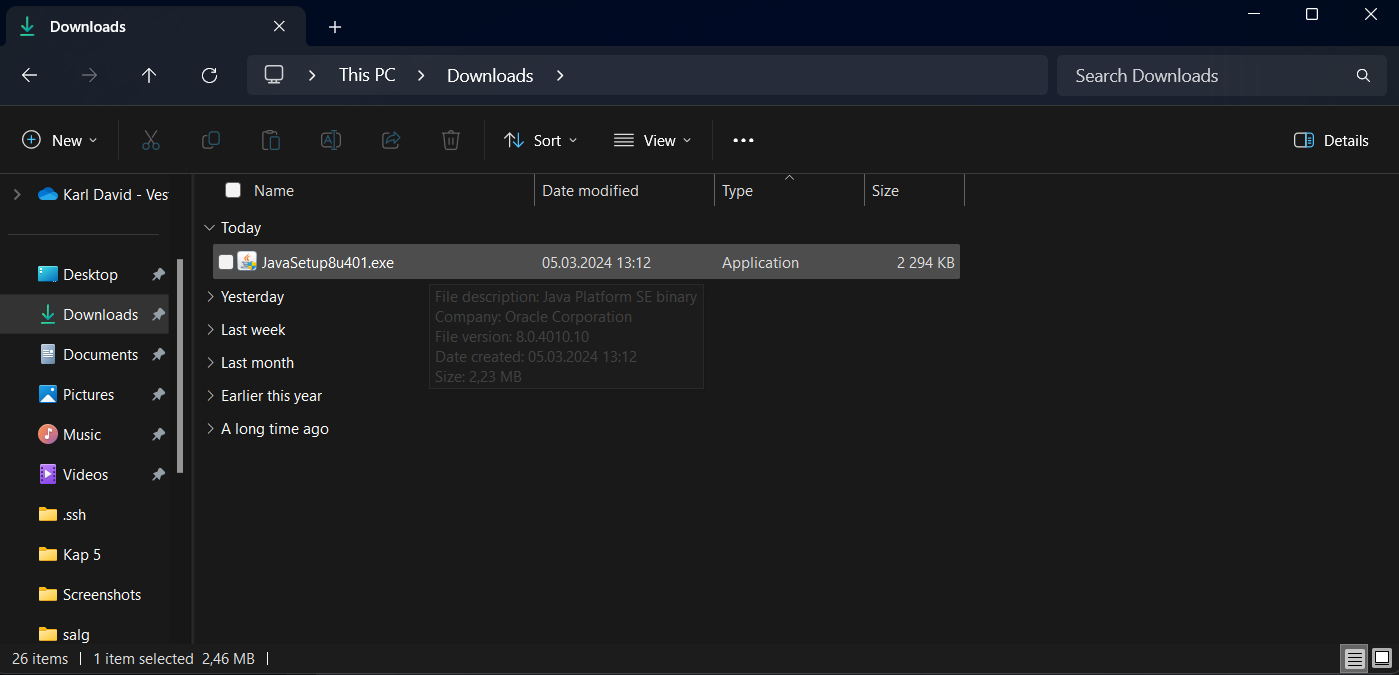
如果在浏览器中没有以弹出窗口形式出现,你可以在文件资源管理器的“下载”文件夹中找到它。
点击后,会出现一个请求权限的弹出窗口,请点击“是”。
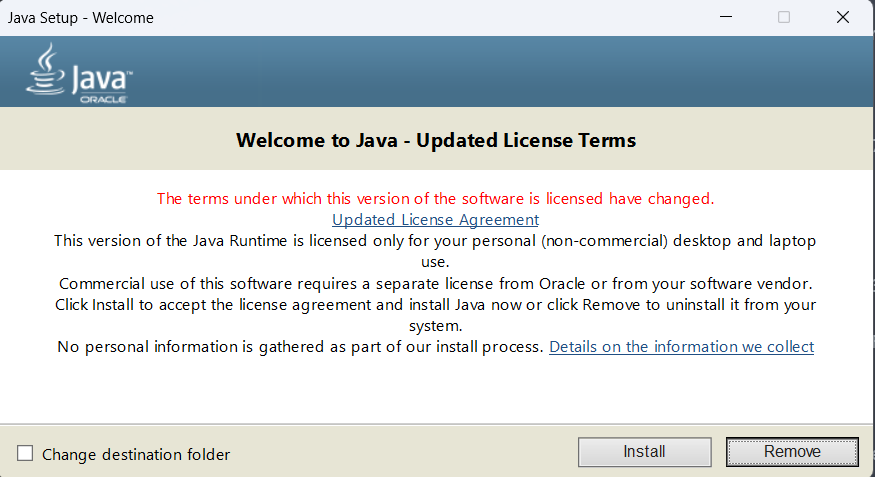
之后,会出现一个窗口询问你是否要安装,请点击“安装”。
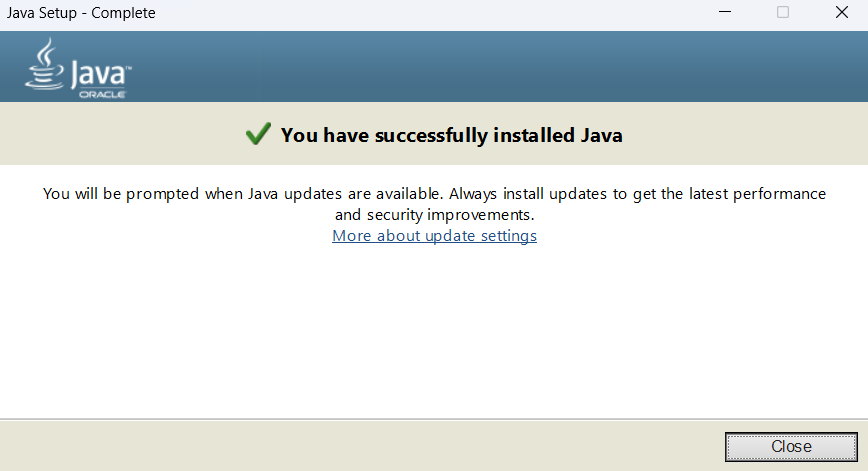
现在会出现一个窗口确认已安装,请点击“关闭”。
为 1.8.9 安装 Forge
打开 Minecraft 启动器,如果你还没有这样做过,请在 1.8.9 版本中打开游戏。
如果你还没有玩过 1.8.9 版本,请按以下步骤找到它:打开启动器并进入“安装”选项卡。

点击“新建安装”。

转到版本部分,搜索 1.8.9 并选择该版本。
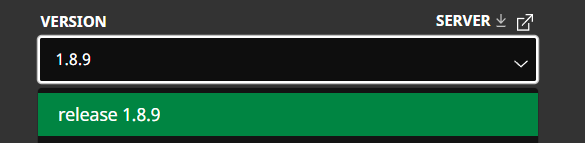
给它起个名字,点击 crate,然后点击 play。让游戏在主菜单中打开几秒钟,然后关闭。
安装 Forge
前往 Forge 官网并下载安装程序。在这里找到它。
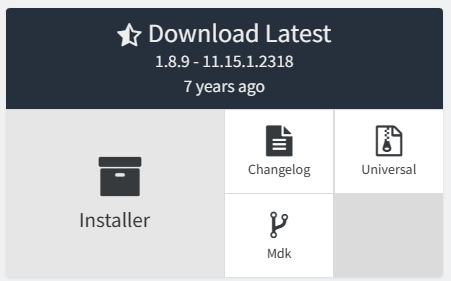
下载完成后,你可以点击它。
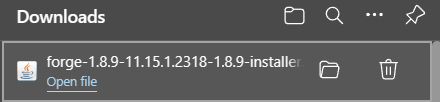
如果在浏览器中没有看到弹出窗口,请打开文件资源管理器并进入“下载”文件夹。
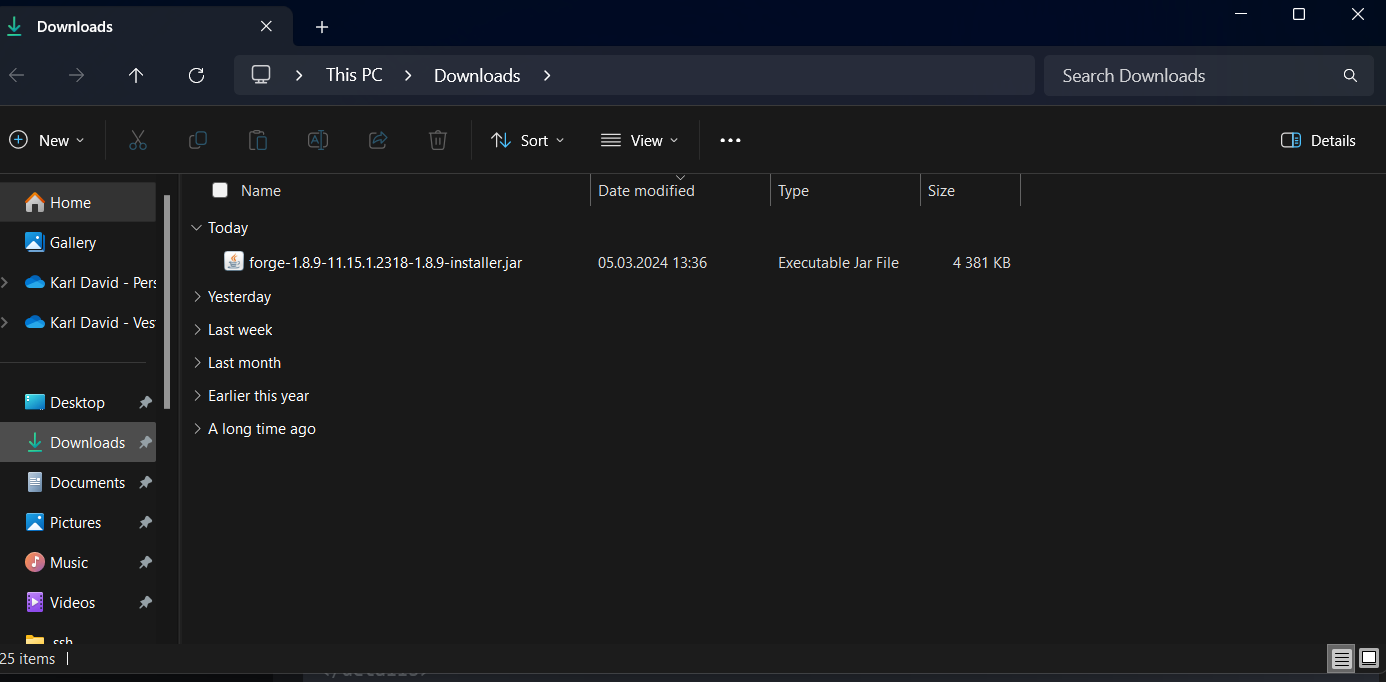
点击后应该会打开此窗口。
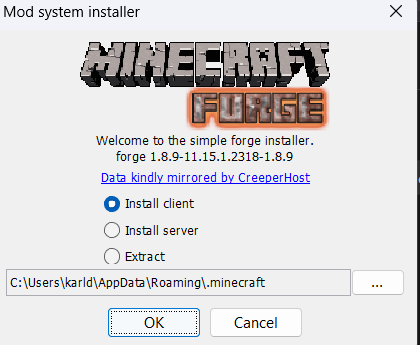
点击 OK。
好了,你已经安装了 Forge。
为整合包创建一个安装文件夹。
按下键盘上的 Windows 键,输入 %appdata% 然后按回车。
应该会打开一个文件资源管理器窗口。右键单击空白区域,找到“新建”,然后选择“文件夹”。
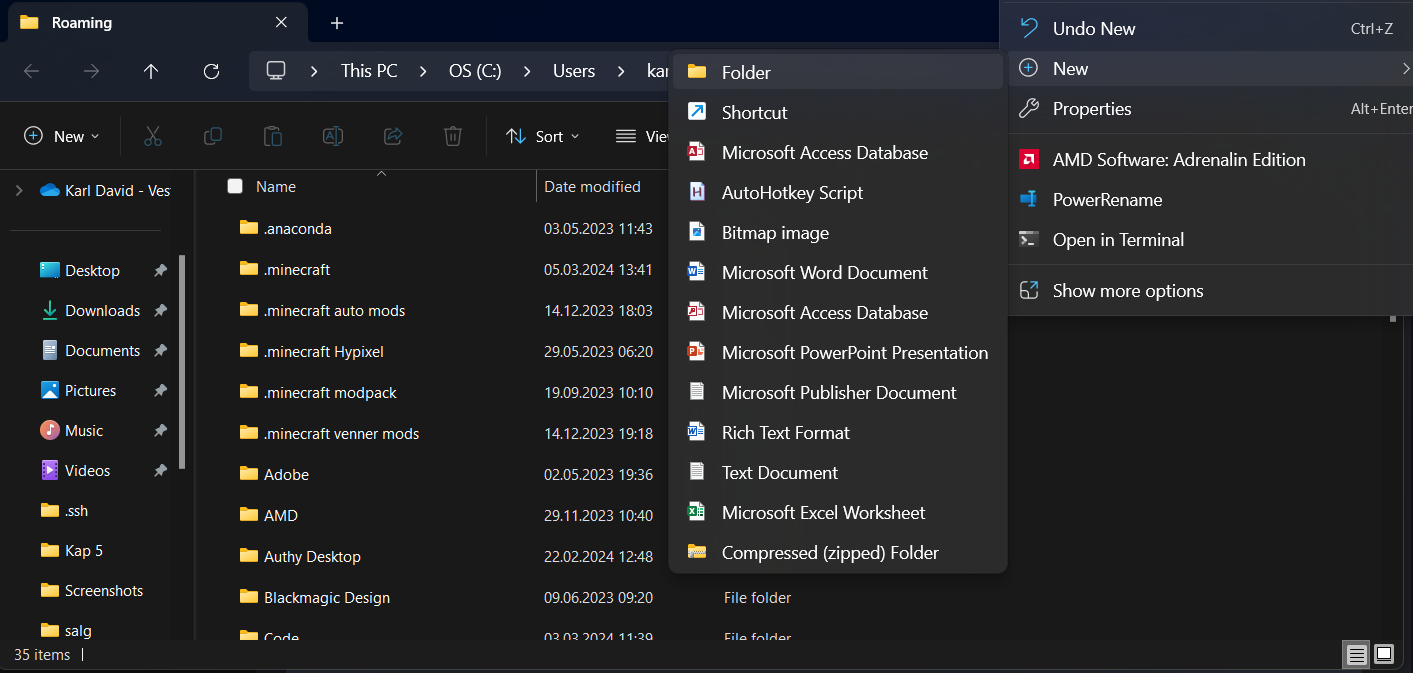
给它起个好名字,然后打开它(记住这个名字)。把它保持在后台,稍后你会用到它。
下载整合包
从 Modrinth 下载最新版本。
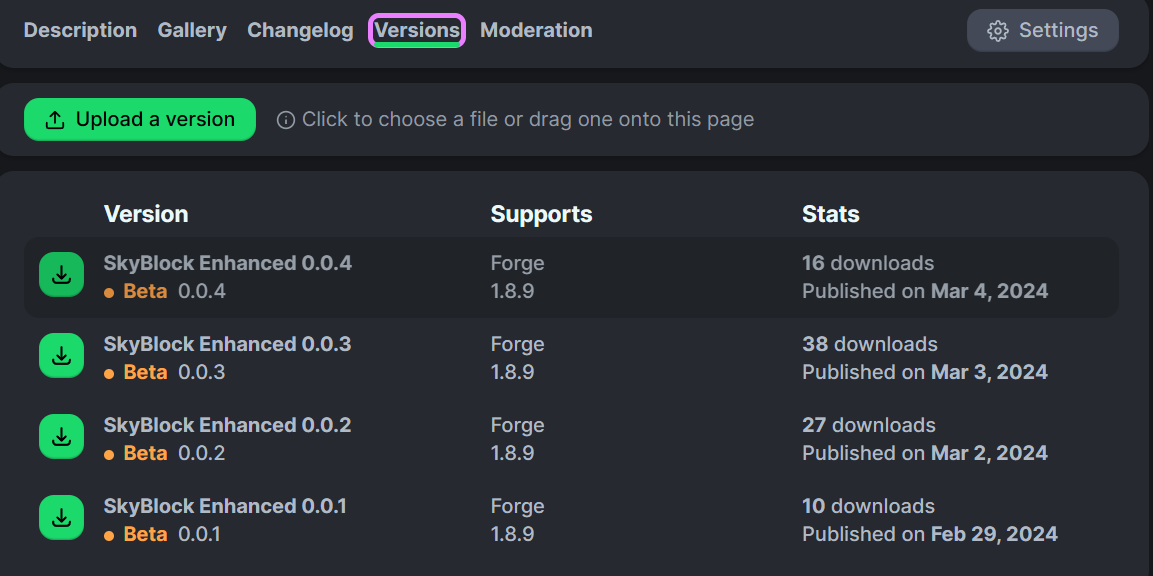
然后访问这个 网站。
在这里,你将把 mrpack 转换为包含模组的文件夹。
点击“Choose a file”(选择文件),然后选择你下载的文件。
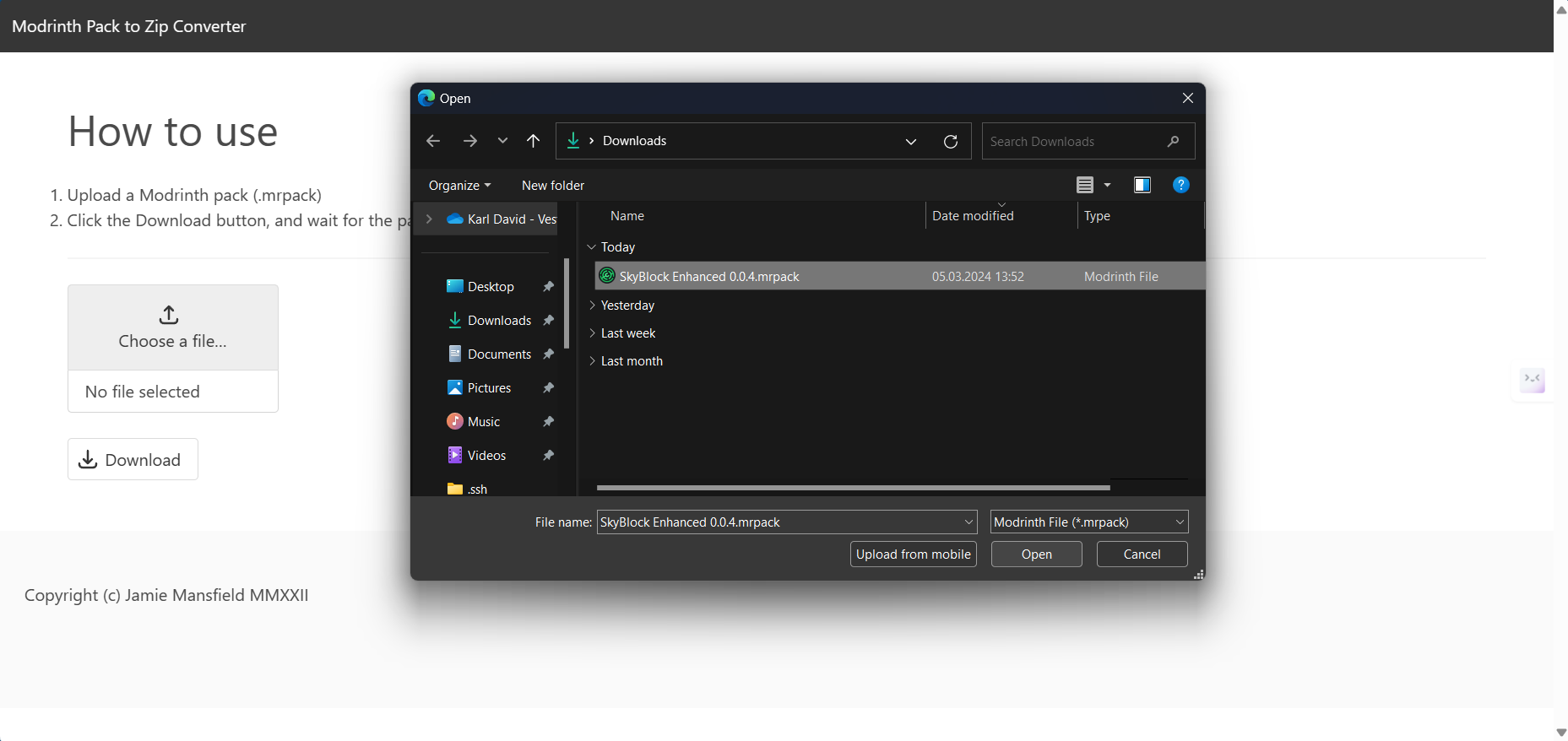
现在你可以点击 Download(下载),它将开始下载一个 zip 文件夹。下载完成后,打开该 zip 文件夹。
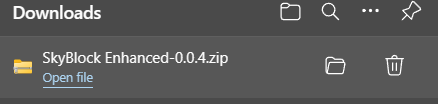
打开后,你可以将该文件夹中的所有文件复制到你之前创建的新文件夹中。最简单的方法是在 zip 文件夹中按 Ctrl-A 全选,然后按 Ctrl-C 复制。接着转到新文件夹并按 Ctrl-V 粘贴。如果所有文件都移动成功,那就没问题了。
让游戏准备好运行。
此时,你可以再次打开启动器。进入“安装”选项卡,点击“New Installation”(新建安装)。

给它起个好名字,在版本字段中输入 forge,然后点击出现的选项。
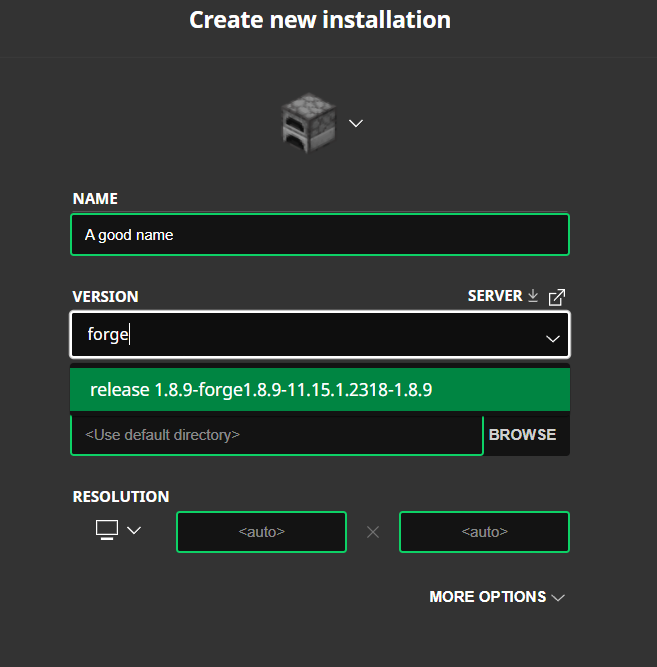
在游戏目录处点击 Browse(浏览)。

然后找到你创建的文件夹并选择它。
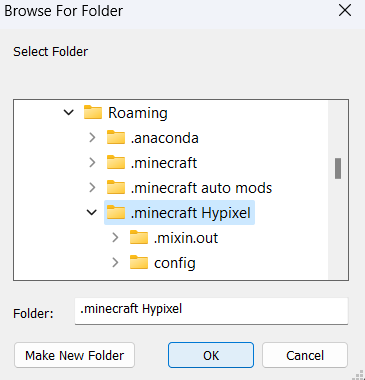
点击 OK。展开 More(更多)选项。
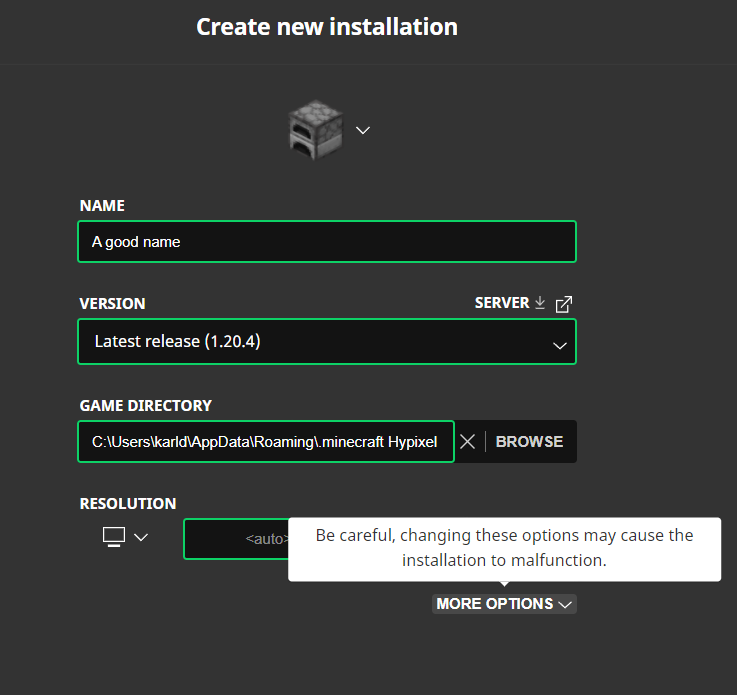
更改 JVM arguments(JVM 参数)行,只需将数字 2 改为 (3 或 4),具体取决于你的内存大小。对于 99% 的人来说,4 是安全的。

点击 Create(创建),然后 Play(开始游戏)。
安装 Optifine 请按照关于如何安装 Optifine 的教程操作,但当教程中提到“打开 Modrinth 应用并点击文件夹图标”时,请使用你之前创建的文件夹,并定位到 mods 文件夹。
玩得开心!!!
需要帮助?请在 YouTube 的这个帖子下写下你的问题。YouTube 帖子。
要更新,只需再次下载 mrpack 并替换你创建的文件夹中的内容。系统会提示存在重复文件,只需点击 Replace(替换)即可。
不想使用 Modrinth 或原版启动器。
整合包以 .mrpack 格式传输,大多数启动器都支持它。你可以使用 MultiMC、Prism Launcher、ATLauncher、BakaXL 或 Superpack 来游玩我的整合包。我还没有测试过,所以不知道具体如何使用,但应该有一个导入按钮,你可以选择 .mrpcak 文件。
❗重要按键绑定
通过 右 Shift 访问配置菜单
重要热键
所有热键都可以通过 “右 Shift” 配置菜单进行自定义,只需找到对应的模组,然后选择你想更改的热键即可。
NEU
- 选择一个 NPC 以显示指向 “U” 的路径点
- 槽位锁定键 “L”
- 当鼠标悬停在物品上时,打开物品的价格图表 “P”
- 快速从衣柜切换到盔甲套装。槽位 1 = 键 “1” 槽位 2 = 键 “2”,依此类推。
Skyhanni
- 通过 SkyHanni 移动屏幕上的 GUI 元素 "G"
- 在花园传送回家 "Z"
- 在花园设置重生点 "H"
- 在花园传送至谷仓 "B"
- 当无法拒绝花园访客且其携带好物品时,使用绕过键 "LSHIFT"
- 接受访客 "K"
- 传送到有植物覆盖的最近地块 "V"
- 在蘑菇沙漠传送到 Trevor 的巢穴或接受他的任务 "V"
- 在绯红之岛使用声望助手 "H"
- 在执行 Diana 神话事件时,传送到枢纽中的最近传送点 "V"
- 与队伍分享调查员路径点 "Y"
- 降低鼠标灵敏度 "Z"
- 拆解快捷键,显示工具上所有幸运来源的拆解信息。(LShift)
- 当无法拒绝花园访客且其携带好物品时,使用绕过键 "LControl"
- 篝火快捷键,如果你未解锁旅行卷轴,可传送至篝火并显示前往路径。"V"
- 选择下一个位置的快捷键 "z"
- 分享矿洞位置 "Y"
- 手动重置钓鱼计时器 "R"
- Wiki 快捷键,在聊天中显示鼠标悬停物品的 Wiki 链接 "O"
Partly Sane Skies
- 队伍管理器 "P"
- 从 Seak 补充地牢运行物品(包括灵魂跳跃和超级boom TNT)"O"
PolySprint
SkyGuide
Dungeons Guide
- 刷新或创建寻路线路 "R"
- 切换寻路线路 "I"
- BOSS Rush 模式 "J"
- 寻找新秘密 "F" (当秘密出现错误或已被发现时使用。)
- 炸弹拆除将解决方案发送至聊天并显示它们 "Z"
Chatting
Fancy Warp Menu
Skytils
- 默认无记录,但你可以借助快捷键创建任何你需要的内容。
?️故障排除
请访问 GitHub Wiki 以获取指南和基本故障排除帮助。GitHub Wiki
发现问题,请在 GitHub 上提交 Issue。
需要帮助,请在我的 Github 发起讨论,我会帮助你!
如果发现 Bug 或功能异常,请提交 Issue;如果仅是寻求一般帮助,请发起讨论。
这个整合包的性能表现如何?
在我的配备 Ryzen 5800x 和 RX 6700XT(中高端)的 PC 上,我获得:
- 枢纽出生点 = 100 到 200 FPS,远离出生点时可达到 350 + FPS
- 花园 = 400 到 600 FPS
- 家园岛 = 100 到 150 FPS,带有大量宝箱。
- 通常在 Skyblock 区域 = 150 到 250 FPS
在我的配备 Ryzen 5800U(低端)的笔记本电脑上,我获得:
- 枢纽出生点 = 50 到 60 FPS,小型大厅。
- 花园 = 100 到 130 FPS
- 家园岛 = 70 到 80 FPS,带有大量宝箱。
- 通常在 SkyBLock 区域 = 60 到 100 FPS,很少低于 60,大多数时间在 80 左右
在我新的配备 Ryzen 7440(低/中高端)的笔记本电脑上,我获得:
- 枢纽出生点 = 60 到 75 FPS,小型大厅。
- 花园 = 100 到 300 FPS
- 家园岛 = 70 到 180 FPS,带有大量宝箱。
- 通常在 SkyBLock 区域 = 90 到 200 FPS
我的游戏启动时崩溃
- 尝试重新启动游戏。如果无效,请在 GitHub 页面上提交 Issue。
- 如果此崩溃发生在更新整合包后,请尝试以下操作:导航到你实例文件夹中的
essential 目录(点击右上角的三个点并点击“打开文件夹”即可找到),然后删除 loader 文件夹。如果这不起作用,请在 GitHub 上提交 Issue。
? 合作伙伴优惠:Bisect Hosting
我与 Bisect Hosting 合作,为你提供可靠的游戏服务器。无论你玩的是 Minecraft 还是其他游戏,他们都能提供高性能硬件和快速支持。
结账时使用代码 SBE 可获得首单 25% 折扣。
通过使用此链接支持我和我的工作:
? 功能列表
通过浏览详尽的模组列表及其各自的功能,探索我的整合包的无限可能以及每个已包含模组的未来。
?Not Enough Updates
NotEnoughUpdates(NEU),Hypixel Skyblock 必备模组。
非常实用
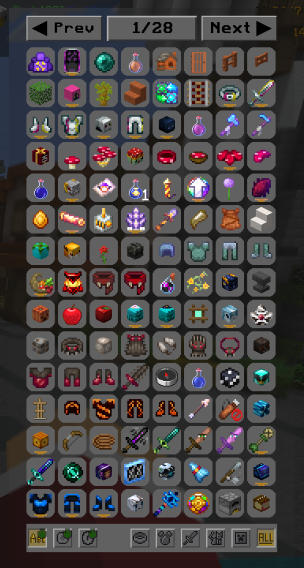
- 一个物品列表,包含 Skyblock 中每个物品的信息和配方,以及掉落地点和掉落几率的信息。
展示
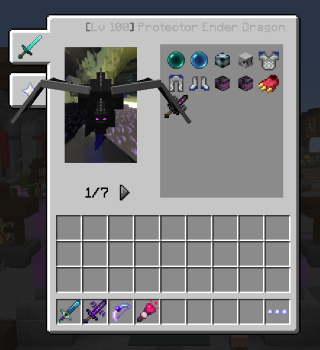
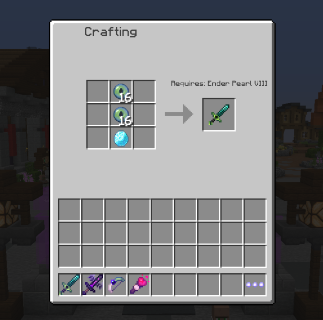
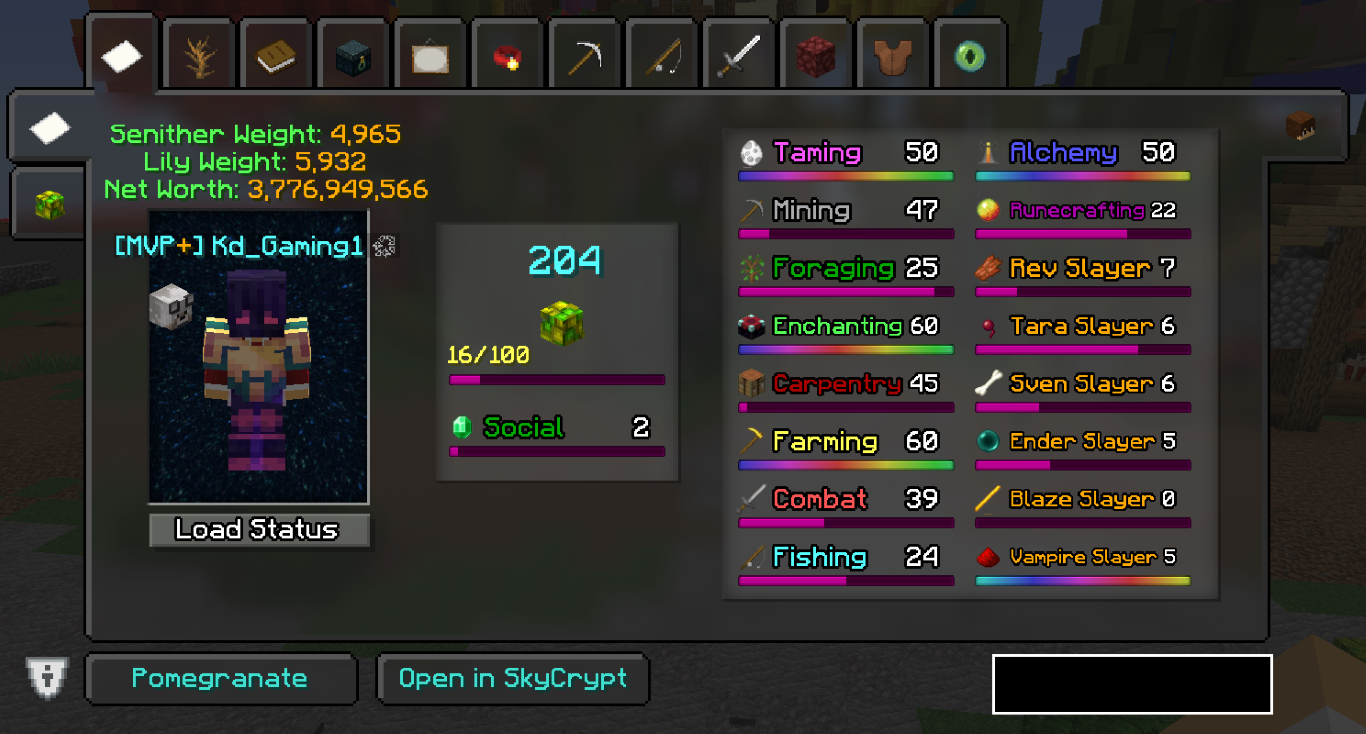
- 一个通过 /pv [玩家名] 访问的游戏内 Skyblock 配置文件查看器。
展示
GUI 元素
展示
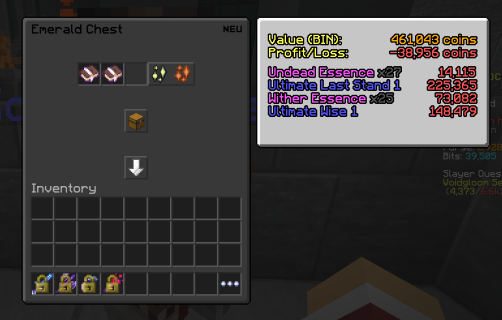
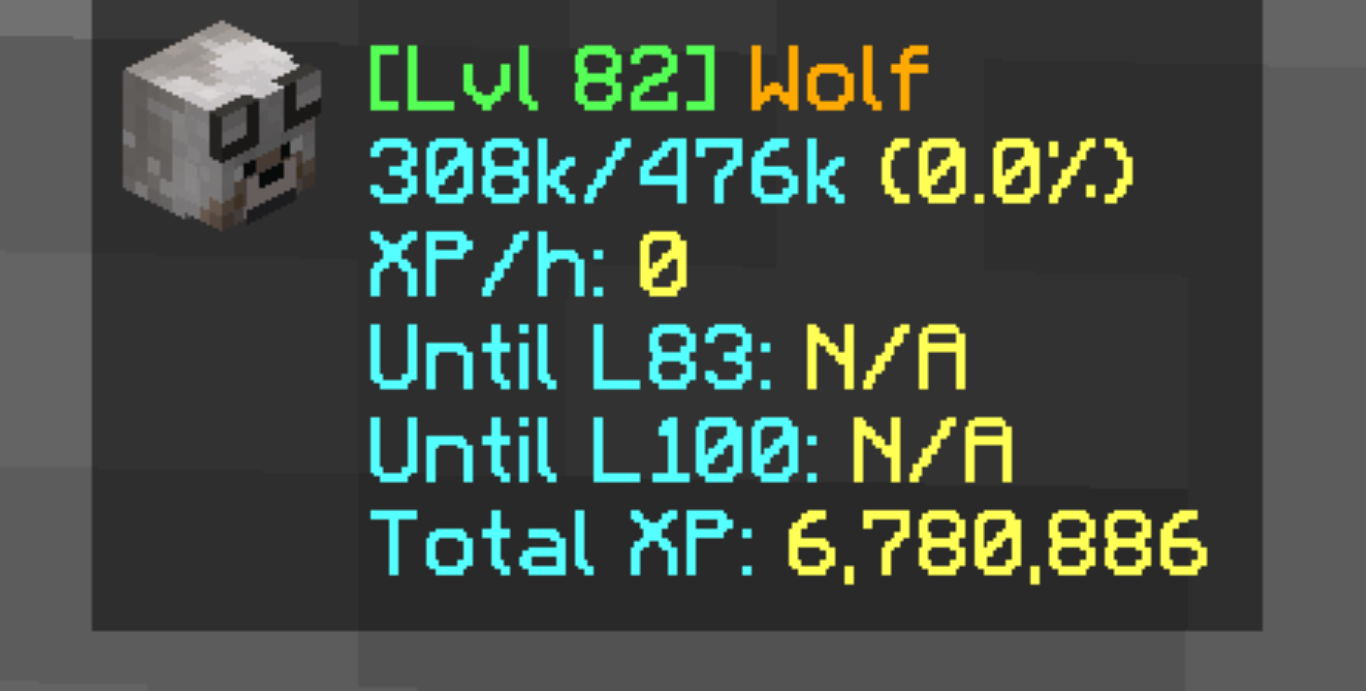
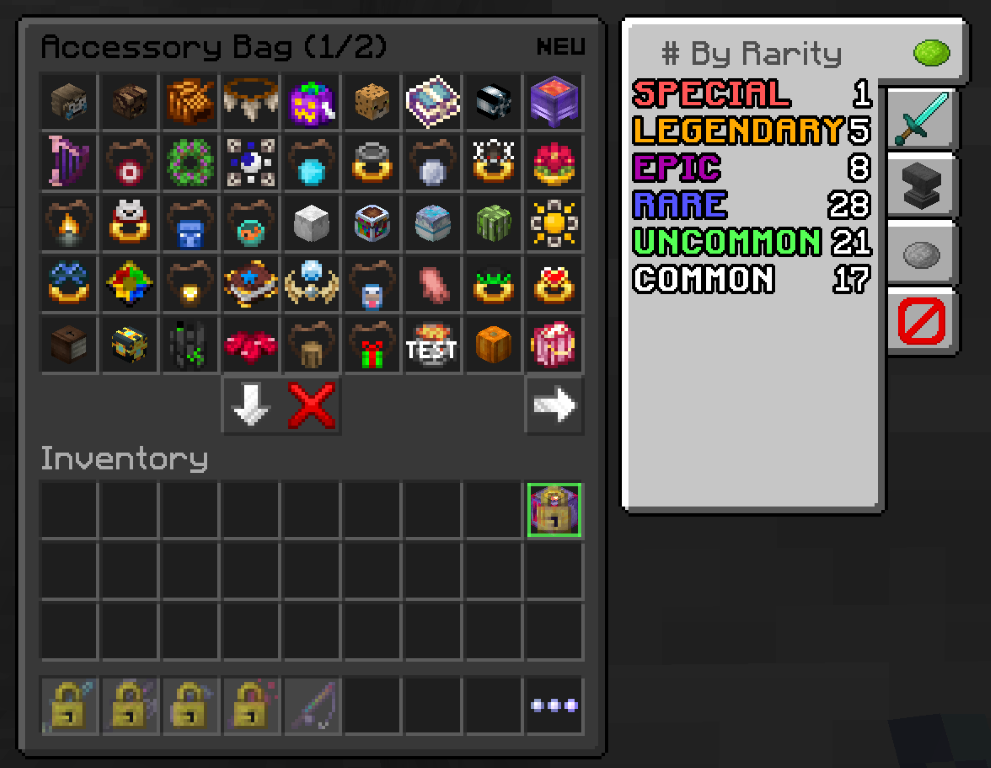
- 屏幕上的叠加层,用于:农业、矮人矿洞、宠物和配饰袋。
展示
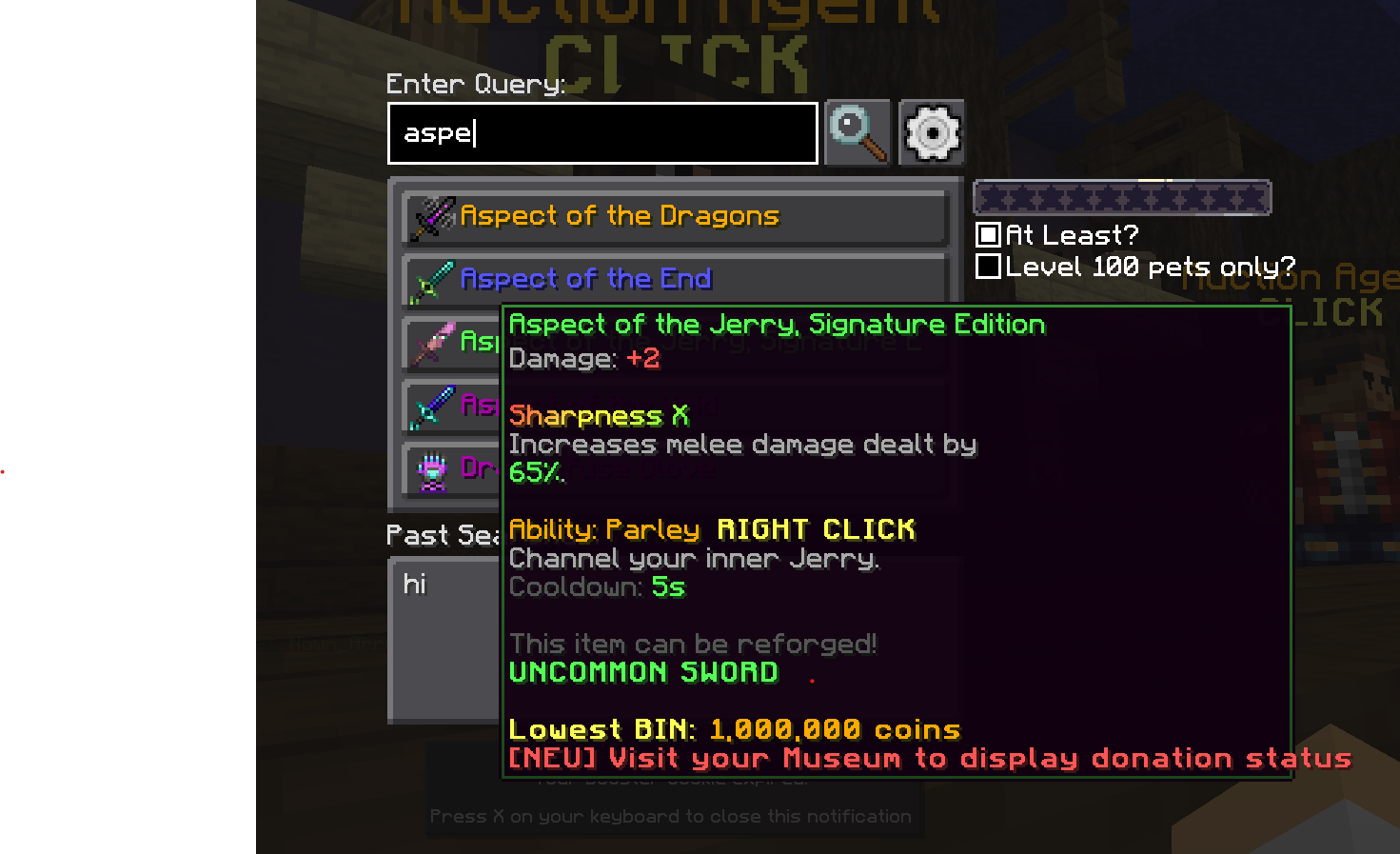
- 自定义的动作之家(Action House)和集市搜索 GUI。
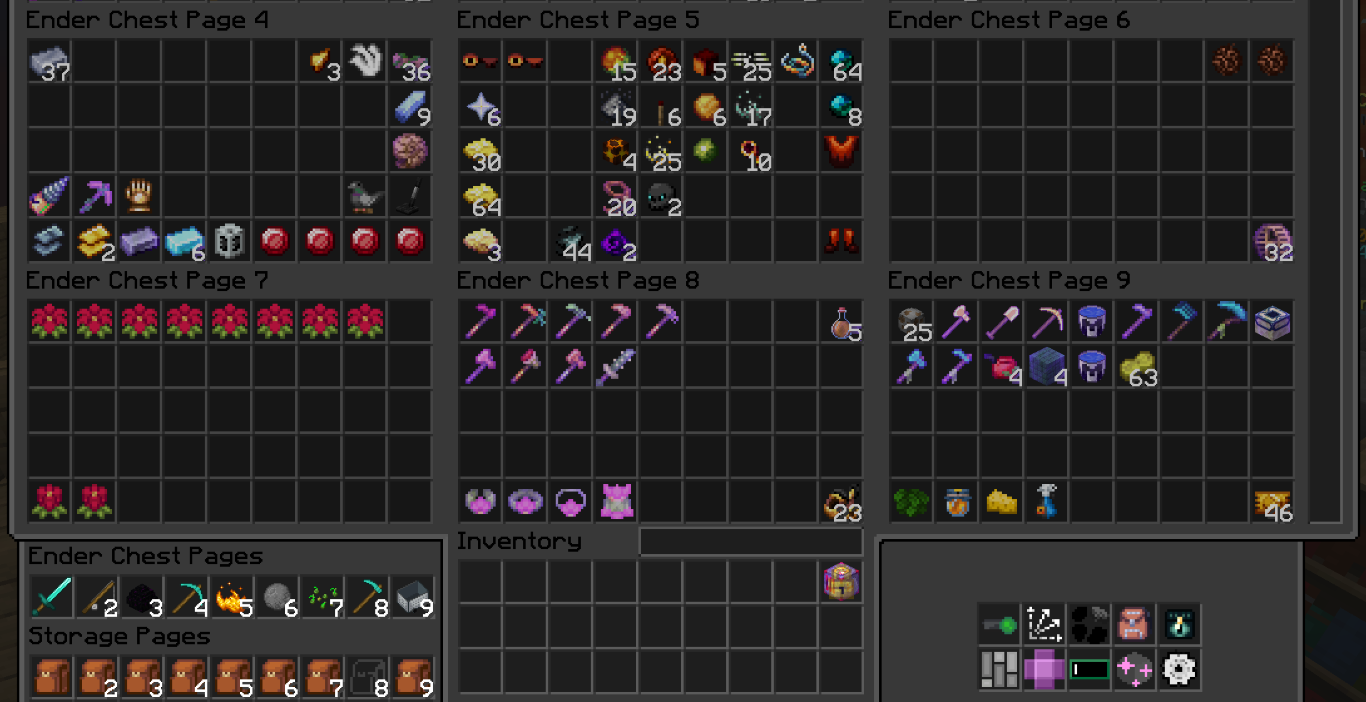
- 自定义存储 GUI,默认关闭。
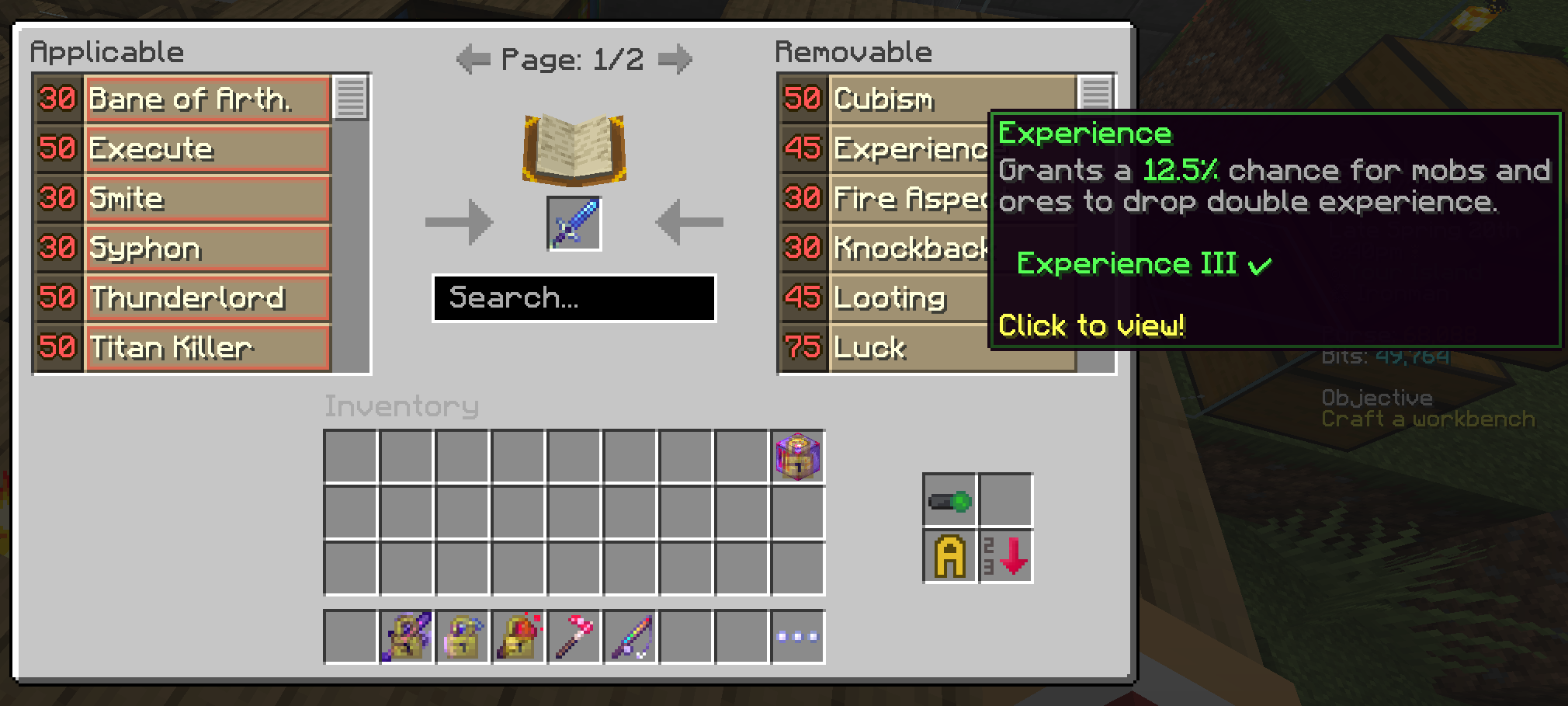
- 自定义附魔台 GUI。
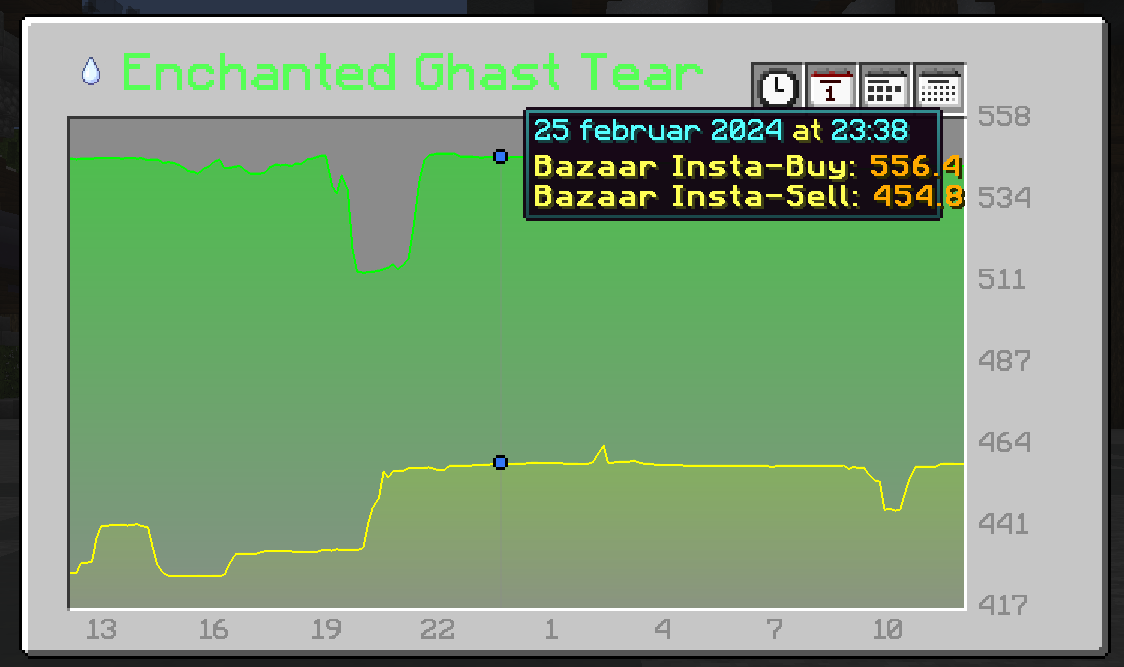
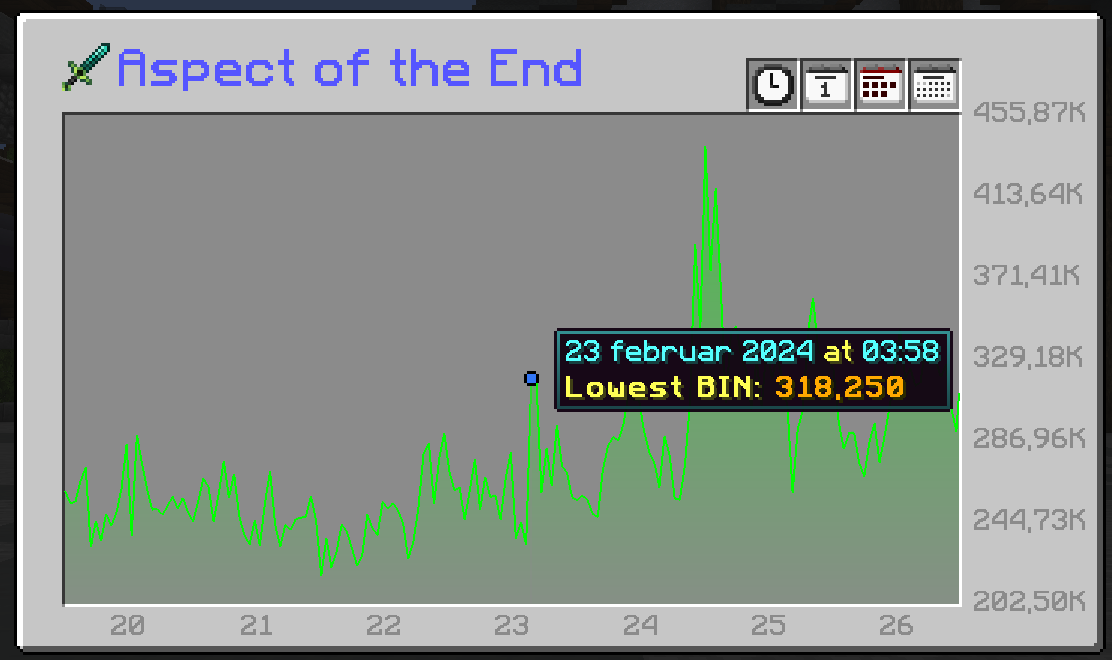
- 自定义价格图表,用于查看物品价格历史,鼠标悬停时按 P 键。
展示
展示
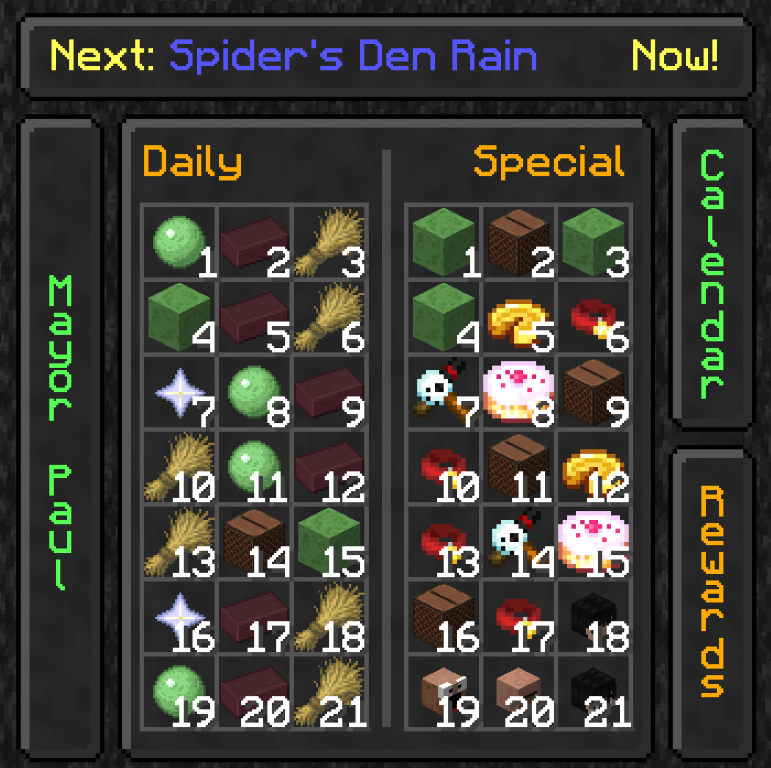
- 自定义日历和活动通知,可自定义(命令:/neucalendar)
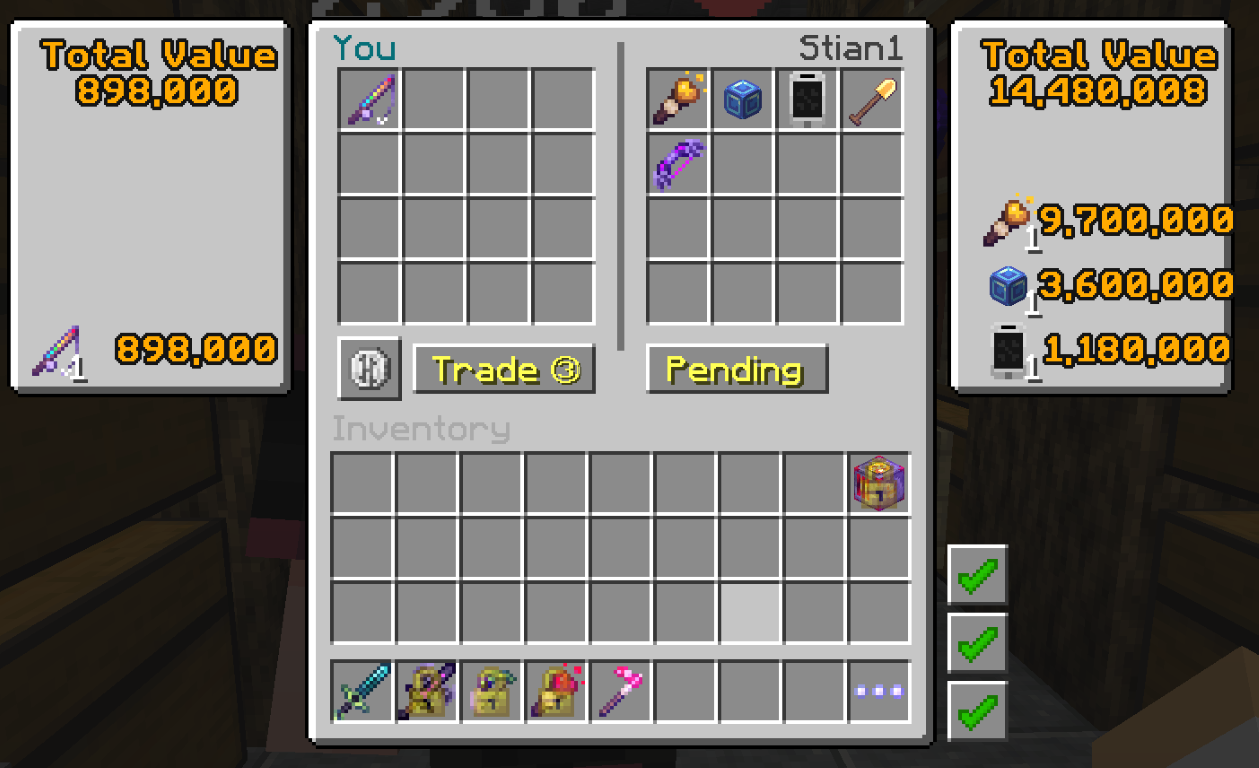
- 自定义交易菜单
展示
覆盖层与航点
- Treecapitator、Builder's Wand、Block Zapper 和 Bonemerang 的物品覆盖层。
展示
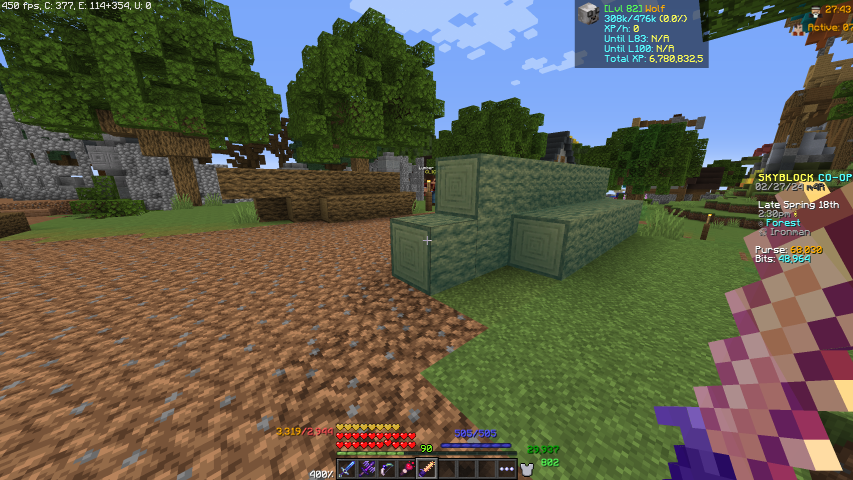

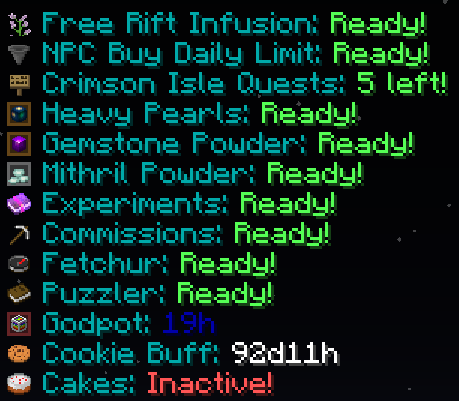
- Todo Overlay - 显示需要记住的日常任务覆盖层。
展示
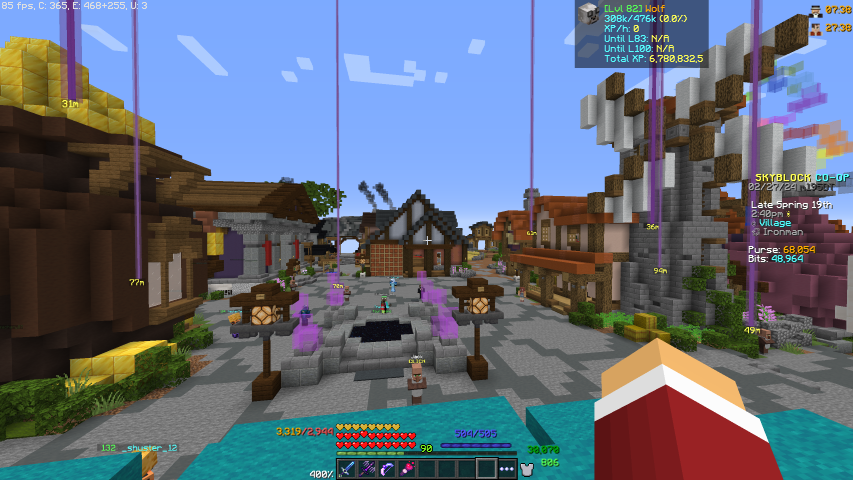
- 妖精灵魂航点,通过 /neusouls 或 F7 配置屏幕访问。
展示
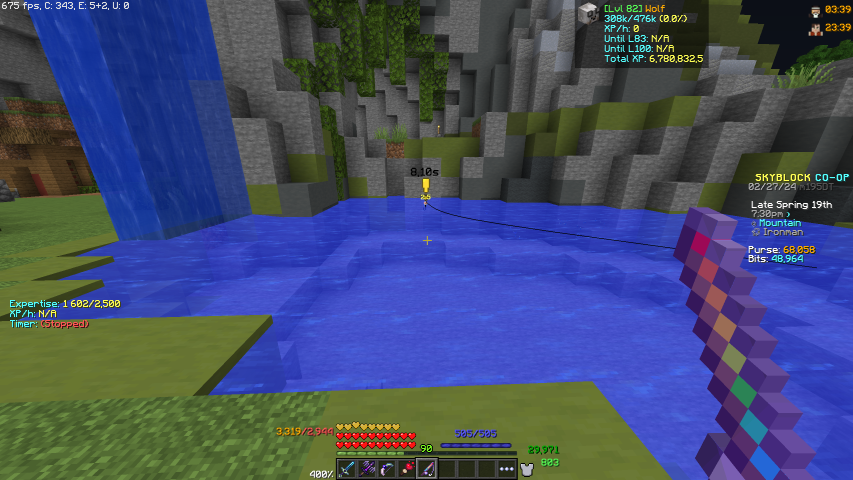
其他
展示
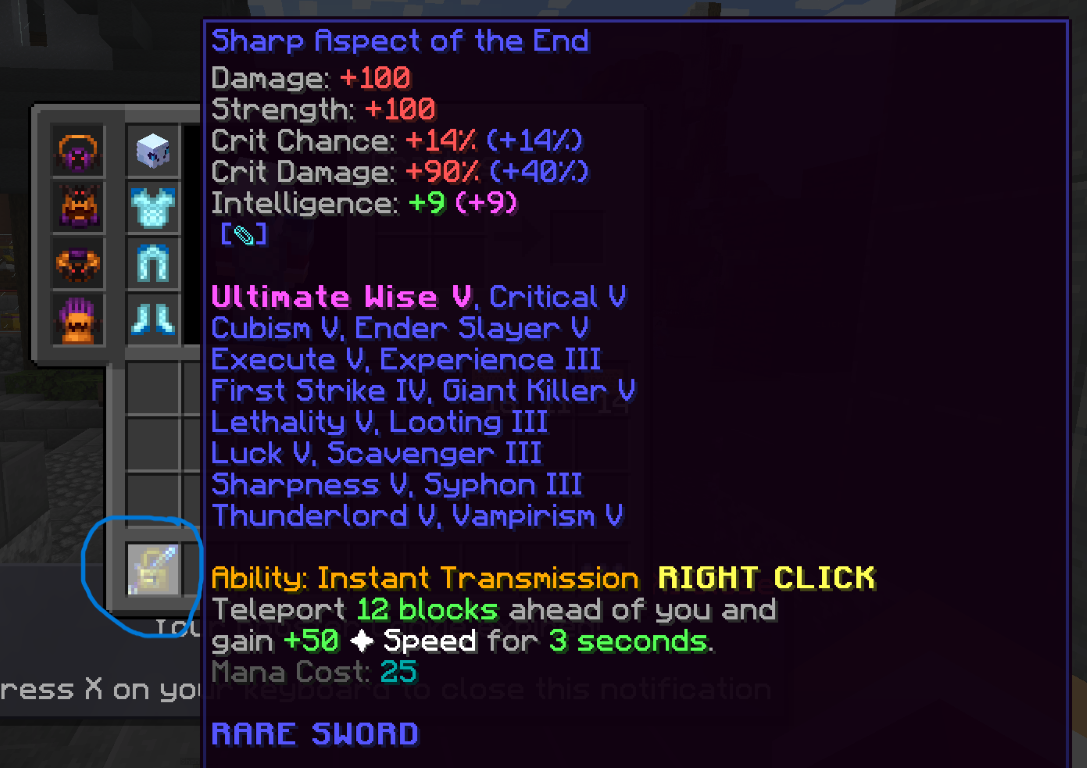
- 槽位锁定功能,防止因误按 Q 键而丢失物品,将鼠标悬停在物品上并按 L 键。
- 可自定义的库存命令按钮,通过 /neubuttons 访问。
展示
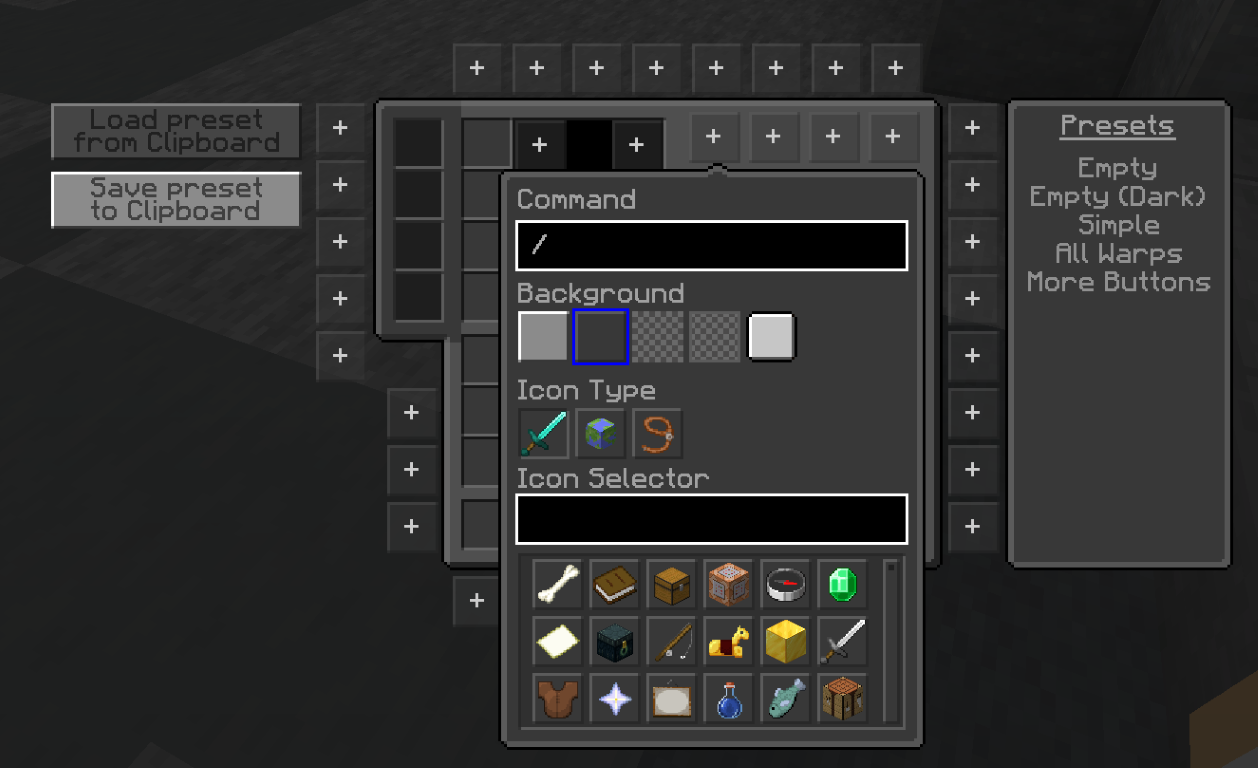
以及更多更多内容,请访问 NEU Modrinth 页面 或 Github 获取更多信息。
??SkyHanni
SkyHanni,一款提升生活质量的 SkyBlock 模组以及更多功能。
要更改屏幕上任何 GUI 元素的位置,请按字母 'G'。
花园功能
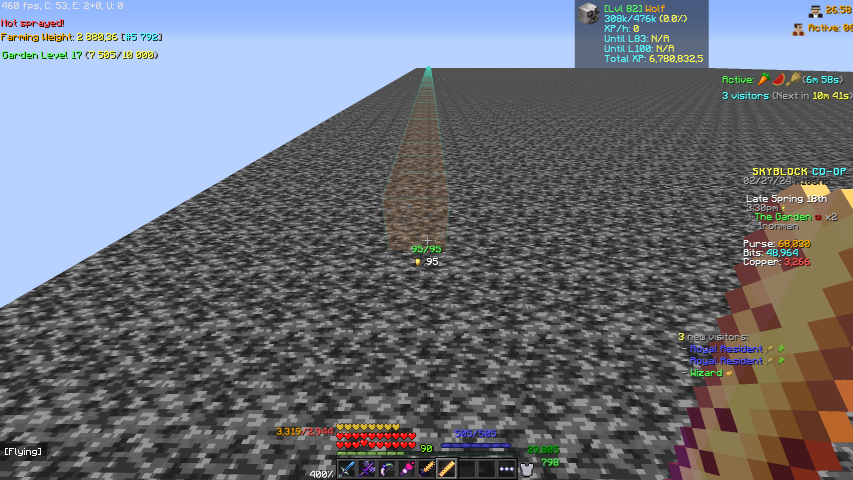
- Composter Compact Display - 以紧凑形式在 GUI 元素中显示来自标签列表的堆肥数据。
展示
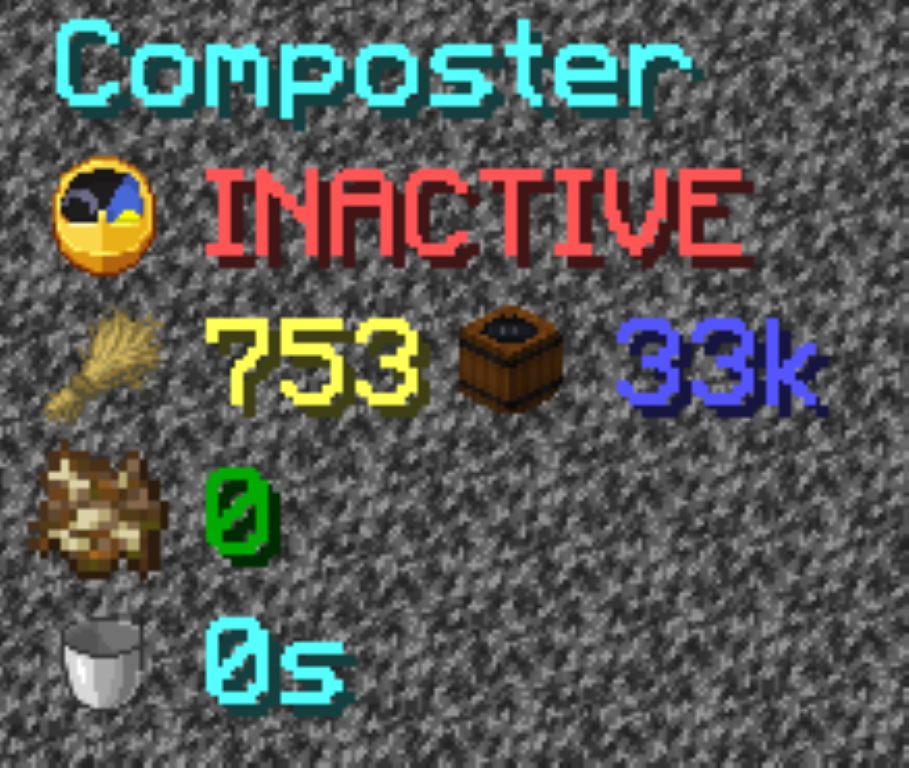
- Jacob's Contest Warning
- FF for Contest - 在 Jacob's Farming Contest 界面中显示获得 Jacob's Farming Contest 奖牌所需的最小农业幸运值。
- Contest Time Needed,位于 Jacob's Farming Contest 界面内。
展示
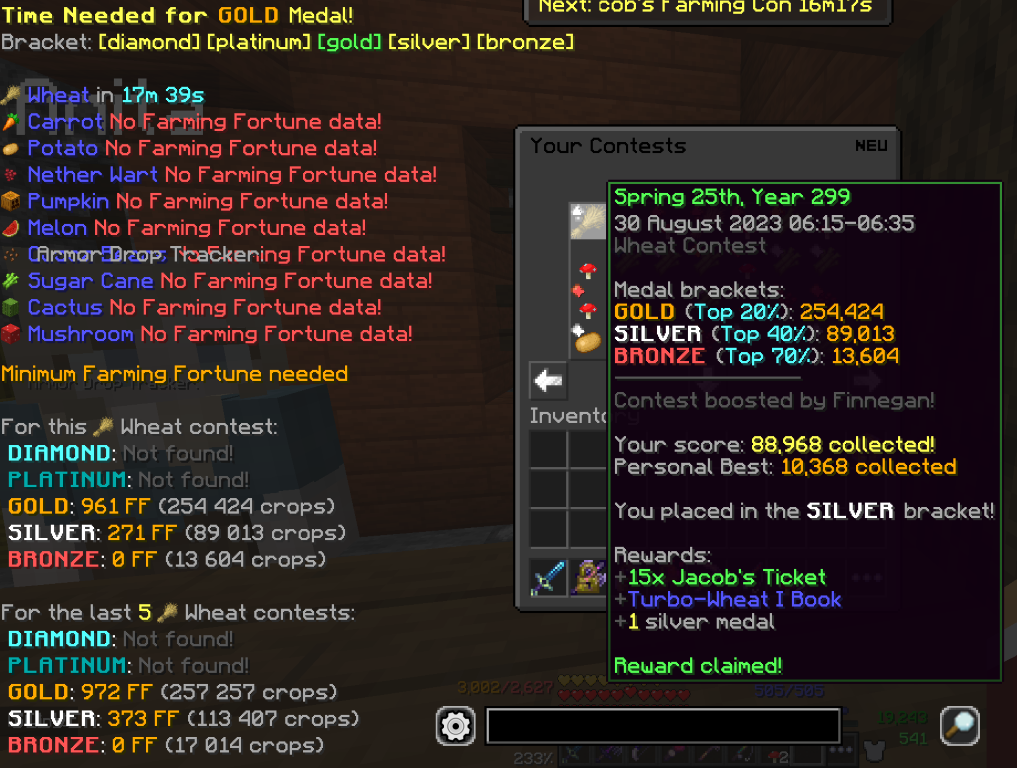
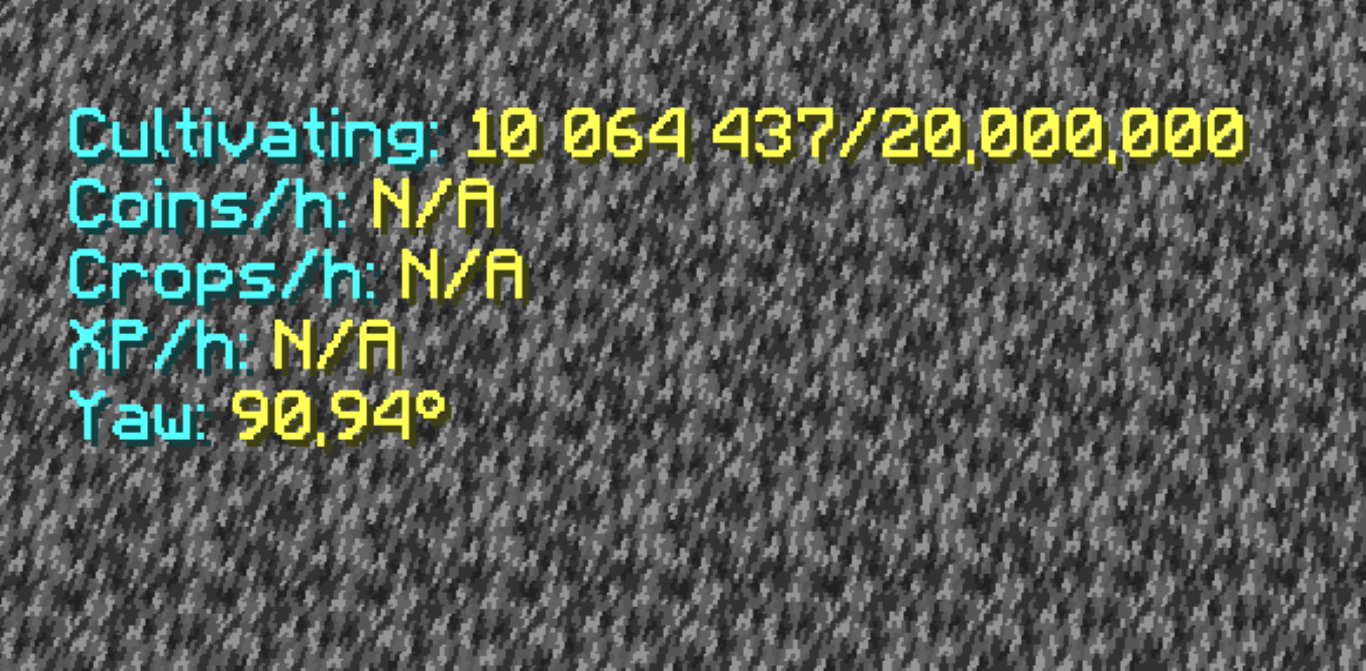
- 偏航角和俯仰角显示。
- 当前手中工具的最佳速度。
- 花园起始位置,显示一个用于开始的路点。
展示
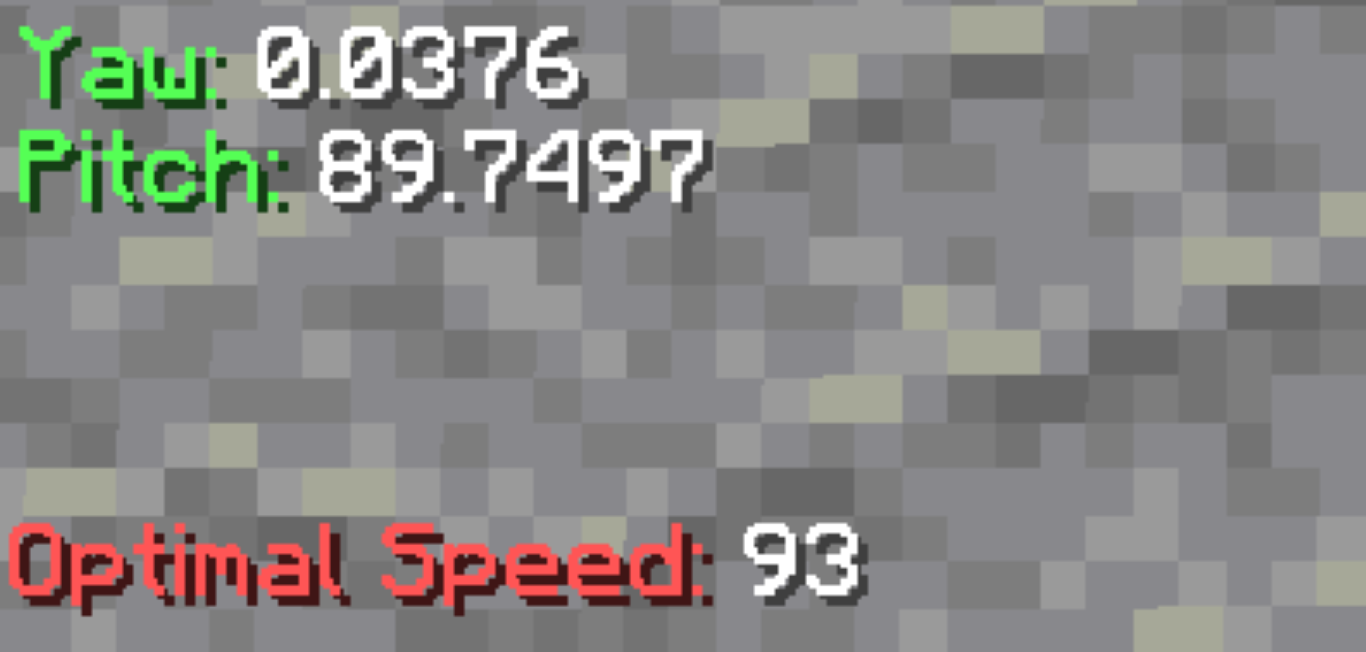
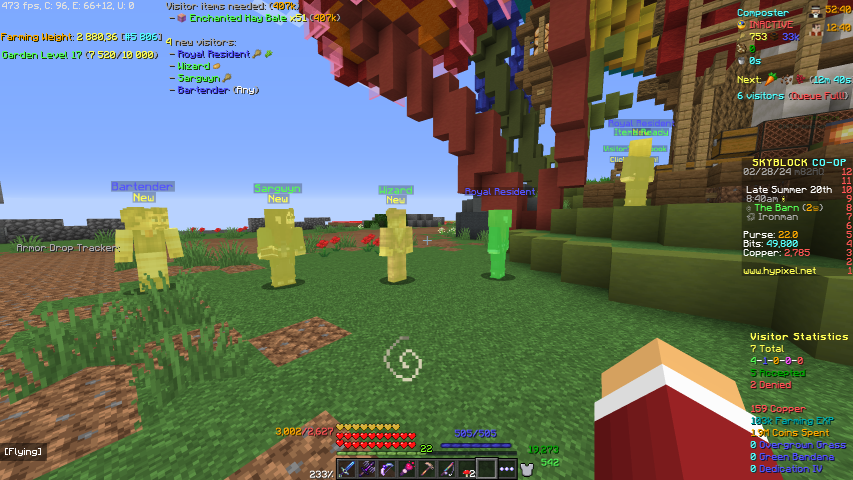
- 当第 6 位访客准备好时的警告。
- 发现带有稀有奖励的访客时显示警告,并阻止拒绝该访客。(拒绝绕过键 (LShift))。
- 访客计时器和访客通知。
- 当所需物品在背包中或访客是新的且需要检查其所需物品时高亮显示访客。
展示
- 耕种竞赛计时器
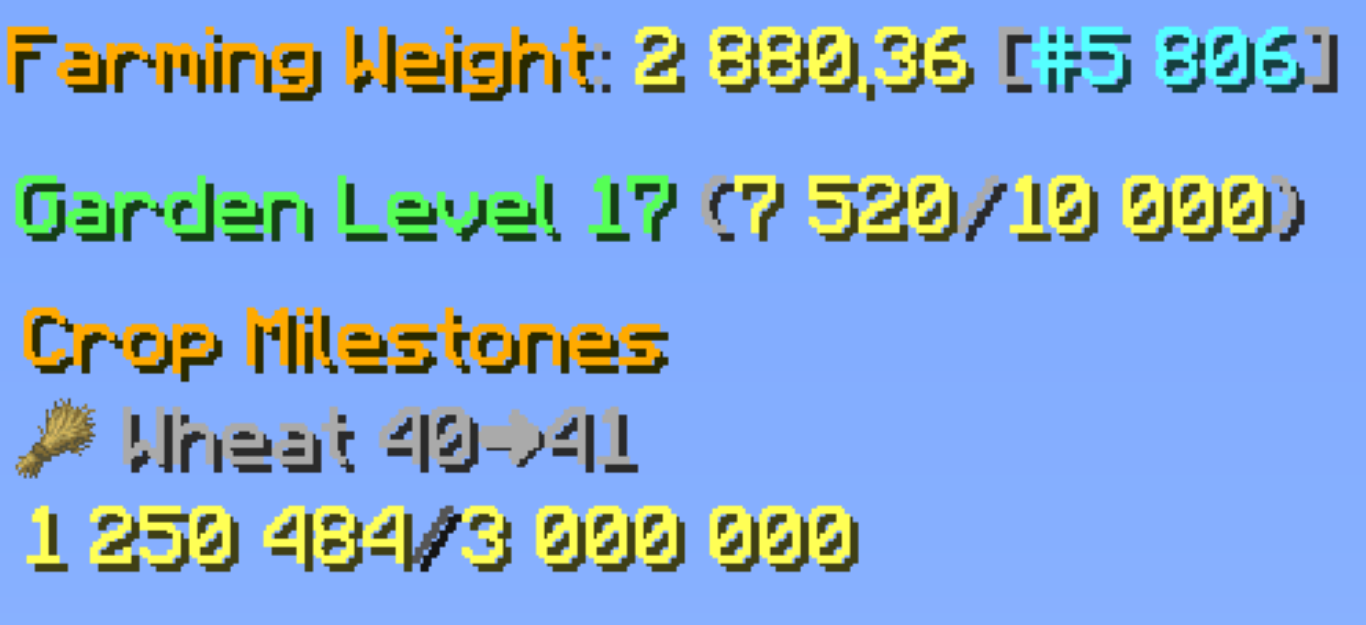
- 花园等级显示
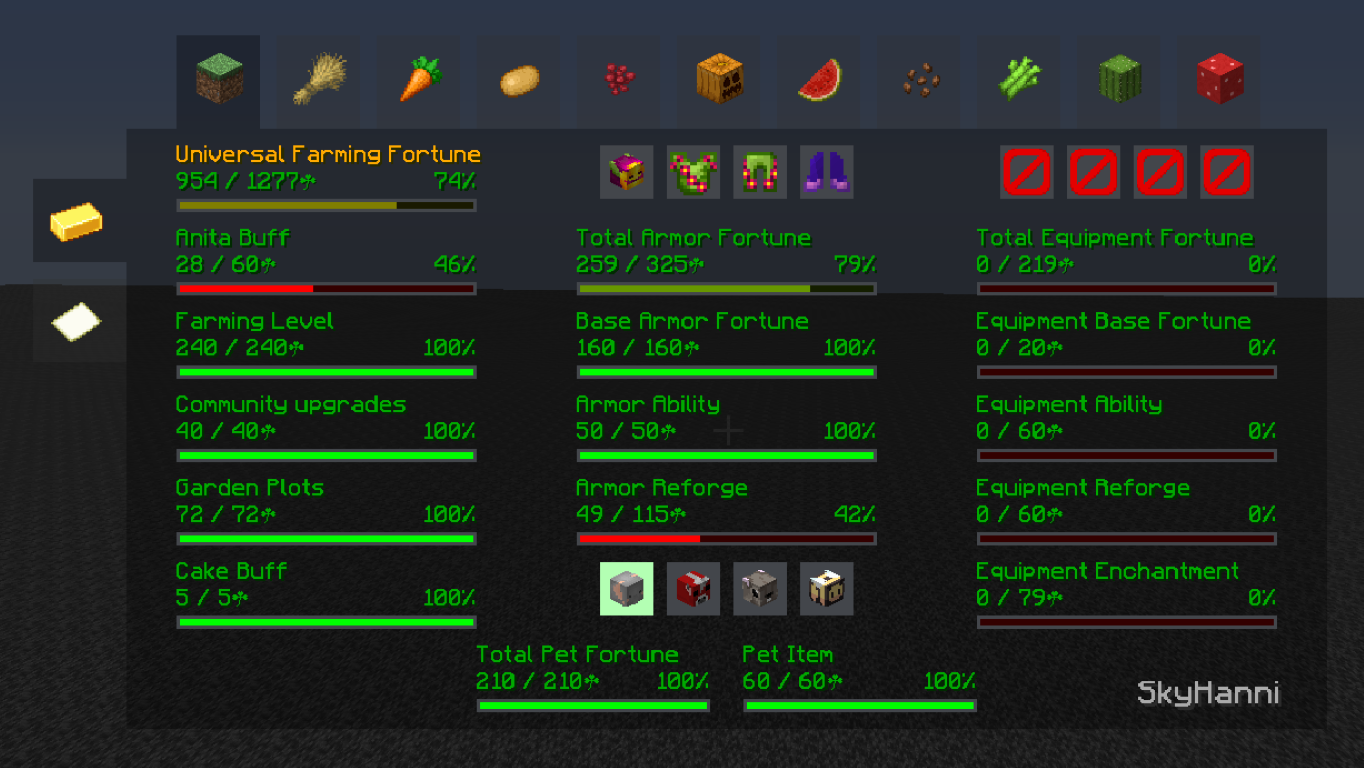
- 耕种幸运值分解,运行 /ff
- 在花园中手持耕种工具或达达洛斯斧头时的自定义按键绑定。
- 下一个里程碑的最佳作物显示。
展示
裂隙
- 裂隙计时器,显示剩余的裂隙时间。
- 指南高亮,高亮裂隙指南中的待办事项。
展示

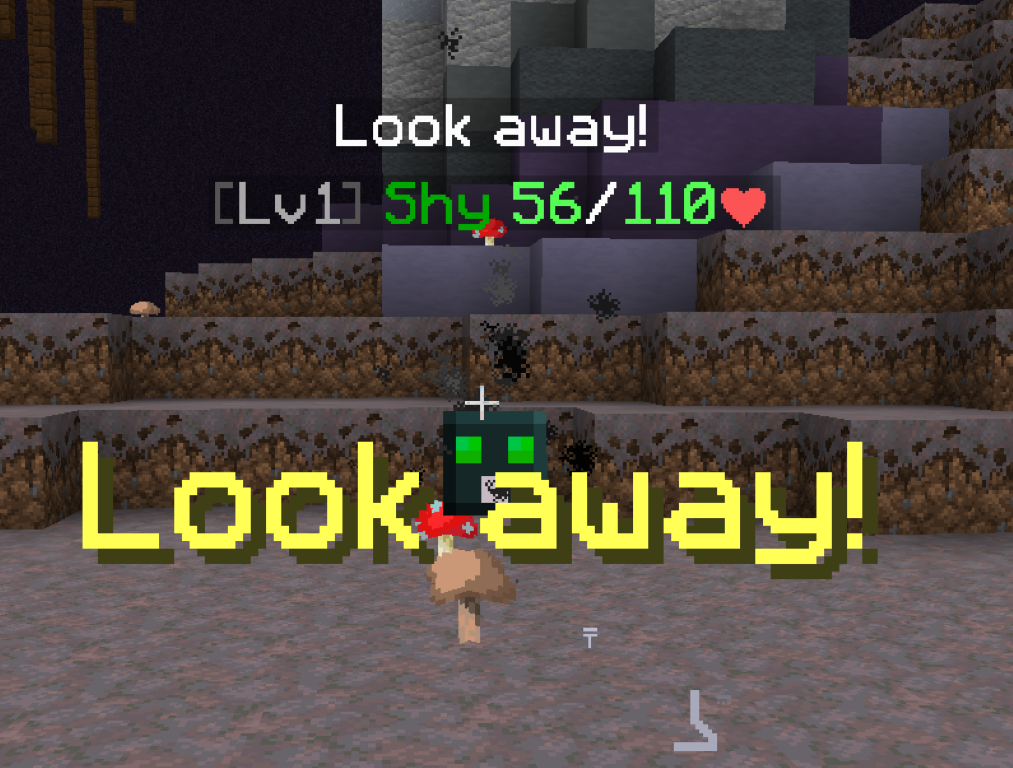
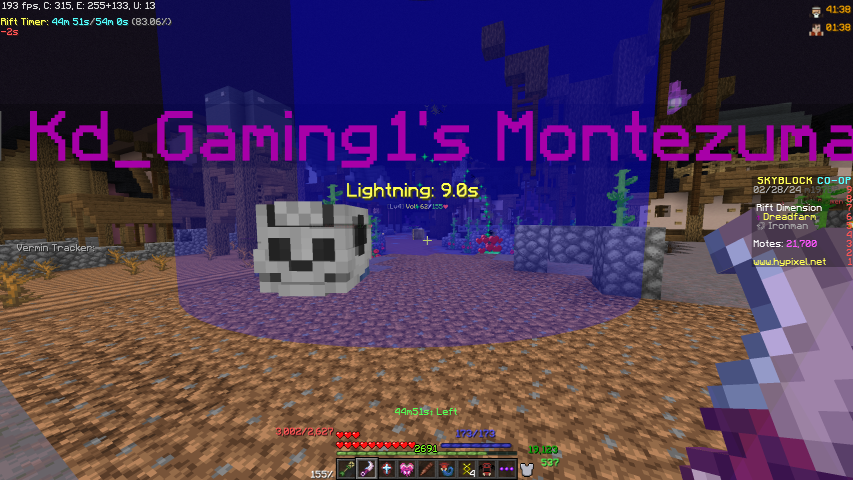
- 害羞警告,当害羞会偷走你的时间时显示警告。
- 伏特核心警告,当伏特正在释放闪电时显示警告,并显示伏特可能击中闪电的区域。
展示
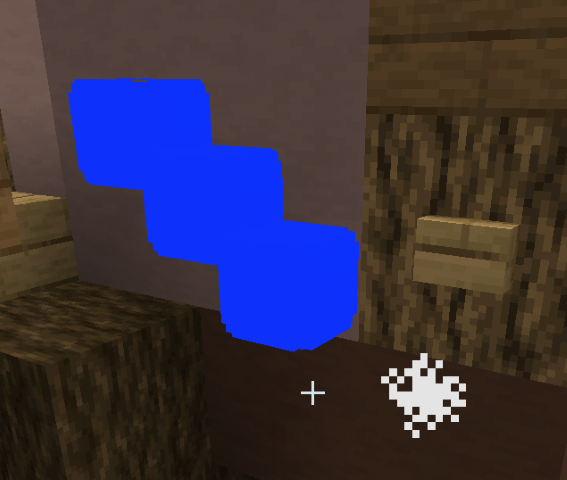
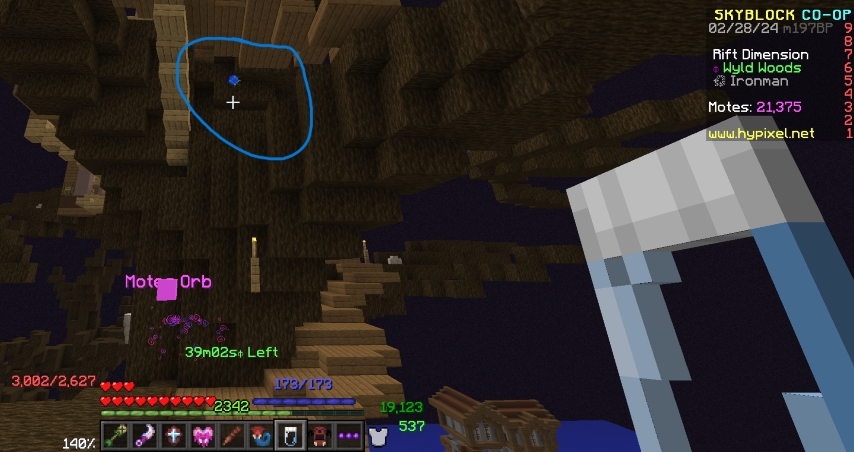
- 幼虫高亮器,在手握幼虫钩时高亮 Wyld Woods 树木上的幼虫。
- 蜻蜓高亮器,在手握空蜻蜓瓶时高亮围绕树木飞行的微型蜻蜓。
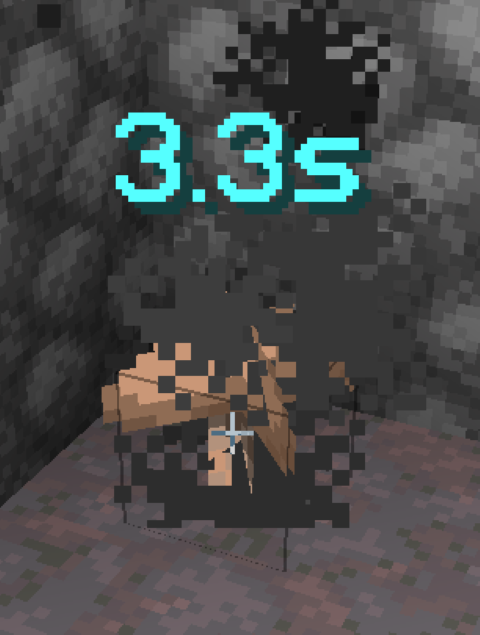
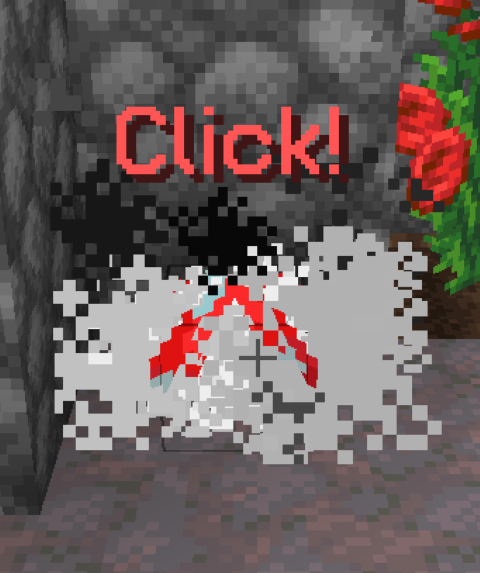
- Agaricus Cap 倒计时,直到 Agaricus Cap(蘑菇)从棕色变为红色并可被破坏。
展示
- Kloon 黑客辅助。
- Mirrorverse 辅助。
- Wilted Berberis 辅助
- Enigma Soul 路点
展示
即将推出。
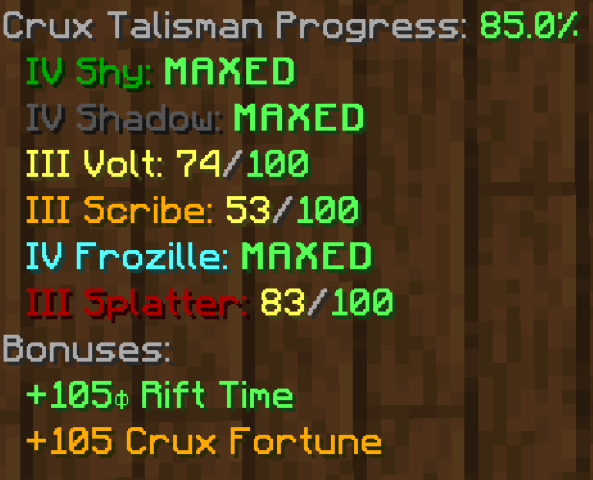
- Crux Talisman 进度显示
- Living Metal Suit 进度
- 高亮飞行中的 Motes Orbs
- Horsezooka 隐藏器,在手握 Horsezooka 时隐藏马匹。
展示
背包
- 不可点击物品,在某些 GUI 中不应移动的物品会在背包中标记为灰色,并为满足该要求的物品周围添加绿线。
- 铁砧组合辅助
- 高亮你喜欢的很多东西。
展示
Maye come soon.
Diana
- 显示附近的洞穴,使用 Soopy's Guess Logic 找到下一个洞穴。
- 平滑地显示从一个洞穴到另一个洞穴的路径。
- 如果离下一个洞穴更近,则传送到枢纽上最近的传送点。(按键 V)
- Griffin Pet 警告,当手持祖传铲子但未选择 Griffin 宠物时发出警告。
- Inquisitor Sharing,与你队伍中发现的 inquisitors 分享 wypoints。显示 inquisitor 消失前的计时器。
展示
Coming soon.
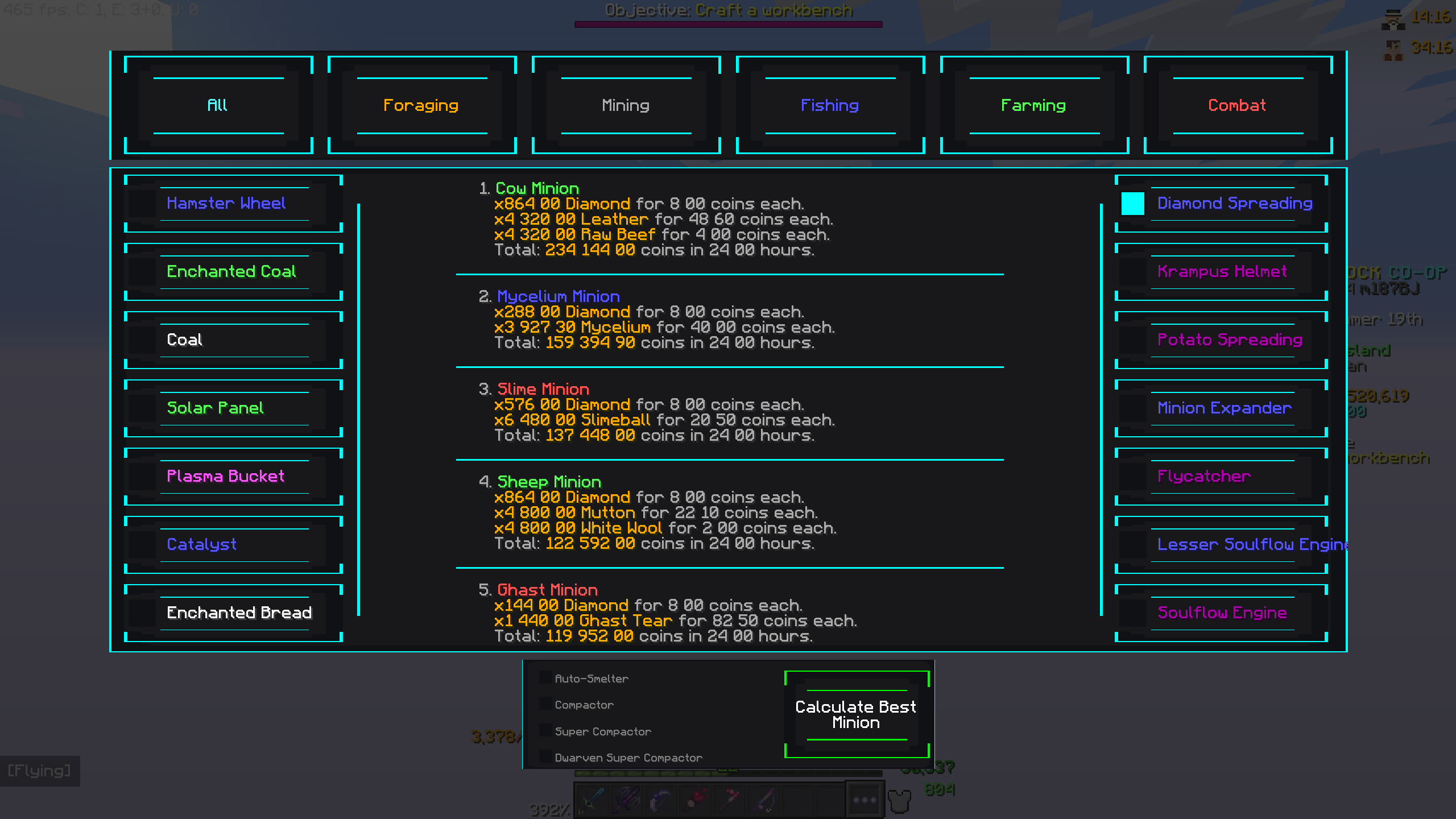
Bingo
- 目标指南
- 带有部分进度显示的步骤辅助
- Minions 制作辅助
展示
Coming soon.
Mobs
-
Arachne keeper 高亮器。
-
区域 Boss 高亮器。
-
区域 Boss 生成计时器。
-
Corleone 高亮器。
-
Zealots、Bruisers 和 Special Zealot 高亮器。
-
高亮腐化怪物。
-
Arachne Minis Hider - 隐藏 Arachne minis 上方的名字标签。
-
Arachne Boss Highlighter - 将 Arachne Boss 高亮为红色,迷你 Boss 高亮为橙色。
-
添加了 Arachne 生成的倒计时。
GUI
记分板
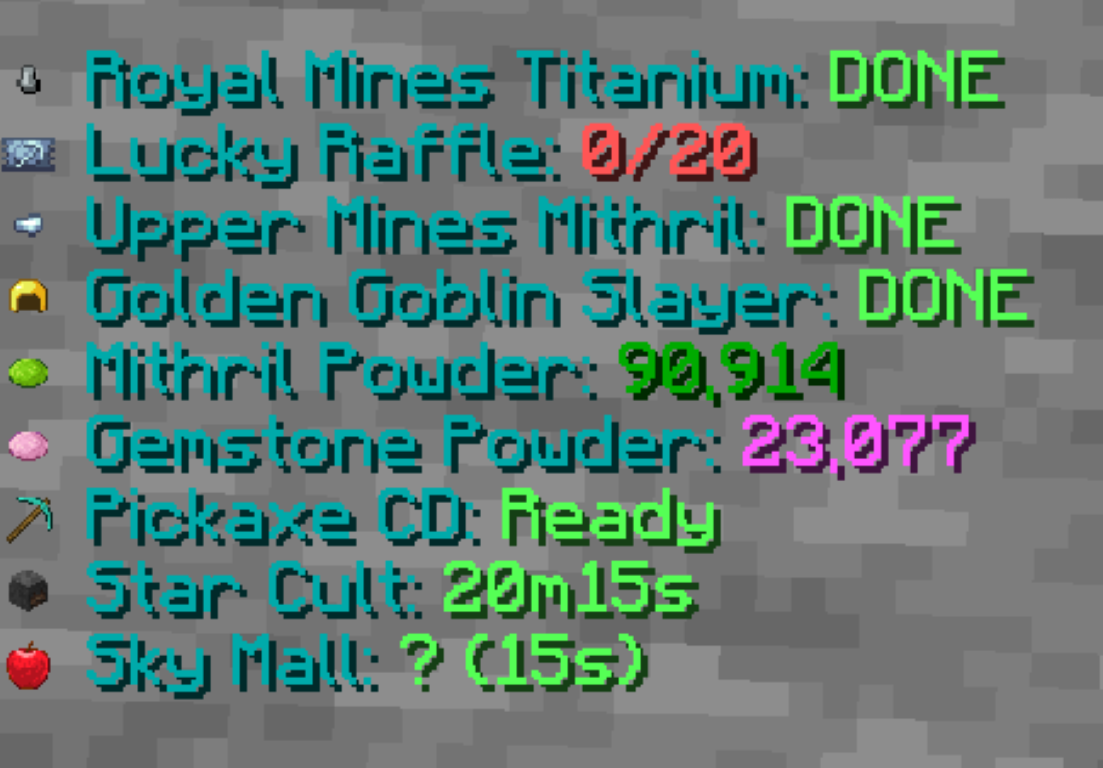
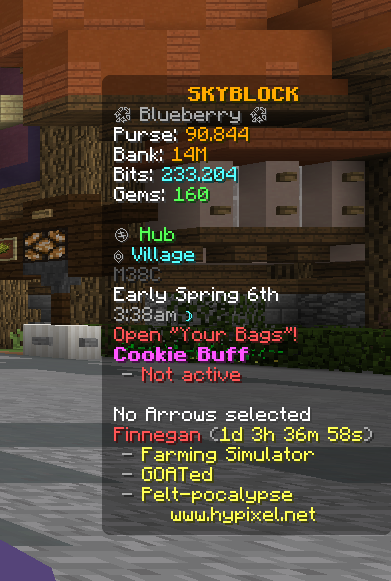
- 一个专为 Skyblock 设计的自定义记分板,具有大量可定制性,你可以随意调整。
</deatils>
还有非常多功能,请在 GitHub 上查看完整列表。
?Skytils
Skytils 是一款用于 Hypixel SkyBlock 的生活质量模组和功能模组
酷炫功能
- 客户端自定义护甲颜色
- 自定义快捷键
- 聊天信息屏蔽器,可隐藏大量聊天内容。(按 F7 打开配置菜单并找到 Skytils 进行自定义。)
- 防止放置某些武器,例如灵魂权杖(Spirit Sceptre)和真理之花(Flower of Truth)。
- 为大量事件提供聊天提示信息,例如采矿技能、紧凑附魔(Compact Enchantment)、海洋生物与钓鱼宝藏、死灵精华(Wither Essence)与不死精华解锁等。(按 F7 打开配置菜单并找到 Skytils 进行自定义。)
展示
地下城 (Dungeons)
- 针对多种内容的解谜辅助。(默认情况下许多功能处于关闭状态,因为我会使用 Dungeons Guide 模组来实现相同的功能。点击查看解谜列表)
- 在登记宝箱时提供地牢重置确认。
- 灵魂跃迁(Spirit Leap)高亮显示名字和职业。
- 大型密室计数器
- 灵魂弓高亮显示
- 地牢计时器
- Necron 阶段计时器
展示
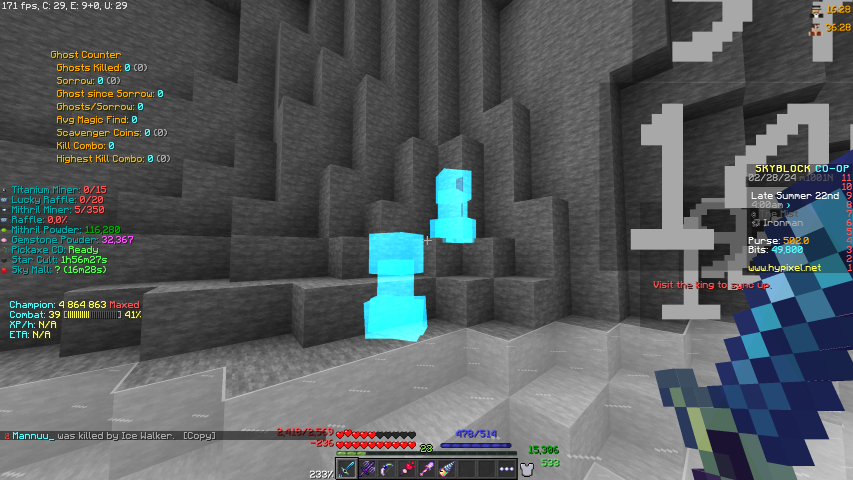
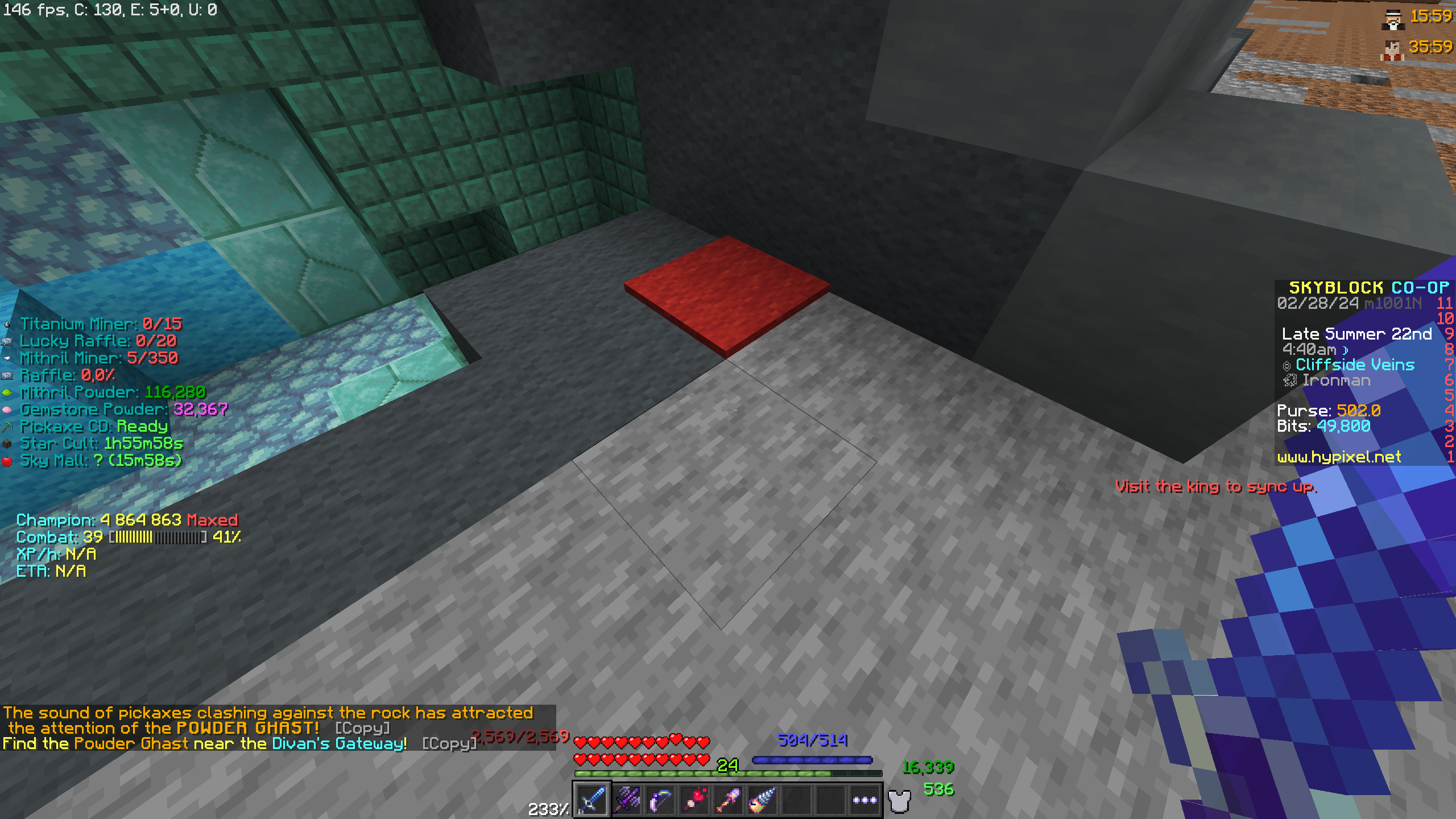
挖矿 (Mining)
- 抽奖信标与警告
- 显示隐藏的潜行苦力怕
- 迷雾深色模式
- 更明显的幽灵
- 地毯重新着色
- 高亮显示已完成的委托
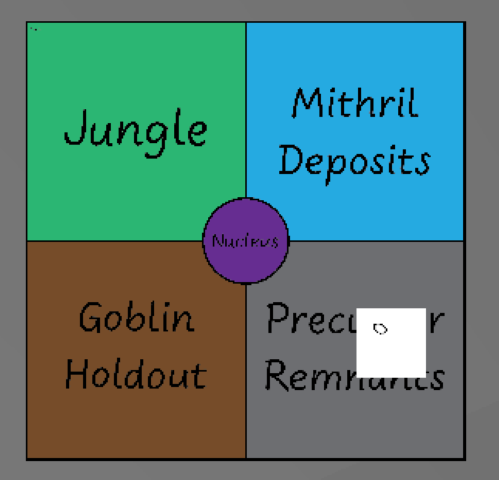
- 水晶洞穴地图
- 水晶洞穴信标
展示
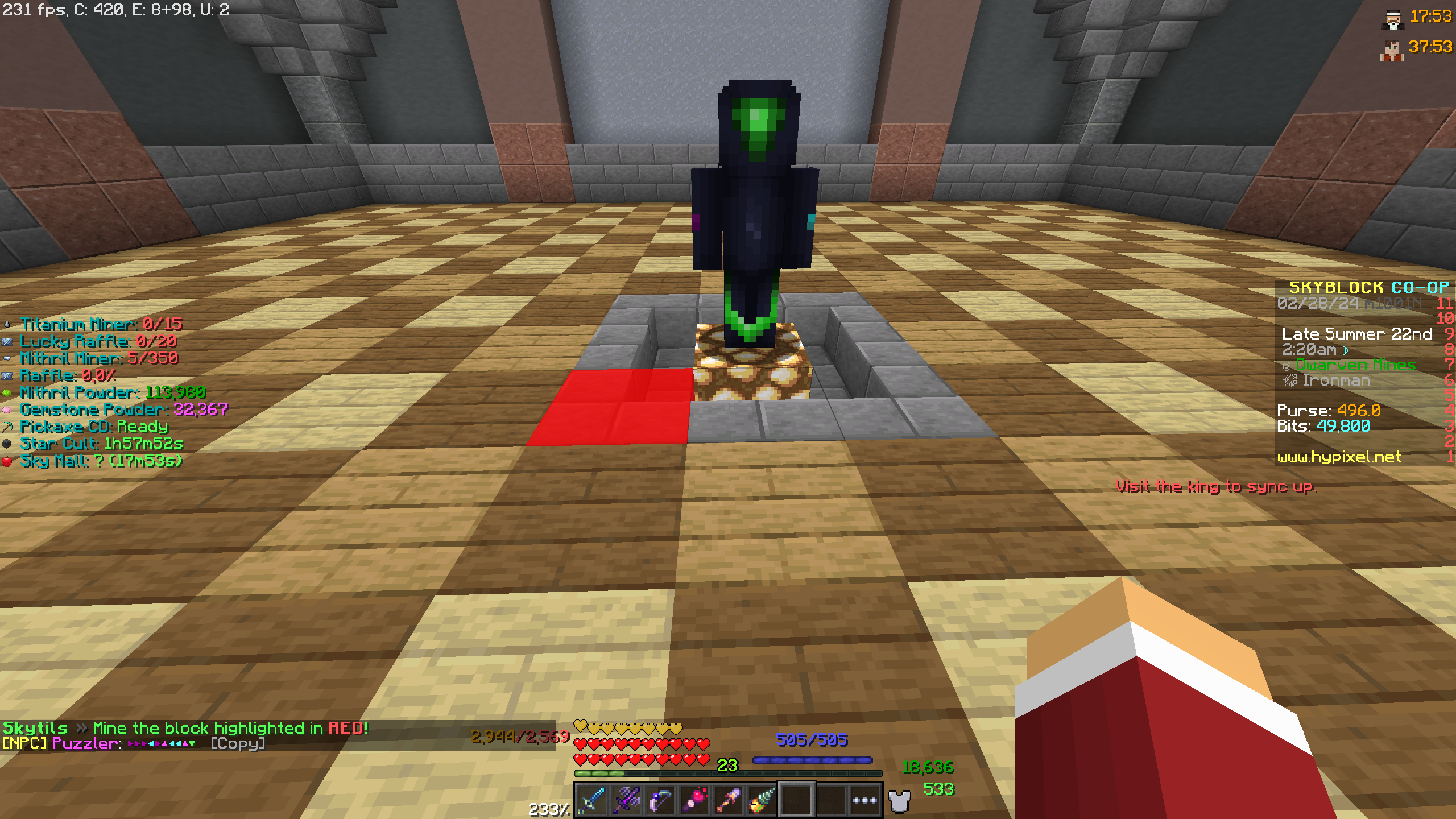
解谜 (Solvers)
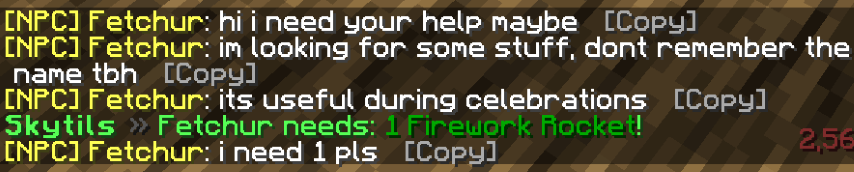
- Fetchur 解谜
- Puzzler 解谜
- Hungry Hiker 解谜
- Treasure Hunter 解谜
展示
不同市长相关功能
Diana
- 格里芬巢穴定位器与信标。(默认关闭,建议使用 Skyhanni Burrow Locator and Waypoints,效果更好)
- 追踪神话事件掉落
- 追踪盖亚构造体命中次数
展示
即将推出。
Jerry
- 隐藏 Jerry 计时器
- 隐藏 Jerry 与 Jerry 箱子追踪器
- Jerry 加成显示
展示
待 Jerry 成为市长后推出。
以及更多内容,请访问 Skytils GitHub 查看完整列表。
?SkyblockAddons
SkyblockAddons(简称 SBA)是 Hypixel Skyblock 的一款生活质量模组,也是历史最悠久的 Skyblock 模组之一。
- 冻结背包预览。
- 狂热者计数器:为你的狂热者刷怪提供多种不同的计数器。
- 隐藏 NPC 附近的玩家
- 可自定义快捷栏,支持生命值和魔力条显示,并可移除食物栏、护甲栏等。
展示
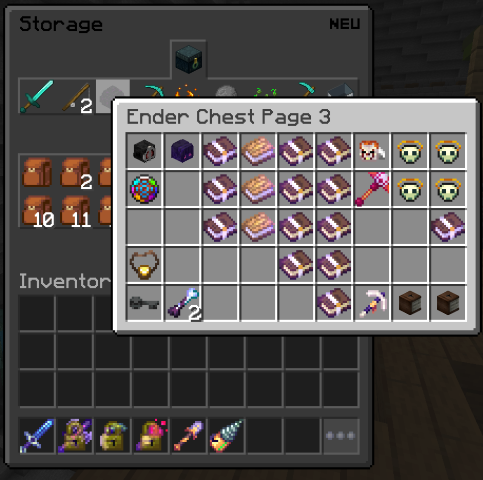

?Dungeons Guide
Dungeons Guide 是一款超智能的地牢模组,帮助你快速发现秘密。
核心功能:秘密 finder 会从玩家位置向最近的秘密点绘制一条引导线。
解谜 (Solvers)
- F7 终端解谜(显示正确的解决方案/顺序。)
- 苦力怕解谜(显示需要击打的海晶灯。)
- 西蒙说解谜(显示需要点击的正确按钮。)
- 烈焰人房间解谜(显示击杀烈焰人的正确顺序。)
- 高级水板解谜(显示需要点击的按钮。)
- 井字棋解谜(显示正确的井字棋解法。)
- 谜语解谜(告诉你正确的人选,需先点击所有三个角色。)
- 冰面填充解谜(显示通过冰谜题的正确路径。)
- 蠹虫解谜(显示攻击蠹虫的方向。)
- 拆弹解谜(显示通过压力板的路线。要求你先访问左侧并按键保存方案,这是为了遵守 Hypixel 规则所必需的步骤。)
- 精灵灵魂 finder(显示地牢中精灵灵魂的位置。)
部分展示
即将推出。
生活质量 (QOL) 功能
- 宝箱关闭(在秘密宝箱内时按任意键即可关闭。)
- 灵靴修复器(修复灵靴将你的手变为空气的问题。)
- 血室警告(显示地牢进度,并提示你是否应该进入Boss竞技场。)
- 秘密蝙蝠框选(为秘密蝙蝠添加边框,使其更容易被发现,不会改变其碰撞箱。)
- 真实利维坦框选(为真实的利维坦添加彩色边框。)
- 骷髅大师框选(为骷髅大师添加边框,使其更容易被看到。)
- 高亮标记生物(高亮显示带有星标的生物,使其更容易被发现和击杀。)
- 地牢地图(查看地牢布局、房间进度、其他玩家位置以及每个房间的秘密总数。)
- 灵熊召唤概率(显示灵熊即将生成的接近程度。)
- 自定义组队查找器界面(更美观的组队查找器界面。)
部分模组展示
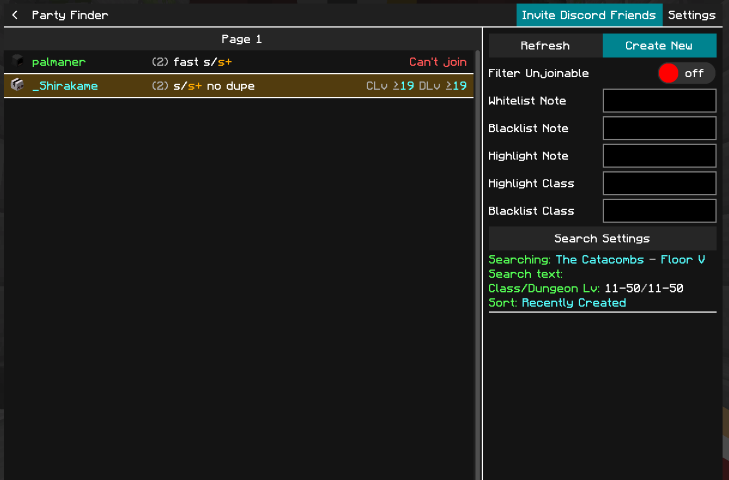
还有大量提升游戏质量的内容,请访问他们的 GitHub 获取更多信息。
?️地图
Fancy Warp Menu
访问他们的 Modrinth 页面获取更多信息。
展示
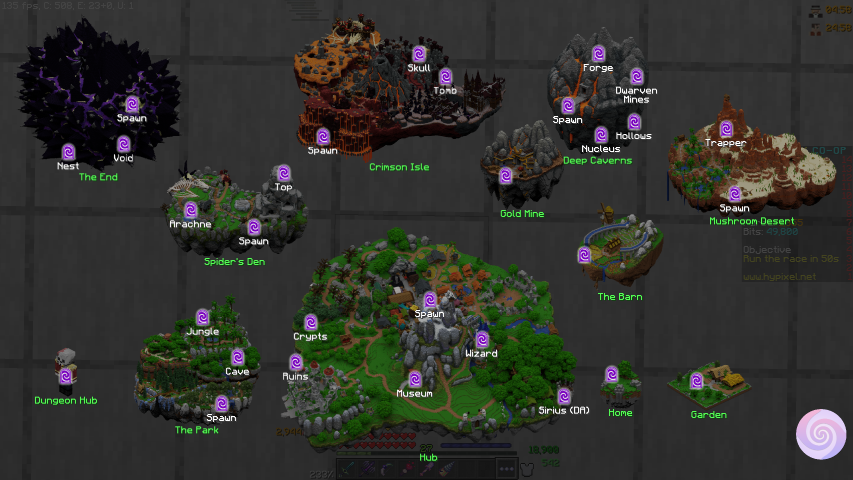
SkyGuide
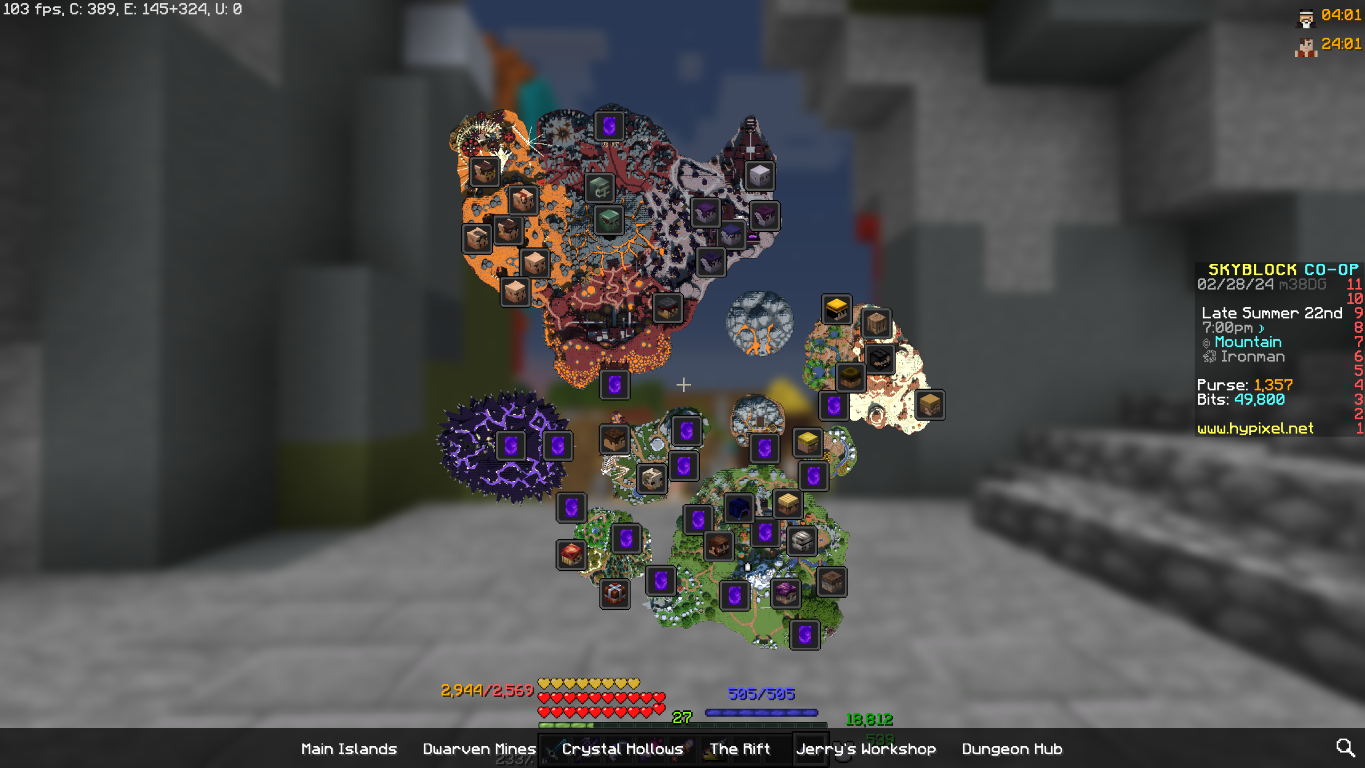
- 覆盖整个Skyblock世界的地图,包含NPC位置和传送点。对于需要学习各个地点位置的新手来说非常有用。(按 M 键访问)
- 还包含一个小地图,可通过 F7 键在配置中切换。
访问他们的 Modrinth 页面获取更多信息。
展示
?让游戏更流畅、减少Bug并大幅提升帧率
PolyPatcher
PolyPatcher,大量修复
Bug 修复
- 视差修复 - 解决相机过于靠后的问题,看似让你的眼睛长在脑后。
- 剔除修复 - 解决视锥剔除中的假阴性问题,在某些情况下导致区块不可见。
- Alex 手臂位置 - 解决 Alex 模型的手臂比 Steve 模型的手臂位置更低的问题。
- 资源漏洞修复 - 解决 1.8 版本中允许服务器浏览目录的漏洞。
截图功能
- 收藏截图 - 显示一个文本组件,允许你删除一张截图。
- 删除截图 - 显示一个文本组件,允许你进行删除操作。
- 上传截图 - 显示一个文本组件,允许你将截图上传至 Imgur。
- 复制截图 - 显示一个文本组件,允许你复制一张截图。*默认
- 打开截图文件夹 - 显示一个文本组件,允许你打开截图文件夹。
- 截图管理器 - 让你可以将截图上传至 Imgur、复制到剪贴板等。
- 截图预览 - 在右下角预览截图的效果。
还有更多内容。
- 1.11 聊天长度:你可以输入更长的聊天消息。
- 紧凑聊天:堆叠重复的消息。
- 以及其他让聊天和其他体验更好的内容。
- 以及一些能给你更多帧率的内容。
完整列表请访问 PolyPatcher Modrinth 站点。
TexFix
有关其工作原理的更多信息,请访问他们的 Curseforge 页面。
FoamFix
有关其工作原理的更多信息,请访问他们的 Modrinth 页面。
Entity Culling
更多信息请访问他们的 Modrinth 页面。
Velox Caelo
访问他们的 Modrinth 页面获取更多信息
Phosphor Legacy Forge
- Phosphor 是一个 Minecraft 模组,旨在优化游戏中效率最低下的领域之一——光照引擎。
- 使用 Phosphor,可以大幅减少游戏生成新区块所需的时间,并且你可以期望看到由客户端加载区块引起的某些严重帧停顿现象消失。
访问他们的 Modrinth 页面获取更多信息。
Polished GUI
- 更快的语言加载速度。
- 针对 GUI 的各种布局/不一致性修复。
- 通过改进的 GUI 控件带来更无缝且 streamlined 的体验。
访问他们的 Modrinth 页面获取更多信息。
Redirectionor
- 根据我的理解优化游戏进程,但这应该能提供更高的帧率。
访问他们的 Curseforge 站点获取更多信息
OptiFine
访问 OptiFine 网站下载(“这不是整合包的一部分,需要手动下载。说明位于顶部。”)
?更多模组
必备功能
Essential 是许多其他模组正常运行所必需的模组。
它还提供以下功能:
- 游戏内信使:添加好友并跨世界和服务器在游戏内与他们聊天。
- 衣柜:使用多种不同的外观装饰你的角色,其中一些甚至免费。你还可以切换皮肤并保存多套服装。
- 截图浏览器:Essential 提供了完全更新的截图体验。比以往更容易地拍摄、收藏、编辑和分享游戏内截图。
访问他们的 Modrinth 页面以获取更多信息。
Chatting
Chatting 彻底重构了 Minecraft 的聊天系统,带来了许多提升生活质量的改进。
- 标签页
- 截图消息
- 自定义几乎所有元素的外观
- 搜索消息
- 聊天头像
在 Modrinth 页面 了解更多信息
OverflowParticles
- 单个粒子设置
- 大小与数量倍增器
- 可自定义颜色
- 淡出效果
在 Modrinth 页面 了解更多信息
PolySprint
一款简单但功能极其强大的疾跑切换模组,拥有广泛的功能和自定义选项
- 切换疾跑 & 潜行
- 丰富的 HUD 自定义
- 禁用 W-tap 疾跑
- 按键绑定
按 F7 打开配置
访问他们的 Modrinth 页面以获取更多信息。
Scrollable Tooltips
允许你滚动查看工具提示,在 Skyblock 模式中非常有用,因为提示内容可能会超出屏幕范围。
PackCore
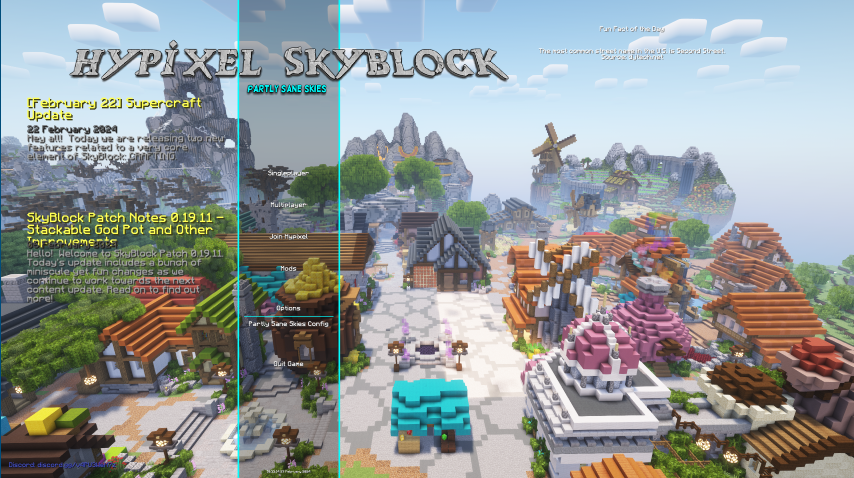
添加了自定义的 Skyblock 增强主菜单,启动时提示设置默认配置,以及后续更多的功能。
?️材质包
材质包,让游戏独具特色。
Hypixel Plus
Hypixel Plus 重绘了所有 Skyblock 物品。
一个用于 Hypixel 服务器的资源包,以原版风格为所有 SkyBlock 物品提供新纹理。再也不用担心因为物品锁定而无法区分它们。
Faithful 32x
Minecraft 首选的 32× 资源包
告别旧的 16x 1.8.9 纹理,迎接新的 32x 1.20 纹理。
Default Dark Mode
深色模式 GUI
告别那些刺眼的浅色模组 GUI,欢迎全新的深色模式 GUI。
2.0 版本之后已移除
?️Partly Sane Skies
Partly Sane Skies 一款提升生活质量的 SkyBlock 模组
展示
展示
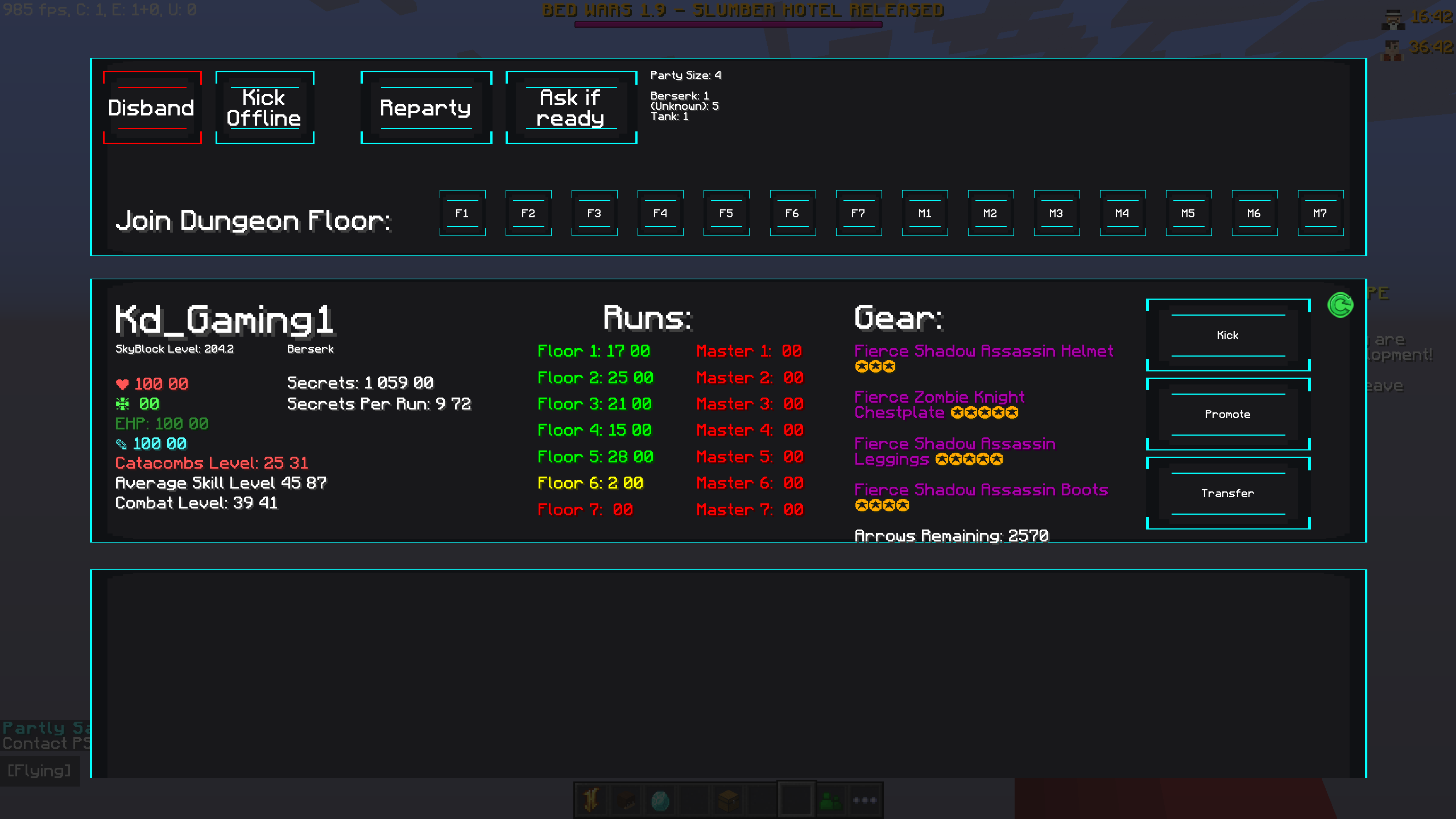
- SkyBlock 的自定义音效。除了普通的音符盒,现在可以选择使用计算机生成的 Discord 音效,甚至是现场乐器来播放 SkyBlock 音乐和音效。
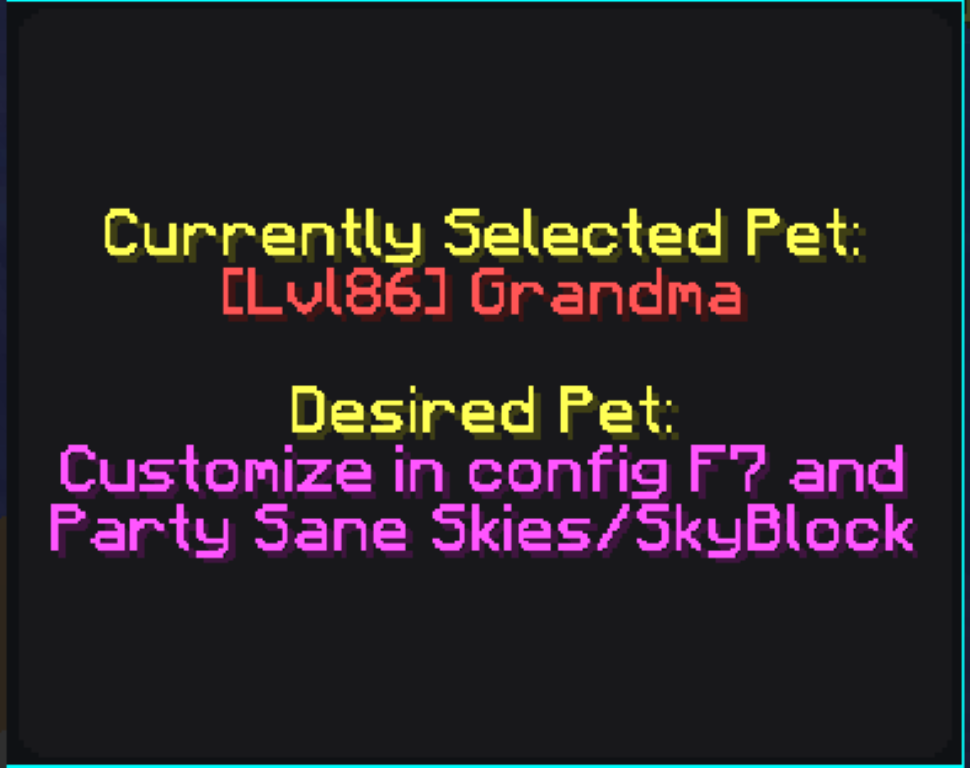
- 宠物信息展示(用于小精灵)
展示
- 最佳堆肥作物
- SkyMart 最佳利润
- 访客日志统计
- 花园商店交易成本
此功能已禁用,因为我们使用了 Skyhanni,它的效果更好。
展示
- 挖矿事件提醒。挖矿事件提醒包含所有矮人矿洞和水晶洞穴事件的精选列表。
- 镐子技能提醒
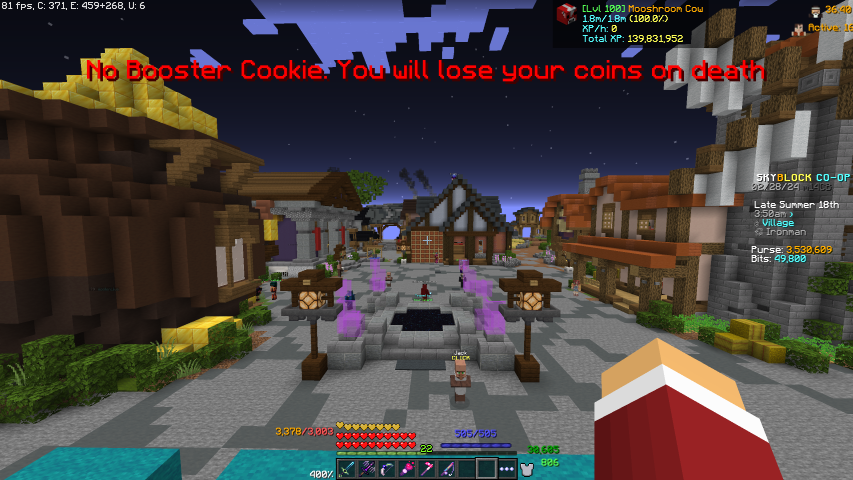
- 如果你身上超过两百万金币,每 60 秒发出一次无饼干警告。可在 F7 的配置菜单中设置。
展示
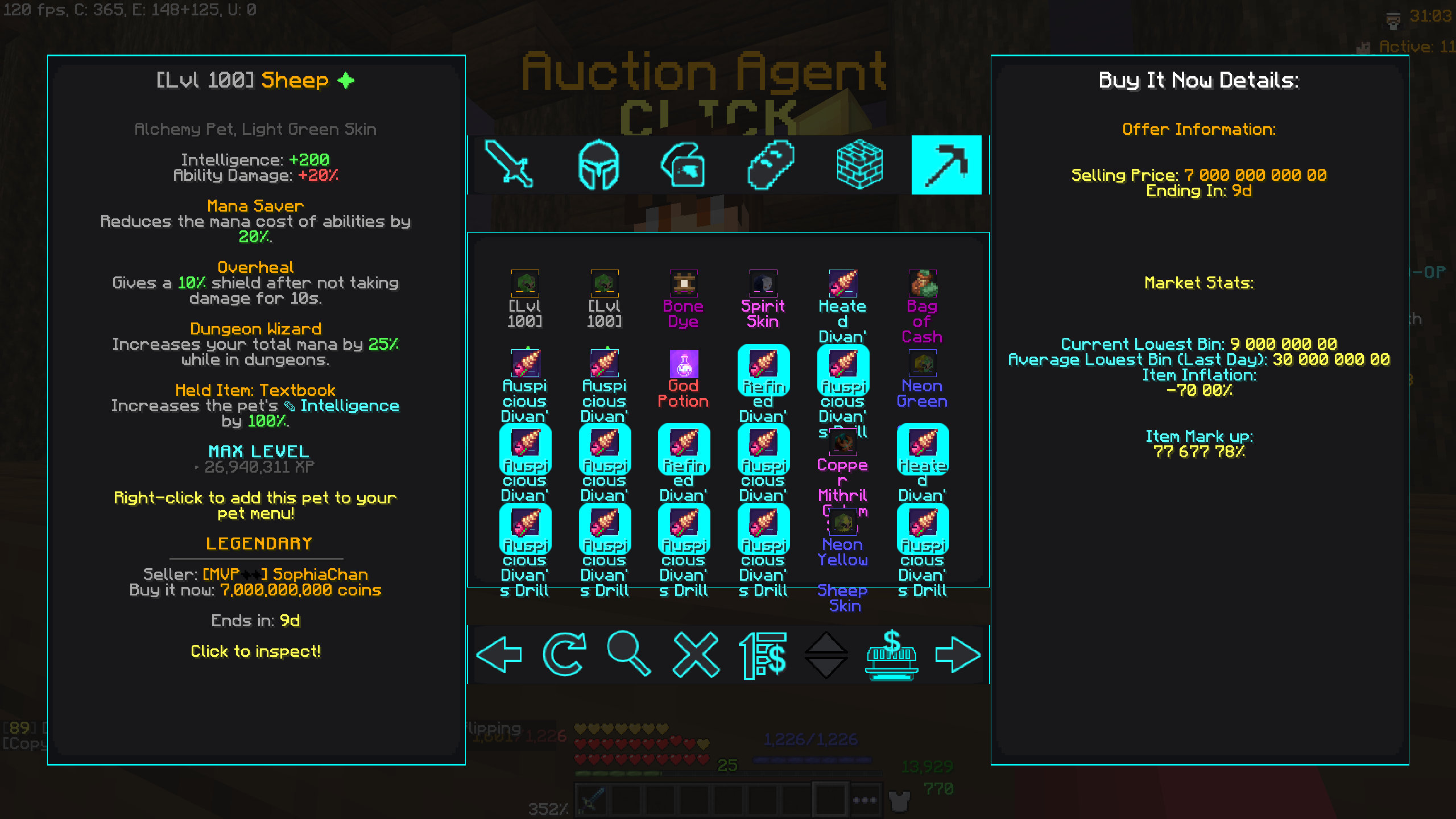
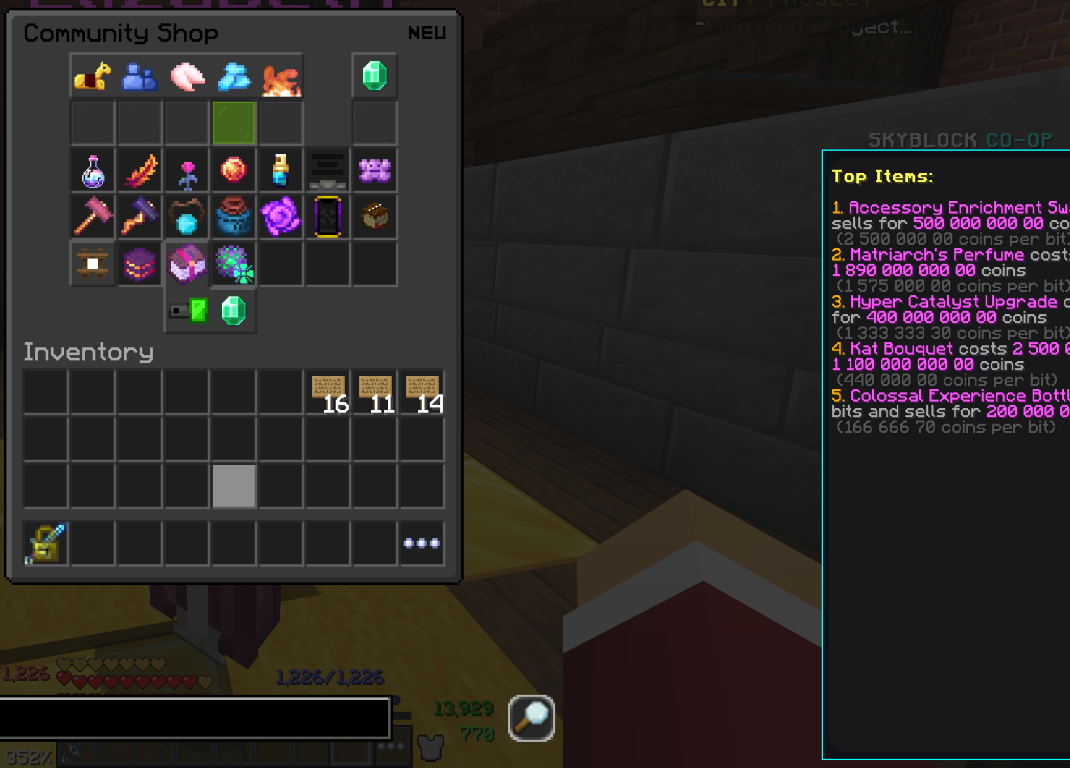
- 增强拍卖菜单和 BIN 狙击手
- Bit Shop 最佳利润
- 最佳小精灵利润计算器 /mc
展示
Easy Configs
- 让我为你发送默认设置,但你无需担心在整合包更新时你的设置被覆盖。
- 还允许你在不同的设置存档之间切换,并导出和导入你的设置以便与朋友分享。
有关其工作原理的更多信息,请访问我的 Modrinth 页面。
鸣谢
感谢所有为这款精彩的游戏辛勤制作模组的优秀人们,没有他们,这个整合包将不可能存在。请花些时间探索不同的模组网站及其创作者。
模组列表及创作者获取链接
- PackCore 链接
- Essential Mod 链接
- Entity Culling 链接
- Fancy Warp Menu 链接
- PolyPatcher 链接
- Phosphor Legacy Forge 链接
- Polished GUI 链接
- PolySprint 链接
- Chatting 链接
- Overflowparticles 链接
- Scrollable Tooltips 链接
- SkyGuide 链接
- SkyHanni 链接
- SkyblockAddons 链接
- Skytils 链接
- Dungeon Guide 链接
- NotEnoughUpdates (NEU) 链接
- FomFix 链接
- Veloxcaelo 链接
- Redirectionor 链接
已在较新版本中移除的模组
- Modern Sound 链接
- Patcher 链接
- TexFix 链接
在 2.0 更新后移除的模组

END OF LIFE
This modpack is no longer maintained.
Hypixel will soon require Minecraft 1.21.5 or newer for SkyBlock. The 1.8.9 version will not receive any more updates or fixes.
Please switch to SkyBlock Enhanced – Modern Edition:
SkyBlock Enhanced: Your All-in-One Modpack for Hypixel Skyblock!
SkyBlock Enhanced bundles essential mods to elevate your Hypixel Skyblock gameplay. Enjoy an easy, one-click installation for improved performance and helpful on-screen quality-of-life features.
? Important Notes (Read Before Installing!)
- ? Manual Optifine Installation Required: For custom Skyblock textures and optimal performance, you must install Optifine separately.
- ? Allocate Sufficient RAM: Assign at least 4GB of RAM to Minecraft for smooth gameplay. 2GB will lead to stuttering and lag.
- Enjoying the modpack? Show your appreciation on the forum post.
⚙️ Pre-configured for Optimal Performance
SkyBlock Enhanced features fine-tuned configurations for all included mods, ensuring they work together seamlessly and preventing on-screen clutter from overlapping GUIs.
Automatic Configuration (Version 2.0+):
PackCore manages settings for different screen resolutions (1440p and 1080p).
- First Launch: You'll be prompted to select the best configuration for your screen.
- Resetting: To reset, go to
PackCore Configs in the main menu, enable Show Default Config Dialog, and restart. (Warning: This will overwrite your current settings!)
Configuration for Versions Before 2.0
- Default: 1080p settings are applied initially.
- To Change (e.g., to 1440p):
- Go to
Settings.
- Click
Easy Configs (bottom corner).
- Click
Load Configs.
- Select
EasyConfigSave1 for 1440p (or EasyConfigSave0 for 1080p).
- Optionally, check
include mcOptions for keybinds and video settings.
- Click
Load and restart the game.
✨ How to Install Optifine (Manual Installation Required)
Due to Optifine's licensing, it cannot be included in the modpack and must be installed manually. Optifine improves performance and enables custom Skyblock textures.
Video Tutorial: (Watch from 2:32)
? Want a written tutorial read her.
How to install Optifine
- Go to the Optfine website and download Optifine for 1.8.9. Link to download.
- When you have clicked the link you should be here.

- Click download
- When you have downloaded the file, can you find it in the Download folder in File Explorer.

- Open the Modrinth app and locate the SkyBlock Enhanced installation.

- Then open the folder of the installation.

- Locate the mods folder and open it.

- When opened copy the Optifine file over from the Download folder and into the mods folder that you just opened. This can be done by just left-clicking the optfine jar and holding it down until you are over the mods folder.

- Open Modrinth, click play and have fun!
✨How to install
If you need help with installing the modpack watch the video. Have questions comment on the video and I will help.
?Want a written tutorial read her.
Step 1 Download the Modrinth app (Tutorials for different lunchers will be added at a later point)
Step 2 Download the Skyblock Enhanced Mod Pack
How to install Modrinth app
- Go to
- Click the Green button if on a Windows PC.

or click the "More Download Option" button if on another type of PC and find the correct one.

3 When you have downloaded the installer, click it.

If you can not see the downloaded file, open File Explorer.


- The installer will then open, click next until you reach this

- Then click finched and the app should open.
The tutorial from this point is outdated it should work but stuff can look different.
5 Now the app will open and you need to log in. Click Get Started then Sign in.

A browser window will open and you can log in to your account there.
It will first ask for a code that can be found in the app by clicking on it on the taskbar icon of the app.


Then you will be asked for the email and password of the account. Your Minecraft account is a Microsoft account.
6 Now you will be asked to sign in to your Modrinth account you don't have to just click next.

7 Now you will get a lot of prompts just click next.
8 Time so set the memory limit to Minecraft.
Click on the option down in the left corner of the app.

Then locate the memory limit slider, and set it to something between 2000mb and 4000mb depending on how much RAM you have. If you don't know how much ram you have, can you use 3000mb it is a safe amount.

Then you have to install JAVA. Find the button to install Java and click install recommended under the Java 8 version.

9 At this point are you ready to install any modpack you want. Check out the How to install SkyBlock Enhanced spoiler under for how to install the mod pack.
How to install SkyBlock Enhanced mod pack
- Open the Modrinth app and locate the search button on the left side.

2 Search SkyBlock Enhanced and click install. This can take some time so be pason.

3 Click the library button on the left side.

4 You will find the modpack there and you can click the green button when hovering the mouse over it to start the game. Under the first start-up of the game you will get a pop-up asking for permission click YES. Remember you will have to install Optifine manually. Information on how to do that can be found above.

Don't want to use the Modrinth app
How to install the modpack using the vanilla Minecraft launcher.
If you don't want to use the Modrinth app can you use the vanilla launcher but it will be more work and automatic updates will not happen.

When you have downloaded it click the file you downloaded.

If it did not come up as a pop-up in the browser you can find it in the File Explorer and then Downloads.

When you have clicked it you will get a pop-up asking for permission Click YES.
After that, you will get a window asking you if you want to install it. Click Install.

Now you will get a window confirming that it is installed. Click Close.

Install Forge for 1.8.9
Open the Minecraft launcher and open the game in 1.8.9 if you have not already done this.
How to find version 1.8.9 if you haven't already played it. Open the Launcher and go to the installation tab.

Click new installation.

Go to the version part search 1.8.9 and select that one.

Give it a name hit crate and then hit play. Let the game open for a few seconds in the main menu and close it.
Install Forge
Go the the Forge website and download the installer. Find it her.

When you have downloaded it you can click it.

If you can not find it as a pop-up in the browser open File Explorer and go to downloads.

When you click it this window should open.

Click OK.
Good, you have installed Forge.
Make an installation folder for the modpack.
Hit the Windows button on your keyboard and write %appdata% then hit enter.
A File Explorer window should open. Right-click the empty space and find "new" and then "folder".

Give it a good name and then open it (remember the name). Have it in the background you will need it.
Download the pack
Download the latest version from Modrinth.

Then go to this site.
Here you will convert the mrpack to a folder with mods.
Click Choose a file and then choose the file you downloaded.

Now you can click Download it will start downloading a zip folder. Open the zip folder when finished.

When you have opened it you can copy everything from that folder into the new one you made earlier. The easiest way to do this is to do Ctrl-A in the zip folder and then Ctrl-C. Then go to the new folder and do Ctrl-V. If every thing moved over is all good.
Make the game ready to play.
At this point, you can open up the Launcher again. Go to the installation tab and click New Installation.

Give it a good name and in the version field write forge, click the option that comes up.

In the game directory click Browse.

Then find the folder you made and choose it.

Click OK. The More option toggle.

Change the JVM arguments line, only change the number 2 to a (3 or 4) depending on how much RAM you have 4 is safe for 99% of people.

Click Create then play.
Install Optifine Follow the Tuorial on how to install optifine but when i say open the modrinth app and click the folder icon use the folder you created previously and locate the mods folder.
Have FUN!!!
Need help Write your problem under this post on YouTube. YouTube post.
To update just download the mrpack again and replace the content inside of the folder you created. You will get promoted that it is duplicate files just hit replace.
Don't want to use Modrinth or the Vanilla launcher.
The modpack is transported in a .mrpack format and most launchers support it you can use MultiMC, Prism Launcher, ATLauncher, BakaXL, or Superpack to play my pack. I have not tested it so I don't know how to use it but it should be an import button where you can choose a .mrpcak file.
❗Important KeyBinds
Config menu access with Right shift
Importen HotKeys
All of them are configurable through the "Right shift" config menu just find the mod and then the HotKey you wish to change.
NEU
- Shose a NPC to show a way point to "U"
- Slot Locking Key "L"
- Open price graph on item when hovering over the item "P"
- Quickly change to an armor set from the wardrobe. Slot 1 = Key "1" Slot 2 = Key "2" and so on.
Skyhanni
- Move a GUI element by SkyHanni on screen "G"
- Warp Home on Garden "Z"
- Sethome on Garden "H"
- Warp to Barn on garden "B"
- Bypass Key when you can't refuse garden visitor because it has a good item "LSHIFT"
- Accept a visitor "K"
- Teleport to the nearest plot with pasts on it "V"
- Warp to Trevor's Den or accept the quest from him when on Mushroom Desert "V"
- Reputation Helper on Crimson Isle "H"
- Warp to nearest warp place in hub when doing Diana's Mythological event "V"
- Share a Inquisitor Waypoint to your party "Y"
- Lover the sensitivity of the mouse "Z"
- Breakdown Hotkey, show a breakdown of all fortune sources on a tool. (LShift)
- Bypass Key when you can't refuse garden visitor because it has a good item "LControl"
- Campfire Hotkey to warp to the campfire if you don't have travel scroll unlocked, show path to the camfire. "V"
- Hotkey to select the next spot "z"
- Share a Mineshaft location "Y"
- Reset Fishing timer manually "R"
- Wiki Key, Show get a link in chat for the wiki for the item you mouse is hovering over "O"
Partly Sane Skies
- Party Manager "P"
- Refill items to run dungeons from seak (including Spirit Leaps and Superboom Tnt) "O"
PolySprint
- Toggle Sneak Mouse "Button 5"
SkyGuide
Dungeons Guide
- refresh or create pathfind line "R"
- Toggle pathfind lines "I"
- Bood Rush mode "J"
- Find new Secret "F" (Useful when a secret is bugged or already taken.)
- Bomb Defuse sends solutions in chat and displays them "Z"
Chatting
- Chat Peek "X" (It toggles by default can be changed)
Fancy Warp Menu
- Show the warp menu "CAPITAL"
Skytils
- Noting by default but you can create everything you want with the help of the key Shortcuts.
?️Troubleshooting
Visit the GitHub wiki for guides and basic troubleshooting help. GitHub Wiki
Find an issue, start an issue on the GitHub.
Need help, start a discussion on my Github and I will help you!
Start an issue if you find a bug or something doesn't work, and start a discussion if you just need help with something.
What performance can I expect from the pack?
On my PC with a Ryzen 5800x and RX 6700XT Mid/High-end, I get
- Hub spawn = 100 to 200 when I lock away from the spawn 350 +
- Garden = 400 to 600 FPS
- Home island = 100 to 150 with a lot of chests.
- Generally around Skyblock = 150 to 250 FPS
On my Laptop with a Ryzen 5800U Low-end, I get
- Hub spawn = 50 to 60 FPS, small lobby.
- Garden = 100 to 130 FPS
- Home island = 70 to 80 FPS, a lot of chests.
- Generally around SkyBLock = 60 to 100, rarely below 60, most of the time around 80
On my new Laptop with a Ryzen 7440 Low/Mid-end, I get
- Hub spawn = 60 to 75 FPS, small lobby.
- Garden = 100 to 300 FPS
- Home island = 70 to 180 FPS, a lot of cheats.
- Generally around SkyBLock = 90 to 200
My game crashes on start
- Try to start the game again. If it doesn't work, please make an issue on the GitHub page.
- If this crash happened after updating the pack, try this: Navigating to the
essential directory in your instance folder (this can be found by clicking the 3 dots in the top right corner and clicking open folder) and removing the loader folder. If this doesn't work, please open an issue on GitHub.
? Partner Offer: Bisect Hosting
I partner with Bisect Hosting to bring you reliable game servers. Whether you play Minecraft or another title, they deliver high‑performance hardware and fast support.
Use code SBE at checkout for 25% off your first purchase.
Support me and my work by using this link:
? Features List
Explore the endless possibilities of my mod pack and the future of every included mod by browsing the extensive list of mods and their respective features.
?Not Enough Updates
NotEnoughUpdates(NEU), a must-have mod for Hypixel Skyblock.
Really Usful
- An item list containing information and recipes about every item in Skyblock pluss information of where the item is dropped and the drop change.
Showcase


- An in-game skyblock profile viewer accessed with /pv [player].
Showcase

GUI Elements
- Dungeon loot profit checker.
Showcase

- Onscreen overlays for: Farming, Dwarven Mines, Pets, and the Accessory bag.
Showcase

- A custom Action House and Bazaar Search GUI.
- A custom storage GUI, off by default.
- A custom enchanting table GUI.
- A custom price Graph to see the Price history of items, press key P when holding the mouse pointer over.
Showcase

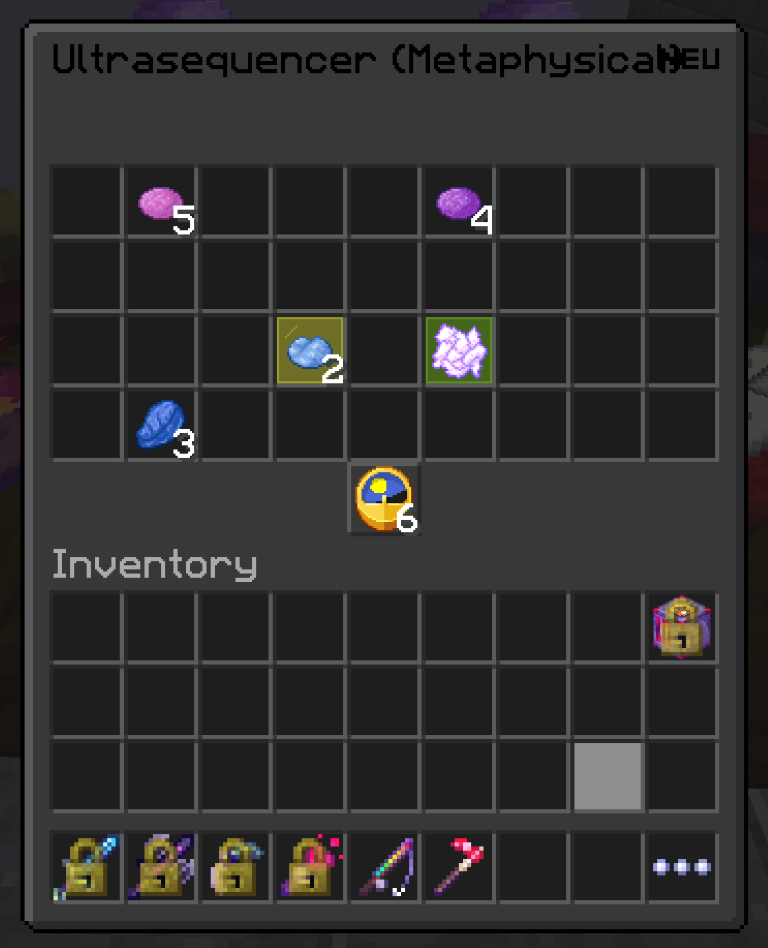
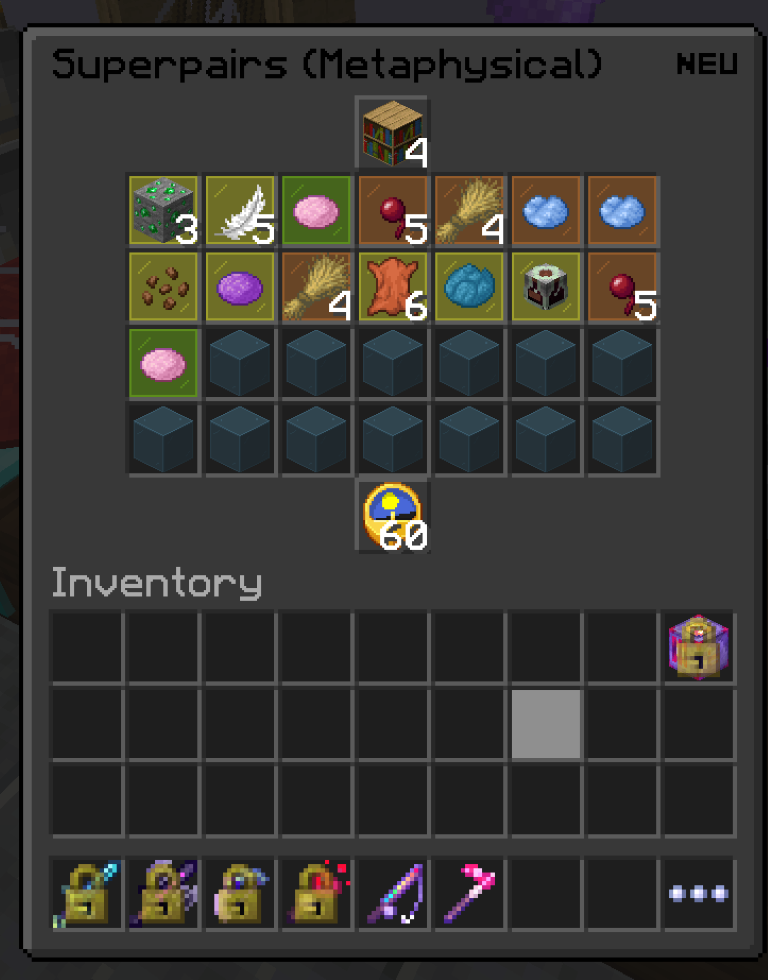
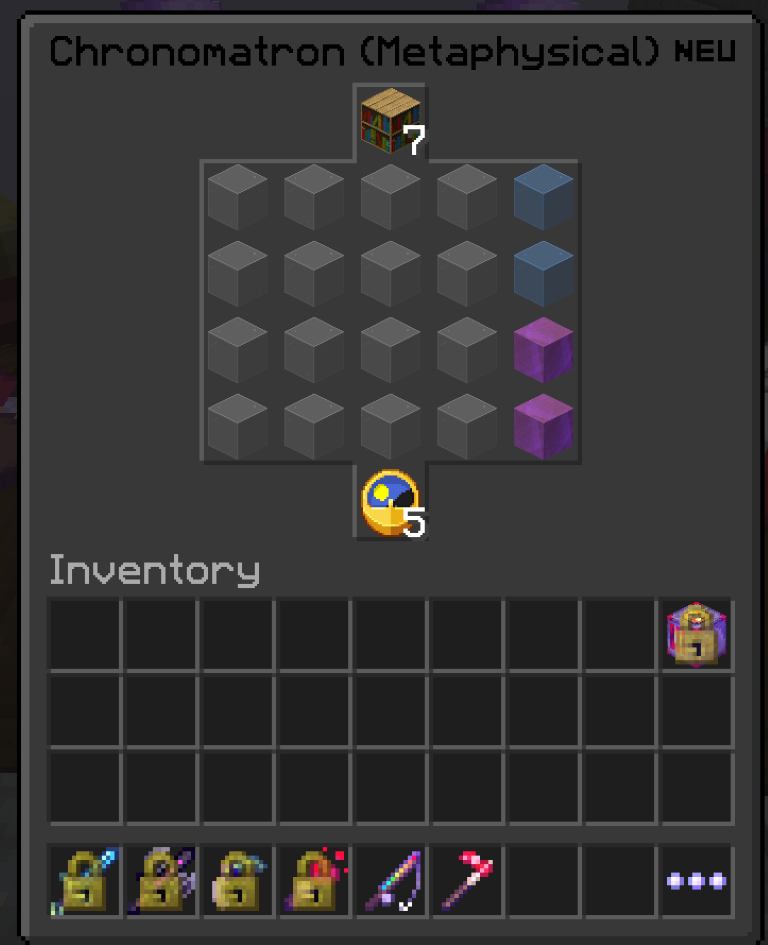
- Solvers for Experimentaion Table.
Showcase

- Custom Calendar and event notifications, Customizable (Command: /neucalendar)
- Custom Trade Menu
Showcase

Overlays and waypoints
- Item overlays for Treecapitator, Builder's Wand, Block Zapper, and Bonemerang.
Showcase


- Todo Overlay - Shows an overlay of daily tasks you need to remember to do.
Showcase

- Fairy soul waypoints accessed with /neusouls or through the config screen with F7.
Showcase

Misc
- The ability to change the line color of fishing rods.
- Fishing Particle customization & alerts.
Showcase

- Slot Locking never loses an item ageing by accidentally pressing Q, hold the mouse pointer over the item and press the key L.
- Customizable inventory command buttons accessed with /neubuttons.
Showcase

And much, much, more go to NEU Modrinth page or Github for more Info.
??SkyHanni
SkyHanni, A Quality of Life SkyBlock Mod and so much more.
To change the position of any GUI element on the screen, press the letter 'G'.
Garden Features
- Composter Compact Display - Displays the compost data from the tab list in a compact form as GUI element.
Showcase

- Jacob's Contest Warning
- FF for Contest - Show the minimum needed Farming Fortune for reaching a medal in Jacob's Farming Contest inventory.
- Contest Time Needed, GUI inside Jacob's Farming Contest inventory.
Showcase

- Yaw and pitch display.
- Optimal Speed for your current tool in the hand.
- Garden Start Location, shows a waypoint where to start.
Showcase

- Warning when 6th visitor is ready.
- Show a warning when finding a visitor with a rare reward and prevents refusing that visitor. (Refusal Bypass Key (LShift)).
- Visitor Timer and Visitor Notification.
- Visitor Highlight when the required items are in the inventory or the visitor is new and needs to checked what items it needs.
Showcase

- Farming contest timer
- Garden Level Display
- Farming Fortune Breakdown, run /ff
- Custom Keybinds while having a farming tool or Daedalus Axe in the hand in the garden.
- Best Crop Display for the next milestone.
Showcase

Rift
- Rift Timer, show the remaining rift time.
- Highlight Guide, highlight things to do in the Rift Guide.
Showcase

- Shy Warning, shows a warning when a shy will steal your time.
- Volt Crux Warning, Shows a warning while a volt is discharging lightning and Shows the area in which a Volt might strike lightning.
Showcase

- Larvas Highlighter, highlight larvas on trees in Wyld Woods while holding a Larva Hook in the hand.
- Odonatas Highlighter, highlights the small Odonatas flying around the trees while holding a Empty Odonata Bottle in the hand.
- Agaricus Cap countdown until Agaricus Cap (Mushroom) changes color from brown to red and is breakable.
Showcase

- Kloon Hacking helper.
- Mirrorverse helper.
- Wilted Berberis Helper
- Enigma Soul Waypoints
Showcase
Cooming soon.
- Crux Talisman Progress Display
- Living Metal Suit Progress
- Highlight flying Motes Orbs
- Horsezooka Hider, Hide horses while holding the Horsezooka in the hand.
Showcase

Inventory
- Not Clickable Items, Marks items grey in your inventory when they are not supposed to be moved in certain GUIs, and make green lines around items that meet that requirement.
- Anvil Combine Helper
- Highlight a lot of stuff of your liking.
Showcase
Maye come soon.
Diana
- Show burrows near you, use Soopy's Guess Logic to find the next burrow.
- Show the way from one burrow to another smoothly.
- Warps to the nearest warp point on the hub, if closer to the next burrow. (Key V)
- Griffin Pet Warning, Warn when holding an Ancestral Spade while no Griffin pet is selected.
- Inquisitor Sharing, Share wypoints for inquisitors you find with your party. Show a timer until the inquisitor will despawn.
Showcase
Coming soon.
Bingo
- Guide for Goals
- Steps Helper with partial progress display
- Craft Helper for Minions
Showcase
Coming soon.
Mobs
-
Arachne keeper highlighter.
-
Area boss highlighter.
-
Area boss spawn timer.
-
Corleone highlighter.
-
Zealots, Bruisers, and Special Zealot highlighter.
-
Highlight corrupted mobs.
-
Arachne Minis Hider - Hides the nametag above arachne minis.
-
Arachne Boss Highlighter - Highlight the Arachne boss in red and mini bosses and orange.
-
Added a countdown for Arachne spawn.
GUI
Scoreboard
- A custom scoreboard for Skyblock with a lot of customizability you should play around with it.

</deatils>
And a lot, lot more, find every feature at their GitHub.
?Skytils
Skytils a Qulaty of Life mod and Utilitie mod for hypixel SkyBlock
Cool stuff
- Client Side Custom Armor Colors
- Custom Key Shortcuts
- Spam Hider for a lot of stuff in chat. (Open the config menu with F7 and find Skytils to customise.)
- Prevent Placing weapons such as Spirit Sceptre and Flower of Truth.
- Messages in chat for a lot of stuff such as Mining ability, Compact Enchantment, Sea Creature and Fishing Treasure, Wither and Undead Essence unlock and more. (Open the config menu with F7 and find Skytils to customise.)
Showcase
Dungeons
- Solvers for a lot of stuff. (by default a lot of it is off because I use the Dungeon Guide mod for the same things. Go her for a list of solvers.
- Dungeon reroll Confirmation for enrolling a chest.
- Spirit Leap Highlights for Names and Classes.
- Big Crypts Counter
- Highlight Spirit Bow
- Dungeon Timer
- Necron Phase Timer
Showcase
Mining
- Raffle Waypoint and Warning
- Show hidden sneaky creepers
- Dark Mode Mist
- More Visible Ghosts
- Recolor Carpets
- Highlight Completed Commissions
- Crystal Hollows Map
- Crystal Hollows Waypoints
Showcase

Solvers
- Fetchur Solver
- Puzzler Solver
- Hungry Hiker solver
- Treasure Hunter Solver
Showcase

Features for different mayers
Diana
- Griffin Burrow Locator and Waypoints. (Off by default use Skyhanni Burrow Locator and Waypoints, better)
- Track Mythological Event drops
- Track Gaia Construct Hits
Showcase
Coming soon.
Jerry
- Hidden Jerry Timer
- Hidden Jerry & Jerry Box Tracker
- Jerry Perk Display
Showcase
Coming when Jerry becomes mayor.
And a lot more visit Skytils GitHub for the full list.
?SkyblockAddons
SkyblockAddons or SBA as most people call it, is a Quality of Life mod for Hypixel Skyblock and one of the oldest Skyblock mods.
- Freeze backpack previews.
- Zealot counters a lot of different counters for your Zealot grind.
- Hiding players near NPCs
- A customizable hotbar allowing for heart and mana bars, as well as the removal of food, armor bars, and more.
Showcase

?Dungeons Guide
Dungeons Guide is a super-intelligent dungeon mod that helps you find secrets and do it fast.
The big one: Secret Finder creates a line from the player towards the nearest secret.
Solvers
- F7 Terminal Solvers (Shows the correct solution/order.)
- Creeper Solver (Shows what sea lanterns to hit.)
- Simon Says Solver (Shows correct buttons to hit.)
- Blaze Room Solver (Shows what order to kill the blazes in.)
- Advanced Water Board Solver (Shows you what buttons to hit.)
- Tic-Tac-Toe Solver (Shows the correct tic-tac-toe solution.)
- Riddle Solver (Tells you the correct person, requires you to click all three characters first.)
- Ice Fill Solver (Shows the correct path through the ice puzzle.)
- Silverfish Solver (Shows what way you should hit the silverfish.)
- Bomb Defuse Solver (Shows the path through the pressure plates. Requires you to visit the left side and press a key to save the solution first, Required to be this way to follow Hypixel rules.)
- Fairy Soul Finder (Shows the location of dungeon fairy souls.)
Showcase of some of them
Not comming soon
QOL Features
- Secrets Chest Close (Hit any key while in a secret chest to close it.)
- Spirit Boots Fixer (Fixes spirit boots changing your hand to air.)
- Blood Room Warning (Shows dungeon progress and if you should enter the boss arena or not.)
- Box Secret Bats (Creates a box around secret bats to make them easier to find, does not change their hitbox.)
- Box Real Livid (Creates a coloured box around the real Livid.)
- Box Skeleton Masters (Places a box around skeleton masters to make them easier to see.)
- Highlight Starred Mobs (Highlight starred mobs to make them easier to spot and kill.)
- Dungeon Map (See the layout of a dungeon, room progress, other players positions and the total secrets in each room.)
- Spirit Bear Summon Percentage (Shows how close the spirit bear is to spawning.)
- Custom Party Finder GUI (A nicer party finder GUI.)
Showcase of some of them

And a lot more QoL stuff visit their GitHub for more info.
?️Maps
Fancy Warp Menu
- A Fancy map for the warp menu.
Visit their Modrinth page for more info.
Showcase

SkyGuide
- A map over the whole Skyblock world with NPC location and warps. Very useful if you are a new player and need to learn where everything is. (Access with M)
- Also have a mini-map that you can toggle in the config accessible with F7.
Visit their Modrinth page for more info.
Showcase

?Make the game smoooot, less buggy and a lot more FPS
PolyPatcher
PolyPatcher, a lot of fixes
Bug Fixs
- Parallax Fix - Resolve the camera being too far back, seemingly making your eyes be in the back of your head.
- Culling Fix - Resolve false negatives in frustum culling, creating invisible chunks in some cases.
- Alex Arm Position - Resolve Alex-model arms being shifted down further than Steve-model arms.
- Resource Exploit Fix - Resolve an exploit in 1.8 allowing servers to look through directories.
Screenshots
- Favorite Screenshot - Show a text component that allows you to delete a screenshot.
- Delete Screenshot - Show a text component that allows you to delete.
- Upload Screenshot - Show a text component that allows you to upload a screenshot to Imgur.
- Copy Screenshot - Show a text component that allows you to copy a screenshot. *default
- Open Screenshots Folder - Show a text component that allows you to open the screenshots folder.
- A Screenshot Manager - Lat's you upload screenshot to Imgur, copying to clipboard, etc.
- Screenshot Preview - Preview the look of your screenshot when taken in the bottom right corner.
And a lot more.
- 1.11 Chat Length, you can type longer chat messages.
- Compact Chat, stack duplicate messages.
- And more stuff to make the chat and other things feel better.
- And stuff that gives you more FPS.
For a full list vist PolyPatcher Modrinth site.
TexFix
- Improve memory usage when playing with big texture packs.
For more info about how it works visit their Curseforge page.
FoamFix
- Improve memory usage when playing with many mods.
For more info about how it works visit their Modrinth page.
Entity Culling
- Using async path-tracing to skip rendering Block/Entities that are not visible.
For more info visit their Modrinth page.
Velox Caelo
-
This mod caches some CIT calculations in optifine. To make this mod work at all, you need OptiFine and Forge installed.
-
The best performance improvement is achieved if you have texture packs with a lot of custom textures.
Visit their Modrinth page for more info
Phosphor Legacy Forge
- Phosphor is a Minecraft mod that works to optimize one of the game's most inefficient areas-- the lighting engine.
- With Phosphor, the amount of time the game takes to generate new chunks can be greatly reduced, and you can expect to see some of the nastier frame stutters caused by loading chunks on the client simply vanish.
Visit their Modreith page for more info.
Polished GUI
- Faster language loading.
- Various layout/inconsistency fixes for GUI.
- More seamless and streamlined experience with improved GUI widgets.
Visit their Modreith page for more info.
Redirectionor
- Optimises the game to advance for my understanding but it should give more fps.
Visit their curseforge site for more info
OptiFine
Visit OptiFine website to download ("This is not a part of the pack and needs to be downloaded manually. Instructions are at the top.")
?Some more mods
Essential
Essential is a required mod for many other mods to function properly.
Other things it dos
- In-Game Messenger: Add your friends and message them across worlds and servers, all in-game.
- Wardrobe: Dress up your character with many different cosmetics, some even for free. You can also switch your skin and save multiple outfits.
- Screenshot Browser: Essential features fully updated screenshot experience. Take, favorite, edit, and share screenshots from in-game, easier than ever before.
Visit their Modrinth page for more info.
Chatting
Chatting completely revamps the Minecraft chat with many quality-of-life improvements.
- Tabs
- Screenshot messages
- Customize the appearance of almost every element
- Search for messages
- Chat heads
Find out more at there Modrinth Page
OverflowParticles
- Per Particle Settings
- Size & Amount Multiplier
- Customizable Color
- Fade out
Find out more at there Modrinth Page
PolySprint
A simple yet incredibly functional toggle-sprint mod with a wide array of different features and customization
- Toggle sprint & sneak
- Extensive HUD customization
- Disable W-tap sprint
- Keybinds
Config F7
Visit their Modrinth page for more info.
Scrollable Tooltips
Lets you scroll your Tooltips, very useful in Skyblock when they can become bigger than your screen.
PackCore
Adds a custom Skyblock Enhanced Main Menu, Promt to set default configs on start up, plus more later.
?️Texture packs
Texture packs, make the game feel special.
Hypixel Plus
Hypixel Plus retextures all of Skyblock items.
A resource pack for the Hypixel Server that textures all of SkyBlock items with a vanilla style. Never lose an item because it locks the same.
Faithful 32x
The go-to 32× resource pack for Minecraft
Get rid of the old 16x 1.8.9 textures and hello to the new 32x 1.20 textures.
Default Dark Mode
Dark mod GUIs
Get rid of those blending light mod GUIs and hello to the new dark mode GUI.
Removed from versions after 2.0
?️Partly Sane Skies
Partly Sane Skies A Quality of Life SkyBlock Mod
Showcase

- A Party Manager for your Dungeon runs.
Showcase

- Custom Sounds for SkyBlock. Instead of the normal noteblocks, there is now the option to use computer-generated, discord sounds or even live instruments to play sounds such as SkyBlock music and sound effects.
- Pet for Minion Information Display
Showcase

- Top Crops to Compost
- Best Skymart Profit
- Visitors Logbook Stats
- Garden Shop Trade Cost
This is disabled because we use Skyhanni instead, which is much better.
Showcase
- Mining Events Reminder. The mining events reminder has a selective list of all dwarven mines & crystal hollows events.
- Pickaxe Ability Reminder
- No Cookie Warning every 60 seconds if you have more than two million on you. Configure in the config menu with F7.
Showcase

- Enhanced Auction Menu and BIN Sniper
- Best Bit Shop Profit
- Best Minion Profit Calculator /mc
Showcase

Easy Configs
- Let me ship default settings to you but you don't have to worry about your settings being overwritten on an update of the pack.
- Also lets you change between different saves of settings and export and import your settings to share with friends.
For more info about how it works visit my Modrinth page.
Credits
Thanks to all the amazing people who work hard to create mods for this incredible game, whit out them this pack would be impossible. Take some time to explore the different mod websites and their creators.
List of mods and where to find the creators of them.
Mods that have been removed from newer versions
Mods removed after the 2.0 update
评论 0
登录后参与评分
还没有评论,来抢沙发吧