Chisels & Bytes
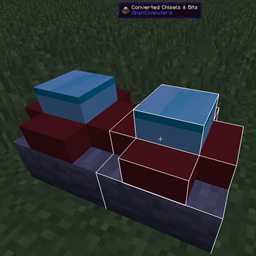
Chisels & Bytes 是 AlgorithmX2 开发的 Chisels & Bits 的附属模组。该模组允许你将 Chisels & Bits 方块或设计(自 v0.4 版本起)导出为 OpenComputers 3D 打印机的描述性文件,且仅适用于客户端。
与 Chisels & Bits 方块相比,3D 打印件具有两个显著优势:
- 由于 OpenComputers 在 Minecraft 1.7.10 中即可使用 3D 打印机,因此在本模组限制范围内,你可以将你的 Chisel & Bits 创作移植回 1.7.10 版本。
- 3D 打印件具备一些 C&B 方块所没有的功能。首先,它们可以拥有两种状态。根据设置的不同,你可以模拟门、开关或按钮的行为。其次,无论由何种材质构成,它们都可以设置为发光。最后,你可以为每种状态单独设置碰撞箱。更多信息请通过 oppm 安装 print3d-examples 软件包,并查看示例文件 (/usr/share/models/example.3dm)。
本模组需要 Java 8。
使用方法
安装模组后,手持一个 Chisels & Bits 方块并按下 Next/Page Up 键(默认按键)。脚本将被复制到剪贴板,可以直接粘贴到游戏内的 OpenComputers 编辑器中,或者在游戏外的文本编辑器中进行调整。数据格式已适配 OpenComputers 包管理器 oppm 提供的 print3d 程序使用。
如果你的副手栏(自 v0.4 版本起)或当前物品右侧的热键栏槽位中有 Chisels & Bits 方块,它将被用作 3D 打印件的激活状态。
0.4 版本增加了对流体的有限支持。潜行可在流体碎片的静态纹理和流动纹理之间切换。此外,如果 C&B 方块/设计包含发光碎片,相应的选项将在描述文件中被设置。
限制
- 默认情况下,OpenComputers 3D 打印机仅允许使用 24 种形状。本模组会尝试尽量减少形状数量,但复杂的方块很容易超出此限制。可以在 OpenComputers 配置文件(printer 部分中的 maxShapes)中更改此限制。
- 如果你将设计移植到 1.7.10 版本,可能需要在文件中手动调整纹理。此外,从 1.9 移植到 1.8 时纹理也不保证能正常工作。
- [1.9+] Minecraft 1.9 移除了我用于读取 FlatColoredBlocks 方块颜色的方法,因此我现在必须针对该模组编写特定代码。FlatColoredBlocks 的任何更新都可能导致此功能失效,但通常不会导致崩溃,只会造成颜色指定缺失。
- [v0.4] 现已提供有限的流体碎片支持。这受限于 3D 打印件的能力:流体不会呈现半透明效果,且只能使用静态或流动纹理中的一种。
- [v0.4] 现已支持设计的导出,但旋转信息会被忽略。负向设计(Negative Designs)已被有意禁用,因为对于本模组而言,它们不包含任何有用信息。
Chisels & Bytes
Chisels & Bytes is an addon for Chisels & Bits by AlgorithmX2. The mod allows you to export Chisels & Bits blocks or designs (since v0.4) as a descriptive file for the OpenComputers 3D printer and works client-side only.
There are two prominent advantages of a 3D print over the Chisels & Bits block:
- Since the 3D printer is available in OpenComputers for Minecraft 1.7.10, this mod allows you, within limits, to port your Chisel & Bits creations back to 1.7.10.
- 3D prints have some features C&B blocks don't. First and foremost, they can have two states. Depending on the settings, you can emulate the behaviour of a door, switch or button. Second they can be set to emit light, no matter what they are made from. Finally you can set collision for each state. For more information install the print3d-examples package via oppm and look at the example file (/usr/share/models/example.3dm).
This mod requires Java 8.
Usage
After installing the mod, hold a Chisels & Bits block in your hand and (by default) press the Next/Page Up key. The script will be copied to your clipboard and can be directly pasted into the in-game OpenComputers Editor or, out of game, into your favourite text editor for adjustment. The data is formatted for use with the print3d program available via the OpenComputers package manager oppm.
If you have a Chisels & Bits block in the hotbar slot to the right of your active item (or offhand since v0.4), it will be used as the active state for the 3D print.
Version 0.4 adds limited fluid support. Sneaking toggles between using the still and flowing texture for fluid bits. Also if the C&B block/design contains light emitting bits, the respective option will be set in the descriptive file.
Limits
- By default the OpenComputers 3D printer only allows 24 shapes. The mod tries to minimize the number of shapes, but complex blocks will probably go beyond that easily. The limit can be changed in the OpenComputers configuration file (maxShapes in the printer section).
- If you port a design to 1.7.10 you will probably have to manually adjust the textures in the file. Textures are also not guaranteed to work 1.9 -> 1.8.
- [1.9+] Minecraft 1.9 removed the method I used to read the color of FlatColoredBlocks blocks, so I now have to specifically code for the mod. This can break at any update to FlatColoredBlocks but shouldn't cause crashes, only missing tint specification.
- [v0.4] Partial fluid bit support is now available. This is limited by the capabilities of 3d prints, the fluid will not be semi-transparent and you can only use either the still or flowing texture.
- [v0.4] Designs are now supported for export, rotation is ignored though. Negative Designs are intentionally disabled, for the purposed of this mod they hold no useful information.
下载 Chisels & Bytes
下载 Chisels & Bytes
需要联机服务器吗?
稳定流畅、一键部署,几分钟即可和朋友联机开服
最低仅需 8 元/月 即可畅快联机
下载 Chisels & Bytes
需要联机服务器吗?
稳定流畅、一键部署,几分钟即可和朋友联机开服
最低仅需 8 元/月 即可畅快联机
下载 Chisels & Bytes
下载 Chisels & Bytes
下载 Chisels & Bytes
下载 Chisels & Bytes
* [已更新] 适配 Minecraft 1.11.2
* [变更] 当 OC 缺失时(直至 OC 更新),超出 maxShapes 默认值 24 的警告将默认生效。
关于这个资源的讨论、问题反馈与使用心得
还没有讨论,来发第一帖吧
你是这个资源的作者?登录后可认领此资源。
相似资源
模组
缓冲的原始输入和线程化的事件轮询
模组
一个用于收集生物掉落物的多区块模组。
模组
显示你正在注视的方块的信息。(适用于 Minecraft 1.16+ 的 Hwyla/Waila 分支)
模组
可定制的鞘翅模组,支持装饰纹饰、旗帜图案等更多功能!
模组
使用 JavaScript 编辑配方、添加自定义物品、编写世界事件!
模组
查看物品与配方
评论 0
登录后参与评分
还没有评论,来抢沙发吧