Chronos Timer
Chronos Timer 是一款客户端 Fabric 模组,为 Minecraft 添加了可自定义的状态效果 HUD。
该模组通过显示带有清晰计时器或进度条的活跃效果,改进了默认的效果显示方式。它还将信标效果、常规效果和有害效果分别归类,使 HUD 在日常游戏、战斗、挖矿和使用信标时更易于阅读。
空或无效的效果会自动从显示中移除,因此 HUD 保持紧凑,仅显示你当前需要的信息。
功能
- 自定义状态效果 HUD
- 水平和垂直布局
- 左侧和右侧放置
- 多种锚点位置:
- 计时器和进度条显示模式
- 计时器位置:
- 可配置的 HUD 透明度
- 使用罗马数字显示效果等级
- 无限效果使用
∞ 符号显示
- 最后 10 秒内计时器变红警告
- 自动分组:
- 在水平模式下,有害效果显示在单独的一行
- 信标效果优先显示
- 左右侧自动镜像布局
- 通过 Nythral Library 集中管理设置
计时器
显示效果的剩余持续时间。
较长时间的效果以分钟显示,较短时间以秒显示,无限效果使用 ∞ 符号表示。
在最后 10 秒期间,计时器会变为红色。
进度条
以可视化的进度条形式显示剩余持续时间。
随着效果即将结束,进度条会逐渐缩短,无需读取数字即可判断剩余时间。
配置
设置界面允许你更改以下内容:
- 是否启用 HUD
- 屏幕位置
- 左侧或右侧
- 水平或垂直布局
- 计时器或进度条模式
- 计时器附着位置
- HUD 透明度
设置会自动保存。
要求
- Minecraft 1.21.11
- Fabric Loader
- Fabric API
- Nythral Library
- Java 21
Mod Menu 是可选的,但建议安装以便更方便地访问设置界面。
客户端专用
Chronos Timer 是一个客户端模组,无需安装在服务器上。
它可以在多人服务器上使用,因为它仅改变玩家屏幕上状态效果的显示方式。
许可证
MIT
Chronos Timer
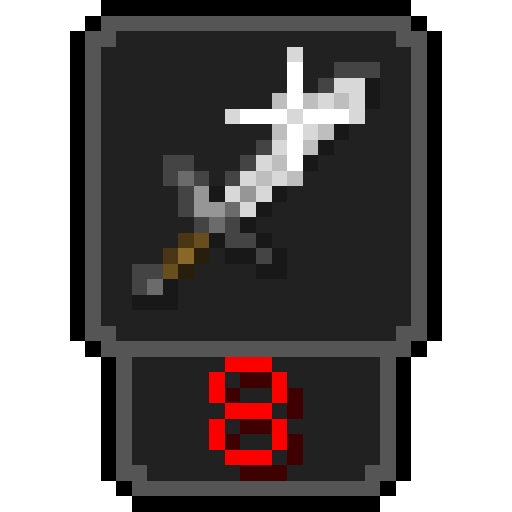
Chronos Timer is a client-side Fabric mod that adds a customizable status effect HUD to Minecraft.
The mod improves the default effect display by showing active effects with clear timers or progress bars. It also groups beacon effects, regular effects, and harmful effects separately, making the HUD easier to read during normal gameplay, combat, mining, and beacon use.
Empty or inactive effects are automatically removed from the display, so the HUD stays compact and only shows the information you currently need.
Features
- Custom status effect HUD
- Horizontal and vertical layouts
- Left and right side placement
- Multiple anchor positions:
- Timer and progress bar display modes
- Timer placement:
- Above the icon
- Below the icon
- Beside the icon
- Configurable HUD opacity
- Effect levels displayed with Roman numerals
- Infinite effects displayed with the
∞ symbol
- Red timer warning during the final 10 seconds
- Automatic grouping of:
- Beacon effects
- Regular positive and neutral effects
- Harmful effects
- Harmful effects displayed in a separate row in horizontal mode
- Beacon effects displayed first
- Automatic layout mirroring for the left and right side
- Centralized settings through Nythral Library
Timer
Shows the remaining duration of the effect.
Longer effects are displayed in minutes, shorter effects in seconds, and infinite effects use the ∞ symbol.
During the final 10 seconds, the timer changes to red.
Progress Bar
Shows the remaining duration as a visual progress bar.
The bar becomes shorter as the effect approaches its end, making it possible to check the remaining time without reading a number.
Configuration
The settings screen allows you to change:
- Whether the HUD is enabled
- Screen position
- Left or right side
- Horizontal or vertical layout
- Timer or progress bar mode
- Timer attachment position
- HUD opacity
Settings are saved automatically.
Requirements
- Minecraft 1.21.11
- Fabric Loader
- Fabric API
- Nythral Library
- Java 21
Mod Menu is optional, but recommended for easier access to the settings screen.
Client Side
Chronos Timer is a client-side mod. It does not need to be installed on the server.
It can be used on multiplayer servers because it only changes how status effects are displayed on the player's screen.
License
MIT
评论 0
登录后参与评分
还没有评论,来抢沙发吧