
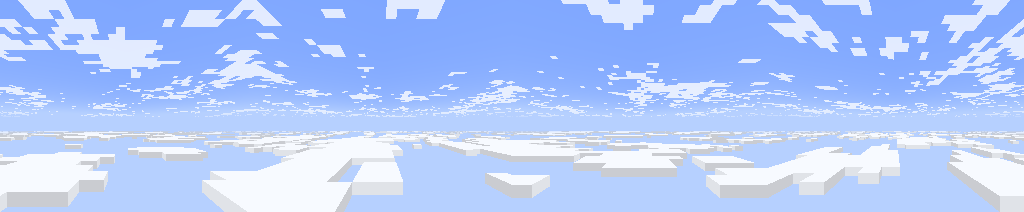
一个可自定义的模组,添加了多层云层。它还将 1.21.6+ 版本的云层特性带入了旧版本。
功能(截至 v2.1)
- 多层云层
- 云层渲染距离更远
- 新的 1.21.6+ 版本 clouds.png 纹理
- 通过配置菜单完全自定义
- 支持资源包
默认图层
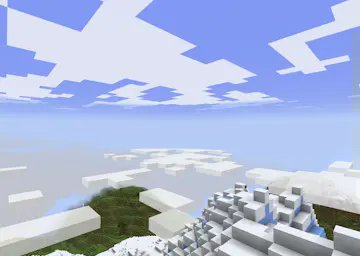
默认情况下,有两层云:
- Fancy(精美)风格的云位于 Y: 160
- Fast(快速)风格的云位于 Y: 256
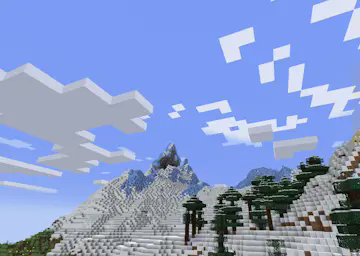
下层使用新的 1.21.6+ 云纹理,而上层使用 1.21.6 之前的纹理。 它们分别类似于积云和卷云。
自定义图层
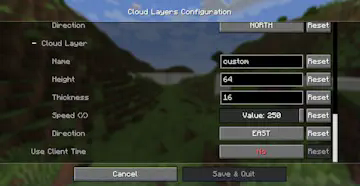
你可以使用配置菜单(通过模组菜单访问)添加或编辑现有的云层图层。或者编辑位于 config/cloud-layers.json 的配置文件。
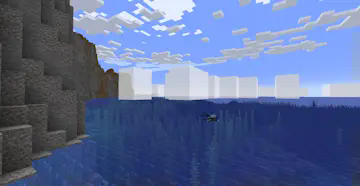
云层外观
使用以下选项更改云层的形状和外观:
- Thickness(厚度),即云层的垂直宽度
- 如果为 0,则渲染为 Fast(快速)风格的云
- 原版 Fancy(精美)风格云的厚度为 4
- Scale(缩放),即每个云像素的水平宽度
- 在原版中始终为 12
- Texture(纹理),用于渲染云层的云纹理
- "NEW",1.21.6+ 原版中添加的新纹理
- "OLD",这是 1.21.6 之前的原始纹理
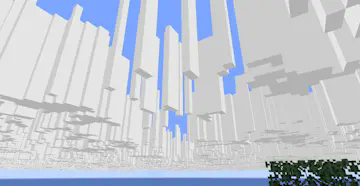
- "OVERCAST",云层完全覆盖天空
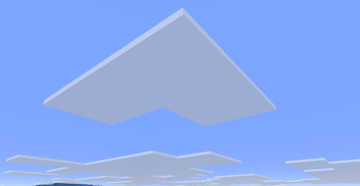
你还可以更改云的颜色和透明度。Alpha 值越低,透明度越高。
云层移动
你可以更改云层的移动速度,并选择移动方向。
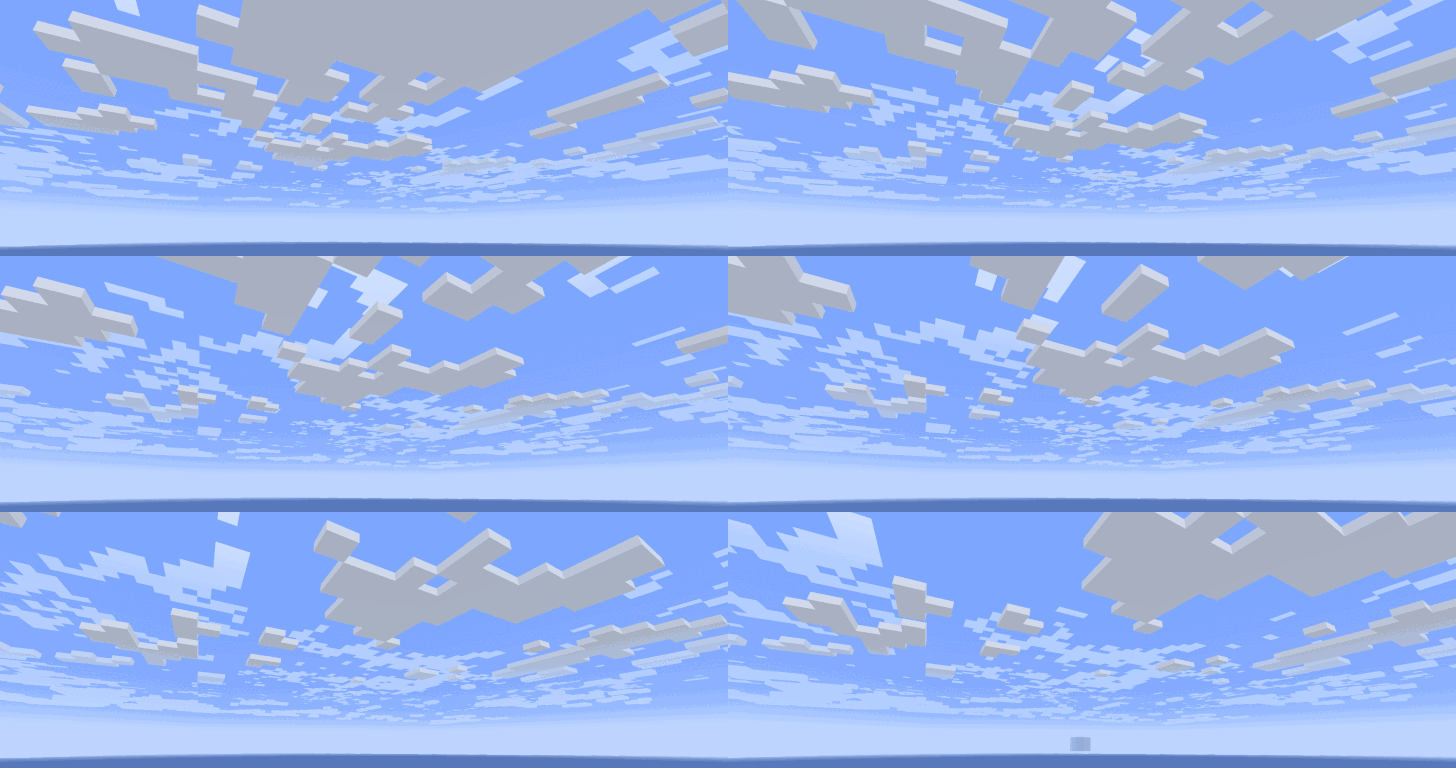
Skybox Mode(天盒模式)选项使云层看起来固定在天空中,无论玩家飞多高,这会产生天盒效果。
条件
你可以设置图层仅在满足特定条件时显示,例如仅在下雨或夜间。
其他信息
MC 设置中的云必须设置为“Layers”(多层)或“Fancy”(精美),模组才能渲染其云层。
Resource Packs
资源包可以通过 json 文件对云层图层拥有更多的控制权。
Layer files
云层图层由存储在 assets/cloud_layers/layers/ 中的 .json 文件定义。
- height(必填):图层底部的 Y 位置。
- scale:每个云单元格的宽度(以方块为单位)。
- skybox_mode:true 或 false,天盒模式如上所述。
- velocity:[x, z] 图层每秒移动的方块数。
- offset:[x, z] 初始位置,有助于防止图层重叠匹配。
- color:可以是 [red, green, blue, alpha] 或 Texture Map(见下文)。
- opacity:0 到 1 之间的单个值,或 Texture Map。这是在 color 的 alpha 值之外的额外透明度。可用于制作大面积的天空透明区域。
- thickness:单个值或 Texture Map,表示图层从 height 向上延伸的方块数。
未来将添加更多字段,以支持更复杂的天象/云层系统。
Texture Map
纹理映射可用于在单个图层中使用不同的值。例如,从一个云到下一个云的 thickness 变化。
- texture(必填):所用纹理的完整资源位置。
- multiply(必填):[red, green, blue, alpha],每个通道都乘以这些值。对于单值字段,则将它们相加。
- scale:映射中的每个像素对应多少个单元格。
- velocity:[x, z] 纹理映射每秒移动的单元格数。
- offset:[x, z] 偏移量(以单元格为单位)
- add:值或 Texture Map,这将添加到最终值中。不适用于 color。
Example (default lower layer at assets/cloud_layers/layers/lower.json)
{
  "height": 160,
  "scale": 12,
  "velocity": [-0.6, 0],
  "color": {
    "texture": "cloud_layers:textures/color/new_vanilla.png",
    "multiply": [ 1, 1, 1, 0.9 ]
  },
  "thickness": 4
}
layers.json (assets/cloud_layers/layers.json)
此文件定义了每个维度中渲染哪些图层,以及它们的条件(天气、时间等)。该文件应包含每个维度的字段,并带有图层条目列表:
- layer:图层的资源位置,不带 "layer/" 或 ".json"。
- weather:图层可以出现的天气类型:
- clear:true 或 false。
- rain:true 或 false。
- thunder:true 或 false。
- time:图层可见的时间范围。
- start:0 到 24000 之间
- end:0 到 24000 之间
可以有多个相同图层的条目,适用于不同的条件集。
Example
{
  "minecraft:overworld": [
    { "layer": "cloud_layers:upper" },
    { "layer": "cloud_layers:lower",
      "weather": {"clear": true, "rain": true, "thunder": false}
    },
    { "layer": "cloud_layers:storm_clouds",
      "weather": { "clear": false, "rain": false, "thunder": true }
    },
    { "layer":"cloud_layers:morning_fog",
      "time": { "start": 22000, "end": 1000 }
    }
  ],
  "some_mod:custom_dimension": [
    { "layer": "cloud_layers:storm_clouds" }
  ]
}
细胞纹理
用于渲染云单元墙壁的纹理。该文件位于 assets/cloud_layers/textures/cell.png。
A customizable mod that adds multiple layers of clouds. It also brings 1.21.6+ cloud features to older versions.
Features (as of v2.1)
- Multiple cloud layers
- Clouds render further out
- New 1.21.6+ clouds.png texture
- Fully customizable using the configuration menu
- Supports resource packs
Default Layers
By default, there are two layers of clouds:
- Fancy style clouds at Y: 160
- Fast style clouds at Y: 256
The lower layer uses the new 1.21.6+ cloud texture, while the upper layer uses the pre 1.21.6 texture. They resemble Cumulus and Cirrus clouds.
Custom Layers
You can add or edit existing cloud layers using the config menu (accessible with mod menu). Or edit the config file at config/cloud-layers.json.
Cloud Appearance
Use the following options to change the shape and appearance of clouds:
- Thickness, the vertical width of the cloud layer
- If 0, they are rendered as Fast style clouds
- Vanilla Fancy style clouds have thickness 4
- Scale, the horizontal width of each cloud pixel
- This is always 12 in vanilla
- Texture, the cloud texture used to render clouds
- "NEW", the new texture added in 1.21.6+ vanilla MC
- "OLD", this is the original texture before 1.21.6
- "OVERCAST", the cloud layer covers the sky completely
You can also change the color and transparency of clouds. The lower the alpha, the more transparent they are.
Cloud Movement
You can change the speed that clouds move, and select the direction of movement.
The option Skybox Mode makes a cloud layer appear to stay fixed in the sky, regardless of how high the player goes, this creates a skybox effect.
Conditions
You can make a layer only show up when certain conditions are met, like only when raining or during the night.
Other Info
Clouds in MC settings must be set to "Layers" or "Fancy", for the mod to render its clouds.
Resource Packs
Resource packs have much more control over cloud layers, using json files.
Layer files
Cloud layers are defined by .json files stored in assets/cloud_layers/layers/.
- height (mandatory): Y position at the bottom of the layer.
- scale: How many blocks wide each cloud cell is.
- skybox_mode: Either true or false, skybox mode is described above.
- velocity: [x, z] Movement of the layer in blocks per second.
- offset: [x, z] Initial position, useful to prevent layers matching.
- color: Either [red, green, blue, alpha] or Texture Map (see below).
- opacity: Single value between 0 and 1, or Texture Map. This is in addition to color's alpha value. It can be used to make large areas of clear sky.
- thickness: Single value or Texture Map, this is how many blocks above height the layer extends.
More fields will be added in the future, for more complex weather / cloud systems.
Texture Map
Texture maps can be used to have different values across a single layer. Like thickness varying from one cloud to the next.
- texture (mandatory): Full resource location for the texture used.
- multiply (mandatory): [red, green, blue, alpha], each channel is multiplied by these. For single value fields, they are then added together.
- scale: How many cells each pixel in the map corresponds to.
- velocity: [x, z] Movement of the texture map in cells per second.
- offset: [x, z] Offset in cells
- add: Value or Texture Map, this is added to the final value. Does not work in color.
Example (default lower layer at assets/cloud_layers/layers/lower.json)
{
  "height": 160,
  "scale": 12,
  "velocity": [-0.6, 0],
  "color": {
    "texture": "cloud_layers:textures/color/new_vanilla.png",
    "multiply": [ 1, 1, 1, 0.9 ]
  },
  "thickness": 4
}
layers.json (assets/cloud_layers/layers.json)
This file defines which layers render in each dimension, and also their conditions (weather, time, etc.). The file should contain fields for each dimension with a list of layer entries:
- layer: The layer's resource location, without "layer/" or ".json".
- weather: Which types of weather can the layer appear in:
- clear: Either true or false.
- rain: Either true or false.
- thunder: Either true or false.
- time: Time of day range the layer is visible for.
- start: Between 0 and 24000
- end: Between 0 and 24000
There can be multiple entries for the same layer, for different sets of conditions.
Example
{
  "minecraft:overworld": [
    { "layer": "cloud_layers:upper" },
    { "layer": "cloud_layers:lower",
      "weather": {"clear": true, "rain": true, "thunder": false}
    },
    { "layer": "cloud_layers:storm_clouds",
      "weather": { "clear": false, "rain": false, "thunder": true }
    },
    { "layer":"cloud_layers:morning_fog",
      "time": { "start": 22000, "end": 1000 }
    }
  ],
  "some_mod:custom_dimension": [
    { "layer": "cloud_layers:storm_clouds" }
  ]
}
Cell Texture
The texture used to render cloud cell walls. It is stored at assets/cloud_layers/textures/cell.png.

下载 Cloud Layers
下载 Cloud Layers
下载 Cloud Layers
下载 Cloud Layers
下载 Cloud Layers
下载 Cloud Layers
下载 Cloud Layers
下载 Cloud Layers
下载 Cloud Layers
下载 Cloud Layers
- 修复了在服务端安装时崩溃的问题。
- 修复了一些错误。
关于这个资源的讨论、问题反馈与使用心得
还没有讨论,来发第一帖吧
你是这个资源的作者?登录后可认领此资源。
相似资源
 模组

一个用于收集生物掉落物的多区块模组。
 模组

可定制的鞘翅模组,支持装饰纹饰、旗帜图案等更多功能!
 模组

显示你正在注视的方块的信息。(适用于 Minecraft 1.16+ 的 Hwyla/Waila 分支)
 模组

查看物品与配方
 模组

原版世界生成优化模组
 模组
在游戏画面角落显示附近世界地形、玩家、生物和实体的地图。可创建路径点,帮助你找到标记过的位置。
评论 0
登录后参与评分
还没有评论,来抢沙发吧