
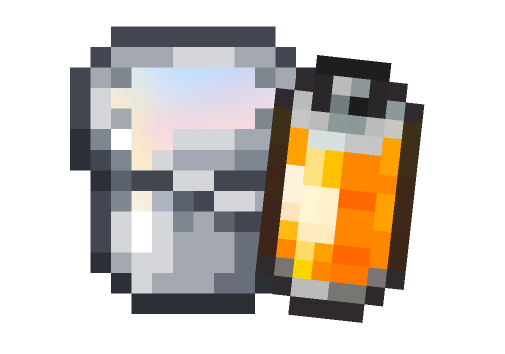
Colorful Blocks
ColorfulBlocks 让你的世界充满活力与色彩。用方块和工具为你的建筑增添一抹亮色。
本模组的灵感来源于 PlatinPython's RGBBlocks。此版本专为 Fabric 构建。
功能
- 全 RGB 色彩:通过颜色选择器 GUI(RGB 滑块、HSB 滑块或十六进制输入)从超过 1600 万种颜色中进行选择。
- 油漆桶:右键点击混凝土以进行上色。按住 Shift + 右键点击已上色的方块可复制其颜色。按住 Shift + 右键点击空气可打开颜色选择器。
- 颜色保留:挖掘时颜色数据会被保留。
物品与方块

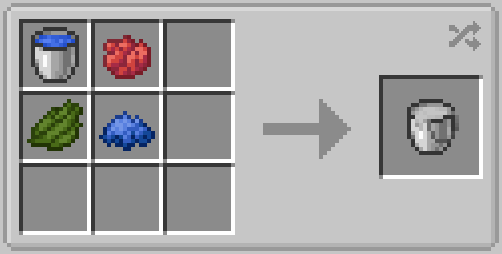
油漆桶
耐久度为 500 的桶。用于打开颜色选择器、给混凝土上色或复制颜色。
操作说明
右键点击原版混凝土:将其转换为当前桶内颜色的染色混凝土。
右键点击染色混凝土:重新着色该方块。
按住 Shift + 右键点击非染色混凝土以外的物品:打开颜色选择器 GUI。
使用空桶(在发射器中)右键点击:给前方的方块上色。
第一次右键点击混凝土时,不会直接应用颜色;你可以再次右键点击来应用颜色。

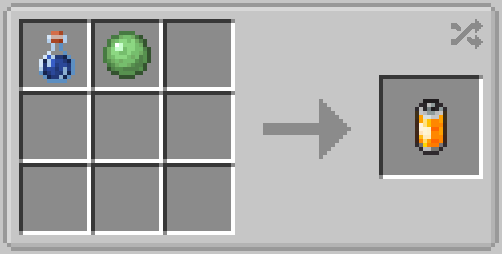
清洁代理
右键点击染色混凝土以使用。每次操作将颜色向白色偏移 25%。颜色越深,所需的点击次数越多。
耐久度为 120;每次使用消耗 1 点耐久。完全变白后不再消耗耐久。

染色混凝土
可显示任意 RGB 颜色的混凝土方块。掉落时保留颜色数据。
此方块通过将原版混凝土使用油漆桶进行转换来制作。
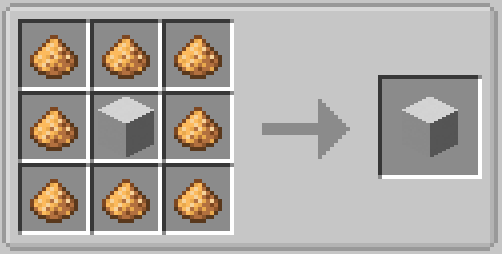
发光染色混凝土
顾名思义,这是一种发光的染色混凝土。
它是普通染色混凝土的变种,可用于建造发光建筑。
在光影包中启用“屏幕空间彩色区块光”可获得更好的视觉效果。
GUI
油漆桶拥有图形用户界面(GUI)。
当你按住 Shift + 右键点击非染色混凝土的目标时,即可看到该界面:
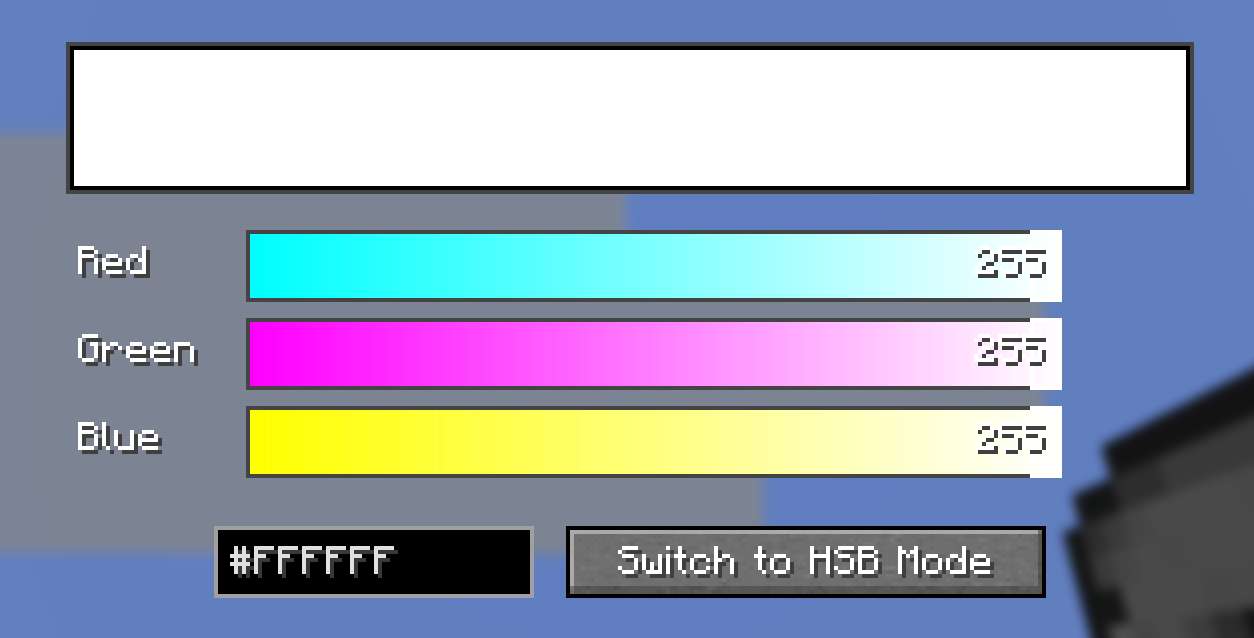
此界面会显示所选颜色及其在染色混凝土上的外观效果;它会根据输入的 HEX 值显示颜色名称,并允许通过 HSB 滑块和方形拾色器调整颜色。
/givec 命令
直接获得任意颜色的染色混凝土方块,无需使用油漆桶。需要作弊权限或操作员权限(等级 2)。
| 命令 | 结果 |
|---|---|
/givec <color> |
给予 1 个指定颜色的染色混凝土。 |
/givec <color> <count> |
给予指定数量的方块。 |
/givec <color> <count> <glowing> |
将 <glowing> 设置为 true 以获取发光染色混凝土。 |
<color> 为十六进制颜色代码,可带或不带前缀 # 。
额外支持
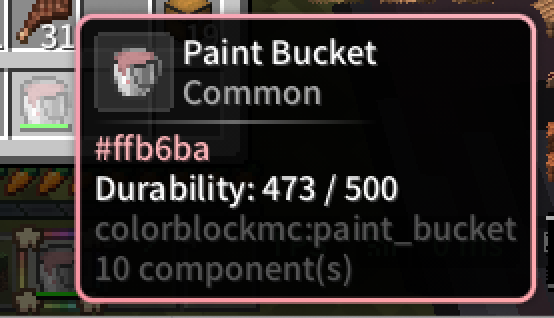
当你在安装本模组的同时安装了 ModernUI,提示框的颜色将与染色混凝土或油漆桶的颜色相匹配。
Colorful Blocks
ColorfulBlocks makes your world vibrant and colorful. Add a splash of color to your builds with blocks and tools.
The idea for this mod comes from PlatinPython's RGBBlocks. This version is built for Fabric.
Features
- Full RGB Color: Choose from over 16 million colors using the color picker GUI (RGB sliders, HSB sliders, or hex input).
- Paint Bucket: Right-click on concrete to paint it. Shift + right-click on a painted block to copy its color. Shift + right-click in air to open the color picker.
- Color Retention: Color data is preserved when mined.
Items & Blocks
Paint Bucket
The bucket with 500 durability. Open color picker, paint concrete, or copy color.
Controls
Right-click vanilla concrete: Converts it to Stained Concrete in the bucket's current color.
Right-click Stained Concrete: Recolors the block.
Shift + Right-click something other than Stained Concrete: Opens the color picker GUI.
Right-click with empty bucket (in dispenser): Paints the block in front.
The first time you right-click on the concrete, it won't apply color directly; you can apply color by right-clicking again.
Clean Agent
Right-click on the Stained concrete to use. Shift the color 25% closer to white each time. The darker the color, the more clicks are required.
It has 120 Durability; consumes 1 point per use. No further consumption occurs after turning completely white.
Stained Concrete
Concrete block that displays any RGB color. Drops with color data intact.
This block is created by converting vanilla concrete using the Paint Bucket.
Glowing Stained Concrete
As the name suggests, it's a glowing stained concrete.
This is a variant of common stained concrete. It can help you build glowing things.
Enable Screenspace Colored Blocklight in your shaderpack can achieve a better visual effect.
GUI
Paint Bucket has a GUI.
When you press Shift + Right Click and aim at something other than Stained Concrete,you will see it:
This interface displays a color alongside its appearance on dyed concrete; it shows the color name based on the entered HEX value and allows for color adjustment using HSB sliders and a square colorpicker.
/givec Command
Give yourself a stained concrete block of any color directly, no Paint Bucket needed. Requires cheats / operator permission (level 2).
| Command | Result |
|---|---|
/givec <color> |
Gives 1 Stained Concrete of that color. |
/givec <color> <count> |
Gives the specified amount. |
/givec <color> <count> <glowing> |
Set <glowing> to true for Glowing Stained Concrete. |
<color> is a hex color code, with or without the leading # .
Additional support
When you install this mod along with ModernUI, the tooltip box will match the color of the stained concrete or bucket.

下载 Colorful Blocks
下载 Colorful Blocks
下载 Colorful Blocks
下载 Colorful Blocks
下载 Colorful Blocks
下载 Colorful Blocks
新增功能
- 添加了可投掷的油漆桶:按住右键蓄力,松开以投掷,落点范围内的所有混凝土方块都会被涂色。蓄力时间越长,覆盖半径越大,最多在 10 秒时达到 13 个方块的半径。每次投掷会消耗 1.5 点耐久(上限为 500),当耐久耗尽后,油漆桶会变回空桶。
- 基于新的
color_action触发器添加了 10 项自定义进度,涵盖涂色、投掷和清洁操作,其中包括三项挑战(单次投掷至少涂色 50 个方块、涂红/绿/蓝三色、将黑色方块清洁回白色)。 - 添加了投掷油漆桶时的音效,以及落地时的彩色粒子溅射效果。
- 添加了油漆桶飞行过程中的彩色粒子拖尾效果。
- 更新了油漆桶的纹理及其可着色叠加层。
修复内容
- 修复了在 26.1.2 版本中彩色物品渲染未着色问题。物品模型的
minecraft:dye着色采样使用了原版minecraft:dyed_color组件,但挖掘掉落物、/givec命令以及颜色选择器的混凝土预览仅写入了模组自身的颜色组件,导致着色数据无法读取。现在三者共用一个辅助函数来同时写入这两个组件。 - 修复了颜色选择器的混凝土预览方块在 26.1.2 版本中始终渲染为白色的问题,原因同上(缺少组件)。
- 修复了
/givec命令存储裸 24 位颜色而非不透明 ARGB 颜色的问题。因此,使用/givec放置的方块与通过颜色选择器涂色的方块即使颜色相同也会被视为不相等,这会导致依赖耐久的配方将它们视为不同物品并消耗耐久。 - 修复了 ModernUI 工具提示的颜色泄漏到后续无关工具提示中的问题。ModernUI 将填充颜色保存在静态数组中,现在该覆盖颜色会被快照保存并在之后恢复。
- 修复了 ModernUI 方法重命名可能导致注入错误进入渲染路径的问题。现在注入变为可选,若目标缺失则降级为“无着色”而非崩溃;成员解析已锁定,使其仅在启动时记录一次日志,而非每帧记录一次。
- 修复了涂色原版混凝土方块后,客户端直到方块重新同步才显示变化的问题。
- 修复了清洁代理对已经是白色的方块完成清洁进度的问题,并将其检查逻辑更改为“变为白色”,使得两项清洁挑战不再在使用时立即完成。
- 修复了进度界面背景在 1.21.1 版本中未渲染的问题。
- 修复了在 1.21.1 版本中每次加载世界时打印
No data fixer registered for colorblockmc:paint_bucket_projectile错误的问题。 - 修复了在 26.1.2 版本中每次启动时打印不受支持的 Mixin 兼容性级别警告的问题。
关于这个资源的讨论、问题反馈与使用心得
还没有讨论,来发第一帖吧
你是这个资源的作者?登录后可认领此资源。
相似资源
 模组

可定制的鞘翅模组,支持装饰纹饰、旗帜图案等更多功能!
 模组

显示你正在注视的方块的信息。(适用于 Minecraft 1.16+ 的 Hwyla/Waila 分支)
 模组
在游戏画面角落显示附近世界地形、玩家、生物和实体的地图。可创建路径点,帮助你找到标记过的位置。
 模组

查看物品与配方
 模组
使用 JavaScript 编辑配方、添加自定义物品、编写世界事件!
 模组
AE2:一款流行的自动化与存储模组
评论 0
登录后参与评分
还没有评论,来抢沙发吧