
ColorTooltips
ColorTooltips 是一个提供自定义工具提示样式的模组。它具备两大主要特点:高度可定制化和丝滑流畅。
集成
自 2.0 版本起,此模组不再需要安装 RarityCore。
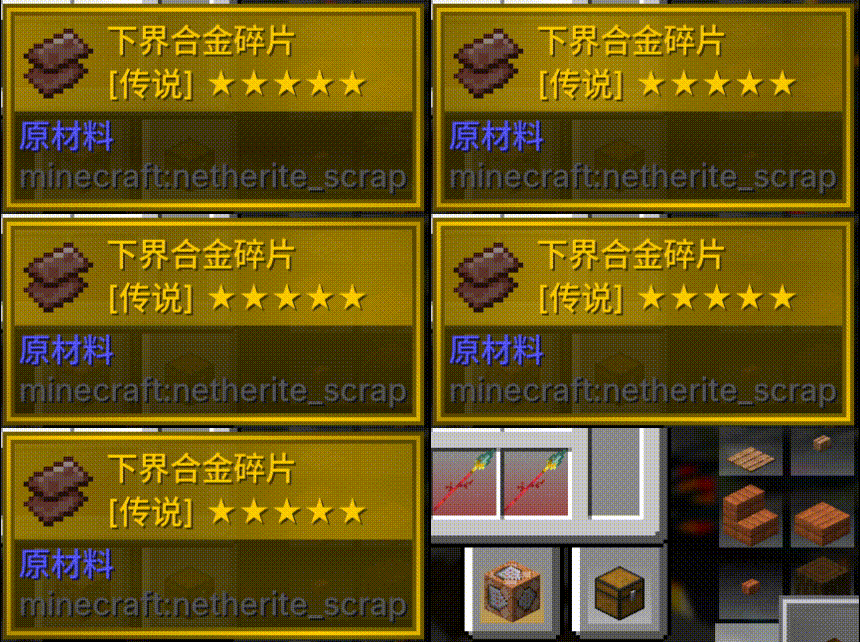
如果同时安装了 RarityCore,你可以根据物品的 RarityCore 稀有度来选择样式。
当然,即使没有 RarityCore,你仍然可以根据物品的原版稀有度来选择样式。
丝滑流畅
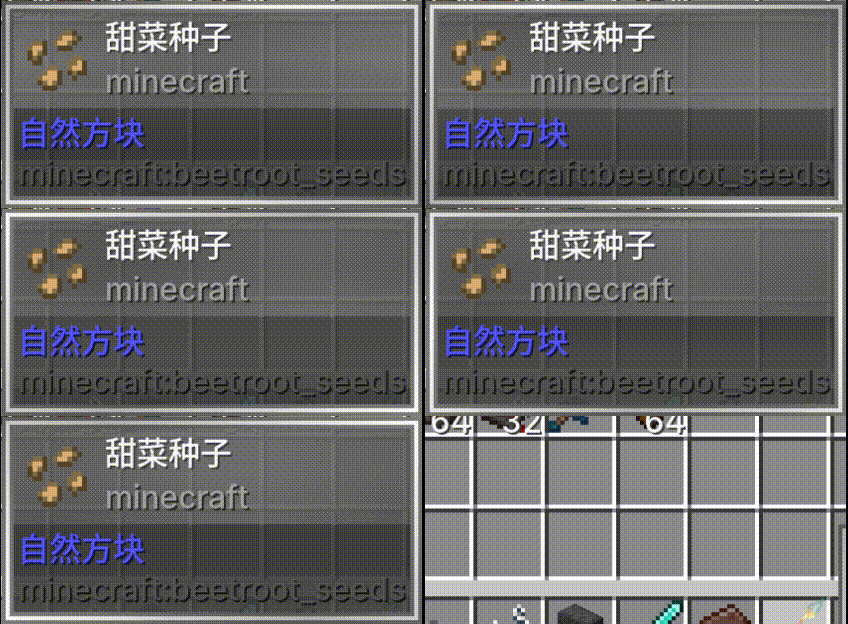
ColorTooltips 的动画从不偷工减料——每一个效果都可以独立切换和调整:
- 淡入/淡出 — 工具提示平滑出现,优雅消失。延迟和持续时间均可调整。你也可以禁用它以实现瞬间弹出。
- 位置缓动 — 跟随鼠标时的非线性过渡。从右侧跳到左侧时,会自然滑动。速度倍数由你决定。
- 尺寸过渡 — 当工具提示大小改变时,平滑缩放,无突兀跳跃。
- 色彩流动 — 边框和标题栏上的颜色持续流动。速度、方向以及启用/禁用均由你决定。
- 物品模型动画 — 图标从起始大小缩放到正常大小。进入和切换动画拥有独立的起始缩放值。
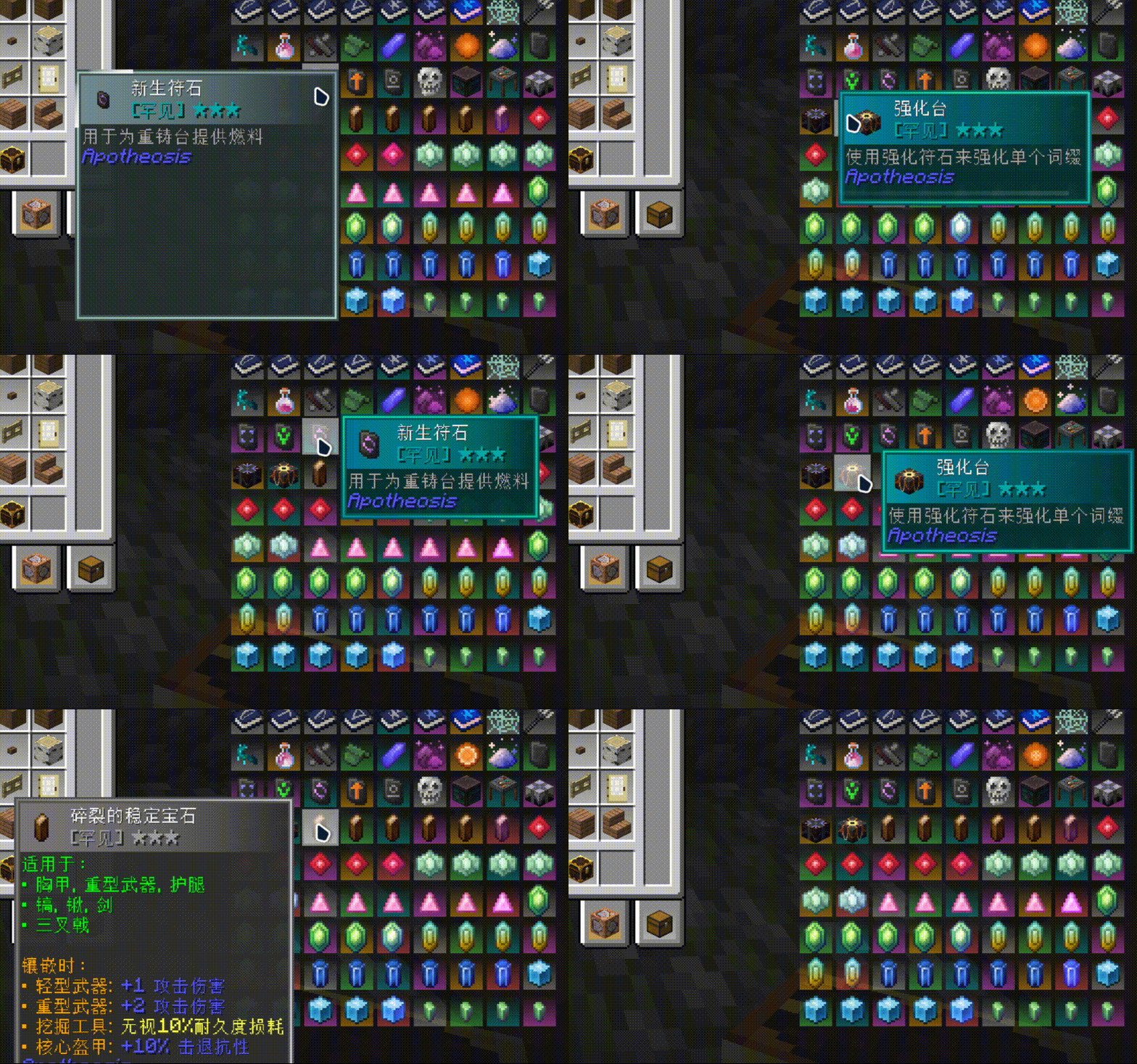
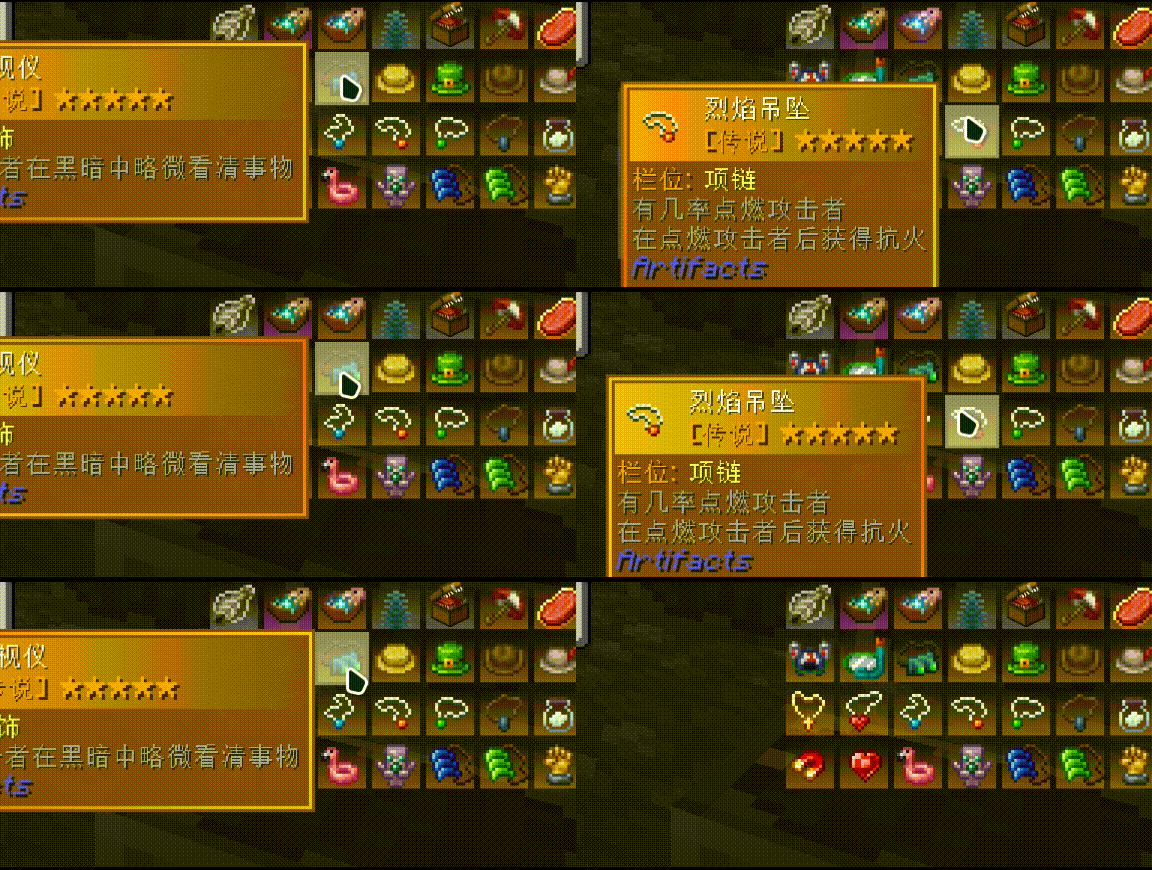
- 切换光效 — 当悬停在不同的物品上时,一道可自定义颜色的光痕沿边框移动。光效颜色和长度均可配置。
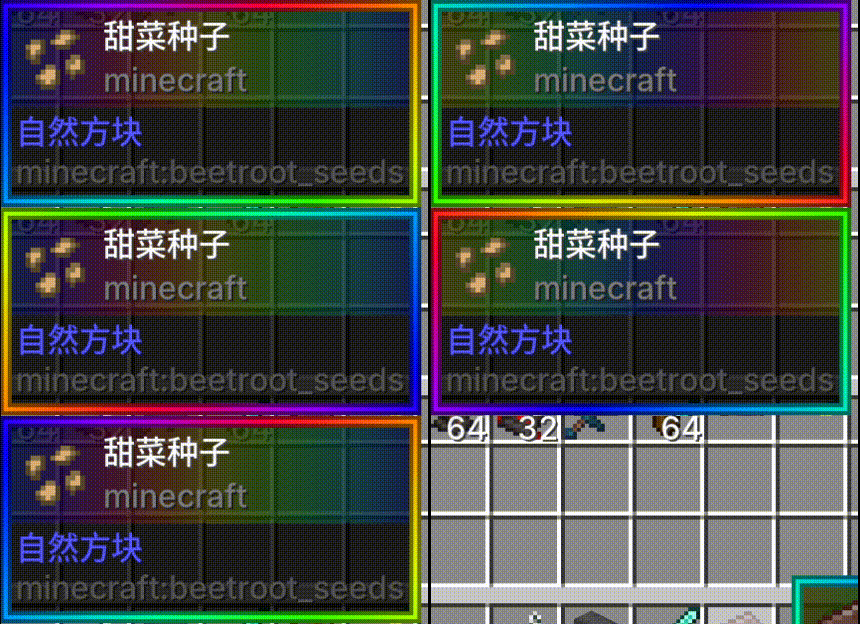
预览
| 1 | 2 | 3 |
|---|---|---|
 |
 |
 |
| 1 | 2 |
|---|---|
 |
 |
高度可配置
一切皆可配置,包括每个组件、每种颜色以及每个动画:
- 色彩自由 — 使用稀有度主题色、任意你选择的十六进制颜色,或通过调整亮度和饱和度进行微调。
- 区域控制 — 边框、背景和标题栏独立配置,互不干扰。每个区域可以拥有自己的颜色列表、透明度、流动方向和速度。
- 样式选择器 — 不同的物品和不同的稀有度可以自动匹配不同的样式文件。普通物品有一种外观,稀有物品有另一种外观,特定物品可以单独分配。
- 热重载 — 在游戏中编辑你的 JSON,输入
/colortooltips reload,即可即时预览更改——无需重启。
你的第一个样式从这里开始:样式配置指南。
预设样式
四种预设样式开箱即用:Vanilla(极简白色)、VanillaRarity(稀有度颜色)、RarityCoreStyles(RarityCore)和 RGB(彩虹渐变)。
功能
你可以按住 Shift 并滚动鼠标滚轮来上下移动工具提示,从而查看超出屏幕的内容。
兼容性
兼容 SearchCarefully!
与修改工具提示样式的模组不兼容,但与向其中添加内容的模组兼容。
入门
这是你要找的 Wiki。
常见问题
问: 为什么在某些地方工具提示动画有时会消失? 答: 这意味着屏幕上同时渲染了多个工具提示。这是出于兼容性考虑所做的决定。
问: 我的颜色过渡动画怎么了? 答: 很遗憾,它将在 3.0 版本中与你分道扬镳。
ColorTooltips
ColorTooltips is a mod that provides custom tooltip styling. It features two main characteristics: highly customizable and buttery smooth.
Integration
This mod no longer requires RarityCore to be installed since version 2.0.
If RarityCore is installed alongside, you can select styles based on an item's RarityCore rarity.
Of course, without RarityCore, you can still select styles based on an item's vanilla rarity.
Buttery Smooth
ColorTooltips' animations never cut corners — every single effect can be toggled and adjusted independently:
- Fade In/Out — Tooltips appear smoothly and disappear gracefully. Delay and duration are both adjustable. You can also disable it for instant popping.
- Position Easing — Non-linear transitions when following the mouse. When jumping from the right side to the left, it slides over naturally. Speed multiplier is up to you.
- Size Transition — Smooth scaling when the tooltip size changes, with no abrupt jumps.
- Color Flow — Colors along the border and title bar flow continuously. Speed, direction, and enabling/disabling are all up to you.
- Item Model Animation — Icons scale from a starting size to normal size. Enter and switch animations have independent starting scale values.
- Switch Glow — When hovering over a different item, a customizable colored light streak travels along the border. Glow color and length are configurable.
Preview
| 1 | 2 | 3 |
|---|---|---|
|
|
|
| 1 | 2 |
|---|---|
|
|
Highly Configurable
Everything is configurable, down to every component, every color, and every animation:
- Freedom of Color — Use rarity theme colors, any hex color of your choice, or fine-tune with brightness and saturation adjustments.
- Zone-Based Control — Borders, backgrounds, and title bars are configured independently without interfering with each other. Each zone can have its own color list, transparency, flow direction, and speed.
- Style Selector — Different items and different rarities can automatically match different style files. Common items have one look, rare items have another, and specific items can be individually assigned.
- Hot Reload — Edit your JSON in-game, type
/colortooltips reload, and preview changes instantly — no restart required.
Your first style begins here: Style Configuration Guide.
Preset Styles
Four preset styles are ready to use out of the box: Vanilla (minimal white), VanillaRarity (rarity colors), RarityCoreStyles (RarityCore), and RGB (rainbow gradient).
Functionality
You can hold down Shift and scroll the mouse wheel to move the tooltip up and down, allowing you to view content that extends beyond the screen.
Compatibility
Compatible with SearchCarefully!
Incompatible with mods that modify tooltip styles, but compatible with mods that add content to them.
Get Started
Here's the Wiki you're looking for.
FAQ
Q: Why do tooltip animations sometimes disappear in certain places? A: This means multiple tooltips are being rendered on screen at the same time. This is a decision made for compatibility reasons.
Q: What happened to my color transition animation? A: Unfortunately, it will part ways with you in version 3.0.

下载 ColorTooltips
下载 ColorTooltips
下载 ColorTooltips
下载 ColorTooltips
下载 ColorTooltips
下载 ColorTooltips
下载 ColorTooltips
下载 ColorTooltips
下载 ColorTooltips
下载 ColorTooltips
添加了物品忽略功能。
关于这个资源的讨论、问题反馈与使用心得
还没有讨论,来发第一帖吧
你是这个资源的作者?登录后可认领此资源。
相似资源
 模组

可定制的鞘翅模组,支持装饰纹饰、旗帜图案等更多功能!
 模组

适用于 MC 1.18+ 的 Effekseer 加载器
 模组

对 Minecraft 的沙漠神殿进行了全面重新设计!
 模组

感受痛苦!
 模组

TerraFirmaCraft (TFC) 是一个全面转换模组,对生存模式进行了彻底的改造与重新设计。
 模组

添加睡袋和吊床,分别用于便携性和昼夜转换,同时不会设置新的出生点。共有16种颜色可选!
评论 0
登录后参与评分
还没有评论,来抢沙发吧