
Command Debug Service
简介
本模组是 Command Debug DevKit 的子项目。它旨在通过连接外部编辑器或 IDE,优化 Minecraft 命令代码的编写与调试。此 Command Debug DevKit 项目取代了 Minecraft Command Studio,具有更小的文件体积和更好的可扩展性,因此更适合开发者进行二次开发。
安装
- 为你的 Minecraft 版本安装带有
Fabric/Quilt加载器以及 Fabric API/Quilted Fabric API 的 Minecraft。 - 下载该模组。
- 将模组放入你的
mods文件夹中。
使用方法
-
我最推荐的方法是配合 IntelliJ IDEA 插件 使用本模组。因此在使用本模组之前,你应该安装 IntelliJ IDEA Community 或 Ultimate 版,或者安装除 Rider 以外的其他 JetBrains IDE。然后从我的 GitHub Releases 或 JetBrains Marketplace 下载插件。
-
启动你的 IDE,创建或打开一个项目,然后创建或打开后缀为
.mcfunction的文件。 -
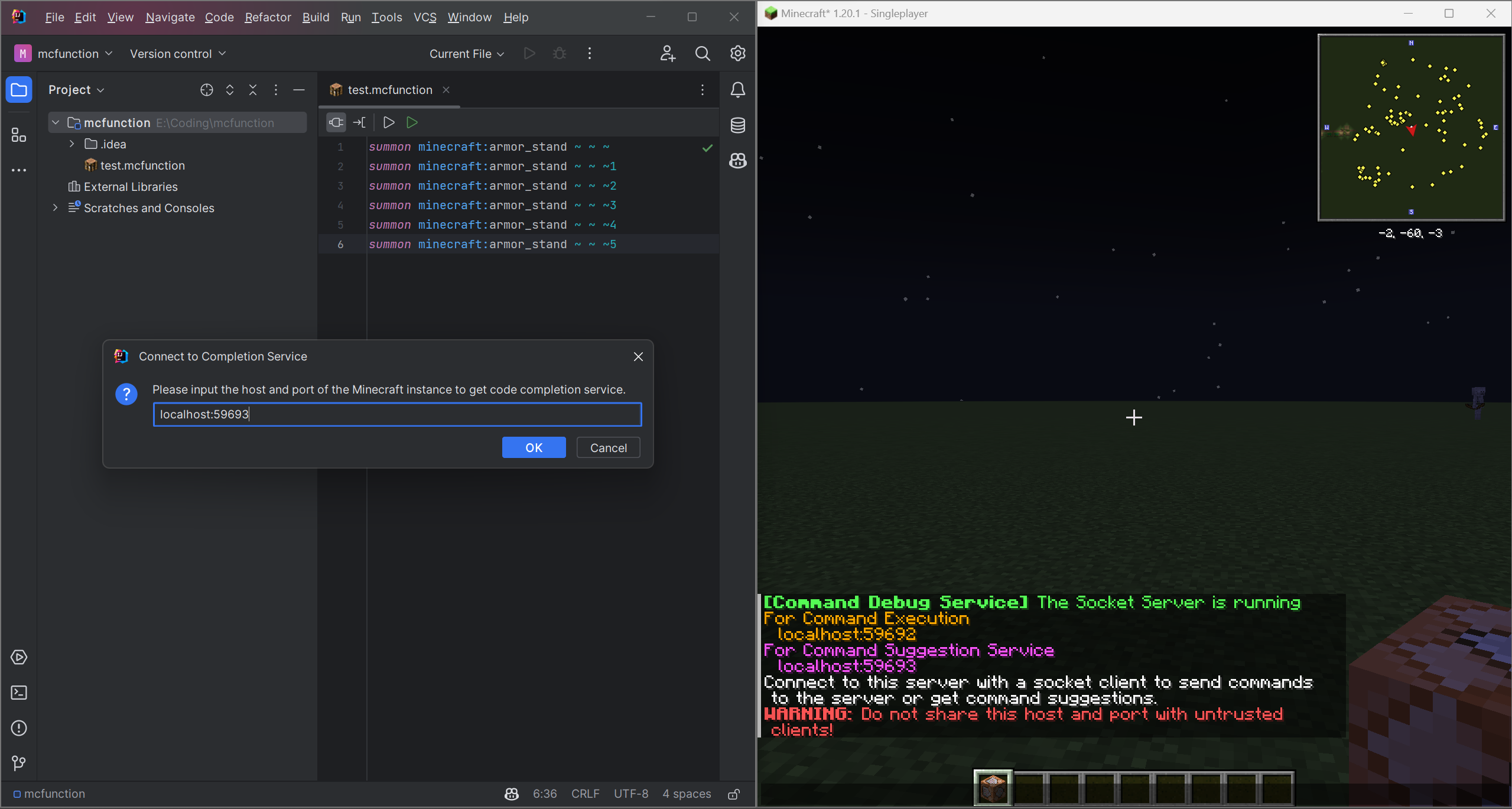
启动 Minecraft 游戏并加入一个世界。模组将创建两个 Socket 服务器,并在游戏聊天栏中显示主机地址和端口信息。
-
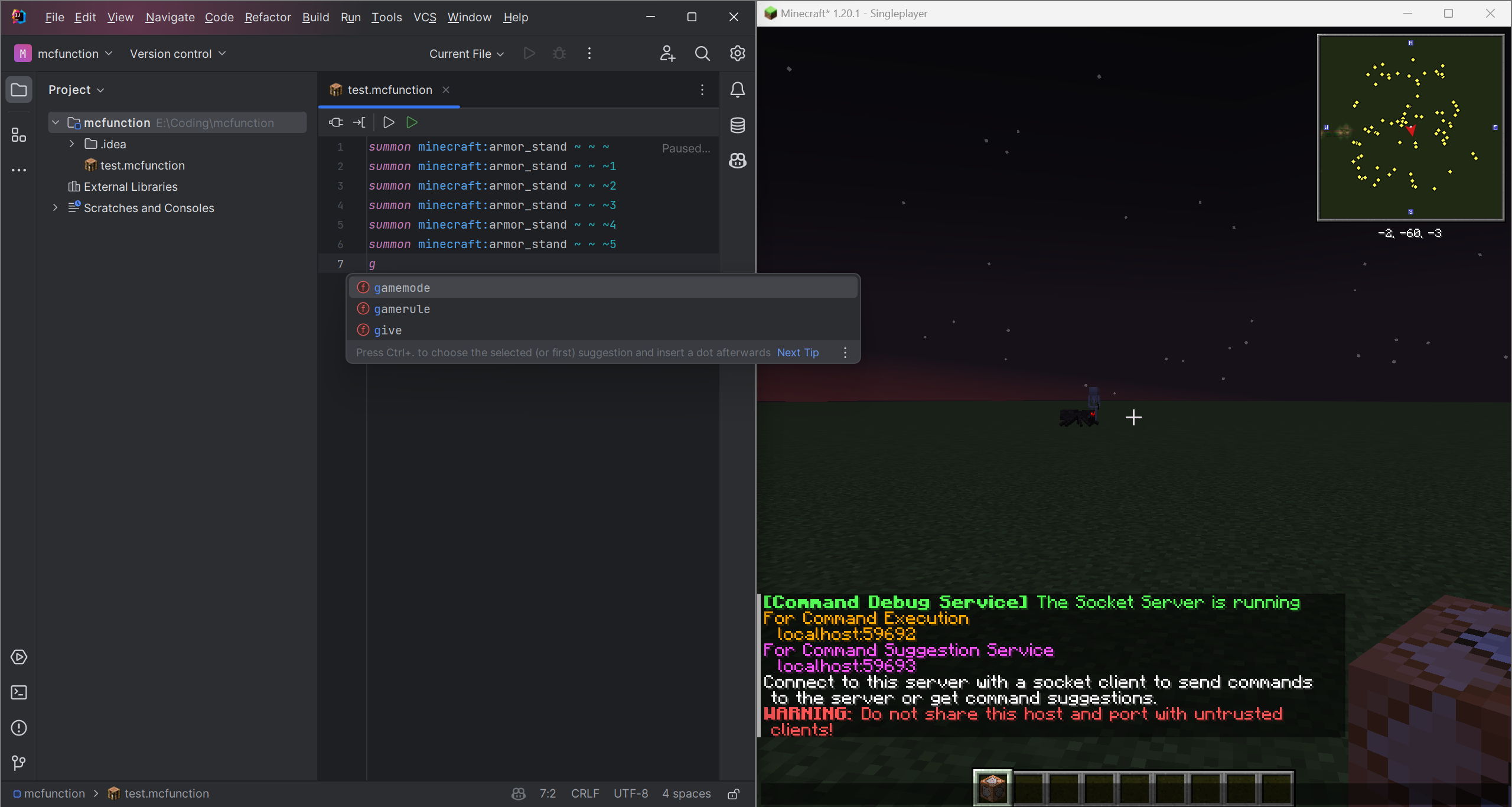
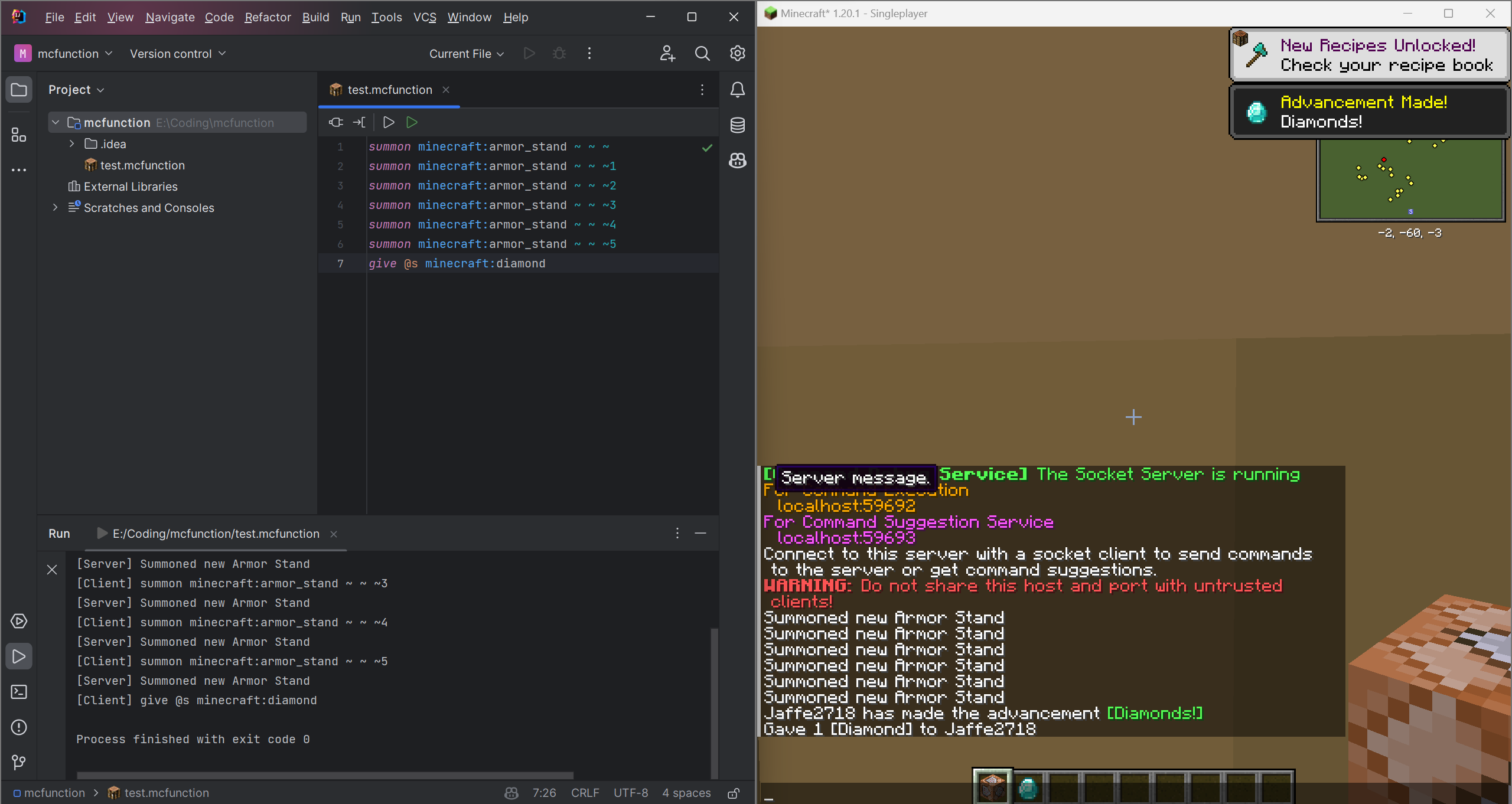
输入游戏聊天栏中显示的地址和端口,连接到这两个 Socket 服务器。随后你可以使用代码补全和代码执行服务。
信息
本项目采用 MIT 许可证授权。
你可以免费出于任何目的使用本项目。
详情请参阅 LICENSE 文件。
目前,本项目仍在开发中。如果你有任何想法或建议,请提交 Issue 或 Pull Request。
此外,该插件仅适用于 IntelliJ Platform IDE。如果你想使用 Eclipse 和 VSCode 等其他 IDE,你可以为其创建插件并提交 Pull Request 到此项目。
另外,本模组目前仅支持 Fabric 和 Quilt。你可以将其重写以支持 Forge 或其他模组加载器,并提交 Pull Request 到此项目。
如果你能帮我改进这个项目,我将不胜感激。
更多信息,请访问 Command Debug DevKit
Command Debug Service
Introduction
This mod is a subproject of Command Debug DevKit. It is designed for optimized Minecraft command coding and debugging by connect to external editor or IDE. This Command Debug DevKit project is replacement of Minecraft Command Studio with more lightweight file size and better scalability, therefore, it is more suitable for develops to carry out secondary development.
Setup
- Install Minecraft with
Fabric/QuiltLoader and Fabric API/Quilted Fabric API for your Minecraft version. - Download the mod.
- Put the mod into your
modsfolder.
Usage
-
My most recommanded approach is to use the IntelliJ IDEA Plugin with this mod. So before using this mod, you should install IntelliJ IDEA Community or Ultimate, or install other JetBrains IDE except Rider. Then download the plugin from my GitHub Releases or JetBrains Marketplace.
-
Start your IDE, create or open a project, then create or open a file with suffix
.mcfunction. -
Start your Minecraft game and join a world. The mod will create two socket server and show the host and port information in the game chat.
-
Connect to these two socket servers by entering the host and port which shown in the game chat. Then you can use the code completion and code execution service.
Info
This project is licensed under the MIT License.
You can use this project for any purpose for free.
See the LICENSE file for details.
Currently, this project is still in development. If you have any idea or suggestion, please open an issue or pull request.
And the plugin is only for IntelliJ Platform IDEs, if you want to use other IDEs such as Eclipse and VSCode, you can create a plugin for it and pull request to this project.
What's more, the mod is only for Fabric and Quilt currently, you can rewrite it for Forge or other mod loaders and pull request to this project.
I will be very grateful if you can help me to improve this project.
For more infomation, please visit Command Debug DevKit

下载 Command Debug Service
下载 Command Debug Service
下载 Command Debug Service
下载 Command Debug Service
下载 Command Debug Service
下载 Command Debug Service
需要联机服务器吗?
稳定流畅、一键部署,几分钟即可和朋友联机开服
最低仅需 8 元/月 即可畅快联机
下载 Command Debug Service
需要联机服务器吗?
稳定流畅、一键部署,几分钟即可和朋友联机开服
最低仅需 8 元/月 即可畅快联机
下载 Command Debug Service
下载 Command Debug Service
下载 Command Debug Service
暂无更新日志
关于这个资源的讨论、问题反馈与使用心得
还没有讨论,来发第一帖吧
你是这个资源的作者?登录后可认领此资源。
相似资源
 模组

显示你正在注视的方块的信息。(适用于 Minecraft 1.16+ 的 Hwyla/Waila 分支)
 模组

查看物品与配方
 模组
在游戏画面角落显示附近世界地形、玩家、生物和实体的地图。可创建路径点,帮助你找到标记过的位置。
 模组
使用 JavaScript 编辑配方、添加自定义物品、编写世界事件!
 模组
添加区块认领和玩家组队功能,并与 Xaero's Minimap 和 World Map 集成
 模组
添加全屏世界地图,显示你在世界中已探索的区域。与 Xaero's Minimap 搭配使用效果极佳。
评论 0
登录后参与评分
还没有评论,来抢沙发吧