
Command Pouch
Command Pouch 是一款简单的客户端模组,允许你通过快捷键打开命令菜单,并用一键运行已保存的命令。
它专为经常使用重复命令的玩家设计,例如传送命令、天气命令、游戏模式命令、同伴命令、服务器命令或自定义快捷方式。
功能
- 通过快捷键打开命令菜单
- 在游戏中添加自定义命令
- 将命令分类整理
- 删除单个命令
- 删除整个类别
- 仅限客户端
使用方法
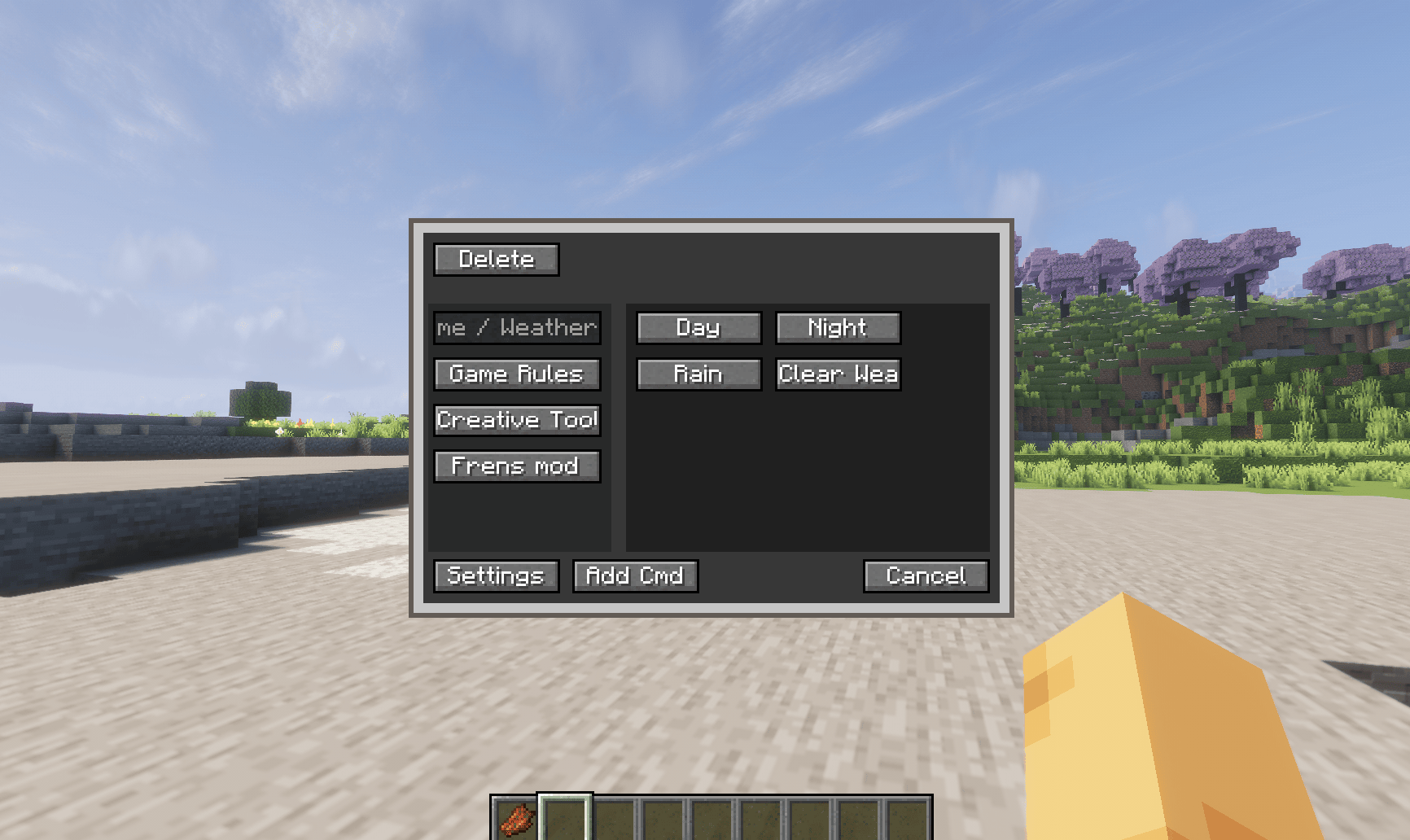
此模组菜单的默认快捷键为 "R"(可编辑) 左侧是类别,右侧是我们放置的 /command 预设,也可以在“add cmd”中进行编辑。
设置:更改菜单本身的大小。
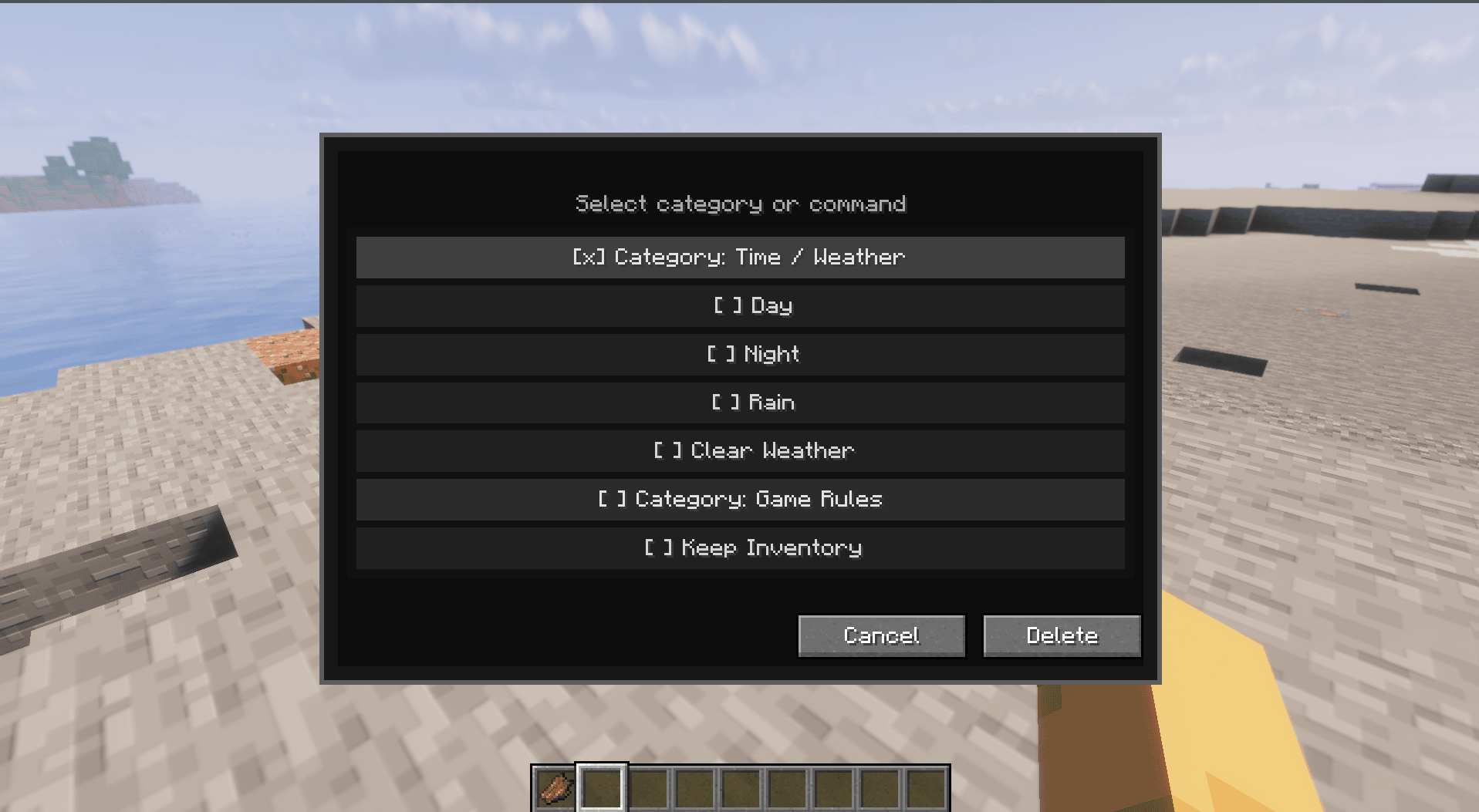
删除类别 = 删除其中包含的所有命令预设
删除命令 = 仅删除你想要删除的一个命令预设
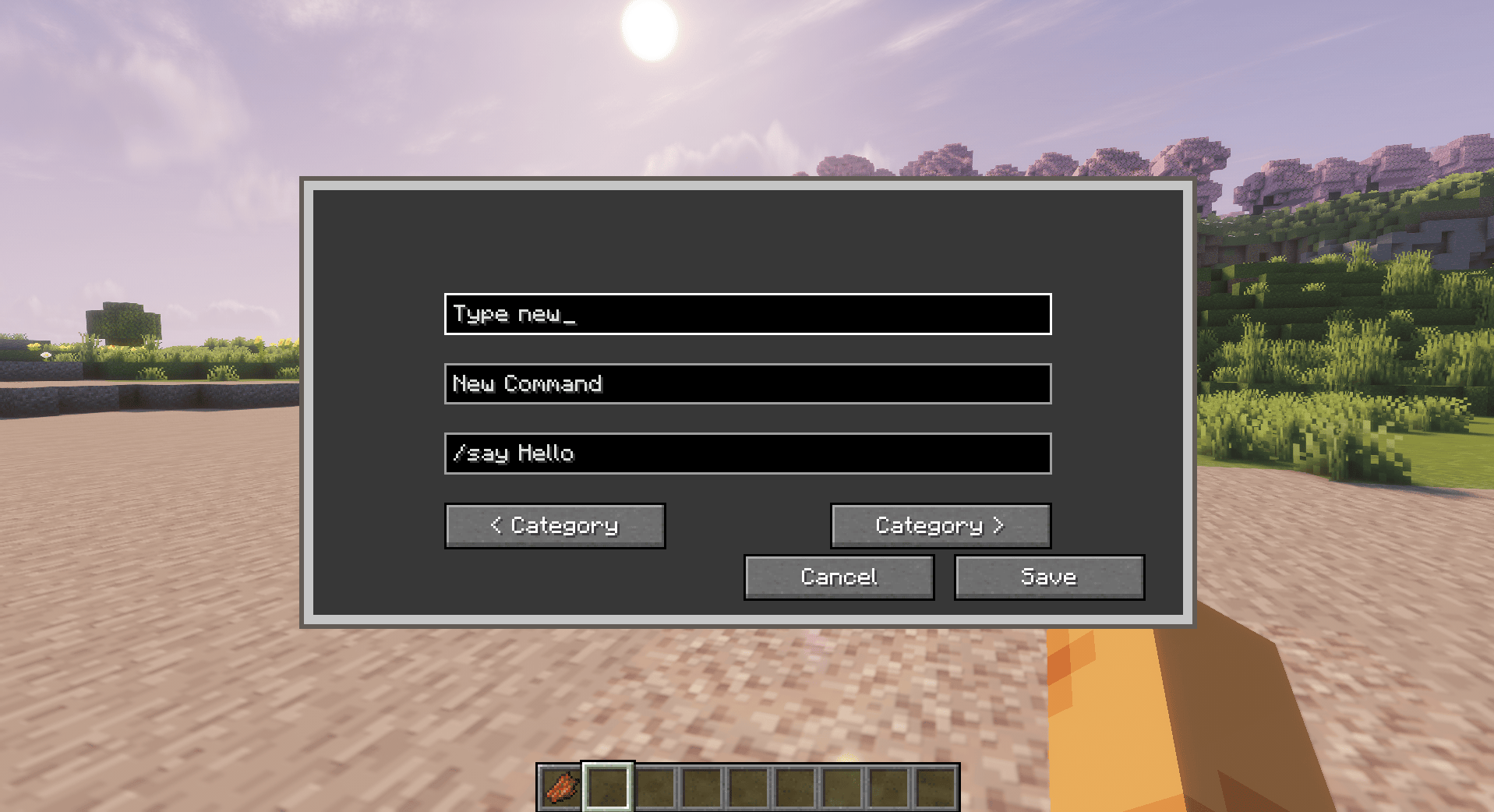
添加新类别
要创建新类别,请在第一个框中输入你想要的类别名称。
你也可以使用 左右类别按钮 在现有类别之间切换。
第二个框 用于输入命令名称。这是将在菜单按钮上显示的标签。
第三个框 用于输入命令本身。写入你要保存的完整命令,包括 / 符号。
保存后,下次你可以直接从菜单中使用该命令,而无需在聊天栏中手动输入。
✨ 2.0.0 Alpha 新增内容
Command Pouch 目前正在经历其最大的一次更新,引入了完全重新设计的径向界面,同时保留了老用户熟悉的操作流程。
此次 Alpha 版本侧重于现代化用户体验并提高可访问性,而不改变模组的核心用途。
亮点
- ? 全新的径向命令菜单
- ⭐ 更快访问你最喜欢的命令
- ? 改进的命令组织
- ?️ 更简洁直观的界面
- ⚙️ 更好的菜单缩放和自定义
- ? 持续的 UI 打磨和功能改进
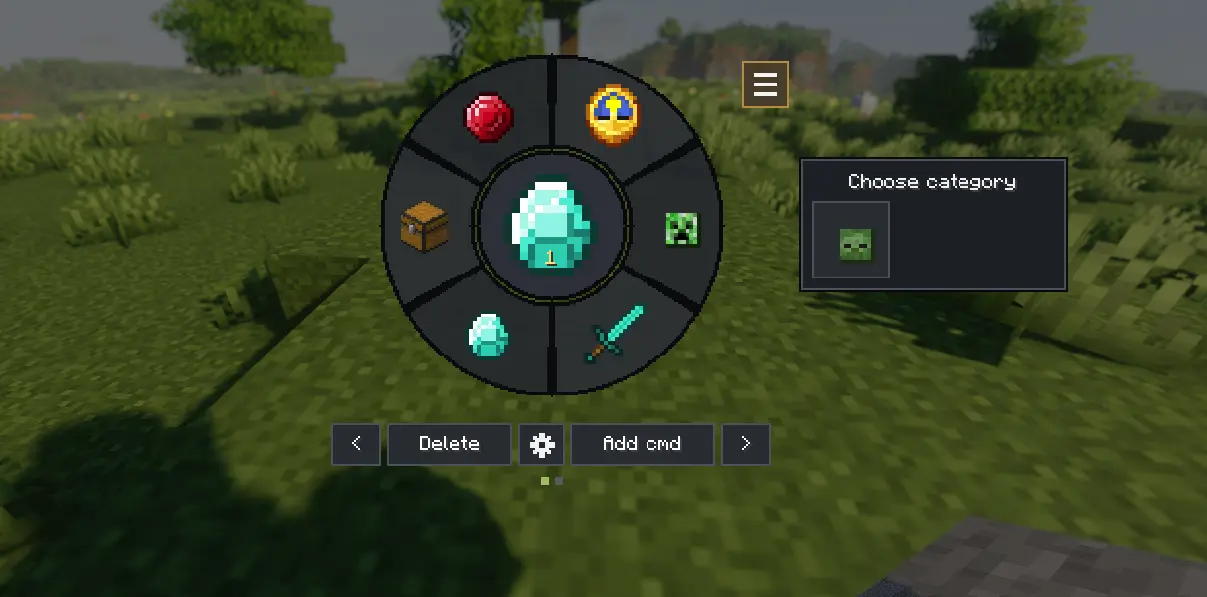
这是一个 Alpha 版本。 经典的 Command Pouch 功能保持不变,但新界面仍在完善中。在全量发布之前,某些功能和视觉效果可能会发生变化。
重要提示
Command Pouch 不会添加新的服务器命令。它只是模拟玩家从聊天栏发送命令。
这意味着命令仅在玩家在该世界或服务器中具有相应权限时才会生效。
已在多人模式中测试 命令的执行依赖于你现有的权限——如果服务器不允许某个命令,Command Pouch 无法绕过这些限制。
依赖项
必需:
- Fabric API
可选:
- Mod Menu
下载
从以下位置下载最新版本:
- GitHub Releases:
如果遇到任何错误、有建议或希望请求新功能,请在 GitHub 上提交 Issue:
GitHub Issues:
每一份反馈都有助于改善 Command Pouch。感谢你的支持! ❤️
Command Pouch
Command Pouch is a simple client-side mod that lets you open a command menu with a keybind and run saved commands with one click.
It is made for players who often use repeated commands, such as teleport commands, weather commands, gamemode commands, companion commands, server commands, or custom shortcuts.
Features
- Open a command menu with a keybind
- Add custom commands in-game
- Organize commands into categories
- Delete individual commands
- Delete entire categories
- Client-side only
How To Use
The defult keybinds for this Mod menu is "R" (its editable) The left side is the categories and the right side is the /command preset that we put and can be edited too in "add cmd"
Setting change the size of the menu itself.
To delete a Category= deleting the whole command preset in them
Delete a command= delete just one command preset that you want to delete
To Add new Category
To create a new category, type the category name you want in the first box.
You can also use the left and right category buttons to switch between existing categories.
The second box is for the command name. This is the label that will appear on the button in the menu.
The third box is for the command itself. Write the full command you want to save, including the / symbol.
After saving it, you can use the command from the menu next time instead of typing it manually in chat.
✨ New in 2.0.0 Alpha
Command Pouch is currently undergoing its biggest update yet, introducing a completely redesigned radial interface while keeping the familiar workflow that existing users know.
This alpha release focuses on modernizing the user experience and improving accessibility without changing the core purpose of the mod.
Highlights
- ? Brand-new radial command menu
- ⭐ Faster access to your favorite commands
- ? Improved command organization
- ?️ Cleaner and more intuitive interface
- ⚙️ Better menu scaling and customization
- ? Ongoing UI polish and feature improvements
This is an Alpha release. The classic Command Pouch functionality remains the same, but the new interface is still being refined. Some features and visuals may change before the full release.
Important note
Command Pouch does not add new server commands. It only sends commands as if the player typed them in chat.
This means commands will only work if the player has permission to use them in that world or server.
Tested in Multiplayer mode Commands execute with your existing permissions—if a server doesn't allow a command, Command Pouch cannot bypass those restrictions.
Dependencies
Required:
- Fabric API
Optional:
- Mod Menu
Download
Download the latest release from:
- GitHub Releases:
If you encounter any bugs, have suggestions, or would like to request a new feature, please open an issue on GitHub:
GitHub Issues:
Every report helps improve Command Pouch. Thanks for your support! ❤️

下载 Command Pouch
下载 Command Pouch
下载 Command Pouch
下载 Command Pouch
下载 Command Pouch
下载 Command Pouch
下载 Command Pouch
Alpha 2.1.0.-2,适用于 Minecraft 26.2
关于这个资源的讨论、问题反馈与使用心得
还没有讨论,来发第一帖吧
你是这个资源的作者?登录后可认领此资源。
相似资源
 模组

显示你正在注视的方块的信息。(适用于 Minecraft 1.16+ 的 Hwyla/Waila 分支)
 模组

查看物品与配方
 模组
在游戏画面角落显示附近世界地形、玩家、生物和实体的地图。可创建路径点,帮助你找到标记过的位置。
 模组
使用 JavaScript 编辑配方、添加自定义物品、编写世界事件!
 模组
添加区块认领和玩家组队功能,并与 Xaero's Minimap 和 World Map 集成
 模组
添加全屏世界地图,显示你在世界中已探索的区域。与 Xaero's Minimap 搭配使用效果极佳。
评论 0
登录后参与评分
还没有评论,来抢沙发吧