

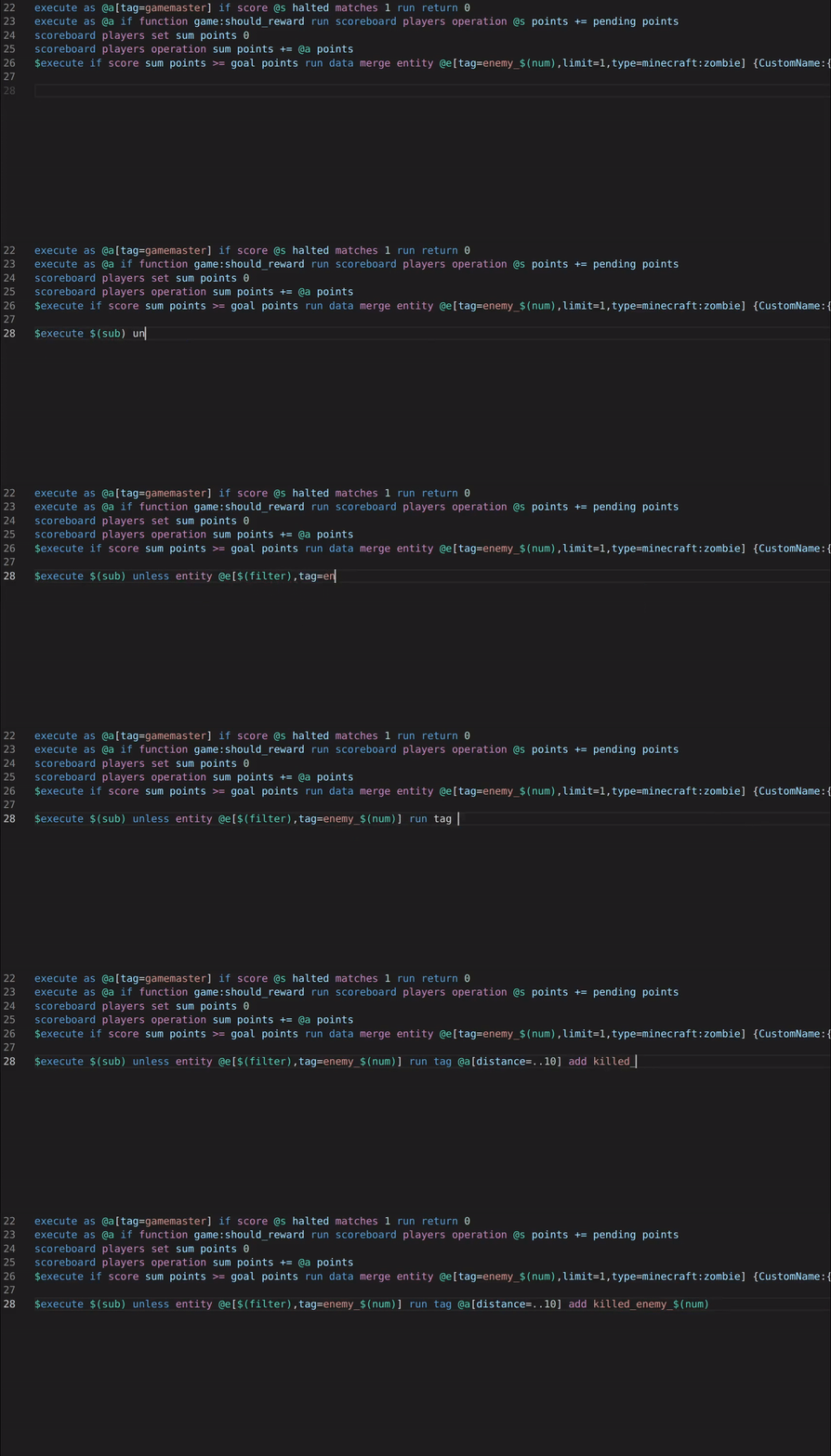
本模组及其对应的 CommandCrafter VSCode 扩展 将你的编辑器与 Minecraft 连接起来,为你提供许多适用于数据包的有用功能,例如:
- 语法高亮(包括宏)
- 自动补全
- 错误检查
- 调试器,允许你设置断点、逐步执行函数并在暂停时评估参数
- 在编辑器中查看和编辑计分板/存储
- 在编辑器中查看客户端和服务器的日志
- 使用 VSCode 命令重新加载数据包、资源包或光影(可绑定到键盘快捷键,或配置为在保存文件后 自动 执行)
CommandCrafter 与传统的数据包扩展不同,因为它的所有功能都由模组提供,这意味着它可以利用 Minecraft 内部可用的所有数据。例如,命令的自动补全在很大程度上可以使用原版的建议内容,这意味着你可以看到世界中存在的所有计分板或 Minecraft 已知的所有函数。CommandCrafter 还能检测由其他模组添加的任何命令或动态注册表。这种与 Minecraft 的连接也是使调试器和其他需要与 Minecraft 深度集成的功能成为可能的原因。
此外,该模组还扩展了原版函数的语法,可选择性地支持无需反斜杠的多行命令编写以及内联函数/标签的编写。新的函数语法可以通过模组使用 /datapack build 命令编译为原版数据包。
有关如何使用此模组的更多信息,请访问其维基上的 入门指南 页面。
This mod and the corresponding CommandCrafter VSCode extension connects your editor to Minecraft, giving you lots of useful features for datapacks, such as:
- Syntax Highlighting (including macros)
- Auto-completion
- Error checking
- A debugger that lets you set breakpoints and step through functions and evaluate arguments while paused
- Viewing and editing scoreboards/storages in your editor
- Viewing the client's and the server's log in your editor
- Reload datapacks, resourcepacks or shaders with VSCode commands (can be bound to keyboard shortcuts or configured to happen automatically upon saving a file)
CommandCrafter differs from traditional datapack extensions in that everything it does is provided by the mod, which means it can use all the data available inside Minecraft. For example the auto-completion for commands can for the most part use the vanilla suggestions, which means you see all scoreboards that exist in a world or all functions known to Minecraft. CommandCrafter can detect any commands or dynamic registries added by other mods as well. This connection to Minecraft is also what makes the debugger and other features, which require deep integration with Minecraft, possible.
Additionally, the mod includes an extension of the vanilla function syntax, which optionally makes it possible to write multiline commands without backslashes and write inline functions/tags. This new function syntax can be transpiled to a vanilla datapack by the mod using the /datapack build command.
For more info on how to use this mod, visit the Getting Started page on its wiki.

下载 CommandCrafter
下载 CommandCrafter
下载 CommandCrafter
下载 CommandCrafter
下载 CommandCrafter
下载 CommandCrafter
下载 CommandCrafter
下载 CommandCrafter
下载 CommandCrafter
需要联机服务器吗?
稳定流畅、一键部署,几分钟即可和朋友联机开服
最低仅需 8 元/月 即可畅快联机
下载 CommandCrafter
修复:
- 允许在函数行的开头使用制表符(tab)字符
- 恢复与 adventure-platform-fabric 的兼容性
关于这个资源的讨论、问题反馈与使用心得
还没有讨论,来发第一帖吧
你是这个资源的作者?登录后可认领此资源。
相似资源
 模组

显示你正在注视的方块的信息。(适用于 Minecraft 1.16+ 的 Hwyla/Waila 分支)
 模组

查看物品与配方
 模组
在游戏画面角落显示附近世界地形、玩家、生物和实体的地图。可创建路径点,帮助你找到标记过的位置。
 模组
使用 JavaScript 编辑配方、添加自定义物品、编写世界事件!
 模组
添加区块认领和玩家组队功能,并与 Xaero's Minimap 和 World Map 集成
 模组
添加全屏世界地图,显示你在世界中已探索的区域。与 Xaero's Minimap 搭配使用效果极佳。
评论 0
登录后参与评分
还没有评论,来抢沙发吧