




Coordinates Display
简介
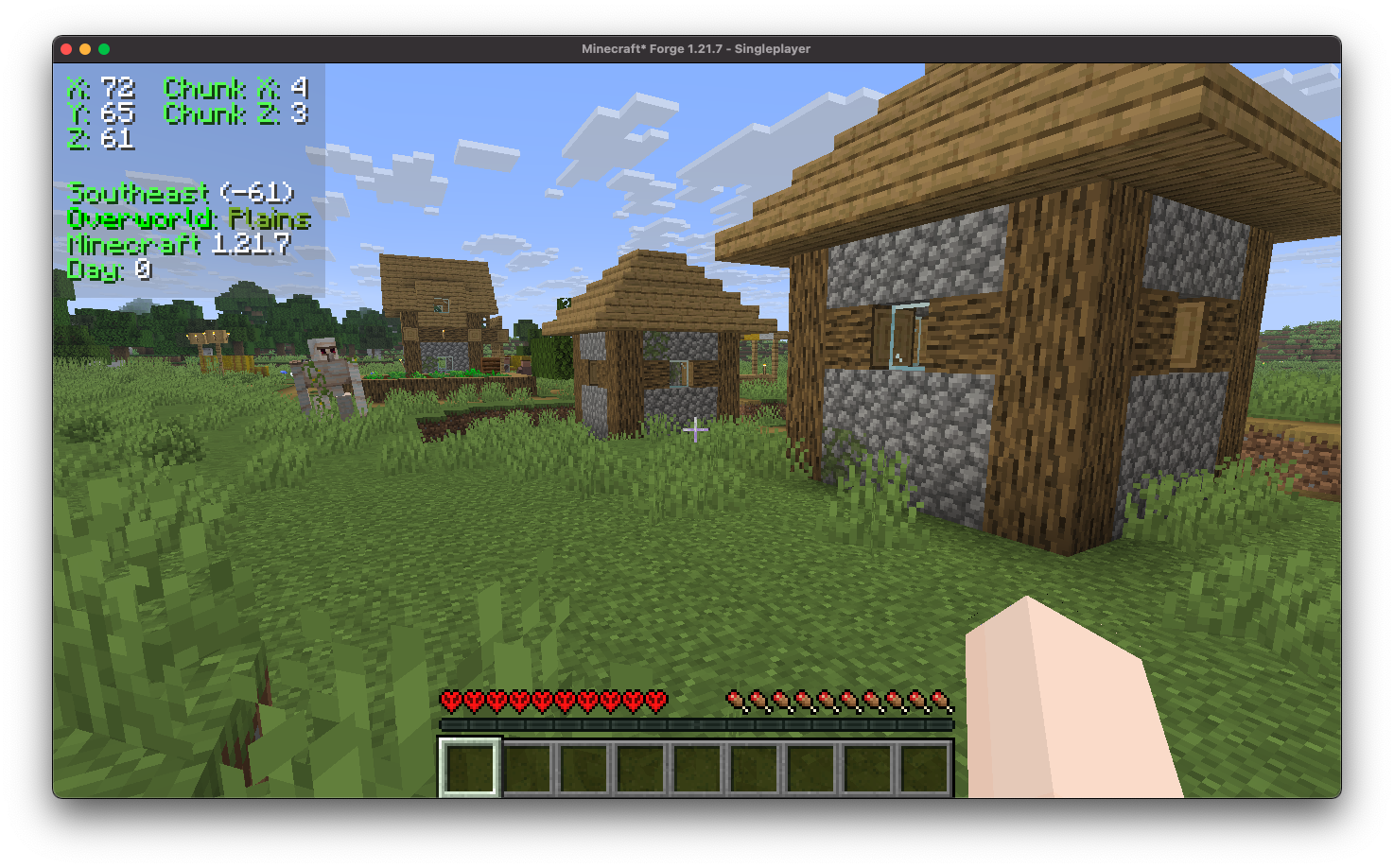
Coordinates Display 通过引入一个提供详细信息的抬头显示器(HUD),增强了客户端体验。它包括你在游戏世界中的精确坐标、当前区块坐标、你正面对的具体方向、你当前穿越的生物群系的实时更新,甚至显示你所玩的 Minecraft 版本。
安装/依赖项
本模组需要 BoxLib,这是一个由我开发的客户端库模组。
- 安装 Minecraft Forge/Fabric/Neoforge: 下载并安装适合你 Minecraft 版本的模组加载器。
- 下载模组: 下载适用于你特定模组加载器和 Minecraft 版本的 Coordinates Display 最新版本。
- 下载 BoxLib: 下载适用于你特定模组加载器和 Minecraft 版本的 BoxLib 最新版本。
- 放置模组 jar 文件: 将下载的 jar 文件放入你的 Minecraft mods 文件夹中。该文件夹的位置因操作系统而异。
Fabric 依赖项
建议使用 Mod Menu 进行配置。
Forge/NeoForge 依赖项
本模组需要 BoxLib,这是一个由我开发的客户端库模组。
主要功能
1. 多种坐标渲染方式
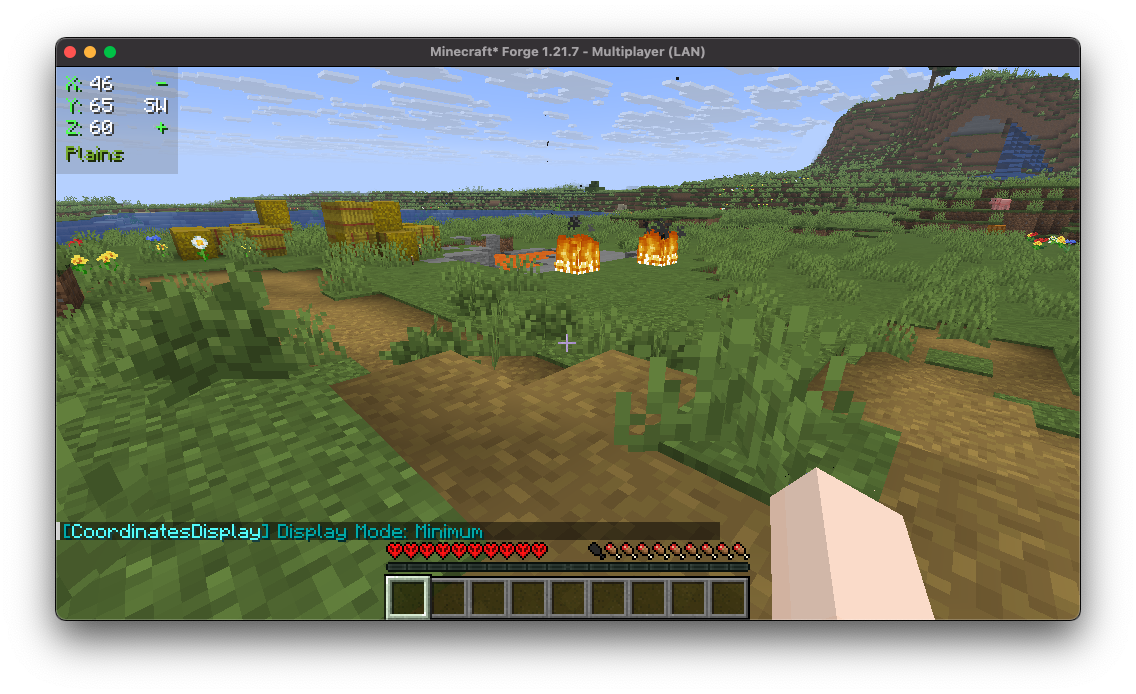
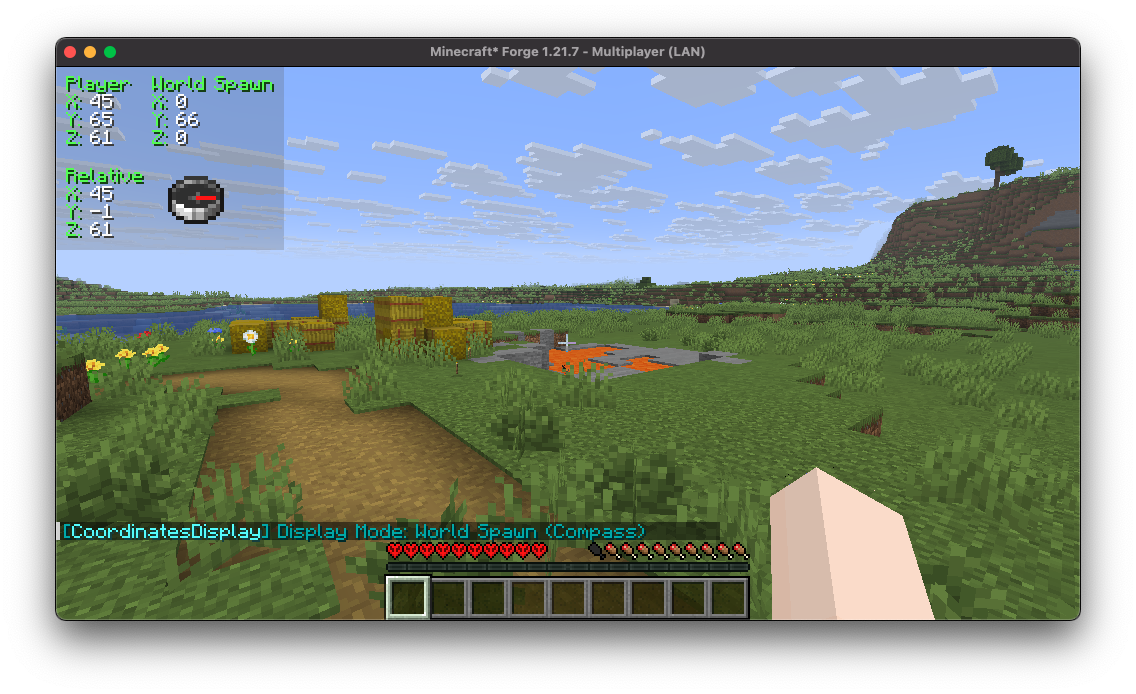
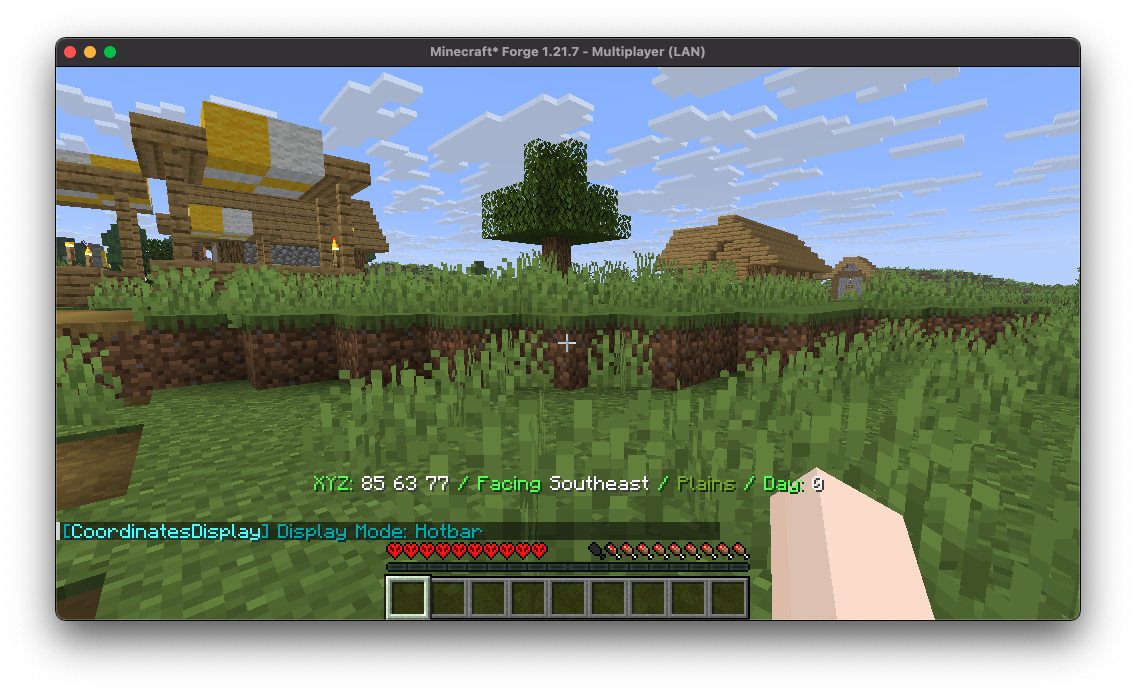
Coordinates Display 提供了多种多样的“显示模式”供你选择,每种模式都针对不同的偏好和需求进行了定制。
2. 高度可配置
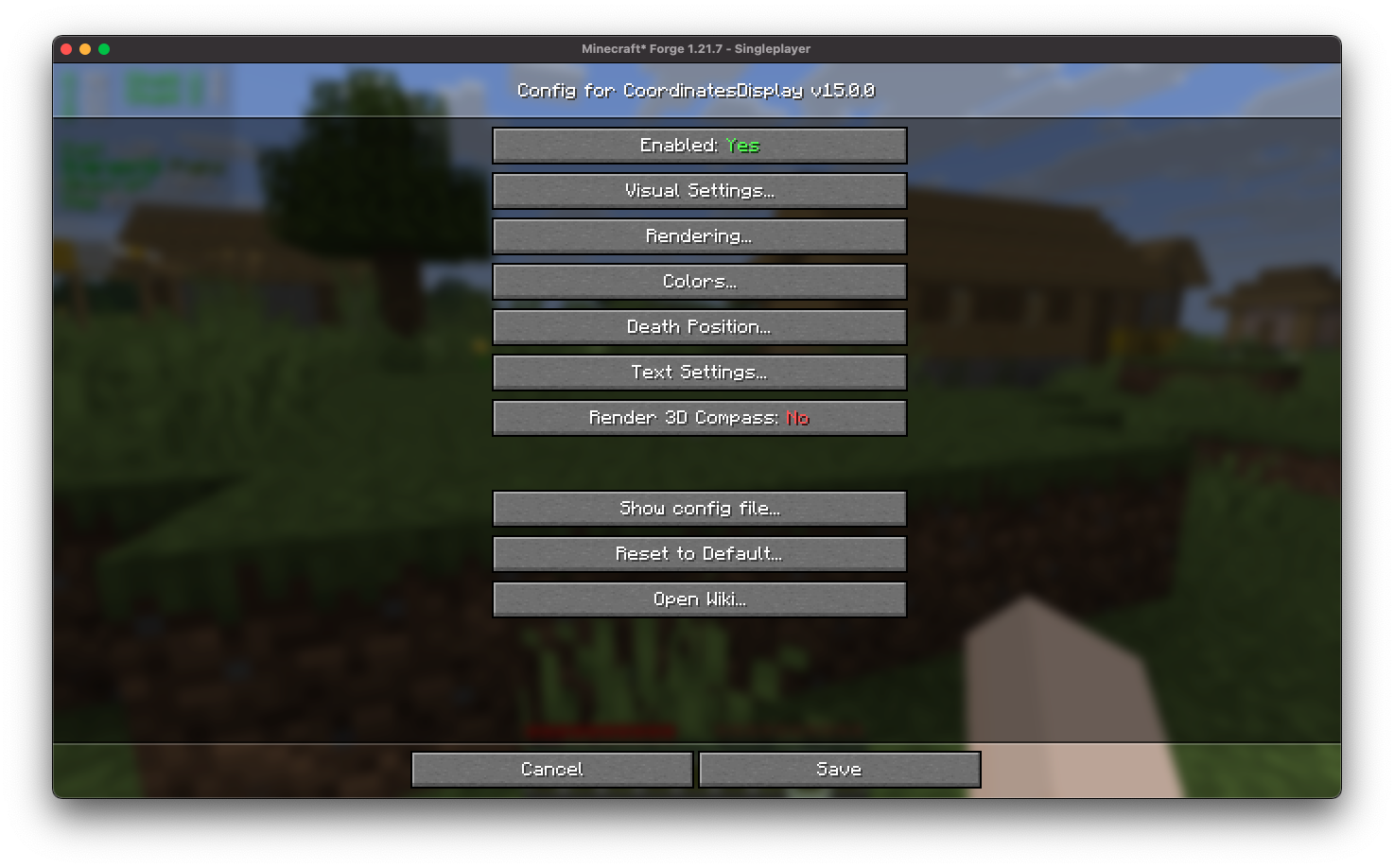
Coordinates Display 具有直观的配置文件界面,旨在轻松自定义,确保用户可以轻松调整设置,根据个人偏好定制他们的体验。
3. 易于使用的位置定位
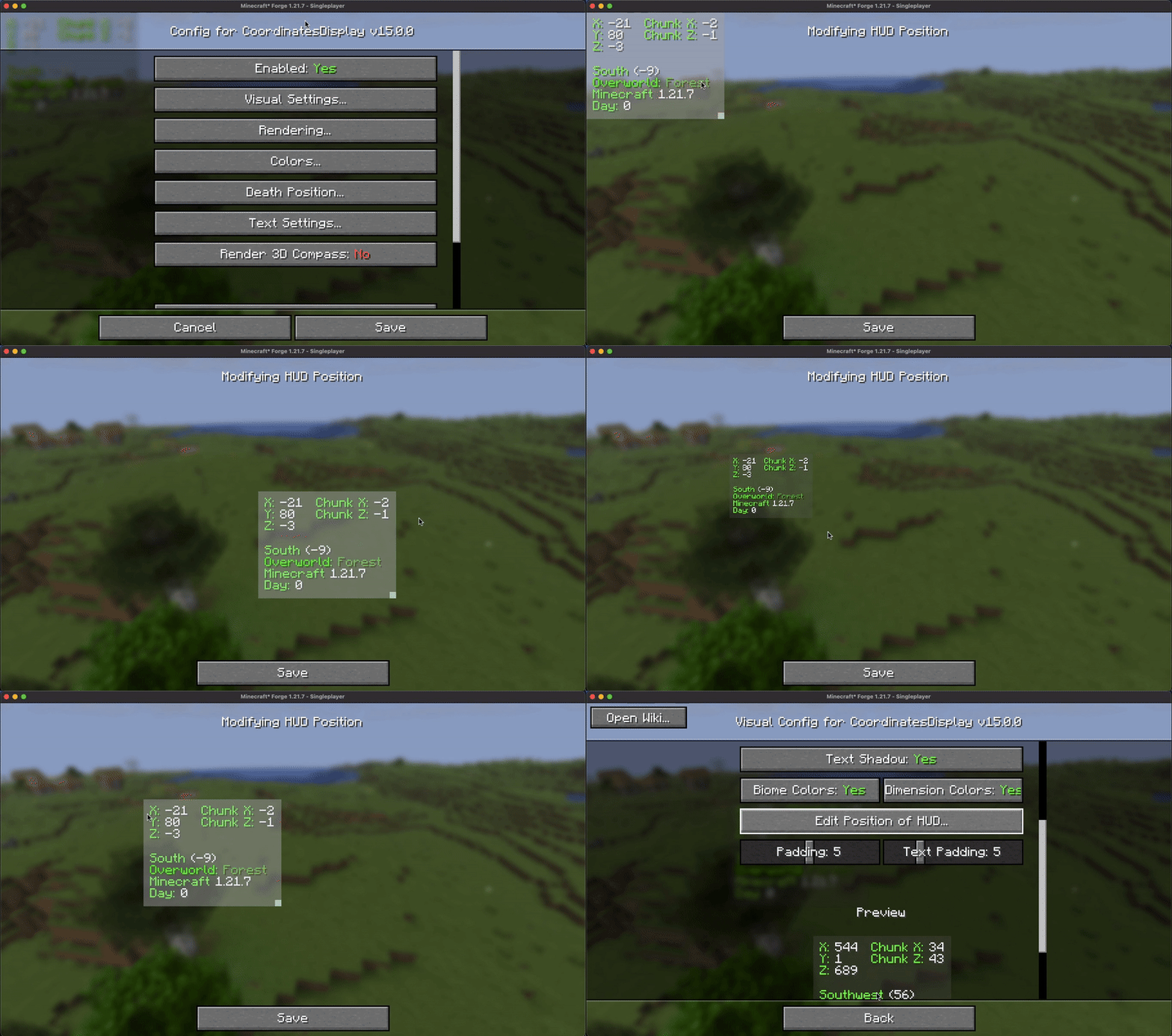
Coordinates Display 为用户提供了用户友好的 HUD 位置屏幕,允许无缝缩放和调整坐标 HUD 到游戏内 HUD 上的任何所需位置。
4. 可配置的颜色
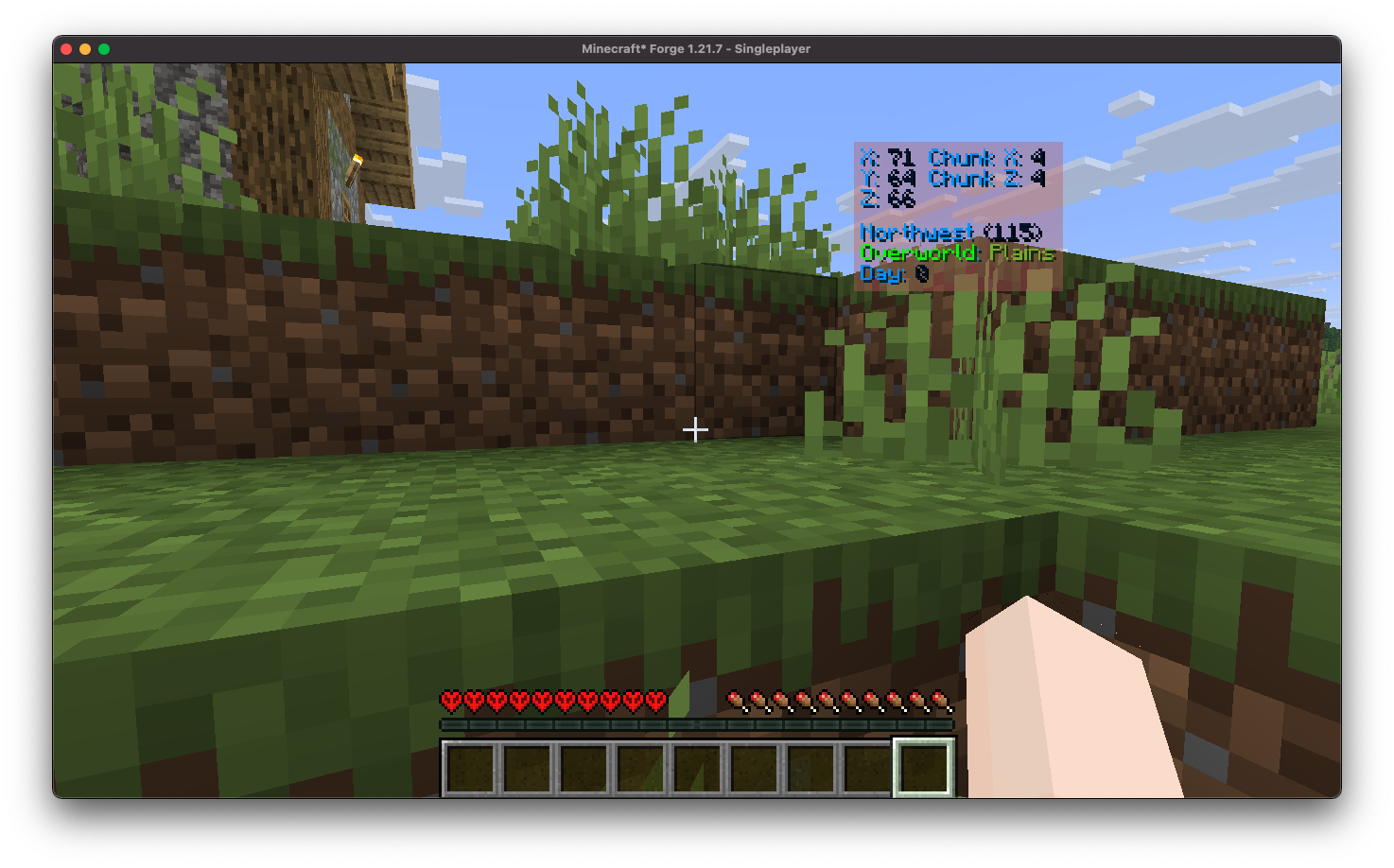
Coordinates Display 提供了一种简单的方法,让你能够轻松地自定义显示文本的颜色,从而为你的 HUD 上色。
5. 死亡位置保存
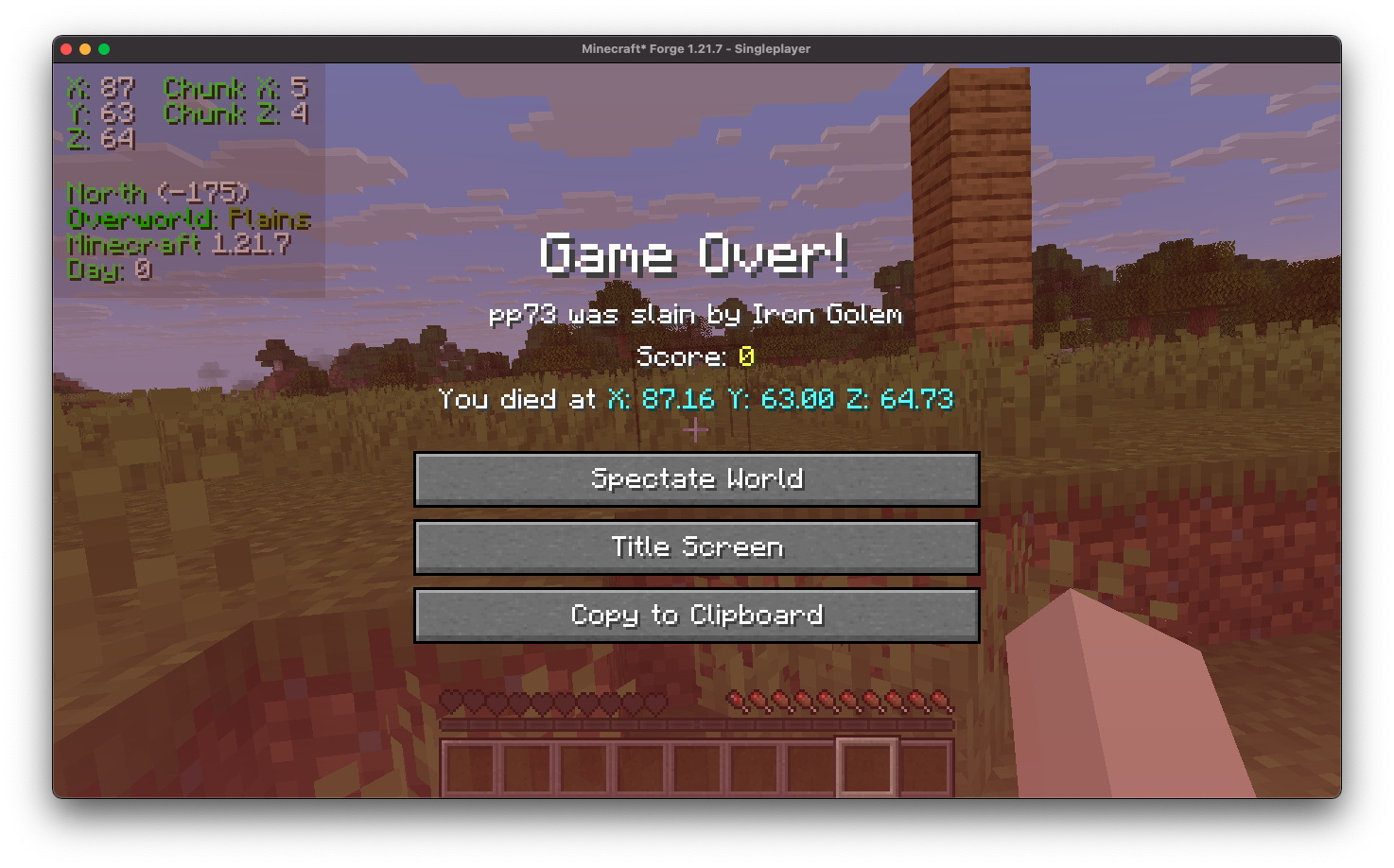
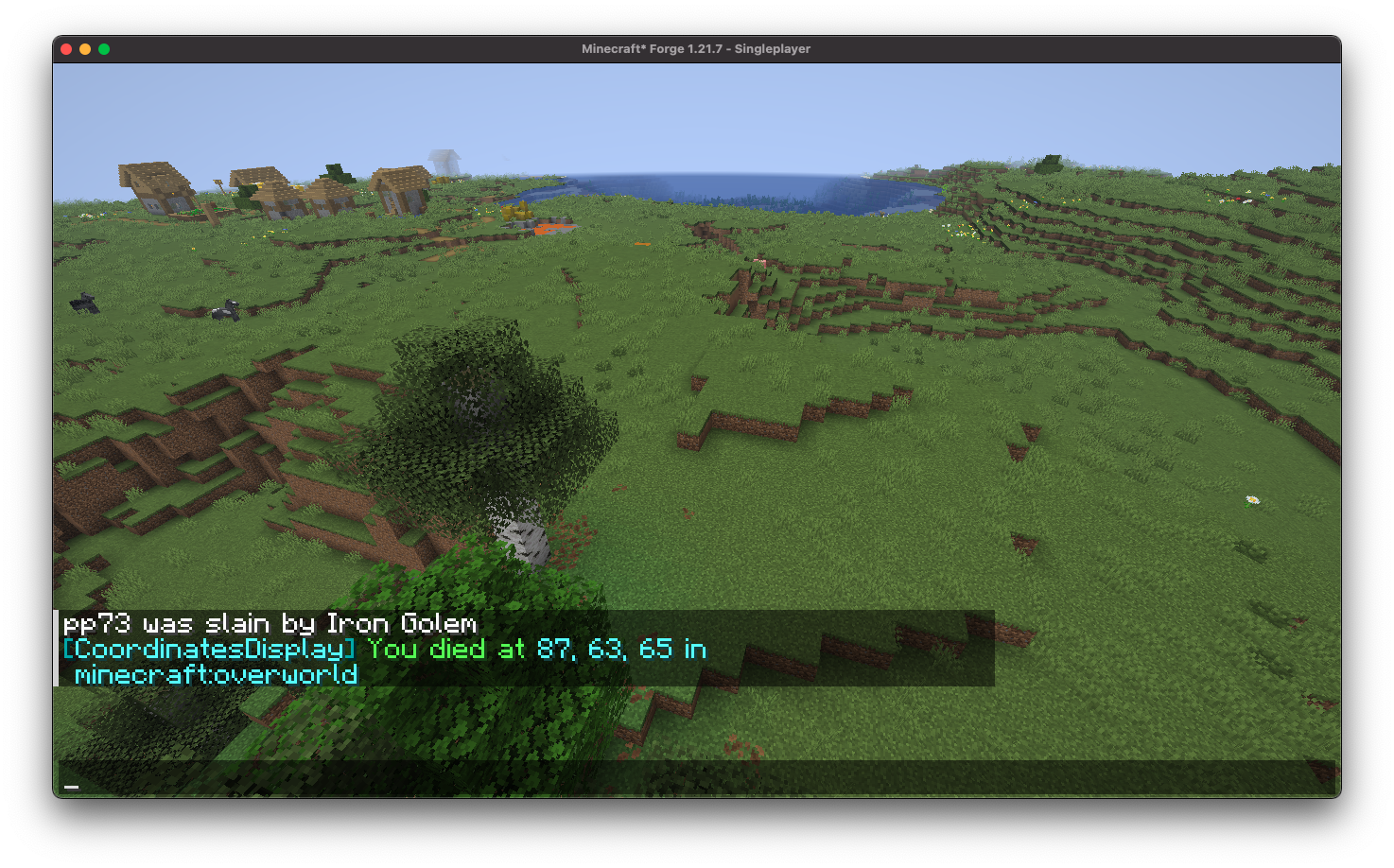
Coordinates Display 方便地在死亡屏幕上展示你的死亡位置,并在重生后自动将其记录在聊天中,确保你可以轻松返回到你的物品处。
6. 必备按键绑定
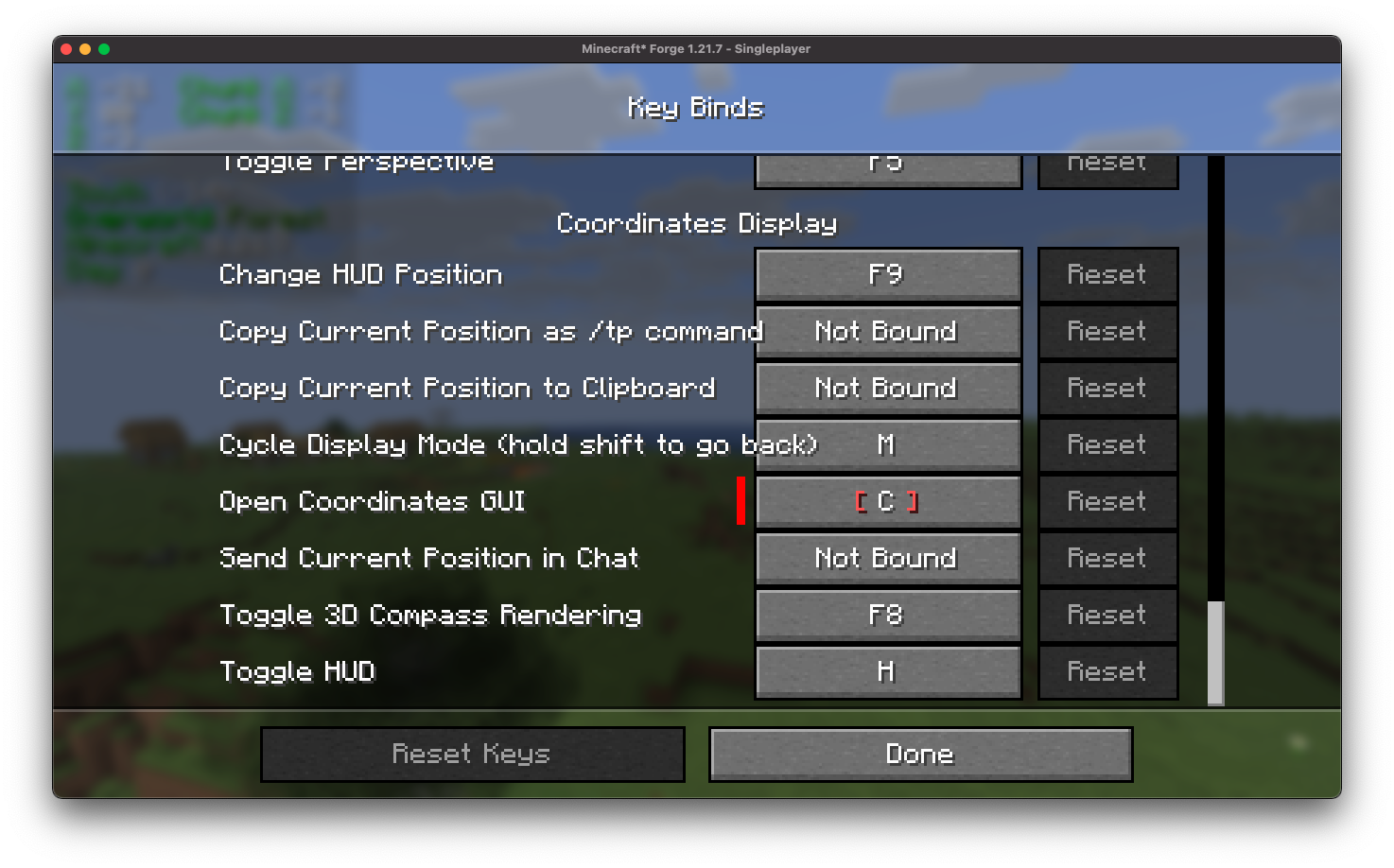
Coordinates Display 提供了全面的可自定义按键绑定选择,旨在更好地配置过程并增强用户便利性。
7. 位置标记
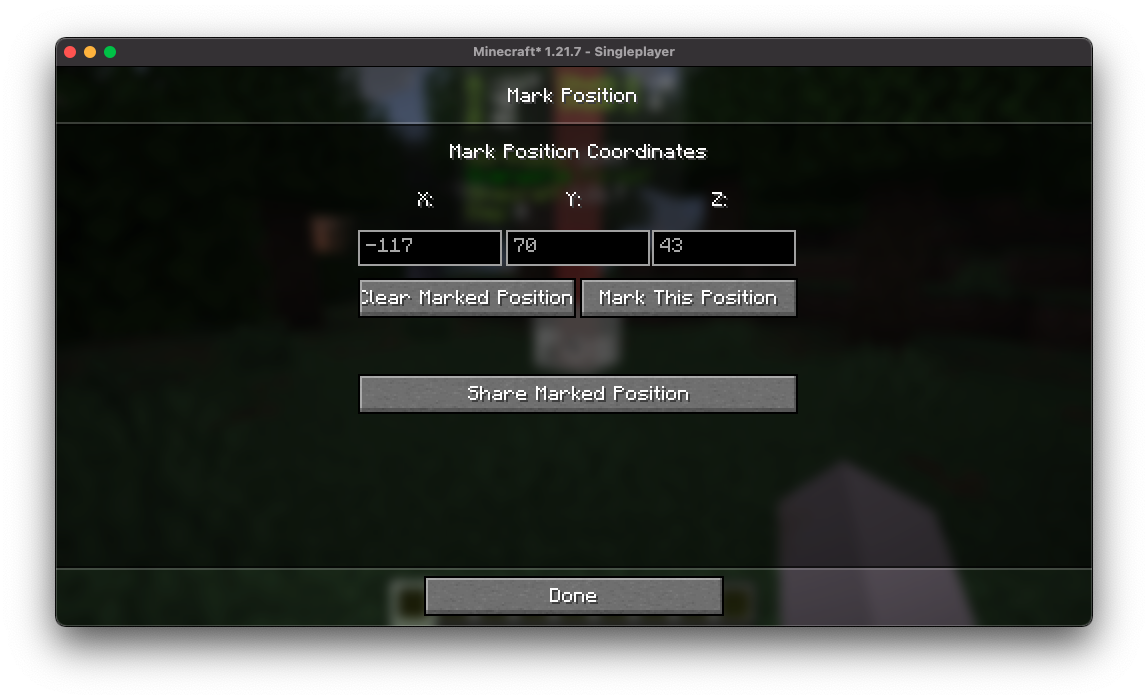
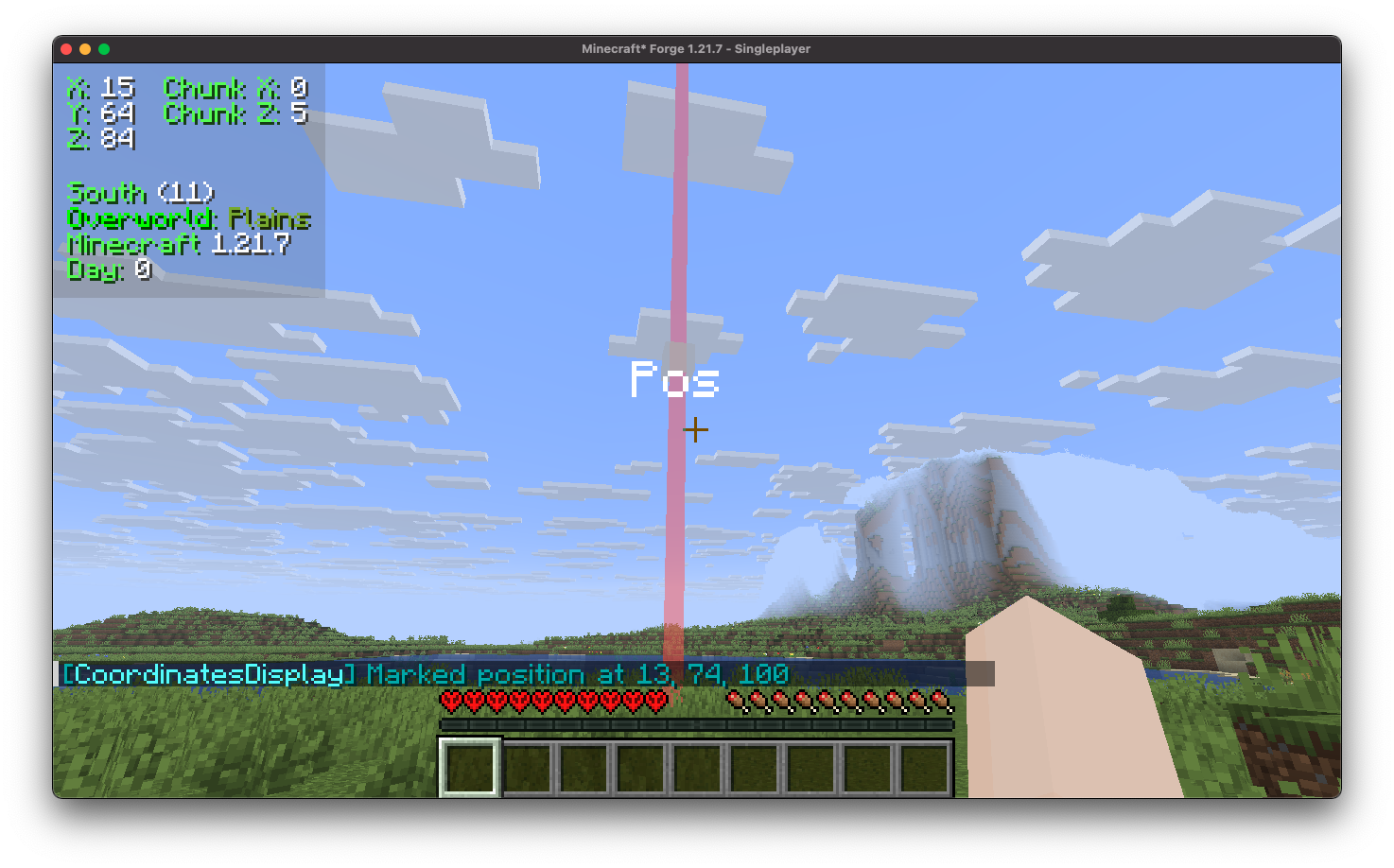
Coordinates Display 包括一个位置标记功能,允许你轻松标记和保存特定坐标,以便随时快速导航回这些位置。
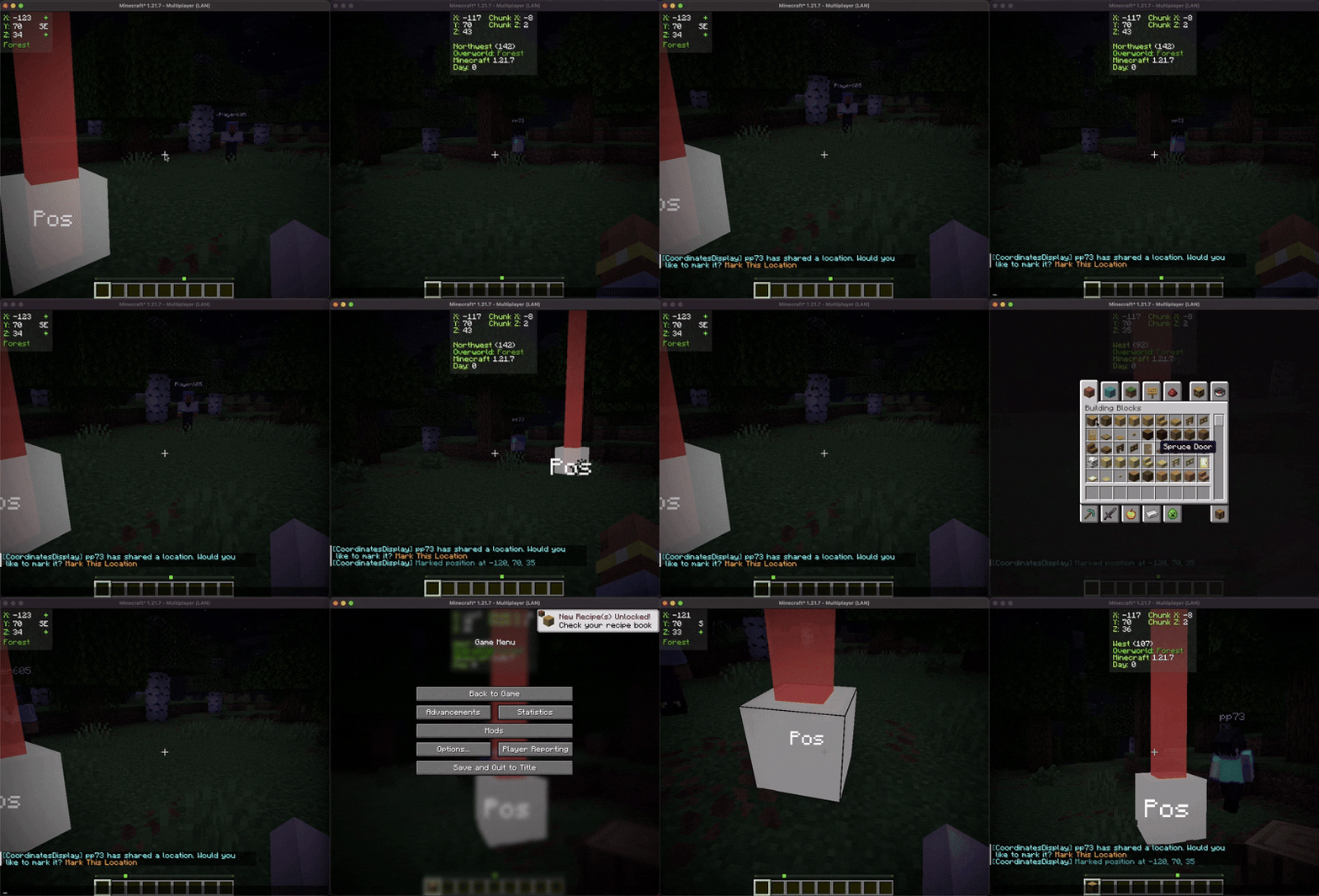
此外,你可以与其他玩家共享这些标记的位置,促进游戏内的协作探索和协调。
贡献
我们鼓励贡献!请随时通过我们的 GitHub 仓库 提交问题或拉取请求。你的输入帮助我们改进和发展。
翻译
我们欢迎翻译!如果你有兴趣翻译此模组,请找到 本地化文件 并提交拉取请求。你的贡献有助于使模组在全球范围内更易于被更多用户使用。
支持
如果遇到任何问题,请在 GitHub 仓库上 提交一个问题。
构建
如果你想在自己机器上构建此模组,请按照以下步骤操作。
- 从 GitHub 下载源代码(Code -> Download zip)
- 确保已安装 Java
- 将 zip 文件解压到本地计算机,并打开文件夹。
- 在该文件夹中打开终端提示符
- 运行命令 "gradlew build"
- Fabric 构建版本位于 "fabric/build/libs"
- Forge 构建版本位于 "forge/build/libs"
- NeoForge 构建版本位于 "neoforge/build/libs"

Coordinates Display
Introduction
Coordinates Display enhances the client-side experience by incorporating a heads-up display (HUD) that provides detailed information. It includes your precise coordinates within the game world, your current chunk coordinates, the specific direction you are facing, real-time updates on the biome you are currently traversing, and even displays the version of Minecraft you are playing.
Installation/Dependencies
This mod requires BoxLib a Client-side library mod developed by me.
- Install Minecraft Forge/Fabric/Neoforge: Download and install the appropriate modloader for your Minecraft version.
- Download the mod: Download the latest release of Coordinates Display for your specific modloader and Minecraft version
- Download BoxLib: Download the latest release of BoxLib for your specific modloader and Minecaft version
- Place the mod jars: Drop the downloaded jar files into your Minecraft mods folder. The location of this folder varies depending on your operating system.
Fabric Dependencies
Mod Menu is recommended for configuration purposes.
Forge/NeoForge Dependencies
This mod requires BoxLib a Client-side library mod developed by me.
Key Features
1. Multiple ways to render your coordinates
Coordinates Display provides a wide array of diverse "display modes" for you to select from, each tailored to suit various preferences and needs.
2. Highly Configurable
Coordinates Display features an intuitive configuration screen designed for effortless customization, ensuring users can easily adjust settings to tailor their experience according to individual preferences.
3. Easy-to-use Positioning
Coordinates Display provides users with a user-friendly HUD position screen, allowing for seamless scaling and adjustment of the coordinates HUD to any desired position across the in-game HUD.
4. Configurable Color
Coordinates Display offers a straightforward way to colorize your HUD by allowing you to effortlessly customize the colors of the displayed text.
5. Death Position Saving
Coordinates Display conveniently showcases your death position directly on the death screen and automatically logs it in the chat upon respawn, ensuring you can easily return to your items.
6. Essential Keybindings
Coordinates Display provides a comprehensive selection of customizable keybindings, designed to better configuration processes and enhance user convenience.
7. Position Marking
Coordinates Display includes a position marking feature that allows you to easily mark and save specific coordinates, enabling quick navigation back to those locations at any time.
Furthermore, you can share these marked positions with other players, facilitating collaborative exploration and coordination within the game.
Contributing
We encourage contributions! Don't hesitate to open issues or pull requests through our GitHub Repository. Your input helps us improve and evolve.
Translations
We welcome translations! If you're interested in translating this mod, please locate the localization files and submit a pull request. Your contributions help make the mod accessible to more users worldwide.
Support
If you encounter any issues, please open an issue on the GitHub repository.
Building
If you'd like to build this mod on your own machine, follow these steps.
- Download the source code from GitHub (Code -> Download zip)
- Make sure Java is installed
- Extract the zip file onto your local machine, and open the folder.
- Open a terminal prompt in said folder
- Run the command "gradlew build"
- The fabric build will be in "fabric/build/libs"
- The forge build will be in "forge/build/libs"
- The neoforge build will be in "neoforge/build/libs"

下载 Coordinates Display
下载 Coordinates Display
下载 Coordinates Display
下载 Coordinates Display
下载 Coordinates Display
需要联机服务器吗?
稳定流畅、一键部署,几分钟即可和朋友联机开服
最低仅需 8 元/月 即可畅快联机
下载 Coordinates Display
需要联机服务器吗?
稳定流畅、一键部署,几分钟即可和朋友联机开服
最低仅需 8 元/月 即可畅快联机
下载 Coordinates Display
下载 Coordinates Display
下载 Coordinates Display
下载 Coordinates Display
更新日志
- 修复时间渲染器未遵循文本内边距配置的问题
- 更新至 26.2
关于这个资源的讨论、问题反馈与使用心得
还没有讨论,来发第一帖吧
你是这个资源的作者?登录后可认领此资源。
相似资源
 模组

显示你正在注视的方块的信息。(适用于 Minecraft 1.16+ 的 Hwyla/Waila 分支)
 模组

查看物品与配方
 模组
在游戏画面角落显示附近世界地形、玩家、生物和实体的地图。可创建路径点,帮助你找到标记过的位置。
 模组
使用 JavaScript 编辑配方、添加自定义物品、编写世界事件!
 模组
添加区块认领和玩家组队功能,并与 Xaero's Minimap 和 World Map 集成
 模组
添加全屏世界地图,显示你在世界中已探索的区域。与 Xaero's Minimap 搭配使用效果极佳。
评论 0
登录后参与评分
还没有评论,来抢沙发吧