

CUI 让你完全掌控 Minecraft 的界面颜色。
菜单、HUD 元素、物品栏、按钮、快捷栏、生命值、文本,甚至其他模组添加的界面都可以实时重新着色。毕竟,显然地球上的每一位模组作者都独立决定:在略深的灰色背景上使用深灰色按钮才是设计的巅峰。


通用纹理支持
CUI 不仅限于原版纹理。
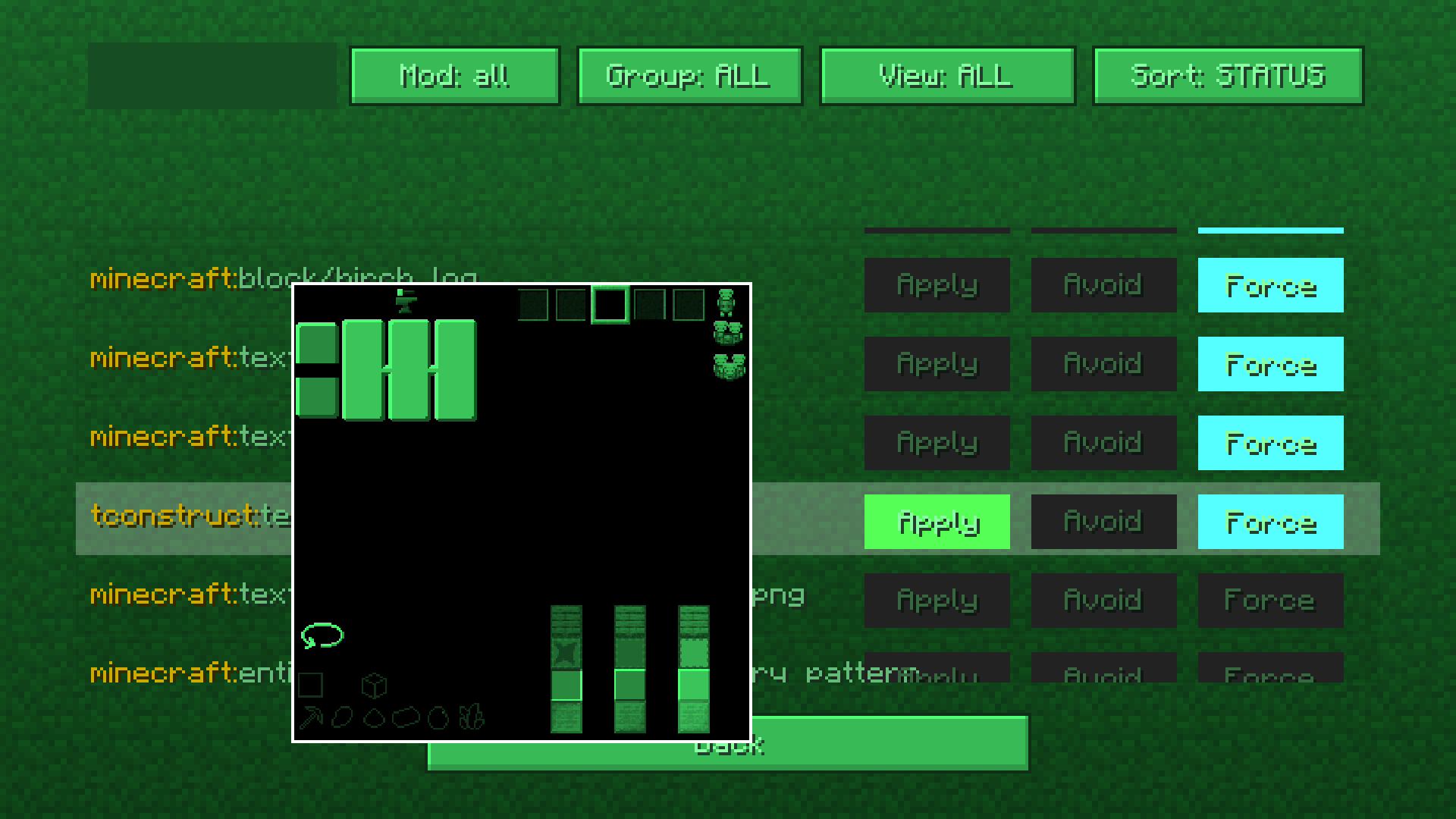
该模组内置了一个纹理管理屏幕,允许你手动控制纹理的处理和重新着色方式。
你可以:
- 为游戏中的几乎任何 GUI 纹理重新着色
- 阻止纹理被修改
- 与不受支持的模组创建兼容性
该系统适用于几乎任何模组界面和纹理。
如果你真的想的话,甚至可以强制 CUI 对方块纹理进行重新着色。这种力量是人类历史上未曾负责任地驾驭过的。
内置颜色编辑器
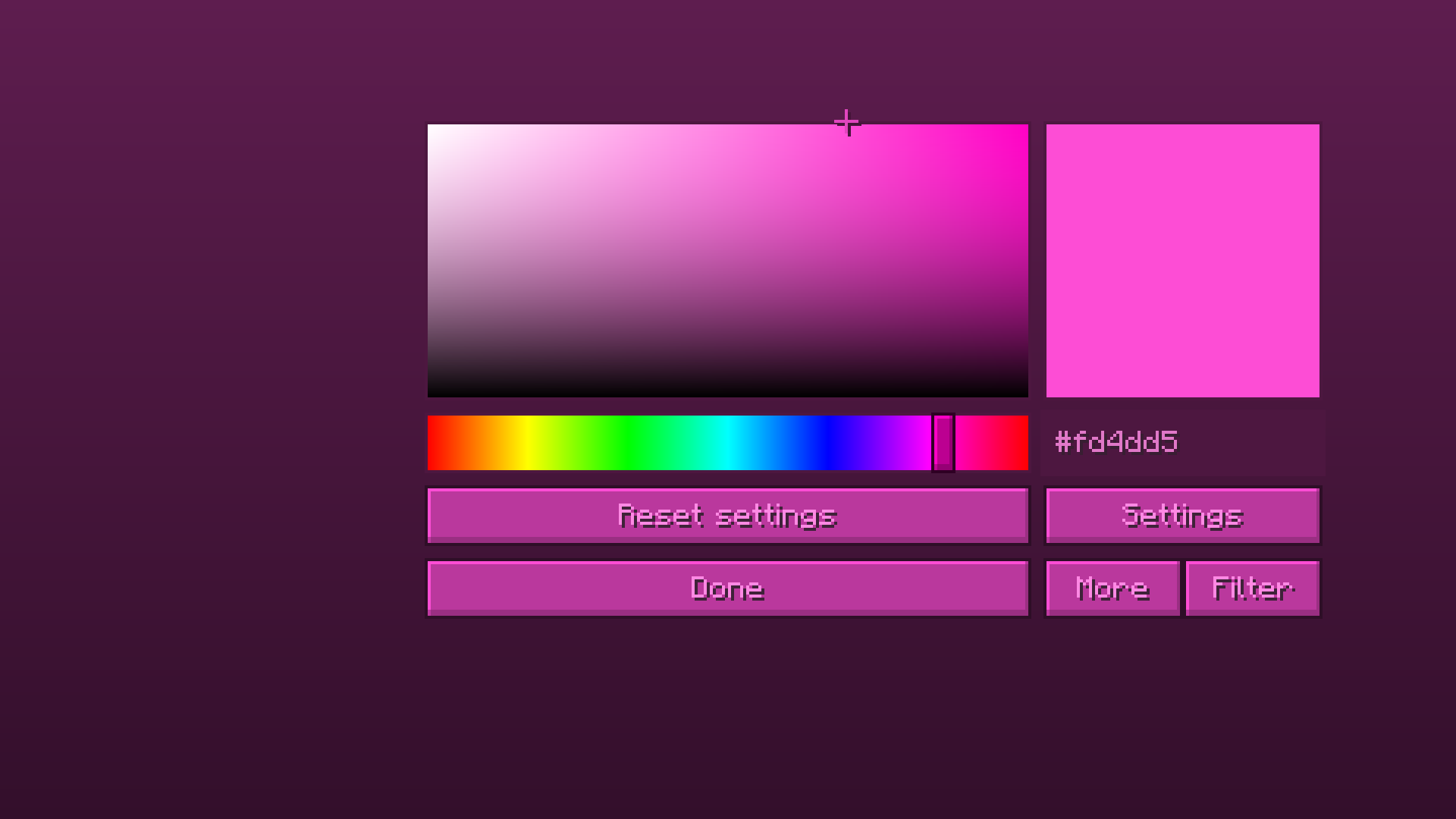
CUI 配备了一个完整的颜色编辑器,包含:
- HSV 颜色选择器
- 实时预览
- 滤镜
- 高级设置
- 无需重启游戏即可近乎即时更新
所有内容都会实时更新,因此调整颜色不再感觉像是在通过 JSON 文件执行黑暗仪式。
功能特性
- 重新着色原版 UI 元素
- 重新着色模组化界面
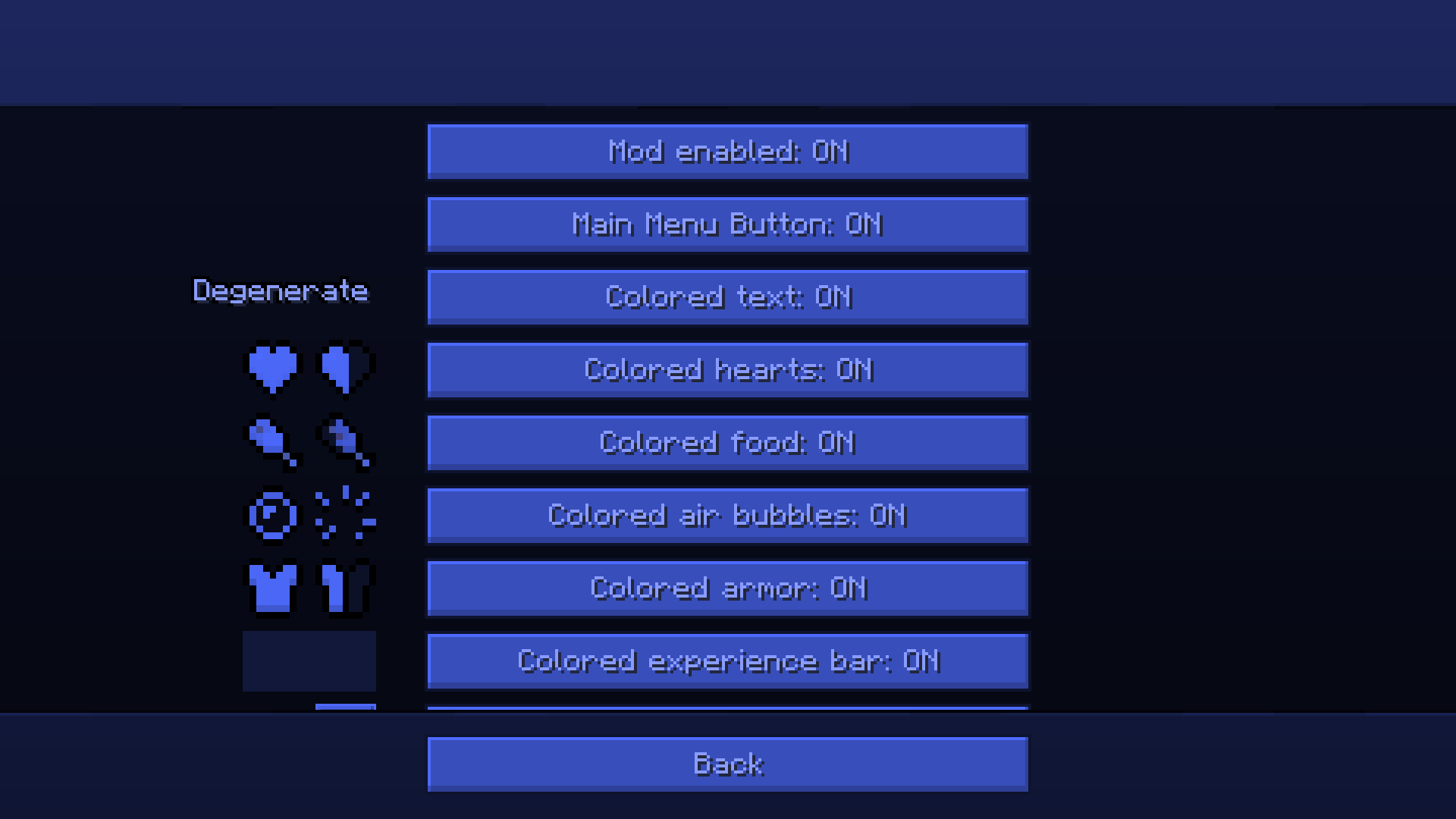
- 彩色生命值、护甲、饥饿值、经验条、气泡和快捷栏
- 支持彩色文本
- 实时颜色更新
- 高级纹理过滤系统
- 强制/避免纹理处理
- 轻量级且可配置
- 无需资源包即可工作
使用方法
通过 Mod Menu 或直接从标题屏幕打开模组设置。
选择一个颜色,根据需要调整滤镜,更改将立即生效。
对于高级自定义,打开纹理管理屏幕并配置哪些纹理应该或不应该被重新着色。
开箱即用的模组支持
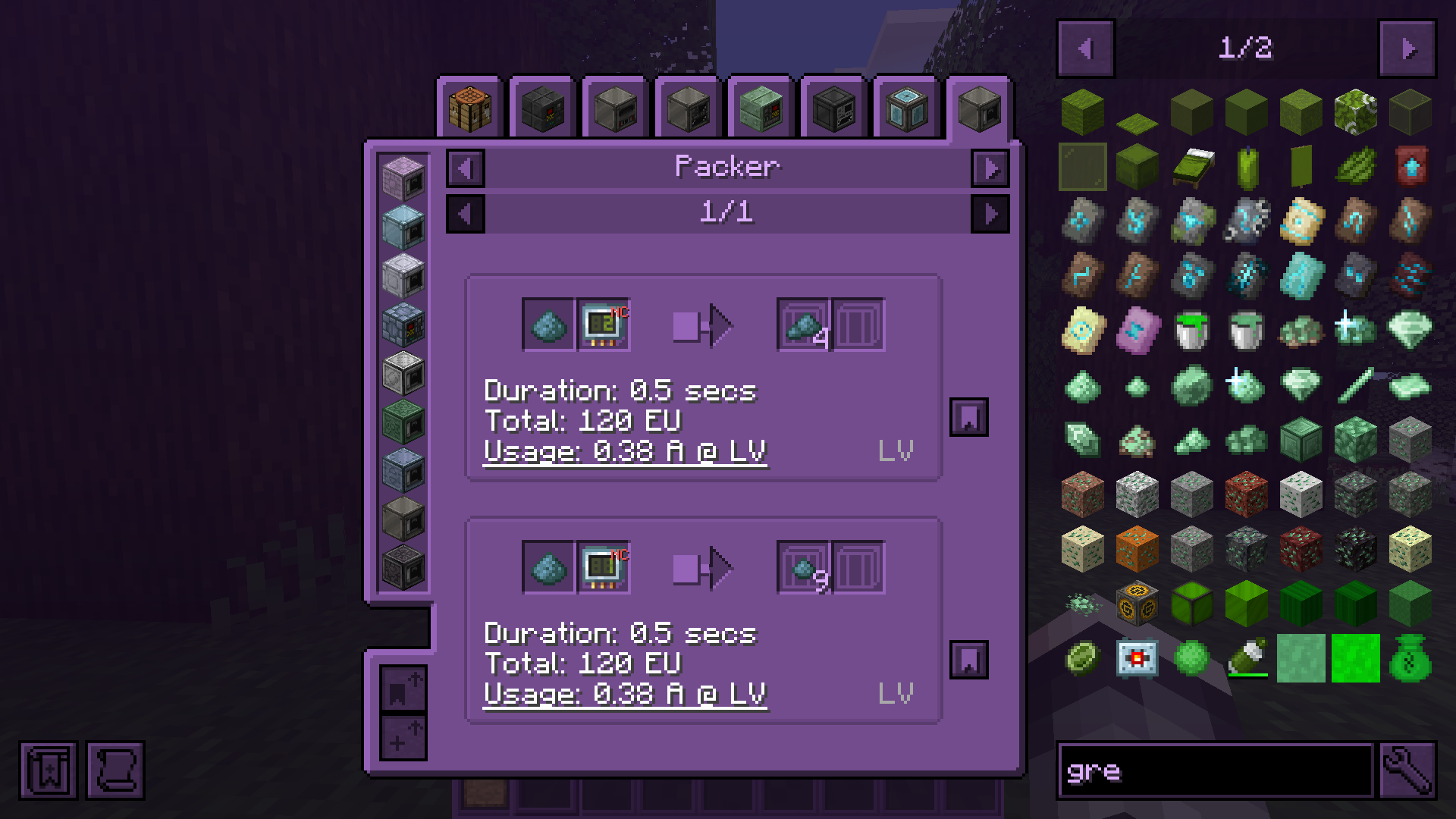
正如我之前所说,CUI 支持模组化的 UI。
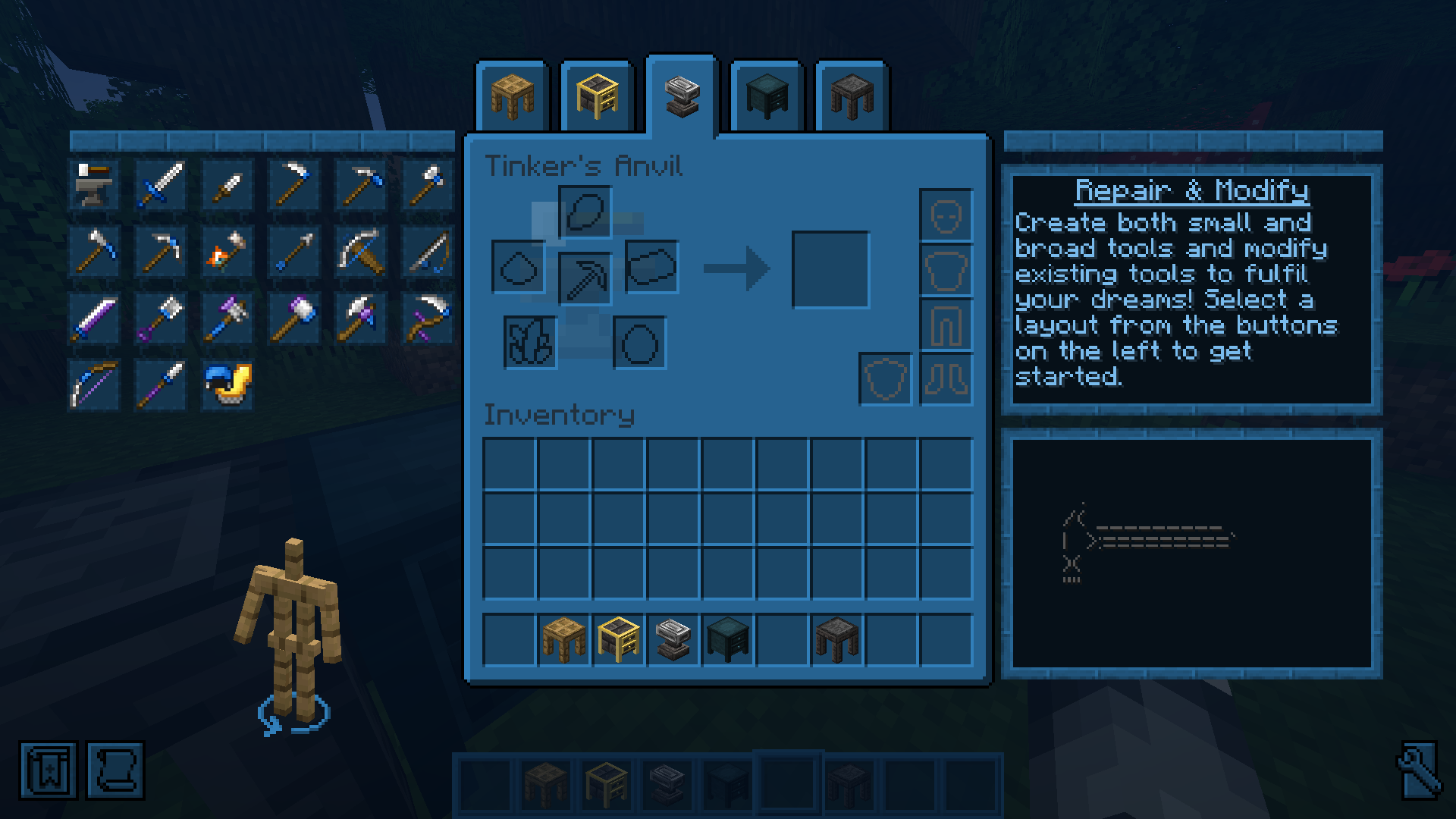
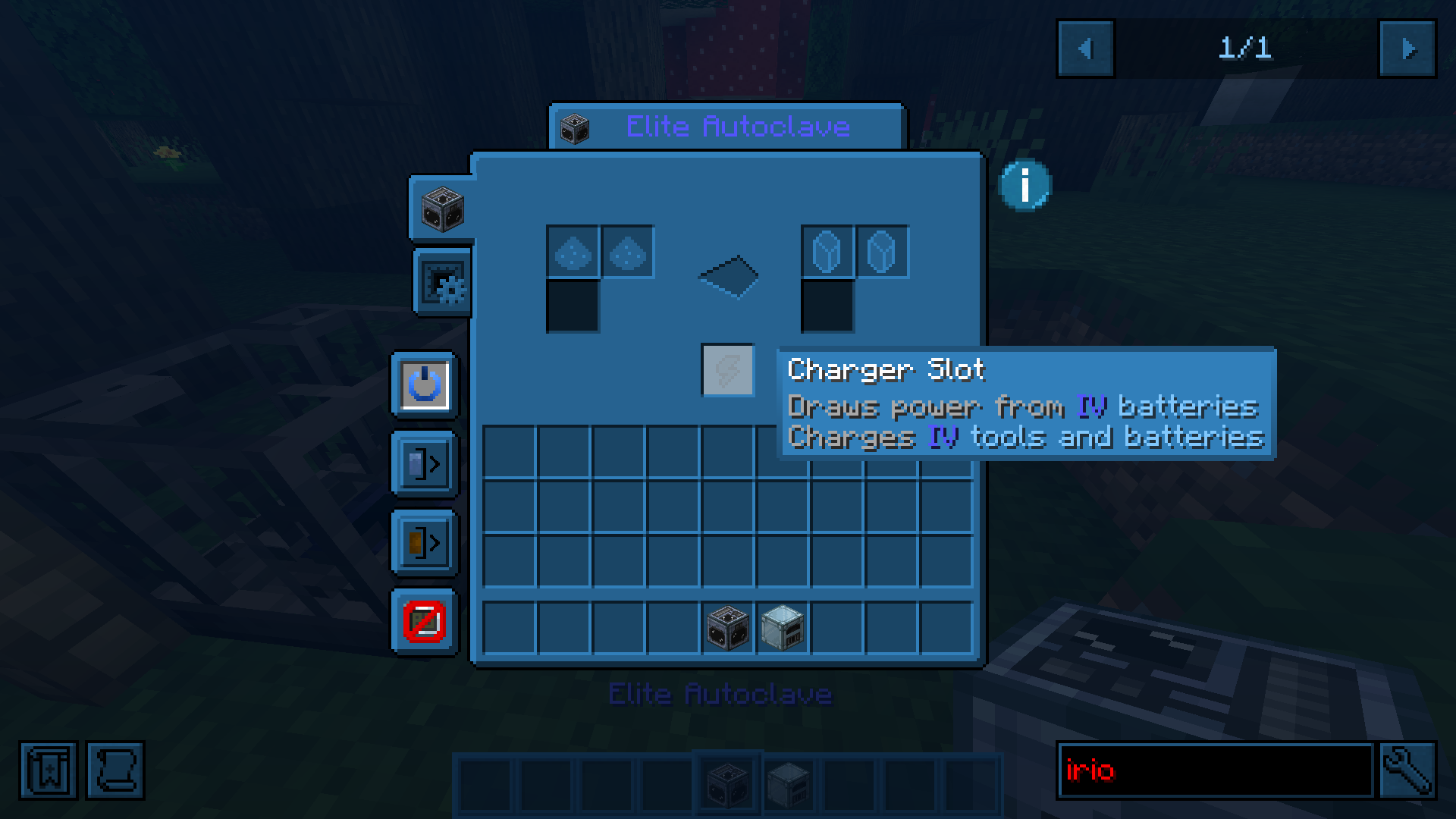
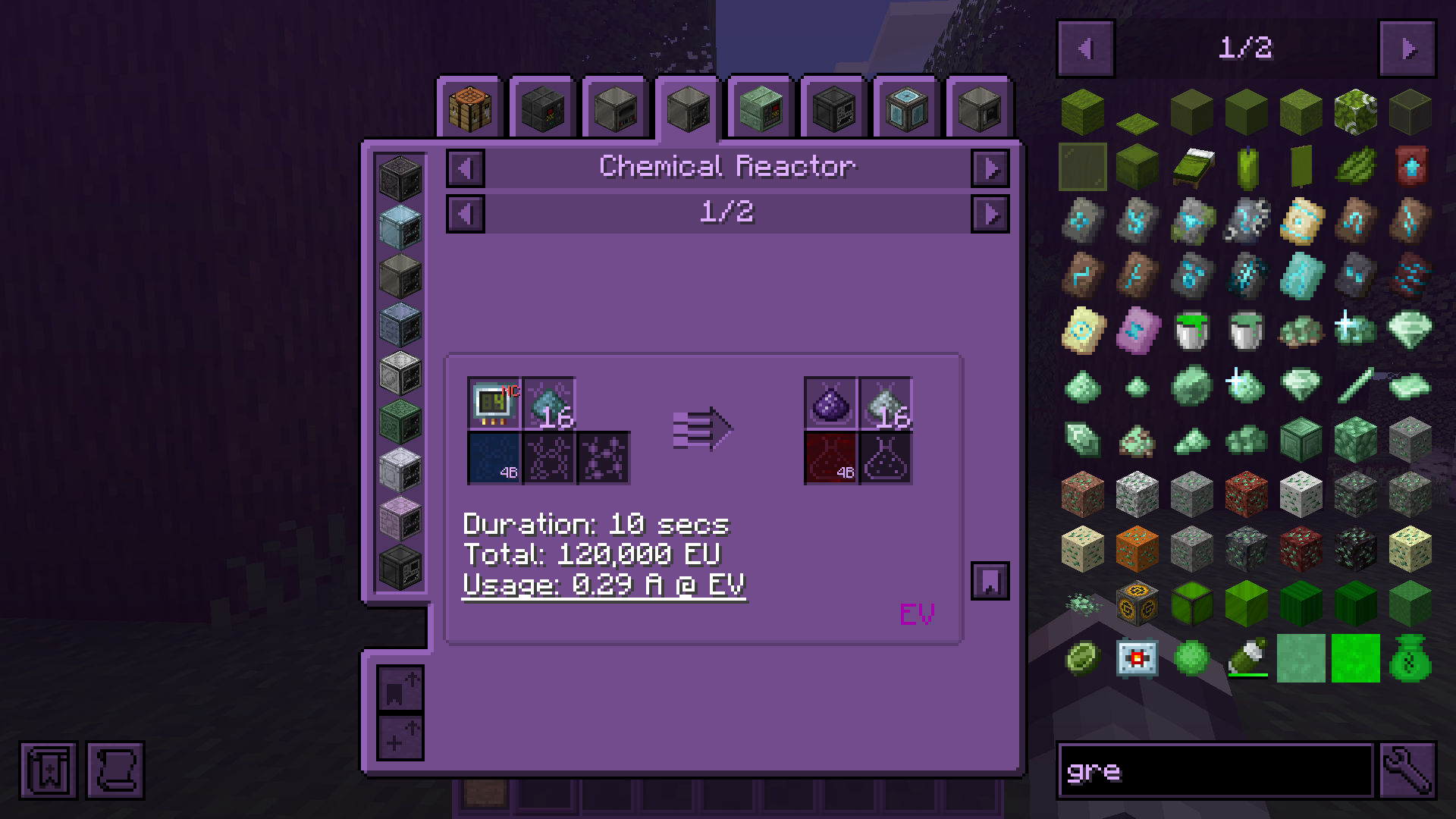
CUI gives you full control over Minecraft’s UI colors.
Menus, HUD elements, inventories, buttons, hotbars, hearts, text, and even interfaces added by other mods can all be recolored in real time. Because apparently every mod author on earth independently decided that dark gray buttons on slightly darker gray backgrounds are peak design.
Universal Texture Support
CUI is not limited to vanilla textures.
The mod includes a built-in texture management screen that lets you manually control how textures are processed and recolored.
You can:
- recolor virtually any GUI texture in the game
- prevent textures from being modified
- create compatibility with unsupported mods
This system works with practically any mod interface and textures.
You can even force CUI to recolor block textures if you really want to. Which is an amount of power humanity historically does not handle responsibly.
Built-in Color Editor
CUI comes with a full color editor featuring:
- HSV color picker
- live preview
- filters
- advanced settings
- almost instant updates without restarting the game
Everything updates in real time, so tweaking colors does not feel like performing dark rituals through JSON files anymore.
Features
- Recolor vanilla UI elements
- Recolor modded interfaces
- Colored hearts, armor, hunger, XP bar, bubbles, and hotbar
- Colored text support
- Real-time color updates
- Advanced texture filtering system
- Force/Avoid texture processing
- Lightweight and configurable
- Works without resource packs
Usage
Open the mod settings through Mod Menu or directly from the title screen.
Pick a color, tweak filters if needed, and changes apply instantly.
For advanced customization, open the texture management screen and configure exactly which textures should or should not be recolored.
Out of box mods support
As I already said cui supports modded uis.

下载 Colorful UI
下载 Colorful UI
下载 Colorful UI
下载 Colorful UI
下载 Colorful UI
下载 Colorful UI
下载 Colorful UI
下载 Colorful UI
下载 Colorful UI
下载 Colorful UI
/home/down/cui-arch/neoforge/CHANGELOG.md
关于这个资源的讨论、问题反馈与使用心得
还没有讨论,来发第一帖吧
你是这个资源的作者?登录后可认领此资源。
相似资源
 模组

可定制的鞘翅模组,支持装饰纹饰、旗帜图案等更多功能!
 模组

显示你正在注视的方块的信息。(适用于 Minecraft 1.16+ 的 Hwyla/Waila 分支)
 模组

查看物品与配方
 模组
在游戏画面角落显示附近世界地形、玩家、生物和实体的地图。可创建路径点,帮助你找到标记过的位置。
 模组
使用 JavaScript 编辑配方、添加自定义物品、编写世界事件!
 模组

适用于 MC 1.18+ 的 Effekseer 加载器
评论 0
登录后参与评分
还没有评论,来抢沙发吧