这是一个专为推理活动设计的模组,重现了《弹丸论破》和“魔女审判”的部分机制。作为基础系统模块,它具备较高的可操作性。以下是该模组的内容详情:
1. 生命值显示:
屏幕左上角将新增一个生命值数值显示区域。
当玩家生命值高于 15 点时,显示为满绿色的健康状态。
当玩家生命值在 11 点至 15 点之间(含 11 点)时,显示为轻度肢体损伤状态。
当玩家生命值在 9 点至 11 点之间(含 9 点)时,显示为重度肢体损伤状态。
当玩家生命值在 7 点至 9 点之间(含 7 点)时,显示为轻度躯干损伤状态。
当玩家生命值低于或等于 7 点时,显示为重度躯干损伤状态。
当玩家生命值低于 1 点时,显示为死亡状态。
若玩家生命值高于 9 点时受到单次超过 9 点的伤害,则直接显示为轻度躯干损伤状态。


2. 调查阶段:
启动调查阶段:/search true
结束调查阶段:/search false
暂停调查阶段:/search pause
当调查阶段启动时:
所有玩家的屏幕上将显示标题“调查阶段已启动”。
玩家将获得一支调查笔、三发空弹匣和一个寻呼机。
一旦进入调查阶段,玩家无法从任何容器中取出物品(但可以打开容器查看内容或将物品放入其中)。
玩家屏幕左上角生命值显示下方将出现 [物证] 图标;点击它将打开一个 GUI 界面。
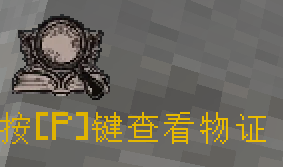
物证 GUI 界面说明:GUI 界面中的物品展示对所有用户通用,但仅管理员可以添加或移除其中的物品;玩家仅可查看内容。
一旦调查阶段激活,玩家可以使用“寻呼机”联系管理员。
激活后,玩家将收到 3 发“空弹匣”。手持子弹时右键点击可打开 GUI 以编辑文本。经过编辑的子弹将存储数据并变为“已编辑子弹”。
可使用命令 /loseitem 来控制是否允许玩家丢弃物品。
调查系统:管理员放置调查块后,右键点击该块可打开文本编辑 GUI。保存后,该块将成为带有存储文本数据的“调查块”。当玩家手持“调查笔”右键点击“调查块”时,调查笔消耗 1 点耐久度,并向所有玩家发送以下聊天消息:“[XXX 通过调查获得了信息:发现的信息内容]”
3. 班级审判阶段:
启动审判:/classtrial on
结束审判:/classtrial off
暂停审判:/classtrial pause
激活后,所有玩家屏幕顶部将显示:“班级审判剩余时间:XX 分 XX 秒”。
初始默认倒计时为 60 分钟,可通过命令修改倒计时时间:
设置倒计时时间:/classtrial time set
增加倒计时时间:/classtrial time add
在 [班级审判] 期间,玩家手持“已编辑子弹”左键点击即可使用。使用后,编辑后的文本内容将出现在聊天栏中,并附带两个选项:同意和反对。玩家可以点击选择其中一项。如果在 1 分钟内,“同意”票数超过“反对”票数,则反驳成功;否则失败。
4. 投票阶段:
启用/禁用:/classtriala_vote true/false
当启用时:
将显示标题“投票已开始”。
玩家将获得一部处决手机。
当阶段结束时,开始计票:
将显示标题“投票已结束”,并回收手机。
投票结果将在聊天栏中显示。
This is a module designed for reasoning-oriented activities, which recreates parts of Danganronpa and Witch Trial. As a basic system module, it has strong operability. The following is the content of this module:
1. Health Display:
A new health value display will appear in the top-left corner of the screen.
When the player's health is above 15 points, it shows the full green healthy state.
When the player's health is 15 points or below but above 11 points, it shows the minor limb injury state.
When the player's health is 11 points or below but above 9 points, it shows the severe limb injury state.
When the player's health is 9 points or below but above 7 points, it shows the minor torso injury state.
When the player's health is 7 points or below, it shows the severe torso injury state.
When the player's health is below 1 point, it shows the death state.
If the player takes a single damage of over 9 points while their health is still above 9 points, it directly shows the minor torso injury state.
2. Investigation Phase:
Start the investigation phase: /search true
End the investigation phase: /search false
Pause the investigation phase: /search pause
When the investigation phase is started:
The title "Investigation Phase Initiated" will be displayed on all players' screens.
Players will receive one Investigation Pen, three Empty Bullets, and one Pager.
Once the investigation phase is active, players cannot take items from any containers (but may open them to view contents or place items inside).
An icon [Evidence] will appear below the health display in the top-left corner of the player's screen; clicking it will open a GUI interface.
Description of the Evidence GUI Interface:The item display in the GUI interface is universal for all users, but only administrators can add or remove items within it; players can only view contents.
Once the investigation phase is active, players can use the "Pager" to contact administrators.
Upon activation, players will receive 3 "Empty Bullets". Right-clicking while holding a bullet opens a GUI to edit text. Bullets with edited text will store the data and become "Edited Bullets".
The command /loseitem can be used to control whether players are allowed to drop items.
Investigation System:After an administrator places an investigation block, right-clicking it opens a GUI for text editing. Once saved, the block becomes an "Investigation Block" with stored text data. When a player right-clicks an "Investigation Block" while holding an "Investigation Pen", the pen loses 1 durability, and the following message is sent to all players in the chat: "[XXX obtained information through investigation: Content of the discovered information]"
3. Class Trial Phase:
Start the trial: /classtrial on
End the trial: /classtrial off
Pause the trial: /classtrial pause
When activated, the following will be displayed at the top of all players' screens: "Class Trial remaining time: XX minutes XX seconds".
The initial default countdown is 60 minutes, and the countdown time can be modified via commands:
Set countdown time: /classtrial time set
Add time to the countdown: /classtrial time add
During the [Class Trial], players can left-click while holding an "Edited Bullet" to use it. After use, the edited text content will appear in the chat, along with two options: Agree and Disagree. Players can click to choose either. If the number of "Agree" votes exceeds "Disagree" votes within 1 minute, the rebuttal succeeds; otherwise, it fails.
4. Voting Phase:
Enable/Disable: /classtriala_vote true/false
When enabled:
The title "Voting Started" will be displayed.
Players will receive an Execution Phone.
When the phase ends, vote counting will begin:
The title "Voting Ended" will be displayed, and the phones will be retrieved.
The voting results will be shown in the chat.


 模组
 模组

 模组

 模组

 模组

 模组
评论 0
登录后参与评分
还没有评论,来抢沙发吧