
GUI 更新!
嘿!我是 Donnie,一名狂热开发者。
我喜欢建造机器、制作各种奇怪的机械装置、自动化处理随机事务,等等。
但只有一个问题:
我不会盖房子。
真的,完全不会。
所以我给自己做了一个工具,来帮助那些最绝望的建筑师们。
结果发现这玩意儿其实还挺好用的。
所以没错,我决定把它发布出来。
? 抹刀
这个模组的核心在于它添加的工具。
具体来说:
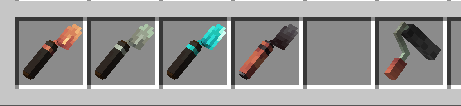
4 种抹刀和 1 个滚筒刷。
? 铜抹刀
从你快捷栏中抹刀选中格右侧的格子开始,随机选取方块。
简单来说就是:
“我不知道自己在干嘛,随便弄,让墙看起来好看点就行。”
⚙️ 铁抹刀
给你更多的控制权。
你可以选择想要使用的方块,并直接从你的物品栏中提取它们。
再也不用为了砌一面墙就在快捷栏里塞进 17 种不同的方块了。
? 钻石抹刀
现在我们进入正题了。
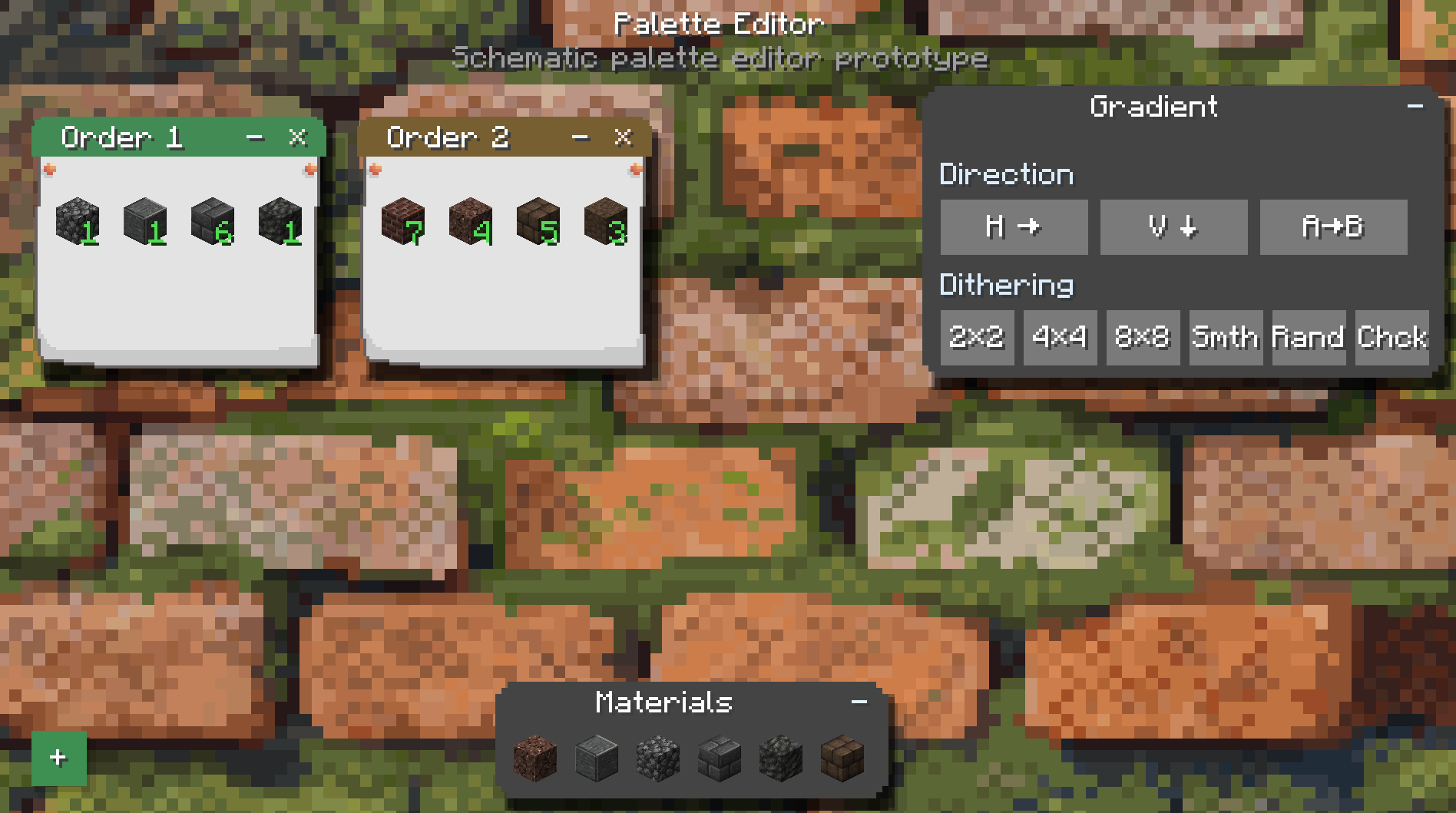
你可以选择不同方块的比例,并控制它们的放置顺序。
它还解锁了快速放置功能。
在这里,你可以开始制作真正的图案,而不是单纯地祈祷 RNG(随机数生成器)之神保佑。
? 下界合金抹刀
大佬级装备。
下界合金抹刀在替换方块时会保留被替换掉的方块,并将回收的方块直接放入你的物品栏。
毕竟,在翻修自家房子时浪费一半建筑材料还是挺尴尬的。
? 渐变滚筒刷
滚筒刷使用染料来重新着色那些真正可以被染色的方块。
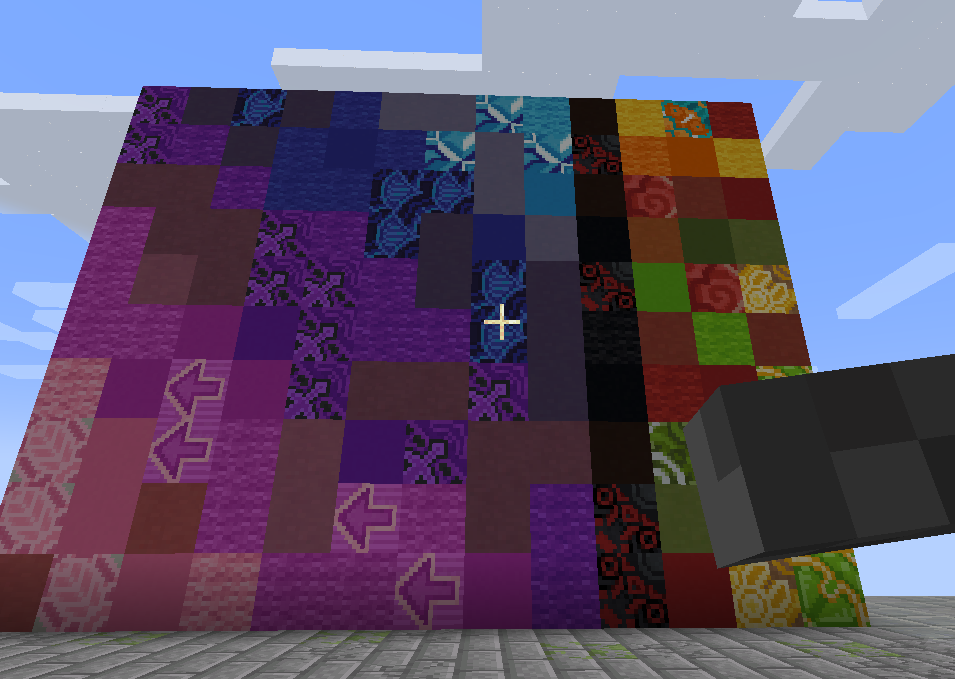
羊毛、玻璃、混凝土以及其他可染色方块。
基本上,只要 Minecraft 允许你改变它的颜色,那么滚筒刷就有很大概率能帮你轻松完成,而不需要手动逐个替换每个方块。
? 替换模式
从铁抹刀开始,你可以在副手拿着镐子来启用替换模式。
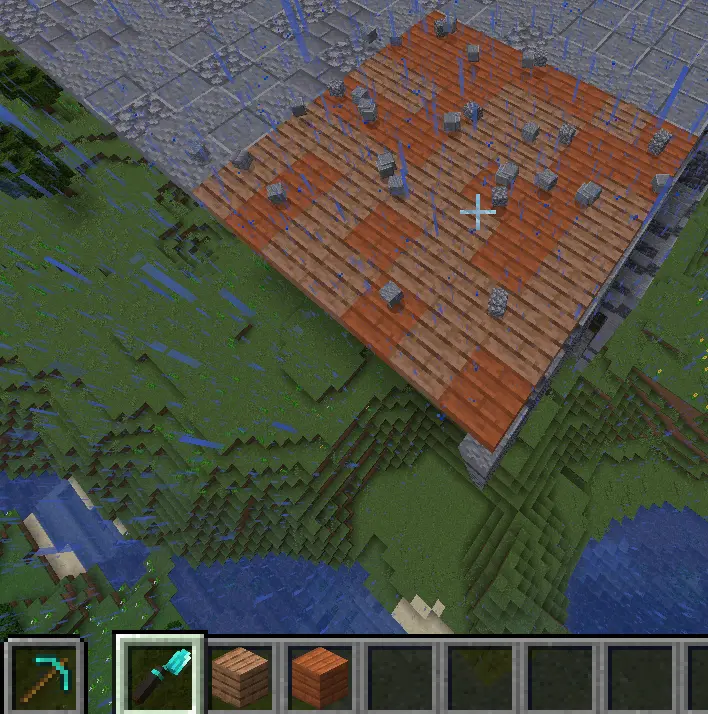
你可以直接替换现有的方块,而无需先破坏它们。
这基本上就像《泰拉瑞亚》一样。
是的,我知道这是个绝妙的解释。
尤其是对于那些从未玩过《泰拉瑞亚》的人来说。
哈哈哈哈哈哈
? 快速放置
从钻石抹刀开始,你还可以使用快速放置功能。
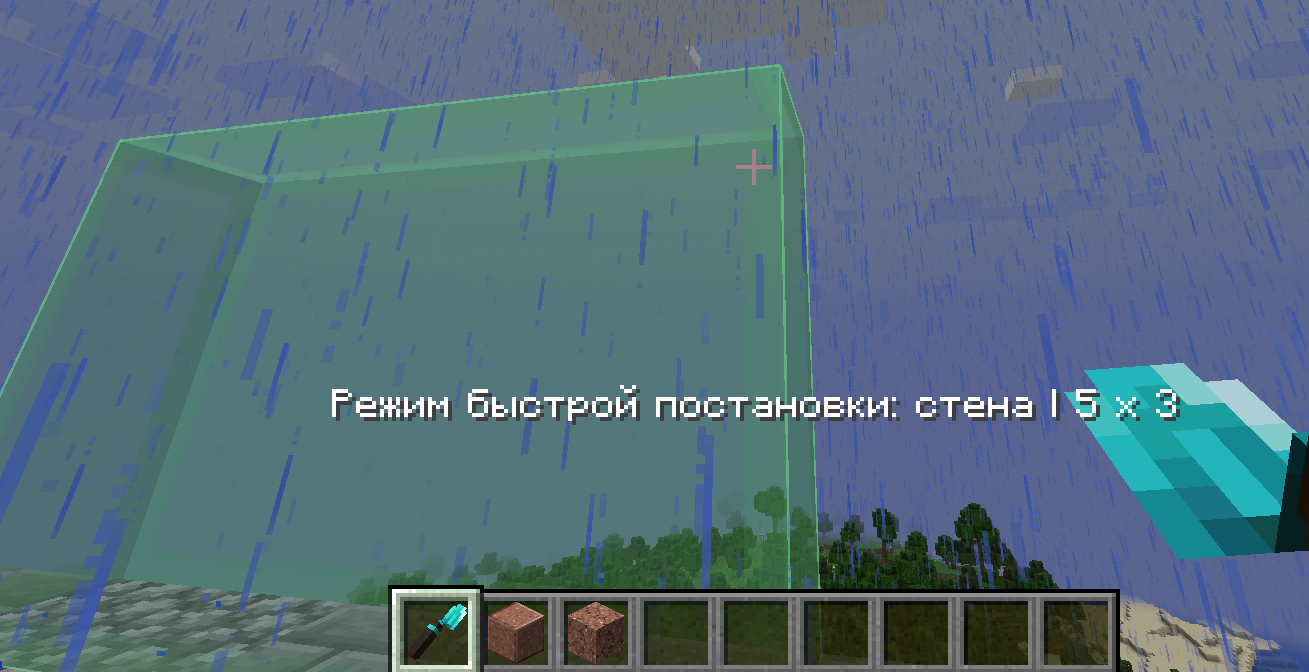
按住 Alt 键,选择一个区域,然后快速用你选定的材料建造一面墙。
它还支持智能替换和有序图案,包括棋盘格之类的东西。
所以你可以从:
“我得把这就墙换了。”
变成:
“算了,干脆重新设计整个结构吧。”
只需大约三秒钟。
? 物品说明其实已经自述了一切
如果你想了解更多关于各项功能如何工作的详细信息,只需将鼠标悬停在物品上并按住 左 Shift 键。
工具提示会告诉你几乎所有你需要知道的信息。
因为显然,为我那傻乎乎的小抹刀写一个 40 页的 wiki 太费劲了。
?️ Sable 兼容性
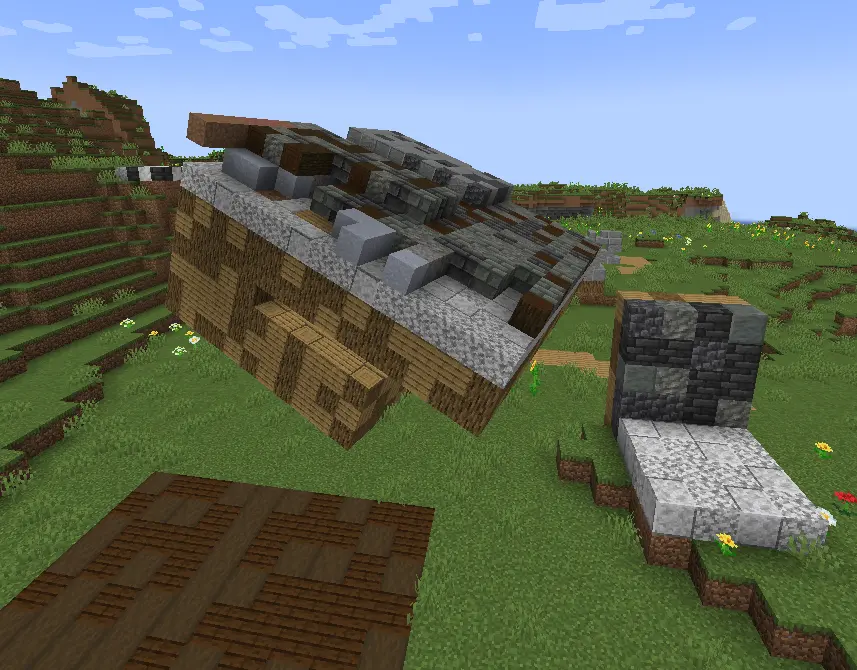
而且是的。
我们兼容 Sable。
没有崩溃。
没有渲染损坏。
而且是的,一切应该都能正常显示。
是的,我花了9 个小时的生命才让它正常工作。
就为了写出这三行字。
值得。
GUI UPDATE!
Hey! I'm Donnie, an enthusiast developer.
I love building machines, making weird contraptions, automating random stuff, you name it.
There's just one problem:
I can't build.
Like, at all.
So I made myself a tool to help even the most hopeless builders out there.
Turns out the thing is actually pretty damn useful.
So yeah. I'm publishing it.
? The Trowels
The main point of this mod is the tools it adds.
Specifically:
4 types of Trowels and 1 Roller.
? Copper Trowel
Randomizes blocks from your hotbar, starting from the slot to the right of the trowel's selected slot.
Basically:
"I don't know what I'm doing, just make the wall look good."
⚙️ Iron Trowel
Gives you more control.
You can select which blocks you want to use and pull them directly from your inventory.
No more filling your hotbar with 17 different blocks just to make one wall.
? Diamond Trowel
Now we're cooking.
You can choose the ratio of different blocks and control the order in which they're placed.
It also unlocks Quick Place.
This is where you can start making actual patterns instead of just praying to RNGesus.
? Netherite Trowel
The big boy.
The Netherite Trowel saves blocks during replacement and puts the recovered blocks straight into your inventory.
Because wasting half your building materials while remodeling your own house is kinda cringe.
? Gradient Roller
The Roller uses dyes to recolor blocks that can actually be dyed.
Wool, glass, concrete, and other dyeable blocks.
Basically, if Minecraft lets you change the color of it, there's a good chance the Roller can help you do it without manually replacing every single block.
? Replacement Mode
Starting with the Iron Trowel, you can put a pickaxe in your offhand to enable Replacement Mode.
You can replace existing blocks directly instead of breaking them first.
It's basically like Terraria.
Yes, I know that's an amazing explanation.
Especially for people who have never played Terraria.
HAHAHAHAHAHA
? Quick Place
Starting with the Diamond Trowel, you also get Quick Place.
Hold Alt, select an area, and quickly build a wall out of your chosen materials.
It also supports smart replacement and ordered patterns, including things like checkerboards.
So you can go from:
"I need to replace this wall."
to:
"Actually, let's redesign the entire thing."
in approximately three seconds.
? The Items Actually Explain Themselves
If you want more detailed information about how everything works, just hover over an item and hold Left Shift.
The tooltip will tell you pretty much everything you need to know.
Because apparently making a 40-page wiki for my silly little trowel was too much work.
?️ Sable Compatibility
And YES.
We're compatible with Sable.
No crashes.
No broken rendering.
And yes, everything should actually look right.
And yes, I spent 9 hours of my life making this work.
Just so I could write these three lines.
Worth it.

下载 Don's Building Stuff
下载 Don's Building Stuff
下载 Don's Building Stuff
下载 Don's Building Stuff
下载 Don's Building Stuff
下载 Don's Building Stuff
下载 Don's Building Stuff
Don's Building Stuff 4.1.0 — 抹刀模式与滚轮
日期:2026-08-11
Minecraft:1.21.1
NeoForge:21.1.228
抹刀控制模式
一个标准的通用配置文件 config/donsbuildingstuff-common.toml 现在提供了一个设置项:
[trowels]
TrowelMode = "new"
提供三种模式:
"new"— 仅支持 4.0 调色板编辑器。"old"— 4.0 之前的库存控制;调色板编辑器已禁用。"hybrid"— 同时启用两种方法:使用 Ctrl + 右键点击的调色板编辑器以及传统的库存操作。
所选模式在重启游戏后生效。工具提示和材质指示器会根据当前激活的控制方案而变化。
渐变滚轮
- 修复了在手持渐变滚轮时通过 Ctrl + 右键点击打开调色板编辑器的问题。
- 修复了选定平面上水平与垂直渐变方向轴交换的问题。
- 大面积区域的重着色速度更快:每刻处理队列从 2 个方块增加到 12 个方块。
- 修复了一个可能导致游戏在 NeoForge 21.1.228 上无法加载的配置创建错误。
关于这个资源的讨论、问题反馈与使用心得
还没有讨论,来发第一帖吧
你是这个资源的作者?登录后可认领此资源。
相似资源
 模组
缓冲的原始输入和线程化的事件轮询
 模组

可定制的鞘翅模组,支持装饰纹饰、旗帜图案等更多功能!
 模组

显示你正在注视的方块的信息。(适用于 Minecraft 1.16+ 的 Hwyla/Waila 分支)
 模组

原版世界生成优化模组
 模组
使用 JavaScript 编辑配方、添加自定义物品、编写世界事件!
 模组

查看物品与配方
评论 0
登录后参与评分
还没有评论,来抢沙发吧