
双快捷栏
此模组为你提供 18 格的快捷栏。默认情况下,它显示为两行各 9 格,但可以在配置文件中更改为一行 18 格。上方的额外槽位取自你物品栏的第一行。
有 3 种方式来选择新增的 9 个槽位中的物品:
- 滚动鼠标滚轮
- 双击对应下方槽位的数字键(例如,双击 '1' 选择第 10 个槽位)
- 按住修饰键的同时按下数字键(默认为 Ctrl)。
截图
双快捷栏模式:
单快捷栏模式:
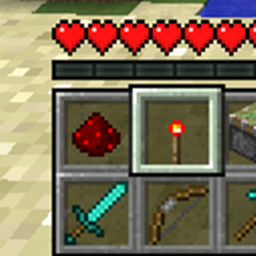
以下是物品进入新槽位的来源位置:
Dual Hotbars
This mod gives you a 18 slot hot bar. By default this is rendered as two rows of 9, but can be changed in the config to be 1 row of 18. The upper slot is taken from your top row of inventory items.
There are 3 ways to select an item in the 9 new slots:
- Scroll the mouse wheel
- Double tap the number key for the slot below it (i.e. double tap '1' for 10th slot)
- Hold a modifier key while pressing the number key (ctrl by default).
Screenshots
Dual Hotbar mode:
Single Hotbar mode:
Here's where the items go to get in the new slots:
下载 Dual Hotbar
需要联机服务器吗?
稳定流畅、一键部署,几分钟即可和朋友联机开服
最低仅需 8 元/月 即可畅快联机
下载 Dual Hotbar
需要联机服务器吗?
稳定流畅、一键部署,几分钟即可和朋友联机开服
最低仅需 8 元/月 即可畅快联机
下载 Dual Hotbar
下载 Dual Hotbar
需要联机服务器吗?
稳定流畅、一键部署,几分钟即可和朋友联机开服
最低仅需 8 元/月 即可畅快联机
下载 Dual Hotbar
下载 Dual Hotbar
下载 Dual Hotbar
下载 Dual Hotbar
下载 Dual Hotbar
下载 Dual Hotbar
更改了它处理 1.11 与 1.10.2 之间兼容性的方式。
应能修复部分用户遇到的崩溃问题。
关于这个资源的讨论、问题反馈与使用心得
还没有讨论,来发第一帖吧
你是这个资源的作者?登录后可认领此资源。
相似资源
 模组

可定制的鞘翅模组,支持装饰纹饰、旗帜图案等更多功能!
 模组

一个用于收集生物掉落物的多区块模组。
 模组

显示你正在注视的方块的信息。(适用于 Minecraft 1.16+ 的 Hwyla/Waila 分支)
 模组

查看物品与配方
 模组
使用 JavaScript 编辑配方、添加自定义物品、编写世界事件!
 模组
AE2:一款流行的自动化与存储模组
评论 0
登录后参与评分
还没有评论,来抢沙发吧