
语言:[English] | [Русский] | [中文]
Emogg,带来更好的聊天体验! 
为聊天界面和 Minecraft 大部分界面添加表情符号支持!

功能特性
- 支持静态和动态表情符号
- 通过资源包自定义表情符号:只需将表情图片放入
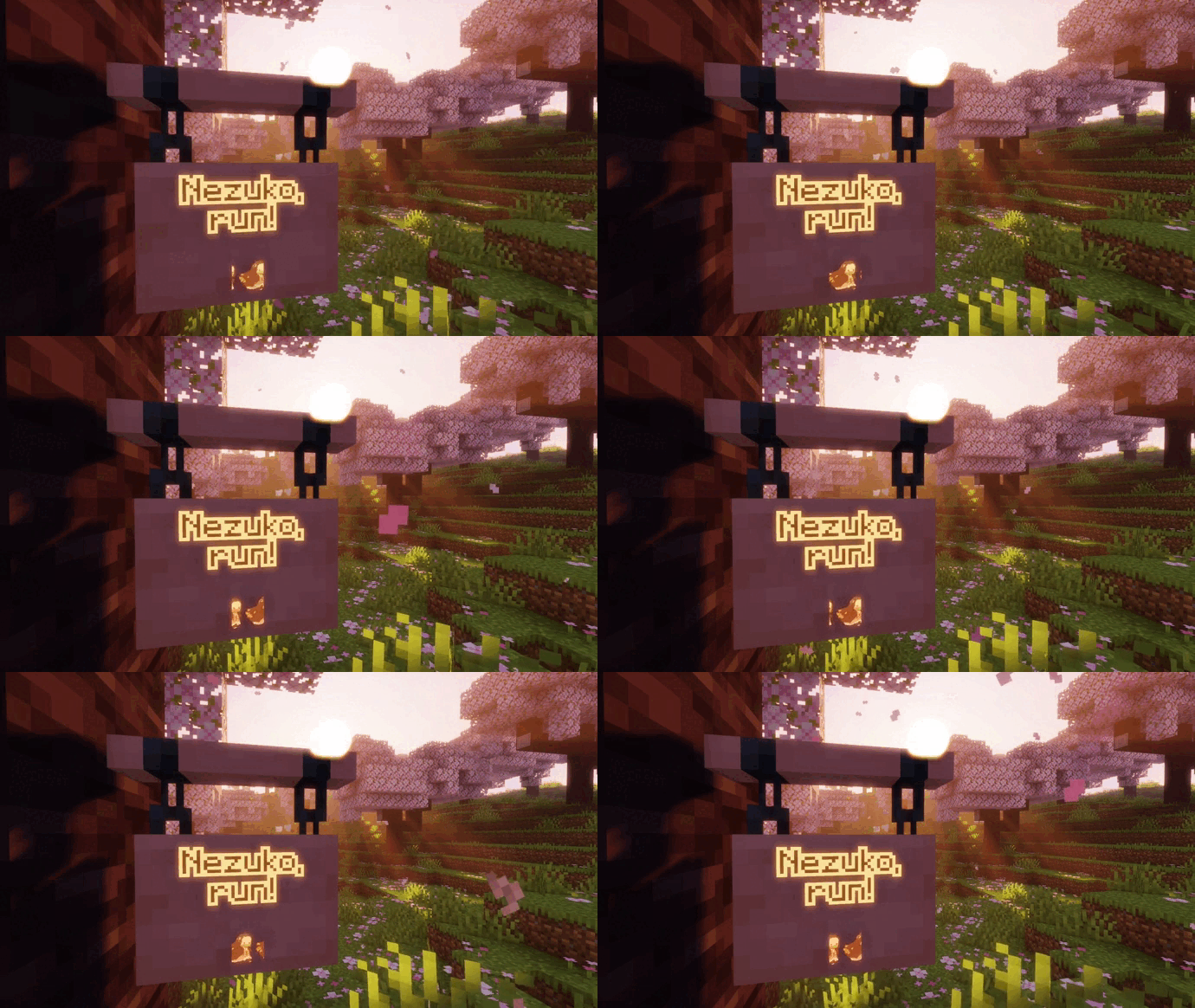
assets/emogg/emoji。你也可以使用 我们的网站 从 Discord 服务器表情生成资源包 - 表情符号将显示在聊天、告示牌、物品名称、实体名称标签、容器名称等位置(纯文本中可能尚不支持)
- 表情符号建议与自动补全(仅聊天可用)
- 表情选择菜单(仅聊天可用)
- 内置两套表情包
如何使用表情?
要使用表情,你需要输入 :表情名称:。
如果在聊天界面开始输入此内容,Emogg 会显示自动补全建议。
表情选择菜单也适用于聊天,
可以通过点击右下角的按钮打开,
或者点击鼠标中键,或按下 Shift + Esc。
你也可以通过点击聊天或书籍中的表情来复制其名称。
如果你在游戏服务器或网络游戏中游玩,
除了你和玩家必须安装此模组外,
所有人都必须添加相同的资源包。
否则,其他玩家将看到 :表情名称:。
如果你不希望表情名称转换为表情,可以这样转义:\:表情名称:
如何添加自己的表情?
你可以在 我们的网站 上将来自任何 Discord 服务器的表情轻松转换为资源包!
更高级的用户可以在下方找到关于这些资源包的详细信息。
要将表情添加到游戏中,
只需在你的资源包内的 assets/emogg/emoji 文件夹中添加 .gif 或 .png 格式的图片即可。
以这种方式添加的每一张图片都会自动作为表情添加到游戏中。
表情的最佳分辨率约为 128x128 像素(这不是硬性规定,而是建议)。过高的分辨率意义不大。如果图片边缘与内容之间没有太多空白,表情在游戏中看起来会更好。最好避免添加细节过多的表情,因为它们可能难以辨认。
也支持非正方形表情,它们会被缩放以匹配文本高度。
文件名(不含扩展名)将用作表情名称,该名称只能包含小写拉丁字母 a-z、数字 0-9 和下划线 _。此外,下划线不能出现在表情名称的开头或结尾。文件名本身可以是任意的,但在加载表情时,所有名称会按以下方式修改:
- 所有空格、点和连字符将被替换为下划线
- 名称开头和结尾的下划线将被移除
- 不支持的字符将从名称中移除
- 大写拉丁字母将转换为小写字母
你表情所属的分类名称也适用相同的规则。默认情况下,所有添加到主目录的表情都将列在 other 分类中。要将你的表情链接到特定分类,只需在主文件夹内创建一个以分类命名的文件夹,并将属于该分类的表情移入其中。主文件夹与分类文件夹之间可以有任意数量、任意名称的文件夹,因为你的表情直接所在的包名(除主文件夹外)将被用作分类名。这可用于创建命名空间。因此,如果另一个资源包有与你同名但来源不同的表情,两者都会被添加到游戏中。
默认情况下,模组已注册以下分类名称:
animememespeoplenaturefoodactivitiestravelobjectssymbolsflagsother
你可以将这些分类用于你的表情,也可以创建自己的分类。此外,这些分类已实现六种语言的翻译:英语、德语、日语、中文、乌克兰语、俄语。你可以 帮助翻译 模组到其他语言。如果你未使用资源包语言文件为新分类添加翻译,则文件夹名称的首字母大写形式将被使用。要为你的分类添加翻译,需使用翻译键 emogg.category.你的分类名称,其中需要将 你的分类名称 替换为你的分类名。你添加的每个新分类都会显示在选择菜单中,位于模组内置分类之上。
如果模组检测到两个或更多同名的表情,会在其名称末尾添加数字以示区分。
你可以在网上找到关于如何创建自己的资源包的更详细信息,也可以下载一个内置资源包作为示例。
您可以在互联网上找到有关如何创建自己的资源包的更详细信息,或者您可以下载一个作为示例,该示例是模组内置的资源包之一。
Language: [English] | [Русский] | [中文]
Emogg for better chatting experienсe!
Adds emoji support to the chat and to most of the Minecraft interface!
Features
- support for both static and animated emojis
- custom emojis via resource packs, by simply put your emoji images in
assets/emogg/emoji. You can also generate the resource pack from discord server emojis using our website - emojis will be shown in chat, on signs, in item names, on entity name tags, in container names, etc. (It might not work in plain texts yet)
- emoji suggestions and completion (available only for chat)
- an emoji selection menu (available only for chat)
- two built-in emoji packs
How to use emojis?
To use emoji, you need to type :emoji_name:.
If you start typing this on the chat screen, Emogg will show you the autocomplete suggestions.
The emoji selection menu is also available for the chat,
which opens by clicking on the button in the lower right corner,
or by clicking middle mouse button or by pressing Shift + Esc.
You can also copy the name of emojis from chat or books by clicking them.
If you play on the server or over the network,
then in addition to the fact that you and other players must have this mod installed,
everyone must have the same resource packs added.
Or else, other players will see :emoji_name:.
If you don't want the emoji name to be transformed into an emoji, you can escape it like this: \:emoji_name:
How can I add my own emojis?
You can easily convert emojis from any discord server into a resource pack on our website!
Details about these resource packs is also provided below for more advanced users.
To add your emojis to the game,
just add pictures in the format .gif or .png to the assets/emogg/emoji folder inside your resource pack.
Each picture added in this way will be automatically added to the game as an emoji.
The optimal resolution for emojis will be approximately 128x128 pixels (this is not a rule, but a recommendation). There is not much point in a higher resolution. Emoji will look better in the game if there is not too much empty space between the edges of the picture and the content. It is better to avoid adding emojis with too small details, because they can be difficult to distinguish.
Non-square emojis are also supported, they will be scaled to fit the text height.
The name of the image file, without extension, will be used as the name of the emoji, which can consist only of lowercase Latin characters a-z, numbers 0-9, underscores _. Moreover, the underscores cannot stand at the beginning or at the end of the emoji name. The name of the image file can be anything, however, when loading emojis, all names are modified as follows:
- all spaces, dots and dashes will be replaced with underscores
- the underscores at the beginning and at the end of the name will be removed
- unsupported characters will be removed from the name
- uppercase Latin characters will be converted to lowercase characters
The same rules apply to the names of the categories in which your emojis will be listed. By default, all emojis added to the main catalog will be listed in the other category. To link your emojis to a certain category, it is enough to create a folder with the name of the category inside the main folder and transfer there the emojis that will be attributed to this category. There can be any number of folders with any name between the main folder and the category folder, because the name of the pack in which your emojis are directly located (except the main folder) will be taken as the name of the category. This can be used to create a namespace. So if another resource pack has an emoji with the same name as yours, both your and the emoji from another resource pack will be added to the game.
By default, the following category names are already registered in the mod:
animememespeoplenaturefoodactivitiestravelobjectssymbolsflagsother
You can add your emojis to these categories or create your own. Also, for these categories, translation into six languages has already been implemented: English, German, Japanese, Chinese, Ukrainian, Russian. You can help with translating the mod into other languages. If you don't add a translation for your new categories using the resource pack language files, the folder name with a capital letter will be used. To add a translation of your category, you need to use the translation key emogg.category.your_category_name, where it is necessary to replace your_category_name with the name of your category. Each new category you add will be displayed in the selection menu above those already built into the mod.
If the mod detects two or more emojis with the same name. A digit will be added to the end of their names to distinguish them.
You can find more detailed information on how to create your own resource packs on the Internet, or you can download one of the built-in resource packs as an example. You can find more detailed information on how to create your own resource packs on the Internet, or you can download one of the resource packs built into the mod as an example.

下载 emogg
需要联机服务器吗?
稳定流畅、一键部署,几分钟即可和朋友联机开服
最低仅需 8 元/月 即可畅快联机
下载 emogg
需要联机服务器吗?
稳定流畅、一键部署,几分钟即可和朋友联机开服
最低仅需 8 元/月 即可畅快联机
下载 emogg
需要联机服务器吗?
稳定流畅、一键部署,几分钟即可和朋友联机开服
最低仅需 8 元/月 即可畅快联机
下载 emogg
需要联机服务器吗?
稳定流畅、一键部署,几分钟即可和朋友联机开服
最低仅需 8 元/月 即可畅快联机
下载 emogg
需要联机服务器吗?
稳定流畅、一键部署,几分钟即可和朋友联机开服
最低仅需 8 元/月 即可畅快联机
下载 emogg
需要联机服务器吗?
稳定流畅、一键部署,几分钟即可和朋友联机开服
最低仅需 8 元/月 即可畅快联机
下载 emogg
需要联机服务器吗?
稳定流畅、一键部署,几分钟即可和朋友联机开服
最低仅需 8 元/月 即可畅快联机
下载 emogg
下载 emogg
下载 emogg
关于这个资源的讨论、问题反馈与使用心得
还没有讨论,来发第一帖吧
你是这个资源的作者?登录后可认领此资源。
相似资源
 模组

显示你正在注视的方块的信息。(适用于 Minecraft 1.16+ 的 Hwyla/Waila 分支)
 模组

可定制的鞘翅模组,支持装饰纹饰、旗帜图案等更多功能!
 模组

查看物品与配方
 模组
使用 JavaScript 编辑配方、添加自定义物品、编写世界事件!
 模组
在游戏画面角落显示附近世界地形、玩家、生物和实体的地图。可创建路径点,帮助你找到标记过的位置。
 模组

适用于 MC 1.18+ 的 Effekseer 加载器
评论 0
登录后参与评分
还没有评论,来抢沙发吧