


*** 需要安装 ShetiPhianCore ***
将物品存储在其他维度。
点击查看合成配方+
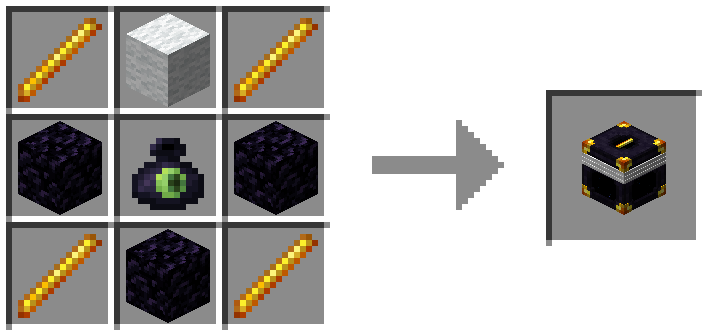
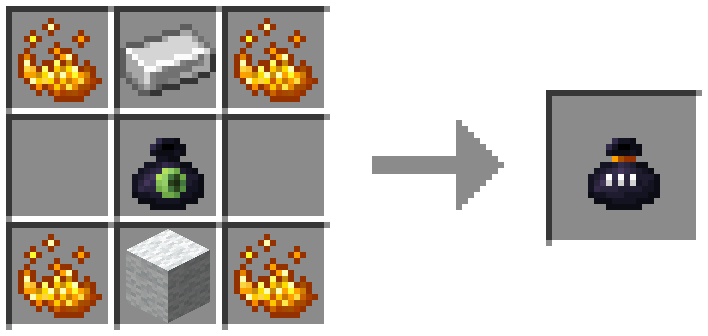

网络
只有颜色和所有权都匹配时,箱子才会被链接。
按住 Shift 并右键点击染料,可更改每个环的颜色。
在全局容器上按住 Shift 并右键点击钻石或绿宝石,可更改所有权。
按住 Shift 拾取可移除所有权。
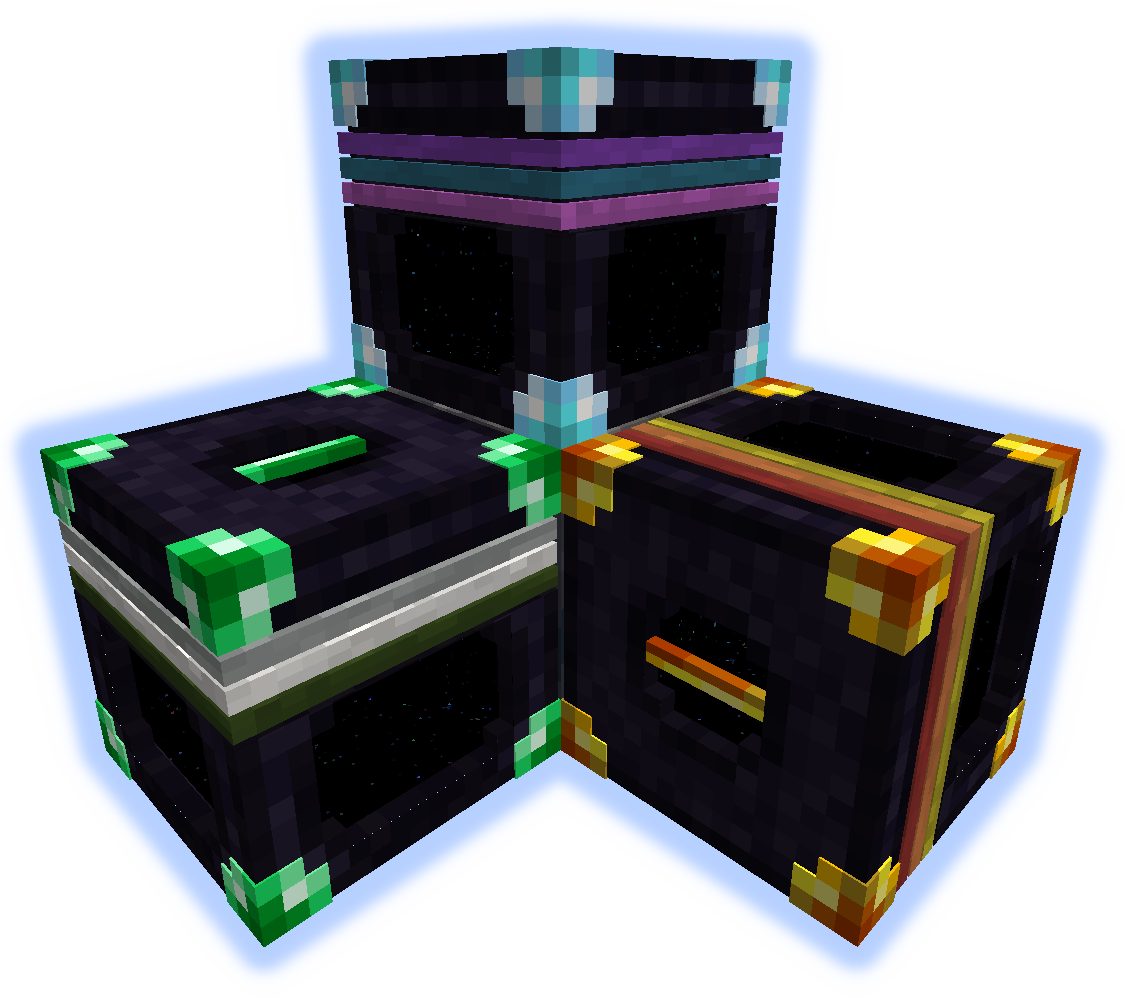
全局 (金色)
任何人都可以使用此网络。
私人 (钻石)
个人颜色。无需担心谁在使用什么颜色。
团队 (绿宝石)
允许同一团队的成员共享。容器的颜色对您的团队是唯一的。
有关设置帮助,请参阅 spc-teams 页面。
升级
手持升级物品按住 Shift 并右键点击即可应用。
初始容量为 9 个槽位。
末影珍珠增加 3 个槽位,末影之眼增加 9 个槽位,最高可达 27 个槽位。
容量升级是永久性的,并应用于当前的所有者/颜色配置。
请参阅模组配置文件以更改数值。

末影箱
同颜色的箱子始终相互连接。
支持全局、个人和团队模式。
手持染料右键点击箱子可更改边框颜色。
末影袋
[右键] 打开原版末影箱。
[左键] 链接到一个箱子,以便方便地存取已存储的物品。
在箱子上按住 Shift 并右键可建立链接。

请在 GitHub 上提交本地化文件。
发现 bug?请使用 Issue Tracker。
*** ShetiPhianCore Required! ***
Store items in another dimension.
Click for Recipes+
Networks
Chests are linked only if both color and ownership match.
Change each bands color by shift-right-click with a dye.
Change ownership by shift-right-click with a diamond or a emerald on a global tank.
Remove ownership by picking up while holding shift.
Global (golden)
Anyone can use this network.
Private (diamond)
Personal colors. No need to worry about who's using what colors.
Teams (emerald)
Allows people in the same team to share. Tank colors are unique to your team.
See spc-teams page for help setting one up.
Upgrades
Apply by shift-right-click with upgrade in hand.
Starts with a 9 slots capacity.
Ender Pearl adds 3 and Ender Eye adds 9, up to 27 slots.
Capacity upgrades are permanent and apply to the current owner/color configuration.
See mod configs to change values.
Ender Chests
All chest of the same color are connected, always.
Global, Personal, and Team available.
shift-right-click on a chest with dye to change band colors.
Ender Bags
[right] Opens vanilla ender chest.
[left] Link to a chest for handy access to stored items.
shift-right-click on a chest to link.
Submit localization files on github.
Found a bug?, use the Issue Tracker.

下载 EnderChests
下载 EnderChests
下载 EnderChests
下载 EnderChests
下载 EnderChests
下载 EnderChests
下载 EnderChests
下载 EnderChests
下载 EnderChests
下载 EnderChests
- 修复了在未先打开已升级的箱子(或自升级后)的情况下,打开与该箱子关联的末影袋时导致客户端崩溃的问题
- 新增 Curios 支持:背包和 pouch 现在可以放置在腰带槽位中
- 新增两个按键绑定,用于打开第一个找到的背包/pouch。扫描顺序为:Curios > 物品栏(从右下角到左上角)> 快捷栏(从右到左)
关于这个资源的讨论、问题反馈与使用心得
还没有讨论,来发第一帖吧
你是这个资源的作者?登录后可认领此资源。
相似资源
 模组
在游戏画面角落显示附近世界地形、玩家、生物和实体的地图。可创建路径点,帮助你找到标记过的位置。
 模组
AE2:一款流行的自动化与存储模组
 模组

基于 GTCEu 1.12.2 的现代 GregTech
 模组
添加全屏世界地图,显示你在世界中已探索的区域。与 Xaero's Minimap 搭配使用效果极佳。
 模组
Xaero's Minimap 模组的公平竞技版本,专为与不使用小地图的玩家进行公平 PVP 而设计。
 模组
自动附魔,搭配 Create
评论 0
登录后参与评分
还没有评论,来抢沙发吧