Extended Block Shapes 模组
本文档有中文版。
自 3.0.0 版本起,不再需要 Better Runtime Resource Pack 模组。
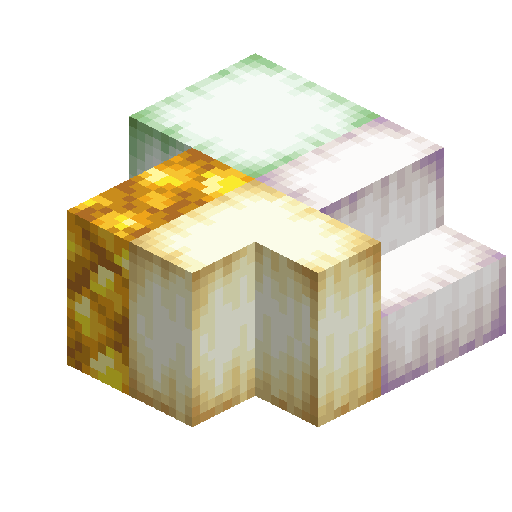
此模组为许多原版方块添加了楼梯、台阶、栅栏、栅栏门、按钮和压力板,以及原版 Minecraft 中不存在的垂直台阶、垂直台阶、四分之一块和垂直四分之一块。内容列表请参阅 方块列表。
目前,该模组支持 Minecraft Java Edition。请根据你的 MC 版本安装相应的模组,并且运行时需要 Fabric API。此外,对于 Fabric,通常需要 Mod Menu(但非必需)来打开模组配置界面。
如果你已安装 Extended Block Shapes 和 Blockus,还可以选择性地安装 Extended Block Shapes - Blockus,以添加对 Blockus 的跨模组支持。
查看 更新日志 以获取之前的更新记录。欢迎加入腾讯 QQ 群 587928350 体验该模组的最新更新。
特性
方块
此模组提供了多种方块的许多变体。例如,羊毛拥有羊毛楼梯、羊毛台阶、羊毛墙、羊毛压力板等。模组还添加了垂直楼梯、垂直台阶、四分之一块和垂直四分之一块;这些方块像常规楼梯和台阶一样可以蓄水。
所有楼梯、台阶、栅栏和墙的硬度、挖掘工具和挖掘时间与它们的基座方块相同,就像在原版中一样,而不是与它们的体积相关。例如,木板台阶和木板方块将花费相同的挖掘时间。
在原版中,压力板和按钮的硬度等于其基座方块的 1/4 或 1/3。本模组中添加的所有压力板和按钮具有与其基座方块 1/4 相同的硬度。本模组简单扩展了按钮:软按钮(羊毛按钮、雪按钮)触发 60 刻(3 秒);硬按钮(黑曜石按钮、基岩按钮)触发 5 刻(1/4 秒)。实际激活时间见下表。与原版 Minecraft 一样,所有按钮和压力板都没有碰撞箱。
| 基座方块 |
按钮激活时间 |
压力板激活时间 |
| 石头类方块 |
20 |
20 |
| 木质和竹制 |
30 |
20 |
| 其他软方块 |
50 |
40 |
| 硬方块(黑曜石、下界合金等) |
5 |
5 |
| 羊毛 |
50 |
40 |
| 雪 |
55 |
55 |
| 苔藓 |
60 |
60 |
| 泥土、黏土 |
45 |
45 |
| 矿石方块 |
15 |
10 |
| 西瓜、南瓜 |
35 |
25 |
| 石英 |
25 |
25 |
| 玄武岩 |
15 |
15 |
| 粗安山岩、方解石、下界岩 |
25 |
20 |
| 深板岩(包括砖块) |
10 |
10 |
| 未氧化的铜 |
10 |
10 |
| 轻微氧化的铜 |
40 |
40 |
| 氧化铜 |
70 |
70 |
| 完全氧化的铜 |
100 |
100 |
| 荧石 |
30 |
30 |
| 下界疣、诡异疣 |
45 |
45 |
| 紫水晶 |
35 |
25 |
此模组还添加了“双光滑石头台阶”和“石化橡木木板”方块,分别由光滑石头台阶和石化橡木台阶合成。原版光滑石头方块仍然可以合成为光滑石头台阶。这两种方块都可以放置在硫磺立方体上,它们的硫磺立方体原型都是 #slow_bouncy(与石头相同)。石化橡木木板无法从创造模式物品栏中获得。
本模组添加的方块继承了它们基座方块的大多数特性:
- 羊毛和木板方块(即基于羊毛或木板的各类形状方块)具有可燃性(燃烧时间与蔓延速度等同于原版完整方块)。
- 羊毛、木板、木材和原木方块可用作燃料。台阶和垂直台阶作为燃料时,燃烧时间为其基础方块的二分之一。按钮作为燃料时,燃烧时间约为其基础方块的三分之一。四分之一块和垂直四分之一块作为燃料时,燃烧时间为其基础方块的四分之一。
- 羊毛方块无论是否占据完整方块的空间,均可阻挡潜影贝传感器(Sculk Sensor)。
- 注意:在原版中,羊毛地毯能减弱震动但无法阻挡信号。然而,本模组中的所有羊毛方块均能阻挡所有震动信号。
- 下界岩方块为无限燃烧(infiniburn)。
- 基岩方块在地狱维度中为无限燃烧。在生存模式下不可采集。但是,当基岩按钮和压力板失去所依赖的方块时,可能会掉落物品。
- 末地石、黑曜石和哭泣的黑曜石方块免疫末影龙。
- 下界合金方块和远古残骸方块以物品形式掉落时,耐火抗熔岩。
- 金块、粗金块和镶金黑石方块会被猪灵羡慕。
- 破坏金块、粗金块和镶金黑石方块会激怒猪灵。
- 将雪台阶或雪台阶放置在草方块上时,如果它恰好完全覆盖草方块的顶部,会使草方块变为积雪状态,如同被雪块或雪覆盖一样。
- 小型垂滴叶和大型垂滴叶可以放置在基于苔藓块和黏土的方块上(仅限建筑方块)。
- 基于南瓜、西瓜、苔藓块、菌光体、下界疣块和诡异疣块的方块可以进行堆肥。
- 基于冰原冰和潜影块的方块仅在使用附魔了“精准采集”的工具挖掘时才会掉落。
- 基于黏土块、雪块、西瓜块等的方块在挖掘时会掉落对应的物品,例如黏土球、雪球(仅用铲子挖掘时)和西瓜片。台阶、四分之一块、垂直台阶和垂直四分之一块掉落的物品数量为基础方块掉落数量除以 2 或 4,双阶台则掉落双倍。部分掉落物品可能受“时运”附魔影响,而使用带有“精准采集”的工具挖掘时,方块本身会掉落。
- 关于方块与活塞的交互:对于不能被活塞推动的方块(如黑曜石、基岩),其对应的按钮和压力板也不能被活塞推动;而其他方块的按钮和压力板则会直接被摧毁。
- 关于音符盒:为了与原版保持一致,按钮方块的音符盒乐器始终为竖琴,其他方块则与其基础方块相同。
- 按钮在地图中不会显示为颜色。
- 铜方块像原版铜方块一样,可以氧化,并可通过使用斧头或受到闪电击中来进行除锈。它们还可以被打蜡和去蜡。打蜡铜的氧化状态不会改变。
合成与熔炼
本模组中所有方块的合成配方与原版类似。石头和金属方块也可以使用切石机制作。(原版 petrified oak slab 可以使用本模组中的 petrified oak planks 通过切石机合成。)台阶可以在合成台中以 3:2 的比例(材料:结果)合成,在切石机中以 1:1 的比例合成。台阶和垂直台阶可以在合成台或切石机中以 1:2 的比例合成。
台阶、楼梯和四分之一块可以在合成配方中进行旋转,变成相应的垂直方块;你也可以将它们“转回来”。例如,一个台阶可以直接合成一个相应的垂直台阶,一个垂直台阶也可以直接合成一个相应的台阶。
不同形状方块的合成配方如下:
- 6×基础方块 → 4×台阶
- 3×基础方块 → 6×台阶
- 3×台阶 → 6×四分之一块(水平排列的台阶)
- 1×台阶 ↔ 1×垂直台阶
- 1×楼梯 ↔ 1×垂直楼梯
- 1×四分之一块 ↔ 1×垂直四分之一块
- 3×垂直台阶 → 6×垂直四分之一块(垂直排列的垂直台阶)
某些方块的切石配方如下:
- 1×基础方块 → 1×台阶 / 1×垂直台阶 / 2×台阶 / 2×垂直台阶 / 4×四分之一块 / 4×垂直四分之一块
- 1×台阶 → 3×四分之一块
- 1×台阶 → 2×四分之一块
- 1×垂直台阶 → 3×垂直四分之一块
- 1×垂直台阶 → 2×四分之一块 / 2×垂直四分之一块
在切石机中,一个基础方块可以被切割成各种形状的切割基础方块。例如,石头可以被切成石砖,石砖可以被切成 2 个垂直石砖台阶,而一块石头也可以直接切成 2 个垂直石砖台阶。但是,各种形状的方块不能被切割成对应形状的切割基础方块。例如,石台阶不能被切成石砖台阶或石砖四分之一块。当切割铜方块(包括不同氧化等级,包括打蜡的)成相关的切割铜形状变体时,数量按乘以 4 计算,例如,一个铜方块可以被切成 4 个垂直切割铜台阶、8 个垂直切割铜台阶或 16 个切割铜四分之一块。
栅栏和栅栏门(除了基础方块外)的第二种合成材料取决于其基础方块。详情请参见 方块列表。
所有合成配方在获得任何基础方块时解锁,就像原版配方一样。具体来说,每个合成配方都有一个对应的进度,当获得基础方块或解锁配方时,进度将被触发,配方也将解锁。
所有未打蜡的铜方块都可以用蜜脾合成为相应的打蜡方块。
内置数据包修复配方冲突
部分配方可能与原版冲突。为避免冲突,本模组内置了一个数据包以解决配方冲突问题,该数据包默认启用。当此数据包启用时,以下合成方式会发生变化:
- 羊毛压力板不再由 2 个羊毛块合成,而是可以通过 3 张羊毛地毯合成 1 个羊毛压力板,同时 1 个羊毛压力板也可以分解为 3 张羊毛地毯。
- 苔藓压力板不再由 2 个苔藓块合成,而是可以通过 3 张苔藓地毯合成 1 个苔藓压力板,同时 1 个苔藓压力板也可以分解为 3 张苔藓地毯。
- 雪台阶不再由 2 个雪块合成,而是由 1 层雪合成。
- 原版的砂岩、红砂岩和石英的楼梯与台阶必须使用基础方块合成,而不能使用这些基础方块的变体合成。
- 铁块、金块、钻石块、煤块、青金石块、南瓜、下界合金块、粗金块、粗铜块和粗铁块的按钮,由 1 个对应的基础方块和 1 个铁锭、金锭、钻石、煤炭、青金石、南瓜种子、下界合金锭、粗金、粗铜或粗铁合成。
- 竹块、去皮竹块、铜块(包括所有氧化等级,不包括切制铜)、涂蜡铜(包括所有氧化等级,不包括涂蜡切制铜)、各种原木、木板、菌核、菌丝及其去皮变体的按钮,由 1 个对应的基础方块和 1 组红石粉合成。
- 木板墙由 6 个木板和 1 根木棍合成。
- 铜墙和涂蜡铜墙(包括所有氧化等级)由 6 个对应的基础方块和 1 个铜锭合成。
此数据包默认启用。如果你的世界中未启用它,你可以运行命令 /datapack enable "extshape:recipe_tweak" 来启用它。
如果你安装了与其他模组协作的部分(见 跨模组支持),则配方冲突不可避免。在这种情况下,建议安装用于修复配方冲突的模组。
手动测试配方冲突的命令
命令 /extshape:check-conflict 可用于测试合成配方中的冲突,这可能导致服务器卡顿几秒甚至几分钟。该命令仅限服务器所有者使用,普通玩家或命令方块无法执行。
该命令支持的语法如下:
/extshape:conflict: 测试所有合成配方之间的冲突。/extshape:conflict <namespace>: 测试指定命名空间的合成配方与原版的冲突。/extshape:conflict <namespace> ...(多个命名空间以空格分隔):测试指定的多个命名空间的合成配方之间的冲突。
创造模式物品栏
本模组的方块默认会被添加到原版的物品分类(创造模式物品栏标签页)中,并进行排序。方块的排序方式类似于原版,基于同一基础方块的各种形状变体会被归类在一起。某些基础方块同时存在于“建筑方块”和“自然方块”两个物品分类中,而它们的形状变体仅被添加到“建筑方块”物品分类中。
在 1.19.2 及更早版本中,如果你启用了“添加到原版分类”,模组会将方块直接追加在所有现有方块之后,这可能导致物品分类显得杂乱无章。你可以安装 Reasonable Sorting 模组来整理内容。(Reasonable Sorting 模组不支持 1.19.3 以上版本,且在这些版本中已无必要。)
你也可以配置要添加到分类中的形状变体。你可以通过 Mod Menu 模组的模组菜单进入模组配置界面。如果你没有安装 Mod Menu 模组,也可以通过在游戏中输入客户端命令 /extshape:config 来访问模组的配置界面。配置 GUI 包含以下内容:
- 添加到原版物品组(默认启用)。如果启用,该模组的所有方块(除石化橡木木板外)将被添加到原版物品组中,通常直接位于其基础方块或原版形状变体之后。
- 显示特定物品组(默认禁用)。如果启用,该模组将提供 5 个特定的物品组来存储该模组的方块的基础方块和形状变体(包括原版变体),但不会包含任何在模组中没有形状变体的基础方块(本模组的石化橡木木板和原版石化橡木台阶也被排除)。这 5 个指定的物品组分别是:“木质与竹制方块”、“彩色方块”、“石质方块”、“矿物方块”和“其他方块”。修改此选项需要重启游戏才能生效。请注意,建议至少启用“添加到原版物品组”和“显示特定物品组”中的一个,否则你将无法在创造模式库存中获得该模组的方块。
- 添加到原版物品组的形状:文本框,用于确定哪些形状的方块被添加到原版物品组中。原游戏中已存在的方块不受影响。多个形状名称之间用空格分隔,无效的形状名称将被忽略。例如,如果值设置为
stairs slab,只有该模组的楼梯和台阶会被添加到原版物品组中。这些形状按顺序添加(但不能重复)。如果值为 slab stairs,楼梯将排在台阶之后(但原游戏中已存在的楼梯和台阶不受影响)。默认值为所有形状。
- 添加到特定物品组的形状:文本框,用于确定哪些形状的方块被添加到特定物品组中。用法和默认值与上述相同。如果此文本框为空,特定物品组将仅包含基础方块。
- 木质与竹制方块的特定物品组排序:可设置为“同种不同形在一起”(默认)或“同形不同种在一起”。
- 如果设置为“同种不同形在一起”,所有橡木方块(原木、去皮原木、木板等)及其各种形状变体将放在一起,所有桦木方块及其各种形状变体也将放在一起。
- 如果设置为“同形不同种在一起”,所有种类的木头(橡木原木、桦木原木、云杉木等)方块及其各种形状变体将放在一起,所有种类的木板(橡木木板、桦木木板、云杉木板等)及其各种形状变体也将放在一起。
- 彩色方块的特定物品组排序:可设置为“同色不同形在一起”(默认)或“同形不同色在一起”。以羊毛为例:
- 如果设置为“同色不同形在一起”,白色羊毛及其各种形状变体将放在一起,浅灰色羊毛及其各种形状变体也将放在一起。
- 如果设置为“同形不同色在一起”,各种颜色的完整羊毛方块将放在一起,各种颜色的羊毛楼梯将放在一起,各种颜色的羊毛台阶将放在一起。
ℹ️注意:
- 如果启用了“添加到原版物品组”,不建议使用 Inventory Item Groups 或 Bedrock Item Groups 等可以对创造模式库存中的物品进行分组的模组,因为这些模组可能无法很好地处理本模组方块在原版物品组(创造模式标签页)中的排序方式。
- 如果启用了 Modern Fix 模组,建议在模组配置中关闭
mixin.perf.memoize_creative_tab_build,否则对 Extended Block Shapes 配置的更改可能不会立即生效。如果出现这种情况,你可以修改原版“选项” - “控制” - “创造物品标签页”,或者离开世界并重新进入。
模组间支持
该模组目前可以与 Blockus 模组添加实用程序支持。
Blockus
如果你已安装 Extended Block Shapes 和 Blockus 模组,你可以根据这两个模组选择性地安装 "Extended Block Shapes - Blockus" 模组,这样 Blockus 方块的扩展形状也将被添加。该模组不支持 26.3 以上版本。
如果 Extended Block Shapes 的“添加到原版物品组”选项已启用,"Extended Block Shape - Blockus" 模组的方块将直接添加到 Blockus 模组的物品组中,具体添加哪些形状取决于 Extended Block Shapes 模组的“添加到原版物品组的形状”。
如果 Extended Block Shapes 的“显示特定物品组”选项已启用,将添加两个指定的物品组:“Extended Block Shapes - Blockus: Construction Blocks” 和 “Extended Block Shapes - Blockus: Colored Blocks”,具体添加哪些形状取决于 Extended Block Shapes 模组的“添加到特定物品组的形状”。
Extended Block Shapes Mod
本文档有中文版。
Since 3.0.0, Better Runtime Resource Pack mod is no longer required.
This mod adds stairs, slabs, fences, fence gates, button and pressure plates for many vanilla blocks, along with vertical slabs, vertical stairs, quarter pieces and vertical quarter pieces that do not exist in vanilla Minecraft. A list of the contents can be found in Block List.
At present, this mod supports Minecraft Java Edition. Please install the relevant mod according to your MC version, and it requires Fabric API to run. Besides, for Fabric, Mod Menu is usually needed (but not required) to open mod config screen.
If you have installed Extended Block Shapes and Blockus, you may also optionally install Extended Block Shapes - Blockus, to add inter-mod support for Blockus.
See update log for previous update logs. Welcome to join Tencent QQ group 587928350 to experience the latest update of this mod.
Features
Blocks
This mod provides many variants of a wide variety of blocks. For example, wool has wool stairs, wool slabs, wool walls, wool pressure plates, etc. Vertical stairs, vertical slabs, quarter pieces and vertical quarter pieces are added by the mod; these blocks, like regular stairs and slabs, are waterloggable.
The hardness, mining tools and mining time of all stairs, slabs, fences and walls are equal to their base blocks, as in vanilla, rather than related to their volume. For example, a plank slab and a plank block will take the same time to mine.
In vanilla, the hardness of pressure plates and buttons is equal to 1/4 or 1/3 of their base blocks. All pressure plates and buttons added in this mod have the same hardness as 1/4 of their base blocks. This mod simply extends buttons: soft buttons (wool buttons, snow buttons) trigger 60 ticks (3 seconds); hard buttons (obsidian buttons, bedrock buttons) trigger 5 ticks (1/4 second). For the actual activation time, see the table below. Like in vanilla Minecraft, all buttons and pressure plates have no collision box.
| base block |
button activation time |
plate activation time |
| stone blocks |
20 |
20 |
| wooden and bamboo |
30 |
20 |
| other soft blocks |
50 |
40 |
| hard blocks (obsidian, netherite, etc.) |
5 |
5 |
| wool |
50 |
40 |
| snow |
55 |
55 |
| moss |
60 |
60 |
| dirt, clay |
45 |
45 |
| ore blocks |
15 |
10 |
| melon, pumpkin |
35 |
25 |
| quartz |
25 |
25 |
| basalt |
15 |
15 |
| tuff, calcite, netherrack |
25 |
20 |
| deepslate (including bricks) |
10 |
10 |
| unoxidized copper |
10 |
10 |
| exposed copper |
40 |
40 |
| weathered copper |
70 |
70 |
| oxidized copper |
100 |
100 |
| glowstone |
30 |
30 |
| nether wart, warped wart |
45 |
45 |
| amethyst |
35 |
25 |
This mod also adds "double smooth stone slab" and "petrified oak planks" blocks, respectively crafted from smooth stone slabs and petrified oak slabs. Vanilla smooth stone blocks can still be crafted into smooth stone slabs. Both of the two blocks can be placed into sulfur cubes, and their sulfur cube archetypes are both #slow_bouncy (the same as stone). Petrified oak planks cannot be obtained from the Creative Mode inventory.
Blocks added by this mod inherit most features of their base blocks:
- Wool and planks blocks (which means blocks of different shapes based on wool or planks) are flammable (burning time and spreading speed equal vanilla full blocks).
- Wool, planks, wood and log blocks can be used as fuel. Slabs and vertical slabs, when used as fuel, can burn for half as long as their base blocks. Buttons used as fuels burn for about 1/3 as long as their base blocks. Quarter pieces and vertical quarter pieces, when used as fuel, burn for 1/4 as long as their base blocks.
- Wool blocks, no matter whether they occupy the space of a whole block, can block sculk sensors.
- Note that in vanilla, wool carpets dampen vibrations but cannot occlude signals. However, all woolen blocks in this mod occlude all vibration signals.
- Netherrack blocks are infiniburn.
- Bedrock blocks are infiniburn in the end. They are not harvestable in Survival Mode. However, bedrock buttons and pressure plates may drop when they lose the blocks they rely on.
- Endstone, obsidian and crying obsidian blocks are immune to ender dragons.
- Netherite blocks and ancient debris blocks, when dropped as items, resist fire and lava.
- Blocks of Gold blocks, raw gold and gilded blackstone can be admired by piglins.
- Breaking gold blocks, raw gold blocks and gilded blackstone blocks irritates piglins.
- A snow stairs or snow slab, when placed on a grass block, if it just covers the whole top of the grass block, makes it snowy, just like covered by a snow block or snow.
- Small dripleaves and large dripleaves can be placed on blocks based on moss blocks and clay (only building blocks).
- Blocks based on pumpkin, melon, moss block, shroomlight, nether wart block and warped wart block can be composted.
- Blocks based on packed ice and sculk block drop only when mined with items enchanted with Silk Touch.
- Blocks based on clay block, snow block, melon block, etc., drop their corresponding items when mined, such as clay ball, snow ball (only when shoveled) and melon slice. The number of items dropped by slabs, quarter pieces, vertical slabs, vertical quarter pieces is based on the amount dropped by the base blocks divided by 2 or 4, and double slabs drop the double. Some items dropped may be affected by Fortune enchantment, and blocks themselves are dropped when mined with tools with Silk Touch.
- About the interaction between blocks and pistons: for blocks that cannot be pushed by piston, such as obsidian, bedrock, the buttons and pressure plates can also not be pushed by piston, while buttons and pressure plates for other blocks will be directly destroyed.
- About note block: To be consistent with vanilla, the note block instrument of button blocks is always harp, while others are the same as their base blocks.
- Buttons will not be displayed as colors in maps.
- Copper blocks, like vanilla copper blocks, can be oxidized, and be deoxidized by using axes or being hit by a lightning bolt. They can also be waxed and de-waxed. Oxidation of waxed copper does not change.
Crafting and smelting
The crafting recipes for all blocks in this mod are similar to those in vanilla. Stone and metal blocks can also be made with a stonecutter. (Vanilla petrified oak slab can be crafted from the petrified oak planks in this mod with the stonecutter.) Stairs can be crafted 3:2 in a crafting table (ingredient:result) and 1:1 in the stone cutter. Slabs and vertical slabs are craftable 1:2 in either crafting table or stone cutter.
Slabs, stairs and quarter pieces can be rotated in crafting recipes to be corresponding vertical blocks; you can also "rotate them back". For instance, one slab can be crafted into one corresponding vertical slab, and one vertical slab can also be crafted into a corresponding slab directly.
Crafting recipes of blocks in different shapes are as follows:
- 6×base blocks → 4×stairs
- 3×base blocks → 6×slabs
- 3×slabs → 6×quarter pieces (slabs arranged horizontally)
- 1×slab ↔ 1×vertical slab
- 1×stairs ↔ 1×vertical stairs
- 1×quarter piece ↔ 1×vertical quarter piece
- 3×vertical slabs → 6×vertical quarter pieces (vertical slabs arranged vertically)
Stone-cutting recipes of some blocks are as follows:
- 1×base block → 1×stairs / 1×vertical stairs / 2×slabs / 2×vertical slabs / 4×quarter pieces / 4×vertical quarter pieces
- 1×stairs → 3×quarter pieces
- 1×slab → 2×quarter pieces
- 1×vertical stairs → 3×vertical quarter pieces
- 1×vertical slab → 2×quarter pieces / 2×vertical quarter pieces
In stonecutters, one base block can be cut into various shapes for cut base blocks. For instance, a stone can be cut into stone bricks, and stone bricks can be cut into 2 vertical stone brick slabs, while one stone can also be cut directly into 2 vertical stone brick slabs. However, blocks of various shapes cannot be cut into their corresponding shapes of cut base blocks. For example, stone slab cannot be cut into stone brick slabs or stone brick quarter pieces. When cutting copper blocks (including different oxidization levels, including waxed ones) into relevant shape variants of cut copper, the amount is calculated by multiplying by 4, for example, one copper block can be cut into 4 vertical cut copper stairs, 8 vertical cut copper slabs or 16 cut copper quarter pieces.
The second crafting ingredient for crafting fences and fence gates (apart from base blocks) is dependent on its base block. See details in block list.
All crafting recipes are unlocked when obtaining any base block, like vanilla recipes. In detail, each crafting recipe has a corresponding advancement, and when the base block is obtained or the recipe is unlocked, the advancement will be triggered and the recipe will be unlocked.
All unwaxed copper blocks can be crafted with honeycomb into corresponding waxed blocks.
Built-in data pack fixing recipe conflicts
Some recipes may conflict with vanilla. To avoid the conflicts, there is a built-in data pack in this mod to avoid recipe conflicts, which is enabled by default. When the data pack is enabled, the following crafting will change:
- Wool pressure plates are not crafted from 2 blocks of wool, but 3 carpets can be crafted into 1 wool pressure plate, and 1 wool pressure plate can also be crafted into 3 carpets.
- Moss pressure plates are not crafted from 2 moss blocks, but 3 moss carpets can be crafted into 1 moss pressure plate, and 1 moss pressure plate can also be crafted into 3 moss carpets.
- Snow slabs are not crafted from 2 snow blocks but 1 snow (layer).
- Stairs and slabs of vanilla sandstone, red sandstone and quartz must be crafted from base blocks, instead of variants of the base blocks.
- Buttons of block of iron, block of gold, block of diamond, block of coal, block of lapis, pumpkin, block of netherite, raw gold block, raw copper block and raw iron block, are crafted from 1 base block and 1 iron ingot, gold ingot, diamond, coal, lapis lazuli, pumpkin seeds, netherite ingot, raw gold, raw copper or raw iron.
- Buttons of bamboo block, stripped bamboo block, copper block (including all oxidization levels, not including cut copper), waxed copper (including all oxidization levels, not including waxed cut copper), various logs, wood, stem, hyphae and those stripped variants, are crafted from 1 base block and 1 redstone dust.
- Walls of planks are crafted from 6 planks and 1 stick.
- Copper walls and waxed copper walls (including all oxidization levels) are crafted from 6 base blocks and 1 copper ingot.
This datapack is enabled by default. If it's not enabled in your world, you can run the command /datapack enable "extshape:recipe_tweak".
If you installed the part that cooperates with other mods (see inter-mod support), the recipe conflicts are unavoidable. In this case it's recommended to install mods that fix the recipe conflict.
The command to manually test recipe conflicts
The command /extshape:check-conflict can be used to test conflicts in crafting recipes, which may cause the server to lag several seconds or minutes. The command can be used only by the server owner, not ordinary players or command blocks.
The syntax the command supports:
/extshape:conflict: Test all conflicts between crafting recipes./extshape:conflict <namespace>: Test conflicts between crafting recipes of the specified namespace and the vanilla namespace./extshape:conflict <namespace> ...(multiple namespaces are separated by space): Test conflicts of crafting recipes of the specified multiple namespaces.
Creative Inventory
Blocks of this mod are added to vanilla item groups (Creative Mode inventory tabs) by default, and sorted. The sorting of blocks is similar to vanilla, and blocks of various shapes based on the same base block will be sorted together. Some base blocks exist in both item groups "construction blocks" and "natural blocks", and their shape variants are only added to "construction blocks" item group.
In versions 1.19.2 and before, if you enabled "Add to vanilla groups", mods will be directly appended after all existing blocks, which may make item groups appear messy. You may install Reasonable Sorting mod to sort the content. (Reasonable Sorting mod does not support versions above 1.19.3, and it is also unnecessary.)
You may also configure the shapes to be added into groups. You can enter the mod config screen through the mod menu of Mod Menu mod. If you did not install Mod Menu mod, you can also access the config screen of the mod through typing the client command /extshape:config in game. The configuration GUI has the following contents:
- Add to vanilla item groups (enabled by default). If enabled, all blocks of the mod (except petrified oak planks) will be added to vanilla item groups, usually directly after their base blocks or vanilla shape variants.
- Show specific item groups (disabled by default). If enabled, the mod will provide 5 specific item groups to store the base blocks and shape variants (including vanilla variants) of blocks of this mod, but will not contain any base blocks that do not have shape variants in the mod (petrified oak planks of this mod and vanilla petrified oak slab are also excluded). These 5 specified item groups are: "wooden and bamboo blocks", "colored blocks", "stone blocks", "mineral blocks", and "other blocks." Modifying this option requires restarting the game to take effect. Please note that it is recommended to enable at least one of "Add to vanilla item groups" and "Show specific item groups", or you cannot obtain blocks of this mod in the Creative Mode inventory.
- Shapes to add to vanilla item groups: Text box, determining blocks of which shapes are added to vanilla item groups. Blocks that already exist in vanilla game are not affected. Multiple shape names are separated by a space, and invalid shape names are ignored. For example, if the value is set to
stairs slab, only stairs and slabs of this mod will be added to vanilla item groups. These shapes are added in the order (but cannot be duplicated). If the value is slab stairs, stairs will be sorted after slabs (but stairs and slabs that already exist in vanilla games are not affected). The default value is all shapes.
- Shapes to add to specific item groups: Text box, determining blocks of which shapes are added to specific item groups. Usage and default value are the same as above. If this text box is empty, specific item groups will only have base blocks.
- Sorting of the specific item group for wooden and bamboo blocks: Can be set to "Same species different forms together" (by default) or "Same form different species together".
- If set to "Same species different forms together", all oak blocks (wood, stripped wood, planks, etc.) and their various shape variants are placed together, all birch blocks and their various shape variants are placed together.
- If set to "Same form different species together", all kinds of woods (oak wood, birch wood, spruce wood, etc.) block and their various shape variants are placed together, and all kinds of planks (oak planks, birch planks, spruce planks, etc.) and their various shape variants are placed together.
- Sorting of the specific item group for colored blocks: Can be set to "Same color different shapes together" (by default) or "Same shape different colors together". Take the example of wool:
- If set to "Same color different shapes together", white wool and its various shape variants are together, light gray wool and its various shapes variants are together.
- If set to "Same shape different colors together", full wool blocks in various colors are together, wool stairs in various colors are together, wool slabs in various colors are together.
ℹ️Note:
- If "add to vanilla item groups" is enabled, it's not recommended to use mods like Inventory Item Groups or Bedrock Item Groups, which can group items in the creative inventory, because these mods may not handle well the way blocks in this mod are sorted in vanilla item groups (creative inventory tabs).
- If Modern Fix mod is enabled, it's recommended to turn off "mixin.perf.memoize_creative_tab_build" in the mod config, otherwise changes to Extended Block Shapes configs may not take effect instantly. If this happens, you can modify vanilla "Options" - "Controls" - "Creative Items Tab", or leave the world and enter again.
Inter-mod support
The mod can currently add utilities with Blockus mod.
Blockus
If you have installed Extended Block Shapes and Blockus mod, you may optionally install "Extended Block Shapes - Blockus" mod based on those two mods, so that extended shapes for Blockus blocks will also be added. This mod does not support versions above 26.3
If the option "Add to vanilla item groups" of Extended Block Shapes is enabled, blocks of "Extended Block Shape - Blockus" mod will be directly added to the item groups of Blockus mod, and which shapes are added depends on "Shapes to add to vanilla item groups" of Extended Block Shapes mod.
If the option "Show specific item groups" of Extended Block Shapes is enabled, two specified item groups will be added: "Extended Block Shapes - Blockus: Construction Blocks" and "Extended Block Shapes - Blockus: Colored Blocks", and which shapes are added depends on "Shapes to add to specific item groups" of Extended Block Shapes mod.

 模组

 模组

 模组

 模组

 模组

 模组

评论 0
登录后参与评分
还没有评论,来抢沙发吧