
Fancy Dyes
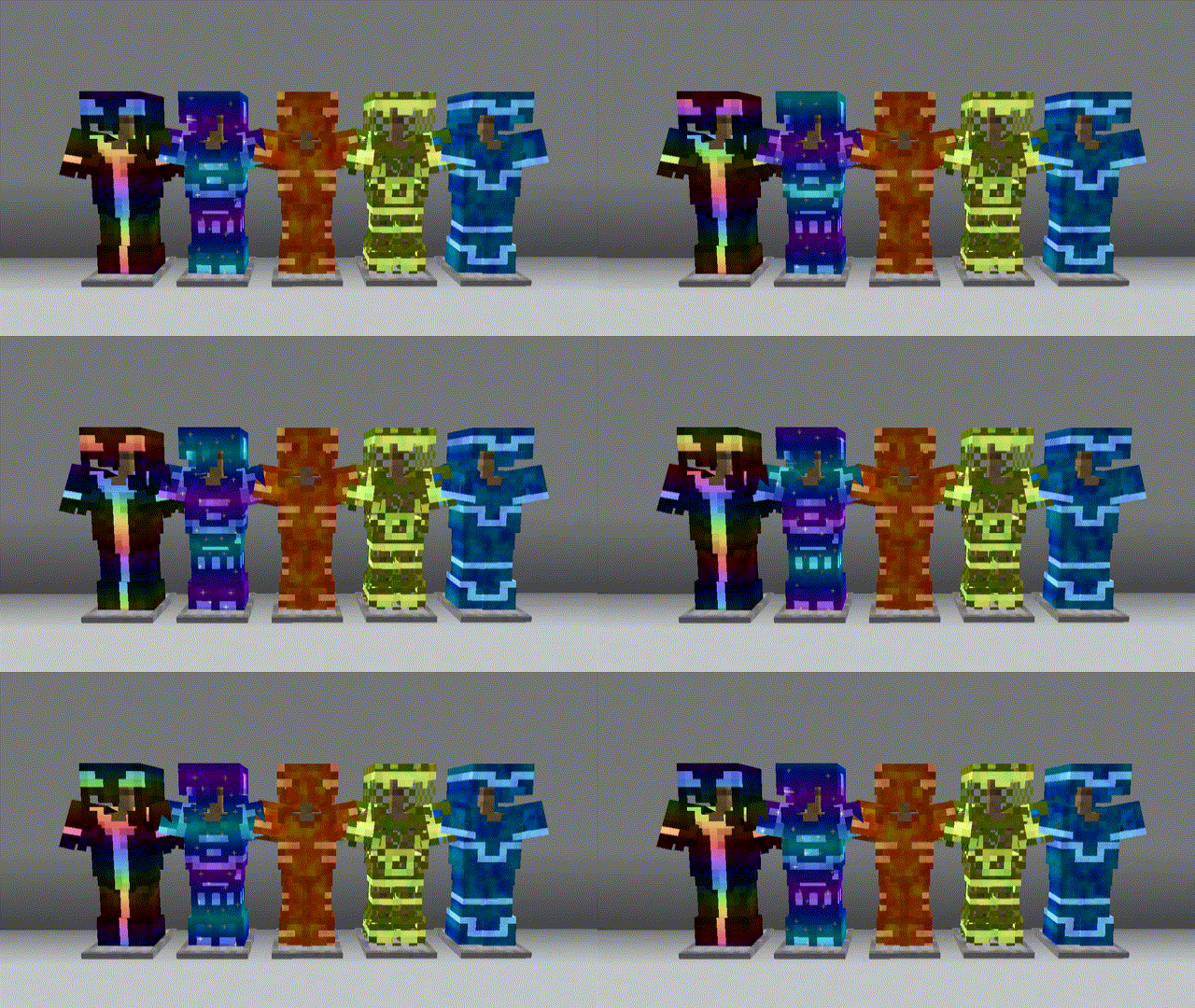
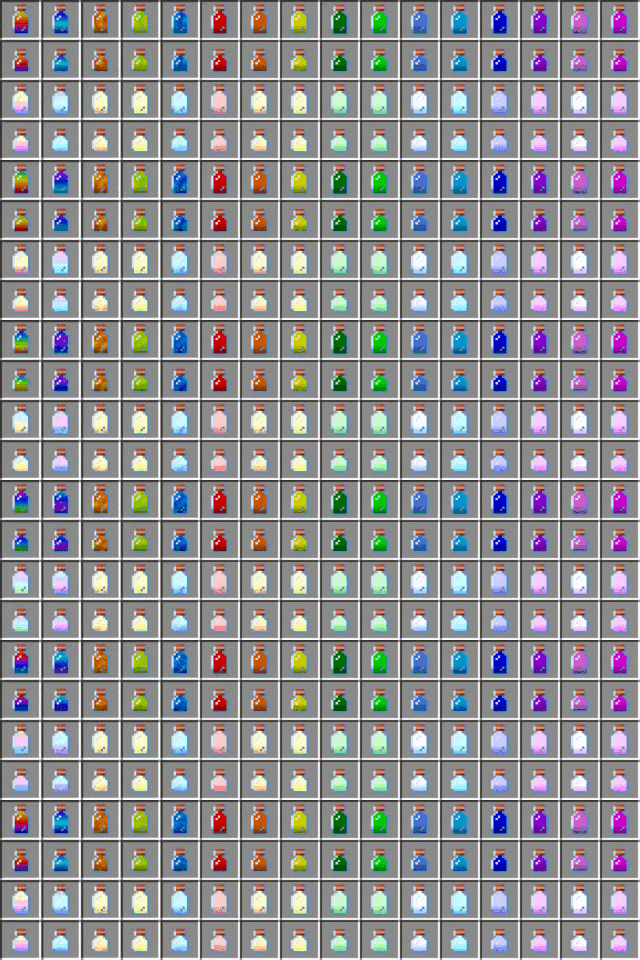
本模组添加了特殊的新型染料,可用于任意盔甲以改变其外观。
使用方法
合成染料
如果你没有安装任何提供配方提示的模组,首先需要通过合成台制作一些染料瓶。
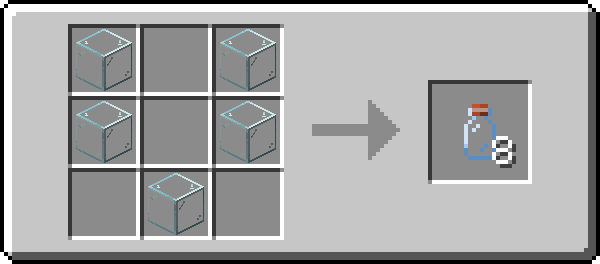
当你进行合成后,你的配方书中应该会显示所有的染料合成配方。
添加染料
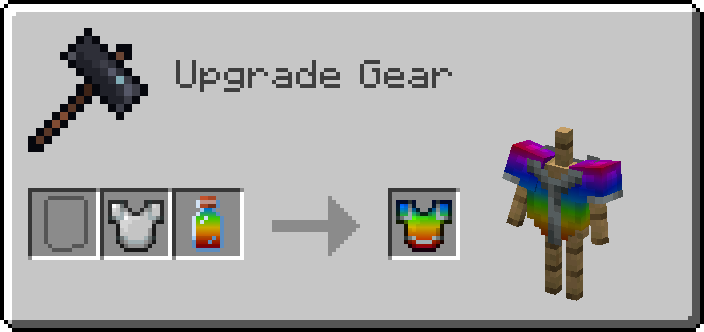
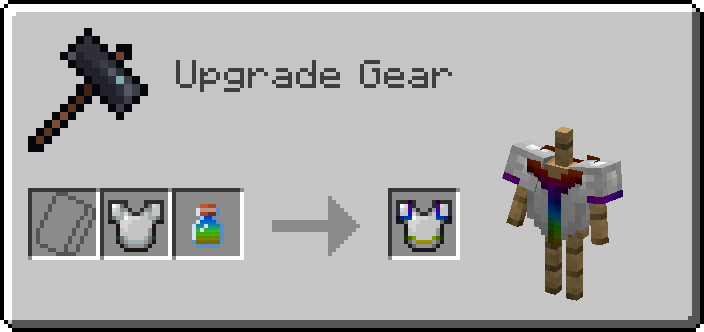
使用锻造台即可为盔甲添加染料。
为盔甲纹饰添加染料
若要为纹饰染色,你需要先将染料放入合成台中,将其转化为小型染料。
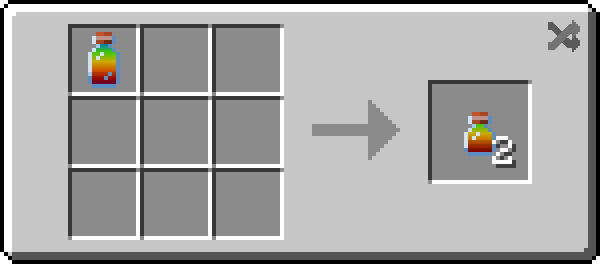
随后,你可以像应用普通染料一样应用这种小型染料!
移除染料
若要移除染料,只需将空瓶与盔甲一同放入锻造台,即可回收你的染料!
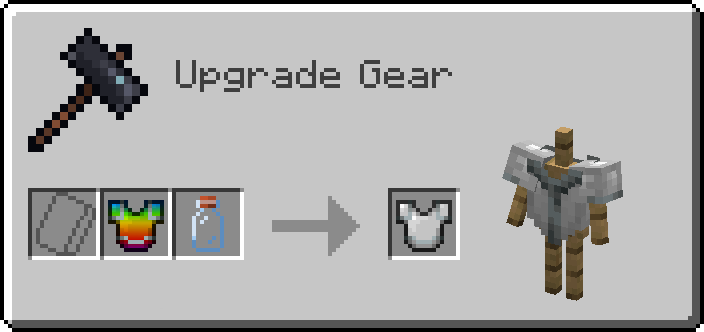
小型染料瓶也可用于回收染色的盔甲纹饰。小型染料瓶的合成方式与小型染料相同。
兼容性
光影
如果你使用了光影,所有未在你的物品栏中渲染的已染色物品将会不可见。这可能是 根本性的不兼容问题,但我未来可能会尝试重新审视并解决此问题。
模组盔甲
它应当能与大多数未进行过于复杂改动的模组盔甲兼容。如果你发现某个模组不兼容,请告诉我!
Fancy Dyes
This mod adds special new dyes, that can be used on any armor to change how they look.
Usage
Crafting Dye
If you're not using some sort of recipe mod, you start off by crafting some dye bottles.
When you craft some, you should get all the dye recipes in your recipe book.
Adding Dye
Dyes are added to armor using a smithing table.
Adding Dye to Armor Trims
To dye the trim, you'll need to put your dye into a Crafting Table to turn it into a small dye.
Then you can apply the dye in the same way you would apply a normal one!
Removing Dye
To remove a dye, simply put an empty bottle into a Smithing Table with the armor to reclaim your dye!
Small dye bottles can used to reclaim dyed armor trims. Small dye bottles are crafted in the same way you craft small dyes.
Compatibility
Shaders
If you use shaders, all dyed items that aren't being rendered in your inventory are invisible. This is probably a fundamental incompatibility, but I may try and revisit this issue in the future.
Modded Armor
It should be compatible with most modded armor that doesn't do anything too crazy. If you find a mod that doesn't work, please let me know!

下载 Fancy Dyes
下载 Fancy Dyes
下载 Fancy Dyes
下载 Fancy Dyes
下载 Fancy Dyes
下载 Fancy Dyes
下载 Fancy Dyes
下载 Fancy Dyes
下载 Fancy Dyes
下载 Fancy Dyes
2.2.2
- 更新 Iris 兼容性至 1.7.0
关于这个资源的讨论、问题反馈与使用心得
还没有讨论,来发第一帖吧
你是这个资源的作者?登录后可认领此资源。
相似资源
 模组

可定制的鞘翅模组,支持装饰纹饰、旗帜图案等更多功能!
 模组

适用于 MC 1.18+ 的 Effekseer 加载器
 模组

新增 50+ 个独特生物群系,为你的世界增添新树木、花卉等更多元素!
 模组

基于 GTCEu 1.12.2 的现代 GregTech
 模组

让你能够在世界中的任何位置定位结构。
 模组

添加睡袋和吊床,分别用于便携性和昼夜转换,同时不会设置新的出生点。共有16种颜色可选!
评论 0
登录后参与评分
还没有评论,来抢沙发吧