
Figura
一款允许你深度自定义玩家模型,并让其他玩家看到你的角色外观的 Minecraft Java 版客户端模组,且无需任何服务器端模组支持!
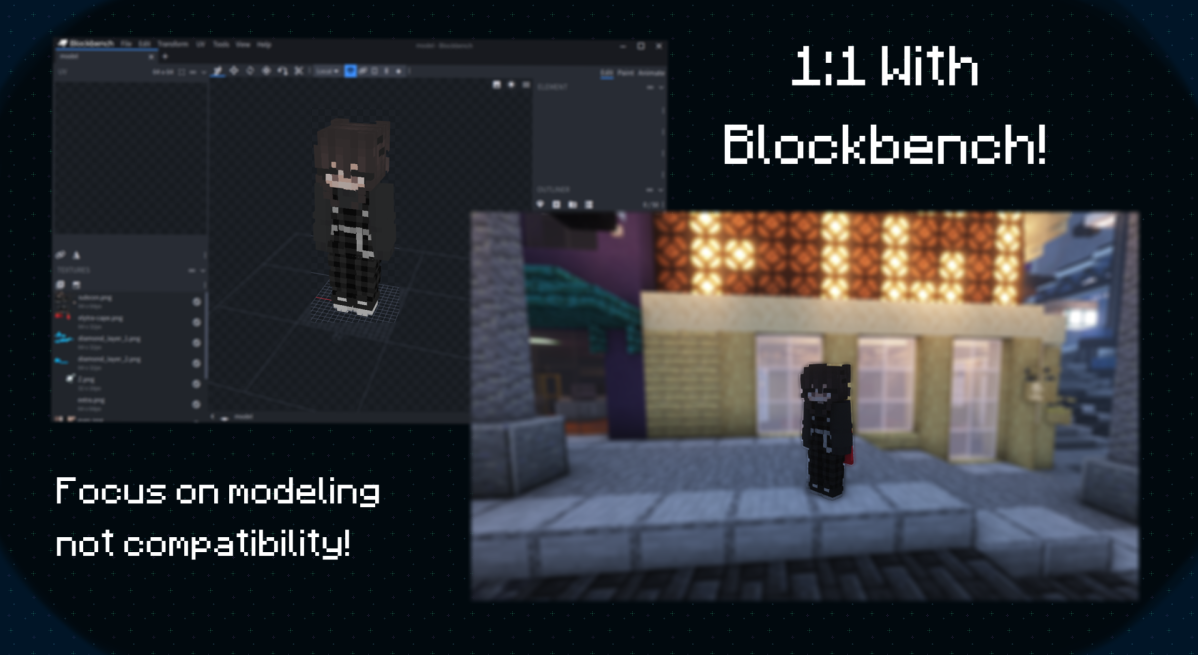
充分利用 Blockbench 的全部潜力。
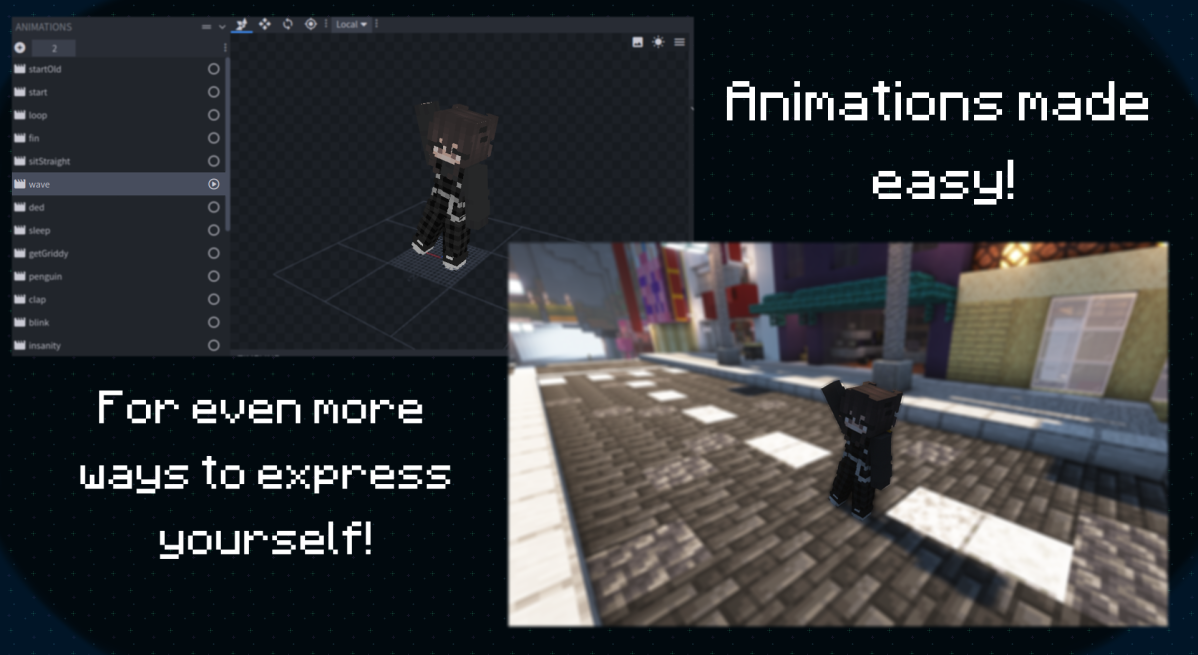
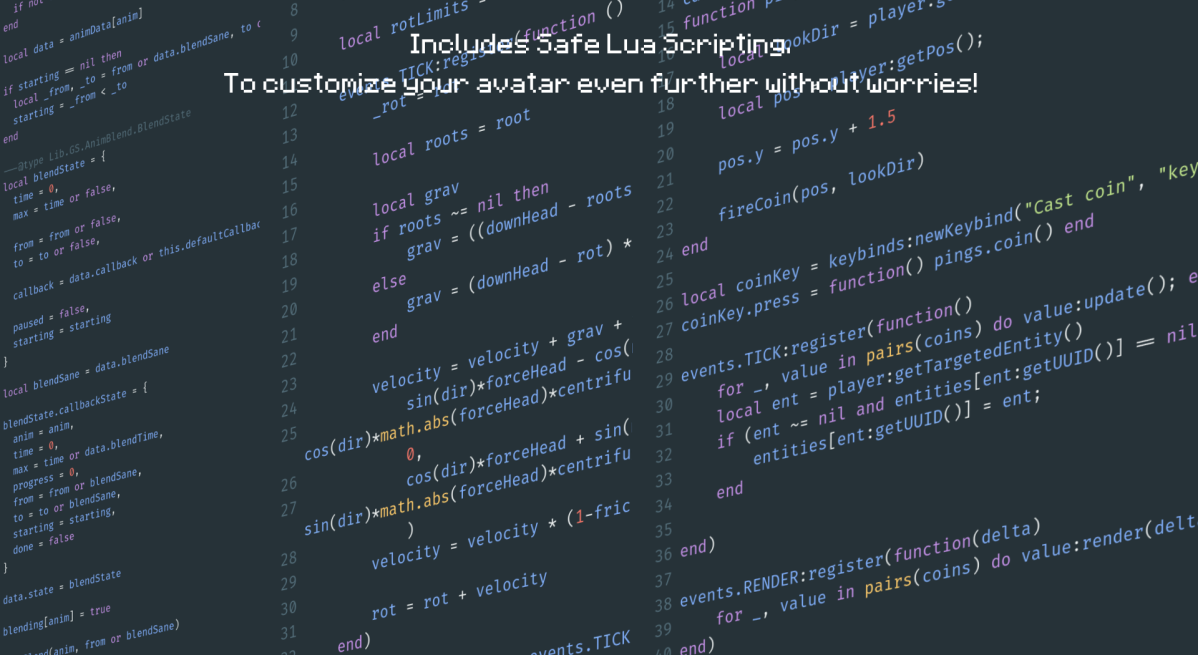
你不仅可以自定义模型,Figura 还提供了可选的 Lua API,让你可以编写自己的脚本!
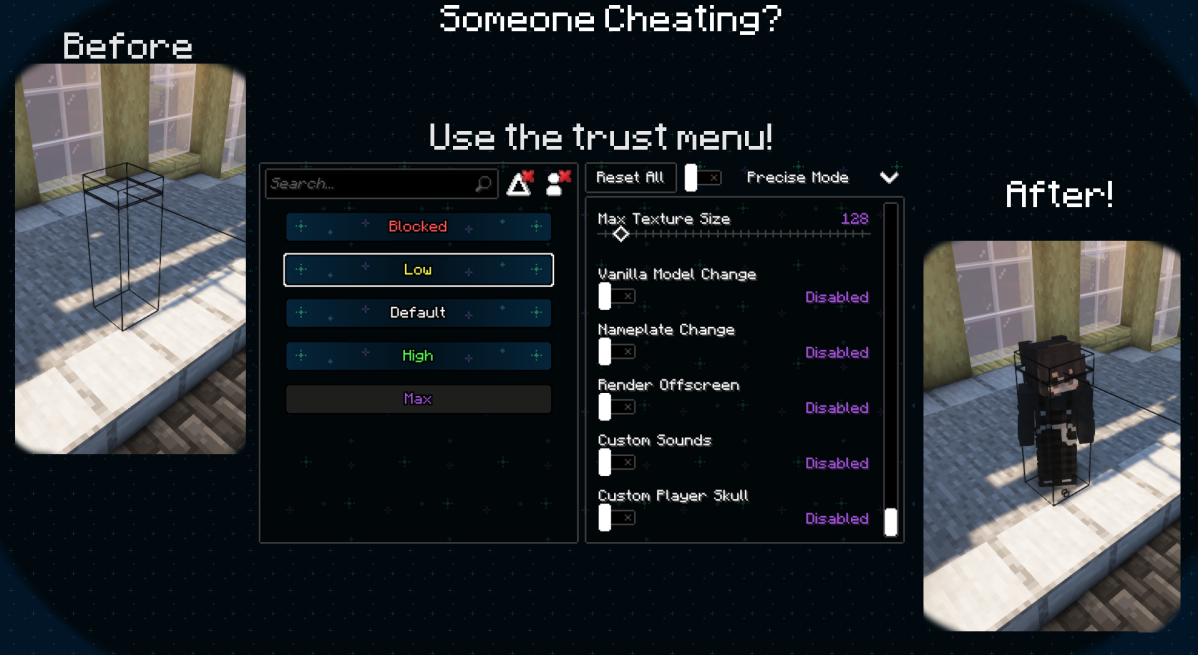
如果某人处于隐身状态或体型非常小怎么办?利用 Figura 强大的权限系统来应对!
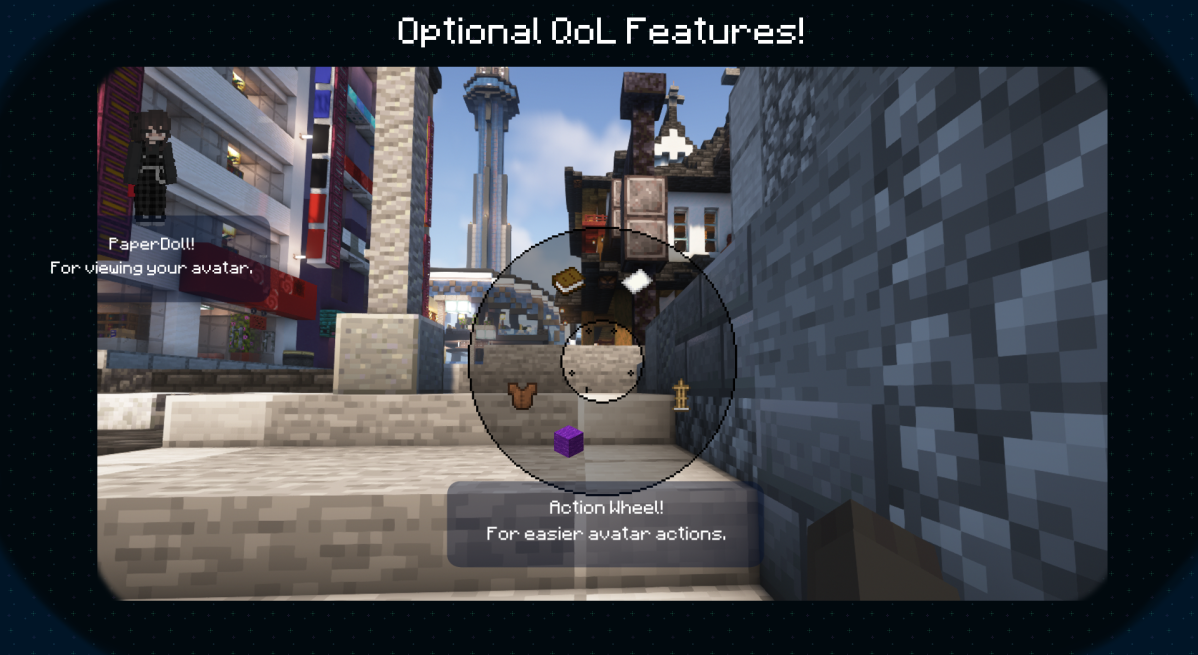
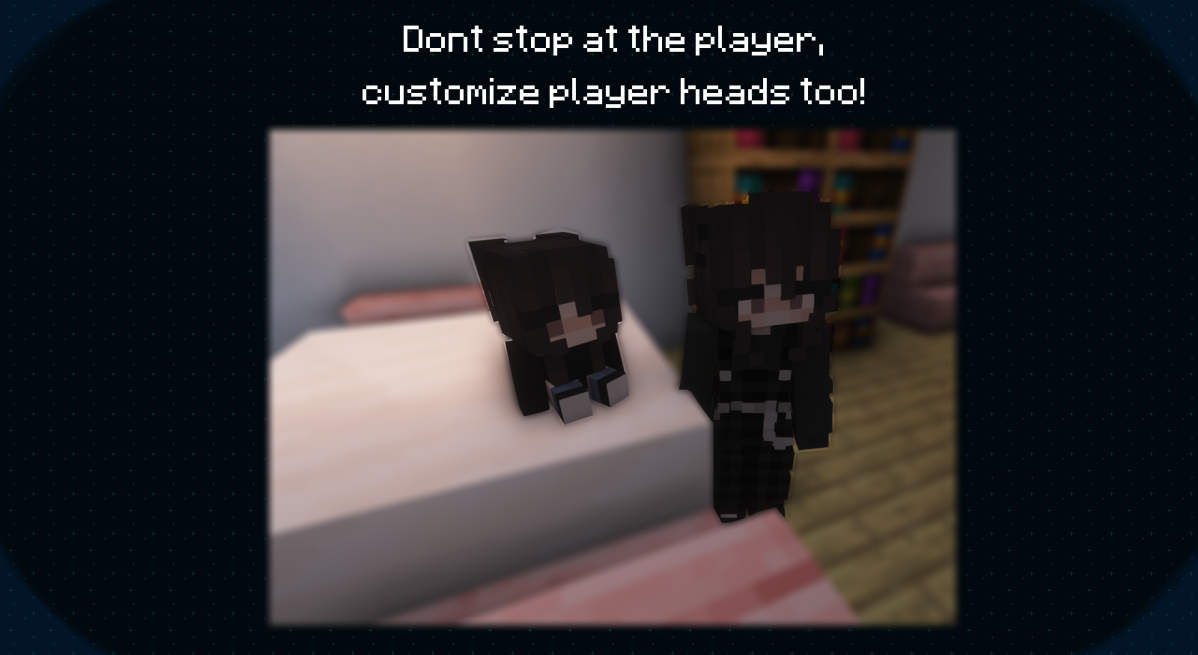
我们还提供了一些额外功能,例如:
加入我们的 FiguraMC Discord 服务器 以获取更多信息和帮助!
在 Weblate 上帮助将 Figura 翻译成你的母语!

链接
社交: 
下载:
捐赠:
资源:
常见问题
• 我的角色模型在 Figura 列表中不显示,但它们明明就在正确的文件夹里?
请检查你的角色模型是否包含一个名为 "avatar.json" 的文件(别忘了检查文件扩展名)
这个文件可以完全为空,只要存在即可让 Figura 将其识别为角色模型
• 如何隐藏原版模型?
在你的脚本顶部添加以下代码:
• 隐藏所有内容(玩家、盔甲、鞘翅、手持物品):
vanilla_model.ALL:setVisible(false)• 仅隐藏玩家:
vanilla_model.PLAYER:setVisible(false)• 仅隐藏盔甲:
vanilla_model.ARMOR:setVisible(false)• 要隐藏其他部分或特定部位,你可以查阅游戏内文档
• 如何播放 Blockbench 动画?
只需在脚本中加入以下代码:
animations.modelName.animationName:play()其中:
"
animations" 是包含所有动画的全局表"
modelName" 是你正在访问动画的模型名称"
animationName" 正如名字所示,即动画名称
• Ping 是什么,我该如何使用它?
Ping 是一种 Lua 函数,会针对所有运行你化身脚本的玩家执行
Ping 由主机玩家发送,可用于同步按键或动作轮盘操作等内容
创建 Ping 的方法如下:
function pings.myPing(arg1, arg2)
  -- ping 被调用时执行的代码
end
而执行 Ping 就像调用 Lua 函数一样简单:
pings.myPing("Hello", "World")请注意,Ping 的内容和大小有限制,并且存在速率限制
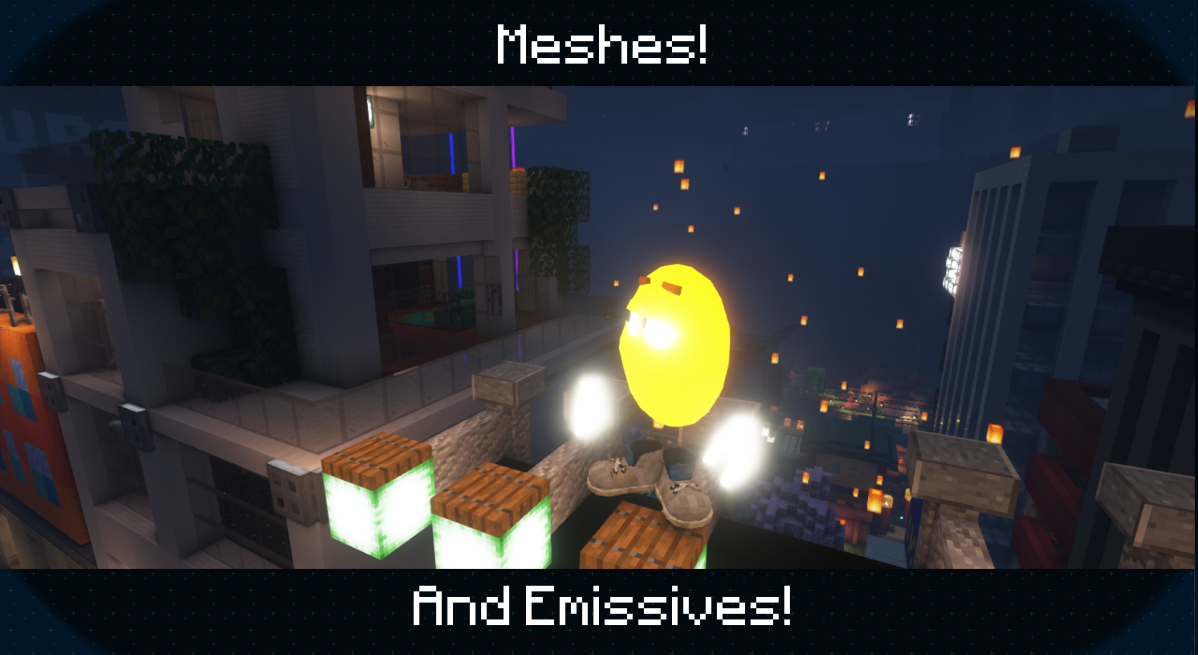
• 如何添加自发光纹理?
将纹理命名为与不发光版本相同的名称,然后在末尾添加
_e别忘了将你不希望发光的区域设置为透明黑色(#00000000),以确保与光影模组兼容
• 我的自发光没有发光效果,也没有 Iris/OptiFine 光影下的泛光(Bloom)效果?
由于部分光影不支持自发光,一个兼容性设置(默认开启)会将自发光纹理的渲染类型更改为全亮模式进行渲染,但这可能会导致一些非预期的结果
你可以通过在模型上使用
EYES渲染类型来强制你的化身使用正确的自发光渲染类型
• 如何在 OptiFine 中使用 Figura?
Figura 可以与 OptiFine 配合使用,但由于其闭源性质,可能会出现一些问题,因此我们仍然建议你尝试使用 Sodium+Iris(Fabric)或 Rubidium+Oculus(Forge)作为替代方案
查看完整的 替代方案列表
• 去哪里下载化身?
目前,你可以在官方 Discord 服务器的展示频道中找到化身(基于网页的和游戏内的浏览器正在开发中!)
• 我的 Minecraft 是破解版(非正版/非原版),或者我正在尝试加入破解的离线模式服务器,为什么不能使用 Figura?
Figura 使用你的账户 UUID 和 Mojang 身份验证来证明你拥有该账户,以避免不受欢迎的/恶意的上传
非正版 Minecraft 账户不与 Mojang 进行身份验证,离线模式服务器也不会报告有效的 UUID,因此既无法上传也无法下载 Figura 化身
社区资源
-
想要学习/入门 Lua 脚本编程? 查看 Manuel 制作的这份 Lua 快速入门指南。
-
如果你厌倦了必须在游戏内才能查看 Wiki,applejuice 将 Wiki 托管为一个 网站。
-
你是 Figura 的新手,正在寻找关于其工作原理的视频教程吗?你应该在 YouTube 上观看 Chloe 的 Figura 教程系列。
-
你使用 VSCode 并希望 Figura 的文档能在编辑器中自动补全吗?GrandpaScout 的 VSDocs. 解决了这个问题。
-
Katt 创建了一个 Blockbench 扩展插件,为 Figura 添加了特殊的模型格式!更多信息请阅读 此处。 - 注意:此插件可在 Blockbench 插件浏览器中找到,并应从那里安装。
-
在 VSCode 扩展浏览器中搜索“Figura”,即可安装 Manuel 的 Figura 扩展插件! 它添加了多个实用功能,包括模型路径的自动补全。
仅在从官方渠道(Modrinth、GitHub Releases 和 Pre-releases、Discord Pre-releases)获取构建版本的情况下,Figura 才可以包含在整合包中,无需事先获得我们的批准。 如有疑问:skyrinadev@gmail.com
Figura
A Minecraft Java client mod that allows you to extensively customize your player model and have other players see your Avatar without requiring any server mods!
Utilizing the full potential of Blockbench.
Not only can you customize your model but Figura also has an optional Lua API to make your own scripts!
What if someone is invisible, or very small? Take advantage of Figura's robust permission system!
We also have some extras, like:
Meet us on the FiguraMC Discord Server for more info and help!\
Help translate Figura to your native language on Weblate!
Links
Social:
Download:
Donate:
Resources:
FAQ
• My avatars don't appear in the Figura list, even though they're in the correct folder?
Check if your avatar has a file called "avatar.json" (don't forget to check file extensions)
This file can be completely empty, it just needs to be present for Figura to recognise it as an avatar
• How do I hide the vanilla model?
At the top of your script, put:
• To hide literally everything (player, armor, elytra, held items):
vanilla_model.ALL:setVisible(false)• To hide only the player:
vanilla_model.PLAYER:setVisible(false)• To hide only armor:
vanilla_model.ARMOR:setVisible(false)• To hide other, or specific parts, you can check the in-game docs
• How do I play a Blockbench Animation?
Simply put this code in your script:
animations.modelName.animationName:play()Where:
"
animations" is the global table which contains all animations"
modelName" is the name of the model you are accessing the animation from"
animationName" is, as the name says, the animation name
• What are Pings and how do I use them?
Pings are Lua functions that are executed for everyone running your avatar's script
Pings are sent from the host player, and can be used to sync things like keypresses or action wheel actions
To create a ping:
function pings.myPing(arg1, arg2)
  -- code to run once the ping is called
end
And to execute the ping, it's as simple as calling a lua function:
pings.myPing("Hello", "World")Note that pings are limited in their content and size, and are rate-limited
• How can I add an emissive texture?
Name the texture the same as the non-emissive counterpart, then add
_eto the endAnd don't forget to set the places you don't want to glow to transparent black (#00000000), to also ensure compatibility with shader mods
• My emissives doesn't glow, nor have bloom with Iris/OptiFine shaders?
Since some shaders do not support emissives, a compatibility setting (default on) will change the render type of emissive textures to render them at it were fullbright, however that can lead to some unintended results
You can force your avatar to use the correct emissive render type by using the render type
EYESon your model
• How can I use Figura with OptiFine?
Figura will work with OptiFine but due to its closed source nature issues might arise, therefore we still recommend you try using Sodium+Iris (Fabric) or Rubidium+Oculus (Forge) instead
Check out the full list of alternatives
• Where can I find Avatars to download?
For now, you can find Avatars in the showcase channel in the official Discord server (A Web Based and In-Game browser is in the works!)
• My Minecraft is cracked (non-premium/non-original) or I'm trying to join a cracked offline mode server, why can't I use Figura?
Figura uses your account's UUID and your Mojang authentication as a way to prove you own that account, avoiding unwanted / malicious uploads
Non-premium Minecraft accounts don't authenticate with Mojang, and Offline mode servers don't report working UUID's, as such can neither upload nor download Figura avatars
Community Resources
-
Want to learn / get into Lua scripting? check out this Lua quickstart made by Manuel.
-
If you are tired of having to be in-game to look in the wiki, applejuice hosts the wiki as a website.
-
Are you new to Figura and are looking for a video tutorial about how everything works? You should probably watch Chloe's Figura tutorial series on YouTube.
-
Do you use VSCode and wish Figura's documentation autocompleted in the editor? GrandpaScout saves the day with their VSDocs.
-
Katt has created a Blockbench extention which adds a special model format for Figura! Read more here. - Note. This plugin is available on the Blockbench plugin browser and should be installed from there.
-
By searching "Figura" in the VSCode extention browser you can install Manuel's Figura extension! It adds multiple useful features including autocomplete for your model paths.
Figura may be included in modpacks without prior approval from us only when using builds obtained from official channels (Modrinth, GitHub Releases and Pre-releases, Discord Pre-releases) For inquiries: skyrinadev@gmail.com

下载 Figura
下载 Figura
下载 Figura
下载 Figura
需要联机服务器吗?
稳定流畅、一键部署,几分钟即可和朋友联机开服
最低仅需 8 元/月 即可畅快联机
下载 Figura
下载 Figura
需要联机服务器吗?
稳定流畅、一键部署,几分钟即可和朋友联机开服
最低仅需 8 元/月 即可畅快联机
下载 Figura
需要联机服务器吗?
稳定流畅、一键部署,几分钟即可和朋友联机开服
最低仅需 8 元/月 即可畅快联机
下载 Figura
下载 Figura
下载 Figura
- 支持 Blockbench 5.0+ 项目文件
- 修复因 Mixin 冲突导致与 Sodium 的崩溃问题 by @Evoloxi
- 阻止上传存在错误的头像
- 修复在 1.16.5 上加载
.zip文件的问题 - 修复光照(
setLight)和覆盖层(setOverlay)泄漏到其他部分及 UI 中的问题 by @Bitslayn - 显著提升了动画中 Lua 的性能,特别是在位置、旋转或缩放关键帧中,以及在指令关键帧中也有一定程度的提升
- 为格式错误的 URL 添加了更清晰的错误提示
- 为在需要
:的对象上错误使用.调用方法提供了更清晰的错误提示 - 修复了 Avatar Wizard 生成的模型无法渲染或被新解析器视为无效的问题
- 修复了
mat2的:invert方法 by @Bitslayn - 基于 2 的文件大小单位(KiB 等) by @poolcritter
- 修复了在 1.21+ 版本中
vectors.toCameraSpace翻转某些轴的问题 by @Bitslayn - FSB 提供的
/figura badgeby @lexize - 修复了 1.21.4 上的 GLINT 渲染类型 by @JimmyHelp
- 在 1.16.5 上不允许嵌套
.zip文件
关于这个资源的讨论、问题反馈与使用心得
还没有讨论,来发第一帖吧
你是这个资源的作者?登录后可认领此资源。
相似资源
 模组

可定制的鞘翅模组,支持装饰纹饰、旗帜图案等更多功能!
 模组

显示你正在注视的方块的信息。(适用于 Minecraft 1.16+ 的 Hwyla/Waila 分支)
 模组
在游戏画面角落显示附近世界地形、玩家、生物和实体的地图。可创建路径点,帮助你找到标记过的位置。
 模组

查看物品与配方
 模组
使用 JavaScript 编辑配方、添加自定义物品、编写世界事件!
 模组
AE2:一款流行的自动化与存储模组
评论 0
登录后参与评分
还没有评论,来抢沙发吧