Gate Keep
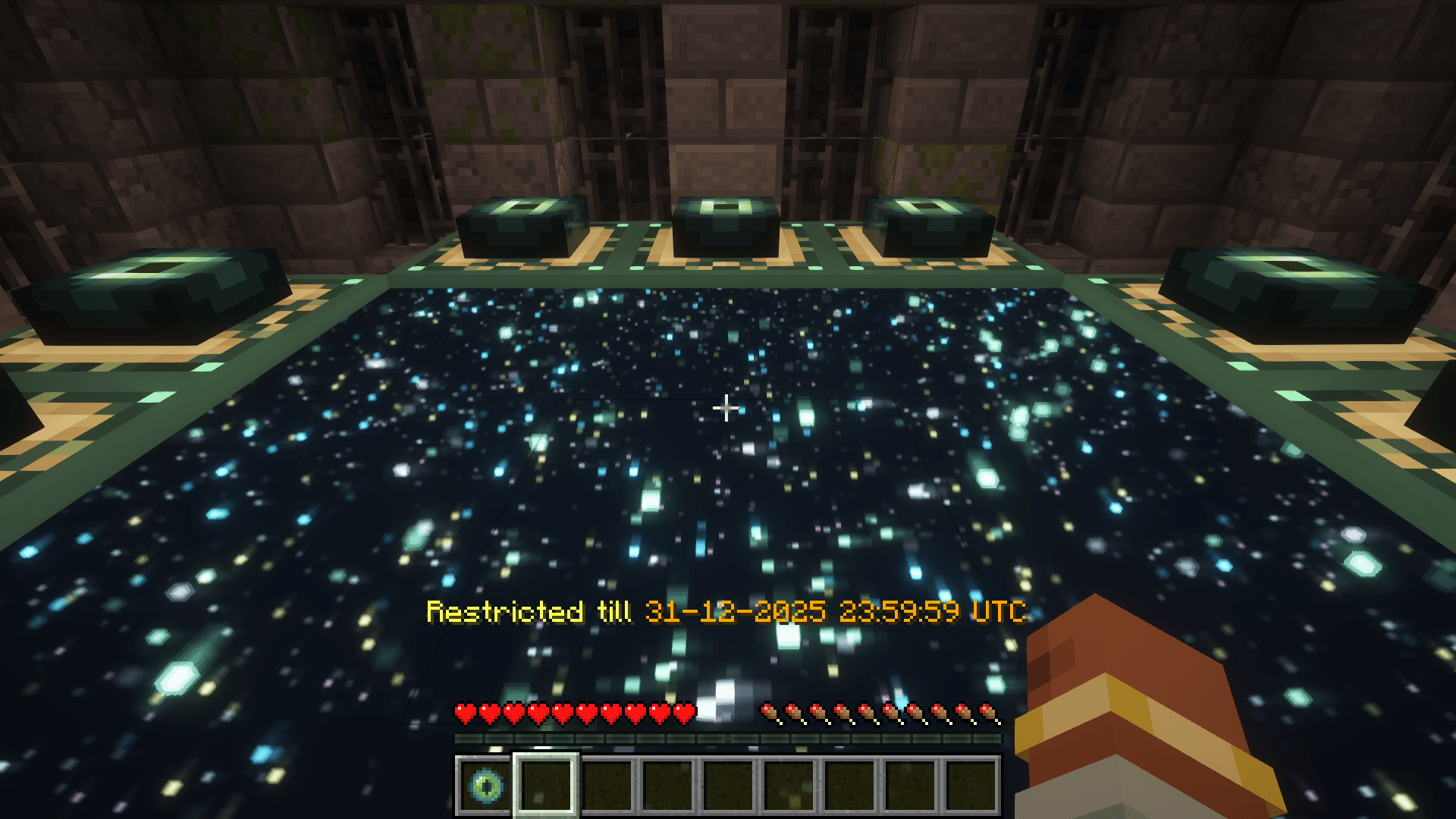
允许服务器管理员控制对各个维度的访问权限。通过 GateKeep,你可以完全禁止进入某些维度,或者设置基于时间的限制,使其在指定的日期和时间自动解锁。
功能
- 维度限制:完全阻止进入任意维度
- 基于时间的限制:安排维度在特定日期和时间解锁
- 自定义消息:配置玩家尝试访问受限维度时收到的消息
- 自动广播:当有时限限制的维度变为可用时,向全服发送公告
配置
GateKeep 使用位于 config/gatekeep.json 的 JSON 配置文件。该配置文件会在模组首次加载时自动生成(如果遇到崩溃或异常行为,请检查配置文件并删除它以生成一个新的)。
配置选项
{
"disabledDimensions": [
"minecraft:the_end"
],
"announce": true,
"restrictedDimensionMessage": "&c%dimension% dimension is restricted",
"timedDimensionRestrictedMessage": "&eRestricted till &6%time%",
"unrestrictedAnnouncementMessage": "&a%dimension% dimension is now open!",
"timeRestrictions": {
"minecraft:the_end": {
"enabled": true,
"timeZone": "UTC",
"unlockDateTime": "2024-12-31T23:59:59"
}
}
}
配置说明
- disabledDimensions:完全禁用的维度列表
- announce:是否在时限维度解锁时进行广播
- restrictedDimensionMessage:玩家尝试访问已禁用维度时显示的消息
- timedDimensionRestrictedMessage:玩家尝试访问有时限限制的维度时显示的消息
- unrestrictedAnnouncementMessage:当时限维度变为可用时广播的消息
- timeRestrictions:具有时间限制的维度列表
- enabled:是否启用时间限制
- timeZone:解锁时间使用的时区(使用标准时区 ID)
- unlockDateTime:维度将解锁的日期和时间(ISO 格式)
消息格式化
消息支持使用 & 字符的 Minecraft 颜色代码:
&0 到 &9,&a 到 &f:颜色
&k:乱码
&l:加粗
&m:删除线
&n:下划线
&o:斜体
&r:重置
在配置消息中,你可以使用以下变量:
%dimension%:将被替换为格式化后的维度名称
%time%:将被替换为格式化后的解锁时间(针对有时限限制的维度)
示例
基本设置:禁用末地
{
"disabledDimensions": ["minecraft:the_end"],
"announce": true,
"timeRestrictions": {}
}
限时地狱
{
"disabledDimensions": [],
"announce": true,
"timeRestrictions": {
"minecraft:the_nether": {
"enabled": true,
"timeZone": "America/New_York",
"unlockDateTime": "2024-06-01T12:00:00"
}
}
}
多重限制
{
"disabledDimensions": ["minecraft:the_end"],
"announce": true,
"timeRestrictions": {
"minecraft:the_nether": {
"enabled": true,
"timeZone": "UTC",
"unlockDateTime": "2024-05-15T18:00:00"
},
"twilightforest:twilight_forest": {
"enabled": true,
"timeZone": "UTC",
"unlockDateTime": "2024-07-22T15:06:20"
}
}
}
工作原理
- 当玩家或实体尝试切换维度(包括通过命令或其他使用 Minecraft 内部代码进行维度旅行的方式)时,模组会检查目标维度是否受到限制
- 如果该维度在
disabledDimensions 列表中,则拒绝访问
- 如果该维度存在尚未到达解锁时间的时限限制,则拒绝访问
- 拥有权限等级 4(操作员)的玩家在创造模式下可以绕过所有限制
- 模组会定期检查时限维度是否已达到解锁时间;这些检查在后台线程运行,以最小化性能影响
- 当时限维度变为可用时,会向所有在线玩家发送公告(如果已启用)
兼容性
GateKeep 应与大多数带有模组的维度以及各种维度旅行形式兼容。

Gate Keep
Allows server admins to control access to dimensions. With GateKeep, you can completely restrict dimensions or set up time-based restrictions that automatically unlock at specific dates and times.
Features
- Dimension Restriction: Completely block access to any dimension
- Time-Based Restrictions: Schedule dimensions to unlock at specific dates and times
- Customizable Messages: Configure the messages players receive when attempting to access restricted dimensions
- Automated Announcements: Server-wide announcements when time-restricted dimensions become available
Configuration
GateKeep uses a JSON configuration file located at config/gatekeep.json. The config file is created automatically when the mod is first loaded (in-case of a crash or mis-behavior re-check the config and deleting it and generating a fresh one)
Configuration Options
{
"disabledDimensions": [
"minecraft:the_end"
],
"announce": true,
"restrictedDimensionMessage": "&c%dimension% dimension is restricted",
"timedDimensionRestrictedMessage": "&eRestricted till &6%time%",
"unrestrictedAnnouncementMessage": "&a%dimension% dimension is now open!",
"timeRestrictions": {
"minecraft:the_end": {
"enabled": true,
"timeZone": "UTC",
"unlockDateTime": "2024-12-31T23:59:59"
}
}
}
Configuration Explanation
- disabledDimensions: List of dimensions that are completely disabled
- announce: Whether to announce when time-restricted dimensions unlock
- restrictedDimensionMessage: Message displayed when a player tries to access a disabled dimension
- timedDimensionRestrictedMessage: Message displayed when a player tries to access a time-restricted dimension
- unrestrictedAnnouncementMessage: Message announced when a time-restricted dimension becomes available
- timeRestrictions: List of dimensions with time-based restrictions
- enabled: Whether the time restriction is active
- timeZone: Time zone for the unlock time (uses standard time zone IDs)
- unlockDateTime: Date and time when the dimension will unlock (ISO format)
Message Formatting
Messages support Minecraft color codes using the & character:
&0 to &9, &a to &f: Colors
&k: Obfuscated
&l: Bold
&m: Strikethrough
&n: Underline
&o: Italic
&r: Reset
In the configuration messages, you can use the following variables:
%dimension%: Will be replaced with the formatted dimension name
%time%: Will be replaced with the formatted unlock time (for time-restricted dimensions)
Examples
Basic Setup: Disable The End
{
"disabledDimensions": ["minecraft:the_end"],
"announce": true,
"timeRestrictions": {}
}
Time-Restricted Nether
{
"disabledDimensions": [],
"announce": true,
"timeRestrictions": {
"minecraft:the_nether": {
"enabled": true,
"timeZone": "America/New_York",
"unlockDateTime": "2024-06-01T12:00:00"
}
}
}
Multiple Restrictions
{
"disabledDimensions": ["minecraft:the_end"],
"announce": true,
"timeRestrictions": {
"minecraft:the_nether": {
"enabled": true,
"timeZone": "UTC",
"unlockDateTime": "2024-05-15T18:00:00"
},
"twilightforest:twilight_forest": {
"enabled": true,
"timeZone": "UTC",
"unlockDateTime": "2024-07-22T15:06:20"
}
}
}
How It Works
- When a player or entity attempts to change dimensions including through commands or other means that use minecrafts internal code to travel through dimensions, the mod checks if the destination dimension is restricted
- If the dimension is in the
disabledDimensions list, access is denied
- If the dimension has a time restriction that hasn't passed its unlock time, access is denied
- Players with permission level 4 (operators) can bypass all restrictions when in creative mode
- The mod regularly checks if time-restricted dimensions have reached their unlock time, these checks run on a background thread to minimize performance impact
- When a time-restricted dimension becomes available, an announcement is sent to all online players (if enabled)
Compatibility
GateKeep should be compatible with most modded dimensions and forms of dimensional travel.
评论 0
登录后参与评分
还没有评论,来抢沙发吧