
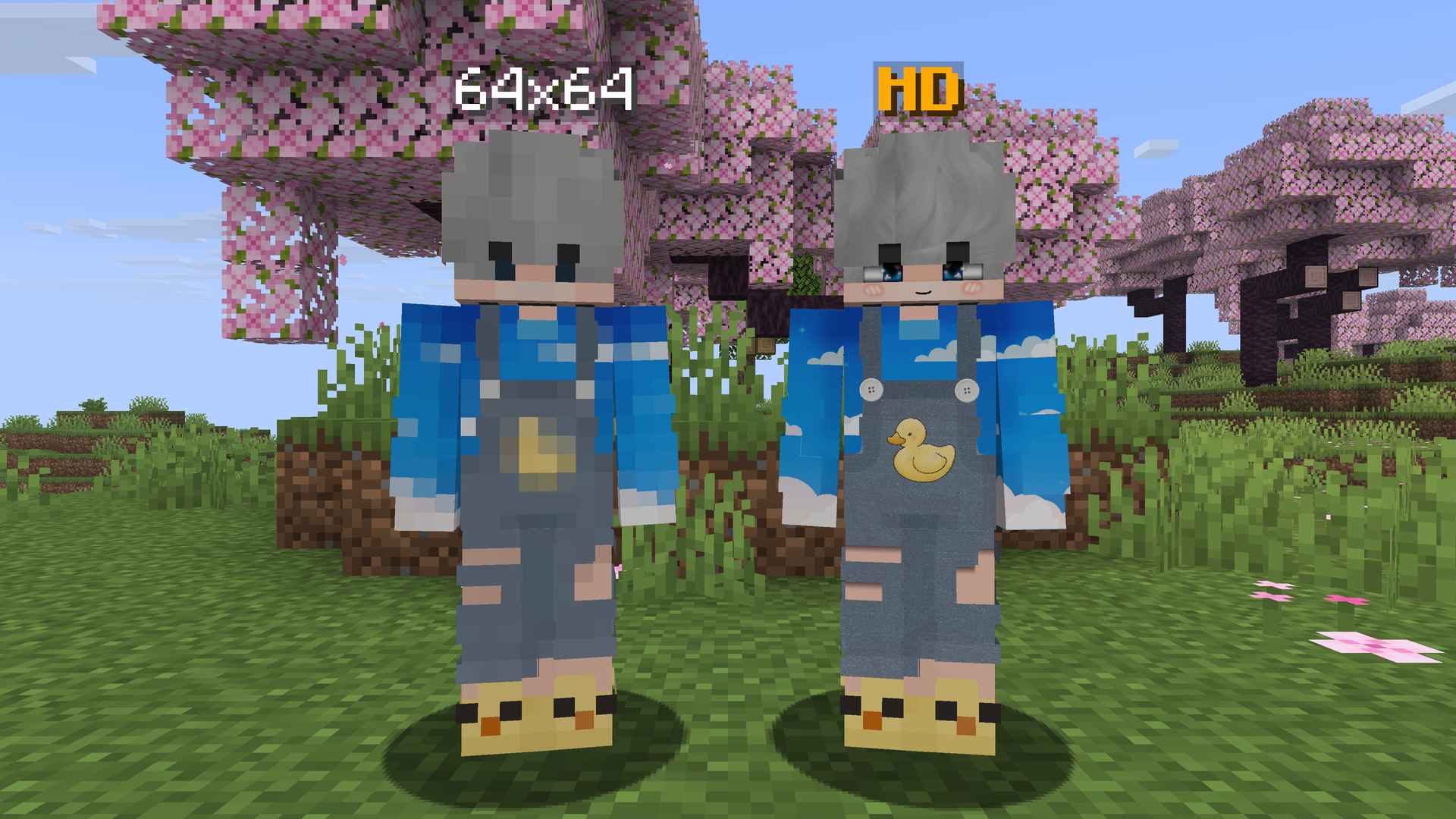
Minecraft 皮肤支持最高 2048x2048 像素,而非传统的 64x64。只需上传一次高清皮肤,所有安装了 HDSkins 的玩家在任何服务器中都能看到它。
什么是 HDSkins?
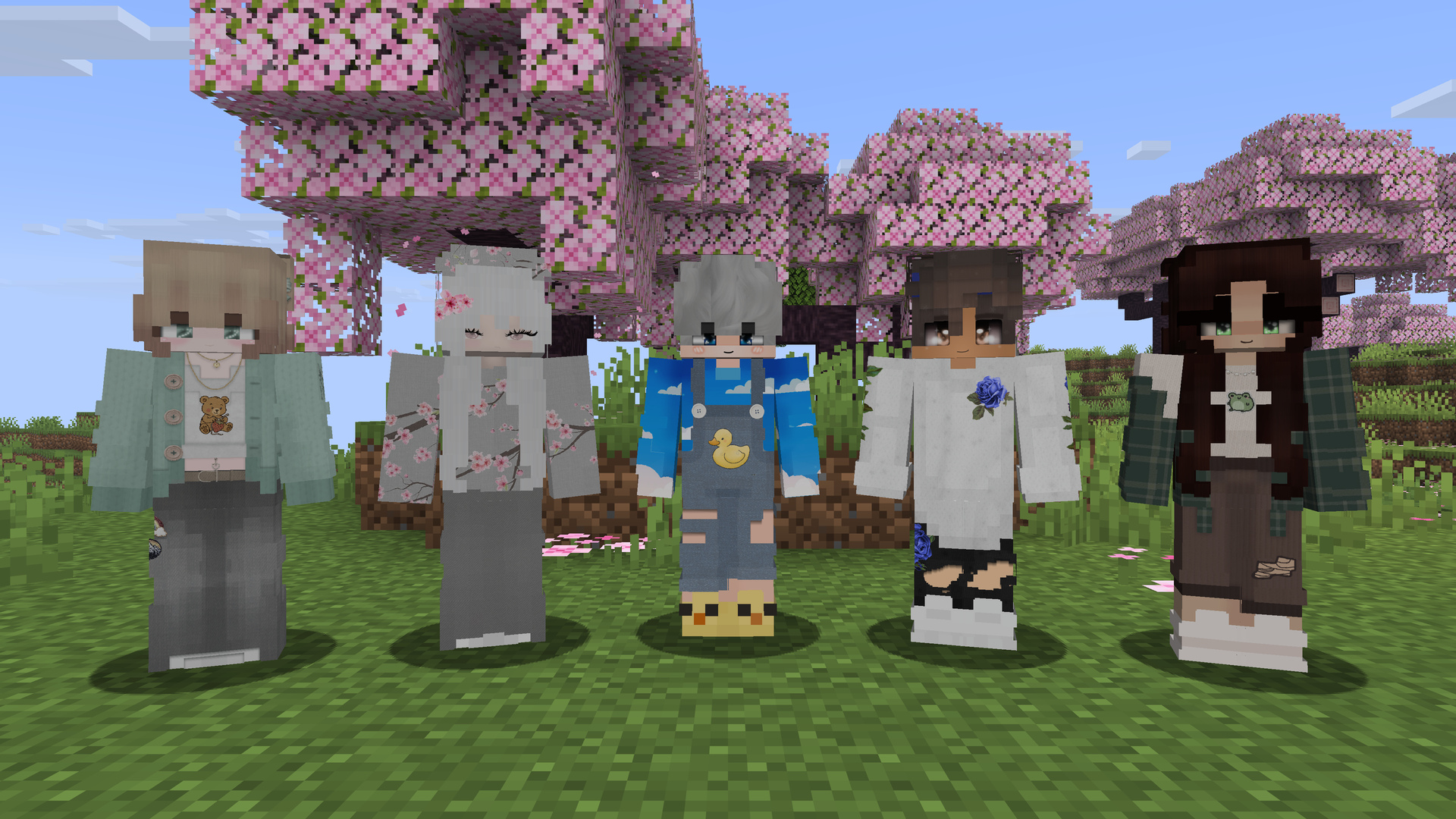
普通的 Minecraft 皮肤分辨率为 64x64 像素。使用 HDSkins 后,你的皮肤分辨率最高可达 2048x2048 像素,每边的分辨率是原来的 32 倍。面部、头发、衣物和小细节依然清晰锐利,而不会变成模糊的大色块。
你在 hdskins.de 上传皮肤后,模组会在游戏中显示它:适用于任何多人服务器和单人游戏。同时支持经典版(Classic)和纤细版(Slim)手臂模型。
你看到他们的,他们看到你的
HDSkins 是一个共享网络。这个 Fabric 模组和 LabyMod 的 HDSkins 插件使用相同的后端,因此:
- 在 Fabric 或 LabyMod 上,你可以看到周围所有使用 HDSkins 玩家的高清皮肤;
- 他们也能看到你的高清皮肤;
- 未安装 HDSkins 的玩家看到的仍是你的普通 Minecraft 皮肤,对他们没有任何影响。
无需服务器插件。一切处理都在客户端完成,因此 HDSkins 兼容所有服务器。截至目前,HDSkins 上已有超过 300,000 名注册用户,其中超过 15,000 人使用了高清皮肤。
快速上手
- 安装 HDSkins 和 Fabric API,然后启动 Minecraft。HDSkins 会自动使用你的 Minecraft 账号登录,无需单独注册。
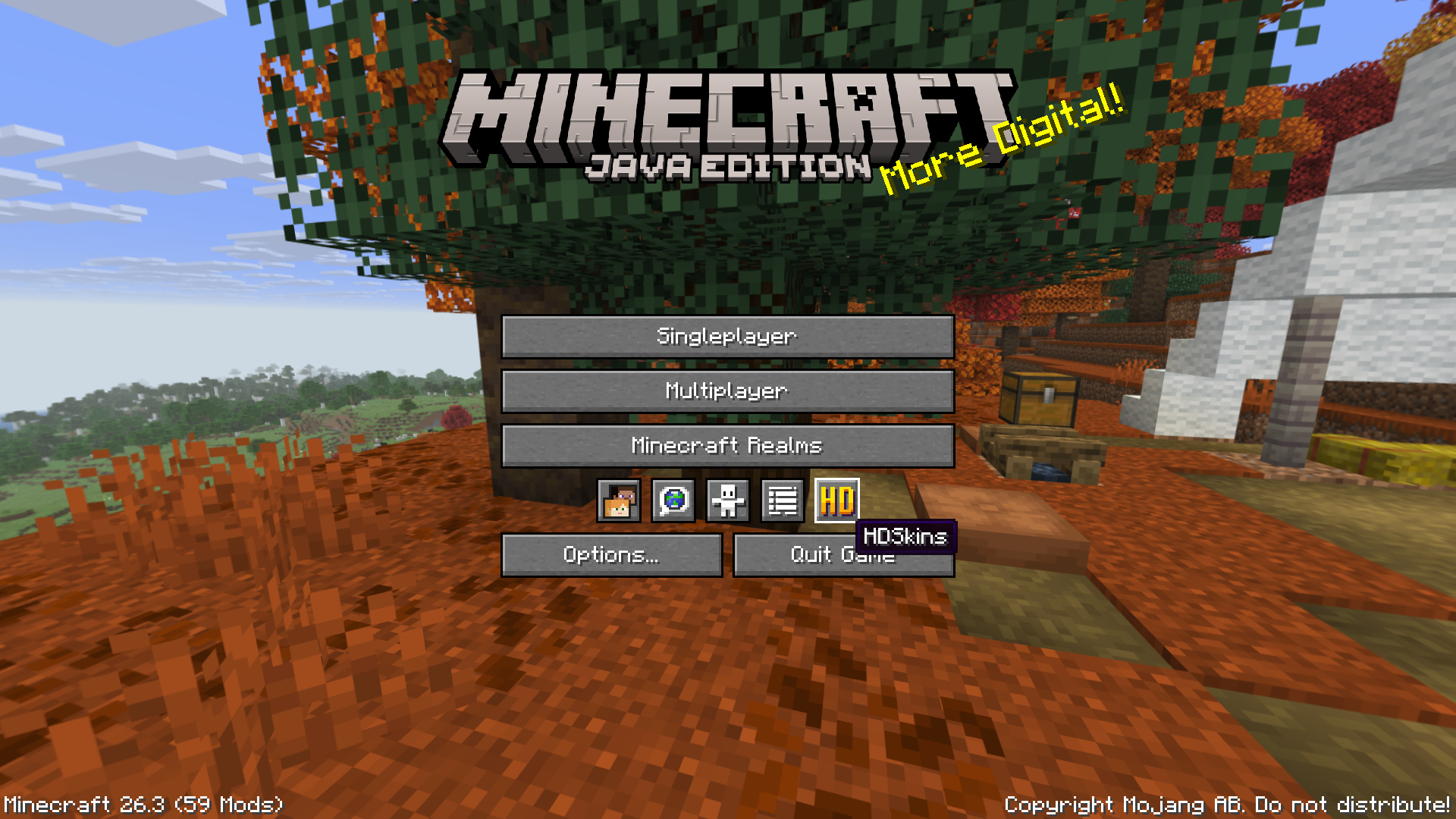
- 打开 HDSkins:在主菜单或暂停菜单中点击 HD 图标。
提示: 如果某个模组或客户端用自定义界面替换了原版菜单,HD 图标可能会消失。此时只需在聊天栏输入
/hdskins即可。 - 上传你的皮肤: 点击 Open dashboard (upload your skin)(打开仪表板/上传你的皮肤)。浏览器会打开已登录状态的 HDSkins 仪表板页面。上传你的 PNG 文件,皮肤即可在游戏中生效。
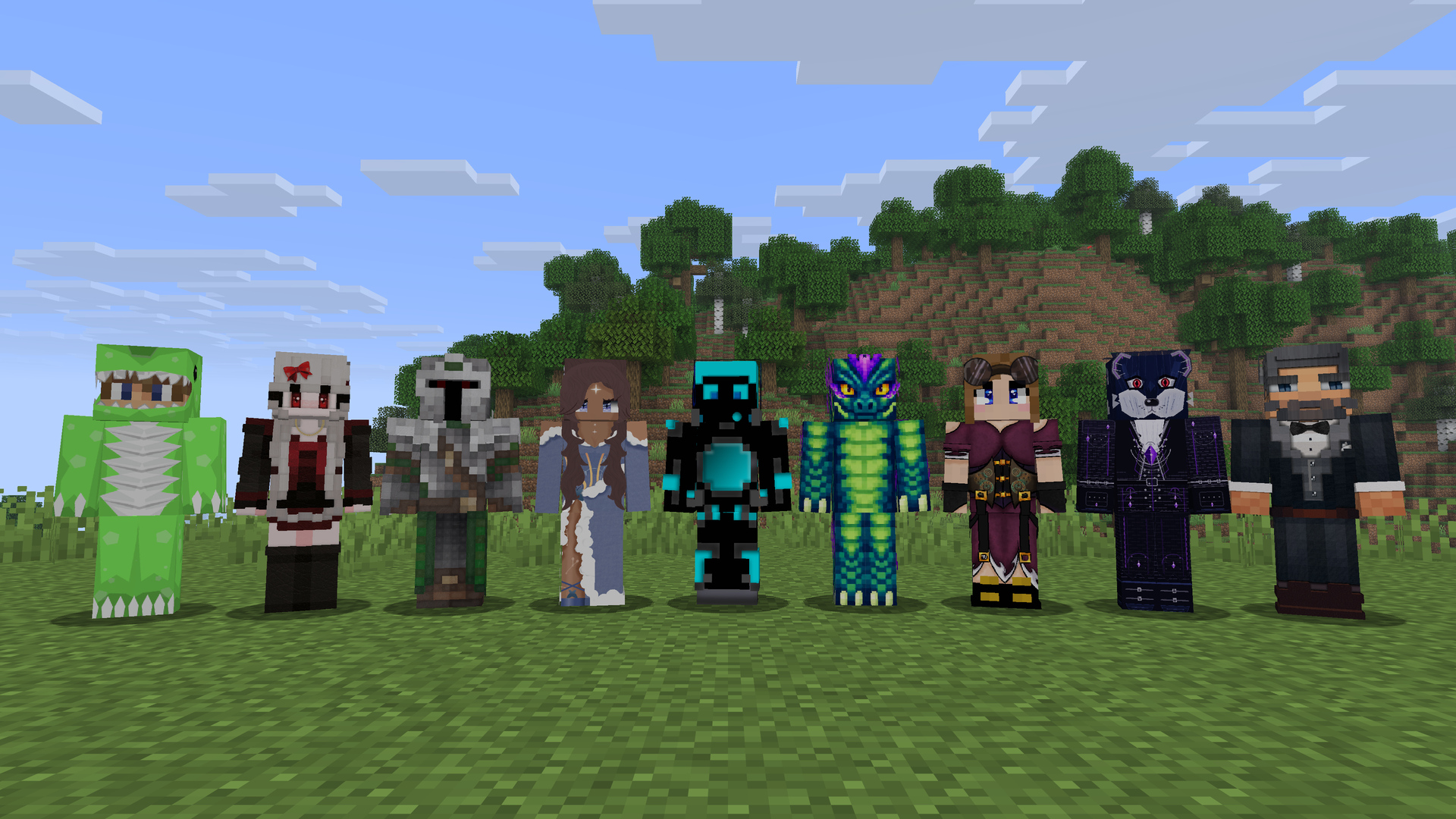
还没有皮肤?浏览 皮肤画廊 或在 Discord 社区询问。
功能特性
- 支持从 128x128 到 2048x2048 像素的高清皮肤,兼容经典版或纤细版手臂
- 皮肤更改实时生效,无需重新加入服务器
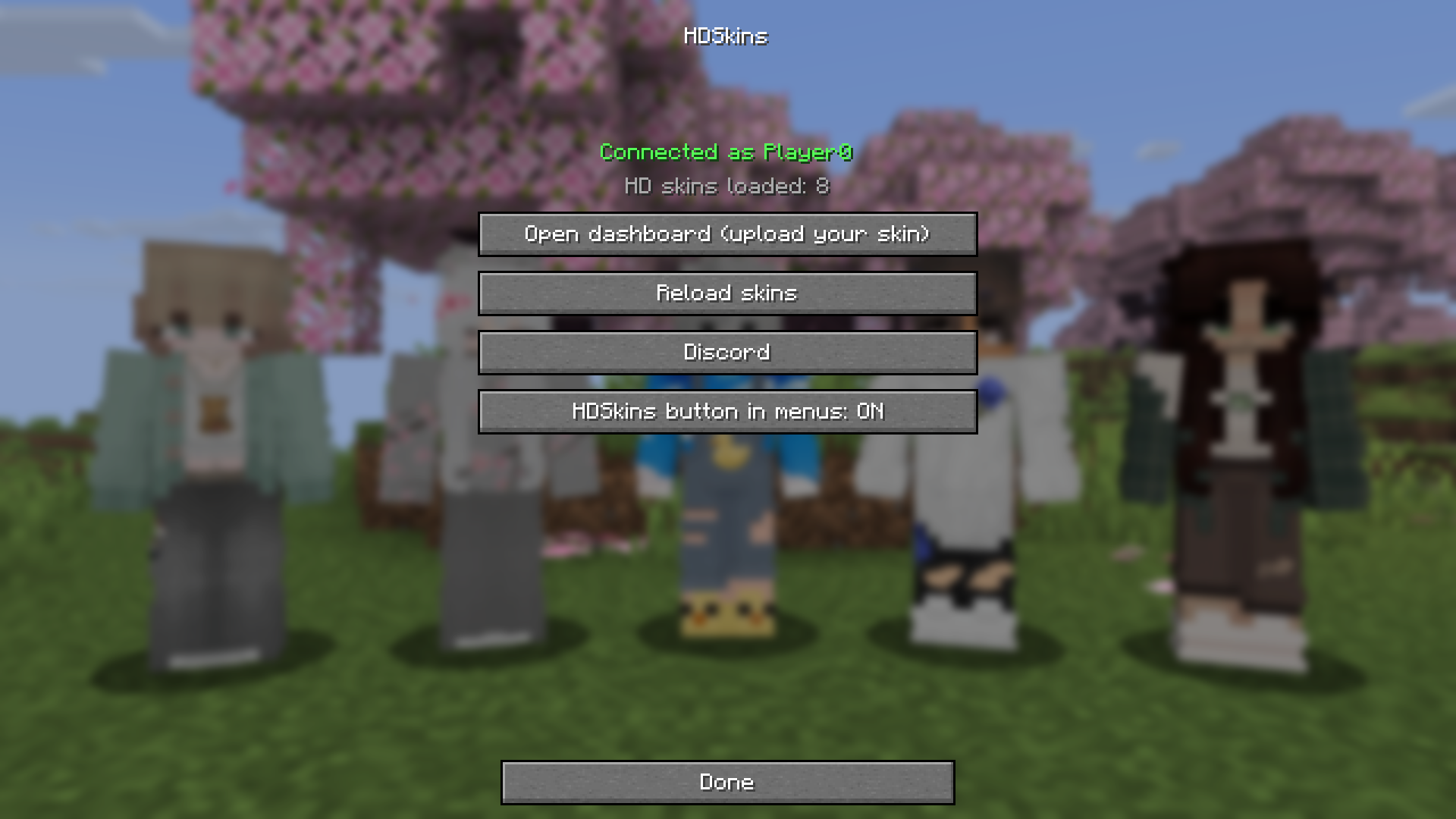
- HDSkins 界面:显示连接状态(“Connected as YourName”)、已加载的高清皮肤数量、一键登录仪表板、Reload skins(重新加载皮肤)按钮以及 Discord 按钮
- 后台自动连接,启动游戏时不会因等待 HDSkins 而卡顿
- 断线或切换 Minecraft 账号后自动重连
- 提供英文和德文翻译
- 仅客户端运行
兼容性
- Minecraft: 请在 Versions(版本)选项卡中选择对应你 Minecraft 版本的文件。所有文件功能一致。
- 加载器: Fabric。
- 依赖项: Fabric API。无需其他模组。
- 可选依赖: Mod Menu。其 Configure(配置)按钮可打开 HDSkins 界面。
- 服务器: 无需安装任何内容,HDSkins 仅在客户端运行。
- 替换菜单的模组和客户端(自定义主菜单、菜单美化模组如 FancyMenu,或 Lunar Client 等客户端):这些界面中可能缺少 HD 图标。在聊天栏输入
/hdskins即可,此方法始终有效。 - 3D Skin Layers: 根据其官方常见问题解答,该模组不支持高清皮肤。
常见问题
其他玩家需要安装 HDSkins 才能看到我的皮肤吗?
是的。只有安装了 HDSkins(即本模组或 LabyMod 插件)的玩家能看到你的高清皮肤。其他人看到的是你的普通 Minecraft 皮肤。
服务器需要安装插件吗?
不需要。HDSkins 仅在客户端运行,适用于所有服务器及单人游戏。
我可以上传多大尺寸的皮肤?
支持 128x128 至 2048x2048 像素的 PNG 皮肤,边长必须为 2 的幂次方(128、256、512、1024 或 2048)。通常使用的 HD 尺寸为 1024x1024,文件大小上限为 2 MB。详情请参阅 上传指南。
HDSkins 免费吗?
是的。上传高清皮肤和查看他人的高清皮肤均免费。网站提供的可选 HDSkins Premium 服务会增加额外功能,例如最多六个皮肤档案、私密皮肤以及更大的文件大小限制。
我需要下载哪个文件?
选择与你 Minecraft 版本匹配的文件。Modrinth App 和大多数启动器会自动为你选择。
我的 Minecraft 版本没有列出。
这意味着目前尚无对应版本的 HDSkins 文件。请在 Discord 上咨询。
某个模组或客户端替换了我的菜单,我找不到 HD 图标。如何打开 HDSkins?
在聊天栏输入 /hdskins,或输入 /hdskins dashboard 直接跳转到上传页面。
我更改了皮肤,但看到的仍是旧版本。
更改通常会自动实时生效。如果没有,请打开 HDSkins 并点击 Reload skins(重新加载皮肤)。
HDSkins 是否支持账号切换器?
支持。当你切换账号时,HDSkins 会自动使用新账号重新登录。
链接
- 官网:hdskins.de
- 皮肤画廊:hdskins.de/skins
- Discord(支持与社区):discord.hdskins.de
- 上传指南:hdskins.de/guidelines
- 隐私政策:hdskins.de/privacy
Minecraft skins with up to 2048x2048 pixels instead of 64x64. Upload your HD skin once, and everyone with HDSkins sees it on any server.
What is HDSkins?
A normal Minecraft skin has 64x64 pixels. With HDSkins your skin can have up to 2048x2048 pixels, 32 times the resolution on each side. Faces, hair, clothes and small details stay sharp instead of turning into big blocks.
You upload your skin on hdskins.de, and the mod shows it in game: on any multiplayer server and in singleplayer. Classic and slim arms are both supported.
You see theirs, they see yours
HDSkins is a shared network. This Fabric mod and the HDSkins addon for LabyMod use the same backend, so:
- you see the HD skins of every player around you who uses HDSkins, on Fabric or on LabyMod,
- they see your HD skin,
- players without HDSkins see your normal Minecraft skin, so nothing breaks for them.
No server plugin is needed. Everything happens on the client, so HDSkins works on every server. More than 300,000 players have registered on HDSkins so far, and over 15,000 of them wear an HD skin.
Getting started
- Install HDSkins and Fabric API, then start Minecraft. HDSkins logs in with your Minecraft account automatically, there is nothing to register.
- Open HDSkins with the HD icon in the title screen or the pause menu.
Tip: If a mod or client replaces the vanilla menus with its own screens, the HD icon may be missing. Just type
/hdskinsin chat. - Upload your skin: click Open dashboard (upload your skin). Your browser opens the HDSkins dashboard, already logged in. Upload your PNG, and it shows up in game.
No skin yet? Browse the skin gallery or ask the community on Discord.
Features
- HD skins from 128x128 up to 2048x2048 pixels, with classic or slim arms
- Skin changes show up live, without rejoining the server
- HDSkins screen with your connection status ("Connected as YourName"), the number of loaded HD skins, one-click login to the dashboard, Reload skins and a Discord button
- Connects in the background, so the game never waits for HDSkins while starting
- Reconnects on its own after a connection loss or when you switch Minecraft accounts
- English and German translation
- Client side only
Compatibility
- Minecraft: pick the file for your Minecraft version in the Versions tab. All files have the same features.
- Loader: Fabric.
- Required: Fabric API. No other mod is required.
- Optional: Mod Menu. Its Configure button opens the HDSkins screen.
- Servers: nothing to install, HDSkins runs only on the client.
- Mods and clients that replace the menus (custom main menus, menu overhaul mods such as FancyMenu, or clients like Lunar Client): the HD icon may be missing there. Type
/hdskinsin chat, that always works. - 3D Skin Layers: according to its own FAQ, it does not support HD skins.
FAQ
Do other players need HDSkins to see my skin?
Yes. Players with HDSkins (this mod or the LabyMod addon) see your HD skin. Everyone else sees your normal Minecraft skin.
Does the server need a plugin?
No. HDSkins runs only on the client and works on every server and in singleplayer.
Which skin sizes can I upload?
PNG skins from 128x128 up to 2048x2048 pixels, with the side length a power of two (128, 256, 512, 1024 or 2048). 1024x1024 is the usual HD size, files can be up to 2 MB. Details are in the upload guidelines.
Is HDSkins free?
Yes. Uploading your HD skin and seeing other HD skins is free. The optional HDSkins Premium on the website adds extras, such as up to six skin profiles, private skins and larger files.
Which file do I need?
The one that matches your Minecraft version. The Modrinth App and most launchers pick it for you.
My Minecraft version is not listed.
Then there is no HDSkins file for it yet. Ask on Discord.
A mod or client replaces my menus and I can't find the HD icon. How do I open HDSkins?
Type /hdskins in chat, or /hdskins dashboard to go straight to the upload page.
I changed my skin, but I still see the old one.
Changes usually appear live. If not, open HDSkins and click Reload skins.
Does HDSkins work with account switchers?
Yes. When you switch accounts, HDSkins logs in again with the new account automatically.
Links
- Website: hdskins.de
- Skin gallery: hdskins.de/skins
- Discord (support and community): discord.hdskins.de
- Upload guidelines: hdskins.de/guidelines
- Privacy policy: hdskins.de/privacy

下载 HDSkins
下载 HDSkins
下载 HDSkins
下载 HDSkins
下载 HDSkins
下载 HDSkins
下载 HDSkins
下载 HDSkins
需要联机服务器吗?
稳定流畅、一键部署,几分钟即可和朋友联机开服
最低仅需 8 元/月 即可畅快联机
下载 HDSkins
需要联机服务器吗?
稳定流畅、一键部署,几分钟即可和朋友联机开服
最低仅需 8 元/月 即可畅快联机
下载 HDSkins
- 新增 HDSkins 界面:可查看你的连接状态以及已加载的 HD 皮肤数量,还可打开仪表板上传你的皮肤、重新加载所有皮肤或加入我们的 Discord。
- 可通过主标题画面和暂停菜单中的 HD 图标、选项 > 皮肤自定义、Mod Menu、命令
/hdskins或在控制设置中绑定的按键来打开该界面。使用/hdskins dashboard可直接打开仪表板。 - 菜单图标不会遮挡其他按钮,且可在 HDSkins 界面中隐藏。
- 在游戏运行期间切换 Minecraft 账号时,会自动使用新账号登录 HDSkins。
- 降低内存占用:当你重新加载皮肤或离开服务器时,不再显示的 HD 皮肤所占用的内存会被释放。
- 修复了部分皮肤无法加载的问题。
- 提供英文和德文翻译。
- 无需安装其他任何皮肤模组即可正常运行;仅需要 Fabric API,Mod Menu 为可选。
关于这个资源的讨论、问题反馈与使用心得
还没有讨论,来发第一帖吧
你是这个资源的作者?登录后可认领此资源。
相似资源
 模组

可定制的鞘翅模组,支持装饰纹饰、旗帜图案等更多功能!
 模组

显示你正在注视的方块的信息。(适用于 Minecraft 1.16+ 的 Hwyla/Waila 分支)
 模组
在游戏画面角落显示附近世界地形、玩家、生物和实体的地图。可创建路径点,帮助你找到标记过的位置。
 模组
使用 JavaScript 编辑配方、添加自定义物品、编写世界事件!
 模组

查看物品与配方
 模组
AE2:一款流行的自动化与存储模组
评论 0
登录后参与评分
还没有评论,来抢沙发吧