HexHopper
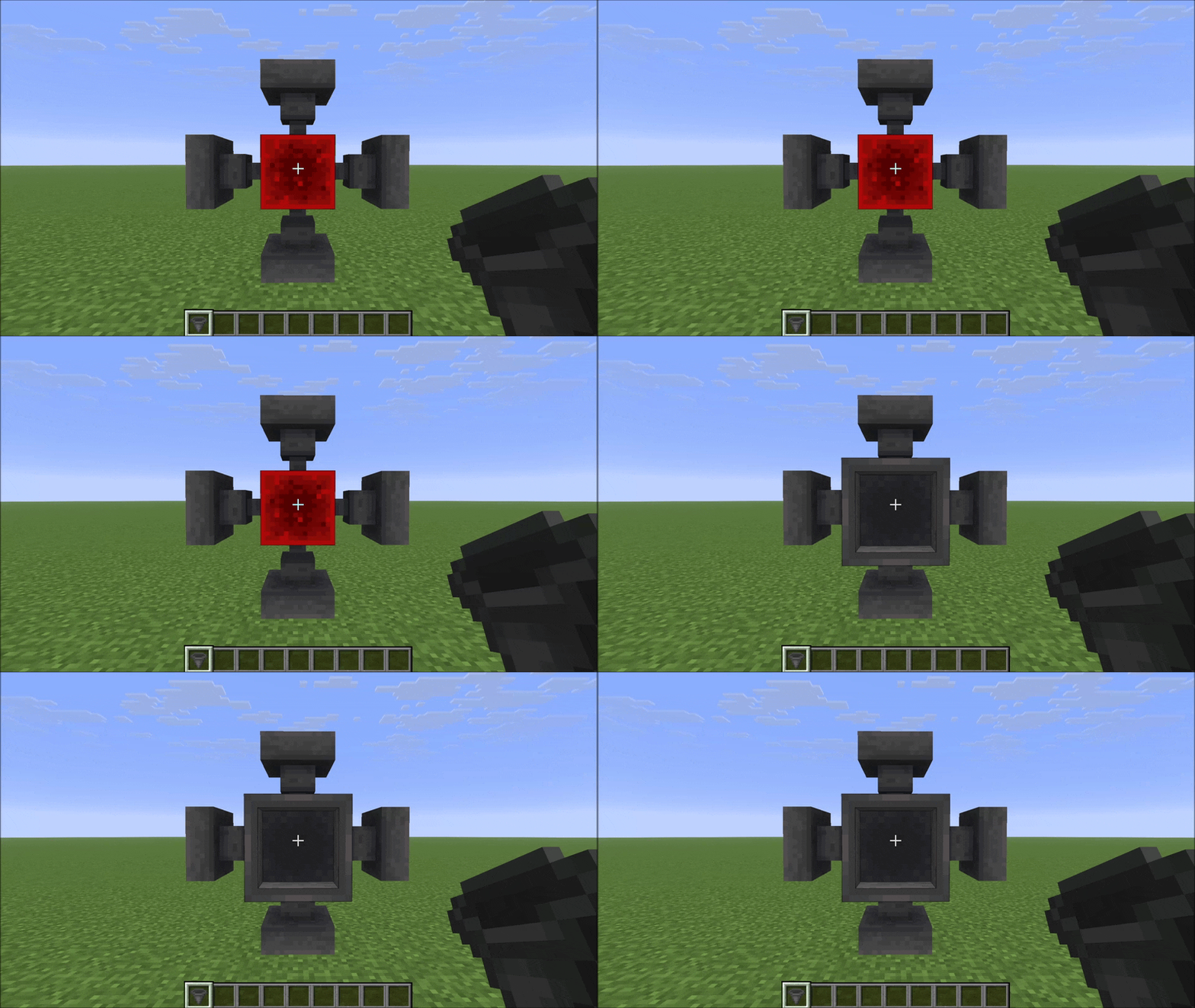
在六个方向放置漏斗。使用指南针独立旋转推送和吸取方向。
原版漏斗被锁定:它们总是从上方吸取,且只能向下或向侧面推送。HexHopper 移除了这一限制。当你放置漏斗时,它会面向你点击的面——包括向上。放置后,你可以使用指南针重新配置任何漏斗的方向,而无需破坏它。
工作原理
放置
手持漏斗并点击方块的任意一面。漏斗的推送方向(出口)将面向你点击的表面。吸取方向(漏斗口)会根据你注视的位置自动设置——它会选择未被推送方向占用的最近方向。
指南针:右键点击旋转吸取方向
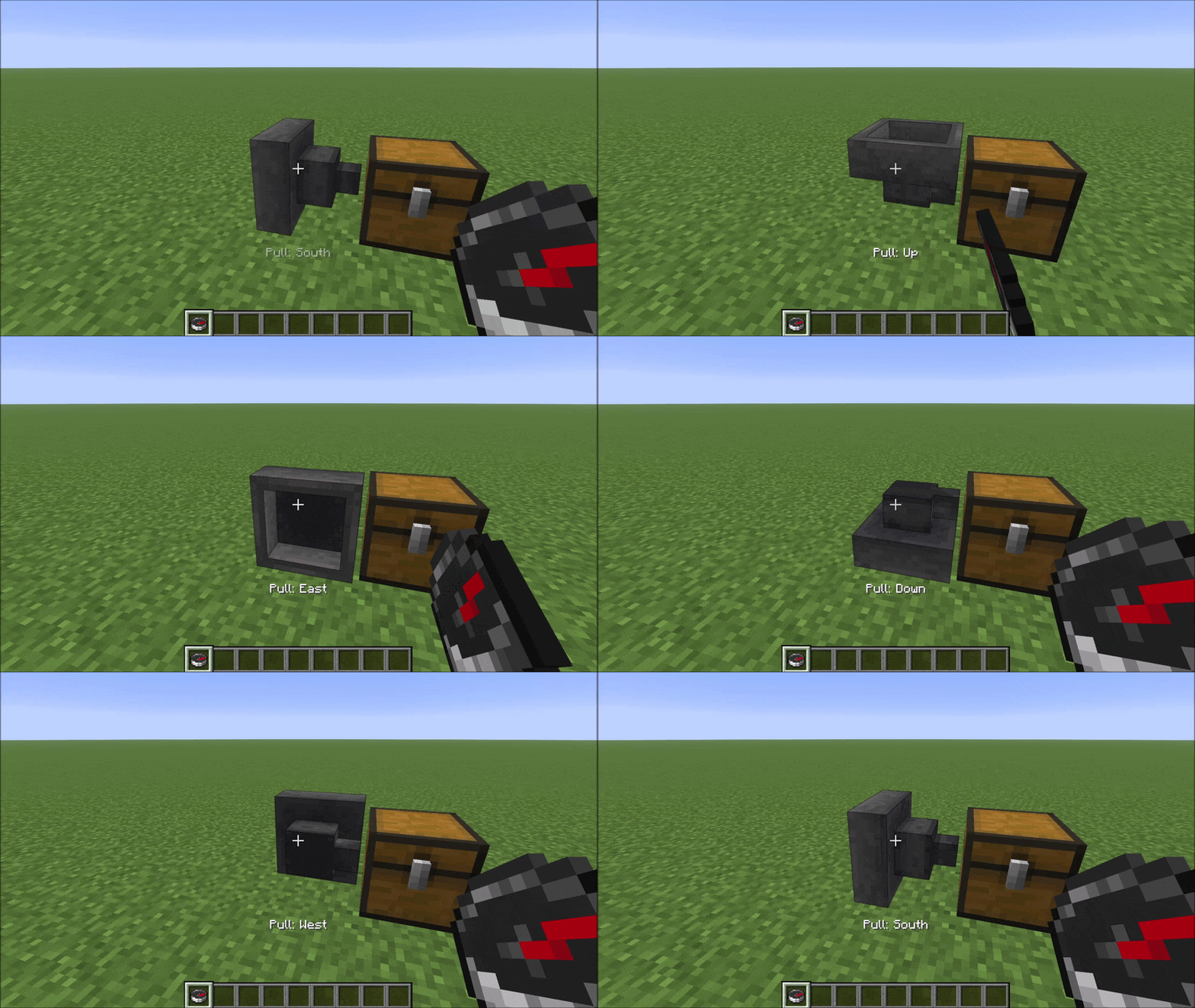
手持指南针并右键点击漏斗,可循环切换其吸取方向(漏斗口)的五种有效选项。每次点击后,操作栏会显示一条消息,指示当前的吸取方向。
指南针:左键点击旋转推送方向
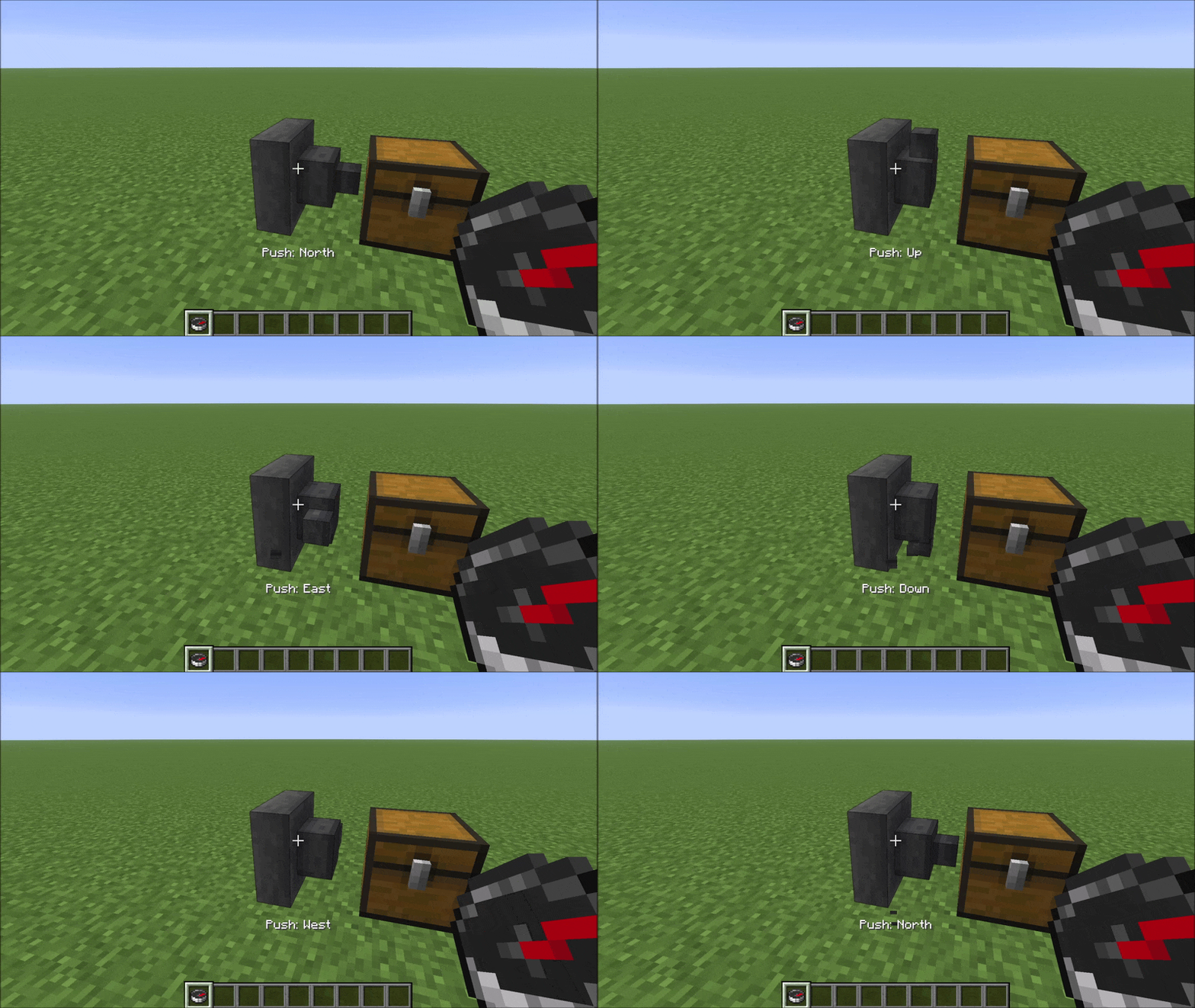
手持指南针并左键点击漏斗,可循环切换其推送方向(出口)的五种有效选项。同样的操作栏消息会出现,确认新的推送方向。
兼容性
HexHopper 使用 Mixins 修改了原版的 HopperBlock 和 HopperBlockEntity。它与以下兼容:
- 现有世界 — 在安装模组前放置的漏斗默认设置为吸取=Up(向上),这与原版行为完全一致
- MinecartHoppers — 回退到原版吸取=Up 的行为
- 不接触漏斗逻辑的模组 — 如存储类模组、视觉类模组等
与也修改 HopperBlock 或 HopperBlockEntity 的模组不兼容(其他改变漏斗方向的模组、某些深层存储模组)。HexHopper 还会覆盖 assets/minecraft/blockstates/hopper.json — 替换相同文件的资源包或模组会产生视觉冲突。
HexHopper
Place hoppers in all 6 directions. Rotate push and pull independently with a compass.
Vanilla hoppers are locked: they always pull from above and can only push downward or sideways. HexHopper removes that restriction. When you place a hopper, it faces the surface you clicked — including up. Use a compass to reconfigure any hopper after placement without breaking it.
How it works
Placement
Hold a hopper and click any face of a block. The hopper's push direction (the spout) will face the surface you clicked. The pull direction (the funnel opening) is set automatically based on where you're looking — it picks the closest direction that isn't already taken by the push.
Compass: right-click rotates pull direction
Hold a compass and right-click a hopper to cycle its pull direction (funnel) through the five valid options. A message appears in the action bar after each click showing the current pull direction.
Compass: left-click rotates push direction
Hold a compass and left-click a hopper to cycle its push direction (spout) through the five valid options. The same action bar message appears confirming the new push direction.
Compatibility
HexHopper modifies vanilla HopperBlock and HopperBlockEntity using Mixins. It is compatible with:
- Existing worlds — hoppers placed before installing the mod default to pull=Up, which matches vanilla behaviour exactly
- MinecartHoppers — fall back to vanilla pull=Up behaviour
- Mods that don't touch hopper logic — storage mods, visual mods, etc.
Not compatible with mods that also modify HopperBlock or HopperBlockEntity (other hopper-direction mods, some deep storage mods). HexHopper also overrides assets/minecraft/blockstates/hopper.json — resource packs or mods that replace the same file will conflict visually.


 模组

 模组

 模组
 模组
 模组
 模组
评论 0
登录后参与评分
还没有评论,来抢沙发吧