
Image Overlay Mod
直接在屏幕上渲染图片和 GIF!
功能
- 渲染静态图片和动态 GIF
- 动态定位和调整大小
- 透明度和旋转控制
- 图形用户界面 (GUI)
- 幻灯片播放
- 覆盖层:在全屏模式下渲染图片,并自动适配你的分辨率
- 通过 URL(Imgur)渲染图片
- 渲染层级:允许你在 GUI 元素(如快捷栏、记分板等)后面或前面渲染图片/GIF。使用 GUI,按住 "Alt + 右键点击" 图片/GIF 以打开上下文菜单并选择首选选项 仅适用于 1.21.4 及更高版本。*其他功能也在该菜单中
- 预设
- Twitch 集成 -> 前往 查看如何将你的 Twitch 账号连接到 ImageOverlay Mod 的教程
命令
| 命令 | 描述 |
|---|---|
/image help |
列出所有可用命令 |
/image list |
显示 imageoverlay 文件夹中的所有图片/GIF |
/image render <name> <x> <y> |
在指定坐标处显示图片/GIF |
/image move <name> <x> <y> |
移动指定的图片/GIF |
/image resize <name> <x> <y> |
修改图片/GIF 的大小 |
/image url <name> <width> <size> |
使用 IMGUR URL 渲染图片/GIF |
/image stop <name> |
停止渲染指定的图片/GIF |
/image preset save <name> |
将每个图片/GIF 数据保存为一个预设 |
/image preset list |
列出所有预设 |
/image preset load <name> |
加载已保存的预设 |
/image preset delete <name> |
删除指定的预设 |
为了通过 URL 渲染图片/GIF,你需要将它们放在双引号 "" 内。
例如:/image url " 100 100
图形用户界面 (GUI)
- 拖放 图片/GIF 在你的屏幕上移动
- 调整大小 使用边框和角落指示器
- 右键点击 图片/GIF 以切换透明度滑块
- 按住 Alt + 角落 旋转图片
- 幻灯片播放(SLIDES 按钮):
- 设置每张图片的显示时长
- 使用 J/K 键手动循环(切换自动模式)– 按键可在设置中更改
- 覆盖层(OVERLAY 按钮):
- 全屏渲染图片/GIF
- 自动缩放以适应你的分辨率
- 创建覆盖层幻灯片以拥有多个覆盖层并在它们之间循环
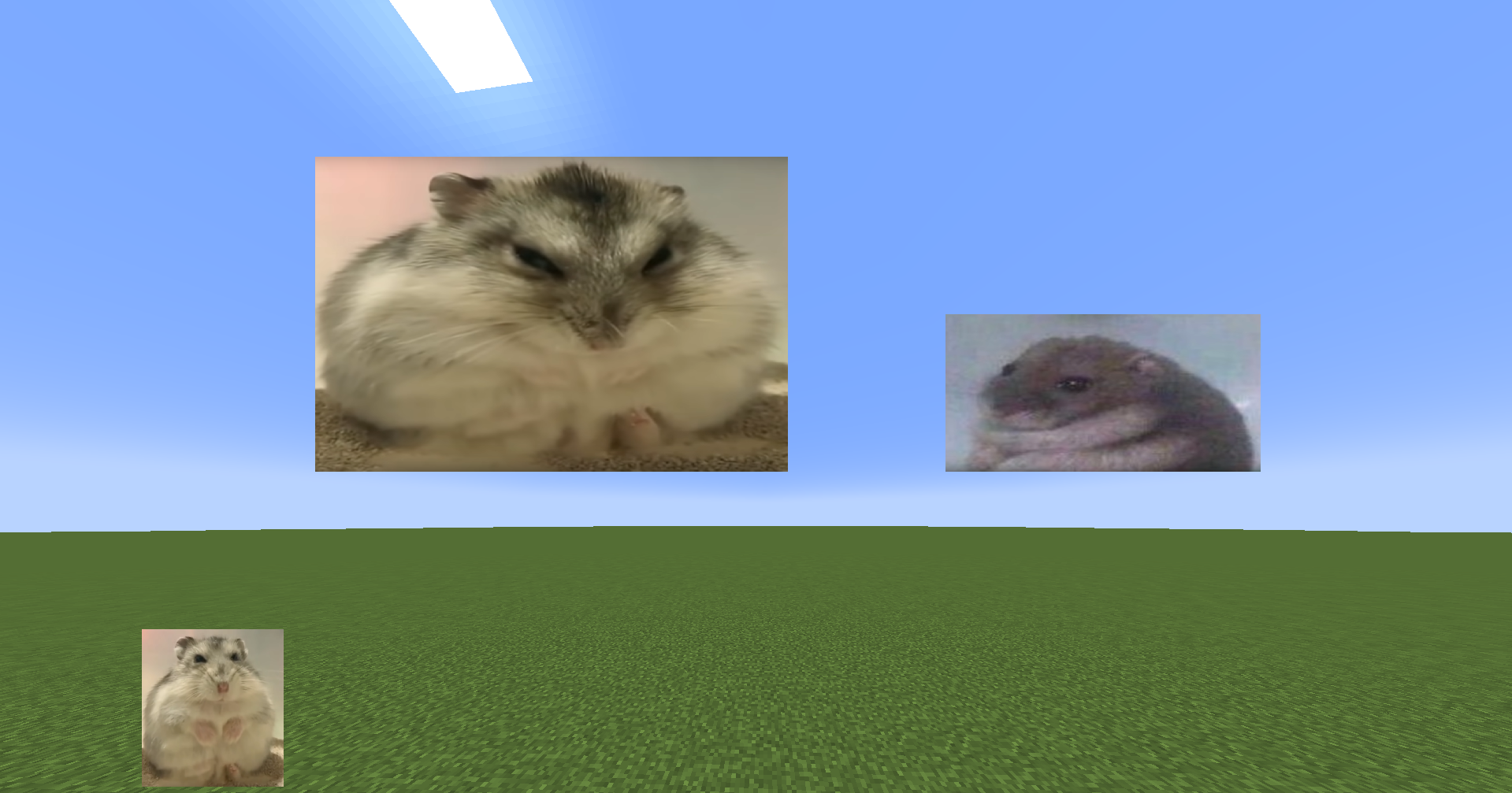
- URL 允许你直接使用 IMGUR URL 渲染图片。例如:
文件夹位置
- 所有图片/GIF 位于 .minecraft 目录中的
imageoverlay文件夹 - 覆盖层位于
imageoverlay/overlays文件夹 - Twitch 图片位于
imageoverlay/twitch文件夹
❤️ 支持与反馈
- 加入我的 Discord Discord
- 报告问题或留下建议请前往 GitHub Issues
- 在 Ko-fi 支持我
Image Overlay Mod
Render images and GIFs directly on your screen!
Features
- Render static images and animated GIFs
- Dynamic positioning and resizing
- Transparency and rotation controls
- GUI
- Slideshows
- Overlays: render images at fullscren that automatically adapt to your resolution
- Image rendering via URL (Imgur)
- Rendering layers: Lets you render images/GIFs behind or in front of GUI elements (Hotbar, scoreboard...) Using the GUI, hold "Alt + right click" on an image/GIF to open a context menu and select the preferred option ONLY WORKS IN 1.21.4 ONWARDS. *Other features are also in the menu
- Presets
- Twitch integration -> Go to for the tutorial on how to connect your Twitch account to the ImageOverlay Mod
Commands
| Command | Description |
|---|---|
/image help |
List all available commands |
/image list |
Show all images/GIFs in your imageoverlay folder |
/image render <name> <x> <y> |
Display an image/GIF at specified coordinates |
/image move <name> <x> <y> |
Move said image/GIF |
/image resize <name> <x> <y> |
Modify image/GIF |
/image url <name> <width> <size> |
Render image/GIF using an IMGUR URL |
/image stop <name> |
Stop rendering an image/GIF |
/image preset save <name> |
Saves every image/GIF data as one preset |
/image preset list |
Lists all the presets |
/image preset load <name> |
Loads saved presets |
/image preset delete <name> |
Deletes said preset |
IN ORDER TO RENDER IMAGES/GIFs USING URLS YOU NEED TO PUT THEM BETWEEN "" E.g: /image url " 100 100
GUI
- Drag & drop images/GIFs around your screen
- Resize by using the border and corner indicators
- Right-click an image/GIF to toggle the transparency slider
- Hold Alt + corner to rotate images
- Slideshows (SLIDES button):
- Set display duration per image
- Cycle manually with J/K keys (toggle auto-mode) – keys can be changed in settings
- Overlays (OVERLAY button):
- Render images/GIFs in full-screen
- Automatically scale to your resolution
- Create overlay slides to have multiples overlays and cycle through them
- URL lets you render images directly using an IMGUR URL. E.g:
Folder Location
- All images/GIFs are located in the
imageoverlayfolder in the .minecraft directory - Overlays are located in the
imageoverlay/overlaysfolder - Twitch images are located in the
imageoverlay/twitchfolder
❤️ Support & Feedback
- Join my Discord Discord
- Report issues or leave suggestions on GitHub Issues
- Support me on Ko-fi
版本游戏版本平台发布时间本站下载
正式版
26.3-1.1.3
Image Overlay 26.3-1.1.3
26.3 Fabric 2 个月前 ·
0
26.3
Fabric
2 个月前
0

下载 Image Overlay
正式版
26.2-1.1.3
Image Overlay 26.2-1.1.3
26.2 Fabric 5 个月前 ·
0
26.2
Fabric
5 个月前
0
下载 Image Overlay
正式版
26.1.2-1.1.3
Image Overlay 26.1.2-1.1.3
26.1.2 Fabric 7 个月前 ·
0
26.1.2
Fabric
7 个月前
0
下载 Image Overlay
正式版
26.1.1-1.1.3
Image Overlay 26.1.1-1.1.3
26.1.1 Fabric 7 个月前 ·
0
26.1.1
Fabric
7 个月前
0
下载 Image Overlay
正式版
26.1-1.1.3
Image Overlay 26.1-1.1.3
26.1.226.1.1 Fabric 7 个月前 ·
0
26.1.2
26.1.1
26.1
Fabric
7 个月前
0
下载 Image Overlay
版本:26.1-1.1.3
游戏版本:26.1.2、26.1.1、26.1
平台:Fabric
需要联机服务器吗?
稳定流畅、一键部署,几分钟即可和朋友联机开服
最低仅需 8 元/月 即可畅快联机
正式版
1.21.11-1.1.3
Image Overlay 1.21.11-1.1.3
1.21.11 Fabric 7 个月前 ·
0
1.21.11
Fabric
7 个月前
0
下载 Image Overlay
正式版
1.21.10-1.1.3
Image Overlay 1.21.10-1.1.3
1.21.10 Fabric 7 个月前 ·
0
1.21.10
Fabric
7 个月前
0
下载 Image Overlay
正式版
1.21.9-1.1.3
Image Overlay 1.21.9-1.1.3
1.21.9 Fabric 7 个月前 ·
0
1.21.9
Fabric
7 个月前
0
下载 Image Overlay
正式版
1.21.8-1.1.3
Image Overlay 1.21.8-1.1.3
1.21.8 Fabric 7 个月前 ·
0
1.21.8
Fabric
7 个月前
0
下载 Image Overlay
正式版
1.21.7-1.1.3
Image Overlay 1.21.7-1.1.3
1.21.7 Fabric 7 个月前 ·
0
1.21.7
Fabric
7 个月前
0
下载 Image Overlay
26.3-1.1.3
正式版
2026-09-16
更新至 26.3
关于这个资源的讨论、问题反馈与使用心得
还没有讨论,来发第一帖吧
你是这个资源的作者?登录后可认领此资源。
相似资源
 模组

鞘翅纹饰Elytra Trims
KikuGie
可定制的鞘翅模组,支持装饰纹饰、旗帜图案等更多功能!
装饰装备
317
 模组

玉Jade ?
Snownee
显示你正在注视的方块的信息。(适用于 Minecraft 1.16+ 的 Hwyla/Waila 分支)
实用前置
247
 模组

物品管理器Just Enough Items (JEI)
mezz
查看物品与配方
前置实用
229
 模组
Xaero的小地图
thexaero
在游戏画面角落显示附近世界地形、玩家、生物和实体的地图。可创建路径点,帮助你找到标记过的位置。
冒险交通
196
 模组
KubeJS
Lat
使用 JavaScript 编辑配方、添加自定义物品、编写世界事件!
前置实用
181
 模组

AAA Particles
ChloePrime
适用于 MC 1.18+ 的 Effekseer 加载器
前置装饰
173
评论 0
登录后参与评分
还没有评论,来抢沙发吧