Immersive Chess
一款 Minecraft 模组,让你用自定义棋子下国际象棋。
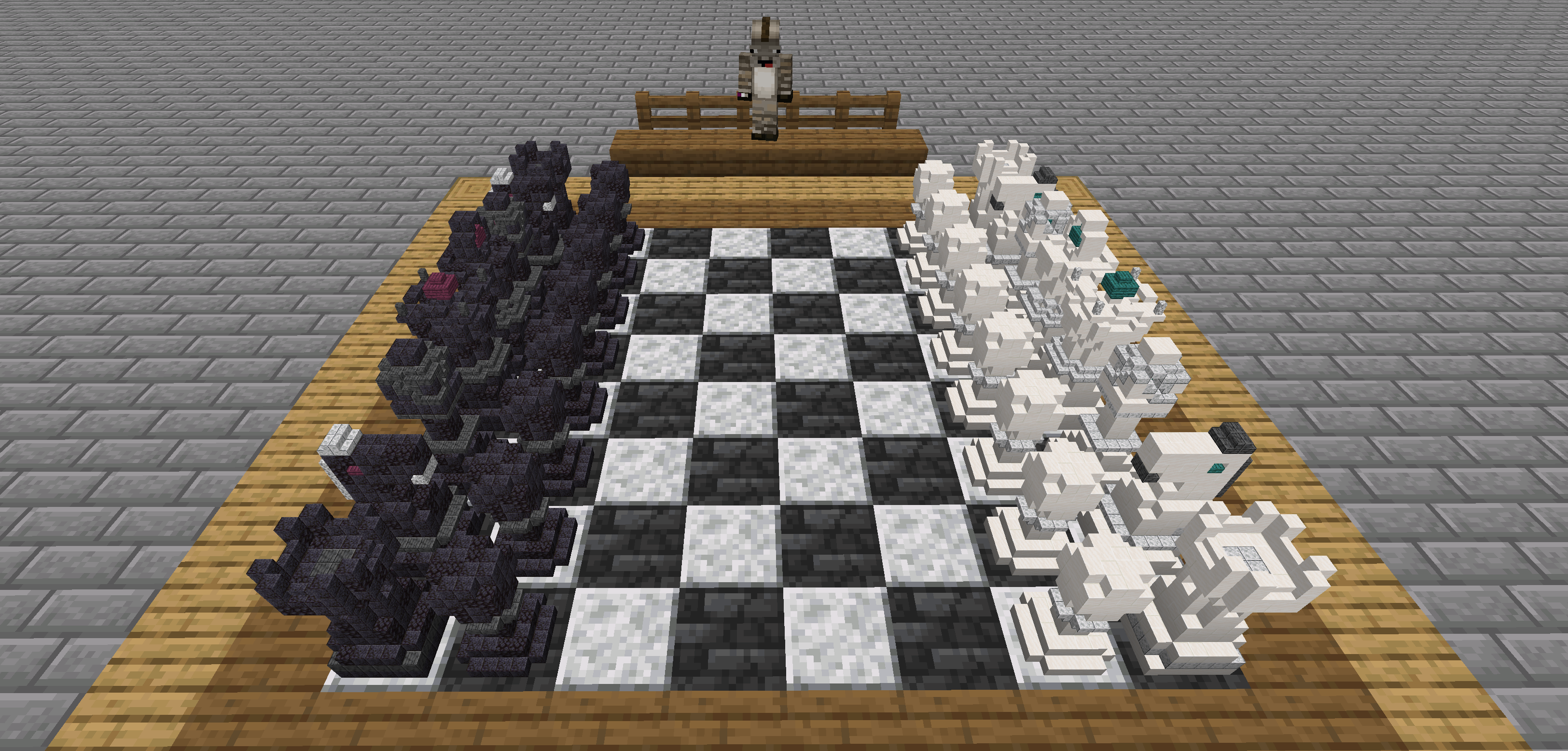
功能特性
使用说明
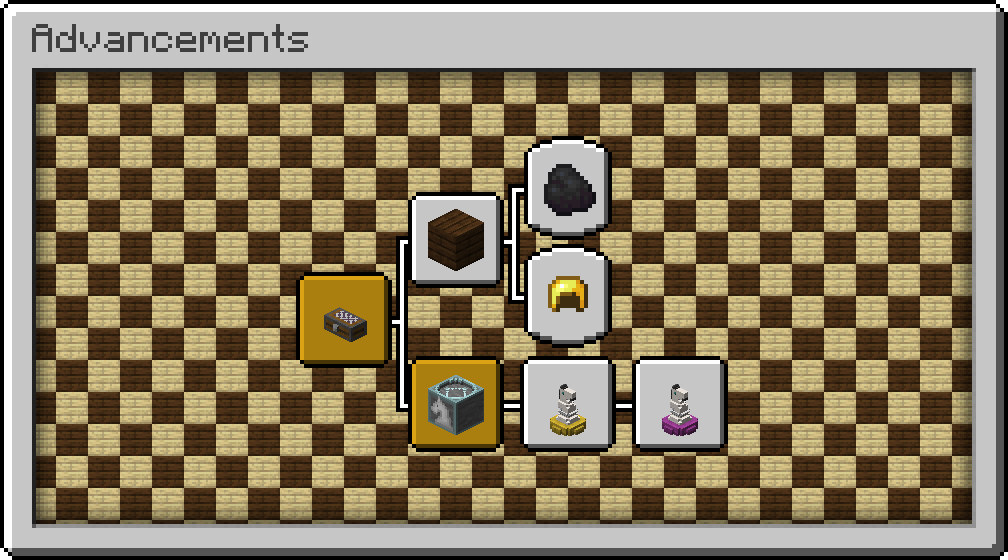
你更倾向于在游戏内探索这个模组吗?进度系统会引导你了解所有内容。
1. 制作棋盘盒
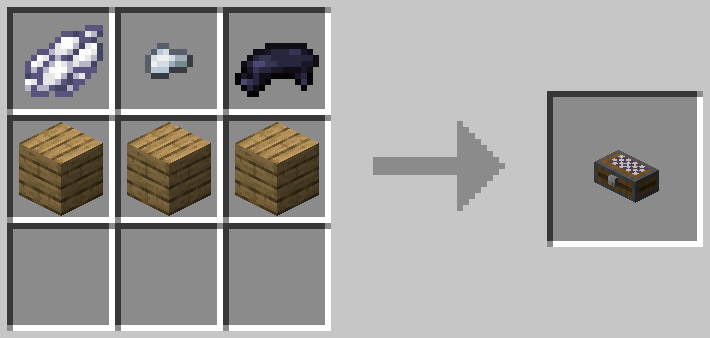
你需要的第一件物品是一个棋盘盒,用于存放你的棋子。
不用担心现在就要制作自己的棋子。你可以随时使用默认棋子开始一局国际象棋。
2. 搭建棋盘
在国际象棋世界中,可以使用任何固体方块搭建棋盘。只需选择两种理想情况下颜色对比鲜明的原版方块,并创建一个八乘八的棋盘格图案。确保边缘使用不同的方块,以构成一个有效的棋盘。
然后右键点击棋盘即可将其转换为国际象棋游戏。
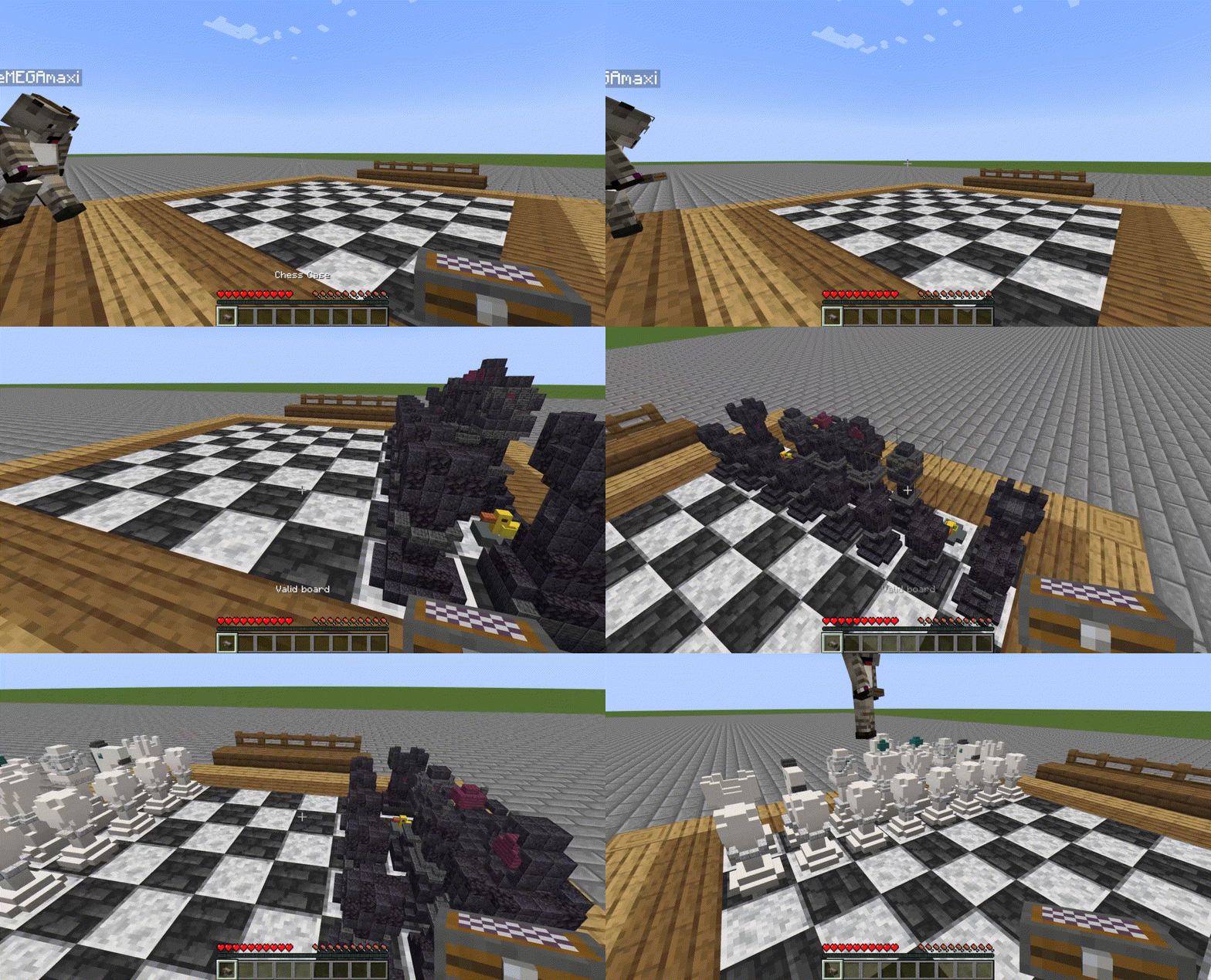
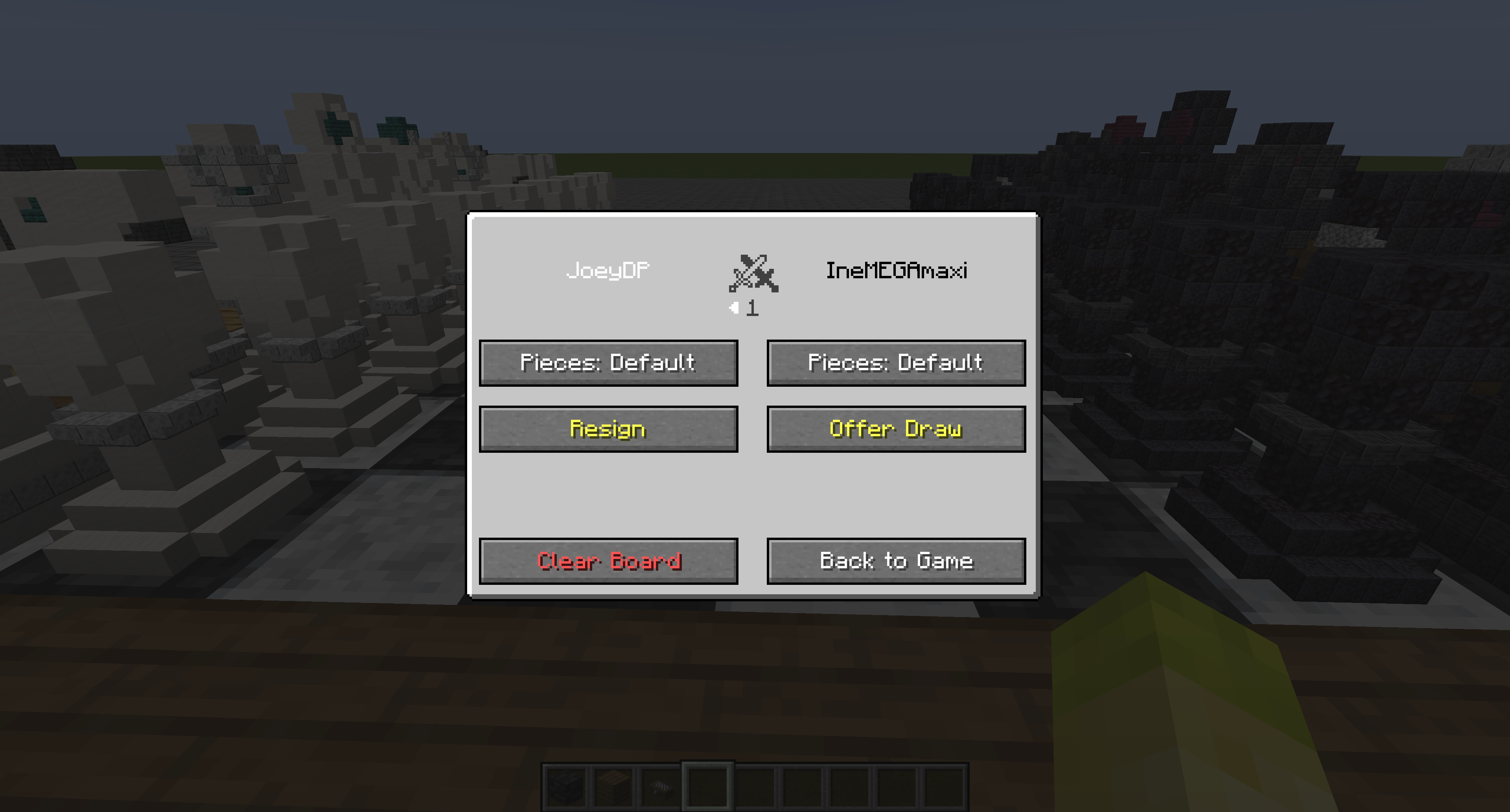
当游戏进行中时,你可以手持空手右键点击棋盘以打开游戏界面(GUI)。该界面包含游戏统计数据,并提供认输、提议和棋或接受和棋的选项。你还可以更改用于渲染的棋子套装(默认、己方或对方)。
3. 制作自定义棋子
想设计一套属于自己的国际象棋棋子吗?每种棋子都有对应的 Piece Structure Block(棋子结构方块),你可以对其进行合成。
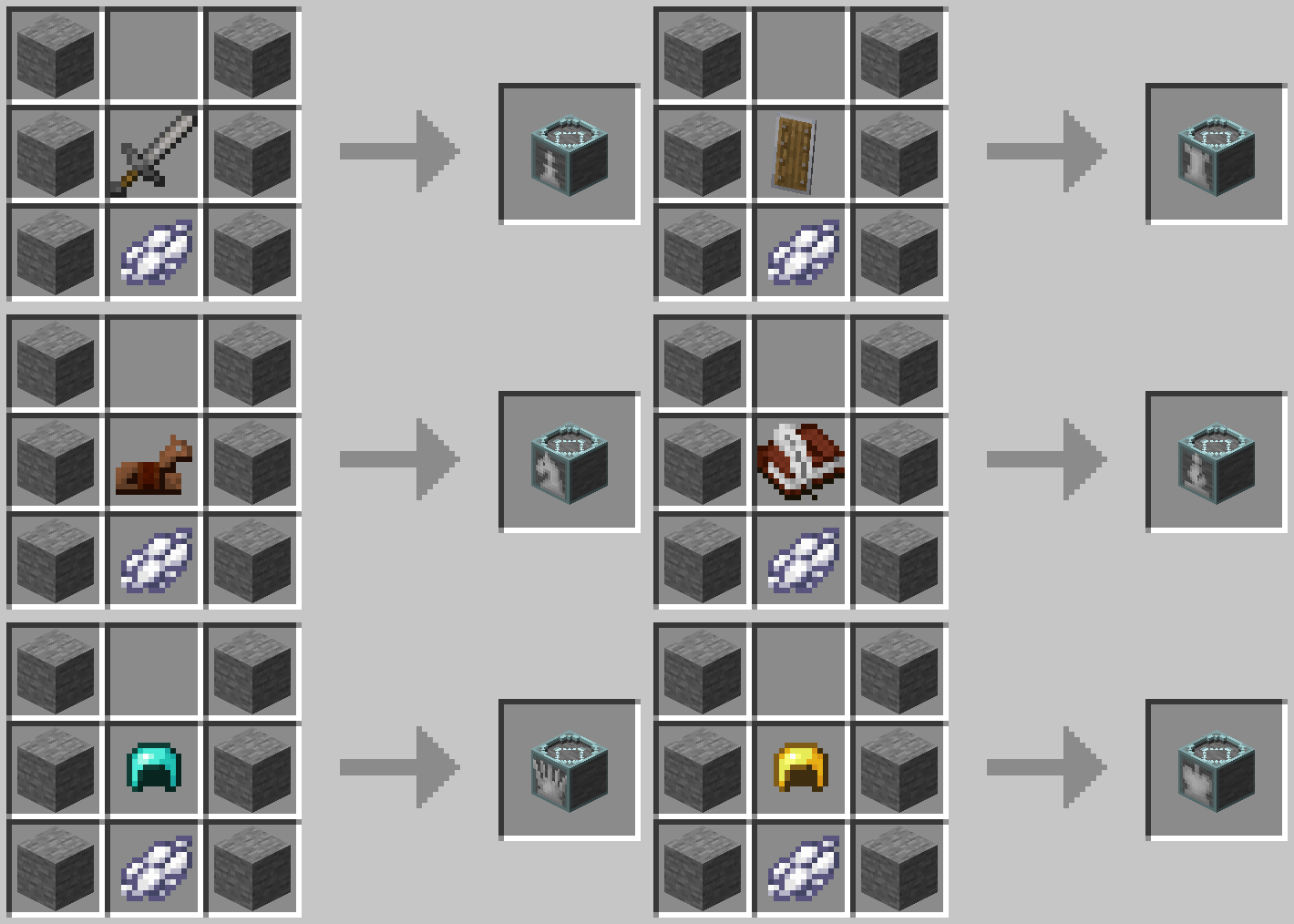
染料指示棋子的颜色(黑色染料或白色染料),而标志物品则决定棋子的类型,具体如下:
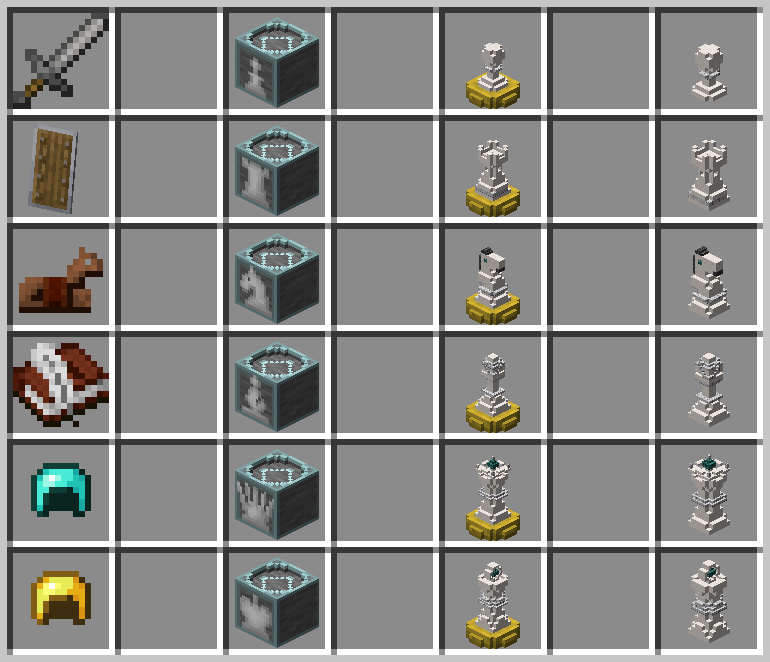
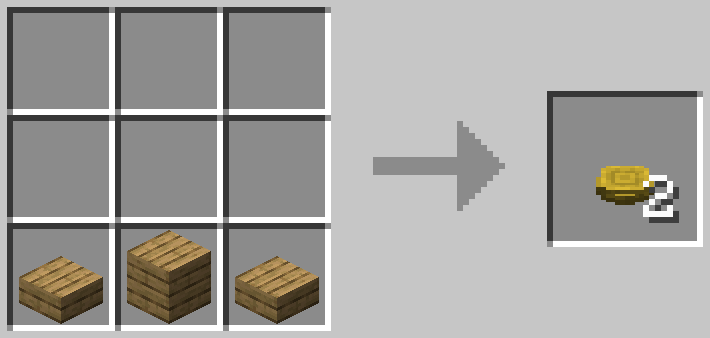
当你拥有所有六个结构方块后,还可以合成一些 Piece Stands(棋子展示台)来保存你的棋子。
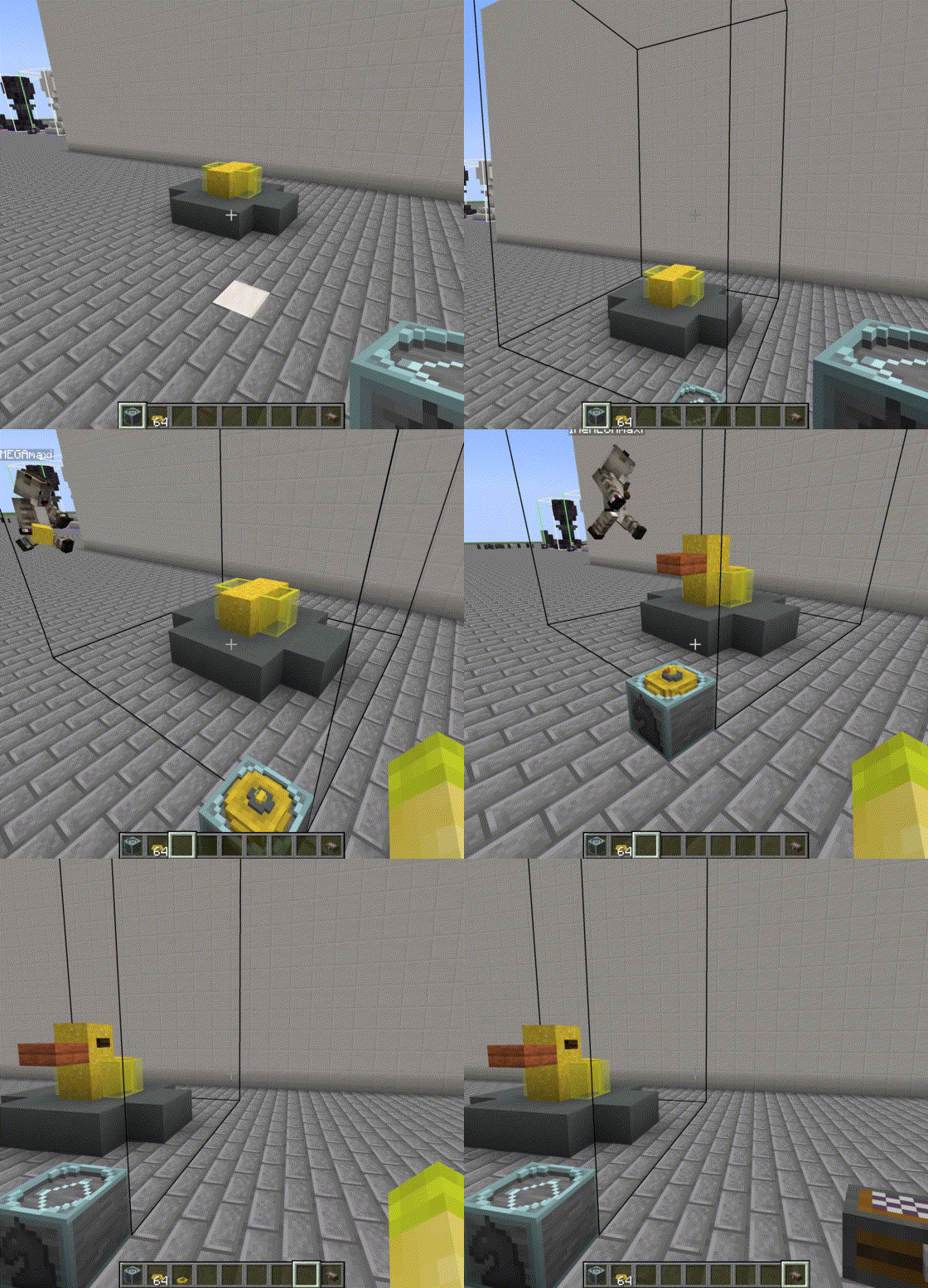
现在是时候开始建造了。只需放置结构方块,并在轮廓内部建造你的棋子。右键点击可以将迷你版棋子存入 Piece Stand。再次右键点击可以取出棋子,并将其存入你的棋盘盒中供后续使用。
(可选)染色展示台
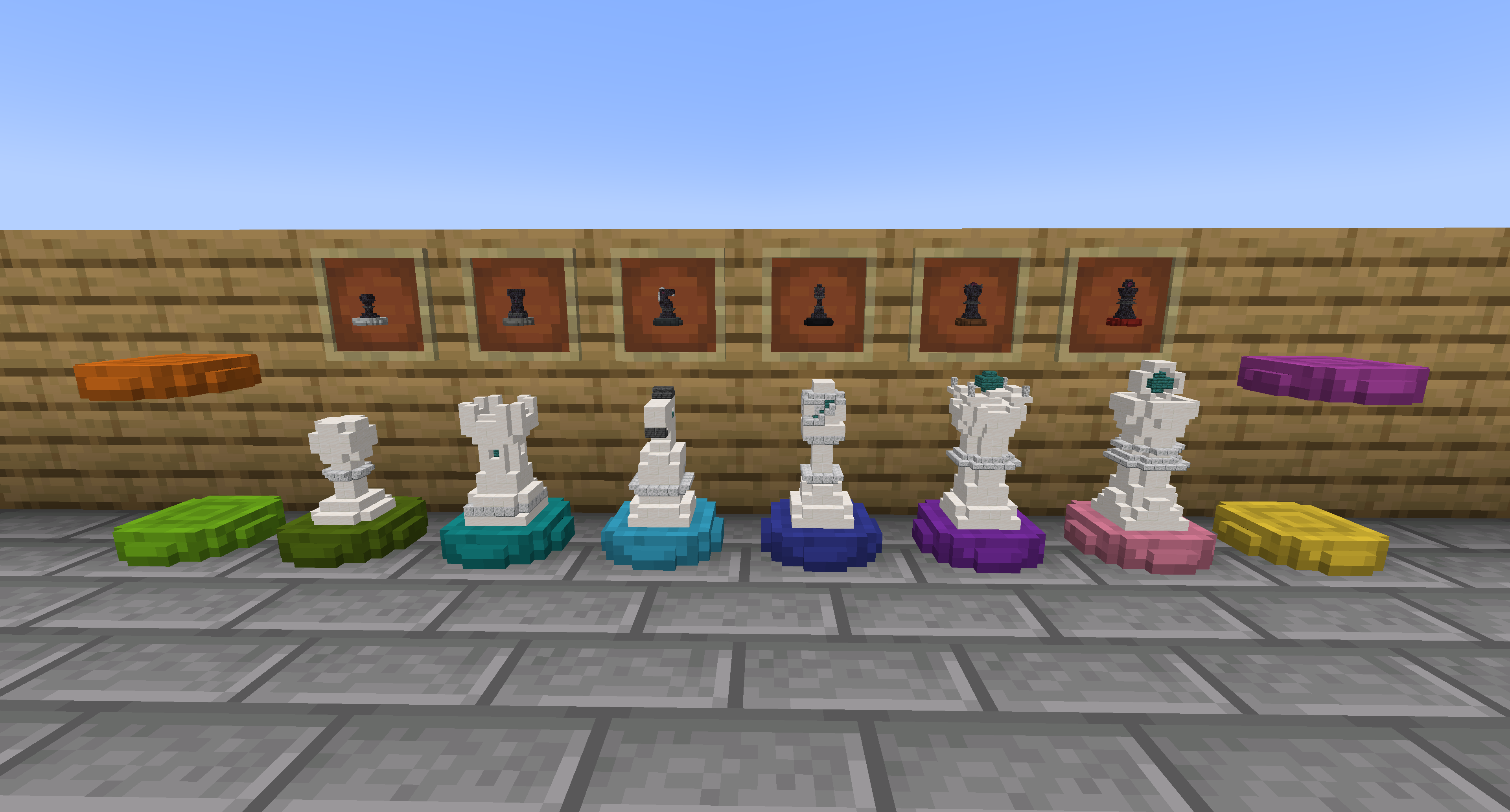
所有 piece stands(棋子展示台)都可以染成 16 种 Minecraft 标准颜色。
4. 使用自定义棋子进行游戏
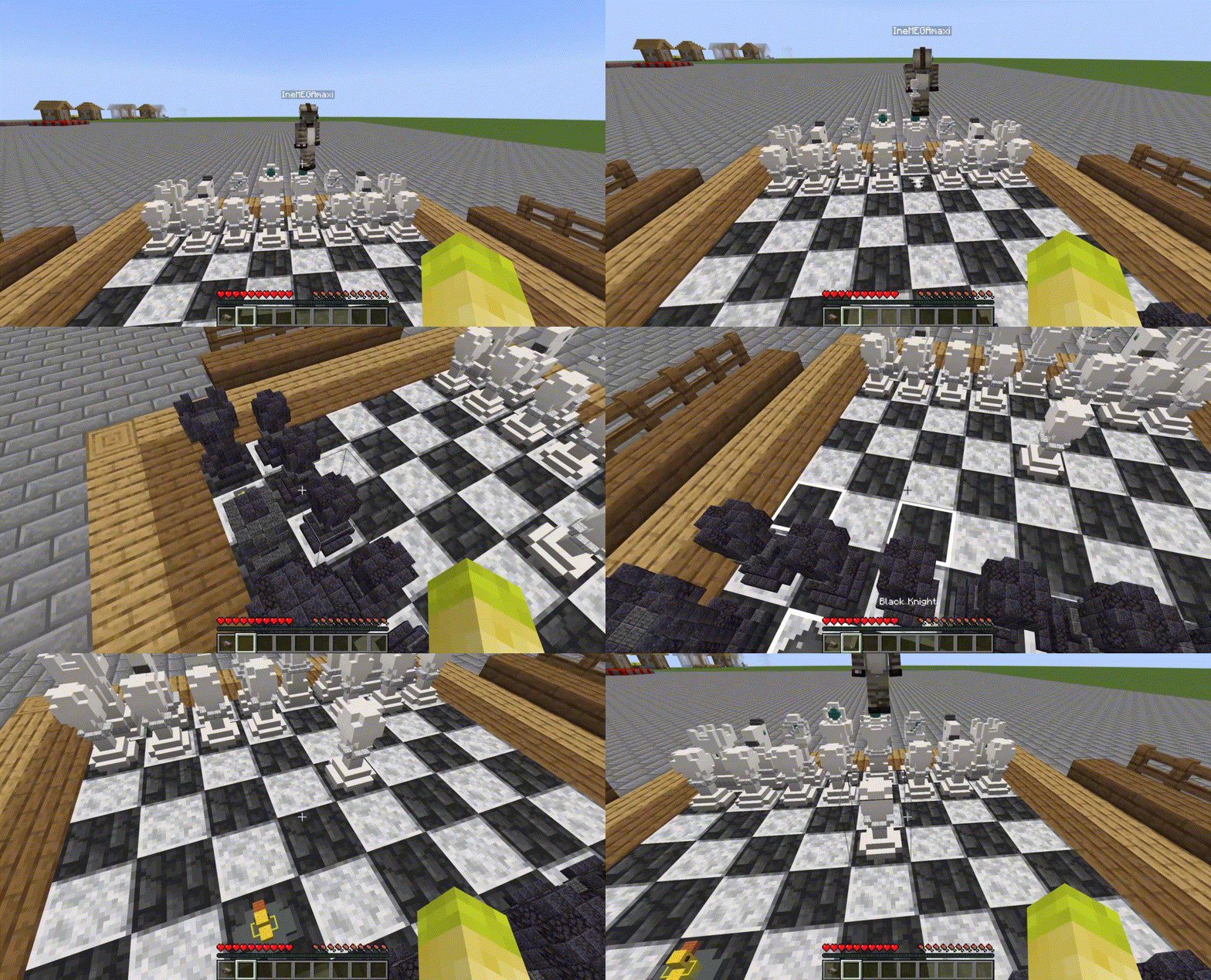
现在你可以使用自己的棋子进行游戏了!
未来计划
问题反馈
请在 GitHub 上尽可能详细地报告问题:。
致谢
- 包含 JChess 库作为 jar-in-jar 形式,遵循 LGPL-2.1 许可证。
Immersive Chess
A Minecraft mod to play chess with your own pieces.
Features
- Play chess with your friends
- Build your own chess pieces on a
8:1 scale
- Export played games to chess.com or lichess.
Instructions
Would you rather discover the mod in-game? The advancements will guide you through all the content.
1. Creating a Chess Case
The first item you need is a chess case to contain your pieces.
Don't worry about having to build your own pieces just yet. You can always start a chess game with the default pieces.
2. Build a Chess Board
A chess board can be built in the world with any solid blocks. Simply choose two vanilla blocks that ideally have contrasting colors and create an eight by eight checkerboard pattern. Make sure the edges are of a different block to create a valid board.
Then right-click the board to turn it into a chess game.
When a game is active, you can right-click the board with an empty hand to open the game GUI. This GUI contains statistics of the game and the option to resign, offer draw or accept draw. You can also change which set of pieces is used for rendering (default, own or opponent's).
3. Build your own Pieces
Want to design your own set of chess pieces? Each one has its own Piece Structure Block you can craft.
The dye indicates the color of the piece (black dye or white dye) and the signature item determines the type as follows
Once you have all six structure blocks also craft some Piece Stands to save your piece with.
Now it's time for building. Simply place the structure block down and build your piece inside the outline. A Piece Stand can be placed inside with right-click to store the miniature version. Right-click again to take it out and store it inside you chess case to be used.
(Optional) Dye Stands
All piece stands can be dyed in the 16 Minecraft colors
4. Play with your Custom Chess Pieces
Now you can play with your own pieces!
Future Plans
- Play against AI
- Correct lighting within the miniature pieces (WIP)
Issues
Please report issues as detailed as possible on Github: .
Attribution
- Includes the JChess library as jar-in-jar, under the LGPL-2.1 license.


 模组

 模组

 模组

 模组

 模组

 模组

评论 0
登录后参与评分
还没有评论,来抢沙发吧