
Immersive Hotbar
Immersive Hotbar 通过为拾取和放置物品、使用工具和武器、切换槽位以及获得经验值添加动画,让 Minecraft 的静态快捷栏感觉更具响应性。
✨ 功能
? 动画快捷栏物品: 拾取、放置、使用或切换物品时,呈现流畅且富有弹性的动画效果。
? 平滑快捷栏滚动: 提供平滑和弹性两种滚动模式,包含带有动画效果的选中过渡以及方向性的物品倾斜。
? 动画工具提示: 在切换物品时,物品名称会平滑地出现、消失并过渡。
?️ 平滑副手切换: 物品在副手槽中平滑滑入和滑出,而不是瞬间出现或消失。
✨ 动画经验条与升级特效- 平滑的经验条过渡、数字等级动画以及升级时的粒子效果。
? 可自定义动画: 微调物品缩放、动画风格、弹性强度和视觉效果,以符合您的偏好。
⚙️ 丰富的配置选项: 通过游戏内的 YACL 配置屏幕自定义所有内容,支持实时预览和详细的设置说明。
? 兼容性
自 1.1.0 版本起,现已支持 Held Item Info、Bedrockify 和 Item Borders!!
⚒️ 多加载器进度
目前支持:
- NeoForge 1.21.1, 1.21.9-1.21.11
- Forge 1.20.1
? 展示
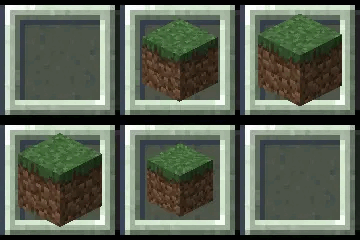
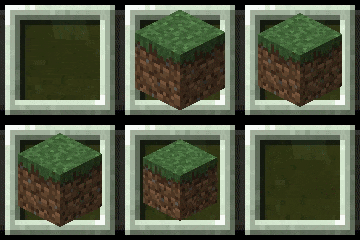
平滑拾取 || 弹性拾取 || 弹性放置 || 平滑放置
动画经验条与升级特效:
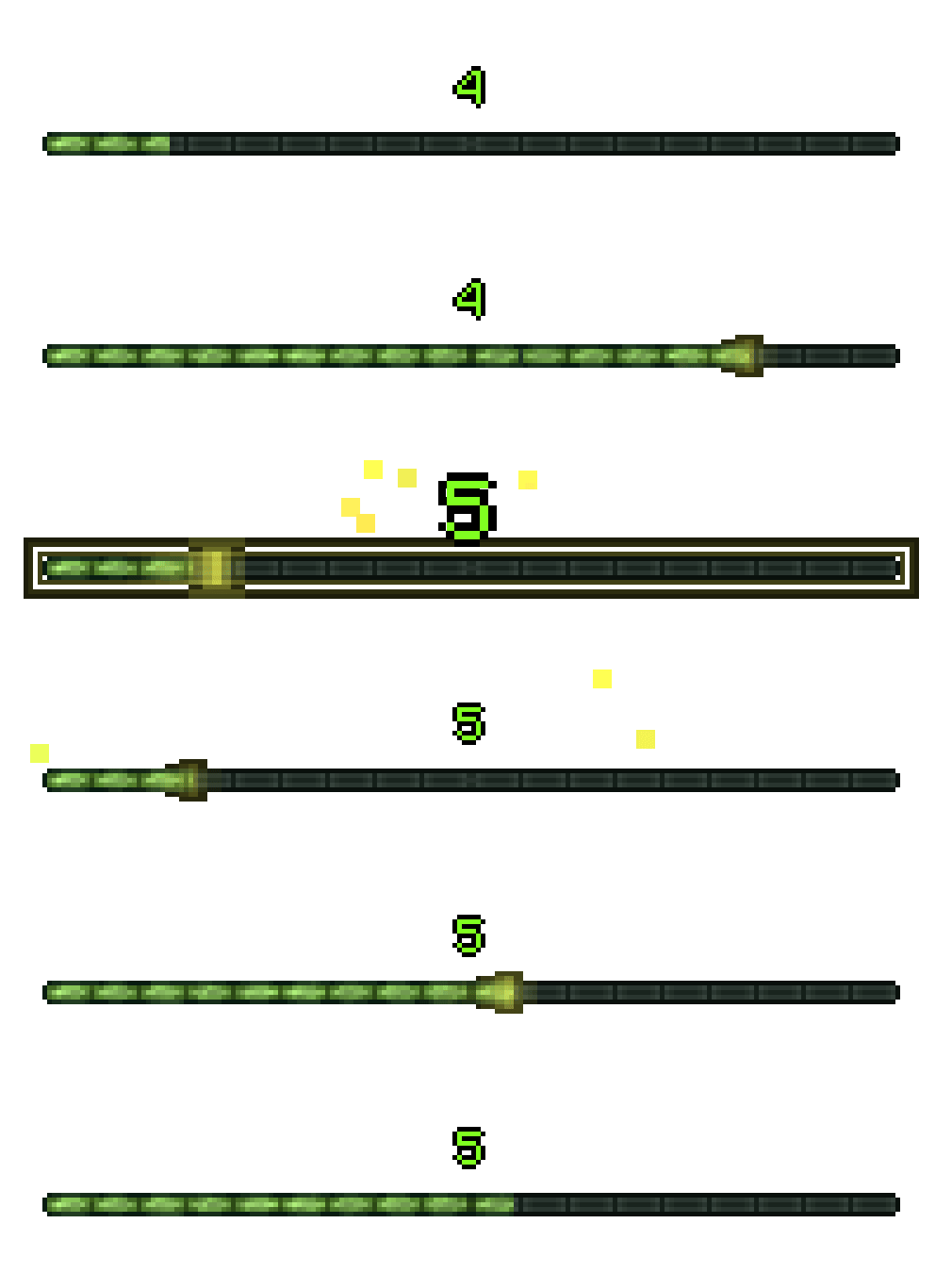 看着经验条随着您获得经验而平滑填充,伴有动态等级脉冲和升级时(每 5 级)的粒子爆炸效果。
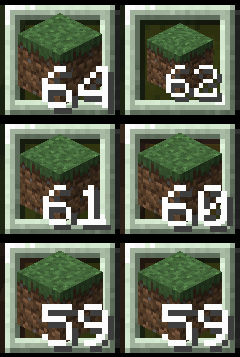
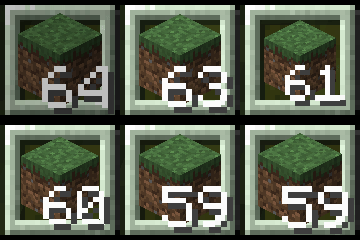
平滑与弹性快捷栏滚动 + 动画工具提示:

并排比较 平滑 和 弹性 滚动!观察选中槽位在物品之间的过渡,带有动画选中效果、方向性物品倾斜以及平滑过渡的物品工具提示。
平滑副手切换:
 物品 平滑 地滑入和滑出副手槽,而不是瞬间出现或消失。
丰富的自定义选项:
 打造属于您的 Immersive Hotbar!微调动画,调整物品缩放,自定义工具提示,并根据喜好调整视觉效果。凭借实时预览和详细说明,您可以确切地了解每个设置如何影响您的快捷栏。
 发现问题?请在 Github Issues Page 上报告
Immersive Hotbar
Immersive Hotbar makes Minecraft’s static hotbar feel more responsive by adding animations for picking up and placing items, using tools and weapons, switching slots, and gaining XP.
✨ Features
? Animated Hotbar Items: Smooth and bouncy animations when picking up, placing, using, or switching items.
? Smooth Hotbar Scrolling: Smooth, and Bouncy scrolling modes, complete with animated selection transitions and directional item tilting.
? Animated Tooltips: Item names smoothly appear, disappear, and transition when switching between items.
?️ Smooth Offhand Switching: Items smoothly slide in and out of the offhand slot instead of instantly appearing or disappearing.
✨ Animated XP Bar & Level-Up Effects- Smooth XP bar transitions, animated level numbers, and particles when leveling up.
? Customizable Animations: Fine-tune item scaling, animation styles, bounce intensity, and visual effects to match your preferences.
⚙️ Extensive Configuration: Customize everything through an in-game YACL configuration screen with live previews and detailed setting descriptions.
? Compatibility
Held Item Info, Bedrockify and Item Borders are now supported as of 1.1.0!!
⚒️ Multiloader Progress
Currently supported:
- NeoForge 1.21.1, 1.21.9-1.21.11
- Forge 1.20.1
? Showcase
Smooth Pickup || Bouncy Pickup || Bouncy Placing || Smooth Placing
Animated XP Bar and Levelup Effects:
Watch your XP bar smoothly fill as you gain experience, with animated level pulses and a particle explosion when leveling up (every 5 levels).
Smooth & Bouncy Hotbar Scrolling + Animated Tooltips:
Compare Smooth and Bouncy scrolling side by side! Watch as the selected slot transitions between items, with animated selection effects, directional item tilting, and smoothly transitioning item tooltips.
Smooth Offhand Switching:
Items smoothly slide into and out of the offhand slot instead of appearing or disappearing instantly.
Extensive Customization:
Make Immersive Hotbar your own! Fine-tune animations, adjust item scaling, customize tooltips, and tweak visual effects to your liking. With live previews and detailed descriptions, you can see exactly how each setting affects your hotbar.
Found an issue? Report it on the Github Issues Page

下载 Immersive Hotbar
下载 Immersive Hotbar
需要联机服务器吗?
稳定流畅、一键部署,几分钟即可和朋友联机开服
最低仅需 8 元/月 即可畅快联机
下载 Immersive Hotbar
下载 Immersive Hotbar
下载 Immersive Hotbar
需要联机服务器吗?
稳定流畅、一键部署,几分钟即可和朋友联机开服
最低仅需 8 元/月 即可畅快联机
下载 Immersive Hotbar
需要联机服务器吗?
稳定流畅、一键部署,几分钟即可和朋友联机开服
最低仅需 8 元/月 即可畅快联机
下载 Immersive Hotbar
下载 Immersive Hotbar
需要联机服务器吗?
稳定流畅、一键部署,几分钟即可和朋友联机开服
最低仅需 8 元/月 即可畅快联机
下载 Immersive Hotbar
需要联机服务器吗?
稳定流畅、一键部署,几分钟即可和朋友联机开服
最低仅需 8 元/月 即可畅快联机
下载 Immersive Hotbar
需要联机服务器吗?
稳定流畅、一键部署,几分钟即可和朋友联机开服
最低仅需 8 元/月 即可畅快联机
Immersive Hotbar 1.3.0
一次重大更新,引入了平滑的热键栏滚动、新的物品动画、扩展的自定义选项以及多项改进。
新功能
- 平滑热键栏滚动: 添加了可选的平滑滚动功能,提供三种动画风格:平滑(Smooth)、弹性(Bouncy)和挤压与拉伸(Squash & Stretch)。包含可配置的速度和边缘循环滚动。默认禁用。
- 方向性物品倾斜: 选中的物品现在可以随着滚动方向进行倾斜,并且倾斜强度可调。
- 物品掉落动画: 被丢弃的物品会从选中的热键栏槽位向下滑出,同时剩余堆叠的物品正常播放动画。默认禁用。(由 CurseForge 上的 ToastGaming506 建议)
- 副手传输动画: 物品在移入或移出副手时(包括交换和库存转移),现在会播放平滑的过渡动画。
- 全新实时预览: 为滚动、方向性倾斜、副手动画和物品掉落添加了交互式预览功能。
- 添加了与 Smooth Scrolling 模组的兼容性,以防止与新平滑热键栏功能的动画重叠。
配置改进
/ihconfig支持所有受支持的版本,配置命令现在在所有受支持的版本中均可用,而不仅仅是快照版本!- 使用
/ihconfig打开配置界面。 - 直接通过命令查看、更改和重置设置。
- 包含自动补全、输入验证、分页和重置确认功能。
- 使用
- 将设置重新组织为 动画 (Animations)、提示框 (Tooltip) 和 视觉效果 (Visual Effects) 三大类。
Immersive Hotbar 1.2.3.beta.1 - 26.4 Snapshot 5
- 扩展了
/ihconfig命令系统! 你现在可以直接通过 Minecraft 聊天窗口查看、修改和重置所有 Immersive Hotbar 设置,无需打开配置图形界面。 - 添加了
/ihconfig list命令,支持分页显示设置项和可点击的值,方便轻松编辑配置文件。 - 添加了
/ihconfig get、/ihconfig set和/ihconfig reset命令,并包含自动补全和输入验证功能。 - 不带参数的
/ihconfig命令仍然会打开正常的配置图形界面,但在 YACL 尚未更新到对应快照版本时,这提供了一个便捷的替代方案。
关于这个资源的讨论、问题反馈与使用心得
还没有讨论,来发第一帖吧
你是这个资源的作者?登录后可认领此资源。
相似资源
 模组

可定制的鞘翅模组,支持装饰纹饰、旗帜图案等更多功能!
 模组

显示你正在注视的方块的信息。(适用于 Minecraft 1.16+ 的 Hwyla/Waila 分支)
 模组
在游戏画面角落显示附近世界地形、玩家、生物和实体的地图。可创建路径点,帮助你找到标记过的位置。
 模组

查看物品与配方
 模组
使用 JavaScript 编辑配方、添加自定义物品、编写世界事件!
 模组
AE2:一款流行的自动化与存储模组
评论 0
登录后参与评分
还没有评论,来抢沙发吧