


Improved Sign Editing 是一个客户端模组,为游戏内书写告示牌文本的过程增加了一些提升体验(QoL)的改动。当在告示牌上输入文本时,如果下一个单词无法在当前行显示,它会自动换到下一行。无需再猜测下一部分内容是否能放下。反向操作同样有效:使用退格键删除时,光标会回到上一行。此功能可以通过配置文件或在游戏内通过按钮进行切换。


所有可用的配置选项:
显示剧透
enableImprovedEditing 默认值 true
全局开关,用于启用或禁用改进的编辑功能。
showImprovedEditingButton 默认值 true
是否在告示牌编辑界面上显示“改进编辑/普通编辑”切换按钮。

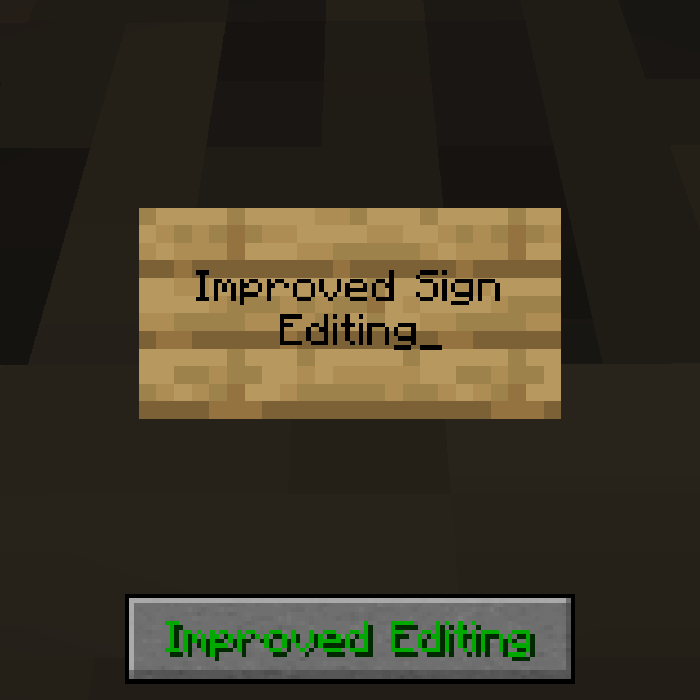
在告示牌上输入文本时,如果当前单词无法完整显示,它会自动换到下一行:
显示剧透

类似地,使用退格键时,光标会回到上一行:
显示剧透

界面上有一个按钮可以启用或禁用改进的编辑功能,以便更精细地控制。也可以在配置文件中禁用该按钮:
显示剧透


只要下载源保持在 CurseForge 或 Modrinth 生态系统中,您可以自由将该模组用于任何整合包。
Serilum.com 提供了所有可用模组的概览及更多信息。
如有问题、想法、建议或其他内容,请访问 Github 仓库。谢谢!
Improved Sign Editing is a client-side mod which adds some QoL changes to the process of writing text on signs in-game. Whenever text is typed on a sign, and the next word doesn't fit, it automatically shifts to the next line. No need for guessing whether the next part fits. Also works the other way around, when using backspace, it goes back to the previous line. Functionality can be toggled in the config or in-game via the button.
All available config options:
Show Spoiler
enableImprovedEditing default true
A global toggle whether the improved editing functionality should be enabled.
showImprovedEditingButton default true
Whether the Improved/Normal Editing button should be visible on the sign edit screen.
When typing the text on a sign, it automatically shifts to the next line when the current word doesn't fit:
Show Spoiler
Similarly, when using backspace, it goes to the previous line:
Show Spoiler
There is a button on the screen to enable/disable the improved editing for finer control. Can be disabled in the config:
Show Spoiler
You may freely use this mod in any modpack, as long as the download remains hosted within the CurseForge or Modrinth ecosystem.
Serilum.com contains an overview and more information on all mods available.
For issues, ideas, suggestions or anything else there is the Github repo. Thanks!
下载 Improved Sign Editing
需要联机服务器吗?
稳定流畅、一键部署,几分钟即可和朋友联机开服
最低仅需 8 元/月 即可畅快联机
下载 Improved Sign Editing
需要联机服务器吗?
稳定流畅、一键部署,几分钟即可和朋友联机开服
最低仅需 8 元/月 即可畅快联机
下载 Improved Sign Editing
需要联机服务器吗?
稳定流畅、一键部署,几分钟即可和朋友联机开服
最低仅需 8 元/月 即可畅快联机
下载 Improved Sign Editing
需要联机服务器吗?
稳定流畅、一键部署,几分钟即可和朋友联机开服
最低仅需 8 元/月 即可畅快联机
下载 Improved Sign Editing
需要联机服务器吗?
稳定流畅、一键部署,几分钟即可和朋友联机开服
最低仅需 8 元/月 即可畅快联机
下载 Improved Sign Editing
需要联机服务器吗?
稳定流畅、一键部署,几分钟即可和朋友联机开服
最低仅需 8 元/月 即可畅快联机
下载 Improved Sign Editing
需要联机服务器吗?
稳定流畅、一键部署,几分钟即可和朋友联机开服
最低仅需 8 元/月 即可畅快联机
下载 Improved Sign Editing
需要联机服务器吗?
稳定流畅、一键部署,几分钟即可和朋友联机开服
最低仅需 8 元/月 即可畅快联机
下载 Improved Sign Editing
需要联机服务器吗?
稳定流畅、一键部署,几分钟即可和朋友联机开服
最低仅需 8 元/月 即可畅快联机
下载 Improved Sign Editing
需要联机服务器吗?
稳定流畅、一键部署,几分钟即可和朋友联机开服
最低仅需 8 元/月 即可畅快联机

- 将最新更改移植至 Minecraft 26.1.2 版本,该版本现已重新获得积极支持。

包含先前版本详细信息的完整更新日志可在我的网站上查看:
>
将模组的 Java 包名更改为 com.serilum.*。
更新了 mods.toml 和 fabric.mod.json 文件中的模组信息。
无功能性变更。
包含之前版本详细信息的完整更新日志可在我的网站上找到:
>
关于这个资源的讨论、问题反馈与使用心得
还没有讨论,来发第一帖吧
你是这个资源的作者?登录后可认领此资源。
相似资源
 模组

可定制的鞘翅模组,支持装饰纹饰、旗帜图案等更多功能!
 模组

显示你正在注视的方块的信息。(适用于 Minecraft 1.16+ 的 Hwyla/Waila 分支)
 模组
在游戏画面角落显示附近世界地形、玩家、生物和实体的地图。可创建路径点,帮助你找到标记过的位置。
 模组

查看物品与配方
 模组
使用 JavaScript 编辑配方、添加自定义物品、编写世界事件!
 模组
AE2:一款流行的自动化与存储模组
评论 0
登录后参与评分
还没有评论,来抢沙发吧