
此模组提供了一种通过标记物品来将其从 A 移动到 B 的方法。
传送器 (Teleposer)

这是一个传送器。它有一个输入面和一个输出面(两者均可在 GUI 中设置),并将物品从输入面移动到输出面。输入面的中心为黑色,输出面的中心为白色。 注意每个侧面都有不同颜色的指示灯。每种方向对应一种颜色,以便你在 GUI 中进行选择。
它还拥有一个如下所示的 GUI:(别慌)

两个彩色方块显示当前的输入和输出面。左键或右键点击可循环切换可能的面。请注意,你可以将它们设置为同一个面。 在上图中,输入位于紫色面,输出位于绿色面——这是默认设置。
如果顶部 9 个槽位中有物品,则只允许这些物品通过,类似于 RP 过滤器或 BC 钻石管道中的过滤功能。这些是全息槽位,就像钻石管道一样(如果你不知道这意味着什么,试试看就知道了)。
暂时忽略文本框和优先级。

这是使用传送器的最简单有用设置。输入侧旁边有一个箱子,输出侧旁边也有另一个箱子。物品将从输入箱移动到输出箱。箱子可以被机器或其他容器替换。

这些是运输导管。它们可用于在不同传送器之间即时移动物品。它们可以被微块覆盖,但微块目前不会影响导管之间的连接——它们纯粹是装饰性的。
你的导管如何连接并不重要。这两根导管是完全等效的,除了用于制造它们的材料不同:

通过运输导管传输的物品堆栈都有一个标签,可以是任何文本字符串。它们将被发送到具有匹配物品过滤器(或无物品过滤器)和匹配标签的最高优先级的已连接传送器。
还记得 GUI 中的那些文本框吗?它们是用于标签的。
- “out” 文本框指定物品离开此传送器时将获得的标签,“in” 文本框指定允许进入该传送器的标签。
- “in” 文本可以是一个以
|分隔的标签列表,其中可以包含*作为通配符。“out” 文本是一个以,分隔的标签列表,用于尝试将物品发送到的目标。
例如,使用以下配置:

传送器将接受标记为“asdf”或以“sorting”开头的任何物品的钻石。然后,它会将这些物品发送到任何标记为“valuables”的传送器。如果没有传送器可以接受该物品(也许 valuables 箱子已满),则会将其发送到“recycler”。
增压器 (Transpressurizer)

传送器网络需要电力才能运行,而增压器将电能转换为网络可以使用的形式。将一根运输导管连接到顶部,并将 IC2 电缆连接到任何其他侧面,直到网络充满电,电能将被转换。它可以接受任何电压。
它也可以通过 BC 导电管道供电。 1 MJ 提供的电量与 2.5 EU 相同。
如果你没有 IC2 或 BC,或者只是不想提供电力,可以使用配置选项禁用传送器的电力需求。
请注意,每次传送器尝试将物品堆栈推送到网络时都会消耗电力,即使没有任何物品能找到目的地。
网络可以存储相当多的电力,目前没有办法测量网络中存储的电力。
确切行为:(可选阅读)
每当传送器尝试推送一个物品堆栈时,它会消耗 3 个电荷单位,加上堆栈中每个物品 1 个电荷单位。如果存储的能量不足以推送整个堆栈,它将不会执行任何操作,即使有足够的能量推送部分堆栈也不行。 1 个电荷单位需要 0.8 MJ 或 2 EU。 网络中最大存储能量为每个连接的机器侧面 128 个电荷单位。
定位器 (Dislocator)

这是一个定位器。它的行为有点像 RedPower 中的检索器,但它也可以将物品发送到其他地方。
它的 GUI 如下所示:

方向非常简单——它设置了连接到管网的块面。
每次定位器接收到红石信号时,它会执行以下操作:
- 查找与定位器中设置的物品匹配的物品。它只考虑直接连接的传送器的输出侧所连接的箱子和机器。它只考虑输入标签与 GUI 中的“搜索标签”匹配的传送器。
- 从找到该物品的传送器的输入侧发射物品,并使用 GUI 中的“弹出标签”进行标记。
举个例子:
你有一个输入标签为“cobblestone”的石头箱子,以及一个输入标签为“furnace”的熔炉。你想一次从箱子移动 8 个石头到熔炉。你会将搜索标签设置为“cobblestone”,将弹出标签设置为“furnace”,并在物品槽中放入 8 个石头。
注意事项:
- 你可以设置多个搜索标签,用逗号分隔。它们将按照顺序尝试,就像传送器一样。
- 你可以设置多个弹出标签,用逗号分隔。同上。
- 用于搜索的优先级与物品使用的优先级相反。如果你的石头先去了箱子,然后当箱子满时去了回收器,那么定位器会首先检查回收器(假设它满足所有其他条件)。
- 它不会“穿过”传送器查看——如果在上述例子中,定位器和石头箱子之间有一个传送器,它将无法工作。
- 它目前不会从多个堆栈中获取物品。如果一个箱子有 27 个各含 1 个石头的堆栈,请求 27 个石头将会失败。
该传送器也可作为 ComputerCraft 的外设使用。它只有一个功能:
-- (其中 'dislocator' 是已包装的外设)
dislocator.pull(stackSize, searchLabel, ejectLabel)

-- 移动一些物品,效果如同施加了红石信号。
-- 此函数不使用 GUI 中的搜索标签、排出标签或堆叠大小,
-- 而是使用作为参数传递的值。
-- 返回一个唯一的请求 ID。

-- 在不超过一个刻(tick)后发送 dislocator_done 事件。
-- 事件的第一个参数是请求 ID,第二个参数表示请求是否成功(true 为成功,false 为失败)。

-- 由于技术限制,我无法直接返回请求是否成功。
(原版模组由 immibis 制作。原始描述来自 Minecraft Forums。)
存档通知
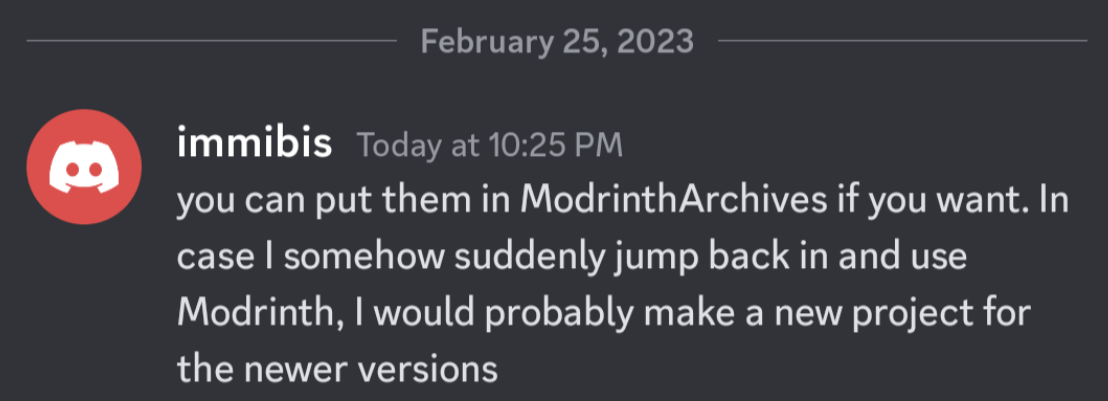
本模组已废弃,上传仅用于存档目的。它最初由 immibis 制作。经原作者许可,已上传至 Modrinth 的 ModrinthArchives 账号下。
This mod provides a way to move items from A to B, by labeling them.
Teleposer
This is a teleposer. It has an input side and an output side (both of which can be set in the GUI), and moves items from the input side to the output side. The input side has a black centre, and the output side has a white centre. Notice each side of the block has different coloured lights on it. Each direction corresponds to a colour, to allow you to select them in the GUI.
It also has a GUI that looks like this: (don't panic)
The two coloured squares show the current input and output sides. Left or right click to cycle through the possible sides. Note that you can set them both to the same side. In the picture above, the input is on the purple side and the output is on the green side - this is the default setup.
If any items are in the top 9 slots, only those items will be allowed through, like in an RP filter or BC diamond pipe. These are holo-slots, like the diamond pipe (If you don't know what that means, try it and see).
Ignore the textboxes and priority for now.
This is the simplest useful setup with a teleposer. There is a chest next to the input, and another chest next to the output. Items will be moved from the input chest to the output chest. The chests could be replaced with machines or other inventories.
These are transport conduits. They can be used to move items instantly between different teleposers. They can be covered in microblocks, but the microblocks currently will not affect connections between conduits - they will be purely aesthetic.
It doesn't matter how your conduits are connected. These two conduits are exactly equivalent, except for the materials used to make them:
Item stacks travelling through transport conduits have a label, which can be any text string. They will go to the highest-priority connected teleposer with a matching item filter (or no item filter) and a matching label.
Remember those textboxes in the GUI? They're for labels.
- The "out" textbox specifies the label items will get when they leave this teleposer, and the "in" textbox specifies which labels are allowed to enter the teleposer.
- The "in" text can be a
|-separated list of labels to accept, which can include*as a wildcard. The "out" text is a,-separated list of labels to try sending the item to.
For example, with this configuration:
the teleposer will accept diamonds which are labelled either "asdf", or anything that starts with "sorting". It will then send them to any teleposer labelled "valuables". If no teleposer can accept the item (perhaps the valuables chest is full) it will send them to "recycler" instead.
Transpressurizer
Teleposer networks require power to run, and the transpressurizer converts electricity into a form the network can use. Connect a transport conduit to the top, and an IC2 cable to any other side, and power will be converted until the network is full. It will accept any voltage.
It can also be powered from BC conductive pipes. 1 MJ provides the same amount of power as 2.5 EU.
If you don't have IC2 or BC or just don't want to supply power, there is a config option you can use to disable the power requirement of teleposers.
Note that power is used every time a teleposer tries to push an item stack onto a network, even if none of the items could find a destination.
A network can store quite a bit of power, and there is currently no way to measure stored power on a network.
Exact behaviour: (optional reading)
A teleposer uses 3 charge units whenever it attempts to push an item stack, plus one charge unit per item in the stack. If there is not enough stored energy to push the entire stack, it will not do anything, even if there is enough to push part of the stack. 0.8 MJ or 2 EU are required for 1 charge unit. The maximum stored energy in a network is 128 charge units for every connected machine side.
Dislocator
This is a dislocator. It acts somewhat like a retriever in RedPower, but it can send items to other places as well.
Its GUI looks like this:
The direction is pretty straightforward - it sets the side of the block that connects to a tube network.
Each time the dislocator receives a redstone signal, it does the following:
- Finds an item matching the item set in the dislocator. It only considers chests and machines which are connected to the output sides of directly connected teleposers. It only considers teleposers whose input label matches the "search label" in the GUI.
- Emits the item from the input side of the teleposer it was found in, labelled with the "eject label" in the GUI.
As an example:
You have a cobblestone chest with an input label of "cobblestone", and a furnace with an input label of "furnace". You want to move 8 cobblestone at a time from the chest to the furnace. You would set the search label to "cobblestone" and the eject label to "furnace", and put 8 cobblestone in the item slot.
Notes:
- You can set multiple search labels, separated by commas. They will be tried in that order, as with teleposers.
- You can set multiple eject labels, separated by commas. Ditto.
- The priority used for searching is the opposite of that used by items. If your cobble goes to a chest, then to a recycler if the chest is full, then dislocators will check the recycler first (assuming it meets all the other criteria).
- It will not look "through" teleposers - if there is a teleposer between the dislocator and the cobblestone chest in the above example, it will not work.
- It will currently not take items from multiple stacks. If a chest has 27 stacks of 1 cobblestone, a request for 27 cobblestone will fail.
The dislocator is also usable as a ComputerCraft peripheral. It has one function:
-- (where 'dislocator' is the wrapped peripheral)
dislocator.pull(stackSize, searchLabel, ejectLabel)

-- Moves some items, as if you applied a redstone signal.
-- This function does not use the search label, eject label, or stack size from
-- the GUI but instead uses the ones passed as parameters.
-- Returns a unique request ID.

-- Sends a dislocator_done event no more than one tick later.
-- The event's first parameter is the request ID, and the second
-- parameter is true if the request succeeded, or false if it failed.

-- I can't directly return whether the request succeeded or not due to technical
-- limitations.
(Original mod by immibis. Original description from the Minecraft Forums.)
Archival notice
This mod is abandoned and has been uploaded for archival purposes. It was originally created by immibis. It has been uploaded to Modrinth under the ModrinthArchives account with permission from the original author.

下载 InfiniTubes
下载 InfiniTubes
下载 InfiniTubes
下载 InfiniTubes
下载 InfiniTubes
下载 InfiniTubes
下载 InfiniTubes
下载 InfiniTubes
下载 InfiniTubes
下载 InfiniTubes
暂无更新日志
关于这个资源的讨论、问题反馈与使用心得
还没有讨论,来发第一帖吧
你是这个资源的作者?登录后可认领此资源。
相似资源
 模组

一个用于收集生物掉落物的多区块模组。
 模组
在游戏画面角落显示附近世界地形、玩家、生物和实体的地图。可创建路径点,帮助你找到标记过的位置。
 模组
AE2:一款流行的自动化与存储模组
 模组
添加全屏世界地图,显示你在世界中已探索的区域。与 Xaero's Minimap 搭配使用效果极佳。
 模组

基于 GTCEu 1.12.2 的现代 GregTech
 模组

让你能够在世界中的任何位置定位结构。
评论 0
登录后参与评分
还没有评论,来抢沙发吧