
Keepsake 允许对“死亡不掉落”和死亡机制进行完全自定义。由你决定死后究竟会发生什么。
支持单人游戏和服务器。以下所有设置均可在游戏中更改,无需重启!
开始使用
运行 /keepsake config。
在服务器上,你需要拥有 OP 权限才能执行此命令!在你的单人世界中不需要任何特殊操作,但如果你创建世界时未开启作弊,你会收到一个小提示询问是否先开启作弊。这是对那个世界的永久性更改,因此它会先询问而不是直接执行!
点击 Save(保存) 以应用设置。
保留你想要的物品
Keep(保留) 标签页为背包的每个部分提供开关和百分比选项。你喜欢赌博吗?
|
|
| Keep hotbar(保留快捷栏) |
你的底部一行。默认开启。 |
| Keep armor(保留护甲) |
你身上穿着的装备。默认开启。 |
| Keep offhand(保留副手) |
你的左手。默认开启。 |
| Keep main inventory(保留主背包) |
其余 27 个格子。默认关闭。 |
每个项目下方的百分比表示保留该类别中特定比例的物品,其余随机掉落。将主背包设置为 50%,那么死亡时你将随机失去一半的物品。
精细控制
Lists(列表) 标签页会覆盖针对特定物品的开关设置。所有条目均以逗号分隔。
- Always keep these items(始终保留这些物品) 例如
minecraft:elytra, minecraft:totem_of_undying
- Always keep these item tags(始终保留这些物品标签) 例如
minecraft:pickaxes
- Always drop these items(始终丢弃这些物品)
- Always drop these item tags(始终丢弃这些物品标签)
- Always keep / drop these slots(始终保留/丢弃这些槽位) 通过编号指定... 槽位编号为
0-8 快捷栏,9-35 主背包,36-39 护甲,40 副手。
丢弃列表优先于保留列表。因此,“保留我所有的工具,但始终丢弃圆石”确实会按此逻辑生效。
税收!
没错,税收也来到了 Minecraft!在 Items(物品) 标签页中。当你死亡时,被保留的工具和护甲会损失其最大耐久度的一定比例。这是在“丢失装备”和“死亡毫无代价”之间取得的中立平衡。不过,它永远不会彻底损坏一件物品!
经验值 (XP)
XP 标签页,四种模式:
- Keep all(全部保留)
- Keep percent(保留百分比) 保留总经验值的一定比例
- Keep levels(保留等级) 限制你保留 N 个等级,其余丢失
- Keep none(全部丢失) 原版行为
百分比基于经验点数而非等级数字计算!
坟墓
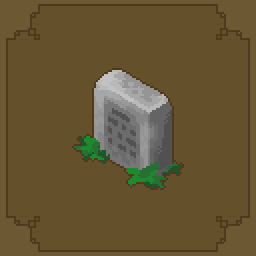
在 Items(物品) 标签页中,将 Lost items(丢失的物品) 设置为 Grave,那么你没有保留的所有物品都会被密封在你死亡的墓碑中,而不是散落在地上。
- Look at it(查看) 可以查看归属者以及里面有什么。
- Right click(右键点击) 取回所有物品。
- Break it(破坏它) 内容物会洒出,所以位于糟糕位置的坟墓永远不会成为死胡同。
默认情况下,坟墓仅所有者可见,它们也会保存你丢失的经验值,并且苦力怕无法将其炸毁。死亡时会收到一条聊天信息告知你的坐标。
喜欢原版?将 Lost items(丢失的物品) 设置为 Scatter。感觉邪恶?设置为 Void。
重生
Respawn(重生) 标签页。
- Instant respawn(即时重生) 完全跳过死亡屏幕。
- Respawn delay(重生延迟) 在你可以重生之前等待一段时间。
- Respawn at(重生位置) 像往常一样在床上、世界出生点或死亡地点。
- Invulnerability(无敌时间) 重生后获得几秒的免疫时间。
- Respawn effects(重生效果) 任意效果,格式如
minecraft:slowness:100:1。
自定义死亡消息
在 General(常规) 标签页中,你可以保持死亡消息不变、完全隐藏它,或者编写自己的消息。{player} 和 {cause} 会被填充,因此 {player} bit the dust ({cause}) 这样的写法是有效的。
维度与死亡!
为不同的维度设置自定义死亡规则!每种保留规则都可以按维度和伤害类型进行覆盖。这些设置在配置文件中而非菜单中,面向高级用户和整合包制作者!
"dimensionOverrides": {
  "minecraft:the_nether": { "keepMainInventory": false, "durabilityTaxPercent": 25 }
},
"damageOverrides": {
  "minecraft:out_of_world": { "keepMainInventory": true },
  "#minecraft:is_fire": { "lostItems": "VOID" }
}
只需命名你想要更改的设置,其余设置将继承默认值。伤害类型的优先级高于维度,因此“如果在虚空中坠落则保留所有物品”的规则即使在下界依然有效。
制作预设
你可以切换整个配置文件,存放在 config/keepsake/presets/ 中。模组自带三个预设:
- vanilla(原版) 丢失所有物品,等同于没有安装模组
- softcore(软核) 保留物品栏,10% 耐久度税收,墓碑,即时重生
- hardcore(硬核) 丢失所有物品,墓碑,5 秒重生延迟,岩浆使物品消失
从 Presets(预设) 标签页加载,或使用 /keepsake preset load softcore 命令加载。使用 /keepsake preset save mypack 保存你自己的设置,以便随整合包一起分发。
命令
/keepsake config              打开设置界面
/keepsake reload              重新读取配置文件
/keepsake enabled <true|false>
/keepsake preset list|load <name>|save <name>
/keepsake show                打印当前生效的规则
/keepsake stats [player]      死亡计数(仅供娱乐)
配置文件
config/keepsake.json 在首次启动时生成。菜单中的所有设置都在其中,还包括维度和伤害类型的覆盖设置。/keepsake reload 命令会在无需重启的情况下应用编辑后的内容。
未来计划
- 在菜单中编辑维度和伤害类型覆盖设置。
- 按死亡方式调整规则,使得不同方式的死亡产生不同结果(在菜单中实现,而不仅仅是在配置文件中)。
- 按玩家规则,使得 OP 可以对新玩家更宽容。
- 坟墓地图标记/指南针。
Keepsake allows a FULL customization option for Keep Inventory and death. Decide exactly what happens when you die.
Works in singleplayer and on servers. Everything below is changeable in game without a restart!
Getting Started
Run /keepsake config.
On a server, you need op to run this! In your own singleplayer world you don't need anything, but if you made the world without cheats you'll get a small prompt asking to switch them on first. That's a permanent change to that world, which is why it asks instead of just doing it!
Hit Save to apply.
Keeping What YOU Want
The Keep tab has a switch and a percentage for each part of your inventory. Do you like to gamble?
|
|
| Keep hotbar |
Your bottom row. On by default. |
| Keep armor |
What you're wearing. On by default. |
| Keep offhand |
Your left hand. On by default. |
| Keep main inventory |
The other 27 slots. Off by default. |
The percentage under each one keeps that share of the category and drops the rest, picked at random. Set inventory to 50% and on death, you lose half of your inventory at random.
Fine control
The Lists tab overrides the switches for specific things. All comma separated.
- Always keep these items e.g.
minecraft:elytra, minecraft:totem_of_undying
- Always keep these item tags e.g.
minecraft:pickaxes
- Always drop these items
- Always drop these item tags
- Always keep / drop these slots by number... slot numbers are
0-8 hotbar, 9-35 inventory, 36-39 armor, 40 offhand.
Drop lists win over keep lists. So "keep all my tools, but always drop cobblestone" does exactly that.
Taxes!
Thats right, taxes have made their way to Minecraft! On the Items tab. Kept tools and armor lose that share of their max durability when you die. It's the middle ground between losing your gear and death costing you nothing. It'll never break an item, though!
XP
The XP tab, four modes:
- Keep all
- Keep percent a share of your total XP
- Keep levels caps you at N levels, you lose the rest
- Keep none vanilla
Percentages work on XP points, not the level number!
Graves
On the Items tab, set Lost items to Grave and everything you didn't keep gets sealed into a gravestone where you died instead of scattering on the floor.
- Look at it to see whose it is and what's inside.
- Right click to take everything back.
- Break it and the contents spill out, so a grave in a bad spot is never a dead end.
Graves are owner only by default, they hold your lost XP too, and creepers can't blow them up. You get one chat line on death telling you the coordinates.
Prefer Vanilla? Set Lost items to Scatter. Feeling EVIL? Void.
Respawn
The Respawn tab.
- Instant respawn skips the death screen entirely.
- Respawn delay makes you wait before you can respawn.
- Respawn at your bed as normal, world spawn, or right where you died.
- Invulnerability a few seconds of immunity on respawn.
- Respawn effects anything you like, as
minecraft:slowness:100:1.
Custom Death Messages
On the General tab you can leave the death message alone, hide it completely, or write your own. {player} and {cause} get filled in, so {player} bit the dust ({cause}) works.
Dimension & Death!
Give dimensions custom death rules! Every keep rule can be overridden per dimension and per damage type. These live in the config file rather than the menu, for more advanced users and modpack makers!
"dimensionOverrides": {
  "minecraft:the_nether": { "keepMainInventory": false, "durabilityTaxPercent": 25 }
},
"damageOverrides": {
  "minecraft:out_of_world": { "keepMainInventory": true },
  "#minecraft:is_fire": { "lostItems": "VOID" }
}
Only name the settings you want to change, the rest are inherited. Damage type beats dimension, so "keep everything if you fall in the void" still wins in the Nether.
Make Presets
Whole configs you can swap between, in config/keepsake/presets/. Three come with the mod:
- vanilla lose everything, same as no mod
- softcore keep your inventory, 10% durability tax, graves, instant respawn
- hardcore lose everything, graves, 5 second respawn delay, and lava voids your stuff
Load one from the Presets tab or with /keepsake preset load softcore. Save your own setup with /keepsake preset save mypack to save it with your modpack.
Commands
/keepsake config              open the settings
/keepsake reload              re-read the config file
/keepsake enabled <true|false>
/keepsake preset list|load <name>|save <name>
/keepsake show                print the active rules
/keepsake stats [player]      death count for funsies
Config file
config/keepsake.json writes on first launch. Everything in the menu is in there, plus the dimension and damage overrides. /keepsake reload picks up edits without a need to restart.
Future Plans
- Editing the dimension and damage overrides in the menu.
- Per death adjustments, so dying in different ways yields different results (in menu, not just config).
- Per player rules, so ops can be softer on new players.
- A grave map marker/compass.

 模组

 模组

 模组
 模组
 模组
 模组
评论 0
登录后参与评分
还没有评论,来抢沙发吧