如果您想以零 effort 的方式为 Lever Button Lights 模组搭建服务器,请使用 BisectHosting 的服务器,并在新客户注册时使用代码 kreezxil 享受首月 25% 的折扣。
描述
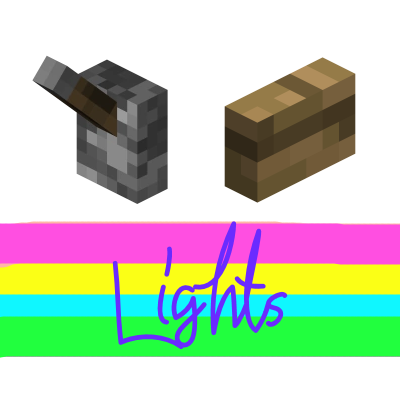
适用于 NeoForge 版 Minecraft 26.3 的 51 种玻璃光源:玻璃拉杆、玻璃发光方块和玻璃按钮灯,每种均包含透明色及 16 种颜色。右键点击可切换灯光的开启或关闭状态,并保持该状态直至再次点击。开启时,它会发出光线并发出红石信号。
方块与合成表
• 玻璃发光方块 (Glass Light Block):1 个火把置于 1 个玻璃上方。它是所有其他光源的基础。
• 玻璃拉杆灯 (Glass Lever Light):1 根木棍置于 1 个透明玻璃发光方块上方。
• 玻璃按钮灯 (Glass Button Light):在合成台中放置 1 个透明玻璃发光方块。
• 16 种颜色的玻璃发光方块:任意玻璃发光方块 + 1 个对应颜色的染料。
• 16 种颜色的拉杆灯:任意拉杆灯 + 1 个对应颜色的染料。
• 16 种颜色的按钮灯:任意按钮灯 + 1 个对应颜色的染料。
颜色包括:白色、橙色、紫红色、浅蓝色、黄色、黄绿色、粉色、灰色、银色、青色、紫色、蓝色、棕色、绿色、红色和黑色。银色灯光使用浅灰色染料染色。任何光源都可以重新染成同类型的其他颜色。
全部 51 种光源均可在模组的专属创造模式标签页“Lever & Button Lights”中找到。
工作原理
• 所有光源都像拉杆一样放置:在地面、天花板或墙壁上,且需要其背后的方块来维持位置。
• 按钮灯的开关方式类似拉杆,不会回弹。它们拥有按钮大小的碰撞箱,开启时外观呈按下状态。
• 开启时,光源提供 15 级光照等级,并发送强度为 15 的红石信号,如同原版拉杆一样为其附着的方块供电。关闭时则无光且不发送信号。
• 玻璃发光方块是完整、实心的方块:它们像玻璃一样被选中、破坏和碰撞。拉杆灯和按钮灯没有碰撞体积,如同原版拉杆和按钮。
• 发出的光对所有颜色均为白色。
• 它们会发出玻璃破碎的声音,徒手即可快速破坏(镐子更快),不需要工具且始终掉落自身物品。
配置
所有设置均位于 config/leverbuttonlights-common.toml,这是一个普通的本地配置文件,在世界加载前读取,适用于客户端和专用服务器。在游戏中,打开 Mods 列表,选择 Lever & Button Lights 并按下 Config 按钮即可编辑所有选项。
拉杆灯、玻璃发光方块和按钮灯各自拥有独立的开启时光照等级(默认 15)、关闭时光照等级(默认 0)、红石信号强度(默认 15)、硬度以及爆炸抗性。另一个选项用于添加类似现代原版拉杆的红石尘埃粒子效果(默认关闭)。
模组还会生成 config/leverbuttonlights.example.cf,其中展示了每个选项及其默认值。模组永远不会读取此文件;请勿将其重命名为 leverbuttonlights-common.toml。
路线图
- 来自彩色光源的真实彩色光。这在 Minecraft 26.3 中不可行:方块光照是每个方块单一亮度级别,没有颜色,且原计划中的 Albedo 库不适用于 26.3。
整合包
无需询问。直接添加即可。如果能提供一个反向链接将不胜感激,但并非必需。
26.3 NeoForge 之前版本的说明见下文。
Spoiler
如果你想零 effort 地搭建一个适用于 Lever Button Lights 模组的服务器,请选择 BisectHosting 的服务器,并使用优惠码 kreezxil 作为新客户享受首月 25% 的折扣。
视频
拉杆灯?那是电灯开关吗?我还制作了一种玻璃方块灯!当你点击它时,它会自行发光;再次点击则关闭。如果处于开启状态,它会发出红石信号。如果你只需要普通的玻璃方块,请使用那个版本。
添加了 Extra Mods 中出色的纯色纹理,并创建了 16 种新的按钮,它们像拉杆一样只有开启或关闭两种状态。开启时会发出等级为 15 的红石信号,否则为 0。开启时它们看起来非常美观。
合成配方


新的彩色按钮灯通过在合成网格中放置 1 个有色染色玻璃来合成。
待办事项
- 调整碰撞盒模型,使其更紧密地贴合按钮和大块灯。
- 实现 Albedo 库,使光源散发出真实的彩色光线。
整合包
无需询问,直接添加即可。如果能提供链接回本模组页面将不胜感激,但并非必需。
本项目自豪地由 FORGE 提供支持,没有它就不可能实现。请帮助 FORGE 移除 Adfocus 广告:
If you want a server setup for the Lever Button Lights mod with zero effort, get a server with BisectHosting and receive 25% off your first month as a new customer using the code kreezxil
Description
51 glass lights for Minecraft 26.3 on NeoForge: glass levers, glass light blocks and glass button lights, each in clear and 16 colors. Right-click switches a light on or off, and it stays that way until clicked again. While on, it gives off light and sends a redstone signal.
Blocks and recipes
• Glass Light Block: 1 torch above 1 glass. It is the base of every other light.
• Glass Lever Light: 1 stick above 1 clear Glass Light Block.
• Glass Button Light: 1 clear Glass Light Block in a crafting grid.
• 16 colored Glass Light Blocks: any Glass Light Block + 1 dye of that color.
• 16 colored Lever Lights: any lever light + 1 dye of that color.
• 16 colored Button Lights: any button light + 1 dye of that color.
Colors: white, orange, magenta, light blue, yellow, lime, pink, gray, silver, cyan, purple, blue, brown, green, red and black. Silver lights are dyed with light gray dye. Any light can be re-dyed into another color of the same kind.
All 51 lights are in the mod's own creative tab, Lever & Button Lights.
How they work
• Every light is placed like a lever: on the floor, on the ceiling or on a wall, and it needs the block behind it to stay in place.
• The button lights toggle like a lever and do not spring back. They have button-sized hitboxes and look pressed while on.
• While on, a light gives off light level 15 and sends a redstone signal of 15, powering the block it is attached to like a vanilla lever. While off it is dark and sends no signal.
• The glass light blocks are full, solid blocks: they are selected, broken and collided with like glass. Lever lights and button lights have no collision, like vanilla levers and buttons.
• The light given off is white for every color.
• They make glass sounds, break quickly by hand (a pickaxe is faster), need no tool and always drop themselves.
Configuration
All settings are in config/leverbuttonlights-common.toml, an ordinary local config file read before a world loads, on clients and dedicated servers. In game, open Mods, select Lever & Button Lights and press Config to edit every option.
The lever lights, the glass light blocks and the button lights each have their own light level when on (default 15), light level when off (default 0), redstone signal strength (default 15), hardness and explosion resistance. Another option adds redstone dust particles like a modern vanilla lever (default off).
The mod also writes config/leverbuttonlights.example.cf, which shows every option with its default value. The mod never reads it; do not rename it to leverbuttonlights-common.toml.
Roadmap
- Real colored light from the colored lights. This is not possible in Minecraft 26.3: block light is a single brightness level per block with no color, and the Albedo library from the original plan does not exist for 26.3.
Modpacks
No need to ask. Add it. A link back would be appreciated but not required.
Instructions for versions prior to 26.3 NeoForge are contained below.
Spoiler
If you want a server setup for the Lever Button Lights mod with zero effort, get a server with BisectHosting and receive 25% off your first month as a new customer using the code kreezxil
Videos
A lever light? Is that a light switch? I've also created a Glass block light! The block lights itself when you hit it and if you hit again, it turns off. If it is on, it'll send a redstone signal. So if you only wanted regular glass, use that.
Added the awesome solid textures from Extra Mods and created 16 new buttons that are either on or off like a lever. They emit a level 15 redstone signal when on, otherwise 0. When on they look beautiful.
Recipes
The new colored button lights are formed by placing 1 colored stained glass in a crafting grid.
TODO
- Adjust hit box models to more tight around the buttons and large block light.
- Implement an Albedo library to have real colored light emanate from the light sources.
Modpacks
No need to ask. Add it. A link back would be appreciated but not required.
This project is proudly powered by FORGE, without whom it would not be possible. Help FORGE get rid of Adfocus at


 模组

 模组

 模组
 模组

 模组
 模组
评论 0
登录后参与评分
还没有评论,来抢沙发吧