
LIDAR 是一个模组,它通过将玩家投射到周围表面上的点和粒子极大地改变了 Minecraft 的可见性。这使得游戏极其难以游玩!同时也相当诡异。
本模组受 KenForest 的游戏 "Lidar.exe" 启发——如果你喜欢这个模组,请务必去看看原版游戏!
音乐
本模组还自定义了游戏内的音乐——大多数收录曲目可以在 soundcloud.com/fennifith 或 fennifith.bandcamp.com 找到 :)
配置
目前,模组的配置文件可以通过手动编辑 config/lidar-lidarconfig.json 进行修改。请注意,此文件中的无效值可能导致游戏崩溃。未来的更新中应会添加一个游戏内配置菜单以解决此问题。
{
// 是否启用模组渲染
"isActive": true,
// 方块标识符 -> 粒子颜色的映射
"blockColorMap": {
"default": "#FFFFFF",
"minecraft:water": "#0000FF",
"minecraft:seagrass": "#0000FF"
},
// 实体标识符 -> 粒子颜色的映射
"entityColorMap": {
"default": "#ff7e7e",
"peaceful": "#61cf66",
"hostile": "#ff7e7e",
"minecraft:enderman": "#7e009e",
"minecraft:creeper": "#008f07"
},
// 被排除在粒子系统之外的实体,这些实体将正常渲染
"entityRender": [
"minecraft:item",
"minecraft:item_frame",
"minecraft:glow_item_frame",
// 如果从列表中移除末影龙,它在渲染时实际上会导致游戏崩溃——所以不要这么做 :)
"minecraft:ender_dragon"
],
// 粒子是否跟随移动的实体(看起来非常俗气,默认关闭)
"entityParticleFollow": false,
// 如果启用,粒子会更准确地投影到实体模型上,但会牺牲性能
"entityParticleModel": true,
// 如果启用,其他实体的粒子将在当前玩家身上渲染(遮挡玩家视野,默认关闭)
"entityParticlesOnSelf": false,
// 每个刻由非玩家实体创建的 LIDAR 投射数量
"entityLidarCount": 20,
// LIDAR 粒子投射的距离(方块单位)
"lidarDistance": 10.0,
// 粒子的半径/扩散范围,单位为度
"lidarSpread": 30.0,
// 每个刻为玩家实体创建的 LIDAR 投射数量
"lidarCount": 100,
// 投射到方块上的粒子应保持存在的刻数
"lidarDurationBlock": 100,
// 投射到实体上的粒子应保持存在的刻数
"lidarDurationEntity": 20,
// 是否应为 LIDAR 粒子渲染泛光效果
"lidarBloom": true
}
按键绑定
本模组有一个用于在粒子/普通渲染模式之间切换的按键绑定,默认绑定为 K。你可以在“选项 > 控制 > 按键绑定”中更改此设置。
模组兼容性
由于本模组修改了渲染逻辑,它很可能与大多数其他 Fabric 模组不兼容。已知它与 Sodium/Iris 等不兼容。请自行承担风险使用。
许可证
Copyright (c) 2023 James Fenn
This Source Code Form is subject to the terms of the Mozilla Public
License, v. 2.0. If a copy of the MPL was not distributed with this
file, You can obtain one at https://mozilla.org/MPL/2.0/.
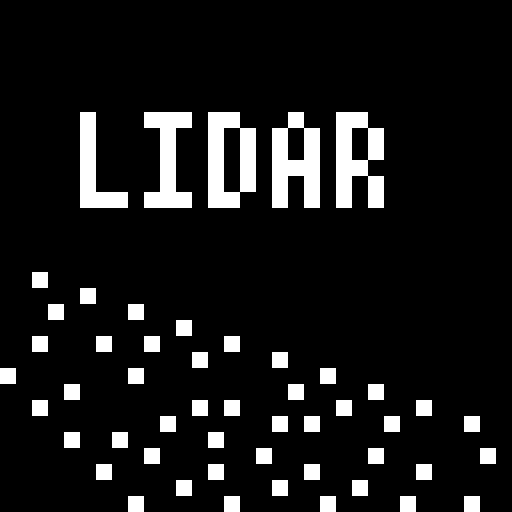
LIDAR is a mod that dramatically transforms Minecraft's visibility into an environment of dots and particles projected from the player onto surfaces around them. This makes the game super difficult to play! And also pretty spooky.
This mod is inspired from the game "Lidar.exe" by KenForest - if you enjoy this mod, be sure to check out the original game!
Music
This mod additionally customizes the in-game music - most of the included tracks can be found at soundcloud.com/fennifith or fennifith.bandcamp.com :)
Configuration
For now, the mod's configuration can be edited manually in config/lidar-lidarconfig.json. Be aware that invalid values in this file can crash the game. An in-game config menu should be added to address this in a future update.
{
// whether the mod rendering is enabled
"isActive": true,
// a mapping of block identifier -> particle color
"blockColorMap": {
"default": "#FFFFFF",
"minecraft:water": "#0000FF",
"minecraft:seagrass": "#0000FF"
},
// a mapping of entity identifier -> particle color
"entityColorMap": {
"default": "#ff7e7e",
"peaceful": "#61cf66",
"hostile": "#ff7e7e",
"minecraft:enderman": "#7e009e",
"minecraft:creeper": "#008f07"
},
// entities that are excluded from the particle system, and should be rendered normally
"entityRender": [
"minecraft:item",
"minecraft:item_frame",
"minecraft:glow_item_frame",
// if you remove the ender dragon from this list, it will actually crash the game when it renders - so don't do this :)
"minecraft:ender_dragon"
],
// whether particles should follow entities as they move (looks super cheesy, turned off by default)
"entityParticleFollow": false,
// if enabled, particles project onto entity models more accurately, at the cost of performance
"entityParticleModel": true,
// if enabled, particles from other entities will render on the current player (blocks the player's view, turned off by default)
"entityParticlesOnSelf": false,
// amount of lidar projections created by non-player entities, per tick
"entityLidarCount": 20,
// distance (blocks) that lidar particles should be cast
"lidarDistance": 10.0,
// radius/spread of particles, in degrees
"lidarSpread": 30.0,
// amount of lidar projections created for player entities, per tick
"lidarCount": 100,
// amount of ticks that particles cast onto blocks should remain
"lidarDurationBlock": 100,
// amount of ticks that particles cast onto entities should remain
"lidarDurationEntity": 20,
// whether a bloom effect should be rendered for the lidar particles
"lidarBloom": true
}
Keybinds
This mod has one keybind to toggle between particle/normal rendering modes, which is bound to K by default. You can change this in "options > controls > key binds".
Mod Compatibility
This mod is likely incompatible with most other fabric mods due to how it modifies the rendering logic. It is known to be incompatible with Sodium/Iris/etc. Use at your own risk.
License
Copyright (c) 2023 James Fenn
This Source Code Form is subject to the terms of the Mozilla Public
License, v. 2.0. If a copy of the MPL was not distributed with this
file, You can obtain one at https://mozilla.org/MPL/2.0/.
评论 0
登录后参与评分
还没有评论,来抢沙发吧