无需离开你的世界,即可直接在游戏内编辑 Minecraft 纹理。
Live Texture Editor Mod(实时纹理编辑器模组)让你能够即时修改方块、物品、实体和 GUI 元素。
只需看向一个方块,按下按键,编辑纹理,并实时查看更改效果。
非常适合 资源包创作者、像素艺术家 以及任何希望进行快速、高效 编辑 的人。
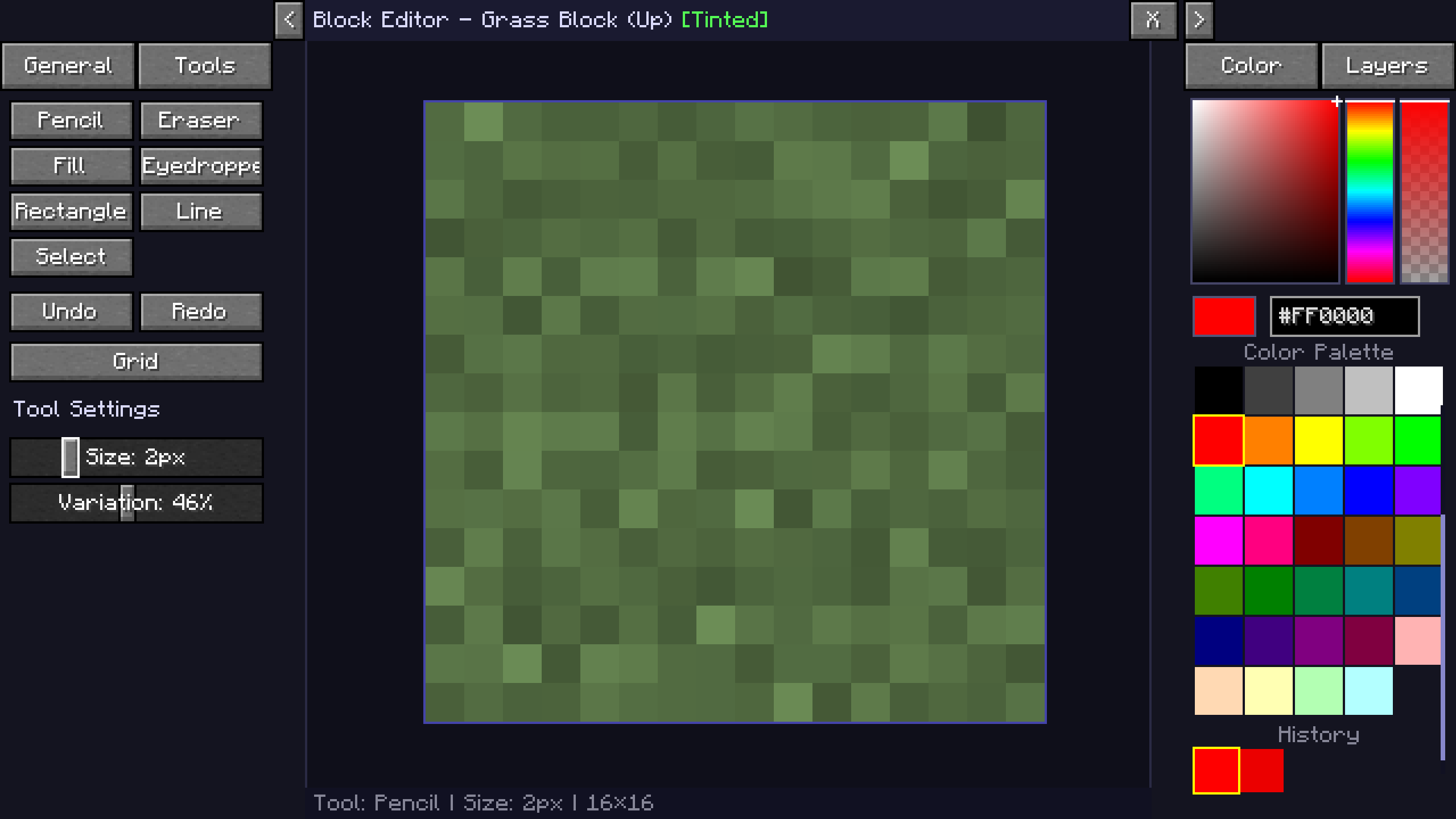
| 方块编辑器 |
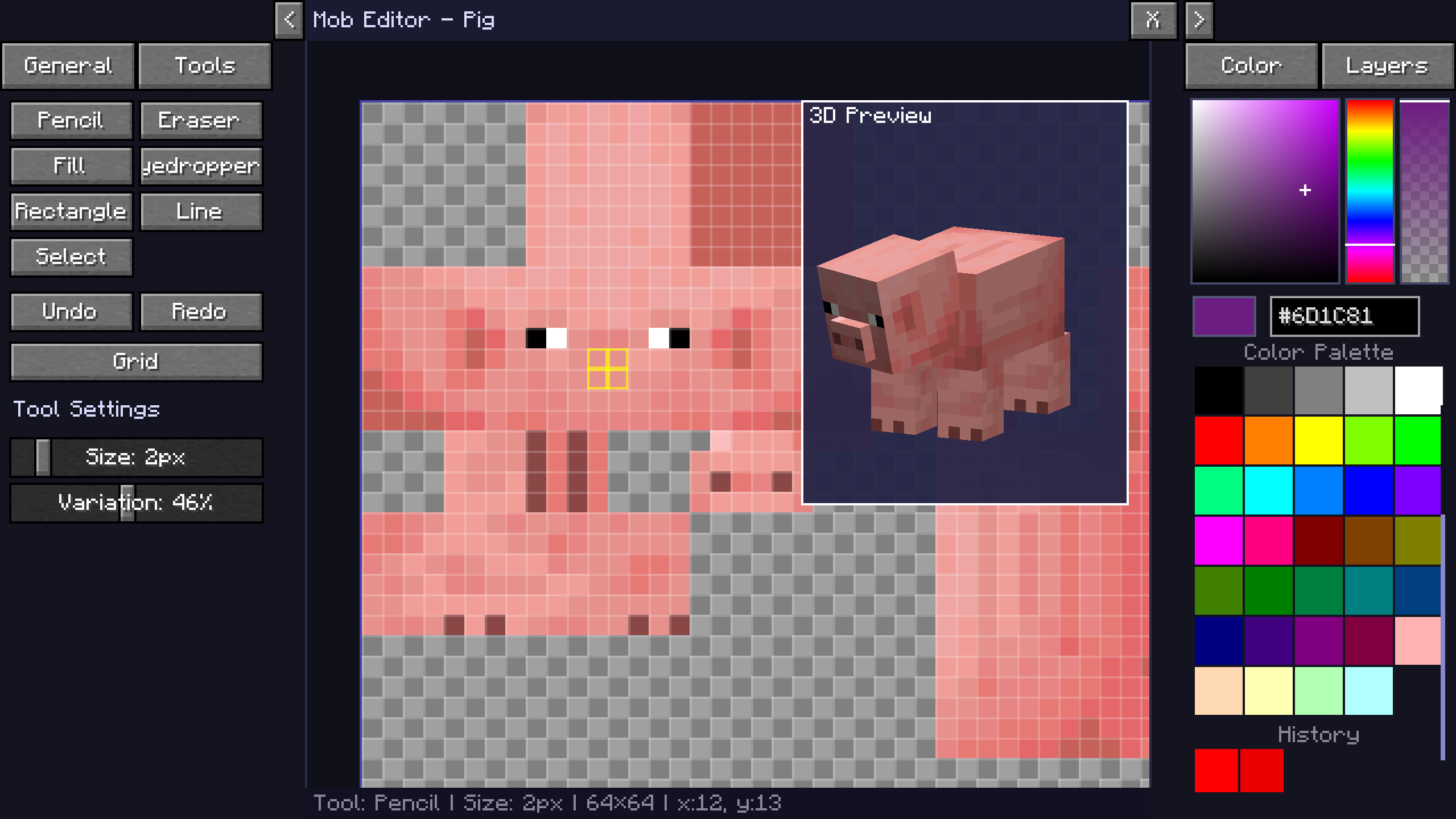
生物编辑器 |
 |
 |
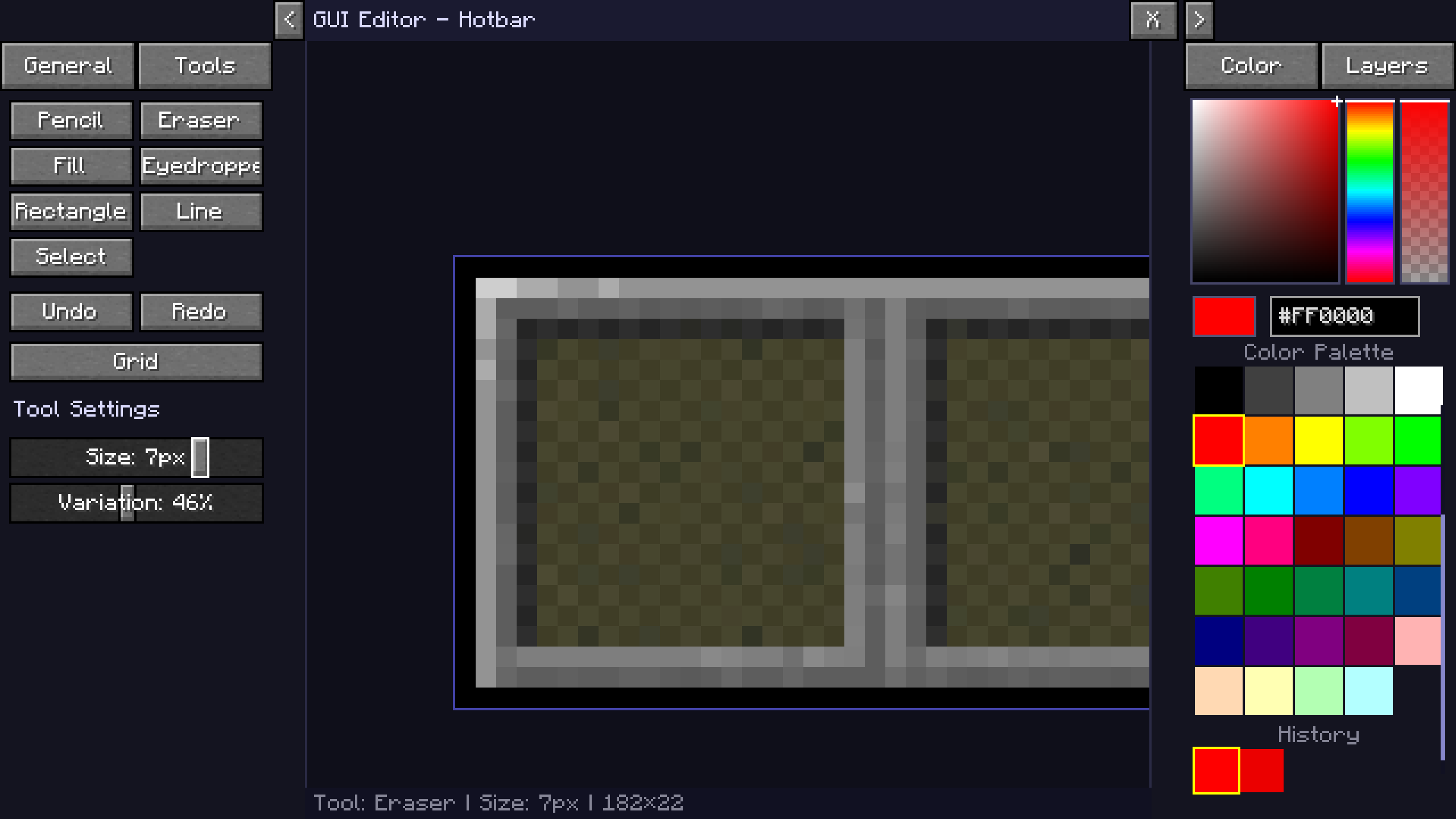
| GUI 编辑器 |
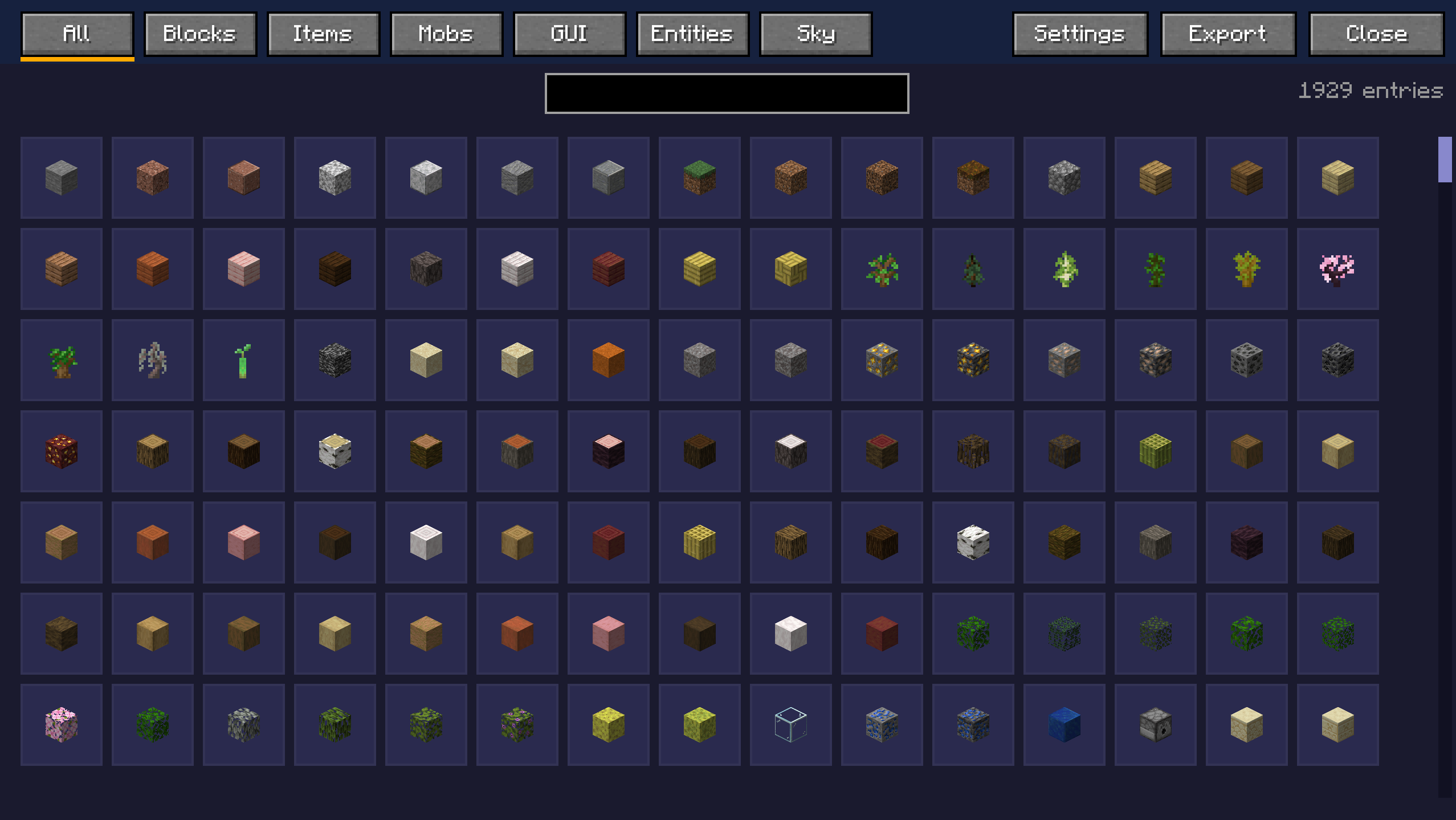
浏览菜单 |
 |
 |
观看教程视频
KasaiSora 关于该模组的视频
加入 Discord 社区
主要功能
方块编辑器
- 看向任意方块并按下
R(默认键)以打开其纹理编辑器。
- 分别编辑各个面(顶面、底面、侧面)。
- 更改会 即时应用到世界中,无需重新加载。
物品与实体编辑器
- 直接编辑生物纹理(僵尸、苦力怕等)。
- 以像素级精度修改物品图标。
- 刷怪蛋集成可自动打开对应生物的纹理。
GUI 与 HUD 编辑器
- 自定义快捷栏、准星、生命值、饥饿值和经验条。
- 编辑背包、工作台、熔炉、箱子等界面。
- 支持独立纹理和精灵图集(Sprite Atlases)。
工具
- 铅笔、画笔(用于纹理绘制)、橡皮擦、油漆桶、直线工具、吸管工具
- 缩放(鼠标滚轮)和平移(右键 + 拖动)
- 切换网格显示
- 完整的颜色选择器,支持 Hex 输入
- 撤销和重做功能
导出为资源包
- 一键导出为即用的
.zip 格式资源包。
- 非破坏性编辑,保留原始纹理完整无损。
- 导出的资源包可以覆盖在现有资源包之上以实现替换。
编辑器始终使用当前激活的资源包作为基础。
使用方法
控制键
J(默认) – 启用实时纹理编辑器。
R(默认) – 打开你当前注视的方块或实体的编辑器。
X(默认) – 按住此键可查看未应用你更改的世界原貌。
在编辑器中
- 左键单击 – 绘制 / 使用工具
- 右键单击 + 拖动 – 平移画布
- 滚轮 – 缩放
- Y 和 Z – 撤销 / 重做
- G – 切换网格显示
应用更改
- 在游戏会话中即时应用实时更新。
- 导出资源包以保存所有已应用的纹理。
- 重置以恢复至原始纹理(原版或当前激活的资源包)。
兼容性
- Minecraft 版本:1.20.1, 1.21, 1.21.4, 1.21.5, 1.21.10, 1.21.11, 26.1.x, 26.2, 26.3
- 加载器:Fabric,部分支持 NeoForge
- 必需依赖:Fabric API(当使用 Fabric 加载器时)
与其他资源包无缝配合工作。
活动的纹理包被加载为基础层,你的编辑会在视觉上覆盖它们。导出的资源包可以放置在现有资源包之上。
安装方法(针对 Fabric)
- 安装 Fabric Loader。
- 安装 Fabric API。
- 将模组
.jar 文件放入 mods 文件夹。
- 启动 Minecraft。
或者直接使用 Modrinth App / Curseforge 下载。
由 zee 制作
特别鸣谢:
移植至 26.x 版本:1_st_Cat

Edit Minecraft textures directly in-game without leaving your world.
The Live Texture Editor Mod lets you modify blocks, items, entities, and GUI elements instantly.
Simply look at a block, press a key, edit the texture, and see the changes live.
Ideal for resource pack creators, pixel artists, and anyone who wants fast, efficient editing.
| Block Editor |
Mob Editor |
 |
 |
| GUI Editor |
Browse Menu |
 |
 |
Watch the Tutorial
KasaiSora's Video on the Mod
Join the Discord
Key Features
Block Editor
- Look at any block and press
R (default) to open its texture.
- Edit individual faces (top, bottom, sides) separately.
- Changes apply instantly in the world without reloading.
Item & Entity Editor
- Edit mob textures directly (Zombie, Creeper, etc.).
- Modify item icons with pixel-perfect precision.
- Spawn egg integration opens the corresponding mob texture automatically.
GUI & HUD Editor
- Customize hotbar, crosshair, hearts, hunger, and XP bar.
- Edit inventories, crafting tables, furnaces, chests, and more.
- Supports both standalone textures and sprite atlases.
Tools
- Pencil, Brush (for texturing), Eraser, Flood Fill, Line Tool, Eyedropper
- Zoom (Mouse Wheel) and Pan (Right Click + Drag)
- Toggle grid display
- Full color picker with hex input
- Undo and Redo functionality
Export to Resource Pack
- One-click export to a ready-to-use
.zip resource pack.
- Non-destructive editing keeps original textures intact.
- Exported packs can be layered over existing packs to override them.
The editor always uses the currently active resource pack as the base.
How to Use
Controls
J (Default) – Enable the Live Texture Editor.
R (Default) – Open the editor for the block or entity you are looking at.
X (Default) – Hold to see the world without your changes
In the Editor
- Left Click – Draw / Use tool
- Right Click + Drag – Pan canvas
- Scroll Wheel – Zoom
- Y and Z – Undo / Redo
- G – Toggle grid
Applying Changes
- Apply live updates instantly in your session.
- Export the pack to save all applied textures.
- Reset to revert to the original texture (Vanilla or active resource pack).
Compatibility
- Minecraft Version: 1.20.1, 1.21, 1.21.4, 1.21.5, 1.21.10, 1.21.11, 26.1.x, 26.2, 26.3
- Mod Loader: Fabric, partly NeoForge
- Required Dependency: Fabric API (when using Fabric Mod Loader)
Works seamlessly with other resource packs.
Active texture packs are loaded as the base, and your edits visually override them. Exported packs can be placed on top of existing packs.
Installation (for Fabric)
- Install Fabric Loader.
- Install Fabric API.
- Place the mod
.jar file into your mods folder.
- Launch Minecraft.
Or simply download using Modrinth App / Curseforge
Created by zee
Special mentions:
Port to 26.x: 1_st_Cat
评论 0
登录后参与评分
还没有评论,来抢沙发吧