分屏支持
一个简化本地多人游戏窗口定位的模组。
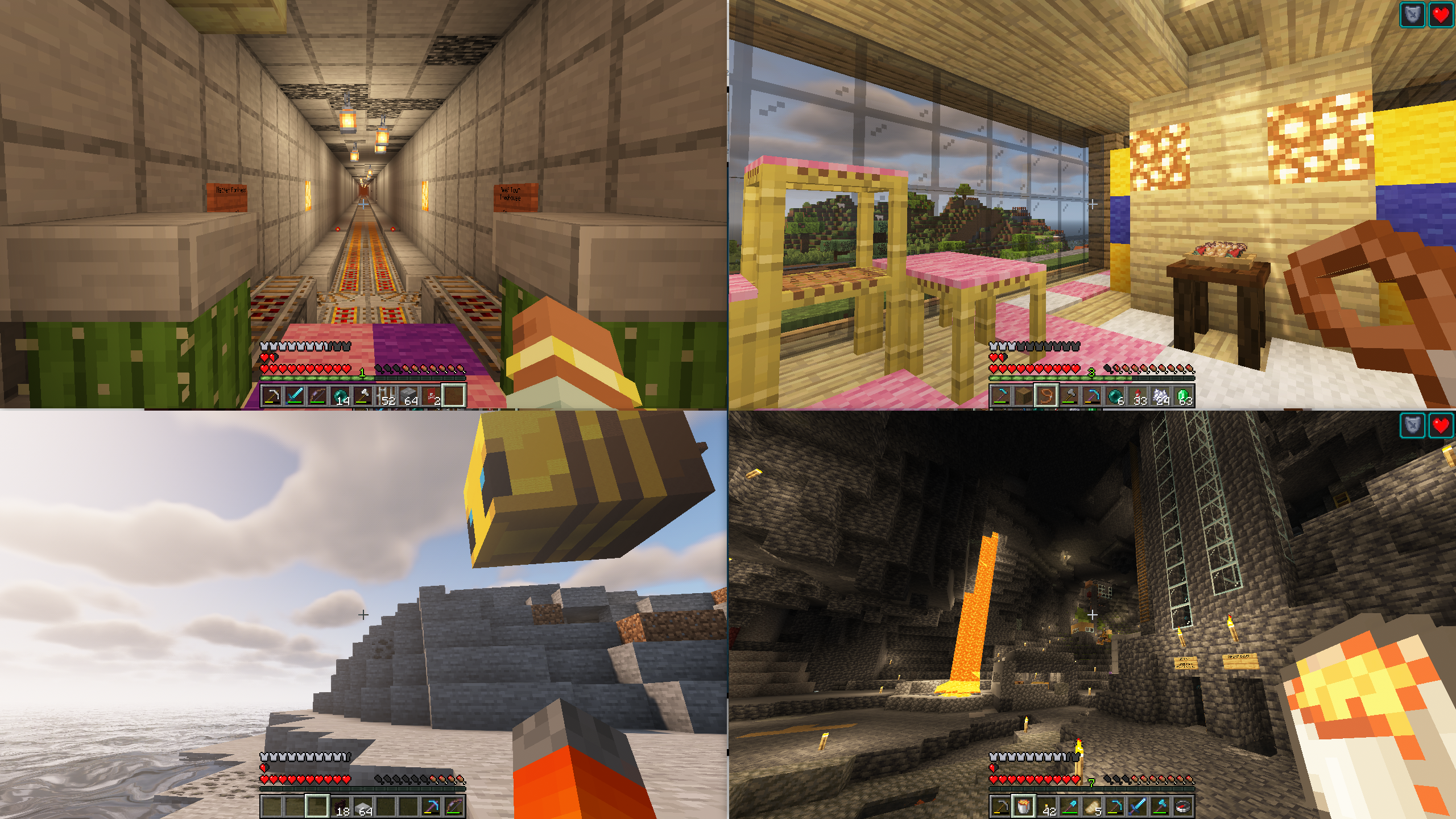
安装此模组后,按下“切换全屏”按钮(F11)即可在用于分屏游玩的不同半屏和四分之一屏幕窗口位置之间循环切换。它会保存你的选择,并在你重新启动游戏时自动将窗口恢复到相同的位置。
这让你能够更轻松地在同一台电脑上启动两个或多个 Minecraft 实例,并使窗口自动定位为适合分屏游玩的状态。
本模组旨在与 Minecraft 启动器(如 PrismLauncher)和游戏手柄模组(如 Midnight Controls)配合使用。
使用视频
推荐设置
所需物品
操作步骤
- 在 PrismLauncher 中创建两个或多个 Minecraft 实例,每个账号对应一个实例
- 在每个实例中安装 Splitscreen Support 和 MidnightControls
- 启动这些实例,并按如下方式配置 每一个 实例:
- Splitscreen Support:按
F11 来调整窗口位置
- MidnightControls:按照此处说明启用
Unfocused Input(非聚焦输入)和 Virtual Mouse(虚拟鼠标)
- Minecraft:按
F3+P 以禁用失去焦点时暂停
- 为每个实例配备一个游戏手柄,并配置 MidnightControls
- 在其中一个实例中创建一个新世界,并选择“对局域网开放”
- 让其他实例连接到该实例(例如,通过 localhost:25565)
- 叫上你的朋友,一起开启 Minecraft 派对!
其他模组功能
调整窗口之间的间隙
默认情况下,模组会在窗口之间保留一个小间隙。你可以通过修改 config/splitscreen.properties 文件中 gap 属性的值来更改此间隙的宽度(或将其设为 0)。
(该文件只有在首次运行模组并退出 Minecraft 后才会生成。)
致谢
有疑问?
如果你对该模组有任何疑问,请加入 Discord 服务器:
评论区已关闭,且我不会回复 Curseforge 上的私信。
Splitscreen Support
Simple mod that makes it easier to position windows for local multiplayer.
With this mod installed, hitting the 'Toggle Fullscreen' button (F11) will cycle you through different half- and quarter-size
window positions for split screen play. It then saves your choice and brings the window up in the same place when you
restart the game.
This makes it easier for you to start two or more copies of Minecraft and have the windows be positioned automatically
for splitscreen.
This mod is designed to be used in conjunction with a Minecraft launcher (such as PrismLauncher) and
a gamepad mod (such Midnight Controls)
Usage Video
Suggested Setup
Stuff you need
- Two or more legal minecraft accounts
- PrismLauncher
- Midnight Controls
- Splitscreen Support
- Two or more gamepads
- One or more friends
- One big TV hooked up to your computer
- One couch
What to do
- Create two or more minecraft instances in PrismLauncher, one for each account
- In each instance, install SplitScreen Support and MidnightControls
- Launch the instances and configure each of them as follows:
- SplitScreen Support: Press
F11 to position the windows
- MidnightControls: Enable
Unfocused Input and Virtual Mouse as described here
- Minecraft: Press
F3+P to disable Pause on Lost Focus
- Get a gamepad for each instance and configure MidnightControls
- In one of the instances, create a new world and 'Open to LAN'
- Connect the other instances to that one (e.g., localhost:25565)
- Get your friends and have a Minecraft party!
Other mod features
- Username is displayed in the upper-left corner of the main menu (so you can tell who's who)
Adjusting the gap between windows
By default, the mod puts a small gap between windows. You can change the width of this gap
(or make it 0) by setting the value of the gap property in config/splitscreen.properties.
(This file doesn't exist until you quit minecraft for the first time with the mod running).
Acknowledgements
Questions?
If you have questions about this mod, please join the Discord server:
Comments have been disabled and I will not reply to private messages on Curseforge.

评论 0
登录后参与评分
还没有评论,来抢沙发吧
