
Minecraft Emote
在 Minecraft 中使用 7TV、FrankerFaceZ 和 BetterTTV 的表情!
安装
- 安装并配置 FabricMC(教程)
- 根据你的 Minecraft 版本,从 Modrinth 或 GitHub 下载发布版
- 将模组安装到
.minecraft/mods目录中,或使用自定义启动器 - 启动游戏并开始聊天!
使用方法
表情
目前,该模组支持 7TV 和 FrankerFaceZ 表情。
你可以在聊天栏中输入 emote_name 来使用它们。
例如,输入 peepoHey 将会替换为  表情。
警告: 此功能仅对客户端有效,因此其他玩家只有在安装了该模组的情况下才能看到表情。
配置
你可以使用 ModMenu 模组或通过编辑配置文件来配置该模组。
ModMenu
你可以使用 ModMenu(GitHub)来配置该模组。 要打开配置界面,请在模组列表中点击该模组,然后点击配置按钮。
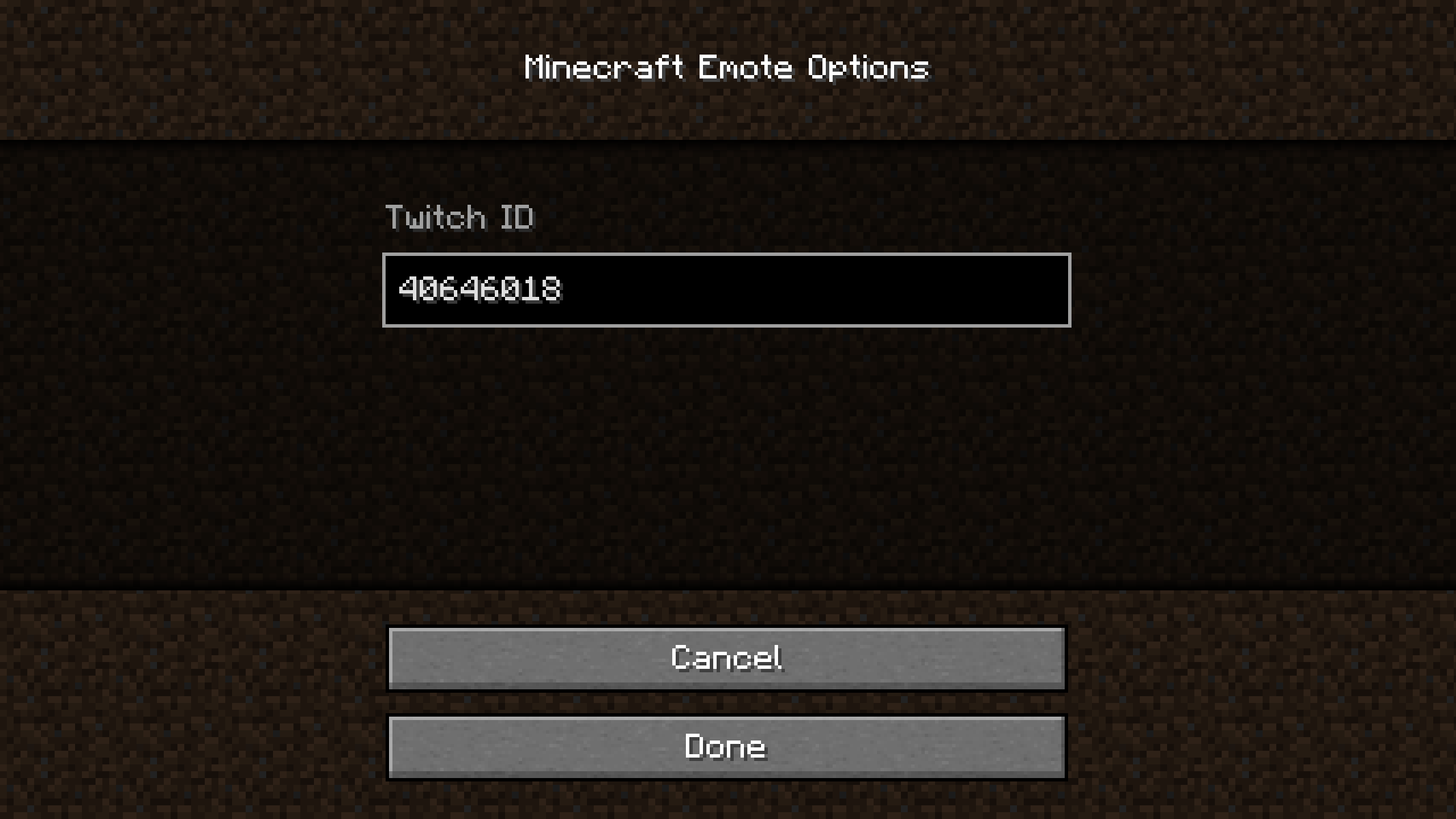
Twitch ID 是你想要用于表情的 Twitch 频道的 ID。
Twitch ID 不是频道的名称。
你可以通过 这个网站 获取 ID。
我会在未来添加在游戏内获取 ID 的方式。
文件
配置文件位于 .minecraft/config/mcemote.json。
如果进行了修改,必须重启游戏才能使更改生效。
内容如下:
{
	"twitchId": "40646018"
}
twitchId 是你想要用于表情的 Twitch 频道的 ID。
Twitch ID 不是频道的名称。
你可以通过 这个网站 获取 ID。
Minecraft Emote
7TV, FrankerFaceZ and BetterTTV emotes in Minecraft!
Install
- Install and setup FabricMC (wiki)
- Download release from Modrinth or GitHub for your Minecraft version
- Install the mods in the .minecraft/mods or using a custom launcher
- Launch the game and start Chatting!
Usage
Emotes
Currently, the mod supports 7TV and FrankerFaceZ emotes.
They can be used by typing emote_name in chat.
For example, peepoHey will be replaced with the emote.
Warning: This is only client-side, so other players will only see the emote if they have the mod installed.
Configuration
The mod can be configured using the ModMenu mod or by editing the configuration file.
ModMenu
The mod can be configured using ModMenu (GitHub). To open the configuration, click on the mod in the mod list and then on the config button.
The Twitch ID is the ID of the Twitch channel you want to use for the emotes.
The Twitch ID is not the name of the channel.
To get the ID, you can use this website.
I will add a way to get the ID in-game in the future.
File
The configuration file is located in .minecraft/config/mcemote.json.
If modified, the game must be restarted for the changes to take effect.
The content is the following:
{
	"twitchId": "40646018"
}
The twitchId is the ID of the Twitch channel you want to use for the emotes.
The Twitch ID is not the name of the channel.
To get the ID, you can use this website.

下载 Minecraft Emote
下载 Minecraft Emote
需要联机服务器吗?
稳定流畅、一键部署,几分钟即可和朋友联机开服
最低仅需 8 元/月 即可畅快联机
下载 Minecraft Emote
下载 Minecraft Emote
下载 Minecraft Emote
下载 Minecraft Emote
适用于 Minecraft 1.21 的更新
关于这个资源的讨论、问题反馈与使用心得
还没有讨论,来发第一帖吧
你是这个资源的作者?登录后可认领此资源。
相似资源
 模组

Minecraft 中的表情符号
 模组
? 主菜单上的闪屏文本将在可配置的延迟后持续变化。
 模组
恢复所有账户的游戏聊天访问权限
 模组

使聊天消息以平滑的动画效果显示。
 模组

Music Maker 为游戏添加了乐谱、乐器以及其他设备,用于创作和演奏音乐。
 模组

一个完整经济模组:玩家余额、动态定价商店、玩家市场、买入订单、货币物品以及网页仪表盘。
评论 0
登录后参与评分
还没有评论,来抢沙发吧