(<1.13) 需要 ShadowMC 的 Forgelin!
(>= 1.13 && <= 1.15) 需要 Alex_wells 的 Kottle!(1.14.4 版本至少需要 v1.2.1)
(>= 1.16.3) 需要 Kotlin for Forge
本模组旨在提供更多物品运输选项。受原版矿车启发,本模组添加了模块化船只。
新增船只类型
- 动物船:这种比普通船只更大的船可以让您更轻松地在水面上运输实体——只要它们能装得下!
- 模块化船只:这是本模组的主要亮点!这艘船支持多种不同的模块,以自定义和优化您的体验!(请参阅“模块”部分)
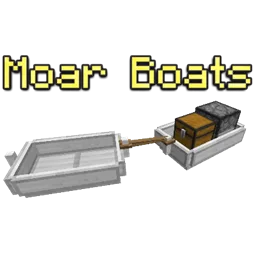
- 实用船只:将方块*与木质船只结合,即可得到实用船只:带着你的基地乘船旅行。所有支持的方块在船内都能保持其功能!(见截图)
*支持的方块:工作台、织布机、制图台、砂轮、切石机、箱子、末影箱、潜影盒、熔炉、烟熏炉、高炉、唱片机盒。
船队
您可以使用绳索物品链接本模组的船只。首先点击将要跟随的船只,然后点击领头的船只以完成两者的链接。这样,整个船队中只需一艘船进行导航和提供燃料即可!
模块
安装模块的方法是右键点击船只,并使用对应模块的物品。当手中没有持有对应模块的物品时,右键点击船只即可访问模块菜单。
模块分为四类:存储、导航、引擎和其他。
基础模块
- 箱子模块 (存储 - 箱子方块):为您的船只添加一个箱子来存放物品!可以使用漏斗进行填充和清空。
- 钓鱼模块(其他 - 任何钓鱼竿):添加一根钓鱼竿使船只自动钓鱼!需要安装存储模块才能工作。
- 座椅模块(存储 - 座椅物品):允许您在船上就座。
- 舵模块(导航 - 舵物品):允许控制船只的移动。需要座椅模块才能使用。可以设置为非阻塞模式(参见引擎模块)。
- 船桨(引擎 - 船桨物品):允许像操作原版船只一样控制船只。
- 锚模块(其他 - 铁砧方块):将您的重生点更改为设置锚的位置。同时会阻止船只移动(参见引擎模块)。
- 破冰器(其他 - 破冰器物品):打破船只前方的冰块
- 潜水模块(其他 - 潜水瓶物品):为距离不到 20 格的玩家提供呼吸效果
- 船只流体罐(存储 - 船只流体罐方块):可以容纳任何通过 Forge 注册的流体(数量可配置)。使用流体(卸载)加载器进行(卸载)装载。
- 船只电池(存储 - 船只电池方块):可以储存 RF/FE 能量(数量可配置)。使用能量(充/放)电装置进行(充/放)电。
- 区块加载(其他 - 船只区块加载器物品):保持船只周围 3x3 区域内的区块处于加载状态(可由服务器配置关闭)
- 发射器/投掷器模块(存储 - 发射器/投掷器方块):可以向船只周围的特定方向发射/投掷方块和物品。允许输出高度为 3 格的柱状物。发射器模块还可以放置方块。
引擎模块
引擎模块使模块化船只沿直线行驶。安装后需要在菜单中解锁(右上角按钮)才能工作。速度可以在菜单中进行微调。
- 太阳能引擎(引擎 - 阳光传感器方块):仅在太阳升起时运行的引擎
- 熔炉引擎(引擎 - 熔炉方块):使用燃料运行的引擎(接受原版熔炉的所有燃料 + 火把 & 岩浆块)
- 创造引擎(引擎 - 创造引擎物品):仅在创造模式下可用的永不熄火的引擎
引擎模块可以通过红石信号进行阻塞(例如使用 Waterborne Redstone Conductors)。
声纳模块(导航 - 音符盒)
此特殊模块可以通过向船只添加音符盒来安装。船只将在移动时尝试跟随河流。
请注意,该模块更像是一种实验性功能,而非可靠的船只导航方式!
罗盘模块(导航 - 罗盘物品)
这可能是本模组中最重要的模块。提供一个已填充的地图(可以缩小比例),并为船只规划一条它可自行遵循的路线!
由于无法直接将路径保存到地图中,因此从模块中移除地图时路径会丢失;这就是为什么 Moar Boats 提供了另外两种物品来创建路径:
- 带路径的地图:可以由普通地图合成,或在罗盘模块菜单中将普通地图转换而来。本质上就是带有注册路径的普通地图副本。
- 金色门票:同一张票的所有副本都是关联的:更改其中一个的路径即可更新所有副本(包括已在船只中使用的副本)。这对于控制船队非常有用。
有时,在地图上绘制路径并不精确/高效。为了解决这个问题,Moar Boats 添加了一个新方块:地图编辑台。
地图编辑台
此方块允许你使用带有路径或金票的地图来编辑路径,并提供更多选项:添加/插入/移除/编辑/重新排序航点。也可以通过输入 X、Z 坐标来创建航点。
如果你安装了 JourneyMap 模组,Moar Boats 将尝试查找使用该模组创建的航点,并在编辑航点时为你提供建议!
OpenComputers 集成(仅限 1.12.2)
警告:Moar Boats 目前不会保留你提供的物品中存储的数据,并且始终认为你提供的是:一个 CPU、一个*空*硬盘驱动器、一些内存条、一张装有 OpenOS 和 Lua BIOS 的软盘。
从版本 4.1.0.0 开始,Moar Boats 支持将计算机嵌入你的船只中!
要嵌入计算机,首先需要制作一个“OpenComputers 模块”:准备一个 OpenComputers(OC) 组装机,放入一个模块化船体,并填充以下组件:
- 三级 CPU
- 三级 HDD
- 三级内存卡
- 一张装有操作系统(如 OpenOS)的软盘
- 一个启动 EEPROM(如 Lua BIOS)
点击组装,即可获得“OpenComputer 模块”物品!
最后,用 OC 模块右键点击你的船只,Voilà!一艘内部带有计算机的船只!该计算机无需供电即可运行,因为其成本已经相当高昂。
Duncan Webb 的详细解释(v4.0.1.0)
Duncan Webb 的更多教程
Duncan Webb 制作的货运站与海港(适用于 v4.1.2.1 之前版本)
希望你能喜欢这个模组!
(<1.13) Requires ShadowMC's Forgelin!
(>= 1.13 && <= 1.15) Requires Alex_wells' Kottle! (1.14.4 requires at least v1.2.1)
(>= 1.16.3) Requires Kotlin for Forge
This mod aims at giving more options to transport items. Inspired by the vanilla Minecarts, the mod adds modular boats.
New boat types
- The Animal Boat: This bigger-than-usual boat allows you to transport entities - if they fit - over water more easily!
- The Modular Boat: This is the main attraction of the mod! This boat accepts lots of different modules to customize and automate your experience! (see Modules section)
- Utility boats: Combine a block* and a wood boat to get a utility boat: Bring your base with you on boats. All supported blocks retain their functionnality when inside the boat! (see screenshots)
*Supported blocks: Crafting Table, Loom, Cartography Table, Grindstone, Stonecutter, Chest, Ender Chest, Shulker boxes, Furnace, Smoker, Blast Furnace, Jukebox.
Boat trains
You can link boats from this mod by using a Rope item. First click the boat that will follow then click the leading boat to finish linking the two. That way, only one boat needs to navigate and have fuel in a fleet!
Modules
Installing a module is right clicking on the boat with the item corresponding to the module. You can access the modules menu by right clicking the boat when not holding an item that corresponds to a module.
Modules are separated in 4 categories: Storage, Navigation, Engine, and Misc.
Straight-forward modules
- Chest module (Storage - Chest block): Add a chest to your boat to hold items! Can be filled and emptied using hoppers.
- Fishing module (Misc. - any Fishing Rod): Add a fishing rod to make the boat fish automatically! Needs a Storage module installed to work.
- Seat module (Storage - Seat item): Allows you to seat in the boat.
- Rudder module (Navigation - Rudder item): Allows control of the movement of the boat. Needs a Seat module to be used. Can be set to non-blocking (see engine modules).
- Boat Paddles (Engine - Paddles item): Allows to control a boat as a vanilla boat.
- Anchor module (Misc. - Anvil block): Changes your spawn point to the location the anchor is set. Also blocks the boat (see engine modules).
- Ice breaker (Misc. - Ice breaker item): Breaks the ice in front of the boat
- Diving module (Misc. - Diving Bottle item): Provides Respiration for players less than 20 blocks away
- Boat Fluid Tank (Storage - Boat Fluid Tank block): can hold any fluid (amount configurable) registred via Forge. Use a Fluid (Un)Loader to (un)load it.
- Boat Battery (Storage - Boat Battery block): can hold RF/FE energy (amount configurable). Use an Energy (Dis)Charger to (un)load it.
- Chunk loading (Misc. - Boat Chunk Loader item): keeps the chunks in a 3x3 area around the boat loaded (can be turned off by the server config)
- Dispenser/Dropper modules (Storage - Dispenser/Dropper block): can dispense/drop blocks and items in a set direction around the boat. Allow for a 3-block high column output. The Dispenser module can also place blocks.
Engine modules
Engine modules make the modular boat go in a straight line. They need to be unlocked (top right button in their menu) once installed to work. The speed can be slightly adjusted in the menu.
- Solar engine (Engine - Daylight Sensor block): engine that runs only when the sun is out
- Furnace engine (Engine - Furnace block): engine that runs on fuel (any fuel accepted by the vanilla furnace + torches & magma blocks)
- Creative engine (Engine - Creative engine item): engine only accessible in Creative mode that never stops
Engine modules can be blocked by using redstone signals (with Waterborne Redstone Conductors for instance).
Sonar module (Navigation - Note Blocks)
This special module can be installed by adding Note Blocks to the boat. The boat will try to follow rivers when moving.
Be aware that this module is more of an experiment than a reliable way to make boat navigate!
Helm module (Navigation - Helm item)
This is perhaps the most important module of the mod. Provide a filled map (can be zoomed out) and plan an itinerary for the boat to follow by itself!
Because you cannot save directly the path to a Map, the path is lost when removing the map from the module; that's why Moar Boats provides two other items to create paths:
- Map with Path: can be crafted from a normal Map or converted from a Map inside the Helm module menu. Simply a copy of the normal Map with the path registered inside.
- Golden tickets: all copies of a single ticket are linked: change the path on one to update all of them (even the ones already in use in boats). Useful to control a fleet.
Sometimes, drawing the path on the map is not precise/effecient enough. To solve this problem, Moar Boats adds a new block: the Mapping Table.
Mapping Table
This block allows to edit the path stored on a Map with Path or a Golden Ticket with more options: Adding/Inserting/Removing/Editing/Reordering waypoints. Waypoints are also created by inserting their X,Z coordinates.
If you have the JourneyMap mod installed, Moar Boats will attempt to find the waypoints made using this mod and suggest them to you when editing a waypoint!
Open Computers integration (1.12.2 only)
WARNING: Moar Boats does not yet retain the data stored on the items you provide and will always consider that you gave: a CPU, an *empty* HDD, some RAM, a floppy with OpenOS and the Lua Bios.
Starting with version 4.1.0.0, Moar Boats supports embedding a computer inside your boat!
To embed a computer, you first need to create an 'OpenComputers Module':Prepare an OpenComputers(OC) Assembler, put a modular boat, fill in with:
- A Tier 3 CPU
- A Tier 3 HDD
- A Tier 3 Ram card
- A floppy with an OS (such as OpenOS)
- A boot EEPROM (such as the Lua bios)
Click assemble and you'll get the 'OpenComputer Module' item!
Finally, right click your boat with the OC Module and voilà! A boat with a computer inside of it! The computer requires no power to run as it is already quite expensive.
In depth explanation by Duncan Webb (v4.0.1.0)
More tutorials by Duncan Webb
Cargo Station and Sea Port by Duncan Webb (pre v4.1.2.1)
I hope you'll like the mod!

下载 Moar Boats
需要联机服务器吗?
稳定流畅、一键部署,几分钟即可和朋友联机开服
最低仅需 8 元/月 即可畅快联机
下载 Moar Boats
需要联机服务器吗?
稳定流畅、一键部署,几分钟即可和朋友联机开服
最低仅需 8 元/月 即可畅快联机
下载 Moar Boats
需要联机服务器吗?
稳定流畅、一键部署,几分钟即可和朋友联机开服
最低仅需 8 元/月 即可畅快联机
下载 Moar Boats
需要联机服务器吗?
稳定流畅、一键部署,几分钟即可和朋友联机开服
最低仅需 8 元/月 即可畅快联机
下载 Moar Boats
需要联机服务器吗?
稳定流畅、一键部署,几分钟即可和朋友联机开服
最低仅需 8 元/月 即可畅快联机
下载 Moar Boats
需要联机服务器吗?
稳定流畅、一键部署,几分钟即可和朋友联机开服
最低仅需 8 元/月 即可畅快联机
下载 Moar Boats
需要联机服务器吗?
稳定流畅、一键部署,几分钟即可和朋友联机开服
最低仅需 8 元/月 即可畅快联机
下载 Moar Boats
需要联机服务器吗?
稳定流畅、一键部署,几分钟即可和朋友联机开服
最低仅需 8 元/月 即可畅快联机
下载 Moar Boats
需要联机服务器吗?
稳定流畅、一键部署,几分钟即可和朋友联机开服
最低仅需 8 元/月 即可畅快联机
下载 Moar Boats
需要联机服务器吗?
稳定流畅、一键部署,几分钟即可和朋友联机开服
最低仅需 8 元/月 即可畅快联机
修复在近期 Forge 版本中崩溃的问题
修复放置船只时丢失颜色的问题
关于这个资源的讨论、问题反馈与使用心得
还没有讨论,来发第一帖吧
你是这个资源的作者?登录后可认领此资源。
相似资源
 模组
在游戏画面角落显示附近世界地形、玩家、生物和实体的地图。可创建路径点,帮助你找到标记过的位置。
 模组
添加全屏世界地图,显示你在世界中已探索的区域。与 Xaero's Minimap 搭配使用效果极佳。
 模组
Xaero's Minimap 模组的公平竞技版本,专为与不使用小地图的玩家进行公平 PVP 而设计。
 模组

生生不息,繁荣昌盛,阿斯特拉!
 模组

FlightAssistant 是一款客户端 Minecraft 模组,添加了飞行风格 HUD(类似于你在飞行模拟器中看到的)、自动驾驶系统、飞行保护等功能。
 模组

为 Refined Storage 添加新方块,例如更高级的制造器
评论 0
登录后参与评分
还没有评论,来抢沙发吧