
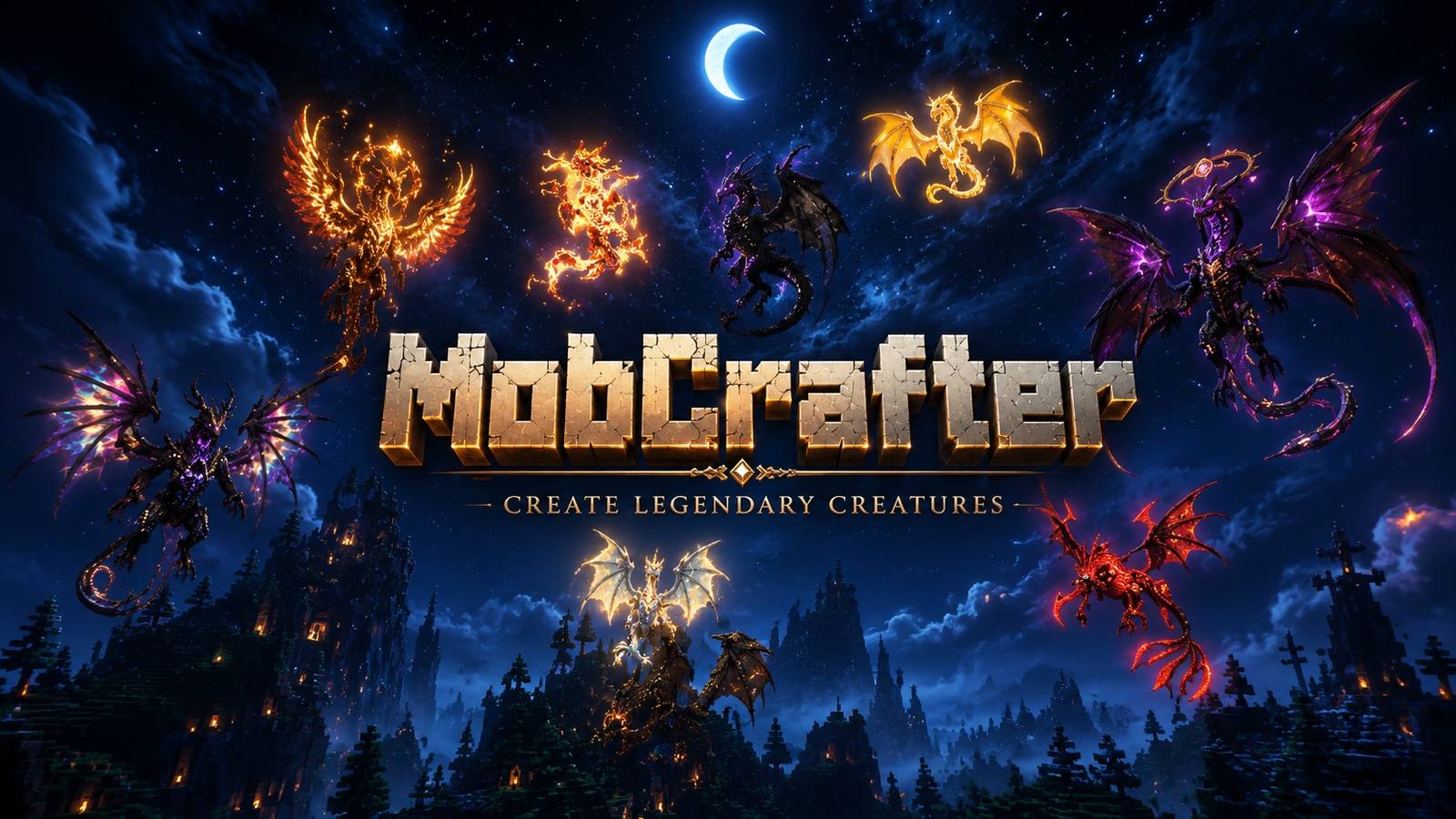
将你的方块建筑变为可操控单位
在 Minecraft 中建造结构,捕获它们,并像即时战略(RTS)军队一样指挥它们。
MobCrafter 是什么?
MobCrafter 是一个 Forge 模组,允许你
将由方块建造的结构转化为单个可控的单位实体。
你无需生成生物,而是使用方块自行创造单位——
然后在世界中捕获、召唤并指挥它们。
你可以:
- 使用原版方块建造任意结构
- 将其作为单位数据进行捕获
- 将其召唤为活体实体
- 通过指令和工具进行控制
无需建模工具。无需外部编辑器。只需建造即可。
单位共享门户
MobCrafter 默认不包含任何预制的单位。
相反,单位通过官方门户进行分享:
? 以及
你可以:
- 下载社区制作的单位 JSON 文件
- 重用或修改单位以用于你自己的世界
- 与他人分享你的创作
单位文件从以下路径加载:config/mob_crafter/units/
新单位可以在运行时添加,无需重启游戏。
在多人游戏中,服务器端的单位会同步给所有客户端。
MobCrafter 正在积极开发中。
功能、平衡性和性能可能会随时间推移而演变。
使用方法
MobCrafter 允许你将方块建造的结构转变为类似 RTS 的单位。
无需建模工具——只需建造、捕获和召唤即可。
1. 建造结构
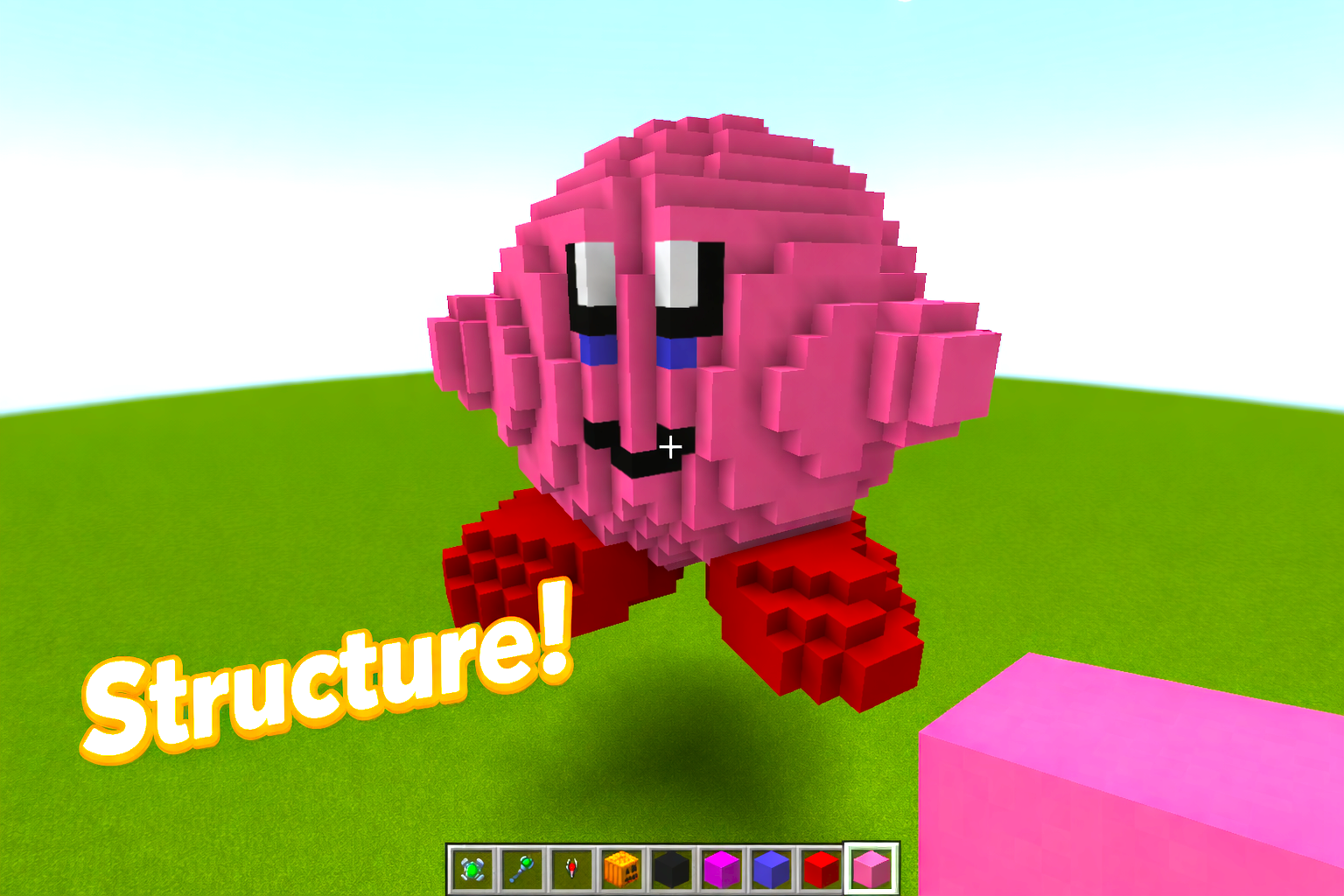
使用普通的 Minecraft 方块建造你喜欢的任何结构。
形状、大小和设计完全由你决定。
2. 放置骨块
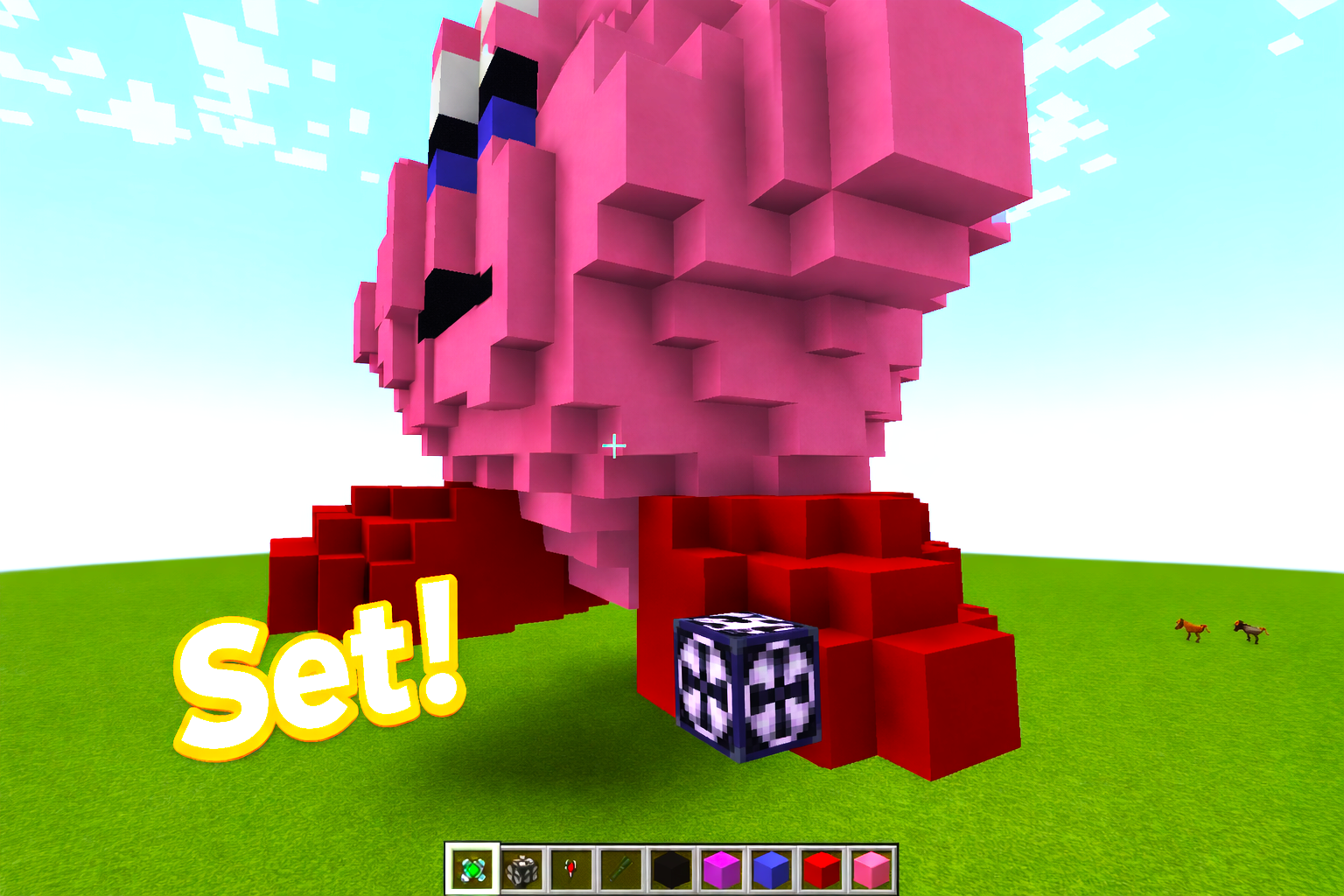
将骨块(Bone Block)附着到你的结构上。
该方块充当单位的核心/枢轴,是捕获所必需的。
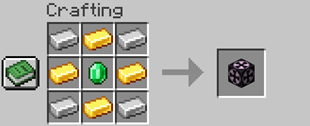
3. 捕获结构
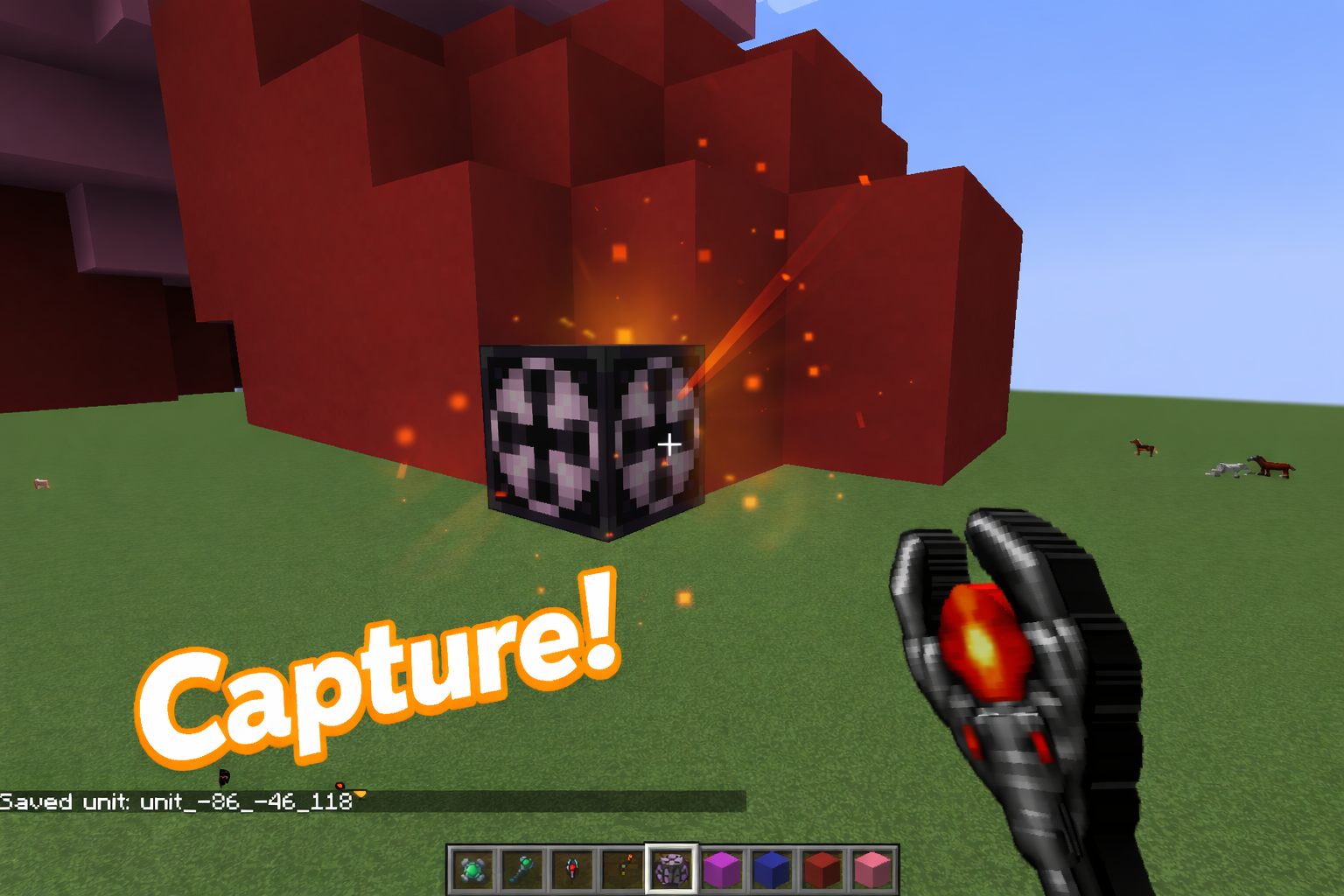
对骨块使用捕获工具(Capture Tool)。
整个相连的结构将被保存为单位数据。
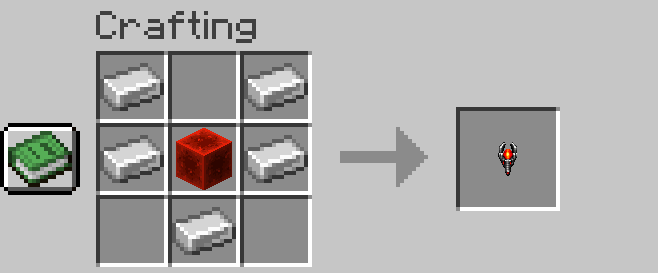
捕获操作不会摧毁原始结构。
4. 召唤单位
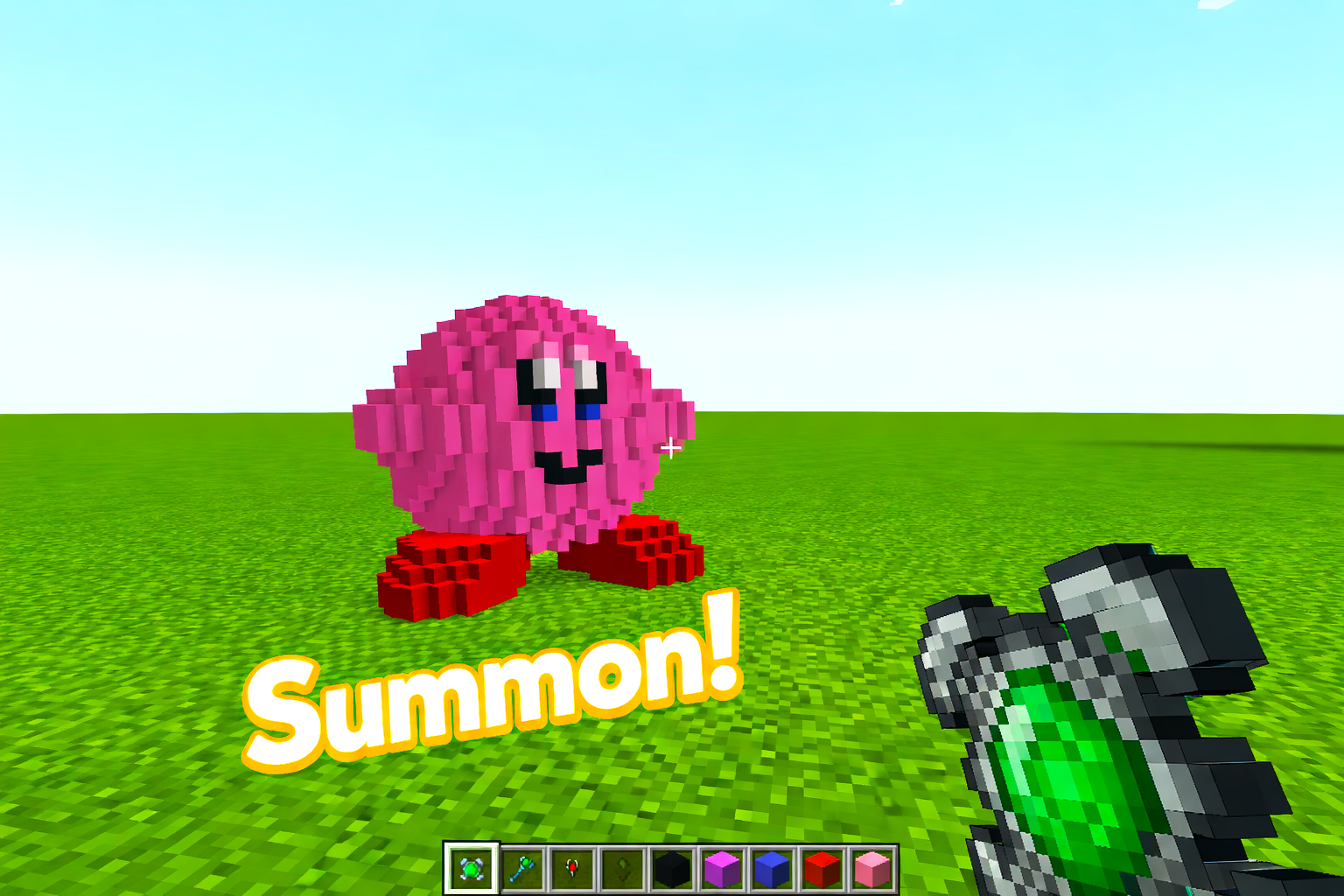
捕获后,该结构可以被召唤为单位。
把它看作一个你可以控制的活体实体。
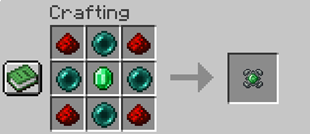
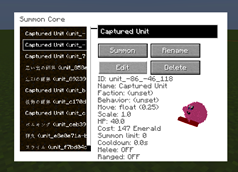
单位控制工具
MobCrafter 提供了指挥你单位的工具。
指挥官法杖(区域命令)
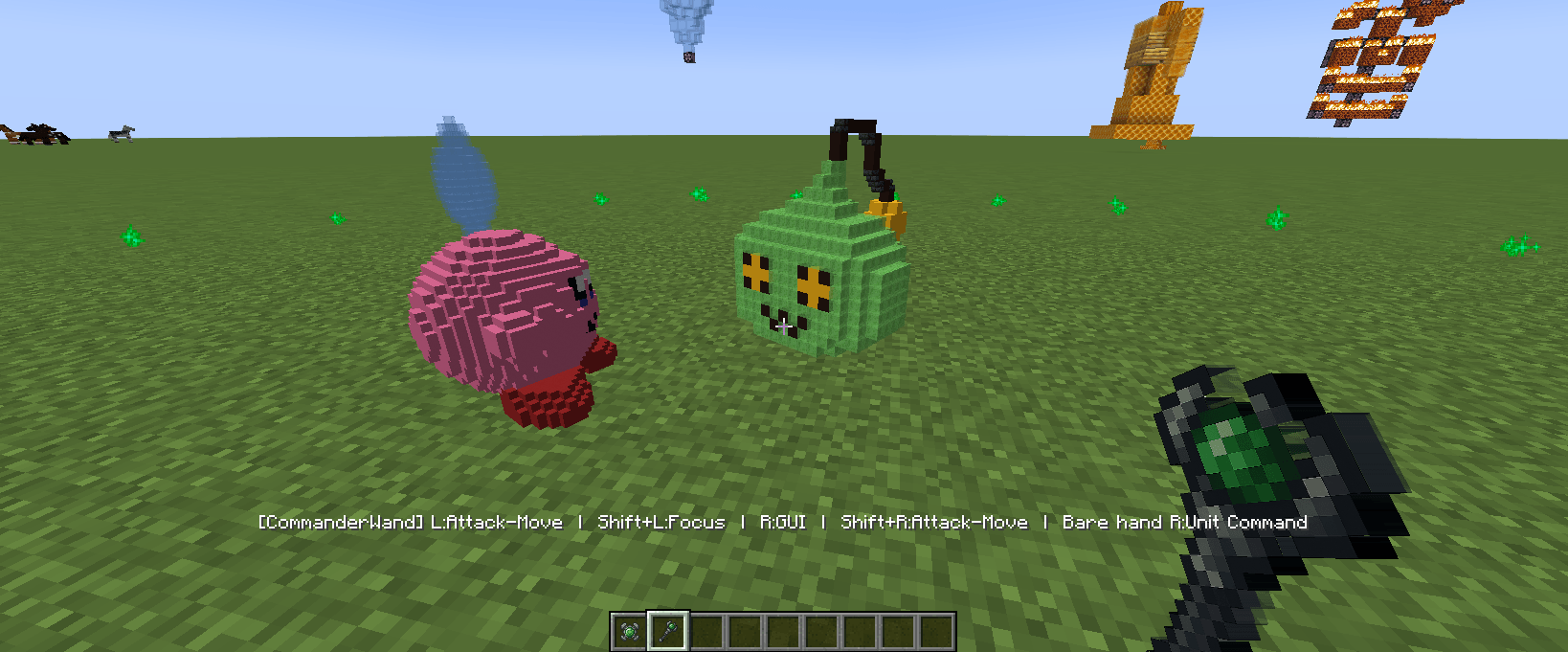
- 控制附近多个单位
- 右键点击:打开命令菜单
- 左键点击:给出攻击方向
- 命令包括:跟随、守卫、巡逻、坚守、撤退
处于你指挥范围内的单位将协同响应。
元帅法杖(小队控制)
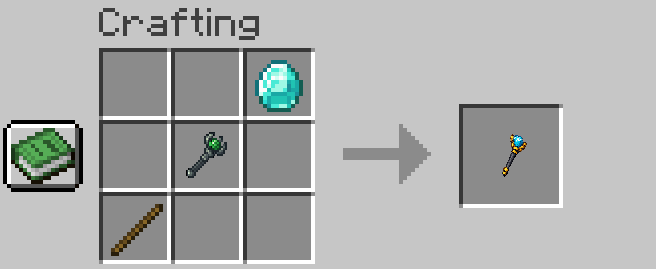
- 将单位编入小队
- 同一小队中的单位一起移动和行动
- 适用于管理阵型和组织
指挥官法杖 = 下达命令
元帅法杖 = 组建你的军队
编辑与自定义(可选)
MobCrafter 无需任何编辑即可运行,
但如果你愿意,它提供更深入的自定义选项。
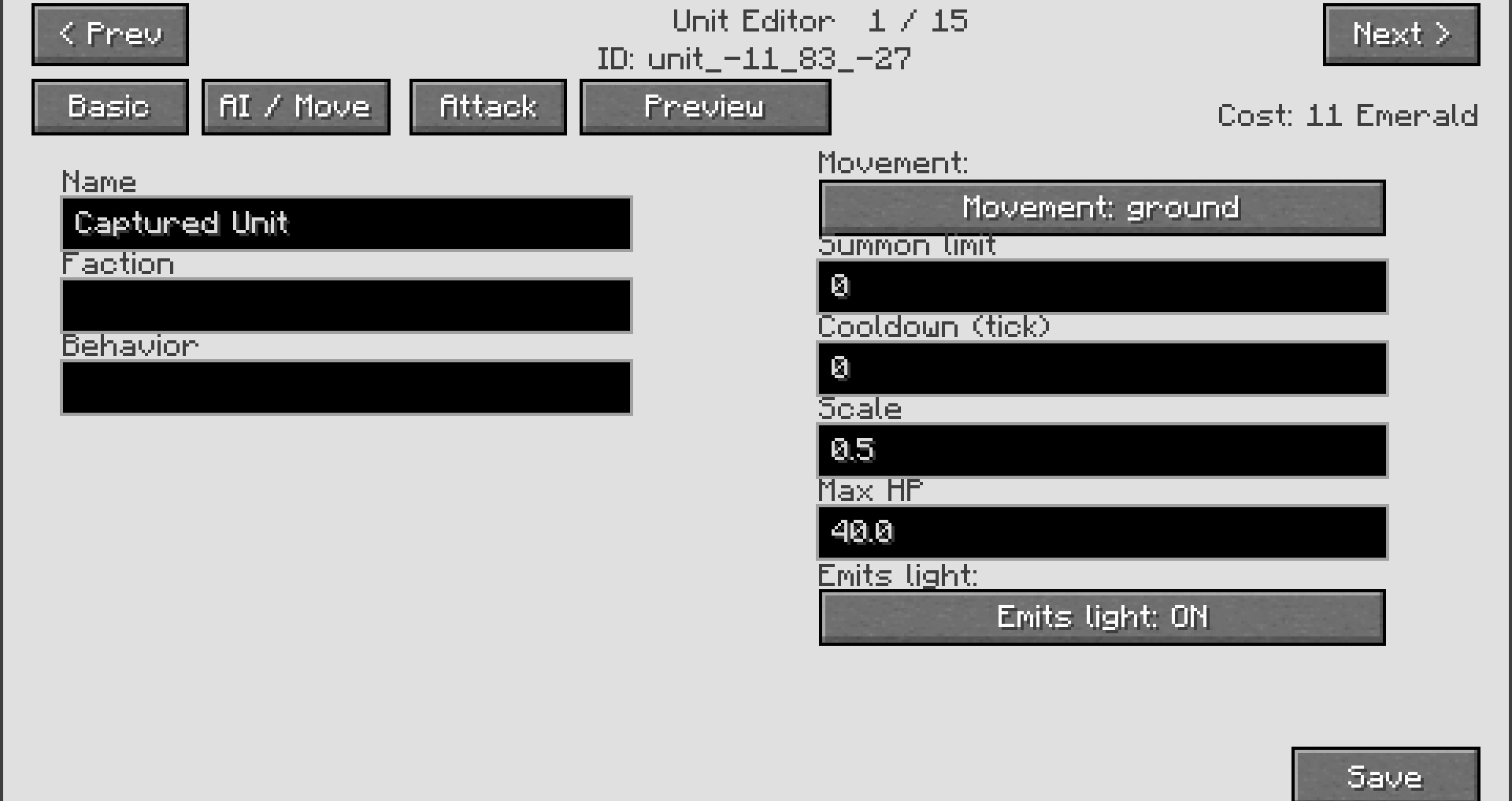
游戏内编辑(GUI)
- 重命名单位
- 调整行为
- 修改基本战斗数值
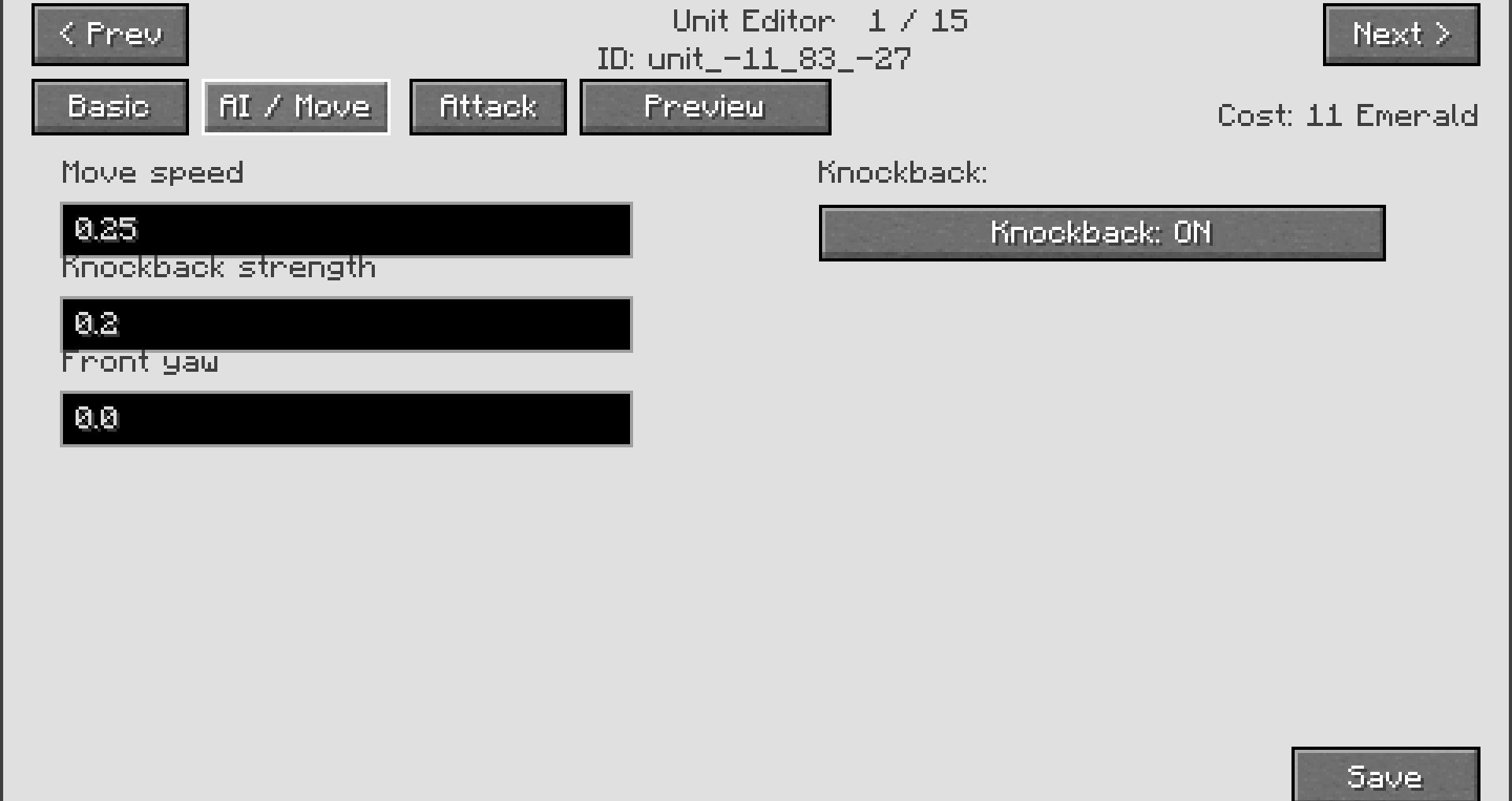
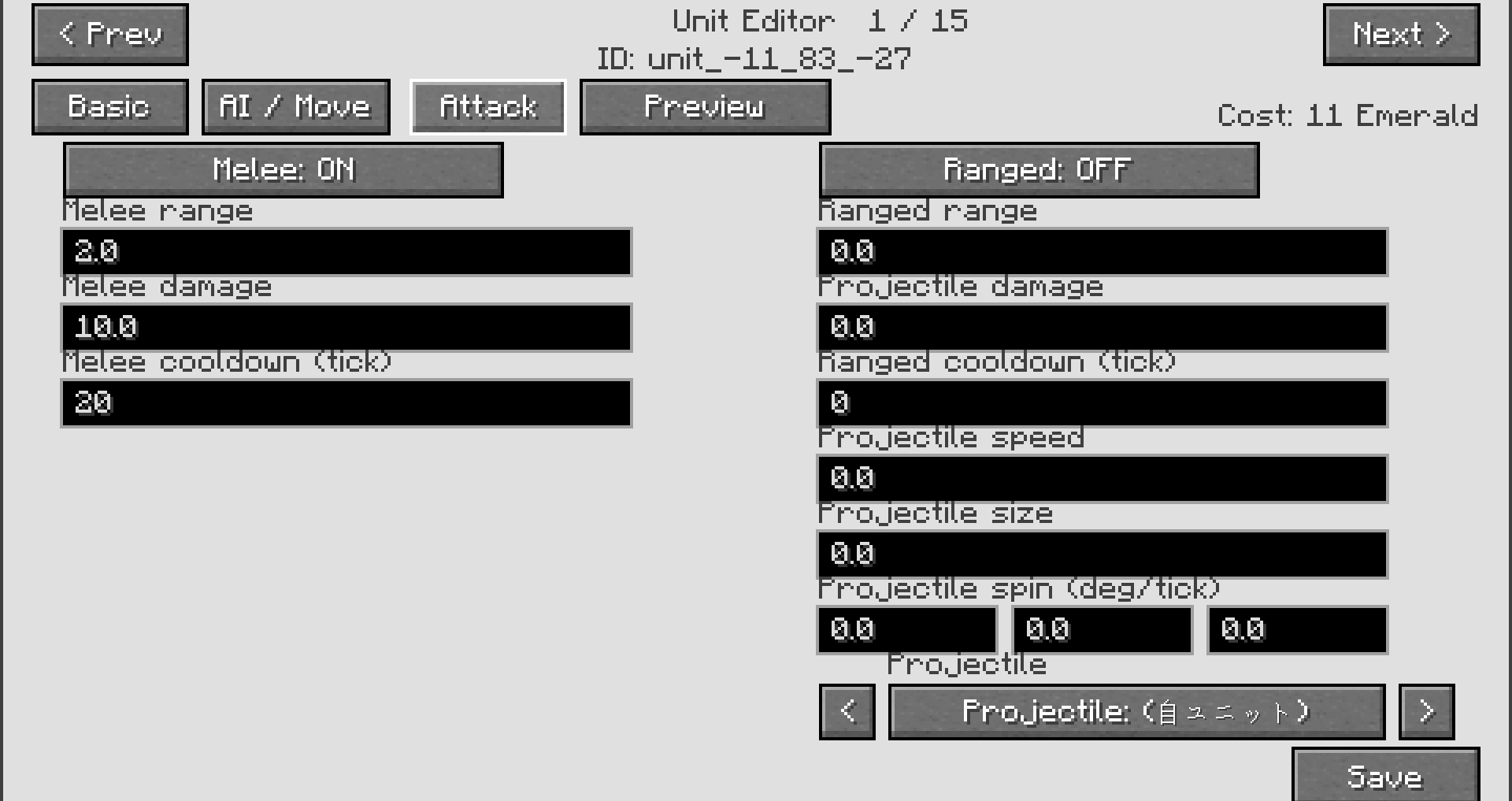
高级编辑(JSON)
每个单位都存储为一个 JSON 文件。
你可以编辑:
- 属性(生命值、攻击力、造价等)
- 行为参数
- 自定义平衡性
JSON 编辑是可选的。
你甚至可以不触碰任何文件就享受 MobCrafter 的乐趣。
提示
- 简单的形状最适合新手
- 支持大型结构
- 被捕获的结构不会被销毁
- 自由且富有创意地尝试吧
总结
建造 → 设置 → 捕获 → 召唤
MobCrafter 将你的想象力转化为可玩单位。
用方块创建你自己的军队。
支持版本
- Minecraft Forge 1.20.1
Turn your block creations into controllable units
Build structures, capture them, and command them like an RTS army in Minecraft.
What is MobCrafter?
MobCrafter is a Forge mod that lets you
turn block-built structures into a single controllable unit entity.
Instead of spawning mobs, you create units yourself using blocks —
then capture, summon, and command them in the world.
You can:
- Build any structure using vanilla blocks
- Capture it as unit data
- Summon it as a living entity
- Control it using commands and tools
No modeling tools. No external editors. Just building.
Unit Sharing Portal
MobCrafter includes no pre-made units by default.
Instead, units are shared through the official portal:
? and
You can:
- Download community-made unit JSON files
- Reuse or modify units for your own worlds
- Share your creations with others
Unit files are loaded from: config/mob_crafter/units/
New units can be added at runtime without restarting.
In multiplayer, server-side units are synced to all clients.
MobCrafter is under active development.
Features, balance, and performance may evolve over time.
How to Use
MobCrafter lets you turn block-built structures into RTS-like units.
No modeling tools required — just build, capture, and summon.
1. Build a Structure
Build any structure you like using normal Minecraft blocks.
The shape, size, and design are entirely up to you.
2. Place a Bone Block
Attach a Bone Block to your structure.
This block acts as the core / pivot of the unit and is required for capture.
3. Capture the Structure
Use the Capture Tool on the Bone Block.
The entire connected structure will be saved as unit data.
Capturing does not destroy the original structure.
4. Summon the Unit
Once captured, the structure can be summoned as a unit.
Consider it a living entity you can control.
Unit Control Tools
MobCrafter provides tools for commanding your units.
Commander Wand (Area Command)
- Controls multiple nearby units
- Right-click: open command menu
- Left-click: give attack direction
- Commands include: Follow, Guard, Patrol, Hold, Retreat
Units inside your command range will respond together.
Marshal Wand (Squad Control)
- Assign units into squads
- Units in the same squad move and act together
- Useful for managing formations and organization
Commander Wand = issuing orders
Marshal Wand = structuring your army
Editing & Customization (Optional)
MobCrafter works without any editing,
but offers deeper customization if you want.
In-Game Editing (GUI)
- Rename units
- Adjust behavior
- Modify basic combat values
Advanced Editing (JSON)
Each unit is stored as a JSON file.
You can edit:
- Stats (health, attack, cost, etc.)
- Behavior parameters
- Custom balancing
JSON editing is optional.
You can enjoy MobCrafter without touching any files.
Tips
- Simple shapes work best for beginners
- Large structures are supported
- Captured structures are not destroyed
- Experiment freely and creatively
Summary
Build → Set → Capture → Summon
MobCrafter turns your imagination into playable units.
Create your own army — from blocks.
Supported Version
- Minecraft Forge 1.20.1

下载 Mobcrafter
下载 Mobcrafter
下载 Mobcrafter
下载 Mobcrafter
下载 Mobcrafter
下载 Mobcrafter
下载 Mobcrafter
下载 Mobcrafter
下载 Mobcrafter
下载 Mobcrafter
跟随 AI 改进 [修复] 稳定 1 格台阶攀爬
将跳跃垂直速度从原版默认的 0.42f 提升至 0.50f,实现可靠的 1 格台阶攀爬。 新增 CeilingAwareJumpControl:当头顶空间不足 1.70 格时抑制跳跃动作,防止生物卡在天花板中。 新增 CeilingAwareMoveControl:在低天花板下碰撞墙壁时取消跳跃请求。 放宽卡死传送阈值:由原来的 2 秒 / 3 格调整为 4 秒 / 5 格,给予跳跃控制足够的时间完成台阶攀爬,然后再触发传送。
[修复] 洞穴中传送目标默认为地表的问题
当跟随单位被卡住时,传送目标是根据地表高度图计算的,导致在洞穴中跟随的单位传送到地面以上。该方法现在使用实体 AABB 碰撞检测来寻找附近的有效位置,从而确保地下传送正确执行。
多人游戏稳定性 [严重修复] 单元数据同步期间服务器 OOM(内存溢出)被杀
在处理大型单位的动画编辑器打开/保存操作时,Linux OOM killer 会终止服务器进程。根本原因是 toJsonStringV2()(每次调用会产生高达 28 MB 的垃圾回收对象)在服务端线程上运行。所有受影响的路径均已移至 IO 线程:
- 打开动画编辑器 (UnitDataRequestPacket)
- 保存时广播更新的单元数据(所有 7 种 EditPackets 共享的基础逻辑)
- 玩家开始追踪事件 (onPlayerStartTracking)
- 实体渲染数据请求 (EntityUnitDataRequestPacket)
[修复] 移除肢体编辑后不必要的单元列表广播
[修复] 为肢体定义添加方块数量限制
服务器现在拒绝每个单元超过 500,000 个方块的肢体定义。
消耗计算修复 [修复] 部分编辑后消耗重置为 1 的问题
编辑子字段(例如射击音效、命中效果)可能会将单位之前已确认的召唤消耗重置为其默认值。此问题已修正。
[修复] 服务端消耗重新计算在保存时始终应用
当保存单位时,召唤消耗现在会在服务端始终重新计算,忽略客户端发送的任何过期值。
关于这个资源的讨论、问题反馈与使用心得
还没有讨论,来发第一帖吧
你是这个资源的作者?登录后可认领此资源。
相似资源
 模组
缓冲的原始输入和线程化的事件轮询
 模组

可定制的鞘翅模组,支持装饰纹饰、旗帜图案等更多功能!
 模组

一个用于收集生物掉落物的多区块模组。
 模组

显示你正在注视的方块的信息。(适用于 Minecraft 1.16+ 的 Hwyla/Waila 分支)
 模组

原版世界生成优化模组
 模组
使用 JavaScript 编辑配方、添加自定义物品、编写世界事件!
评论 0
登录后参与评分
还没有评论,来抢沙发吧