一款能够根据你当前注视的方块,自动变换为对应工具的 Morphing Mult-Tool(变形多功能工具),前提是该工具已收录在工具内。
注意事项:
- 它仅在目标方块需要该工具作为正确采集工具时才会变形。对于用于右键交互的工具(例如扳手),它不会变形。请使用 Morph-O-Tool 来处理此类情况。
- 当 Morphing Multi-Tool 处于变形状态时拾取它,会使它恢复原状;丢弃它也是如此。
- 每种工具类只能容纳一件工具,即你不能同时拥有两把镐子或两把铲子等。
- 与现有工具属于同一工具类的模组工具(例如 Thermal Expansion 中的锤子(工具类:镐)和挖掘机(工具类:铲))会占用对应的工具类槽位。
- 拥有独立工具类的模组工具(例如 Thermal Expansion 中的镰刀)将像普通工具一样正常工作。
- 没有工具类的模组工具(例如锄头)将无法添加到 Morphing Multi-Tool 中。
添加工具:方法与背包类似。在物品栏中手持 Morphing Mult-Tool,然后右键点击你想要添加的工具。你添加工具的顺序即为检测时应用的顺序,以确定变形为何种工具。因此,如果你有两种用于处理树叶的工具(例如镰刀和剪刀),它将变形为你先添加的那个工具。按住 Shift 键查看 Morphing Multi-Tool 可查看此顺序。
移除工具:在物品栏中手持 Morphing Multi-Tool,然后右键点击一个空槽位。工具被移除的顺序与你添加它们的顺序相反。例如,如果你依次添加了镐、铲子和剪刀,那么它们将被按以下顺序移除:剪刀、铲子、镐。
已知问题:
- 当注视草(非草方块)、高草或花朵并切换为斧头时,会出现 Bug。这是因为这些方块的斧头破坏速度为 0.2,而非正常的 0.1。
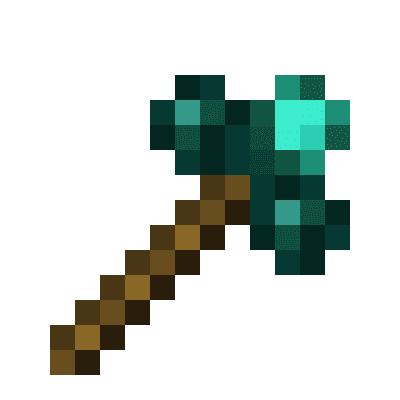
A tool that morphs into the right tool to break the block you are looking at, given the right tool is inside the Morphing Mult-Tool
Things to bear in mind:
- It only morphs to a tool if it's the correct harvest tool for the block your looking at. It DOES NOT morph for right clicking tools for a block i.e wrenches. Please use Morph-O-Tool for that
- Picking up the Morphing Multi-Tool while it's morphed as another tool, will change it back. Same with dropping it
- You can only have 1 of each tool class, i.e you can't have two pickaxes, or two spades ect
- Mod tools with the same tool class as other tools, such as hammers (tool class: pickaxe), and excavators (tool class: shovel) from Thermal Expansion will take up the tool class
- Mod tools with their own tool class e.g. a Sickel from Thermal Exansion will be work like normal tools
- Mod tools without a tool class e.g. a Hoe. Will not be able to be added to the Morphing Multi-Tool
Adding a tool: Same way as a bundle. Pickup the Morphing Mult-Tool in your inventory and right click on the tool you wish to add. The order you add your tools in will be the order they will be checked when finding out what tool to morph to. So if you have two tools for leaves, say a sickel and shears. The tool it will morph into will be whichever was added first. Press shift on the Morphing Multi-Tool to see this order
Removing a tool: Pickup the Morphing Mult-Tool in your inventory and right click on an empty slot. The order in which the tools are removed is the inverse of the order you added them. e.g. if you added a pickaxe, shovel, and shears. The order they'd be removed in would be shears, shovel, pickaxe
Known issues:
Swapping to axe when looking at grass(not grass block), tall grass, flowers. Is a bug with the Axe's destroy speed for them blocks. It's 0.2, instead of 0.1
评论 0
登录后参与评分
还没有评论,来抢沙发吧