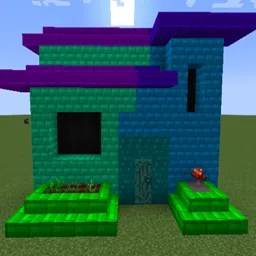
Minecraft 1.19+ 的 Crystal Blocks 现在需要 MowLib
点击此处获取链接
Crystal Blocks
提供 64 种颜色及若干方块选项(后续将增加更多)
使用紫水晶围绕任意一种“石头”制作晶化石。
用一张纸围绕 8 个晶化石制作着色器。
着色器最多可同时存储 8 种颜色。
向着色器添加颜色的方法:
1. 在地面上放置红、绿或蓝染料(每种最多 3 个),然后右键点击着色器以应用颜色。
2. 手持着色器,蹲下并右键点击放置在任意 Crystal Blocks 方块上,即可记住该颜色。
3. 在着色器中循环切换已存储的颜色(最多 8 种):手持着色器,蹲下并在空中或任意非 Crystal Blocks 方块上右键点击。
为 Crystal Blocks 着色的方法:
1. 放置方块后,手持着色器且另一只手为空时,右键点击方块即可应用颜色。
2. 将着色器置于副手,在主手放置方块时,新放置的方块会自动应用颜色。
3. 与第 1 种方式类似,你可以右键点击着色器来重新为方块着色。
Crystal Blocks for Minecraft 1.19+ Now Requires MowLib
Link Here
Crystal Blocks
64 Colors and A few Block Options (More to come later)
Make Crystal Stone using Amethyst surrounded by 8 of any 'Stone'
Make the Color Applicator by surrounding a piece of paper with 8 Crystal Stone
The Applicator can hold up to 8 colors at a time.
Ways to apply color to the applicator:
1. Apply colors to the Applicator by dropping red green or blue dye on the ground (up to 3 of each) and right clicking.
2. Crouch + Right Click the applicator from either hand onto a Crystal Blocks Block, and it'll remember that color.
3. Cycle between the (Up to 8) stored colors in the Applicator, crouch + right click with either hand in the air, or on any non crystal blocks block.
How to color Crystal Blocks:
1. Place the blocks, then with the Applicator in either hand, while the other hand is empty, right click on the blocks to apply the color.
2. With the Applicator in your offhand, while placing blocks with your main hand, the blocks placed will have the color automatically applied.
3. Similar to #1, you can re-color blocks by right clicking the applicator on it.
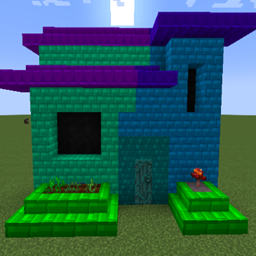
下载 Mow's Crystal Blocks
需要联机服务器吗?
稳定流畅、一键部署,几分钟即可和朋友联机开服
最低仅需 8 元/月 即可畅快联机
下载 Mow's Crystal Blocks
需要联机服务器吗?
稳定流畅、一键部署,几分钟即可和朋友联机开服
最低仅需 8 元/月 即可畅快联机
下载 Mow's Crystal Blocks
需要联机服务器吗?
稳定流畅、一键部署,几分钟即可和朋友联机开服
最低仅需 8 元/月 即可畅快联机
下载 Mow's Crystal Blocks
需要联机服务器吗?
稳定流畅、一键部署,几分钟即可和朋友联机开服
最低仅需 8 元/月 即可畅快联机
下载 Mow's Crystal Blocks
需要联机服务器吗?
稳定流畅、一键部署,几分钟即可和朋友联机开服
最低仅需 8 元/月 即可畅快联机
下载 Mow's Crystal Blocks
需要联机服务器吗?
稳定流畅、一键部署,几分钟即可和朋友联机开服
最低仅需 8 元/月 即可畅快联机
下载 Mow's Crystal Blocks
需要联机服务器吗?
稳定流畅、一键部署,几分钟即可和朋友联机开服
最低仅需 8 元/月 即可畅快联机
下载 Mow's Crystal Blocks
需要联机服务器吗?
稳定流畅、一键部署,几分钟即可和朋友联机开服
最低仅需 8 元/月 即可畅快联机
下载 Mow's Crystal Blocks
需要联机服务器吗?
稳定流畅、一键部署,几分钟即可和朋友联机开服
最低仅需 8 元/月 即可畅快联机
下载 Mow's Crystal Blocks
需要联机服务器吗?
稳定流畅、一键部署,几分钟即可和朋友联机开服
最低仅需 8 元/月 即可畅快联机
已更新至 Forge 1.19.2-43.1.38 和 MowLib 1.19 - 0.2.41
经过约一个月的服务器测试后,正式进入“Beta”阶段。
关于这个资源的讨论、问题反馈与使用心得
还没有讨论,来发第一帖吧
你是这个资源的作者?登录后可认领此资源。
相似资源
 模组

可定制的鞘翅模组,支持装饰纹饰、旗帜图案等更多功能!
 模组

原版世界生成优化模组
 模组

适用于 MC 1.18+ 的 Effekseer 加载器
 模组

新增 50+ 个独特生物群系,为你的世界增添新树木、花卉等更多元素!
 模组

基于 GTCEu 1.12.2 的现代 GregTech
 模组

让你能够在世界中的任何位置定位结构。
评论 0
登录后参与评分
还没有评论,来抢沙发吧