这是为动物园建造者打造的万能模组!
本模组整合了 Terrariums and Aquariums、Biome Palette 和 Zoo Signs,并增添了众多全新且令人兴奋的功能!
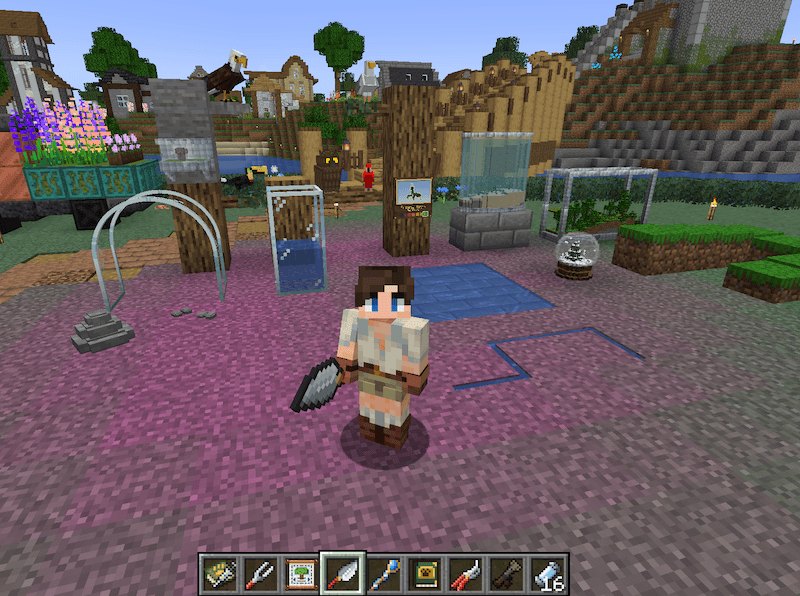
Terrariums and Aquariums! | Biome Palette! | Zoo Signs!
新增物品!(不包含在最初的三个模组中)
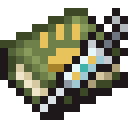
Trait Editor
对任意生物使用 Trait Editor 来改变它们的外观!
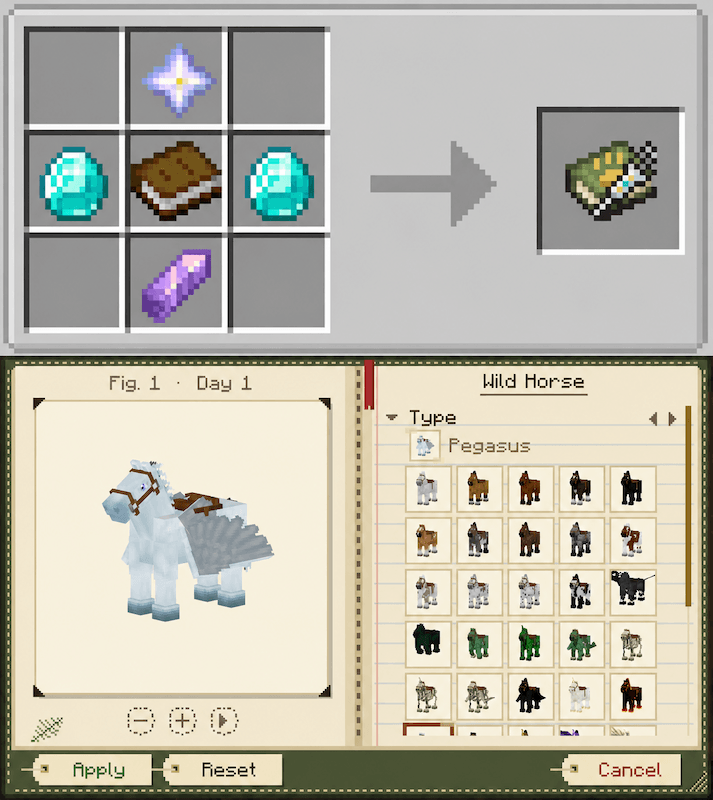
支持所有模组添加的生物,已亲自测试过 Mo'Creatures、Alex's Mobs、Untamed Wilds、Hybrid Aquatic、Exotic Birds、F&A Revival、More Mob Variants、Vanilla Backport、Spawn、MCA。当遇到新生物时,Trait Editor 会花几秒钟研究它,之后它将永远记住该生物的所有变种。

Tree Blueprint
在树苗生长之前,就能确切看到它将长成什么样子,并选择其形状。
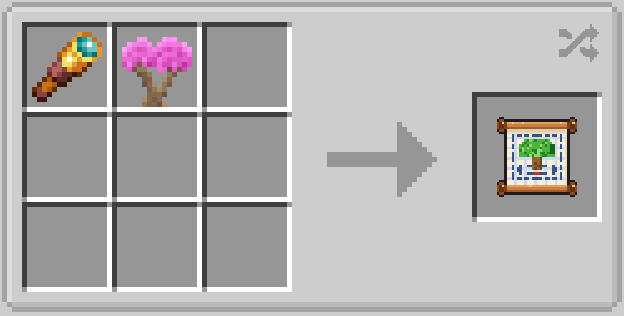
支持模组添加的树木!已亲自测试过 Pam's HarvestCraft 2 Trees、Oh The Biomes We've Gone、Biomes O' Plenty、Tropicraft、F&A Revival、Cluttered、The Undergarden、The Aether、Better End、Spawn、Mo'Creatures。


Cryo Cell
适用于来自任何模组的任何生物,无论是驯服的还是野生的,无论体型大小。它在动物做出反应之前就将其捕获,因此点击马匹不会骑乘它,点击村民也不会打开交易界面。
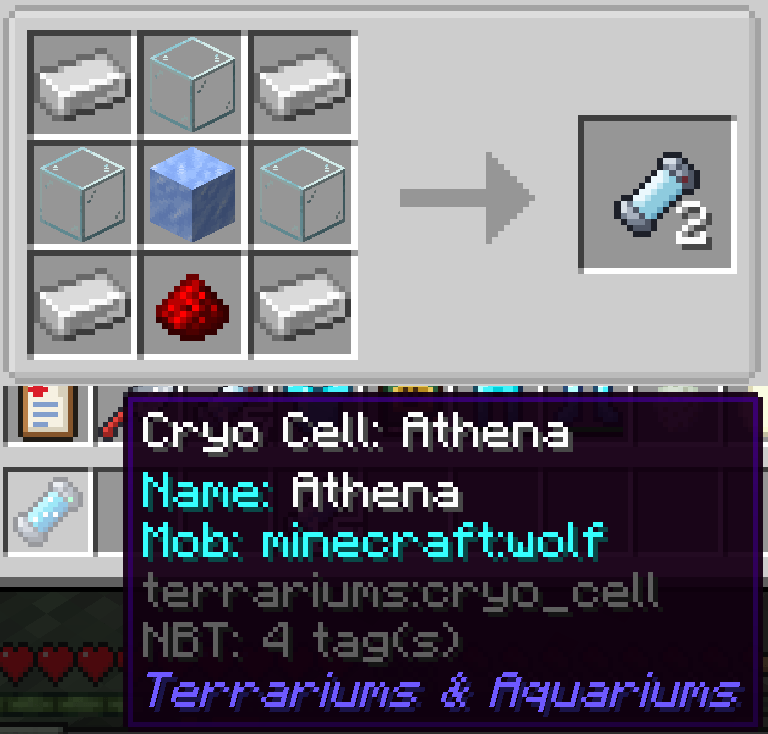
堆叠上限为 16。存储并保留相关的 NBT 数据(相信我,我做过测试)

Wavecaster
将水位精确到像素级,或最多提升一个完整方块,使其看起来静止或流动(共 8 种样式),并可调节水流速度。
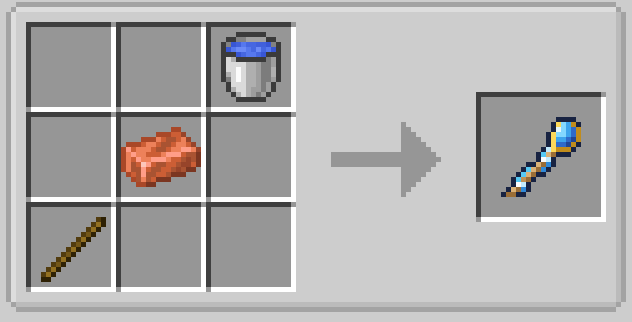
可以一次性塑造单个方块、一片区域或整个池塘。潜行 + 右键点击以打开界面并更改设置。

Trowel
每次削去一个像素厚的方块,用于制作小径、池塘、台阶以及地面的凹陷。
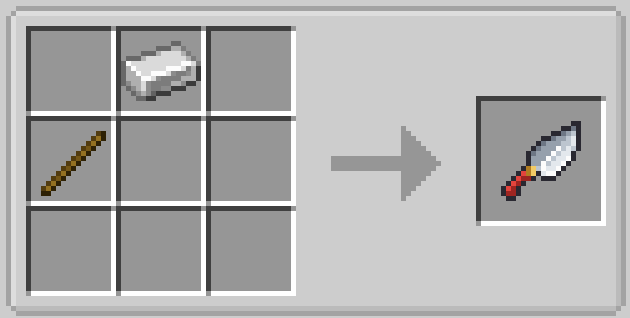
与 Wavecaster 兼容,可用于制作浅层流动河流、泥堆等,发挥你的无限创意!
右键点击可削去方块,Shift+右键点击可恢复原状。适用于任何完整方块。

植物修剪剪
阻止植物生长,让你的花园保持你种植时的样子。再次使用可解除限制,让植物继续生长。
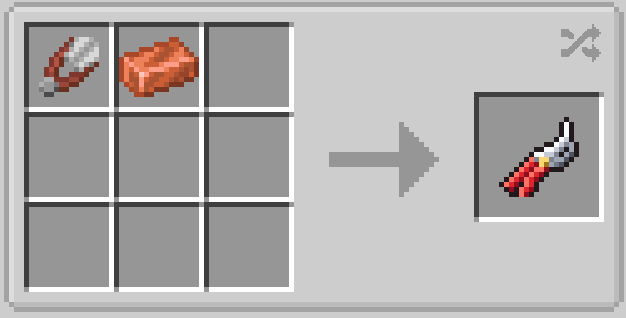

隐形围栏
将地面标记为围栏区域,拴在上面的动物会待在区域内。无需实体栅栏!
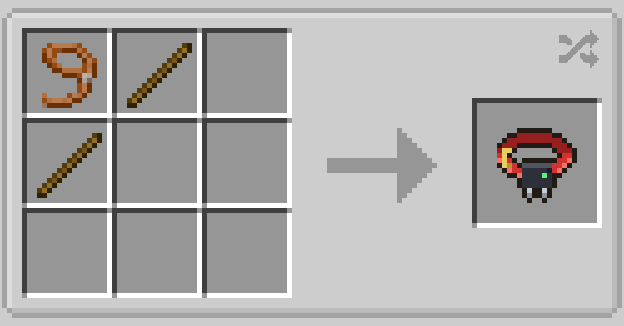
右键点击地面将其标记为区域(按住并移动可快速绘制),潜行+右键点击可擦除。画笔大小:1格、3x3 或 5x5。右键点击站在区域内的动物即可将其围住,再次右键点击可释放。适用于所有生物!
UI 还有一些有趣的功能,快来看看吧!
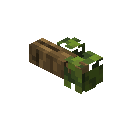
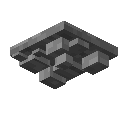
鸟栖木与蝙蝠岩洞
一根鹦鹉和模组添加的鸟类可以停歇片刻的树枝,以及一个供蝙蝠栖息在天花板上的岩石裂缝:它们会挂在那里,飞走,然后再回来。
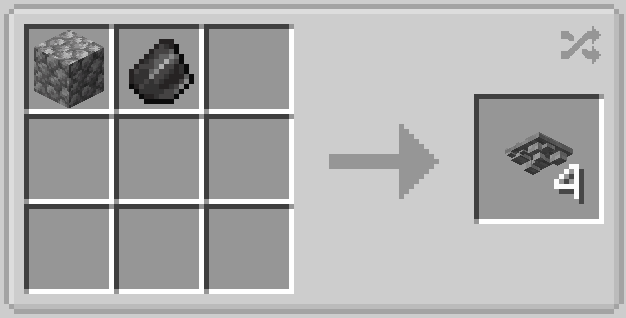
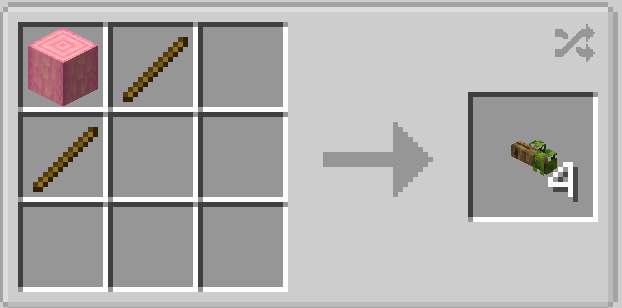
对于鸟栖木,你可以选择哪些动物可以使用它、多远距离内能注意到它,以及停留多长时间。蝙蝠岩洞没有 UI 或设置选项。

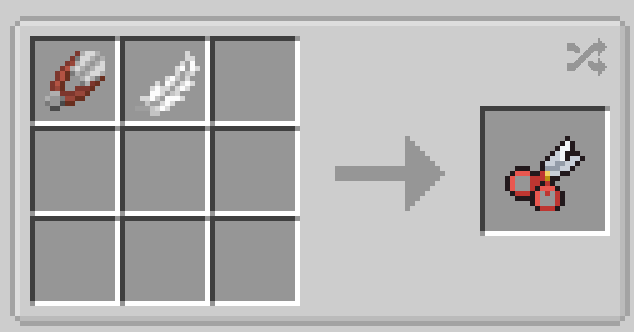
翅膀修剪器
将飞行动物限制在你设定的高度以下,让你的鹰待在笼舍里。适用于所有飞行生物!
你也可以设置自定义 Y 轴高度,但请注意不要设置在当前所在的地面之下!

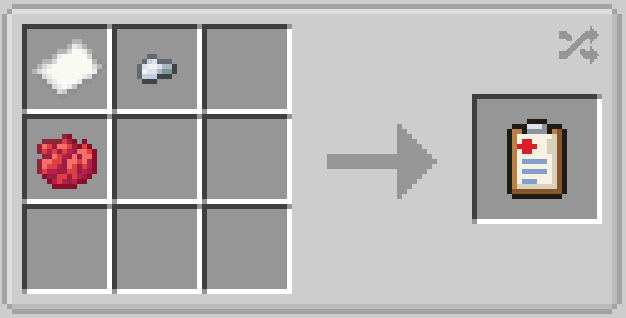
兽医记录板
阻止动物繁殖或产卵
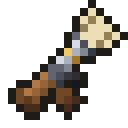
捕网枪
从远处捕捉动物并将其定身半分钟。
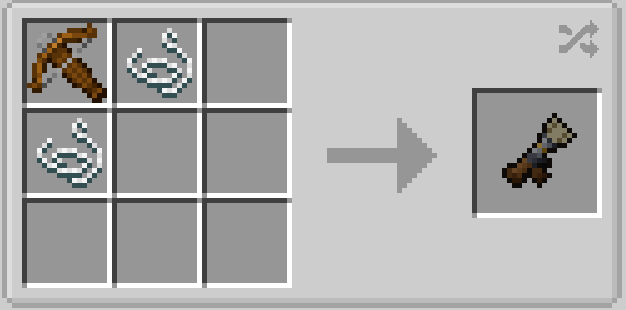
捕网会在 30 秒后自动消失,空手或手持捕网枪右键点击可释放生物。

音效板
一个可播放任意生物声音的扬声器方块:在大猫舍旁播放狮吼,在池塘边播放蛙鸣。
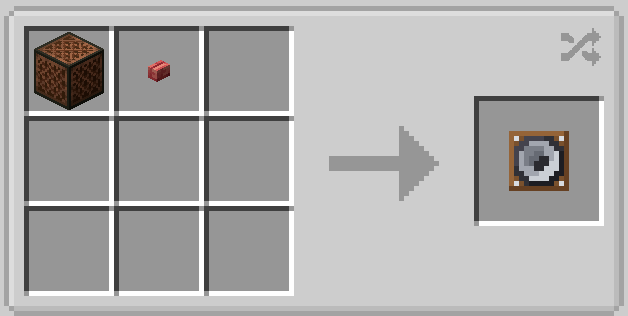
潜行右键点击打开菜单,选择生物和声音,然后退出并右键点击即可播放!支持红石控制。可调节音调高低,选择不同的声音,适用于来自任何模组的任何生物!

动物园目录
一本涵盖你游戏中所有动物的指南,包括模组添加的动物,并附有清单供你勾选记录。
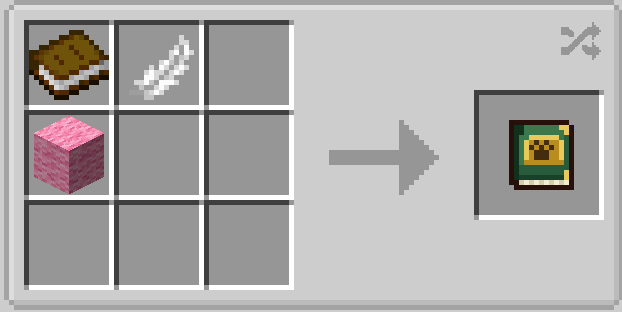
每种动物都会显示其生命值、体型大小、行为习性以及生存的生物群系。

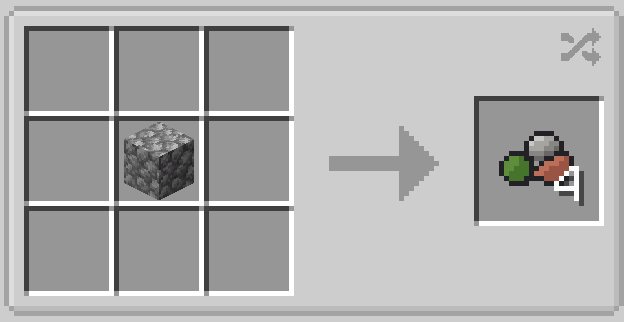
Rockwork
小石块、石堆和巨石,用于铺设路径、河床和岩石花园,支持任意方块纹理!

Mob Muter
一把能令嘈杂的生物静音的音叉。
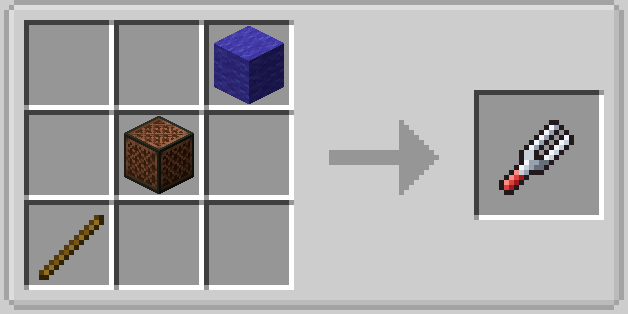
右键点击生物即可使其静音,再次右键点击可恢复发声。潜行 + 右键点击可同时静音(或解除静音)16 格内该类型的所有生物。非常适合整窝鸡!被静音的生物会保持静音状态,即使你离开后再回来也是如此。适用于来自任何模组的任何生物,也能捕获模组以独特方式播放的声音。
当你手持该物品时,被静音的生物头顶会出现一个小标记,方便你识别谁在保持安静。
The Original Three
Terrariums and Aquariums!
Terrariums and Aquariums 为 Minecraft 中几乎所有生物添加了完全可定制、可互动的栖息地。
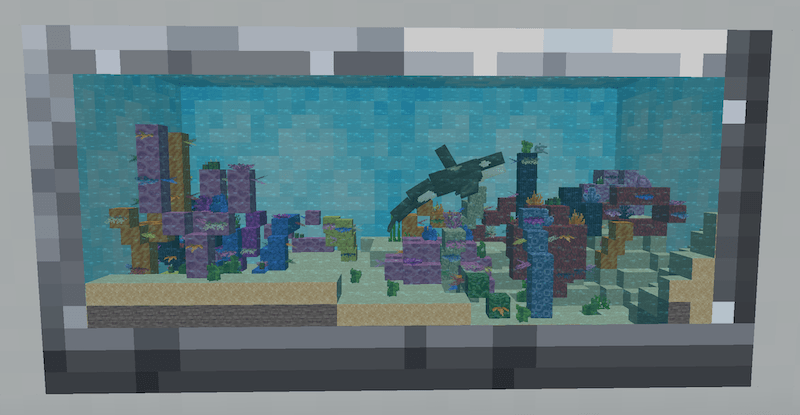
展示你喜爱的生物,按喜好调整其大小/比例!
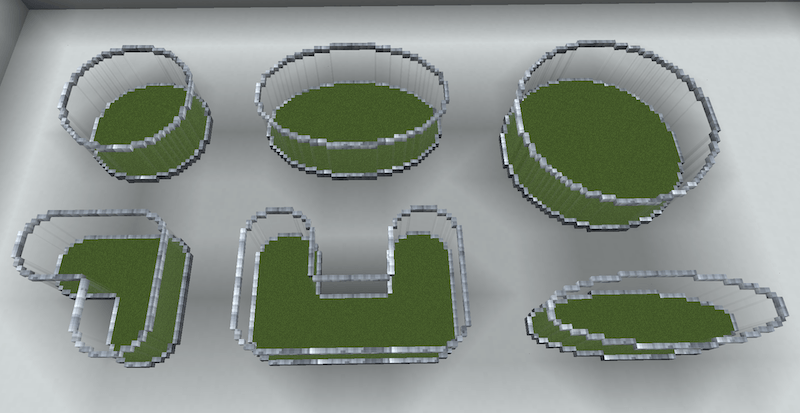
建造任意形状
捕捉 & 添加生物
微缩世界
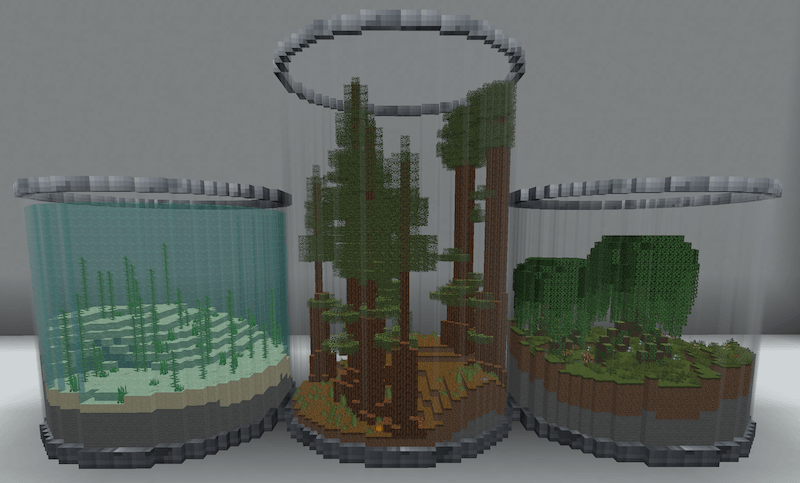
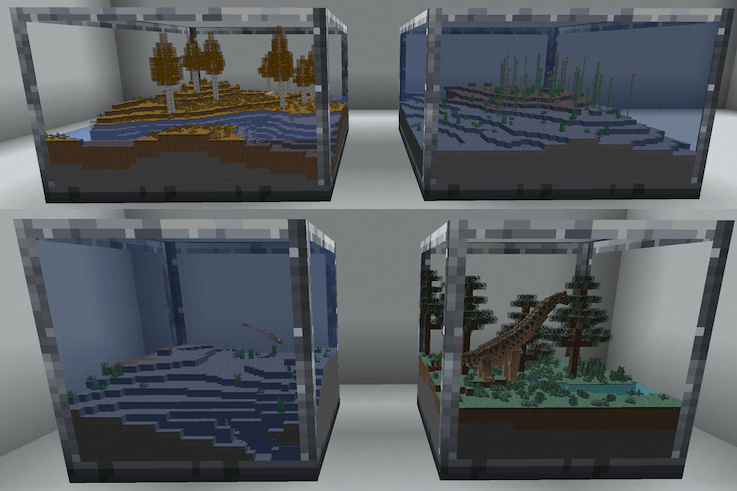
在你的栖息地内部生成精美的原版及模组生物群系。
通过栖息地管理器进行自定义,或直接进入其中建造!
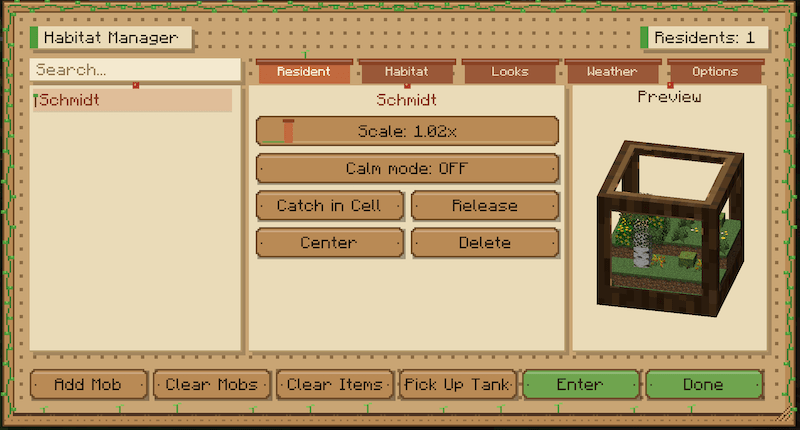
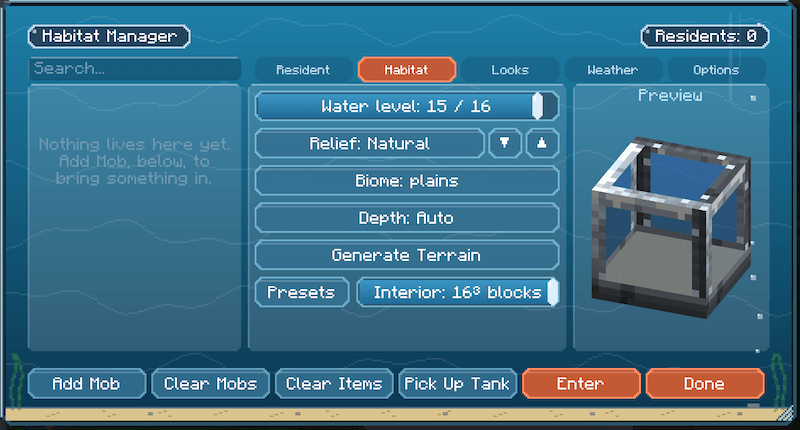
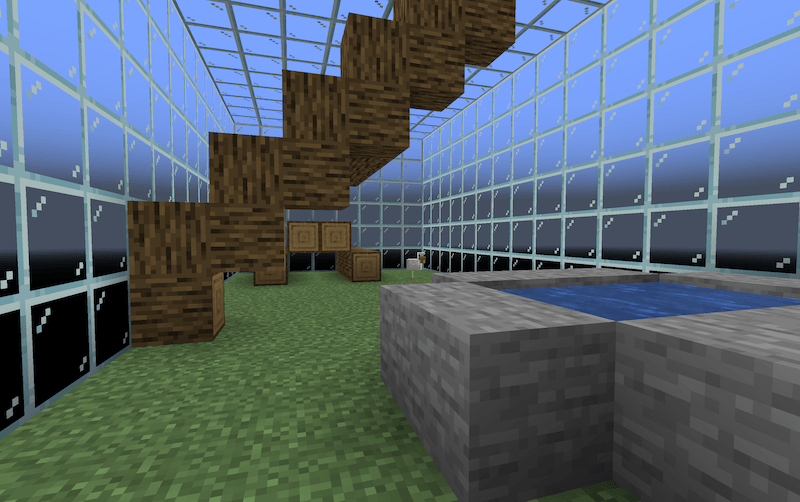
进入你的栖息地(右键点击或在 GUI 中按下回车键),随心所欲地进行装饰,然后退出来欣赏你的杰作吧!
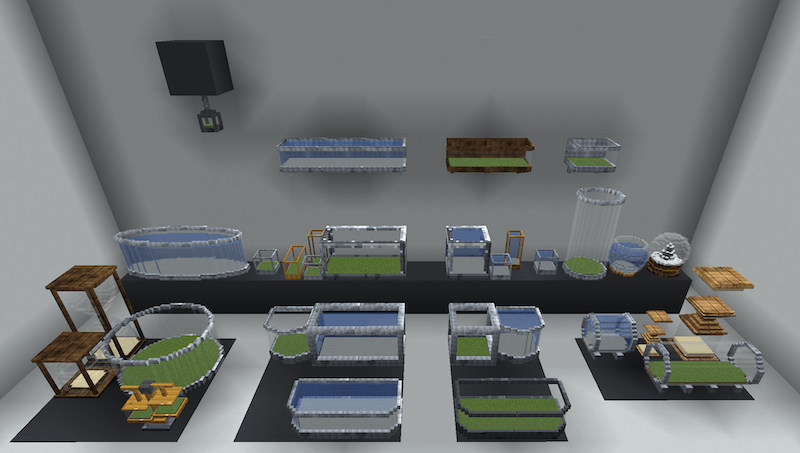
水箱类型
注意!:所有水箱均提供自定义选项,如果不喜欢颜色,你可以更改它们!
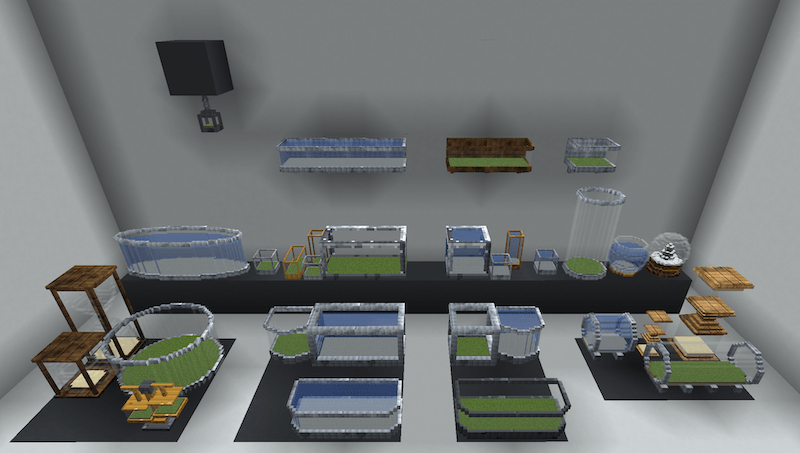
All tank types
Classic (Terrarium and Aquarium)
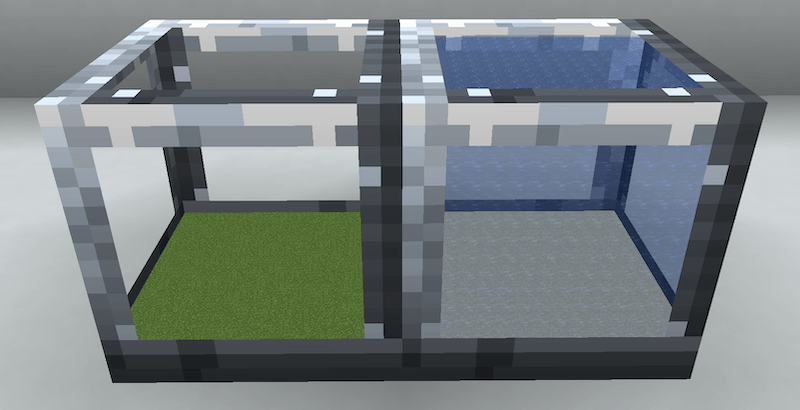
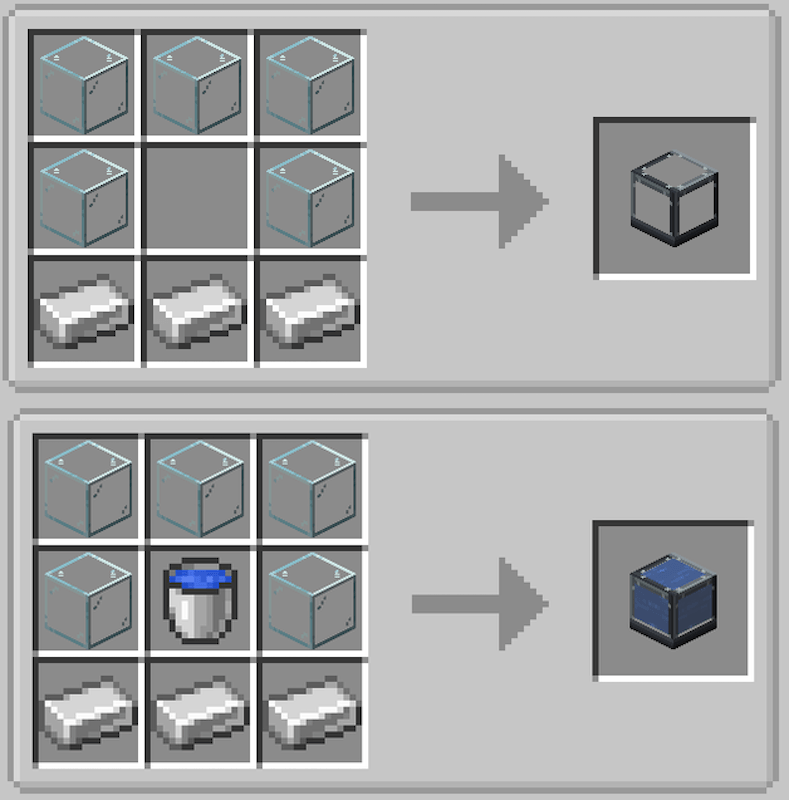
经典款,完全模块化,具备所有功能。
Steel Beam (Terrarium and Aquarium)
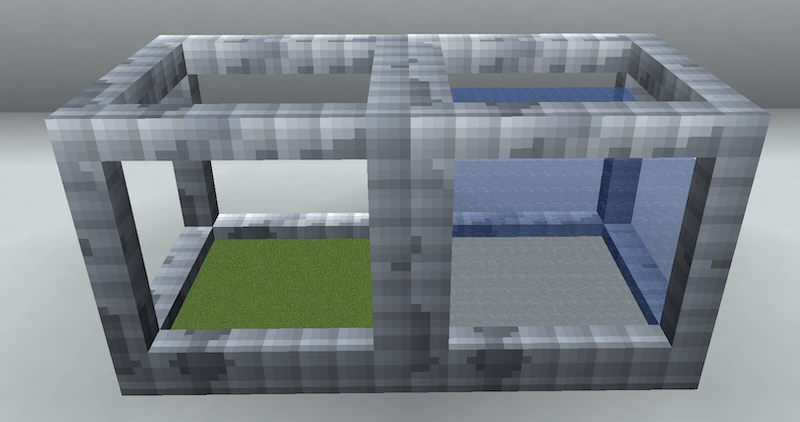
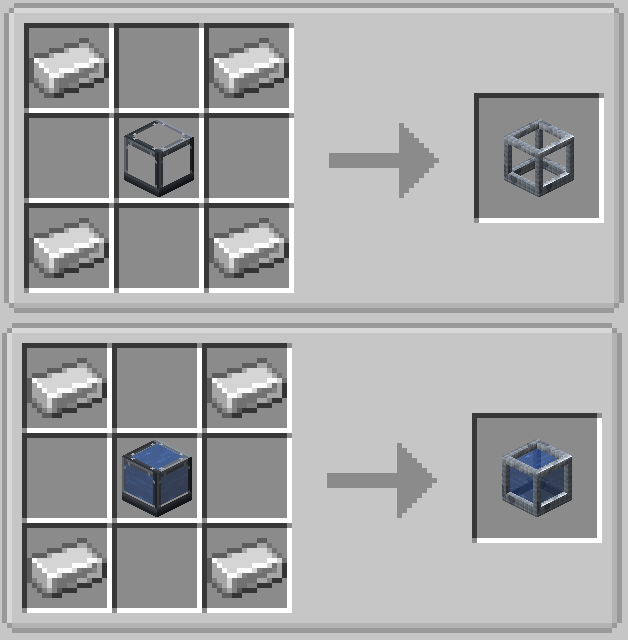
与经典款相同,但使用的是粗梁而非细边。
Cylinder (Terrarium and Aquarium)
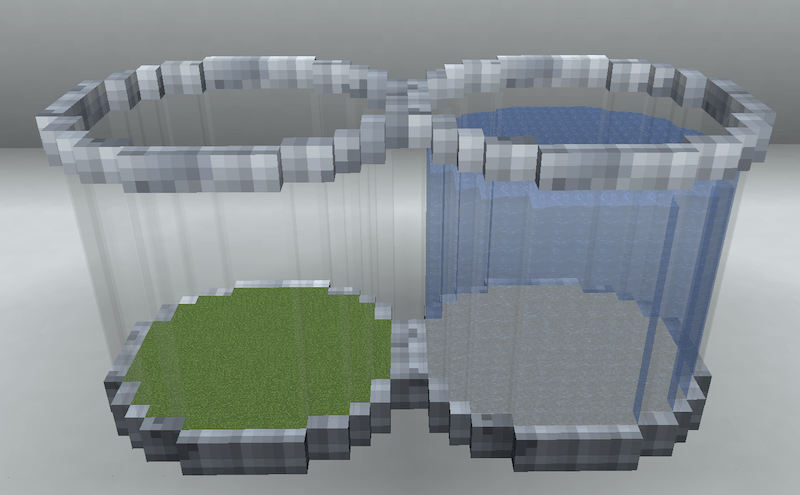
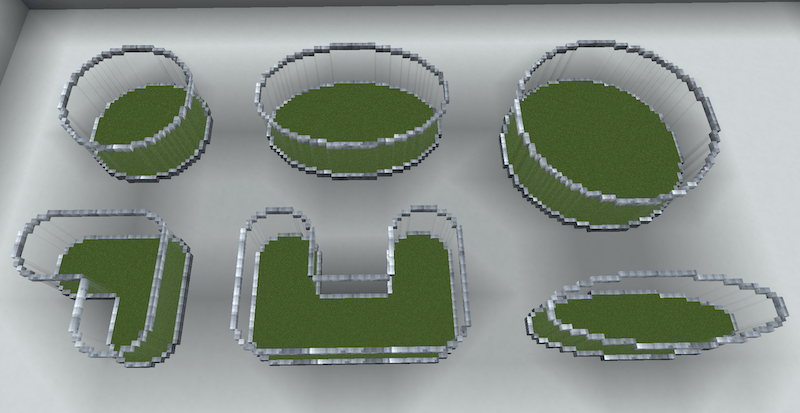
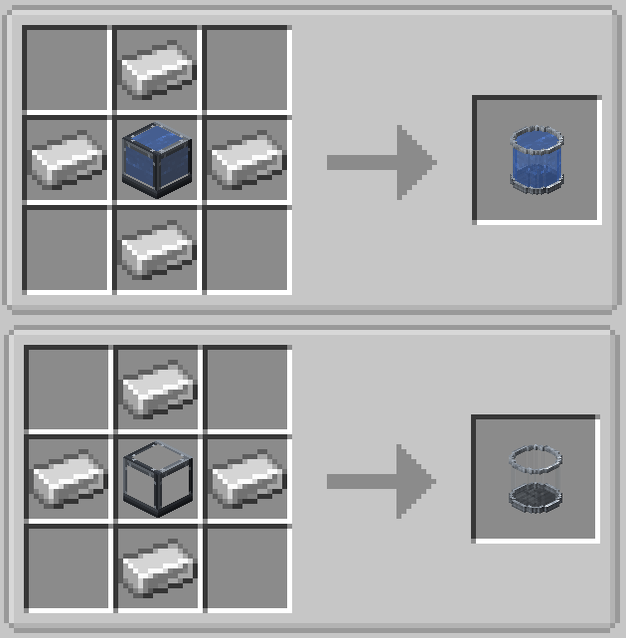
在 3.0 版本中与钢梁水箱一同添加,这可能是我最喜欢的款式。完全可连接,你可以用它制作出各种有趣的形状。 :)
Bowfront (Terrarium and Aquarium)
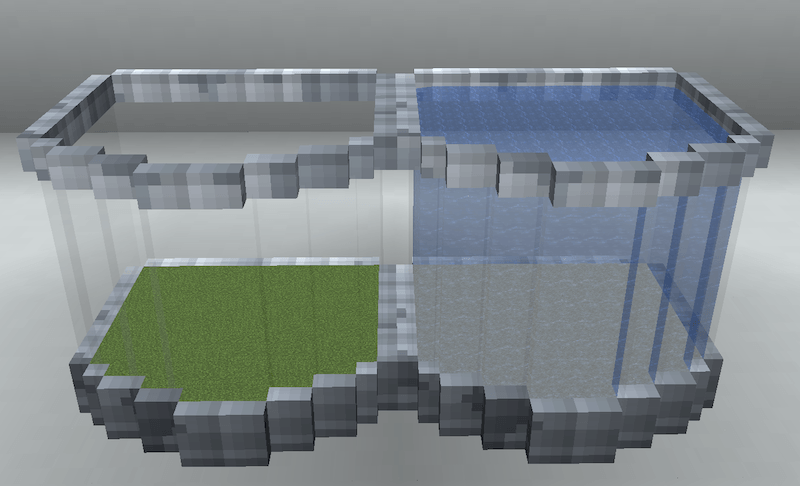
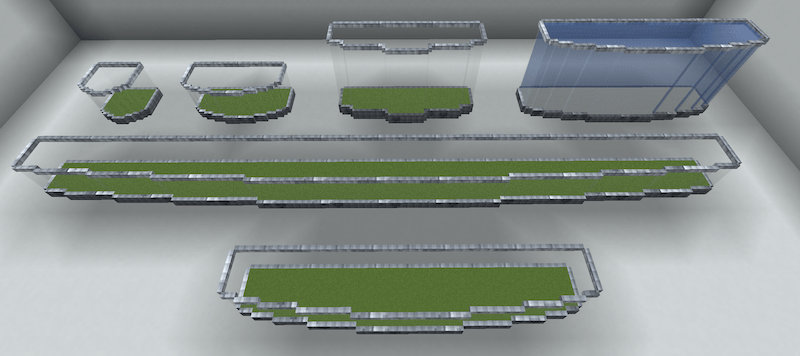
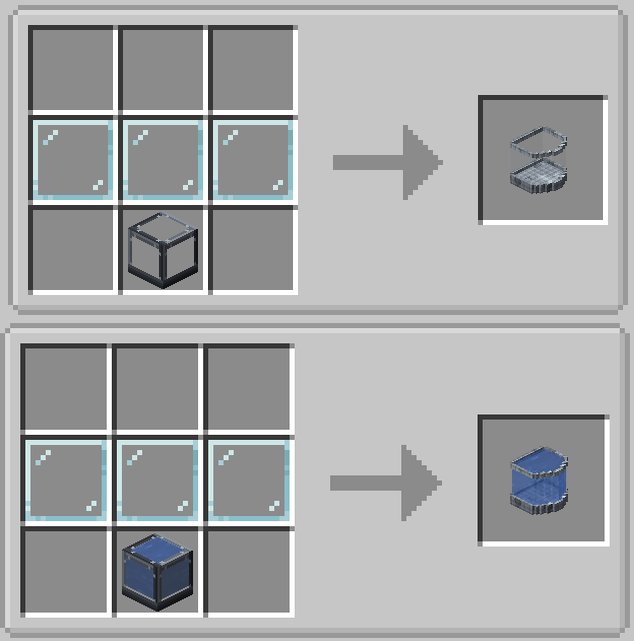
这款很有趣!正面呈弧形,背面平整,同样具有模块化特性,背面始终保持平整。
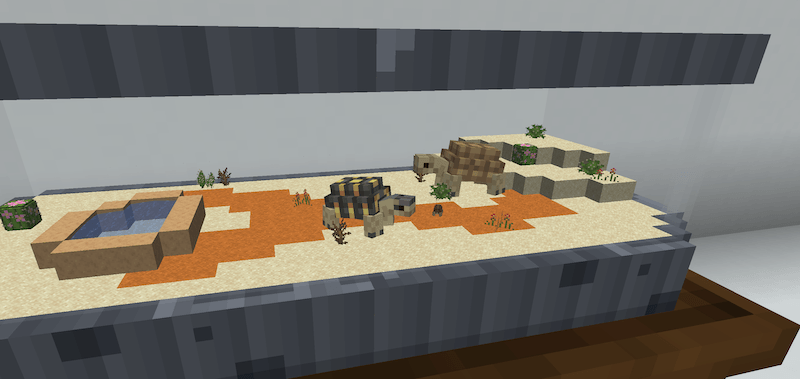
Short (Terrarium and Aquarium)
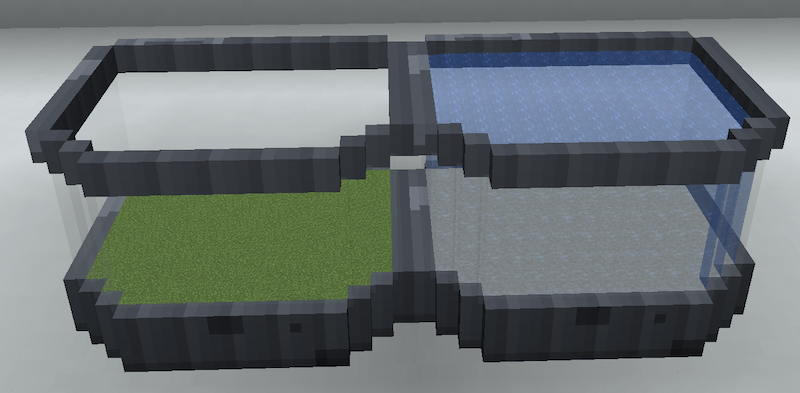
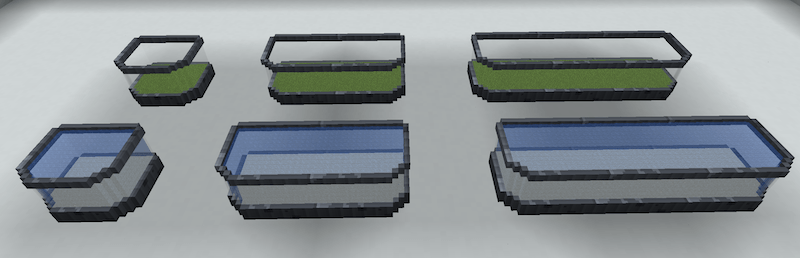
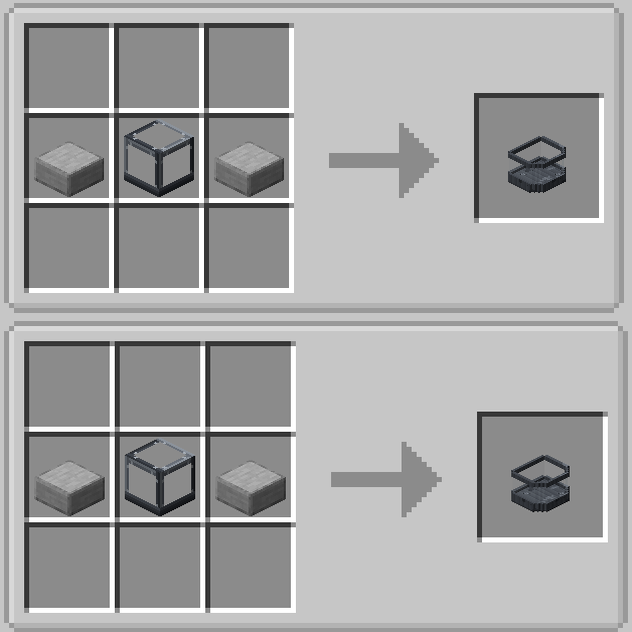
专为陆龟设计。绝对适合陆生动物,别忘了照顾你的树栖物种哦!
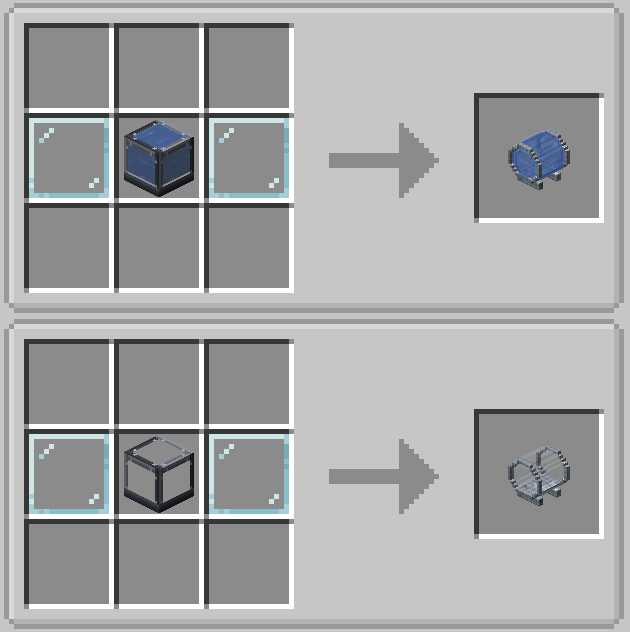
Capsule (Terrarium and Aquarium)
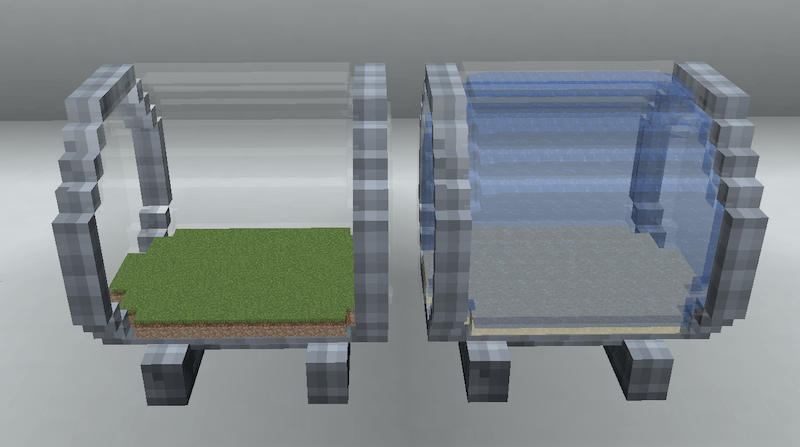
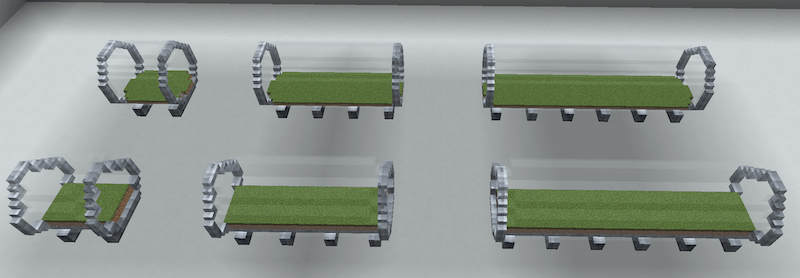
Nano (Terrarium and Aquarium)
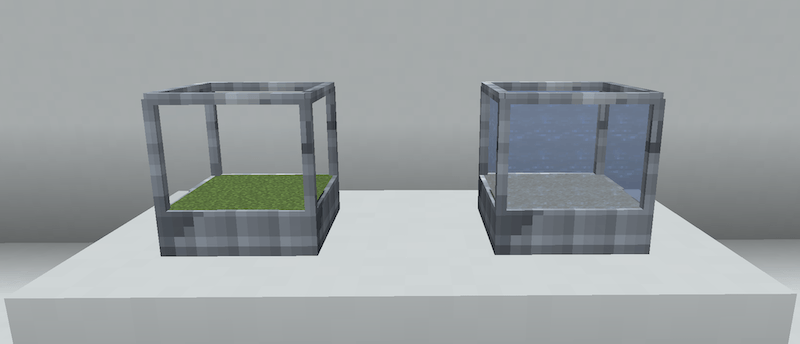
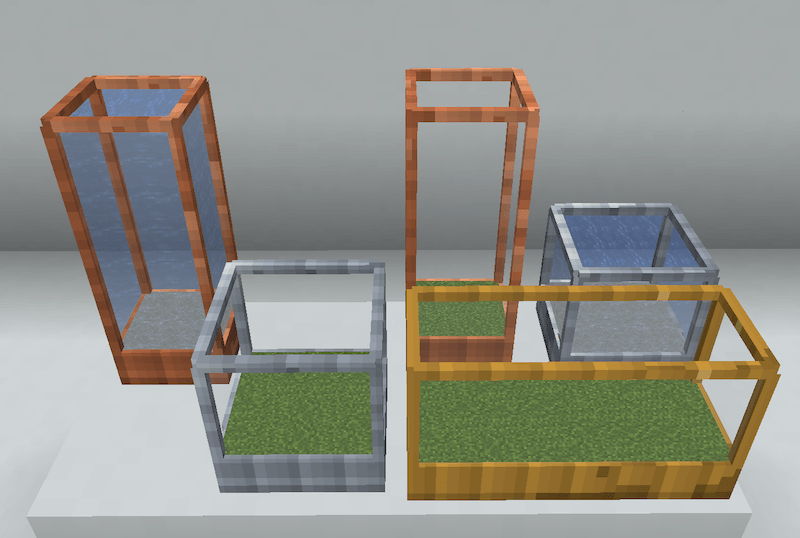
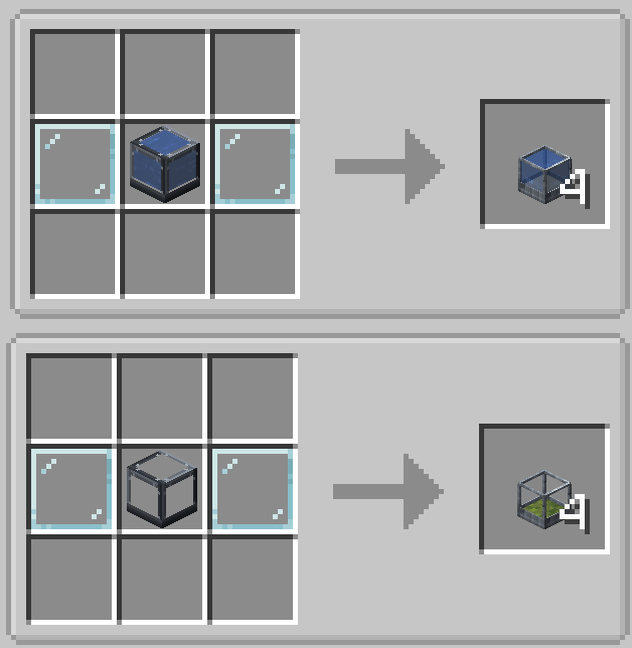
纳米水箱!这些太棒了。像放置海泡菜一样放置它们,混搭爬虫箱或水族箱。每个都可以单独自定义,所以如果你不喜欢颜色、生物群系或其他设置,随时更改即可!
Shelf (Terrarium and Aquarium)
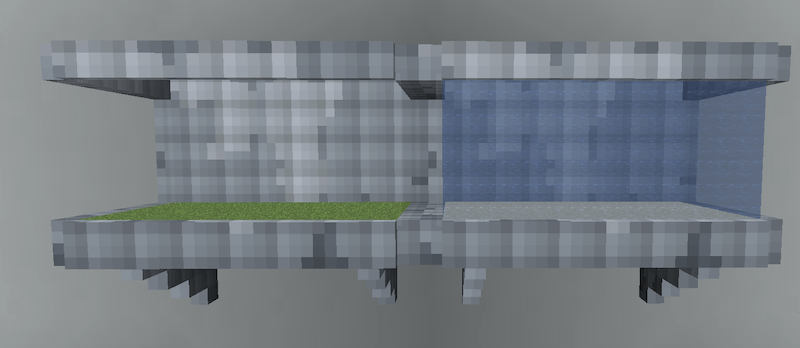
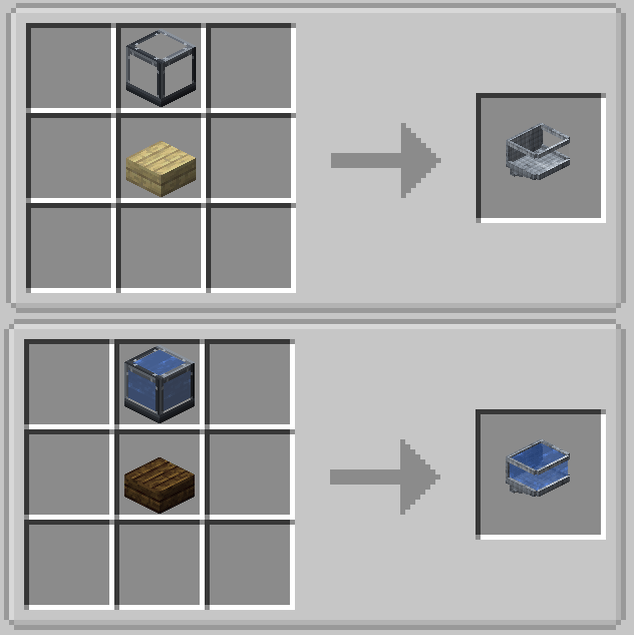
这些可以侧向连接。
Hourglass Terrarium
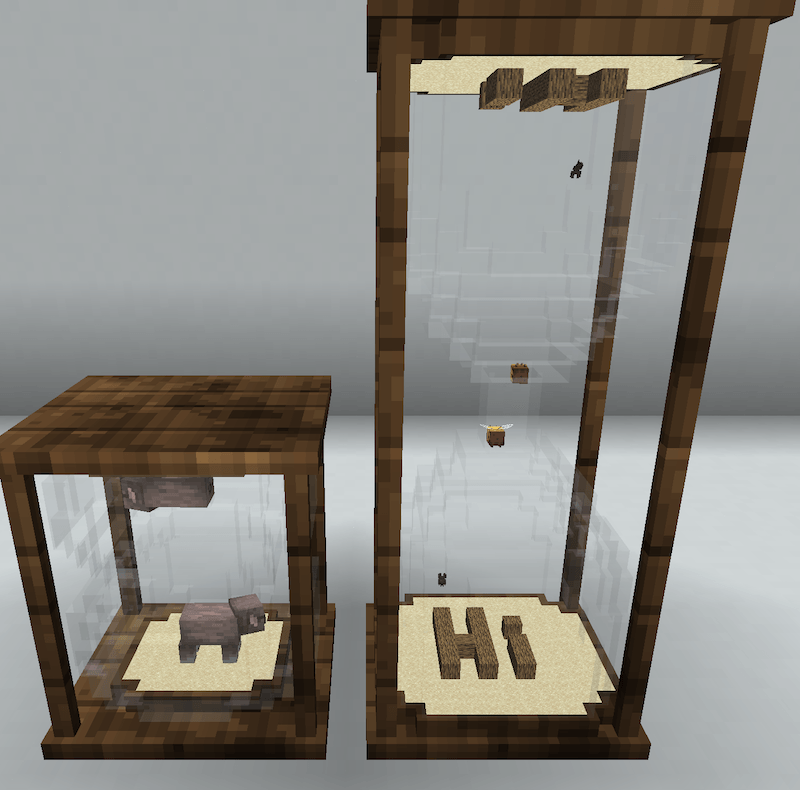
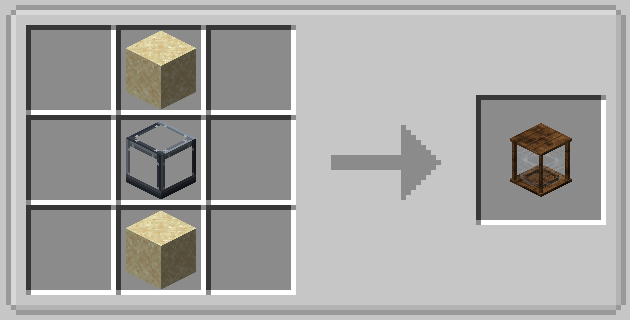
我觉得这个很酷。底部镜像到顶部。
Square Hourglass Terrarium
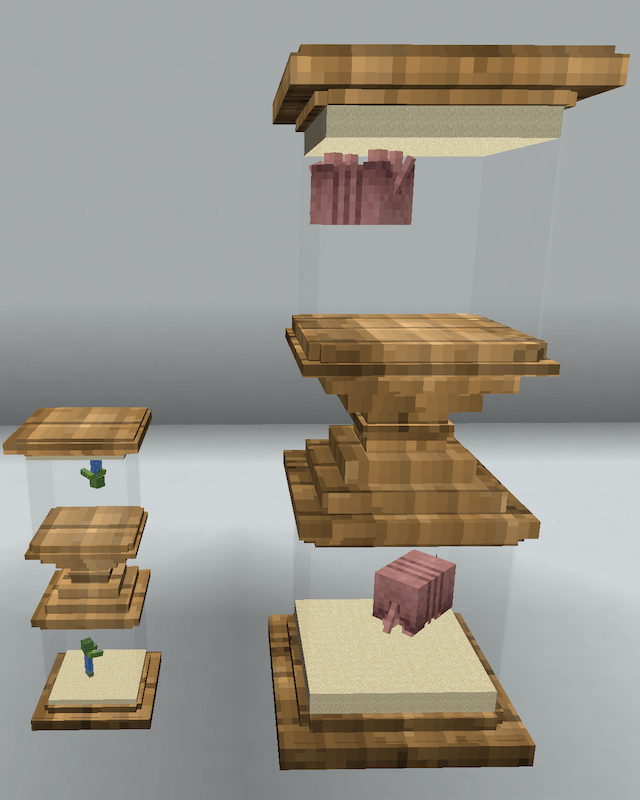
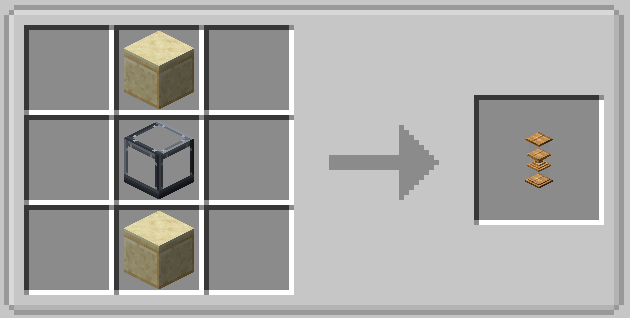
与另一款相同,只是方形而已!
Scale Terrarium
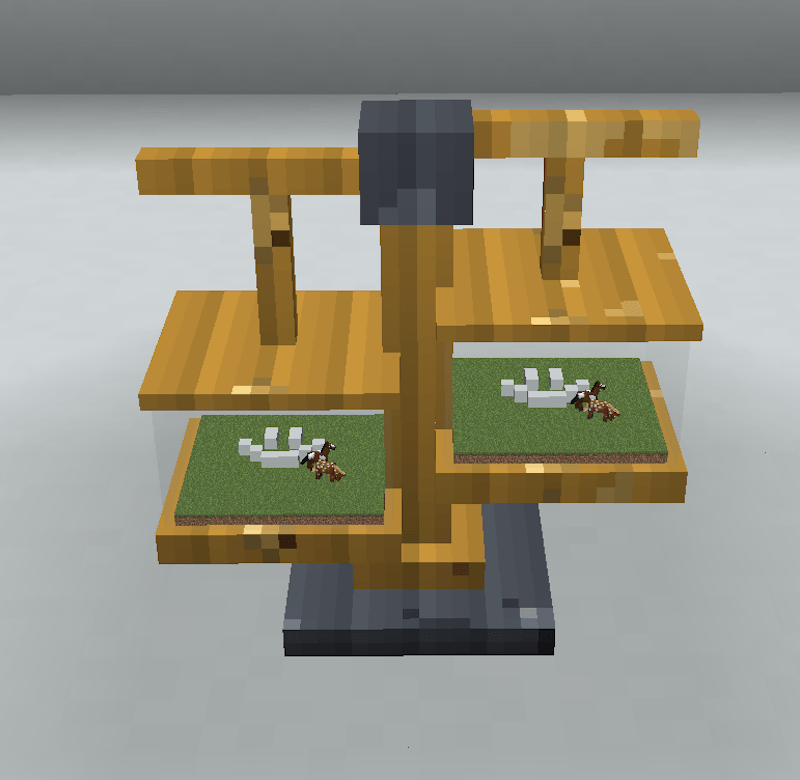
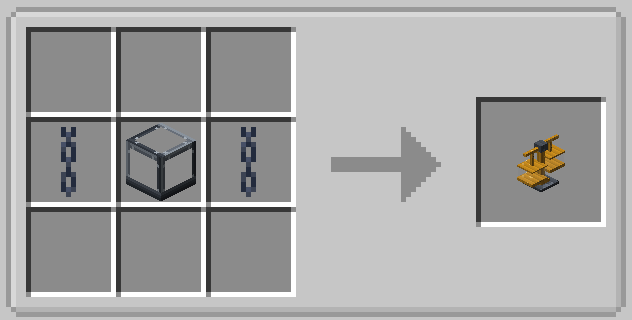
又一个无厘头的物品,正义天平将审判你的畜牧业!(镜像对称)
Fish Bowl
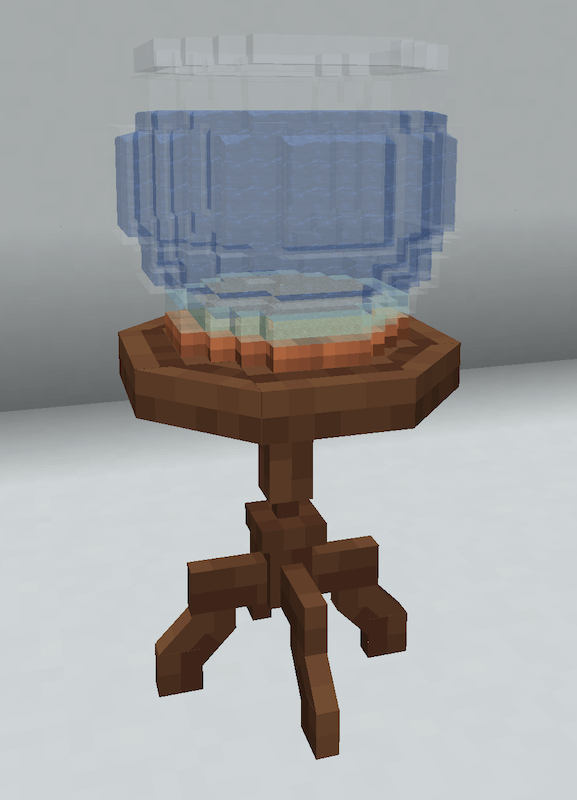
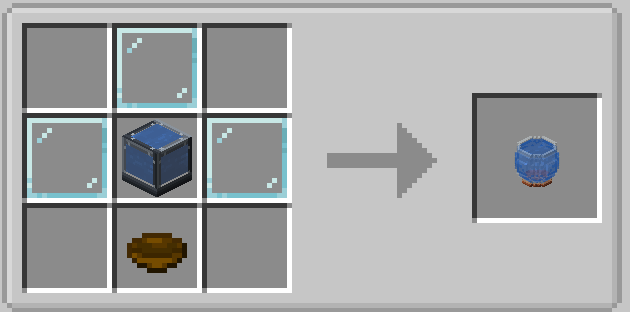
总得有个鱼缸吧。
Lantern Terrarium
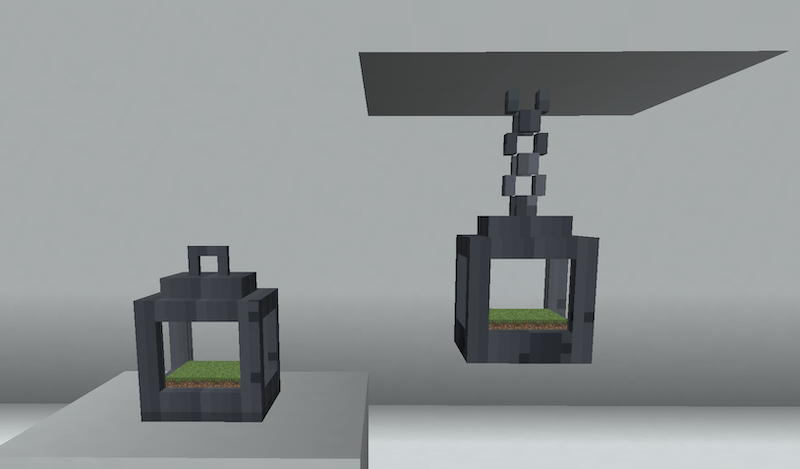
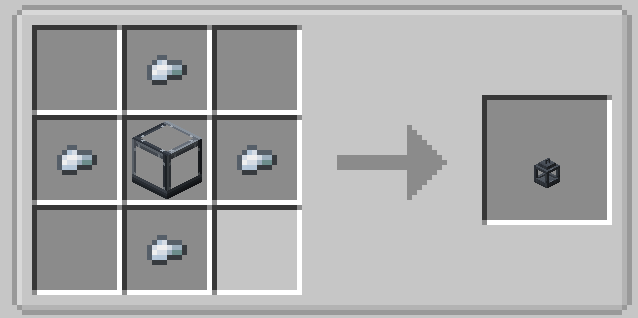
像普通灯笼一样悬挂!
Snowglobe
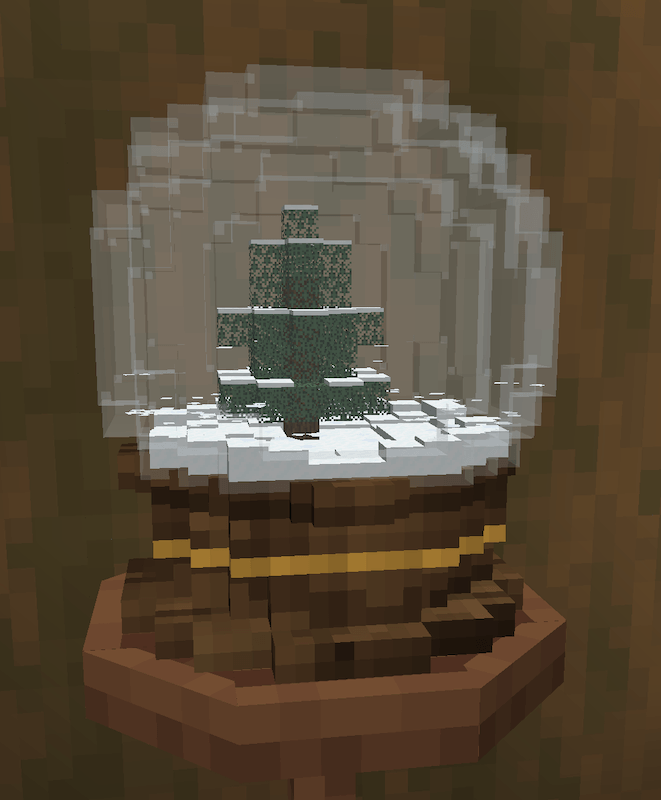
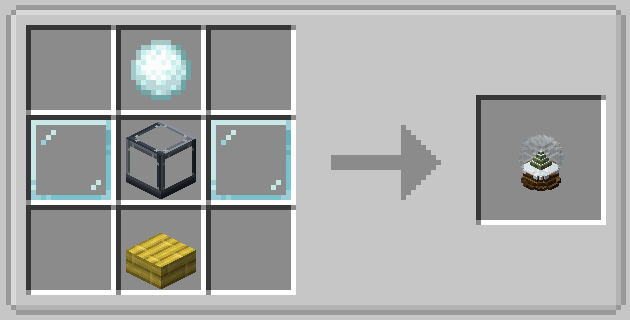
右键摇晃!
Name Plates!
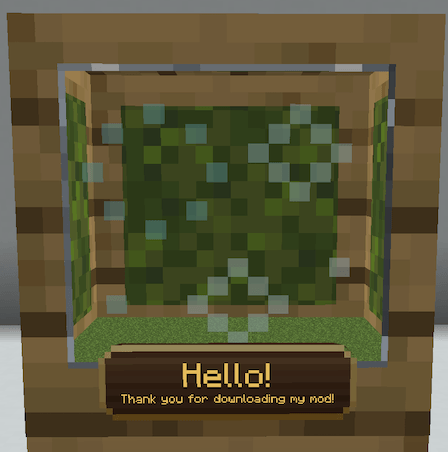
Other Features
- 可调节水族箱水位
- 自定义天气
- 水箱背景
- 拾取并移动你的作品!
- 保存和加载预设
- 放大镜
- 水箱灯光
- 兼容任何模组(据我所知)和光影
- 玻璃样式、框架样式,两者均支持方块选择器。
- 内部亮度滑块
- 关闭连接性,以便相邻放置独立的水箱
- 方块缩放比例,支持 4x4、8x8 和 16x16
- 还有更多功能!
感谢 Hybrid Aquatic、Alex's Mobs、Untamed Wilds、Biomes o' Plenty 以及 Fossils and Archeology 提供动物和生物群系素材!
Biome Palette!
Welcome to Biome Palette! (Included in Nature Workshop!)
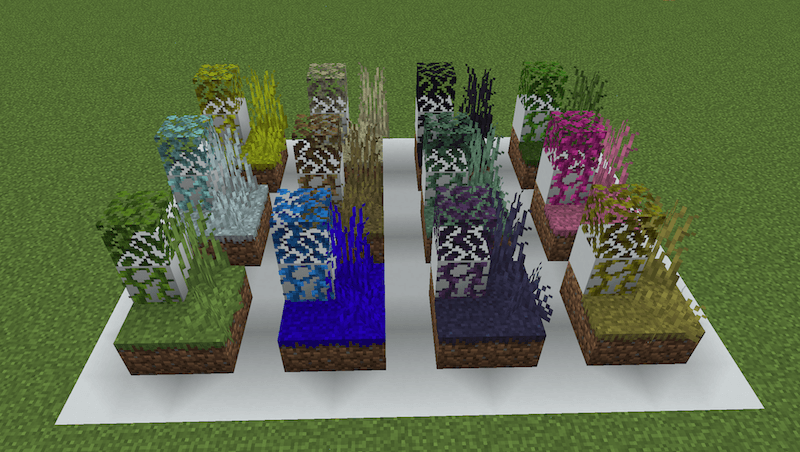
Have you ever wanted to build with specific grass blocks and water from other biomes? What about change the way the grass and water around your home looks? This mod allows you to do exactly that! Place biome-specific grass blocks, water, vines, even sugar cane! "Paint" existing blocks to match your style!
WORKS WITH ANY MOD! :)
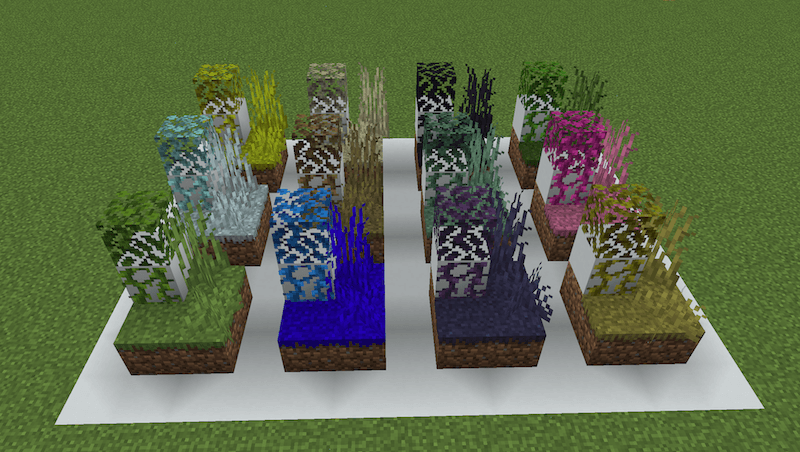
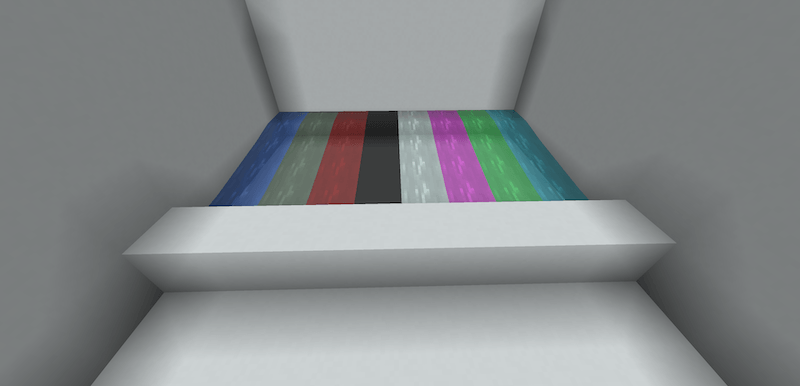
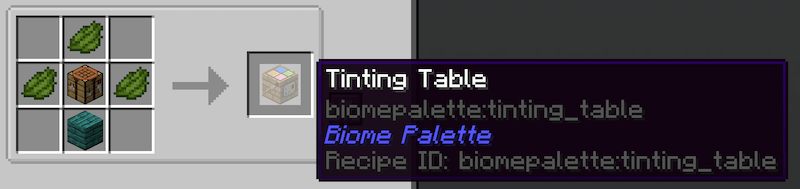
Using the Tinting Table, you can easily turn any normal grass block, water bucket etc, into any biome-colored version you choose! (Use any dye or any planks)
Place blocks, water buckets etc.
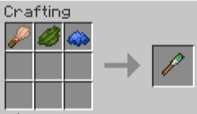
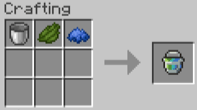
Use the Biome Brush or the Biome Paint Bucket to change existing blocks to whatever color you like!
Biome Brush
Biome Paint Bucket
Biome waters and grass blocks are fully operational, so you can farm, make aquariums, even bonemeal! All this without having to worry about your crops going dry, your fish suffocating, or vanilla grass being grown!
You can choose to use biome blending to make color transitions smoother, or just have clear color borders!
With Biome Blending (left) | Without Biome Blending (right)
Built in World Edit support!
//set grass_block@swamp
//replace grass_block #tint[jungle]
//set #untint
- 使用
block@biome 放置着色方块。
- 使用
#tint[biome] 为现有方块重新着色,并使用 #untint 恢复原状。
- 通过
#blend[off]、#blend[painted] 或 #blend[natural] 设置混合模式。
- 使用
#tinted、#tinted[biome]、#flat 或 #blended 筛选选区。
- 颜色在复制、粘贴、结构文件(schematics)、撤销和重做操作中得以保留。
Zoo Signs!
兼容所有模组生物及其他相机类模组!
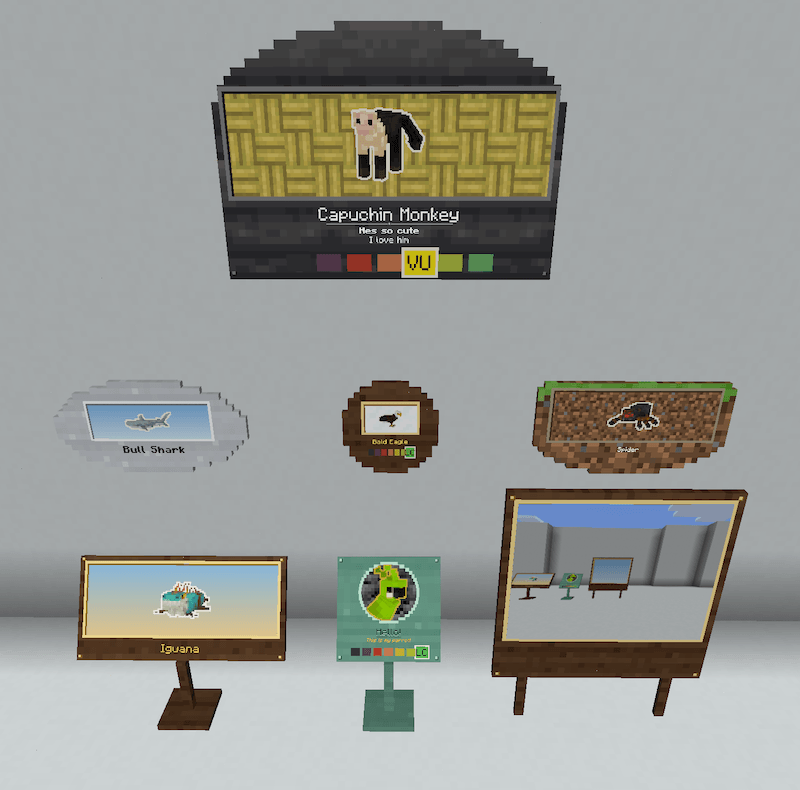
为你的动物园中的每种动物提供专属的标识牌(和相机)!
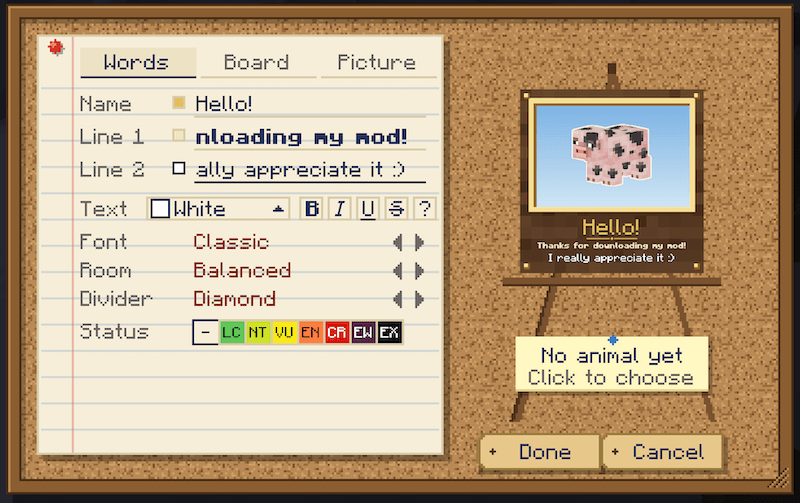
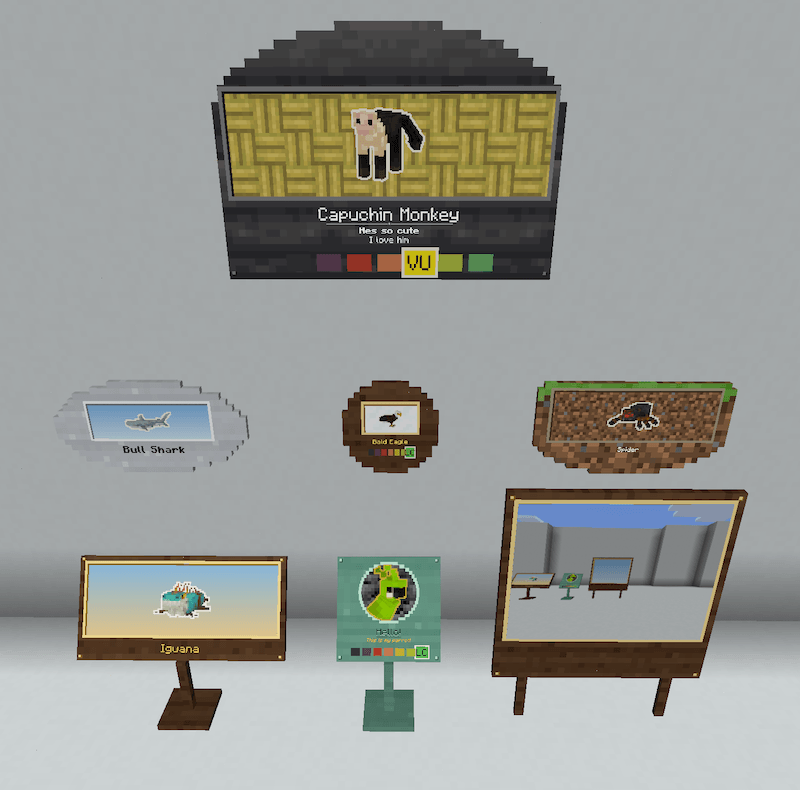
展览标牌!
使用任意标识牌和画制作!
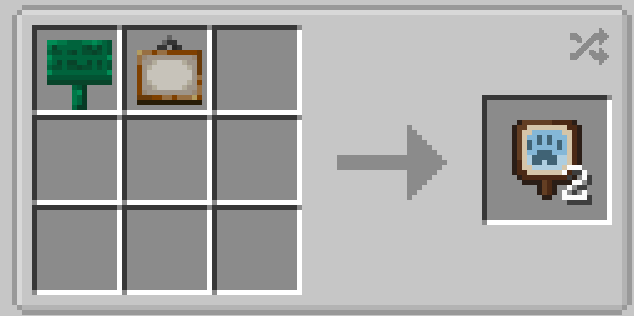
复制任意动物。 手持展览标牌右键点击动物,然后放置该标牌。它会显示那只动物的特征:颜色、花纹和斑纹。
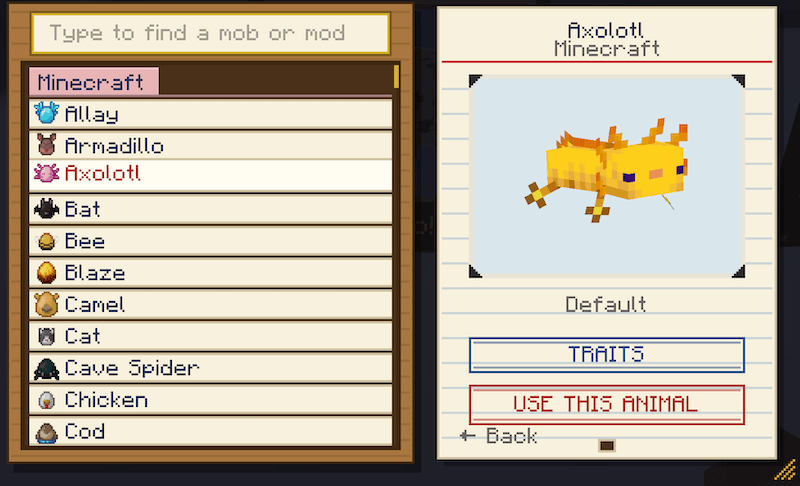
或者自行选择! 右键点击已放置的标牌,从动物图鉴中进行选择。图鉴按模组分类了游戏中的所有动物,并支持按名称搜索。
特性编辑器会自动识别动物可变动的属性,因此无需额外配置即可完美支持模组生物。
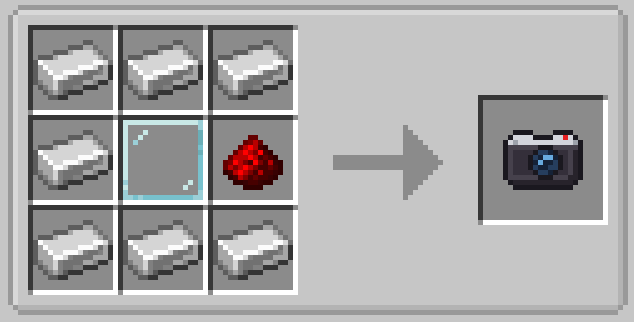
按住右键将相机举至眼前。取景器会精确显示即将拍摄的内容,且鼠标滚轮可缩放。松开右键即可拍照。每张照片都会打印成纸张,从你的物品栏中获取。
潜行 + 右键 可在相机模式间切换:
- 照片: 仅包含画面框内的内容,不包含你的手部和 HUD 界面。
- 肖像: 仅截取你正对指向的动物,背景干净无杂物。
右键点击照片可查看。右键点击标牌使用该照片,可将照片替换动物展示,或挂在物品展示框中,此时显示为打印出的照片。
兼容 Exposure、Camerapture 和 Camera Mod!!
感谢你读到此处!
如果你喜欢这个模组,请留下评论!如有任何 bug 报告、建议或技术支持?欢迎加入 Discord!
This is my all-in-one mod for zoo builders!
This mod includes Terrariums and Aquariums, Biome Palette, and Zoo Signs while adding a host of new and exciting features!
Terrariums and Aquariums! | Biome Palette! | Zoo Signs!
New items! (Not included in the original 3)
Trait Editor
Use the trait editor on any mob to change their appearance!
Works with any modded mobs, personally tested with Mo'Creatures, Alex's Mobs, Untamed Wilds, Hybrid Aquatic, Exotic Birds, F&A Revival, More Mob Variants, Vanilla Backport, Spawn, MCA. When encountering a new mob, the trait editor studies it for a few seconds, then it will always remember that mob's variants.
Tree Blueprint
See exactly what a sapling will grow into before it grows, and choose its shape.
Works on modded trees! Personally tested with Pam's HarvestCraft 2 Trees, Oh The Biomes We've Gone, Biomes O' Plenty, Tropicraft, F&A Revival, Cluttered, The Undergarden, The Aether, Better End, Spawn, Mo'Creatures.
Cryo Cell
Works on any mob from any mod, tamed or wild, any size. It catches before the animal reacts, so clicking a horse won't mount it and clicking a villager won't open its trades.
Stackable up to 16. Stores and preserves relevant NBT data (trust me I tested)
Wavecaster
Set water height to the pixel, or up to a full block, make it look still or flowing any of 8 ways, and change how fast it moves.
Shape one block, a patch, or a whole pond at once. Sneak + right-click to open the UI and change the settings.
Trowel
Shave blocks down a pixel at a time, for paths, ponds, steps and dips in the ground.
Compatible with the wave caster, for making shallow flowing rivers, mud piles, your creativity is the limit!
Right click to shave a block, shift-right click to unshave. Works on any full block.
Plant Clippers
Stop a plant from growing, so your garden stays exactly as you planted it. Use again to let it grow.
Invisible Fence
Paint the ground into a fenced area, and the animals you tie to it stay inside. No fence needed!
Right-click the ground to paint it into an area (hold and sweep to paint fast), sneak + right-click to wipe it off. Brush sizes: 1 block, 3x3 or 5x5. Right-click an animal standing in an area to fence it in, right-click again to let it go. Works on any mob!
The UI has some fun features too, check it out!
Bird Perch & Bat Crevice
A branch that parrots and modded birds land on and sit for a while, and a rocky crack for ceilings where bats roost: they hang there, fly off, then come back.
For the bird perch, choose which animals use it, how far away they notice it, and how long they stay. The Bat Crevice has no UI or settings.
Wing Clippers
Keep a flying animal below a height you choose, so your eagle stays in its aviary. Works on any flying mob!
You can set custom Y levels as well, but be careful not to set one below the ground you're on!
Vet Clipboard
Stop an animal from being able to breed or lay eggs
Net Gun
Catch an animal from a distance and hold it still for half a minute.
Net removes itself in 30 seconds, right-click with an empty hand or the net gun to release the mob.
Soundboard
A speaker block that plays any mob's sound: a lion's roar by the big cat house, frogs by the pond.
Sneak right-click to open up the menu, choose a mob and a sound, then exit and right-click to play! Works with redstone. Tune the pitch up and down, choose from different sounds, works with any mob from any mod!
Zoo Catalogue
A field guide to every animal in your game, modded ones included, with a checklist to tick off.
Each animal shows its health, size, what it does, and the biomes it lives in.
Rockwork
Small stones, cairns and boulders for paths, riverbeds and rock gardens, in any block texture you like!
Mob Muter
A tuning fork that silences a noisy mob.
Right-click a mob to mute it, right-click again to let it be heard again. Sneak + right-click to mute (or unmute) every mob of that kind within 16 blocks at once. Perfect for a full chicken coop! Muted mobs stay muted, even after you leave and come back. Works on any mob from any mod, and catches the sounds mods play in their own ways too.
While you're holding it, muted mobs show a little mark over their heads so you can see who's quiet.
The Original Three
Terrariums and Aquariums!
Terrariums and Aquariums adds fully customizable, interactive habitats for nearly any mob in Minecraft.
Display Your Favorite Mobs, Resize/scale them to your liking!
Build Any Shape
Capture & Add Mobs
Miniature Worlds
Generate beautiful vanilla and modded biomes inside your habitats.
Customize through the Habitat Manager, or enter to build inside!
Enter your habitat (right click or press enter in GUI), decorate it however you like, then step back out and enjoy your creation!
Tank types
Note!: All tanks have customization options, if you don't like the colors you can change them!
All tank types
Classic (Terrarium and Aquarium)
The classic, fully modular, all features.
Steel Beam (Terrarium and Aquarium)
Same as the classic, but with thick beams instead of thin sides.
Cylinder (Terrarium and Aquarium)
Added in 3.0 along with the steel beam tanks, this one might be my favorite. Fully connectable, you can really make some fun shapes with this one. :)
Bowfront (Terrarium and Aquarium)
This one's fun! Curved on the front, flat on the back, also modular, the back will always be flat.
Short (Terrarium and Aquarium)
Designed with tortoises in mind. Definitely for terrestrial animals, don't neglect your arboreal species!
Capsule (Terrarium and Aquarium)
Nano (Terrarium and Aquarium)
Nano tanks! These are awesome. Place them like sea pickles, mix and match terrariums or aquariums. All are separately customizable, so if you don't like the colors or biome or whatever, change it!
Shelf (Terrarium and Aquarium)
These are connectable sideways.
Hourglass Terrarium
I thought this was neat. Mirrors the bottom on to the top.
Square Hourglass Terrarium
Same as the other, only square!
Scale Terrarium
Another silly one, the scales of justice will judge your animal husbandry! (Mirrors one side to the other)
Fish Bowl
Gotta have a fishbowl.
Lantern Terrarium
Hangs like a normal lantern!
Snowglobe
Right click to shake!
Name Plates!
Other Features
- Adjustable water level in aquariums
- Custom weather
- Backdrops for tanks
- Pick up and move your creations!
- Save and load presets
- Magnifying glass
- Tank Lights
- Works with any mod (that I know of) and shaders
- Glass styles, frame styles, block picker for both.
- Interior brightness slider
- Turn off connectability so you can have separate tanks next to each other
- Block scalability, 4x4, 8x8, and 16x16
- So much more!
Thanks to the creators Hybrid Aquatic, Alex's Mobs, Untamed Wilds, Biomes o' Plenty, and Fossils and Archeology for the animals and biomes!
Biome Palette!
Welcome to Biome Palette! (Included in Nature Workshop!)
Have you ever wanted to build with specific grass blocks and water from other biomes? What about change the way the grass and water around your home looks? This mod allows you to do exactly that! Place biome-specific grass blocks, water, vines, even sugar cane! "Paint" existing blocks to match your style!
WORKS WITH ANY MOD! :)
Using the Tinting Table, you can easily turn any normal grass block, water bucket etc, into any biome-colored version you choose! (Use any dye or any planks)
Place blocks, water buckets etc.
Use the Biome Brush or the Biome Paint Bucket to change existing blocks to whatever color you like!
Biome Brush
Biome Paint Bucket
Biome waters and grass blocks are fully operational, so you can farm, make aquariums, even bonemeal! All this without having to worry about your crops going dry, your fish suffocating, or vanilla grass being grown!
You can choose to use biome blending to make color transitions smoother, or just have clear color borders!
With Biome Blending (left) | Without Biome Blending (right)
Built in World Edit support!
//set grass_block@swamp
//replace grass_block #tint[jungle]
//set #untint
- Place tinted blocks with
block@biome.
- Recolor existing blocks with
#tint[biome], and restore them with #untint.
- Set blending with
#blend[off], #blend[painted] or #blend[natural].
- Filter selections with
#tinted, #tinted[biome], #flat or #blended.
- Colors survive copy, paste, schematics, undo and redo.
Zoo Signs!
Compatible with all modded mobs and other camera mods!
A proper sign (and camera) for every animal in your zoo!
Exhibit signs!
Craft with any sign and a painting!
Copy any animal. Right-click an animal with an exhibit sign, then put the sign up. It shows that animal: its colour, its pattern, its markings.
Or pick one! Right-click a placed sign and choose from the Animal Catalogue, every animal in your game sorted by mod and searchable by name.
The Trait Editor works out for itself what can change about an animal, so modded animals work without any setup.
Hold right-click to raise the camera to your eye. The viewfinder shows exactly what will be in the shot, and the scroll wheel zooms. Let go to take the picture. Each one is printed on a sheet of paper from your inventory
Sneak + right-click switches the camera between:
- Photos: whatever's in the frame, with your hand and HUD left out.
- Portraits: just the animal you're pointing at, cut out on a clean background.
Right-click a photo to look at it. Right-click a sign with it to put it up in place of the animal, or hang it in an item frame, where it shows as a printed photo.
Compatible with Exposure, Camerapture, and Camera Mod!!
Thanks for reading this far!
If you enjoy this mod, leave a comment! Any bug reports, suggestions, or support? Join the discord!


 模组

 模组

 模组
 模组

 模组
 模组
评论 0
登录后参与评分
还没有评论,来抢沙发吧