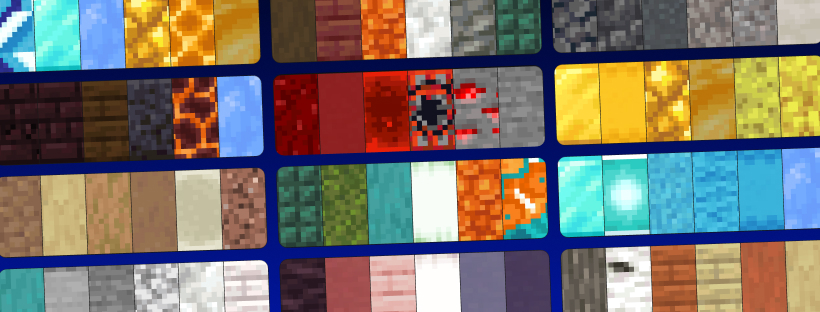
发现、生成、分析并分享 Minecraft 方块调色板——无需离开游戏。
Palettinator 将 palettinator.com ——那个免费、无广告的方块与颜色调色板生成器——直接带入 Minecraft,支持 聊天命令 和完整的 游戏内 GUI。
纠结哪些方块搭配在一起?生成一个调色板,询问模组哪里有问题,在世界中预览它,然后建造。做出了很棒的作品?一条命令即可发布到网站。
⚠️ Alpha(测试版): 早期访问阶段,正在积极开发中。大多数功能可用;部分功能仍在完善中(例如最新的 26.2 版本方块)。欢迎提供反馈!
✨ 功能
? 生成与探索
- 生成调色板 —
/palette generate 会创建一个全新的、色彩协调的调色板并将其加载到你的快捷栏中。你可以从一种颜色开始生成(/palette generate blue),或者基于你手中的方块生成(/palette generate hand)。
- 渐变 —
/palette gradient white_concrete blue_concrete 会在两个方块之间构建平滑的颜色过渡。如果不带参数,则会在你的主手和副手方块之间生成渐变。
- 扫描现有建筑 —
/palette capture 为你提供 调色板扫描仪:选择结构的两个角,其使用最频繁的方块会作为调色板直接加载到你的快捷栏中。使用 /palette capture publish "My Build" 可直接将其发布到网站。
- 世界内预览 —
/palette build <#> 会在你面前放置一个调色板,让你以条状或3格高的墙的形式查看方块的组合效果(/palette build 42 wall)。它会自动清除(或使用 /palette clear),仅填充空空间,且绝不会触碰你的建筑。
? 社区
- 搜索与发现 —
/palette search cozy 可根据名称、标签、创作者或编号查找调色板。/palette discover trending 可获取网站的精选、热门和最受欢迎的书架。两者都会在 聊天中显示调色板预览——悬停在一个方块上可查看其名称,点击可复制其十六进制色值,点击该行即可加载。
- 加载前预览 —
/palette info 42 可在不占用快捷栏的情况下显示调色板的方块和点赞数。
- 加载到快捷栏 —
/palette get 73286 会将调色板的方块放入你的快捷栏。生存模式下每种方块各给一个,创造模式下给予完整堆叠,超过九个方块的调色板会以潜影盒形式送达,确保你每种方块都能获得一整组。任何已存在于快捷栏中的物品都会被移至背包,绝不会删除——使用 /palette undo 可恢复所有操作。
- 发布与更新 — 在快捷栏中排列好方块后,执行
/palette publish "Cozy Cabin" medieval,oak A snug little build。它将在你的 palettinator.com 个人资料页面上线,并附带可点击的链接。使用 /palette update 42 可刷新现有内容。
- 分享 —
/palette share Steve 42 可将调色板直接发送给服务器上的另一位玩家,而 /palette book 42 会将其写入一本书中,你可以携带并分发出去。
- 浏览、点赞与随机抽取 —
/palette browse top、/palette mine、/palette liked、/palette like 42、/palette stats,以及用于即时灵感的 /palette roll。
? 分析你的调色板
/palette analyze 会以资深建造者的方式读取你快捷栏中的方块,并告诉你它们到底有什么问题。
- 它理解纹理,而不仅仅是颜色。 它知道石砖是有图案的,圆石是粗糙的,混凝土是无特征的——因此它能区分 刻意 的纹理工作与两个真正重复相同色调的方块。
- 它检查建造者关注的方面: 明暗范围、缺失的深色和高光、亮度阶梯中的空洞、色相和谐度、饱和度平衡、调色板大小,以及是否有强烈的强调色有安静的背景来衬托。
- 每个问题都配有解决方案。 建议均为实际的建造方块,并按常见程度排序——点击其中一个即可直接加载到快捷栏。
- 不仅阅读,还能直观查看。 当客户端安装了该模组时,命令会打开一张色相图,将你选择的方块绘制在上面:色相沿水平方向分布,颜色越强越靠上,灰色位于底部。聚集在一起的方块表示和谐,横跨整个宽度的方块则是“色相向不同方向拉扯”的警告,相距半个宽度的方块则是互补色。悬停任意一个方块可查看其表面、明度、色相和角色。
- 同样适用于保存的调色板:
/palette analyze 42。
- 原版客户端也能获得所有信息(除图表外)——所有分析结果都会出现在聊天中,并带有相同的可点击修复选项。
?️ 安装客户端以获得完整体验
即使不安装客户端,所有功能也能正常工作——但客户端部分能带来大量增强:
- 聊天中的真实方块纹理。 搜索结果、分析以及其他所有调色板行都会绘制真实的方块面,而不是彩色方块。
- 调色板浏览器。 按 P 键打开一个原生界面,镜像网站功能:
- 浏览 — 可搜索的调色板卡片网格,包含真实方块纹理、作者信息,以及可点击的 ❤ 点赞按钮。
- 建造 — 六个插槽,你可以通过点击(带有实时搜索功能的方块选择器)或使用 Generate(生成) 来填充(观看插槽像老虎机一样旋转并停止在一个新的调色板上)。然后选择 Load to hotbar(加载到快捷栏)、Build preview(建造预览) 或 Analyse(分析)。
- 分析视图 — 带有你方块绘制的色相图,并在旁边列出所有分析结果。可从 Analyse(分析) 按钮打开,或直接通过
/palette analyze 调用。
- 我的调色板 — 你自己的创作。点赞 — 你收藏的所有内容。
- 点击任意调色板可查看 详细信息,包括大型方块网格、加载/预览、点赞以及“Open on site(在网站上打开)”。
- 快捷栏上方的调色板条 显示你刚刚加载的内容,这样你就永远不会搞混哪个方块是哪个。它会自行淡出。
快捷键可在 选项 → 控制 → Palettinator 中重新绑定。
? 支持原版客户端——玩家无需安装
在你的 服务器 上安装它,所有玩家都可以使用这些命令,即使使用的是完全原版的客户端——全部由聊天命令、可点击链接和颜色色块组成。无需资源包。(单人游戏:正常安装即可。)
⌨️ 命令
| 命令 |
功能 |
/palette analyze [#] |
读取你快捷栏(或已保存的调色板)的颜色与纹理 |
/palette search <query> |
查找调色板(按名称、标签、创作者或 #id) |
/palette discover [category] |
精选、热门、popularWeek 或 recentlyLoved |
/palette browse <top|new|old> [query] |
按排序浏览调色板 |
/palette get <#> |
将调色板加载到你的快捷栏中 |
/palette info <#> |
查看调色板信息而不影响你的快捷栏 |
/palette undo |
在加载后恢复你的快捷栏 |
/palette build <#> [wall] |
在世界中预览调色板(自动清除) |
/palette clear |
立即移除你在世界中的预览 |
/palette generate [colour] |
生成一个新的调色板(可选基于某种颜色) |
/palette generate hand |
根据你手中持有的方块生成 |
/palette gradient [from] [to] |
两个方块之间的渐变(无参数 = 双手各一个) |
/palette capture |
获取 Palette Scanner —— 选择两个角来读取建筑的调色板 |
/palette capture publish "<title>" |
一键发布所选区域的调色板 |
/palette roll |
生成随机调色板 |
/palette mine |
浏览你自己的调色板 |
/palette liked |
浏览你点赞过的调色板 |
/palette stats |
显示你的调色板数量、点赞数和最佳调色板 |
/palette tags |
列出网站的标签,点击其中一个进行搜索 |
/palette share <player> <#> |
向服务器上的某位玩家发送调色板 |
/palette book <#> |
将调色板写入你可以携带的书本中 |
/palette like <#> |
点赞 / 取消点赞一个调色板 |
/palette publish <title> [tags] [desc] |
将你当前的快捷栏发布为新的调色板 |
/palette update <#> |
更新你拥有的某个调色板 |
/palette link |
绑定你的 Palettinator 账户 |
/palette support |
支持 Palettinator(保持免费且无广告) |
/palette help |
显示所有命令 |
/palettinator 也可以作为完整命令名使用,同时 /palette analyse 也被接受。
? 发布到个人账户
发布/更新操作与你的 Palettinator 账户绑定。运行 /palette link,点击聊天中的链接,登录并授权——即可完成。你可以在 账户设置 随时撤销访问权限。浏览、生成、分析、预览和加载调色板 完全不需要账户。
?️ 面向服务器管理员 —— 权限与配置
- 权限 (LuckPerms): 每个命令都有一个节点 ——
palettinator.command.analyze、palettinator.command.build、palettinator.command.publish、palettinator.command.generate 等 —— 因此你可以按组授予或拒绝权限。如果没有权限模组,它将回退到合理的默认值(当设置 buildRequiresOp 时,世界内建造默认为管理员)。
- 配置 (
config/palettinator.json): 开启/关闭命令、要求 OP 才能进行世界内建造、设置每项操作的冷却时间、调整预览的生命周期和方块上限、切换聊天方块纹理的开关,以及选择是否加入每日调色板提示消息。新选项会自动添加到你的现有文件中,保留你的设置。/palette reload 可在不重启的情况下重新读取配置。
- 语言 (
config/palettinator-lang.json): 重写或翻译模组发送的所有聊天字符串。
- 不会破坏任何东西: 加载调色板会将你现有的快捷栏物品移入背包,而不是删除它们;世界内的预览只会填充空位 —— 它不会覆盖建筑、破坏容器,也不会因服务器重启而遗留方块。
- 生存模式友好: 加载调色板在生存模式下只给予 每种方块一个(没有免费堆叠),创造模式下则为完整堆叠。
- 关于
/generate 的说明: 顶层别名默认是 关闭的,以免与其他模组或数据包冲突。如果你想要它,请在配置中开启 generateAlias。/palette generate 始终可用。
? 依赖
- Minecraft 26.1.2 或 26.2 (Fabric)
- Fabric Loader 0.19.0+
- Fabric API
- Java 25+ (Minecraft 26.x 所需)
? 安装
服务器: 将 Palettinator jar 和 Fabric API 放入服务器的 mods/ 文件夹并重启。玩家无需任何操作(GUI 是可选的,仅客户端侧)。
单人游戏 / 客户端: 将两者放入客户端的 mods/ 文件夹,然后在游戏中按 P 键。
用 ❤ 为建筑师打造。Palettinator 免费且无广告 —— 在此支持它。
Find, generate, analyse, and share Minecraft block palettes — without leaving the game.
Palettinator brings palettinator.com — the free, ad-free block & colour palette generator — straight into Minecraft, as both chat commands and a full in-game GUI.
Stuck on which blocks go together? Generate a palette, ask the mod what's wrong with it, preview it in the world, and build. Made something great? Publish it to the site in one command.
⚠️ Alpha: early access and under active development. Most things work; a few are still missing (e.g. the very newest 26.2 blocks). Feedback welcome!
✨ Features
? Generate & explore
- Generate palettes —
/palette generate makes a fresh, colour-coordinated palette and loads it into your hotbar. Seed it from a colour (/palette generate blue) or from the block in your hand (/palette generate hand).
- Gradients —
/palette gradient white_concrete blue_concrete builds a smooth colour ramp between two blocks. No args = a gradient between your main hand and off-hand.
- Scan an existing build —
/palette capture gives you the Palette Scanner: select two corners of any structure and its most-used blocks load straight into your hotbar as a palette. Straight to the site with /palette capture publish "My Build".
- In-world preview —
/palette build <#> places a palette in front of you so you can see the blocks together, as a strip or a 3-high wall (/palette build 42 wall). It auto-clears (or /palette clear), only ever fills empty space, and never touches your build.
? Community
- Search & discover —
/palette search cozy finds palettes by name, tag, creator, or number. /palette discover trending pulls the site's featured, trending and most-loved shelves. Both show a palette preview right in chat — hover a block to name it, click one to copy its hex, click the line to load it.
- Look before you load —
/palette info 42 shows a palette's blocks and likes without touching your hotbar.
- Load into your hotbar —
/palette get 73286 drops a palette's blocks into your hotbar. Survival gives one of each, creative gives full stacks, and palettes over nine blocks arrive in a shulker box so you still get a stack of each. Anything already in your hotbar is moved into your inventory, never deleted — and /palette undo puts it all back.
- Publish & update — arrange blocks in your hotbar, then
/palette publish "Cozy Cabin" medieval,oak A snug little build. It goes live on your palettinator.com profile with a clickable link. /palette update 42 refreshes an existing one.
- Share it —
/palette share Steve 42 sends a palette straight to another player on your server, and /palette book 42 writes one into a book you can carry and hand out.
- Browse, like & roll —
/palette browse top, /palette mine, /palette liked, /palette like 42, /palette stats, /palette roll for instant inspiration.
? Analyse your palette
/palette analyze reads the blocks in your hotbar the way an experienced builder would, and tells you what's actually wrong with them.
- It understands texture, not just colour. It knows stone bricks are patterned, cobblestone is rough and concrete is featureless — so it can tell deliberate texture work apart from two blocks that genuinely repeat the same tone.
- It checks what builders check: light-to-dark range, missing darks and highlights, holes in the value ramp, hue harmony, saturation balance, palette size, and whether a loud accent has anything quiet to sit against.
- Every problem comes with a fix. Suggestions are real building blocks, ranked so common ones win — click one to load it straight into your hotbar.
- See it, not just read it. With the mod installed client-side, the command opens a colour chart with your blocks plotted on it: hue across, stronger colour towards the top, greys along the bottom. Blocks clustered together are a harmony, blocks strung across the width are the "hues pull in different directions" warning, and blocks half a width apart are complements. Hover any one for its surface, lightness, hue and role.
- Works on saved palettes too:
/palette analyze 42.
- Vanilla clients get everything except the chart — all the findings arrive in chat, with the same clickable fixes.
?️ Install client-side for the full thing
Everything works without it — but the client half adds a lot:
- Real block textures in chat. Search results, analysis and every other palette row draw the actual block faces instead of coloured squares.
- The palette browser. Press P to open a native UI that mirrors the website:
- Browse — searchable grid of palette cards with real block textures, author, and a clickable ❤ like button.
- Build — six slots you can fill by clicking (block picker with live search) or with Generate (watch the slots spin like a slot machine and land on a fresh palette). Then Load to hotbar, Build preview, or Analyse.
- Analysis view — the colour chart with your blocks plotted on it and every finding listed beside it. Opens from the Analyse button or straight from
/palette analyze.
- Palettes — your own creations. Likes — everything you've hearted.
- Click any palette for a detail view with a big block grid, load/preview, like, and "Open on site".
- A palette strip above your hotbar showing what you just loaded, so you never lose track of which block was which. It fades out on its own.
The keybind is rebindable under Options → Controls → Palettinator.
? Works on vanilla clients — no install required for players
Install it on your server and every player can use the commands, even on a completely vanilla client — it's all chat commands, clickable links, and colour swatches. No resource pack required. (Singleplayer: just install it normally.)
⌨️ Commands
| Command |
What it does |
/palette analyze [#] |
Colour & texture read of your hotbar (or a saved palette) |
/palette search <query> |
Find palettes (name, tag, creator, or #id) |
/palette discover [category] |
Featured, trending, popularWeek or recentlyLoved |
/palette browse <top|new|old> [query] |
Browse palettes by sort |
/palette get <#> |
Load a palette into your hotbar |
/palette info <#> |
Read a palette without touching your hotbar |
/palette undo |
Put your hotbar back after a load |
/palette build <#> [wall] |
Preview a palette in the world (auto-clears) |
/palette clear |
Remove your in-world preview now |
/palette generate [colour] |
Generate a new palette (optionally from a colour) |
/palette generate hand |
Generate from the block you're holding |
/palette gradient [from] [to] |
Gradient between two blocks (no args = both hands) |
/palette capture |
Get the Palette Scanner — select two corners to read a build's palette |
/palette capture publish "<title>" |
Publish the selection's palette in one step |
/palette roll |
Generate a random palette |
/palette mine |
Browse your own palettes |
/palette liked |
Browse palettes you've liked |
/palette stats |
Your palette count, likes and top palette |
/palette tags |
List the site's tags, click one to search it |
/palette share <player> <#> |
Send a palette to someone on your server |
/palette book <#> |
Write a palette into a book you can carry |
/palette like <#> |
Like / unlike a palette |
/palette publish <title> [tags] [desc] |
Publish your hotbar as a new palette |
/palette update <#> |
Update one of your palettes |
/palette link |
Connect your Palettinator account |
/palette support |
Support Palettinator (keeps it free & ad-free) |
/palette help |
Show all commands |
/palettinator works as the full command name too, and /palette analyse is accepted as well.
? Publishing to your account
Publishing/updating is tied to your Palettinator account. Run /palette link, click the link in chat, sign in, and approve — that's it. You can revoke access anytime in your account settings. Browsing, generating, analysing, previewing, and loading palettes need no account at all.
?️ For server admins — permissions & config
- Permissions (LuckPerms): every command has a node —
palettinator.command.analyze, palettinator.command.build, palettinator.command.publish, palettinator.command.generate, etc. — so you can grant/deny per group. Without a permissions mod it falls back to sensible defaults (in-world build defaults to operators when buildRequiresOp is set).
- Config (
config/palettinator.json): toggle commands on/off, require op for in-world building, set per-action cooldowns, tune the preview's lifetime and block cap, switch chat block textures on or off, and opt into a palette-of-the-day join message. New options are added to your existing file automatically, keeping your settings. /palette reload re-reads it without a restart.
- Language (
config/palettinator-lang.json): reword or translate every chat string the mod sends.
- Nothing gets destroyed: loading a palette moves your existing hotbar items into your inventory rather than deleting them, and the in-world preview only fills empty space — it won't overwrite a build, break containers, or leave blocks behind if the server restarts.
- Survival-friendly: loading a palette gives one block each in survival (no free stacks), full stacks in creative.
- A note on
/generate: the bare top-level alias is off by default so it can't clash with other mods or datapacks. Turn on generateAlias in the config if you want it. /palette generate always works.
? Requirements
- Minecraft 26.1.2 or 26.2 (Fabric)
- Fabric Loader 0.19.0+
- Fabric API
- Java 25+ (required by Minecraft 26.x)
? Install
Server: drop the Palettinator jar and Fabric API into your server's mods/ folder and restart. Players need nothing (the GUI is optional, client-side).
Singleplayer / client: put both into your client mods/ folder, then press P in-game.
Made with ❤ for builders. Palettinator is free and ad-free — support it here.


 模组

 模组

 模组
 模组

 模组
 模组
评论 0
登录后参与评分
还没有评论,来抢沙发吧