
PeterWolf’s Planes
概述
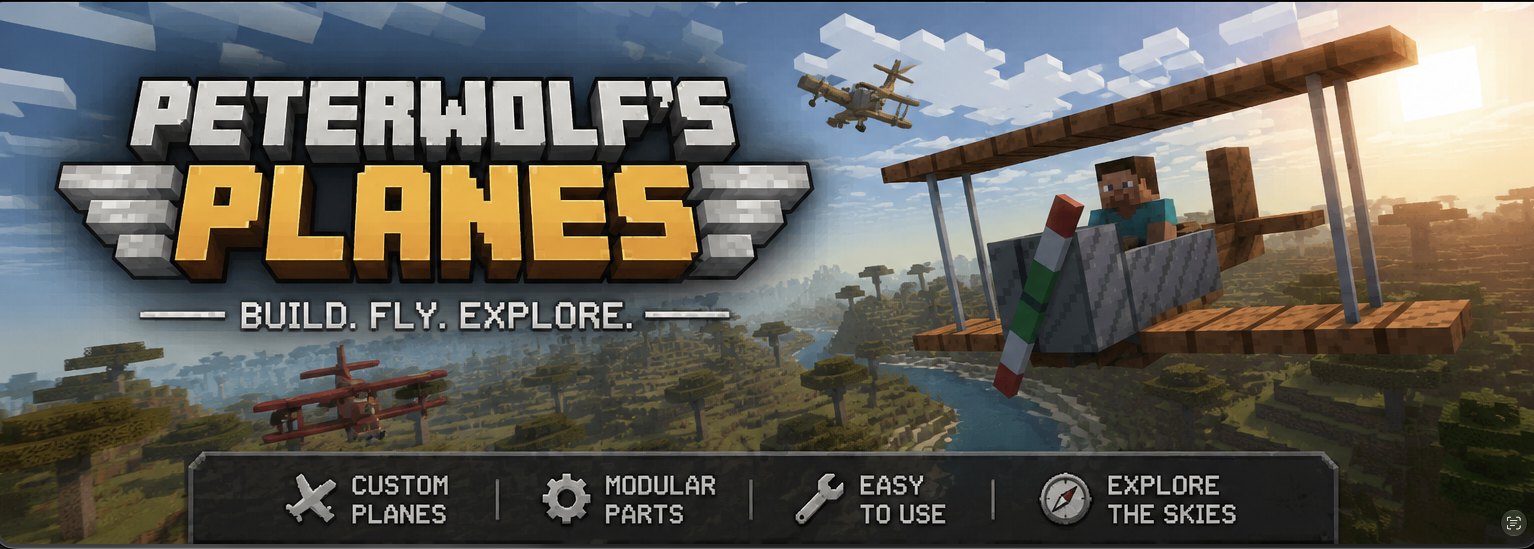
Peter Wolf’s Planes 为 Minecraft 添加了一架全可操纵的双翼飞机,为游戏带来了轻量级、复古风格的航空体验。该模组引入了真实的飞行物理、速度依赖的控制面、功能齐全的 HUD(平视显示器)以及精致的视觉呈现(自定义图标和 ModMenu 横幅)。
特性
- 可操纵双翼飞机实体 – 驾驶一架响应鼠标视角(俯仰和滚转)以及键盘 A/D 键进行偏航/方向舵控制的双翼飞机。
- 速度依赖控制 – 控制面的效能随前向速度变化;静止时飞机无响应,随着加速,响应性线性增加。
- 气动升力调校 – 升力经过校准,在约 35 km/h(≈ 0.486 方块/刻)的速度下克服重力,提供平滑的起飞和真实的失速行为。
- 改进的滑翔物理 – 低油门下的阻力减小以及增强的升力允许优雅的滑翔和能量交换(爬升会减速,俯冲会加速)。
- 更大的起落架轮子 – 轮子现在大小为 4 × 10 × 10 方块,拥有自定义纹理,提供更稳固的地面姿态和更好的视觉效果。
- 座舱 HUD – 一个玻璃拟态叠加层显示当前速度(m/s 和 km/h)、高度、垂直速度(颜色编码)以及油门/刹车状态。
⚔️ 空战战斗模式 (v1.1.0)
在驾驶时,按 V 键开启战斗模式(HUD 上显示为 Combat: ARMED)。
| 控制 | 动作 |
|---|---|
| V | 切换战斗模式(ARMED / SAFE) |
| 左键单击 | 发射双机枪(沿机头快速发射双追踪弹道) |
| B | 投掷一枚点燃的 TNT 炸弹(消耗 1× TNT;创造模式下免费) |
战斗细节
- 机枪从机翼根部发射双股弹流,具有相对于飞机的初速度——无需弹药。
- 炸弹继承飞机的大部分速度,在重力作用下下落并带有短引信,在地面(或空中引信耗尽时)爆炸。
- 乘员乘坐的飞机会受到弹丸和爆炸的伤害。HUD 显示机身完整性;当 HP 为 0 时,飞机被摧毁,乘客被弹出。
- 你自己的弹药不会伤害你正在驾驶的飞机。
- 按键绑定可在 Controls → Peter Wolf's Planes 中重新映射。
? 滑翔伞及其他特性
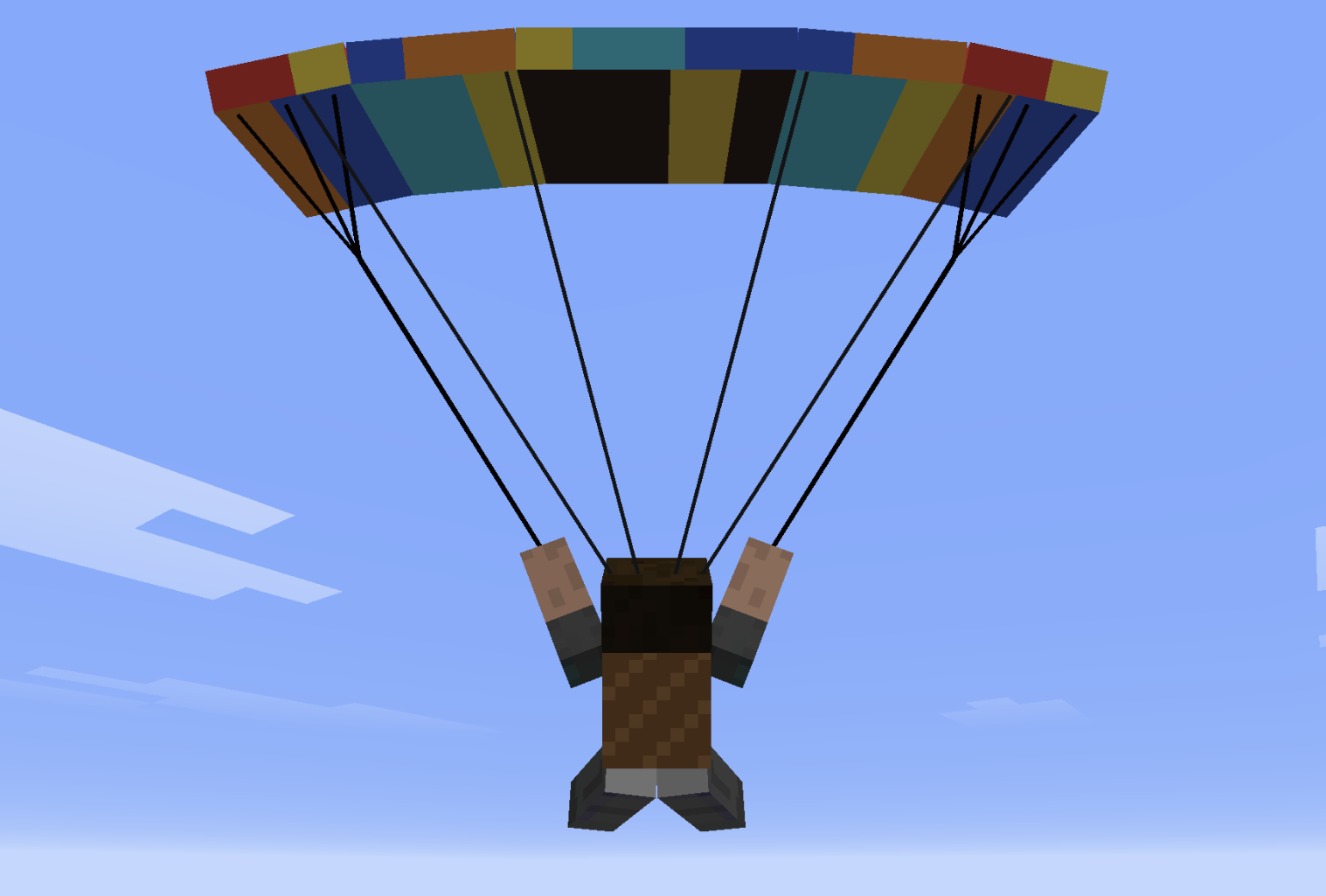
- 滑翔伞背包(胸甲槽位):在自由落体时部署,实现受控下降,支持倾斜转弯、 flare(拉飘)、双 W 形俯冲和螺旋俯冲。
- 中队号角 + 村民飞行员:招募 AI 僚机进入 V 字编队。
- 尾部推动:靠近一架空飞机的尾部并按住 Shift + 右键,可以在地面上像独轮车一样推着它走。
- 世界生成包含战利品的跑道结构。
滑翔伞控制
滑翔伞使用简单直观的飞行控制。
- 向左或向右转向以拉动相应的制动绳进行转弯。
- 快速双击左侧或右侧转向键进入快速下降螺旋。
- 快速双击 S 以在山坡上方寻找上升气流。
- 向前推以增加速度。
- 向后拉以减速并在着陆前进行拉飘。
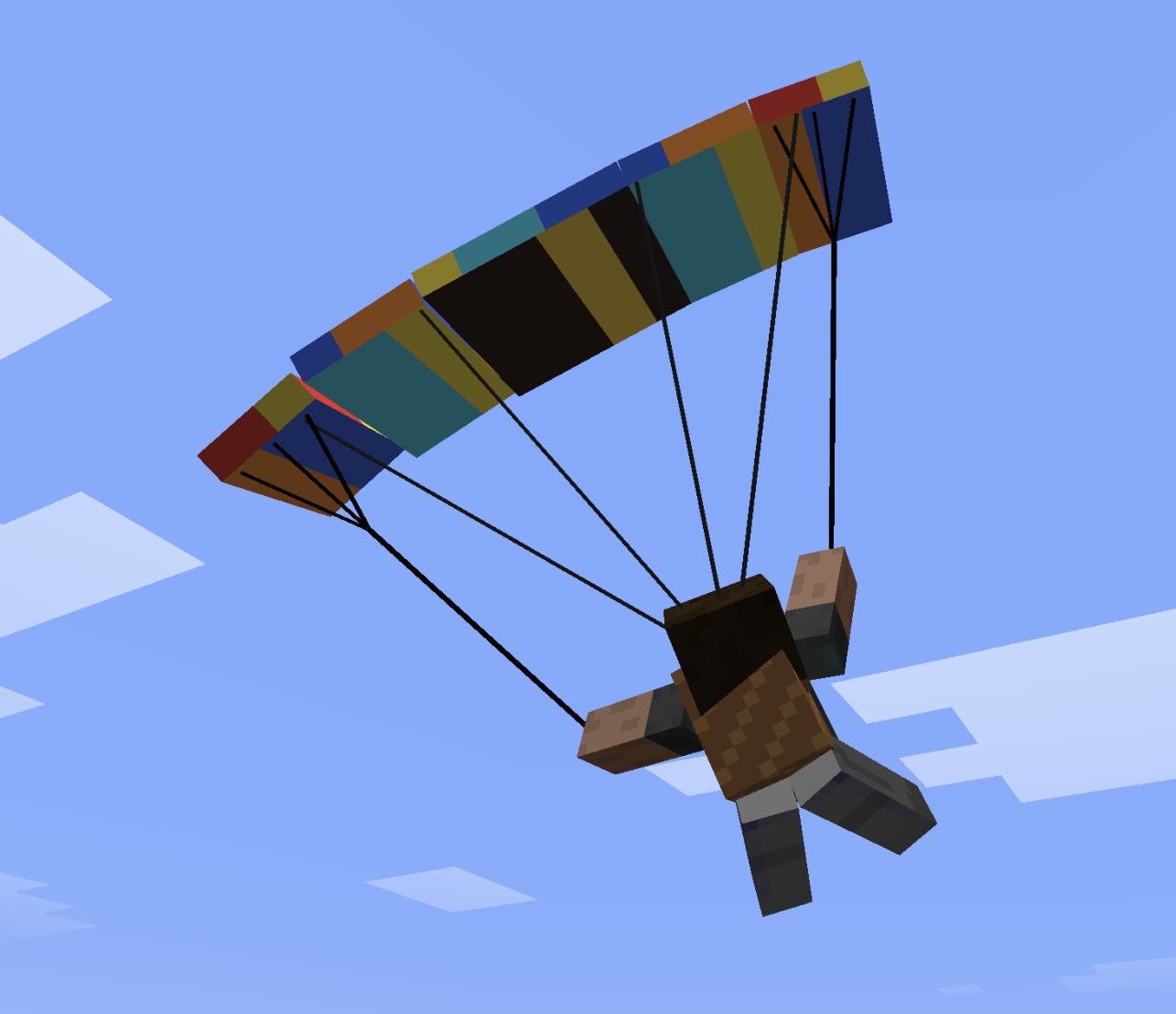
伞衣自然倾斜,而在更紧密的转弯期间,内侧翼尖会略微弯曲。
?️ 合成配方(生存模式)
在合成台中进行合成。形状为 3×3。
双翼飞机 (plane)
W P W
I I I
  S
- W 白色羊毛 · P 橡木木板 · I 铁锭 · S 木棍
大型双翼飞机
W P W
I I I
P S P
- W 白色羊毛 · P 橡木木板 · I 铁锭 · S 木棍
大型双引擎双翼飞机
I F I
W P W
I S I
- I 铁锭 · F 熔炉 · W 白色羊毛 · P 橡木木板 · S 木棍
红男爵三翼机
R G R
I I I
  S
- R 红色羊毛 · G 金锭 · I 铁锭 · S 木棍
水上飞机
  B
W P W
I I I
- B 橡木船 · W 白色羊毛 · P 橡木木板 · I 铁锭
单翼机(高速战斗机)
I D I
W P W
  S
- I 铁锭 · D 钻石 · W 白色羊毛 · P 橡木木板 · S 木棍
滑翔伞背包(胸甲)
L P L
S W S
L   L
- L 皮革 · P 幻翼膜 · S 线 · W 白色羊毛
安装
- 为 Minecraft 26.2(或更高版本)安装 Fabric Loader 和 Fabric API。
- 从 Modrinth 下载最新的
peterwolfs_planes-*.jar文件。 - 将 JAR 文件放入你的
mods/文件夹中。 - 启动 Minecraft —— 双翼飞机物品出现在创造模式标签页下的 Peter Wolf’s Planes 分类中,可以通过合成或命令获得。
使用方法
- 装备飞机物品并右键点击以骑乘。
- 油门:使用分配的按键(默认为 W/S)。负油门会在陆地上触发轮式刹车。
- 转向:移动鼠标控制俯仰(上下)和滚转(左右)。偏航由小型方向舵混合辅助。
- HUD:骑乘时自动出现;按 H 键切换显示。
? 直升机 — 快速飞行指南
? 控制
- W (按住):起飞 / 爬升
- S (按住):下降 / 着陆
- 释放 W / S:自动高度保持 (维持精确高度)
- 鼠标向前 / 向后:机头向下俯仰(向前飞)/ 机头向上俯仰(刹车 / 向后飞)
- 鼠标向左 / 向右:向左 / 右倾斜(侧向移动)
- A / D:旋转尾翼 / 航向(偏航)
- 瞄准地平线:自动稳定为悬停状态
? 地面、起飞与降落
- 在地面上:
- 控制被锁定——移动鼠标不会使直升机倾斜或滑动。
- A / D 仍然可以原地旋转直升机,以便在起飞前对准方向。
- 起飞:
- 按住 W 垂直起飞。
- 起落架离开地面的瞬间,光标会自动居中至地平线,以实现平稳、稳定的起步。
- 降落:
- 按住 S 下降。触地后,直升机会自动调平,控制将锁定为停放模式。
⌨️ 指令与合成
- 切换高度模式:
/helialt(在“简易自动保持”和“真实集体变距”之间切换) - 合成(3×3 工作台):
- 第一行:
铁锭|铁栏杆|铁锭 - 第二行:
铁锭|矿车|铁锭 - 第三行:
铁栏杆|红石粉|铁栏杆
- 第一行:
PeterWolf’s Planes
Overview
Peter Wolf’s Planes adds a fully‑steerable biplane to Minecraft, bringing a lightweight, vintage‑style aviation experience to the game. The mod introduces realistic flight physics, speed‑dependent control surfaces, a functional HUD, and a polished visual presentation (custom icon and ModMenu banner).
Features
- Steerable Biplane Entity – Fly a biplane that responds to mouse look (pitch & roll) and keyboard A/D for yaw/rudder.
- Speed‑Dependent Controls – Control surface effectiveness scales with forward speed; at a standstill the plane is unresponsive, and responsiveness ramps up linearly as you accelerate.
- Aerodynamic Lift Tuning – Lift is calibrated to overcome gravity at roughly 35 km/h (≈ 0.486 blocks/tick), providing a smooth take‑off and realistic stall behavior.
- Improved Gliding Physics – Reduced drag at low throttle and enhanced lift allow graceful glides and energy exchange (climbing slows the plane, diving speeds it up).
- Larger Landing‑Gear Wheels – Wheels are now 4 × 10 × 10 blocks, with custom textures for a sturdier ground stance and better visual appeal.
- Cockpit HUD – A glass‑morphic overlay shows current speed (m/s & km/h), altitude, vertical speed (color‑coded), and throttle/brake status.
⚔️ Dogfight Combat Mode (v1.1.0)
While piloting, press V to arm combat mode (shown on the HUD as Combat: ARMED).
| Control | Action |
|---|---|
| V | Toggle combat mode (ARMED / SAFE) |
| Left Mouse Button | Fire twin machine guns (rapid dual tracers along the nose) |
| B | Drop a lit TNT bomb (consumes 1× TNT; free in Creative) |
Combat details
- Machine guns fire dual streams from the wing roots with plane-relative muzzle velocity — no ammo required.
- Bombs inherit most of the plane's velocity, fall under gravity with a short fuse, and explode on the ground (or mid-air when the fuse runs out).
- Occupied aircraft can be damaged by projectiles and explosions. The HUD shows airframe integrity; at 0 HP the plane is destroyed and passengers are ejected.
- Your own munitions will not damage the plane you are piloting.
- Keybinds are remappable under Controls → Peter Wolf's Planes.
🪂 Paraglider & other features
- Paraglider Backpack (chest slot): deploy in free-fall for controlled descent with bank turns, flares, double-W dive, and spiral dives.
- Squadron Horn + Villager Pilot: recruit AI wingmen into a V-formation.
- Tail push: approach the tail of an empty plane and hold Shift + Right-Click to wheelbarrow-push it on the ground.
- Worldgen runway structures with loot.
Paraglider Controls
The paraglider uses simple, intuitive flight controls.
- Steer left or right to pull the corresponding brake line and turn.
- Double-tap the left or right steering key to enter a fast descending spiral.
- Double-tap S to search for rising air currents above slopes.
- Push forward to gain speed.
- Pull back to slow down and flare before landing.
The canopy banks naturally, while the inner wingtip bends slightly during tighter turns.
🛠️ Crafting recipes (survival)
Craft in a Crafting Table. Shapes are 3×3.
Biplane (plane)
W P W
I I I
  S
- W white wool · P oak planks · I iron ingot · S stick
Large Biplane
W P W
I I I
P S P
- W white wool · P oak planks · I iron ingot · S stick
Large Twin-Engine Biplane
I F I
W P W
I S I
- I iron ingot · F furnace · W white wool · P oak planks · S stick
Red Baron's Triplane
R G R
I I I
  S
- R red wool · G gold ingot · I iron ingot · S stick
Water Plane
  B
W P W
I I I
- B oak boat · W white wool · P oak planks · I iron ingot
Monoplane (fast fighter)
I D I
W P W
  S
- I iron ingot · D diamond · W white wool · P oak planks · S stick
Paraglider Backpack (chest armor)
L P L
S W S
L   L
- L leather · P phantom membrane · S string · W white wool
Installation
- Install Fabric Loader for Minecraft 26.2 (or newer) and the Fabric API.
- Download the latest peterwolfs_planes-*.jar from Modrinth.
- Place the JAR file into your mods/ folder.
- Launch Minecraft – the biplane item appears in the Creative tab under Peter Wolf’s Planes and can be crafted or given via commands.
Usage
- Equip the Plane item and right‑click to mount.
- Throttle: Use the assigned key (default W/S). Negative throttle triggers wheel brakes on the ground.
- Steering: Move the mouse to control pitch (up/down) and roll (left/right). Yaw is assisted by a small rudder mix.
- HUD: Automatically appears while riding; press H to toggle.
🚁 Helicopter — Quick Flight Guide
🎮 Controls
- W (Hold): Lift off / Climb
- S (Hold): Descend / Land
- Release W / S: Auto-Altitude Hold (maintains exact altitude)
- Mouse Forward / Back: Pitch nose down (fly forward) / Pitch up (brake / fly back)
- Mouse Left / Right: Bank left / right (strafe sideways)
- A / D: Rotate tail / heading (yaw)
- Aim at Horizon: Auto-stabilizes into a stationary hover
🛑 Ground, Takeoff & Landing
- On the Ground:
- Controls are locked — moving the mouse won't tilt the helicopter or slide.
- A / D still rotate the helicopter on the spot to align before takeoff.
- Takeoff:
- Hold W to lift off vertically.
- The moment skids leave the ground, your cursor automatically centers to the horizon for a smooth, stable start.
- Landing:
- Hold S to descend. Upon touching the ground, the helicopter auto-levels and controls lock into parked mode.
⌨️ Commands & Crafting
- Toggle Altitude Mode:
/helialt(switches between Simple Auto-Hold and Realistic collective) - Crafting (3×3 Table):
- Top:
Iron Ingot|Iron Bars|Iron Ingot - Mid:
Iron Ingot|Minecart|Iron Ingot - Bot:
Iron Bars|Redstone|Iron Bars
- Top:

下载 PeterWolf’s Planes
下载 PeterWolf’s Planes
下载 PeterWolf’s Planes
下载 PeterWolf’s Planes
下载 PeterWolf’s Planes
下载 PeterWolf’s Planes
下载 PeterWolf’s Planes
下载 PeterWolf’s Planes
下载 PeterWolf’s Planes
下载 PeterWolf’s Planes
[1.6.1] - 2026-11-15
修复了 Flashback 回放中滑翔伞伞盖的可见性问题。回放播放现在会在真实水平滑翔时恢复伞盖显示,而处于创造模式悬停状态时则保持折叠。
1.6.0
🛩️ Twin-Engine 2-Seater Cockpit & Stance Overhaul
- 2-Player Tandem Seating: The Twin-Engine plane now accommodates 2 players — pilot in the front cockpit with full flight controls, and passenger in the rear cockpit.
- Symmetrical Dual Cockpit Design: Rebuilt the second cockpit to mirror the primary cockpit with matching textures, dual animated flight control sticks, and independent functioning flight dials (speedometer & altimeter).
- Fuselage & Tail Boom Extension: Shifted the tail boom, rudder, horizontal stabilizers, and warning lights behind the extended fuselage to eliminate clipping into the rear cabin.
- Refined Resting Pitch: Tuned the resting ground pitch to -2.0° so the extended tail boom remains completely above the ground while parked on runways.
- Visual Deglitch & Texture Coverage: Eliminated all coplanar z-fighting conflicts and verified 100% texture coverage across all aircraft models.
🎈 Hot Air Balloon Wind Physics & Altitude Shear (Fizyka wiatru balonu)
- Wind & Sails Wind-Dependent Drift: The hot air balloon's horizontal speed and heading are now directly driven by ambient atmospheric currents from
pw_wind_n_sails. - Zero Wind Ground Stillness: At zero wind (calm weather / flauta), horizontal drift is completely halted (
0.0 m/s), preventing phantom momentum and drift relative to the ground. When landed, the basket rests firmly on the terrain. - Opposite Wind Layer Above Clouds (Sterowanie wiatrem na wysokości): Above the cloud layer ($Y \ge 192$), wind currents consistently reverse direction by 180° relative to water level ($Y \le 64$). Pilots can skillfully navigate across the map and return home purely by adjusting burner altitude between low and high atmospheric layers.
- In-Flight Wind HUD Toggle (Klawisz H): Flying the hot air balloon now supports toggling the Wind & Sails telemetry HUD with H, displaying live altitude-specific wind direction (degrees & compass), wind speed in knots, active gusts, and weather forecast right on screen.
🪂 Paraglider Replay & Cinematic Playback Fixes (Cinewolf / Replay)
- Eliminated False Deployment During Creative Flight: Disabled legacy airborne heuristic fallback during replays that incorrectly showed the paraglider open whenever the player was flying in creative mode or falling. Deployment now strictly respects the synchronized game state (
PETERWOLFS_PLANES_PARAGLIDER_DEPLOYED). - Full In-Replay Banking, Pitch & Brake Animation: Replay and spectator views now dynamically track the player's yaw change, pitch, and turn rate, accurately rendering wing roll (banking into turns up to 40°), pitch trim, and realistic asymmetrical brake line pulls during turns and flare landings on recorded replays.
🛬 Landing Damage Hotfix
- Complete Mounted Fall-Damage Immunity: Removed the aircraft impact system's direct damage to passengers and added a server-side guard that cancels every vanilla fall-damage event while a living entity is mounted in an aircraft.
1.5.1
🛬 着陆伤害热修复
- 完全移除骑乘坠落伤害:移除了飞机碰撞系统对乘客的直接伤害,并添加了服务器端保护,当实体骑乘在飞行器上时,取消所有原版坠落伤害事件。
1.4.0
热气球与热力学
- 添加了热气球,具备真实的气球浮力、高热质量、燃烧器加热(W / Space)以及降落伞顶阀放气(S)。
- 双包层美学:现代空气动力学泪滴状轮廓(Catmull-Rom 样条曲线)和经典球形。可通过
/planes balloon envelope <modern|classic>切换。 - 通过 HumanoidModel mixin 实现吊篮中直立的飞行员姿态。
- 完整集成 Wind & Sails 的环境气流系统,并支持平滑的程序化大气微风回退机制。
- 添加了合成配方(羊毛、皮革、烈焰棒、木板)及配方进度解锁。
1.3.0
Minecraft 1.20.1 Fabric 移植版
- 将飞机、直升机、滑翔伞、中队 AI、战斗、着陆伤害以及灵敏度控制移植到 Minecraft 1.20.1 Fabric。
- 使用 FriendlyByteBuf 通道替换了现代负载编解码器,并使用经典实体渲染器和模型替换了现代渲染状态。
- 恢复了 CompoundTag 持久化、可穿戴背包行为以及带有客户端插值的服务器权威车辆移动。
- 将配方、进度、战利品表、结构和启动数据包资源转换为 Minecraft 1.20.1 格式。基于 Java 21 构建,目标版本为 Java 17。
触地与着陆伤害
- 着陆伤害现在使用最近的空中下沉率和即时触地垂直速度,而不是整个飞行过程中的峰值下降速度。俯冲后的柔和拉升不再导致不公正的坠毁。
- 陆地上的安全/致命下沉阈值为每刻 0.24/0.75 格,水上为每刻 0.28/0.90 格。
飞行灵敏度控制
- 添加了指数级飞行员视角响应,以实现更平滑的微调修正。
- 添加了
/planes sensitivity和/planesensitivity命令,用于检查或更改转向、俯仰、翻滚和偏航灵敏度,或重置为默认值。数值会同步至客户端并针对每架飞机单独保存。
生存模式制作
- 配方接受任何木板、羊毛颜色和船只(通过 Minecraft 物品标签)。
- 在 Minecraft 1.20.1 的
advancements目录中添加了带有 1.20.1 物品谓词的进度书解锁进度。 - 添加了英文和波兰文的灵敏度提示信息,以及包含制作网格和生存技巧的
CRAFTING_RECIPES.md文件。
移植至 NeoForge
关于这个资源的讨论、问题反馈与使用心得
还没有讨论,来发第一帖吧
你是这个资源的作者?登录后可认领此资源。
相似资源
 模组

一个用于收集生物掉落物的多区块模组。
 模组

显示你正在注视的方块的信息。(适用于 Minecraft 1.16+ 的 Hwyla/Waila 分支)
 模组
使用 JavaScript 编辑配方、添加自定义物品、编写世界事件!
 模组

查看物品与配方
 模组
在游戏画面角落显示附近世界地形、玩家、生物和实体的地图。可创建路径点,帮助你找到标记过的位置。
 模组
AE2:一款流行的自动化与存储模组
评论 0
登录后参与评分
还没有评论,来抢沙发吧