PeterWolf’s Planes
概述
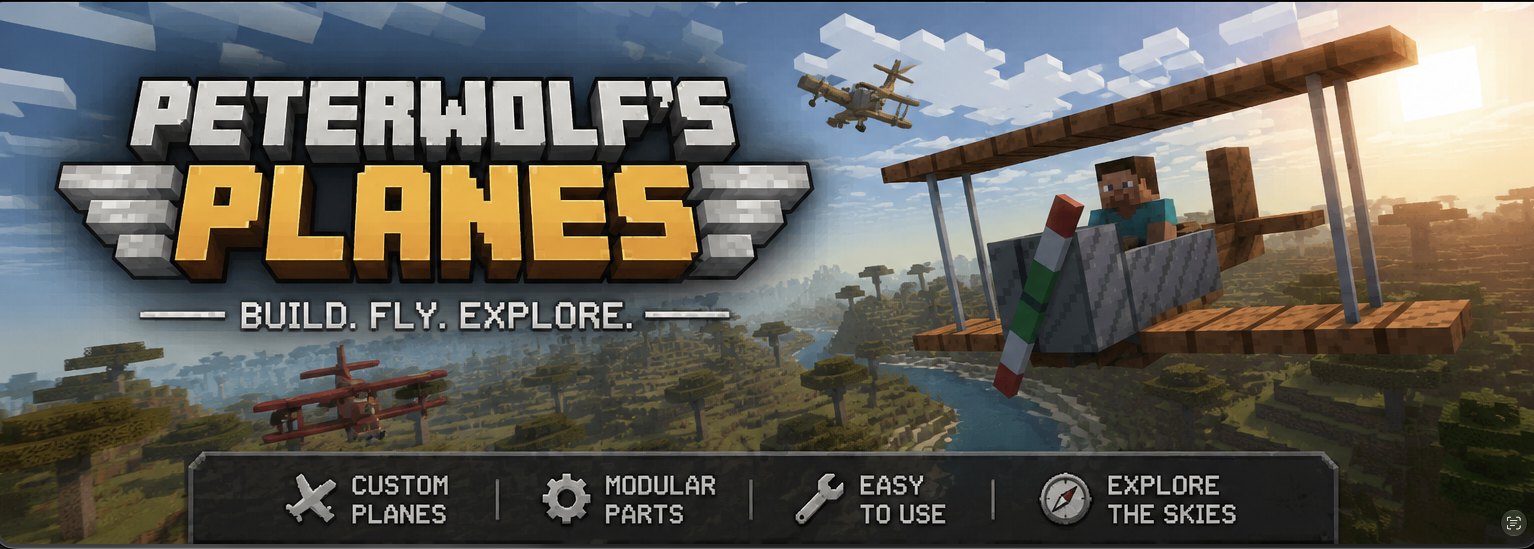
Peter Wolf’s Planes 为 Minecraft 添加了一架全可操纵的双翼飞机,为游戏带来了轻量级、复古风格的航空体验。该模组引入了真实的飞行物理、速度依赖的控制面、功能齐全的 HUD(平视显示器)以及精致的视觉呈现(自定义图标和 ModMenu 横幅)。
特性
- 可操纵双翼飞机实体 – 驾驶一架响应鼠标视角(俯仰和滚转)以及键盘 A/D 键进行偏航/方向舵控制的双翼飞机。
- 速度依赖控制 – 控制面的效能随前向速度变化;静止时飞机无响应,随着加速,响应性线性增加。
- 气动升力调校 – 升力经过校准,在约 35 km/h(≈ 0.486 方块/刻)的速度下克服重力,提供平滑的起飞和真实的失速行为。
- 改进的滑翔物理 – 低油门下的阻力减小以及增强的升力允许优雅的滑翔和能量交换(爬升会减速,俯冲会加速)。
- 更大的起落架轮子 – 轮子现在大小为 4 × 10 × 10 方块,拥有自定义纹理,提供更稳固的地面姿态和更好的视觉效果。
- 座舱 HUD – 一个玻璃拟态叠加层显示当前速度(m/s 和 km/h)、高度、垂直速度(颜色编码)以及油门/刹车状态。
⚔️ 空战战斗模式 (v1.1.0)
在驾驶时,按 V 键开启战斗模式(HUD 上显示为 Combat: ARMED)。
| 控制 |
动作 |
| V |
切换战斗模式(ARMED / SAFE) |
| 左键单击 |
发射双机枪(沿机头快速发射双追踪弹道) |
| B |
投掷一枚点燃的 TNT 炸弹(消耗 1× TNT;创造模式下免费) |
战斗细节
- 机枪从机翼根部发射双股弹流,具有相对于飞机的初速度——无需弹药。
- 炸弹继承飞机的大部分速度,在重力作用下下落并带有短引信,在地面(或空中引信耗尽时)爆炸。
- 乘员乘坐的飞机会受到弹丸和爆炸的伤害。HUD 显示机身完整性;当 HP 为 0 时,飞机被摧毁,乘客被弹出。
- 你自己的弹药不会伤害你正在驾驶的飞机。
- 按键绑定可在 Controls → Peter Wolf's Planes 中重新映射。
? 滑翔伞及其他特性
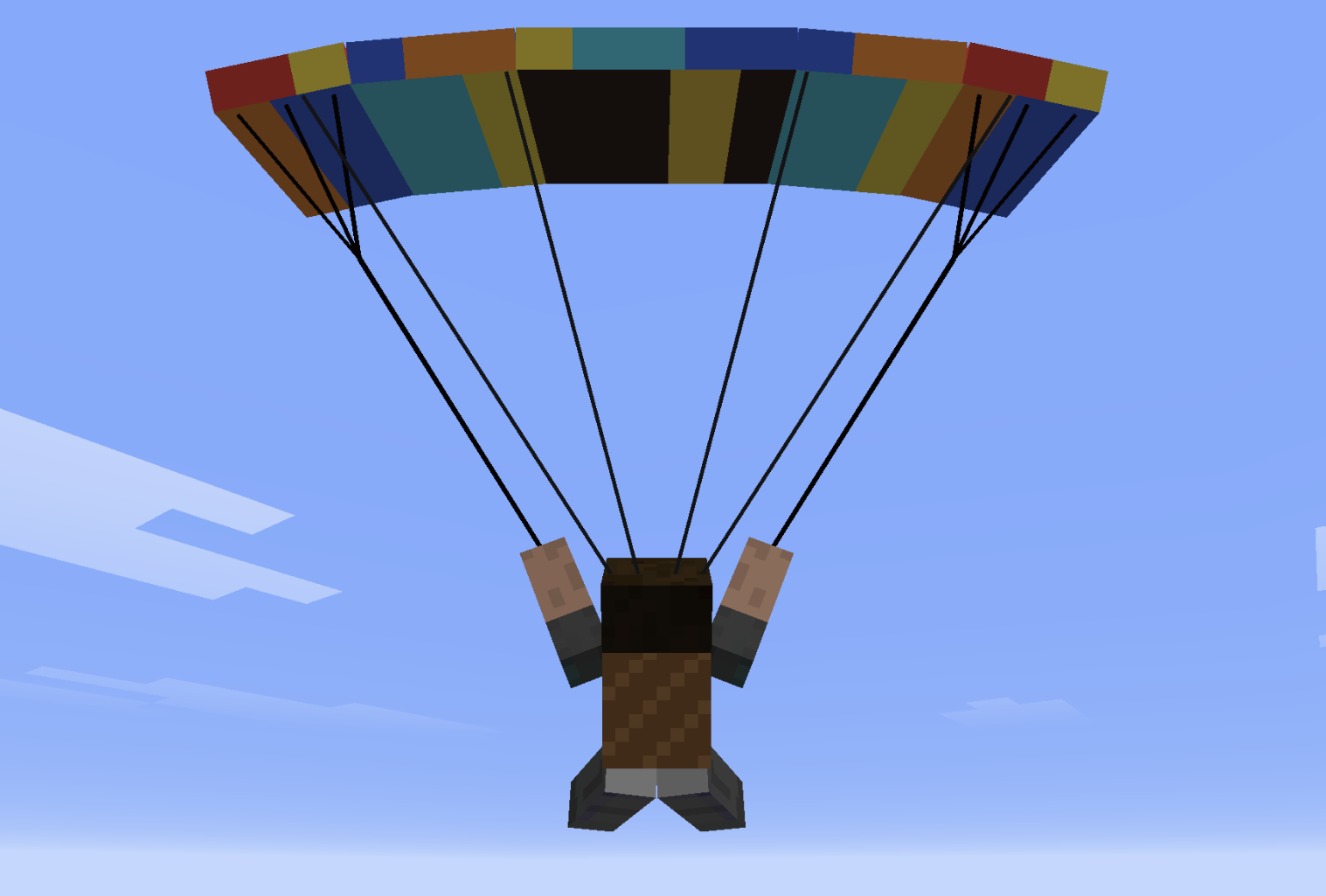
- 滑翔伞背包(胸甲槽位):在自由落体时部署,实现受控下降,支持倾斜转弯、 flare(拉飘)、双 W 形俯冲和螺旋俯冲。
- 中队号角 + 村民飞行员:招募 AI 僚机进入 V 字编队。
- 尾部推动:靠近一架空飞机的尾部并按住 Shift + 右键,可以在地面上像独轮车一样推着它走。
- 世界生成包含战利品的跑道结构。
滑翔伞控制
滑翔伞使用简单直观的飞行控制。
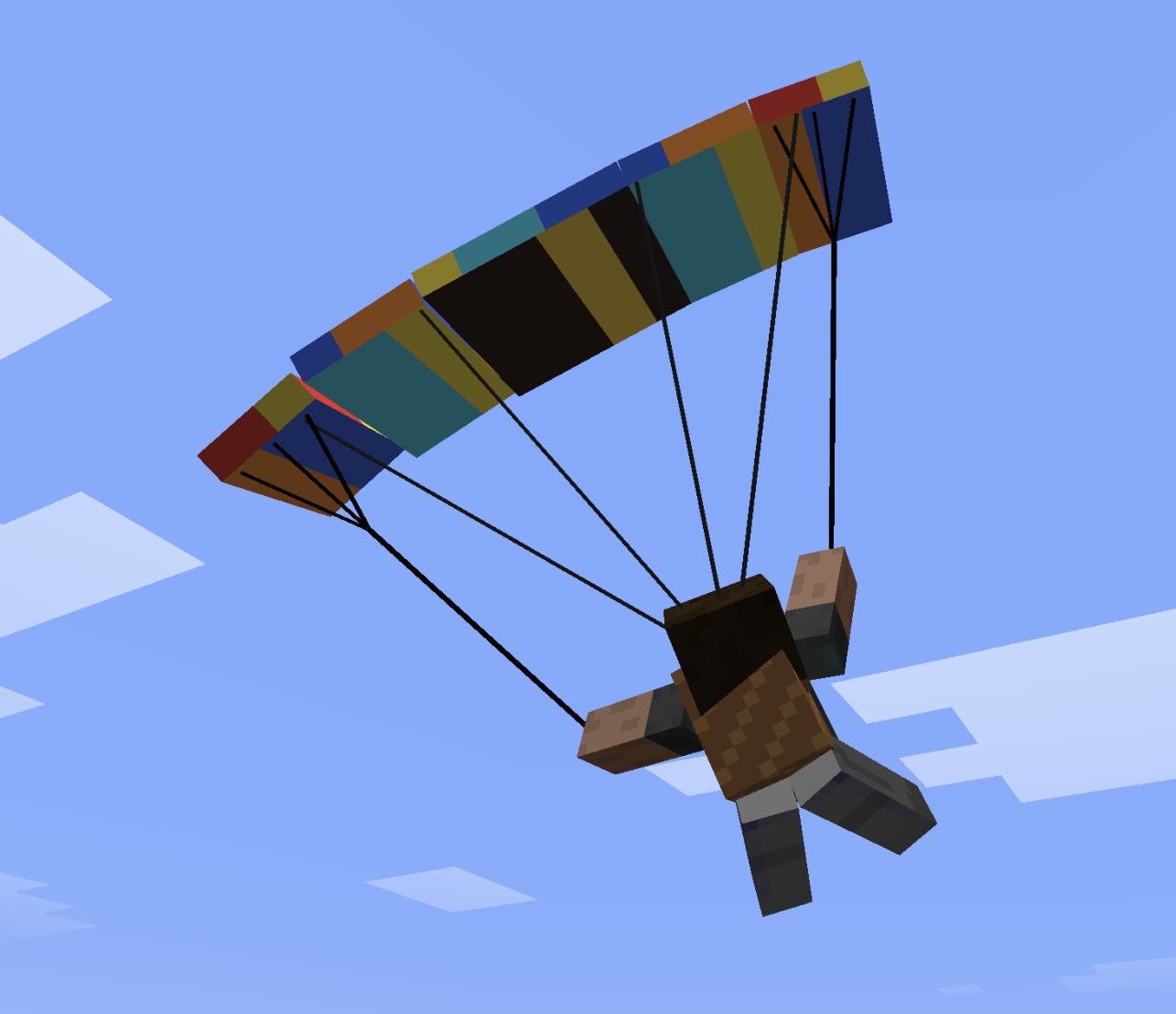
- 向左或向右转向以拉动相应的制动绳进行转弯。
- 快速双击左侧或右侧转向键进入快速下降螺旋。
- 快速双击 S 以在山坡上方寻找上升气流。
- 向前推以增加速度。
- 向后拉以减速并在着陆前进行拉飘。
伞衣自然倾斜,而在更紧密的转弯期间,内侧翼尖会略微弯曲。
?️ 合成配方(生存模式)
在合成台中进行合成。形状为 3×3。
双翼飞机 (plane)
W P W
I I I
  S
- W 白色羊毛 · P 橡木木板 · I 铁锭 · S 木棍
大型双翼飞机
W P W
I I I
P S P
- W 白色羊毛 · P 橡木木板 · I 铁锭 · S 木棍
大型双引擎双翼飞机
I F I
W P W
I S I
- I 铁锭 · F 熔炉 · W 白色羊毛 · P 橡木木板 · S 木棍
红男爵三翼机
R G R
I I I
  S
- R 红色羊毛 · G 金锭 · I 铁锭 · S 木棍
水上飞机
  B
W P W
I I I
- B 橡木船 · W 白色羊毛 · P 橡木木板 · I 铁锭
单翼机(高速战斗机)
I D I
W P W
  S
- I 铁锭 · D 钻石 · W 白色羊毛 · P 橡木木板 · S 木棍
滑翔伞背包(胸甲)
L P L
S W S
L   L
- L 皮革 · P 幻翼膜 · S 线 · W 白色羊毛
安装
- 为 Minecraft 26.2(或更高版本)安装 Fabric Loader 和 Fabric API。
- 从 Modrinth 下载最新的
peterwolfs_planes-*.jar 文件。
- 将 JAR 文件放入你的
mods/ 文件夹中。
- 启动 Minecraft —— 双翼飞机物品出现在创造模式标签页下的 Peter Wolf’s Planes 分类中,可以通过合成或命令获得。
使用方法
- 装备飞机物品并右键点击以骑乘。
- 油门:使用分配的按键(默认为 W/S)。负油门会在陆地上触发轮式刹车。
- 转向:移动鼠标控制俯仰(上下)和滚转(左右)。偏航由小型方向舵混合辅助。
- HUD:骑乘时自动出现;按 H 键切换显示。
? 直升机 — 快速飞行指南
? 控制
- W (按住):起飞 / 爬升
- S (按住):下降 / 着陆
- 释放 W / S:自动高度保持 (维持精确高度)
- 鼠标向前 / 向后:机头向下俯仰(向前飞)/ 机头向上俯仰(刹车 / 向后飞)
- 鼠标向左 / 向右:向左 / 右倾斜(侧向移动)
- A / D:旋转尾翼 / 航向(偏航)
- 瞄准地平线:自动稳定为悬停状态
? 地面、起飞与降落
- 在地面上:
- 控制被锁定——移动鼠标不会使直升机倾斜或滑动。
- A / D 仍然可以原地旋转直升机,以便在起飞前对准方向。
- 起飞:
- 按住 W 垂直起飞。
- 起落架离开地面的瞬间,光标会自动居中至地平线,以实现平稳、稳定的起步。
- 降落:
- 按住 S 下降。触地后,直升机会自动调平,控制将锁定为停放模式。
⌨️ 指令与合成
- 切换高度模式:
/helialt (在“简易自动保持”和“真实集体变距”之间切换)
- 合成(3×3 工作台):
- 第一行:
铁锭 | 铁栏杆 | 铁锭
- 第二行:
铁锭 | 矿车 | 铁锭
- 第三行:
铁栏杆 | 红石粉 | 铁栏杆
PeterWolf’s Planes
Overview
Peter Wolf’s Planes adds a fully‑steerable biplane to Minecraft, bringing a lightweight, vintage‑style aviation experience to the game. The mod introduces realistic flight physics, speed‑dependent control surfaces, a functional HUD, and a polished visual presentation (custom icon and ModMenu banner).
Features
- Steerable Biplane Entity – Fly a biplane that responds to mouse look (pitch & roll) and keyboard A/D for yaw/rudder.
- Speed‑Dependent Controls – Control surface effectiveness scales with forward speed; at a standstill the plane is unresponsive, and responsiveness ramps up linearly as you accelerate.
- Aerodynamic Lift Tuning – Lift is calibrated to overcome gravity at roughly 35 km/h (≈ 0.486 blocks/tick), providing a smooth take‑off and realistic stall behavior.
- Improved Gliding Physics – Reduced drag at low throttle and enhanced lift allow graceful glides and energy exchange (climbing slows the plane, diving speeds it up).
- Larger Landing‑Gear Wheels – Wheels are now 4 × 10 × 10 blocks, with custom textures for a sturdier ground stance and better visual appeal.
- Cockpit HUD – A glass‑morphic overlay shows current speed (m/s & km/h), altitude, vertical speed (color‑coded), and throttle/brake status.
⚔️ Dogfight Combat Mode (v1.1.0)
While piloting, press V to arm combat mode (shown on the HUD as Combat: ARMED).
| Control |
Action |
| V |
Toggle combat mode (ARMED / SAFE) |
| Left Mouse Button |
Fire twin machine guns (rapid dual tracers along the nose) |
| B |
Drop a lit TNT bomb (consumes 1× TNT; free in Creative) |
Combat details
- Machine guns fire dual streams from the wing roots with plane-relative muzzle velocity — no ammo required.
- Bombs inherit most of the plane's velocity, fall under gravity with a short fuse, and explode on the ground (or mid-air when the fuse runs out).
- Occupied aircraft can be damaged by projectiles and explosions. The HUD shows airframe integrity; at 0 HP the plane is destroyed and passengers are ejected.
- Your own munitions will not damage the plane you are piloting.
- Keybinds are remappable under Controls → Peter Wolf's Planes.
🪂 Paraglider & other features
- Paraglider Backpack (chest slot): deploy in free-fall for controlled descent with bank turns, flares, double-W dive, and spiral dives.
- Squadron Horn + Villager Pilot: recruit AI wingmen into a V-formation.
- Tail push: approach the tail of an empty plane and hold Shift + Right-Click to wheelbarrow-push it on the ground.
- Worldgen runway structures with loot.
Paraglider Controls
The paraglider uses simple, intuitive flight controls.
- Steer left or right to pull the corresponding brake line and turn.
- Double-tap the left or right steering key to enter a fast descending spiral.
- Double-tap S to search for rising air currents above slopes.
- Push forward to gain speed.
- Pull back to slow down and flare before landing.
The canopy banks naturally, while the inner wingtip bends slightly during tighter turns.
🛠️ Crafting recipes (survival)
Craft in a Crafting Table. Shapes are 3×3.
Biplane (plane)
W P W
I I I
  S
- W white wool · P oak planks · I iron ingot · S stick
Large Biplane
W P W
I I I
P S P
- W white wool · P oak planks · I iron ingot · S stick
Large Twin-Engine Biplane
I F I
W P W
I S I
- I iron ingot · F furnace · W white wool · P oak planks · S stick
Red Baron's Triplane
R G R
I I I
  S
- R red wool · G gold ingot · I iron ingot · S stick
Water Plane
  B
W P W
I I I
- B oak boat · W white wool · P oak planks · I iron ingot
Monoplane (fast fighter)
I D I
W P W
  S
- I iron ingot · D diamond · W white wool · P oak planks · S stick
Paraglider Backpack (chest armor)
L P L
S W S
L   L
- L leather · P phantom membrane · S string · W white wool
Installation
- Install Fabric Loader for Minecraft 26.2 (or newer) and the Fabric API.
- Download the latest peterwolfs_planes-*.jar from Modrinth.
- Place the JAR file into your mods/ folder.
- Launch Minecraft – the biplane item appears in the Creative tab under Peter Wolf’s Planes and can be crafted or given via commands.
Usage
- Equip the Plane item and right‑click to mount.
- Throttle: Use the assigned key (default W/S). Negative throttle triggers wheel brakes on the ground.
- Steering: Move the mouse to control pitch (up/down) and roll (left/right). Yaw is assisted by a small rudder mix.
- HUD: Automatically appears while riding; press H to toggle.
🚁 Helicopter — Quick Flight Guide
🎮 Controls
- W (Hold): Lift off / Climb
- S (Hold): Descend / Land
- Release W / S: Auto-Altitude Hold (maintains exact altitude)
- Mouse Forward / Back: Pitch nose down (fly forward) / Pitch up (brake / fly back)
- Mouse Left / Right: Bank left / right (strafe sideways)
- A / D: Rotate tail / heading (yaw)
- Aim at Horizon: Auto-stabilizes into a stationary hover
🛑 Ground, Takeoff & Landing
- On the Ground:
- Controls are locked — moving the mouse won't tilt the helicopter or slide.
- A / D still rotate the helicopter on the spot to align before takeoff.
- Takeoff:
- Hold W to lift off vertically.
- The moment skids leave the ground, your cursor automatically centers to the horizon for a smooth, stable start.
- Landing:
- Hold S to descend. Upon touching the ground, the helicopter auto-levels and controls lock into parked mode.
⌨️ Commands & Crafting
- Toggle Altitude Mode:
/helialt (switches between Simple Auto-Hold and Realistic collective)
- Crafting (3×3 Table):
- Top:
Iron Ingot | Iron Bars | Iron Ingot
- Mid:
Iron Ingot | Minecart | Iron Ingot
- Bot:
Iron Bars | Redstone | Iron Bars


 模组

 模组

 模组
 模组

 模组
 模组
评论 0
登录后参与评分
还没有评论,来抢沙发吧