Piglin Conservatory v3.0
数据包添加了 Piglin Conservatory,这是地狱中的一种结构,同时还包含新的 黑曜石苹果、龙果、毒蘑菇、疣猪兽化石、腐化绿宝石以及全新的音乐唱片! ?
LuisterCorp © - 2025
Notas? (备注)
- Piglin Conservatory 已翻译为英语、西班牙语、德语等多种语言?
- Piglin Conservatory 兼容版本 1.21 至 1.21.11?️
- Piglin Conservatory 为世界生成添加了新的地狱和主世界结构?
- Piglin Conservatory 兼容世界中任何生成类数据包
- 建议使用耳机以获得更佳体验 ?
Descripción ? (描述)
在原版地狱中享受全新的体验,我们添加了新的龙果及其金色版本,其中包含不同的秘密,并增加了3 个结构:一个在地狱,另一个在主世界,从而为 Minecraft 带来独特且有趣的特性?
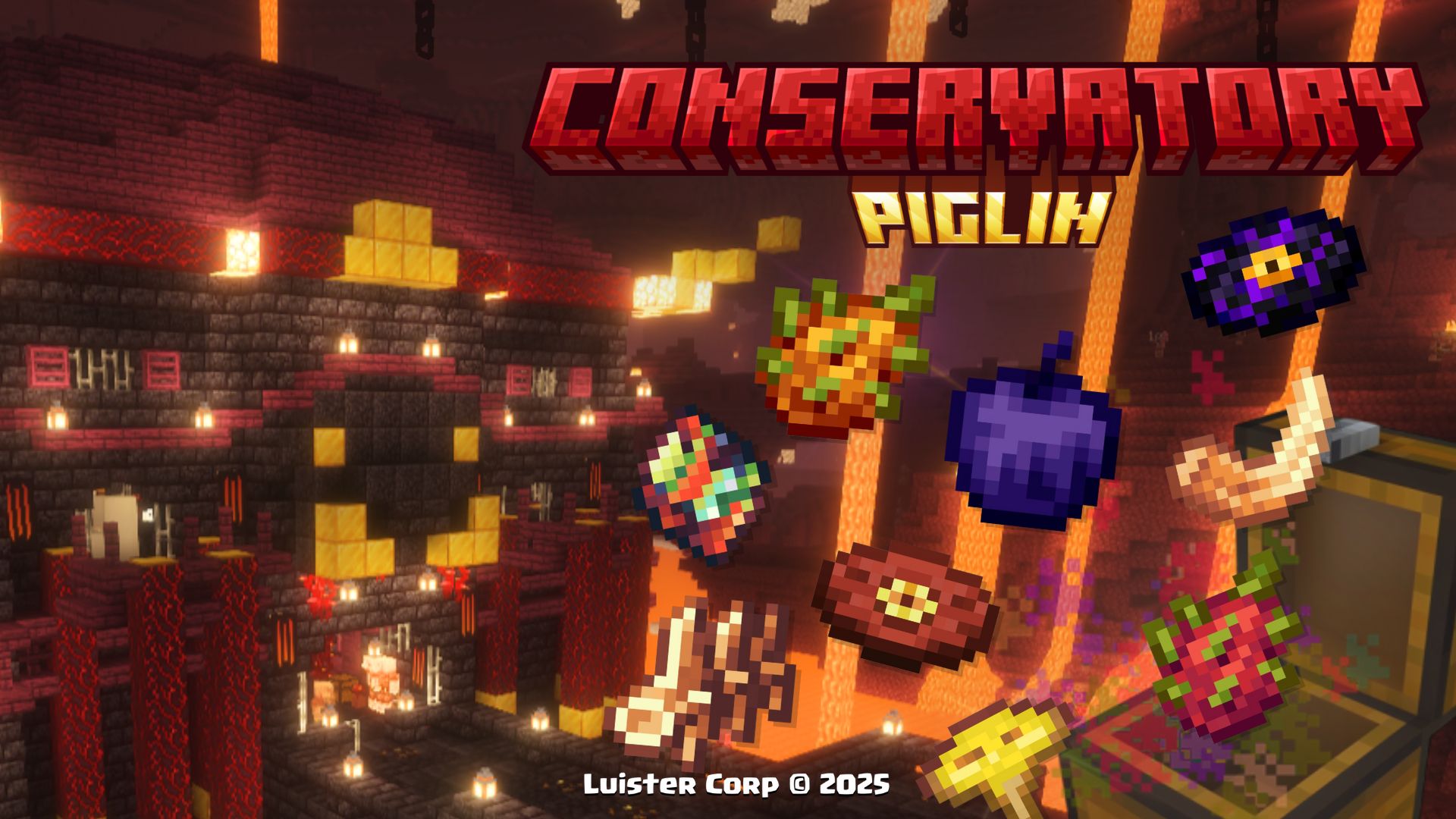
通过这个数据包,探索变得更加令人兴奋,下面我们将展示每一个细节。
New's Structures ?️ (新结构)
Piglin Conservatory
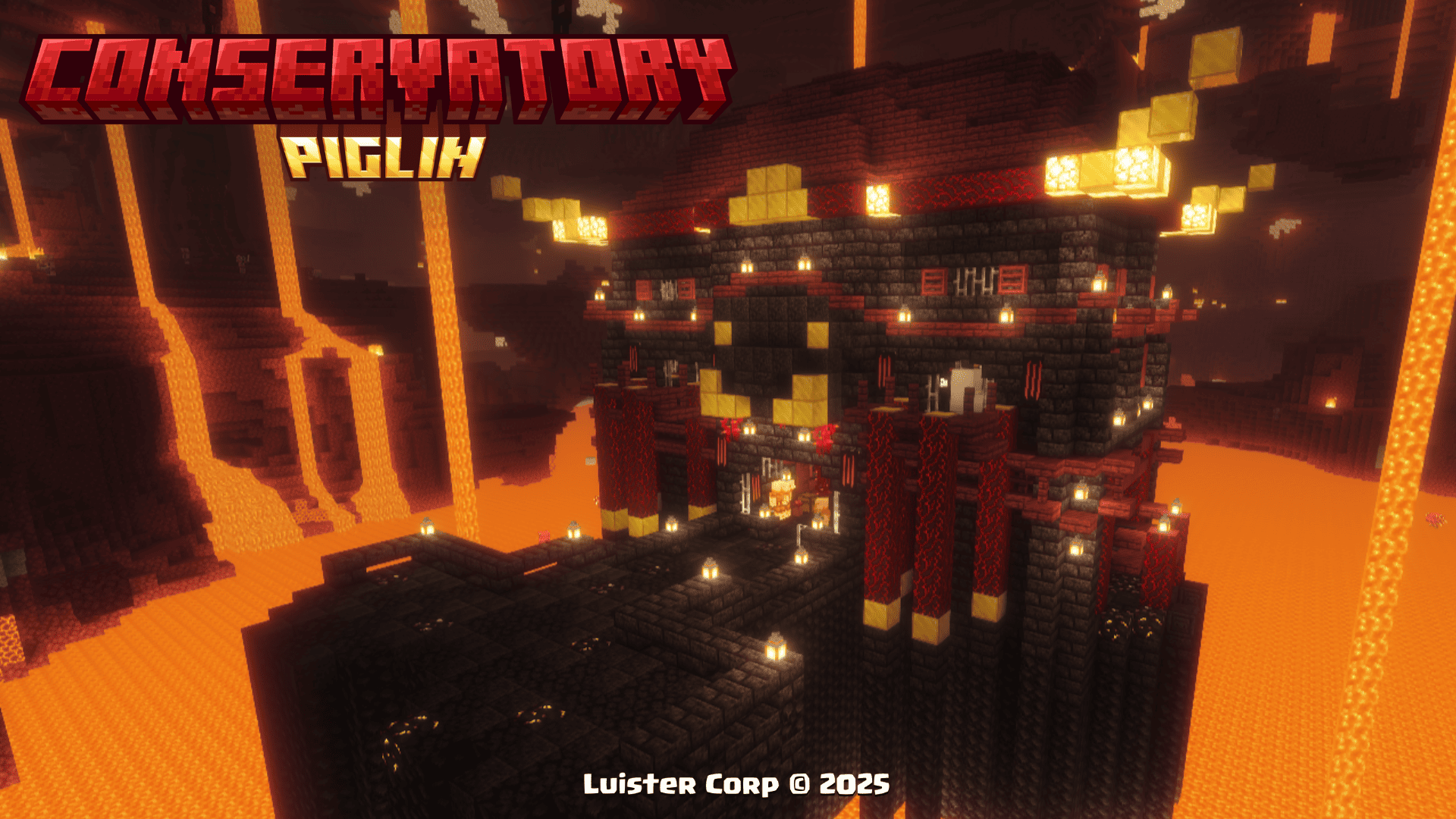
Piglin Conservatory 可以在靠近熔岩的高度(+32 到 +48 格)生成,彼此之间每隔 500 格出现一次。
Piglin Conservatory 在所有地狱生物群系(除玄武岩三角洲外)生成。如果你想通过指令定位它,请使用:
/locate structure luistercorp:piglin_conservatory
 宣传图片:
 生物群系生成列表:
[

"minecraft:soul_sand_valley",

"minecraft:crimson_forest",

"minecraft:warped_forest",

"minecraft:nether_wastes"

],
Traveling Wagon
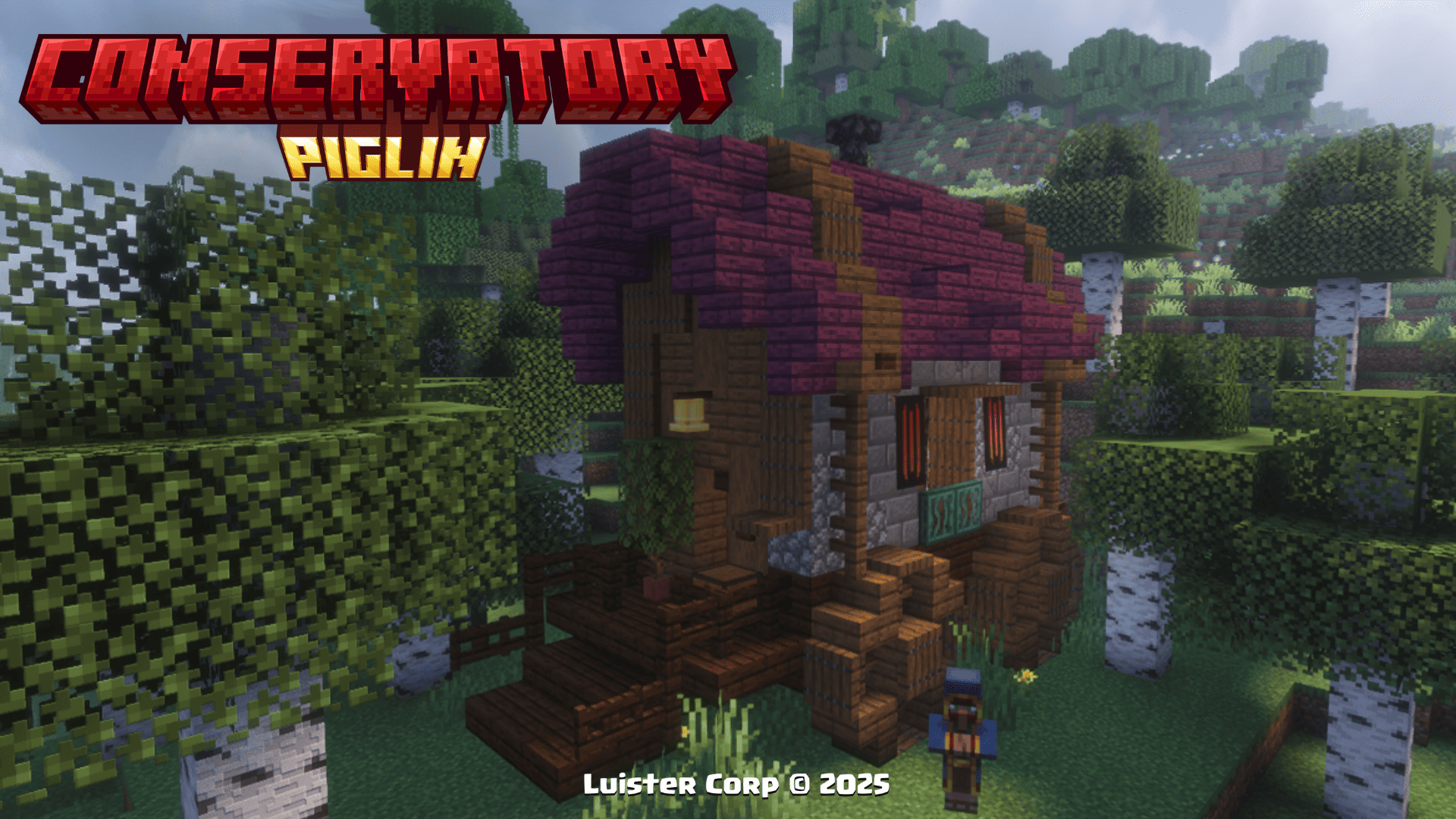
Traveling Wagon 会在主世界与具有独特交易的自定义水果商人村民一起生成,不要错过这些交易。该结构还拥有自己的战利品表以及来自 Minecraft 各地的各种水果和蔬菜。
Traveling Wagon 在所有拥有硬木森林的生物群系中生成。如果你想通过指令定位它,请使用:
/locate structure luistercorp:traveling_wagon
 宣传图片:
 待售商品:
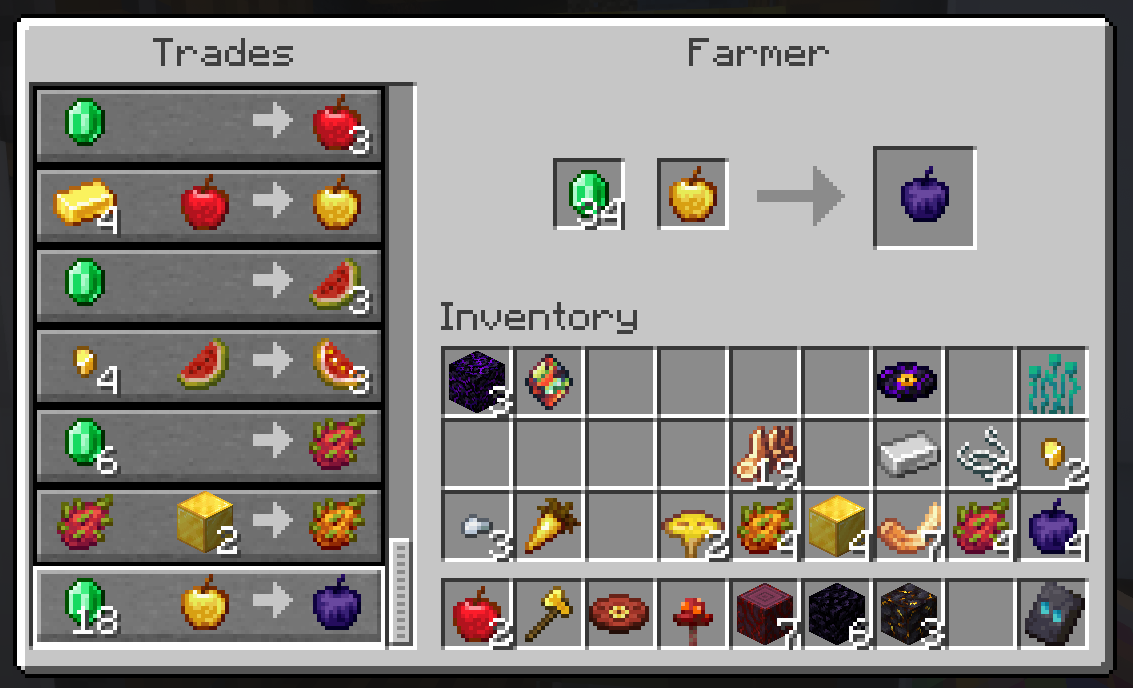
 生物群系生成列表:
[

"minecraft:snowy_taiga",

],
Nether Portal Ruins
Nether Portal Ruins 会在主世界中生成,并附带其专属的战利品表以及本数据包添加的各种新物品,包括疣猪兽化石、黑曜石苹果和一张新的音乐唱片。
Nether Portal Ruins 会在所有平原生物群系中生成,彼此间距为 2'500 到 3'750 格。如果你想通过指令定位它们,请使用:
/locate structure luistercorp:portal_ruins
宣传图片:
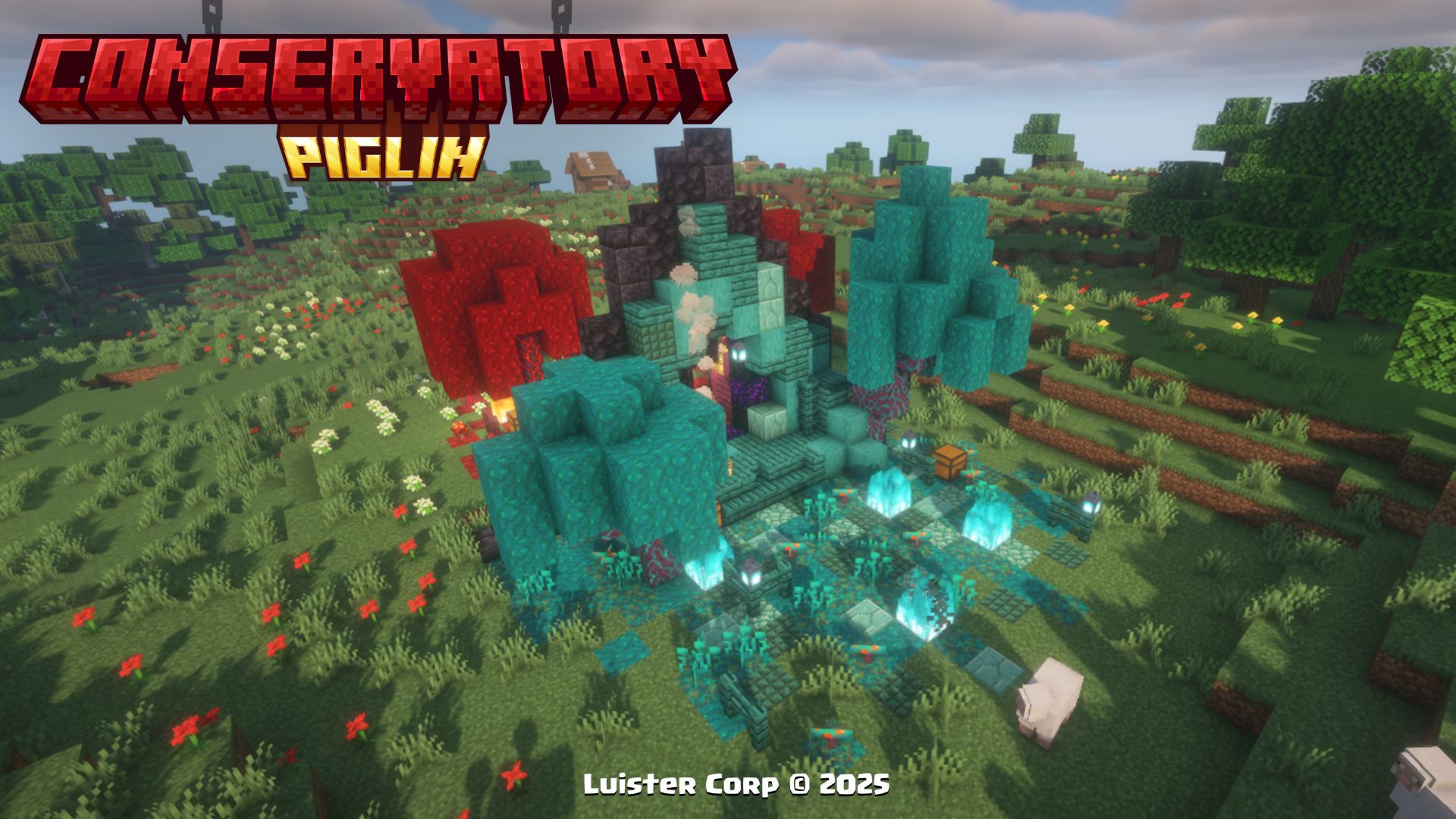
 生物群系生成列表:
[

"minecraft:plains",

"minecraft:forest",

],
Cherry Nether Portal
Cherry Nether Portal 会在樱桃林中生成,并附带其专属的战利品表和一张新的音乐唱片。
Nether Portal Ruins(注:此处原文误写,实际指 Cherry Nether Portal)会在所有平原生物群系中生成,彼此间距为 5'000 到 7'500 格。如果你想通过指令定位它们,请使用:
/locate structure luistercorp:cherry_nether_portal
宣传图片:

生物群系生成列表:
[

"minecraft:cherry_grove",

],
More Soon...
New's Items ✨ (新物品)
Corrupted Emerald
要获得腐化绿宝石,你需要攀爬至地狱中Piglin Conservatory的顶部以获取其独特效果。
宣传图片:
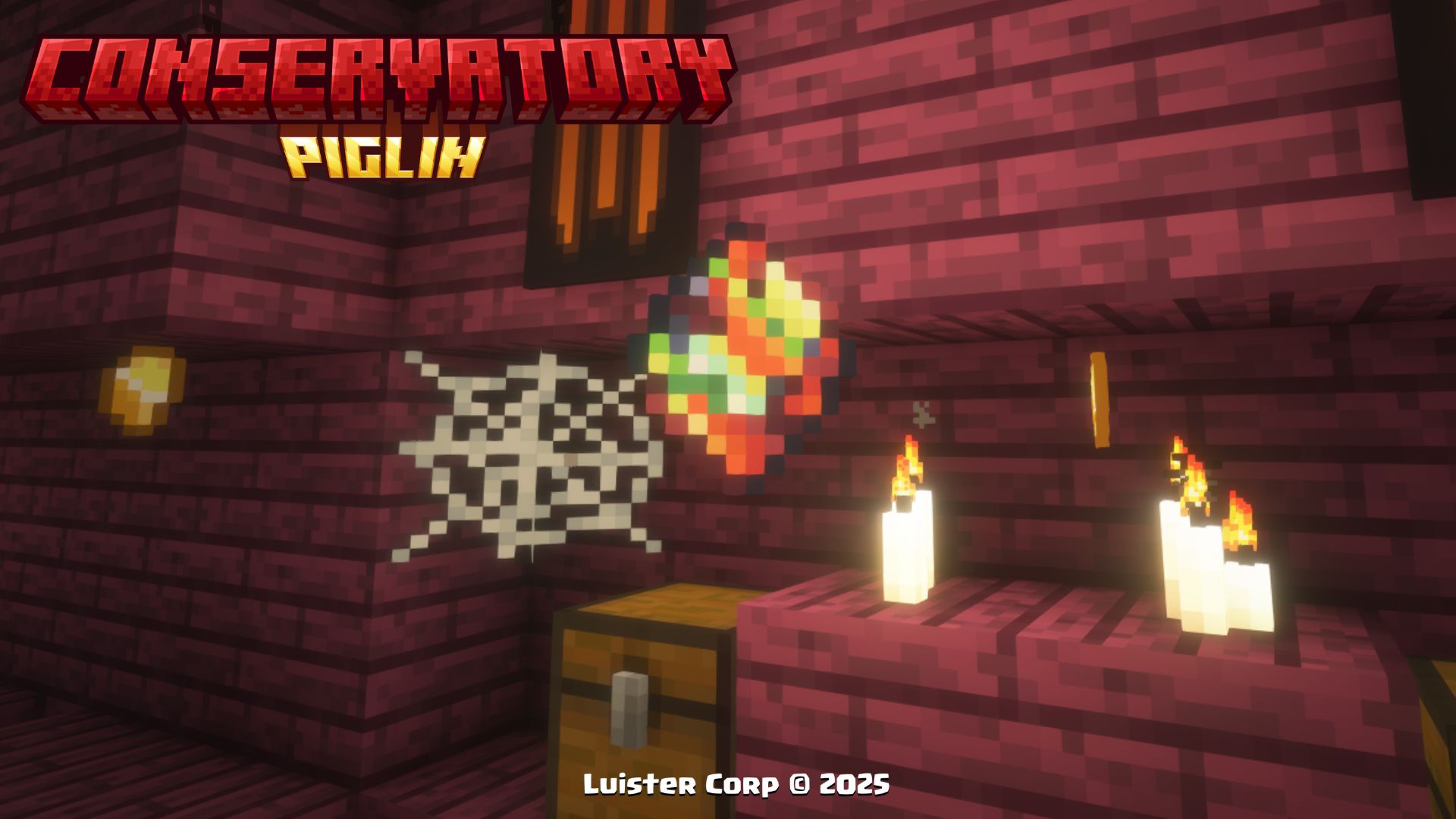
 使用效果:
Dragon Fruit
要获取 Dragon Fruit,你需要与下界的 Piglins 交易,或者在 Traveling Wagons 和/或 Piglin Conservatory 中找到它。
宣传图片:
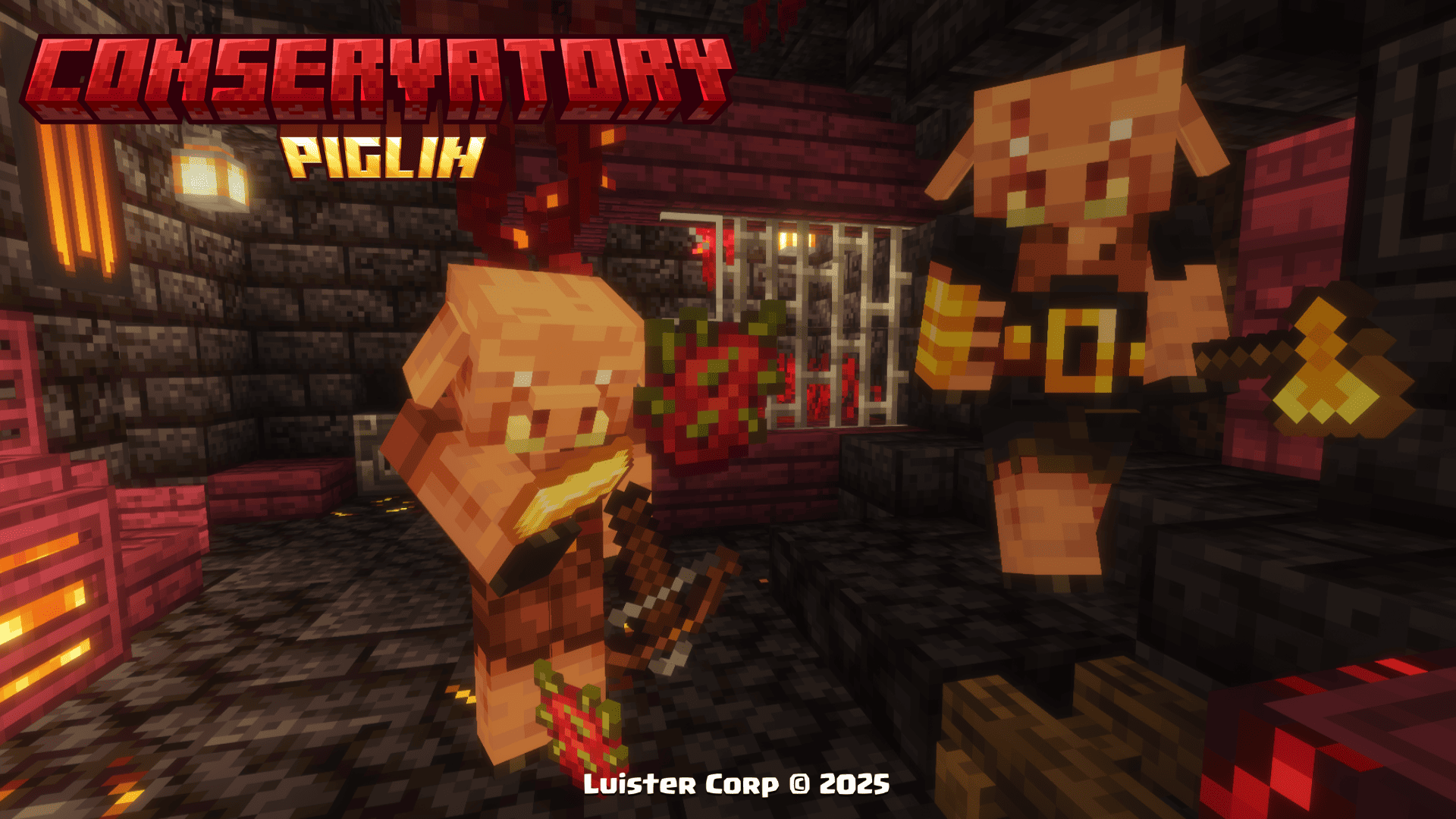
食用后的效果:
minecraft:regeneration (持续 00:03)

minecraft:fire_resistance (持续 01:10)
Golden Dragon Fruit
要获取 Golden Dragon Fruit,你需要在 Piglin Conservatory 内部找到宝藏室。
宣传图片:

食用后的效果:
minecraft:regeneration (持续 00:05)

minecraft:absorption (持续 02:00)

minecraft:fire_resistance (持续 02:30)
Obsidian Apple
要获取 Obsidian Apple,你可以在 Nether Portal Ruins 的箱子中找到它们,或者从 Traveling Wagon 中的水果商人村民处购买。
宣传图片:
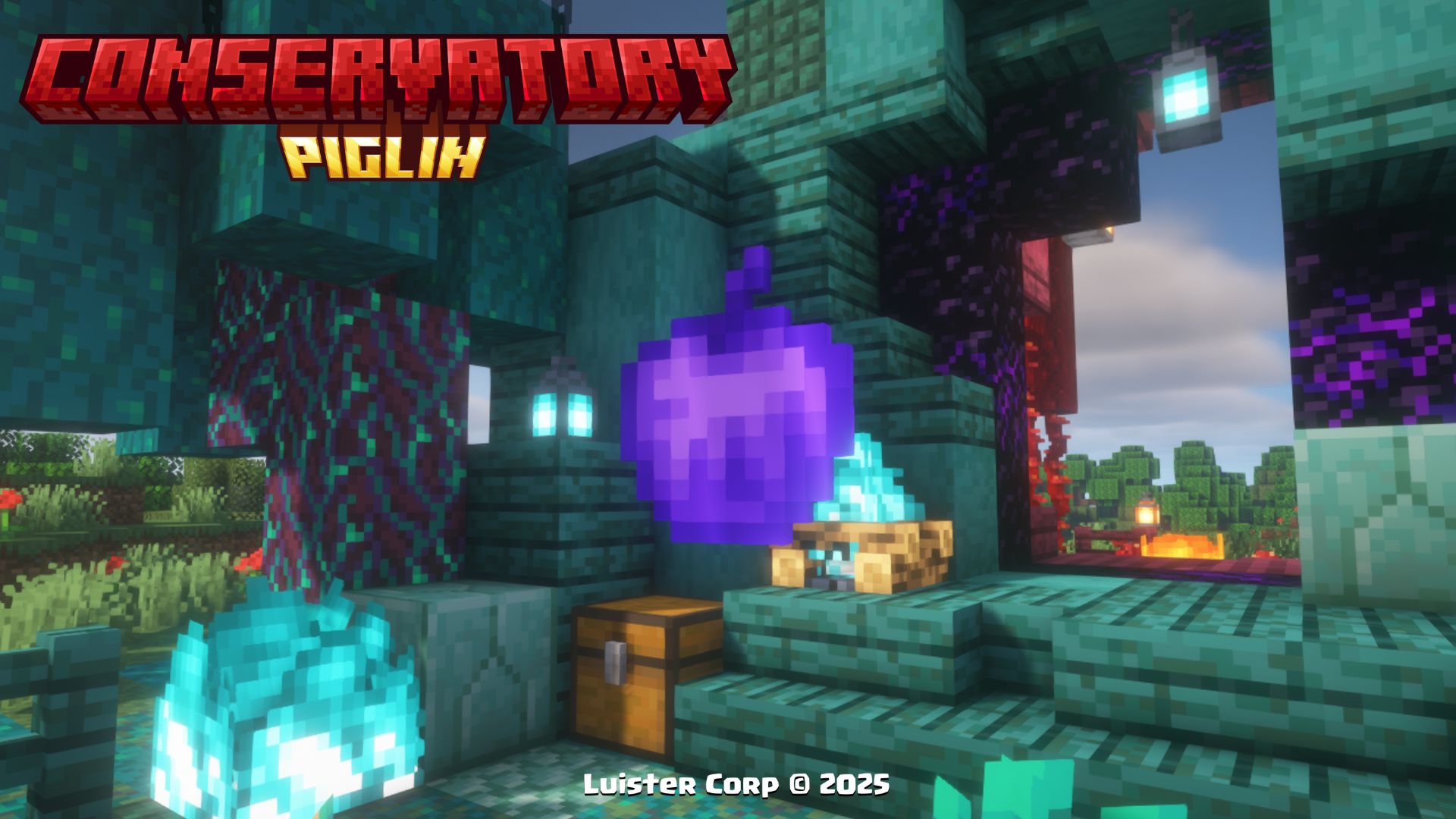
食用后的效果:
minecraft:regeneration (持续 00:10)

minecraft:fire_resistance (持续 01:40)

minecraft:absorption (持续 02:00)

minecraft:resistance (持续 01:40)

清除 @p 的凋灵效果
Toxic Mushroom
要获取 Toxic Mushroom,你需要在 Piglin Conservatory 内的骨头与有害实验房间中进行战斗。
宣传图片:
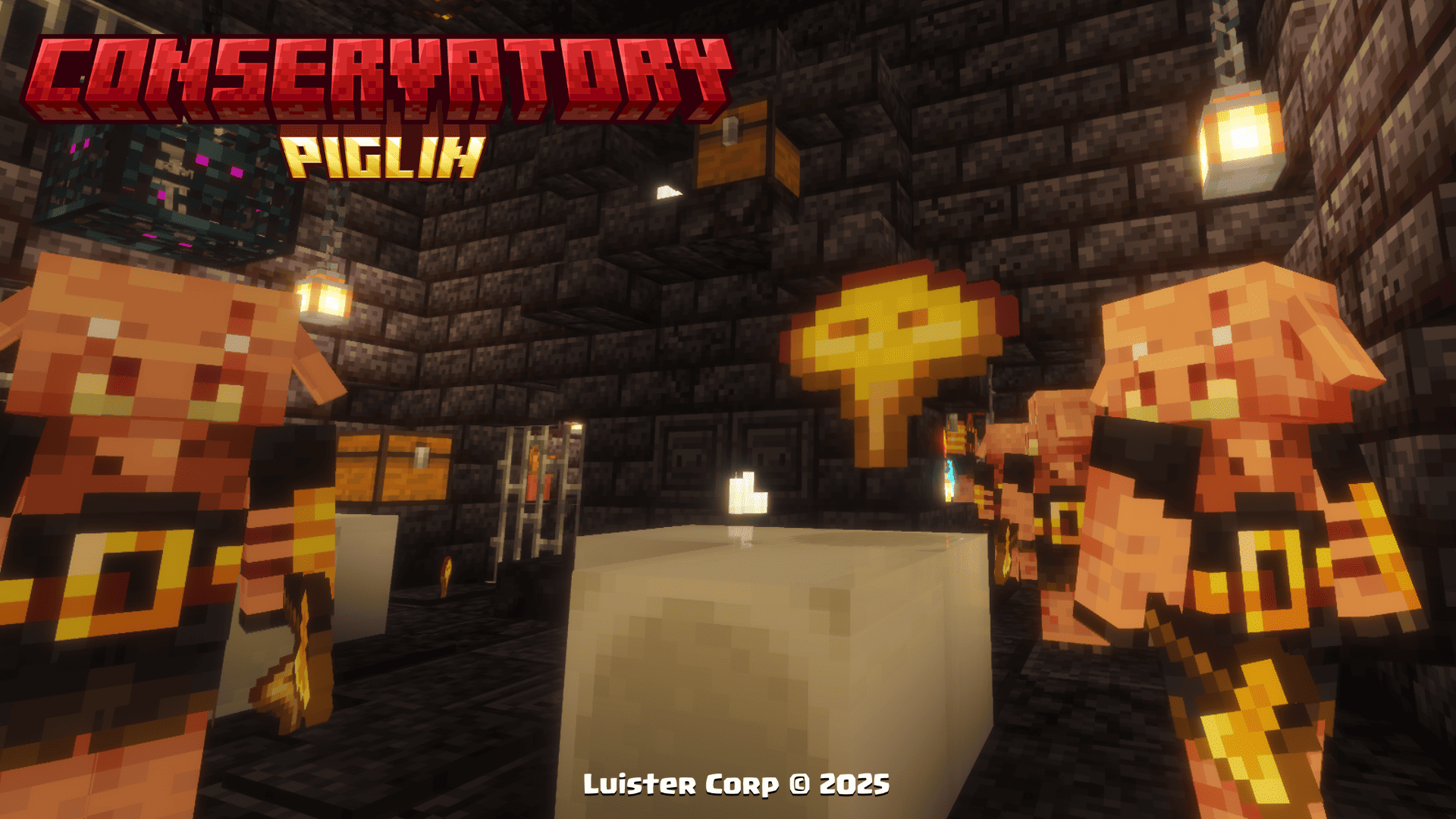
食用后的效果:
minecraft:poison (持续 00:10)
Hoglin Tooth
要获取 Hoglin's Tooth,它是 Piglin Conservatory 内任何房间中最常见的资源之一。
宣传图片:
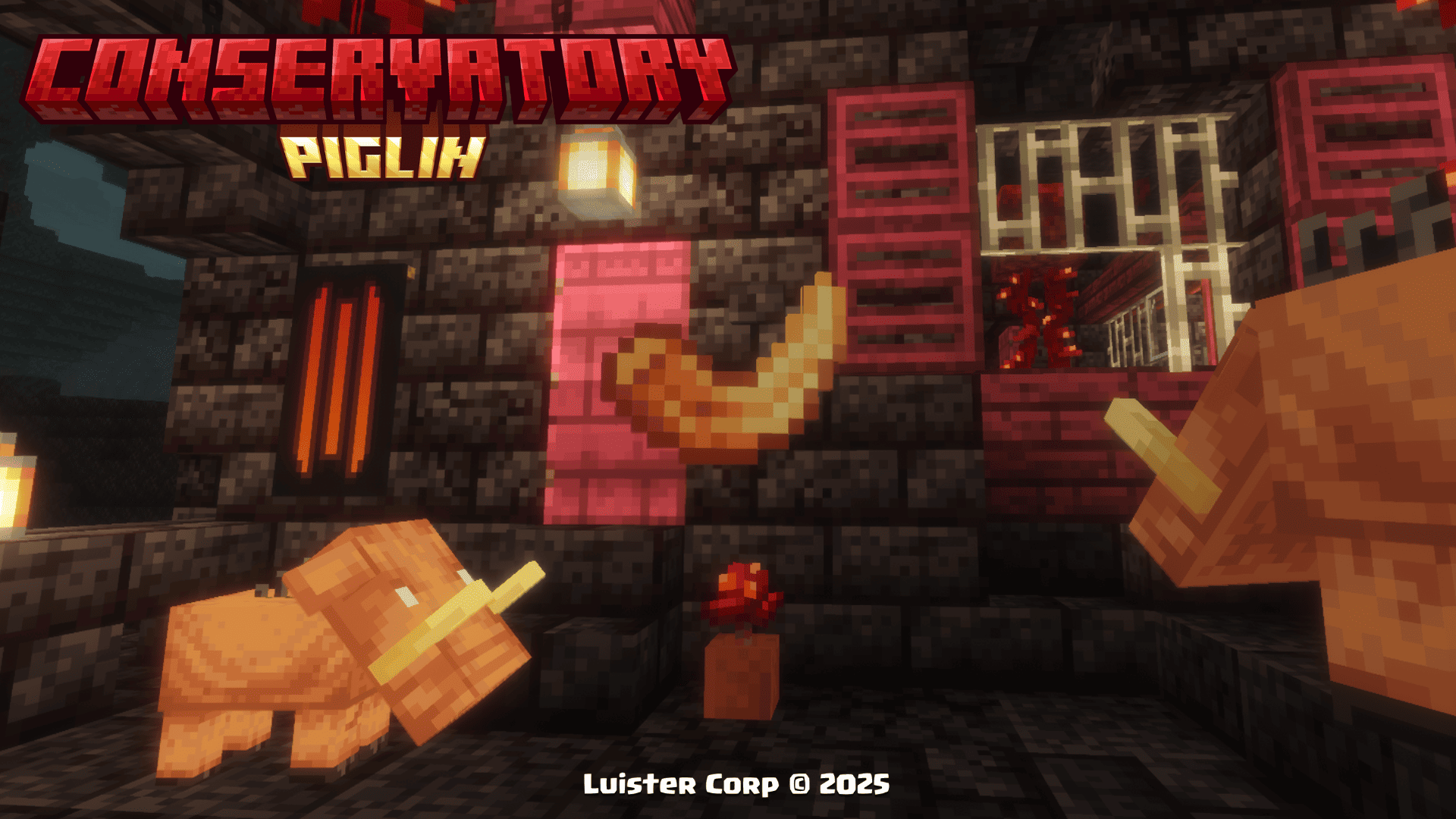
不可食用
Hoglin Fossil
要获取 Hoglin Fossils,它们是 Nether Portal Ruins 的箱子中最常见的资源之一。
宣传图片:
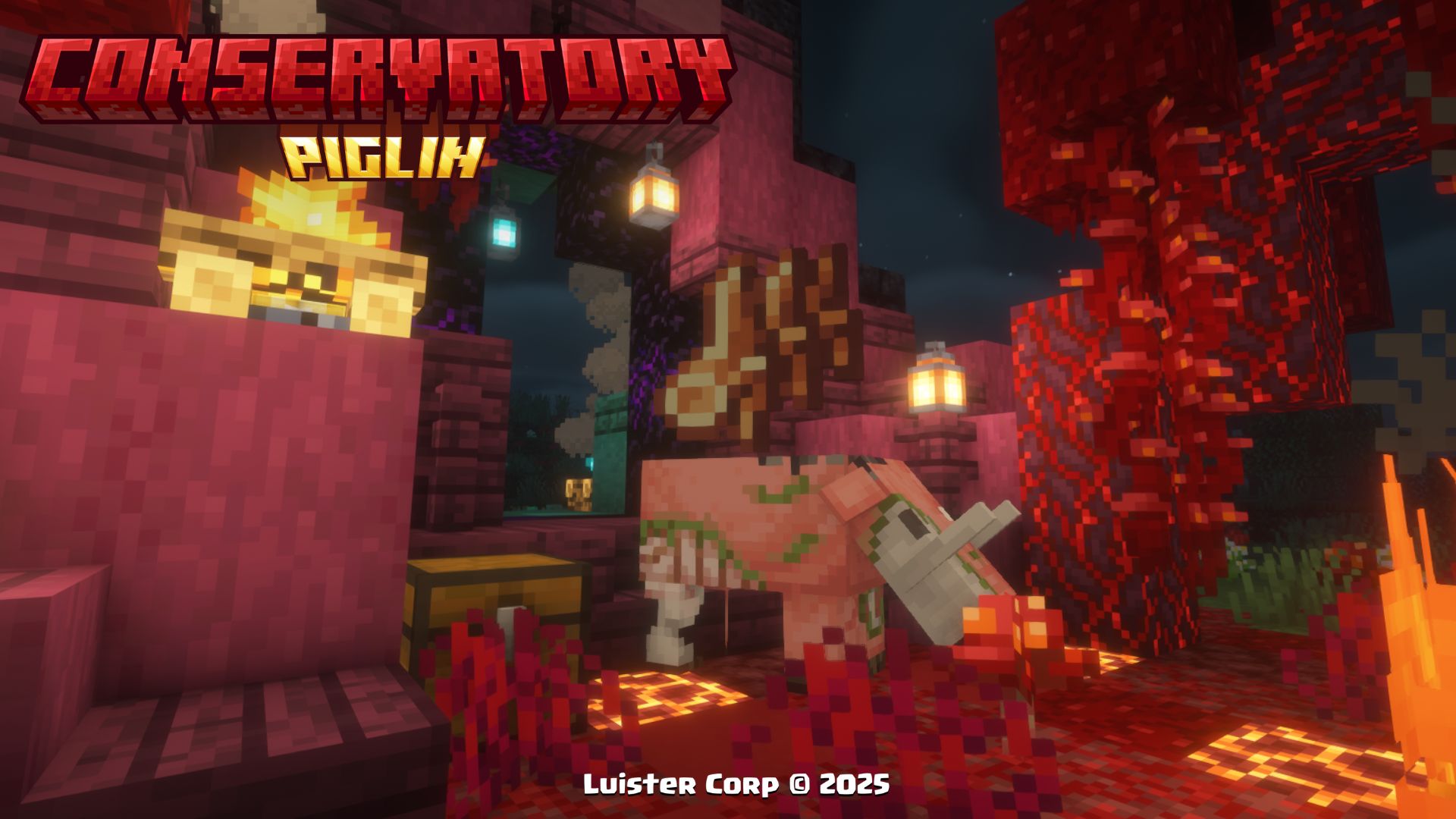
不可食用
更多即将推出...
Music Discs ? (Discos de Música)
Psylla - In Bonfires Green [NCS Release]
?设计 (Design):
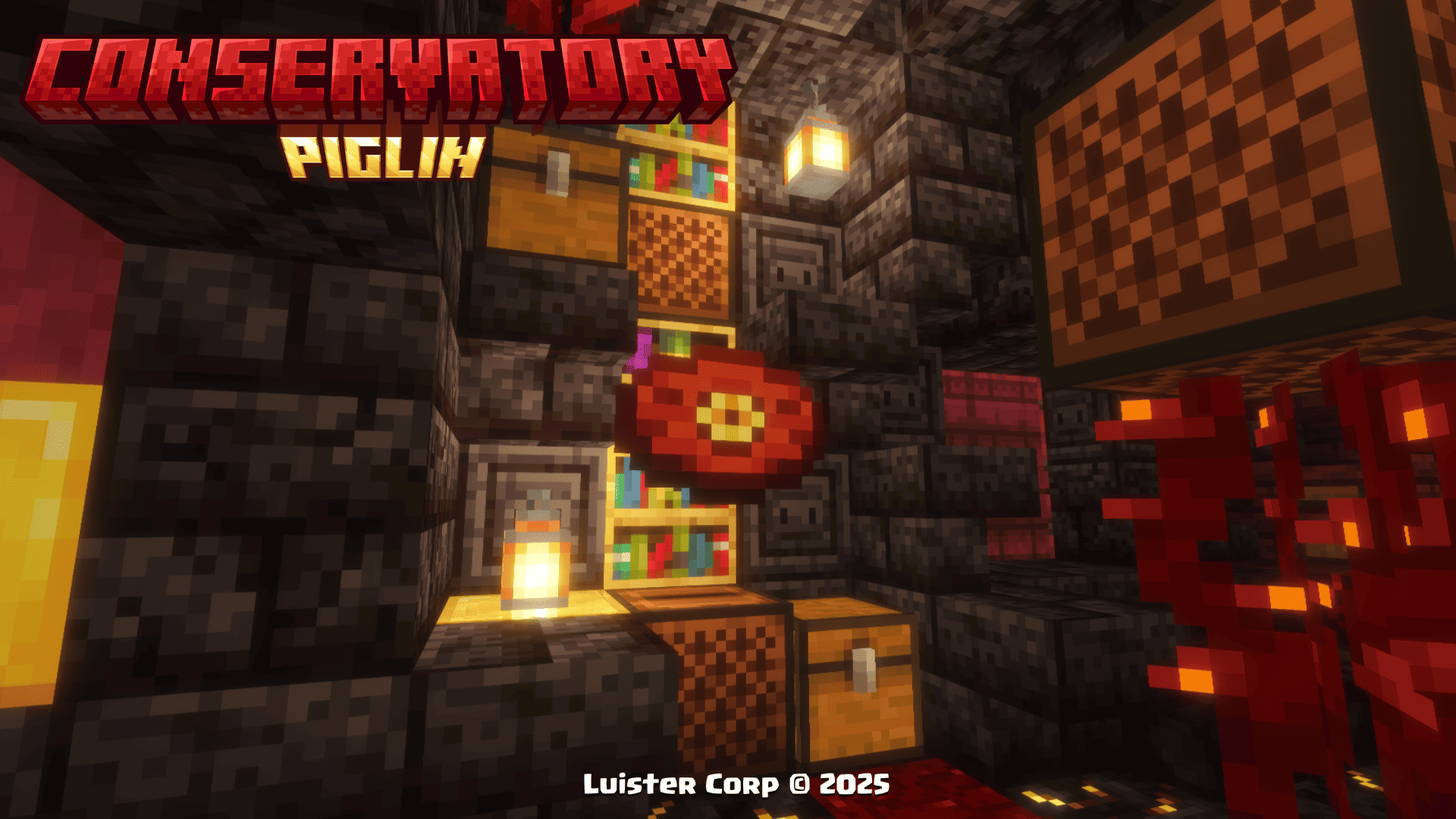
◽获取方式 (Find It)
?音乐与艺术家 (Music and Artist):
In Bonfires Green
作者:Psylla
更多信息:SoundCloud - Spotify - Bandcamp - Twitter
Clarx - Zig Zag [NCS Release]
?设计 (Design):
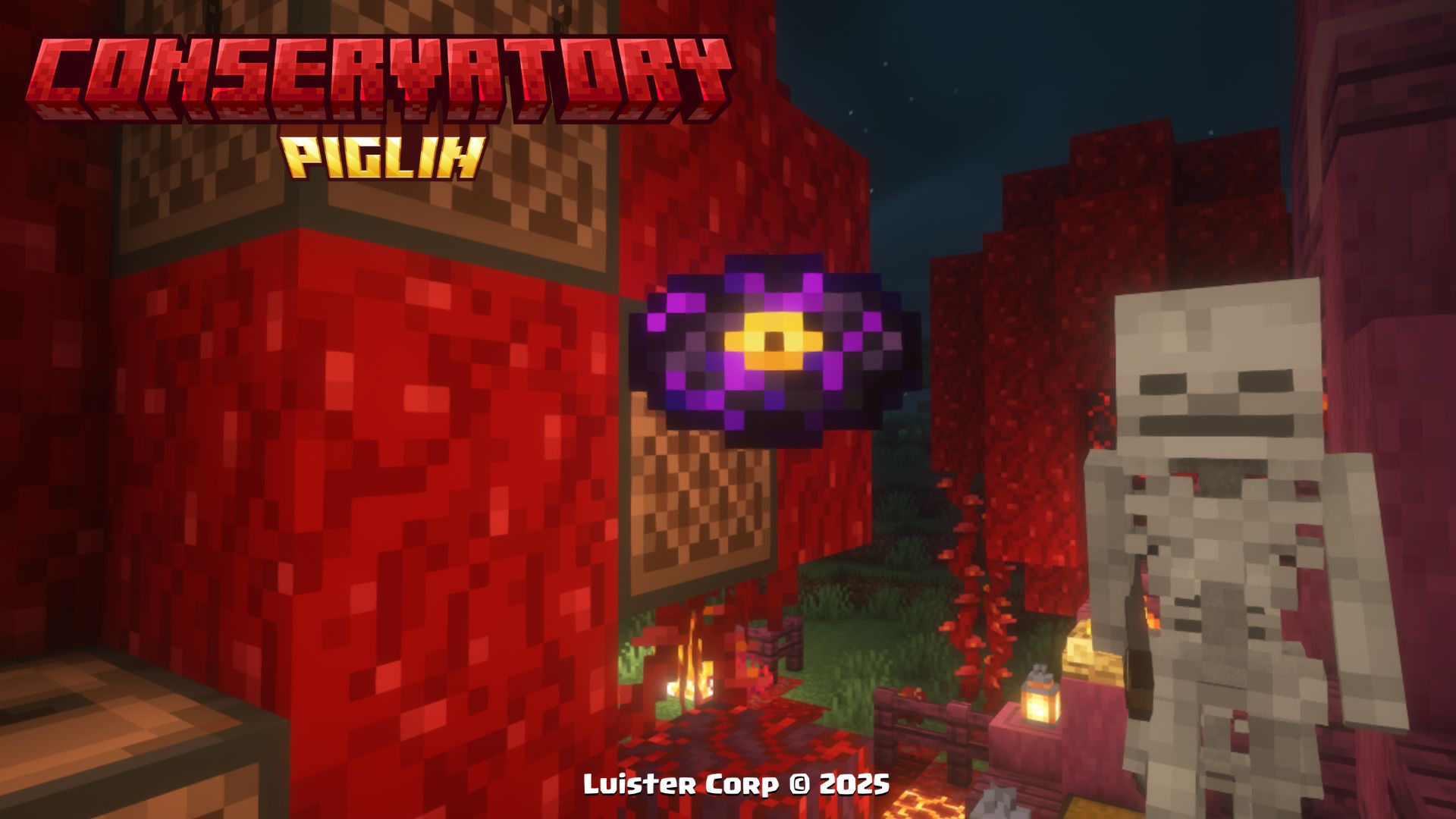
◽获取方式 (Find It)
?音乐与艺术家 (Music and Artist):
Zig Zag
作者:Clarx
更多信息:SoundCloud - FaceBook - YouTube - Twitter
Ramzoid - Electron [NCS Release]
?设计 (Design):

◽获取方式 (Find It)
?音乐与艺术家 (Music and Artist):
Electron
作者:Ramzoid
更多信息:SoundCloud - Twitter - YouTube - Instagram - Tumblr
更多即将推出...
New Advancements ? (Nuevos Logros)
当你获得新的物品和唱片或发现此数据包中的任何新结构时,你将获得一个新的个性化进度目标板块,其中包含对不同电影?、剧集?和视频游戏?的引用。
◾图片:

这 12 个进度目标 通过寻找 火龙果、找到 旅行马车 以及获取 ** Hoglin 化石** 和 新增唱片 ? 来获得。
安装流程 ? (Installation Processes)
以下邀请您在我们提供的以下类别中查看我们的数据包的正确的安装流程 ?
单人游戏 - 玩家
安装数据包的步骤:
-
打开 Minecraft (Open Minecraft)
启动游戏。
-
创建新世界 (Create a New World)
进入“更多”并点击 **“数据包”。(go to “More” and click on "Datapacks”).
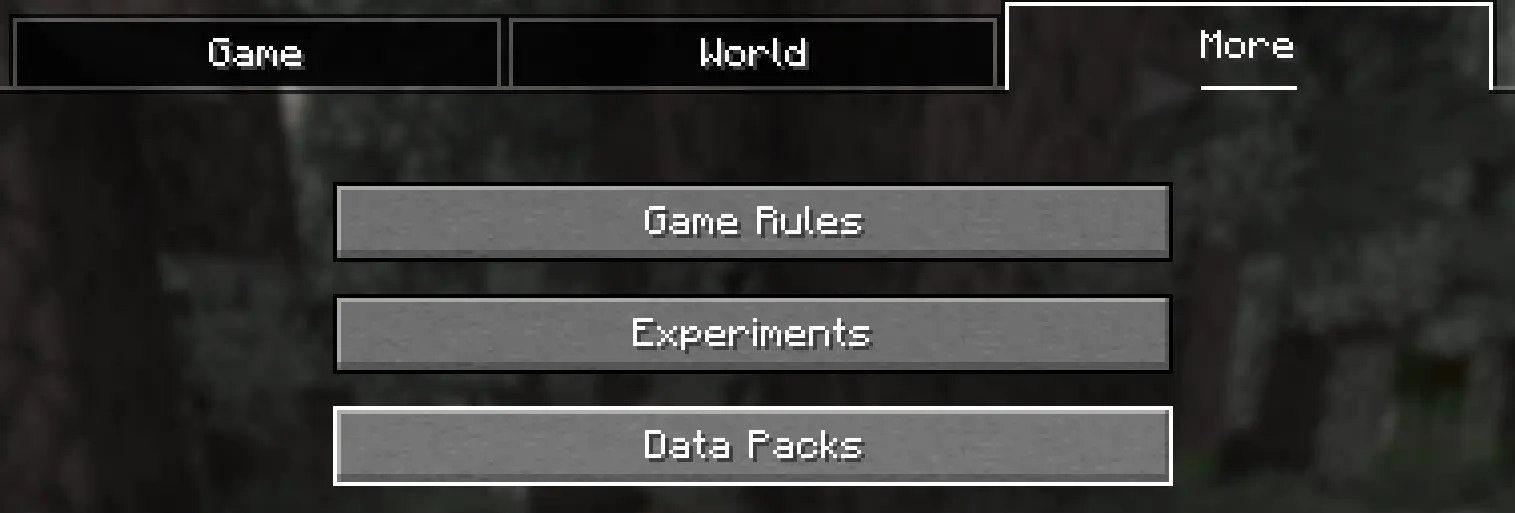
-
添加数据包 (Add Datapack)
将数据包(一个 .zip 文件或目录)拖入 Minecraft 窗口。
? (Drag the Data Package (a .zip or directory) to the Minecraft window).

会出现确认屏幕。点击 **“确认”。
? (A confirmation screen will appear. Click on "Confirm ”).
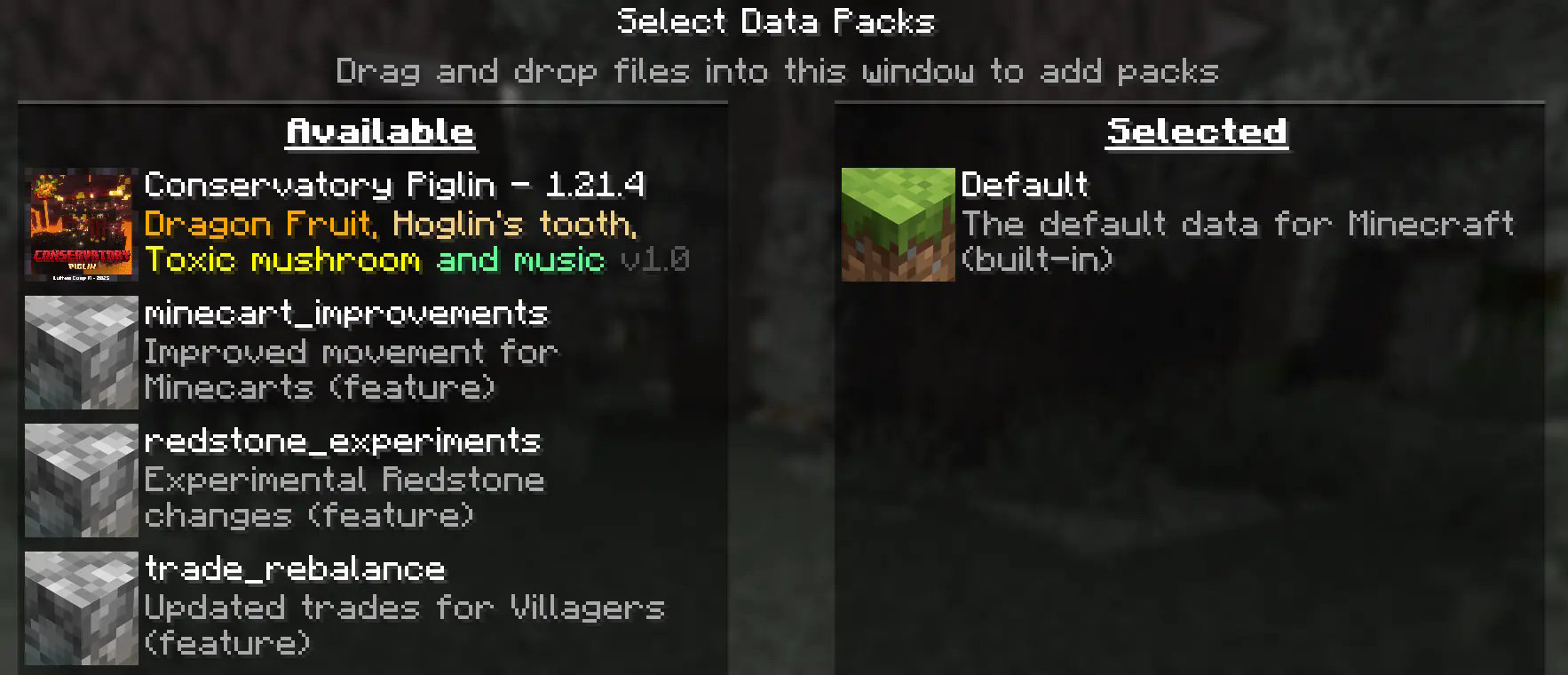
-
激活数据包 (Activate the DataPack)
通过 单击 图标上的三角形(悬停时可见),将 数据包 移动到屏幕右侧。
? Move the Datapack to the right side of the screen by clicking on its triangle icon (visible when hovering over it).
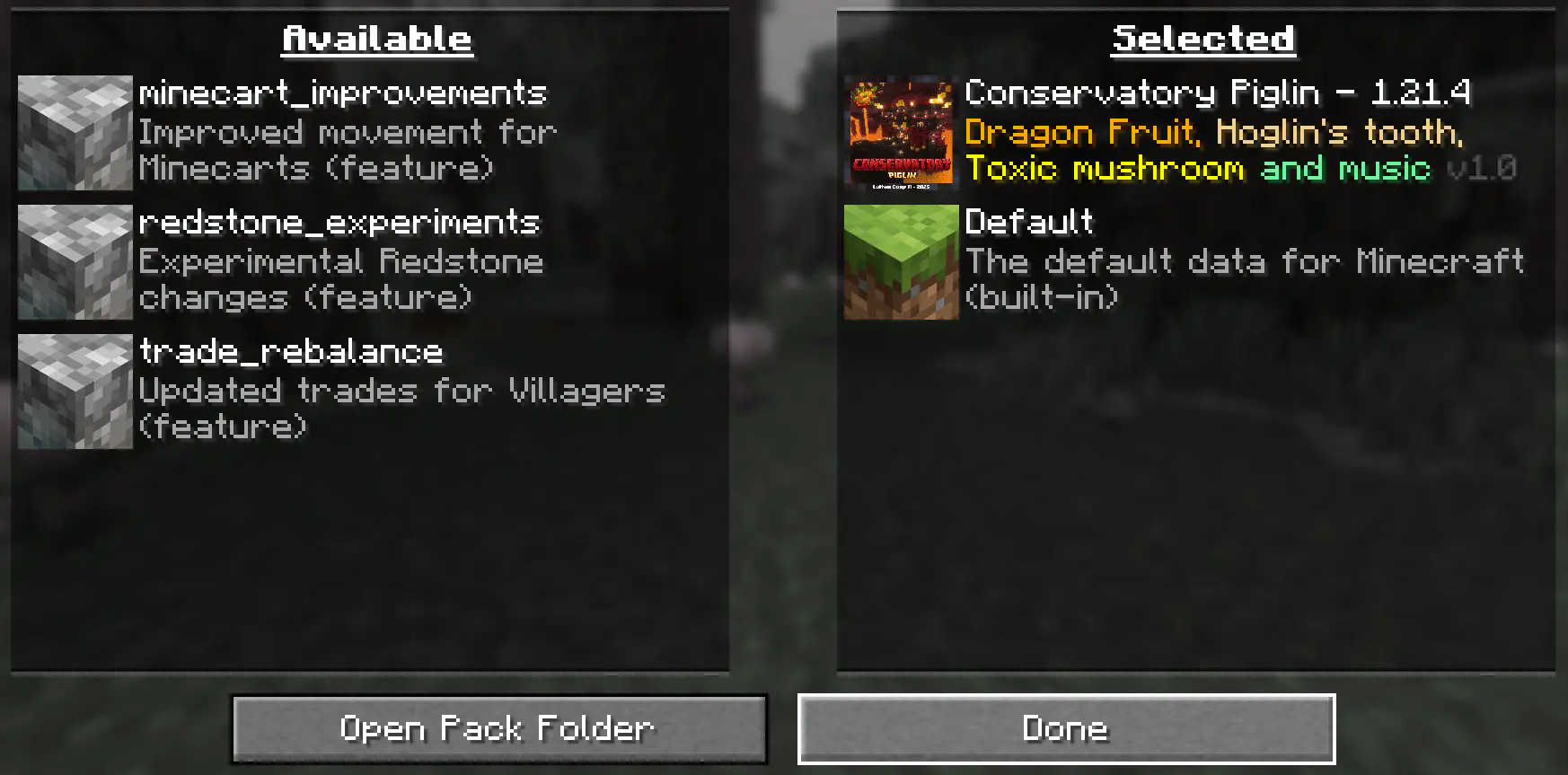
-
创建新世界 (Creation of the New World)
点击屏幕底部的 **“完成”。
? (Click "Done ” at the bottom of the screen).
 继续创建你的世界,然后点击 **“创建新世界”。
? (Continue creating your world and click on "Create new world ”).
⚠️ 重要 - IMPORTANT⚠️
在创建 新世界 时会生成警告,因为这是 实验性功能,任何类型的错误都可以报告给我们的 官方 Discord
? A warning will be generated when creating a new world, since these are experimental features, any kind of error can be communicated to our Official Discord
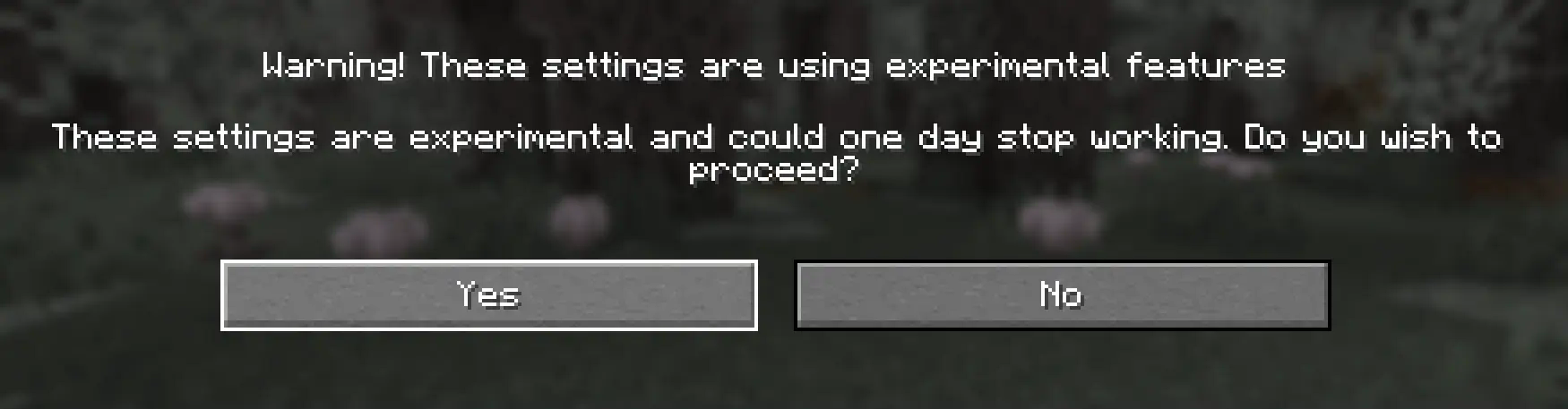
继续点击按钮 是 并享受你的冒险 :)
? Continue clicking the Yes button and enjoy your adventure :)
多人游戏 - 多人
安装数据包的步骤:
-
打开服务器文件夹 (Open the folder on your server)
导航到服务器文件夹,然后打开你想在其中安装 数据包 的 世界文件夹(默认: world)。
Navigate to your server folder and then open the world folder in which you want to install the Datapacks (default: world).
-
添加数据包 (Add the DataPack)
数据包 必须是一个 .zip 文件。
将 数据包 放置在名为 datapacks 的文件夹内,该文件夹位于 world 文件夹中。
The DataPack must be a .zip file.
Place the DataPack in a folder named datapacks inside the world folder.
-
重新加载服务器 (reload the server)
如果服务器在安装期间正在运行,请从控制台或以等级 3 操作员身份输入 /reload。
Type /reload from the console or as a level 3 operator, if the server was running during installation.
⚠️ 重要 - IMPORTANT⚠️
在创建 新世界 时会生成警告,因为这是 实验性功能,任何类型的错误都可以报告给我们的 官方 Discord
? A warning will be generated when creating a new world, since these are experimental features, any kind of error can be communicated to our Official Discord
LuisterCorp 项目:


进度项目:


Towerinator 项目:


由 Bisecthosting ? 赞助

Piglin Conservatory v3.0
The DataPack adds Piglin Conservatory, a structure to the Nether along with a new Obsidian Apple, Dragon Fruit, Toxic Mushrooms, Hoglins' Fossils, Corrupted Emerald and a New Music Discs! ?
LuisterCorp © - 2025
Notas? (Notes)
- Piglin Conservatory is translated into both English - Spanish - Deutsch and more?
- Piglin Conservatory is compatible with versions 1.21 to 1.21.11?️
- Piglin Conservatory adds new Nether and Overworld (structures) to world generation?
- Piglin Conservatory is compatible with any generation Datapack in the World
- Use Headphone for a better experience ?
Descripción ? (Description)
Have fun in a totally new experience in the vanilla Nether, we added a new dragon fruit along with its golden version, along with different secrets inside it plus 3 structures one in the Nether and one in the Overworld, thus bringing a unique and entertaining feature to Minecraft?
With this Datapack, exploration becomes more exciting, and below we will show every detail
New's Structures ?️ (Nuevas Estructuras)
Piglin Conservatory
Piglin Conservatory can be generated at heights near the lava from +32 to +48 blocks high every 500 blocks from each other.
The Piglin Conservatory, is generated in all Nether biomes (except Basalt Deltas), if you want to locate it by commands use:
/locate structure luistercorp:piglin_conservatory
Promotional Image:
Biome Generation List:
[

"minecraft:soul_sand_valley",

"minecraft:crimson_forest",

"minecraft:warped_forest",

"minecraft:nether_wastes"

],
Traveling Wagon
The Traveling Wagon can be spawned in the Overworld alongside a Custom Fruit Vendor Villager with unique sales you won't want to miss, the structure also features its own loot table and a variety of fruits and vegetables from all over Minecraft.
The Traveling Wagon, is generated in all biomes with hardwood forests, if you want to locate it by commands use:
/locate structure luistercorp:traveling_wagon
Promotional Image:
Merchandise for Sale:
Biome Generation List:
[

"minecraft:snowy_taiga",

],
Nether Portal Ruins
The Nether Portal Ruins can be generated in the Overworld along with their own Loot Table and a variety of New Items added in this Datapack from Hoglin Fossils, Obsidian Apples and a new Music Disc
The Nether Portal Ruins are spawned in all plains biomes within 2'500 to 3'750 blocks of each other, if you want to locate them by commands use:
/locate structure luistercorp:portal_ruins
Promotional Image:
Biome Generation List:
[

"minecraft:plains",

"minecraft:forest",

],
Cherry Nether Portal
The Cherry Nether Portal can be generated in the Cherry Grove along with their own Loot Table and a new Music Disc
The Nether Portal Ruins are spawned in all plains biomes within 5'000 to 7'500 blocks of each other, if you want to locate them by commands use:
/locate structure luistercorp:cherry_nether_portal
Promotional Image:
Biome Generation List:
[

"minecraft:cherry_grove",

],
More Soon...
New's Items ✨ (Nuevos Items)
Corrupted Emerald
To get the Corrupted Emerald, you will have to climb to the top of the Piglin Conservatory in the Nether to get its unique effect.
Promotional Image:
Effects to be Used:
-
As long as you have the item in your hand (main or secondary), you will have the Hero of the Village effect
-
When you change the item or release it, the effect is automatically removed
Dragon Fruit
To get Dragon Fruit, you will have to trade with the Piglins in the Nether or find it in Traveling Wagons and/or the Piglin Conservatory.
Promotional Image:
Effects to be consumed:
minecraft:regeneration (00:03 duration)

minecraft:fire_resistance (01:10 duration)
Golden Dragon Fruit
To get Golden Dragon Fruit, you will have to find the treasure rooms inside the Piglin Conservatory
Promotional Image:
Effects to be consumed:
minecraft:regeneration (00:05 duration)

minecraft:absorption (02:00 duration)

minecraft:fire_resistance (02:30 duration)
Obsidian Apple
To get the Obsidian Apple, you can find them in the chests of the Nether Portal Ruins or by buying them from the fruit merchant villager in the Traveling Wagon.
Promotional Image:
Effects to be consumed:
minecraft:regeneration (00:10 duration)

minecraft:fire_resistance (01:40 duration)

minecraft:absorption (02:00 duration)

minecraft:resistance (01:40 duration)

clear @p wither effect
Toxic Mushroom
To get Toxic Mushroom, you will have to battle in the room of bones and harmful experiments inside the Piglin Conservatory.
Promotional Image:
Effects to be consumed:
minecraft:poison (00:10 duration)
Hoglin Tooth
To get Hoglin's Tooth, it is one of the most common resources in any room within Piglin Conservatory.
Promotional Image:
Not consumable
Hoglin Fossil
To get the Hoglin Fossils, it is one of the most common resources in the chests of the Nether Portal Ruins.
Promotional Image:
Not consumable
More Soon...
Music Discs ? (Discos de Música)
Psylla - In Bonfires Green [NCS Release]
?Diseño (Design):
◽Encontrable (Find It)
?Música y Artista (Music and Artist):
In Bonfires Green
By: Psylla
More: SoundCloud - Spotify - Bandcamp - Twitter
Clarx - Zig Zag [NCS Release]
?Diseño (Design):
◽Encontrable (Find It)
?Música y Artista (Music and Artist):
Zig Zag
By: Clarx
More: SoundCloud - FaceBook - YouTube - Twitter
Ramzoid - Electron [NCS Release]
?Diseño (Design):
◽Encontrable (Find It)
?Música y Artista (Music and Artist):
Electron
By: Ramzoid
More: SoundCloud - Twitter - YouTube - Instagram - Tumblr
More Soon...
New Advancements ? (Nuevos Logros)
When you get any of the new items and discs or find any of the new structures of this Datapack, you will get a new section of perzonalized advancements with references to different movies?, series? and videogames ?...
◾Image:
These 12 Advancements, are obtained by finding a Dragon Fruit, finding the Traveling Wagon and getting Hoglin's Fossils, and the newly added discs ?.
Procesos de Instalación ? (Installation Processes)
Below we invite you to review the correct installation process of our Data Package in the following categories ?
Singleplayer - Un Jugador
Pasos Para Instalar DataPack (Steps to Install DataPack):
-
Abrir Minecraft (Open Minecraft)
Inicia el juego (start the game).
-
Crea un Nuevo Mundo (Create a New World)
Vaya a "Más" y haga clic en "Paquetes de Datos". (go to “More” and click on "Datapacks”).
-
Añadir el Datapack (Add Datapack)
Arrastre el Paquete de Datos (un archivo .zip o directorio) a la ventana de Minecraft.
? (Drag the Data Package (a .zip or directory) to the Minecraft window).
Aparecerá una pantalla de confirmación. Haga clic en "Confirmar".
? (A confirmation screen will appear. Click on "Confirm ”).
-
Activar el DataPack (Activate the DataPack)
Mueva el Paquete de Datos al lado derecho de la pantalla haciendo clic en el triángulo de su ícono (visible al pasar el cursor sobre él).
? Move the Datapack to the right side of the screen by clicking on its triangle icon (visible when hovering over it).
-
Creación del Mundo Nuevo (Creation of the New World)
Haz clic en "Hecho" en la parte inferior de la pantalla.
? (Click "Done ” at the bottom of the screen).
Continúa creando tu mundo y haz clic en "Crear nuevo mundo".
? (Continue creating your world and click on "Create new world ”).
⚠️ IMPORTANTE - IMPORTANT⚠️
Se generará un aviso al momento de crear un mundo nuevo, ya que son características experimentales, cualquier tipo de error puede ser comunicado a nuestro Discord Oficial
? A warning will be generated when creating a new world, since these are experimental features, any kind of error can be communicated to our Discord Oficial
Continue dandole al boton Sí y disfrute de su Aventura :)
? Continue clicking the Yes button and enjoy your adventure :)
Multiplayer - Multijugador
Pasos Para Instalar DataPack (Steps to Install DataPack):
-
Abrir la carpeta de tu servidor (Open the folder on your server)
Navega hasta la carpeta de tu servidor y luego abre la carpeta del mundo en el que deseas instalar el Paquete de Datos (predeterminado: world).
Navigate to your server folder and then open the world folder in which you want to install the Datapacks (default: world).
-
Agrega el DataPack (Add the DataPack)
El Paquete de Datos debe ser un archivo .zip.file.
Coloca el Paquete de Datos en una carpeta llamada datapacks dentro de la carpeta world.
The DataPack must be a .zip file.
Place the DataPack in a folder named datapacks inside the world folder.
-
Vuelve a cargar el servidor (reload the server)
Escribe /reload desde la consola o como operador de nivel 3, si el servidor estaba ejecutándose durante la instalación.
Type /reload from the console or as a level 3 operator, if the server was running during installation.
⚠️ IMPORTANTE - IMPORTANT⚠️
Se generará un aviso al momento de crear un mundo nuevo, ya que son características experimentales, cualquier tipo de error puede ser comunicado a nuestro Discord Oficial
? A warning will be generated when creating a new world, since these are experimental features, any kind of error can be communicated to our Discord Oficial
LuisterCorp Projects:
Advancements Projects:
Towerinator Projects:
Sponsored by Bisecthosting ?
 模组

 模组

 模组

 模组

 模组
 模组

评论 0
登录后参与评分
还没有评论,来抢沙发吧