

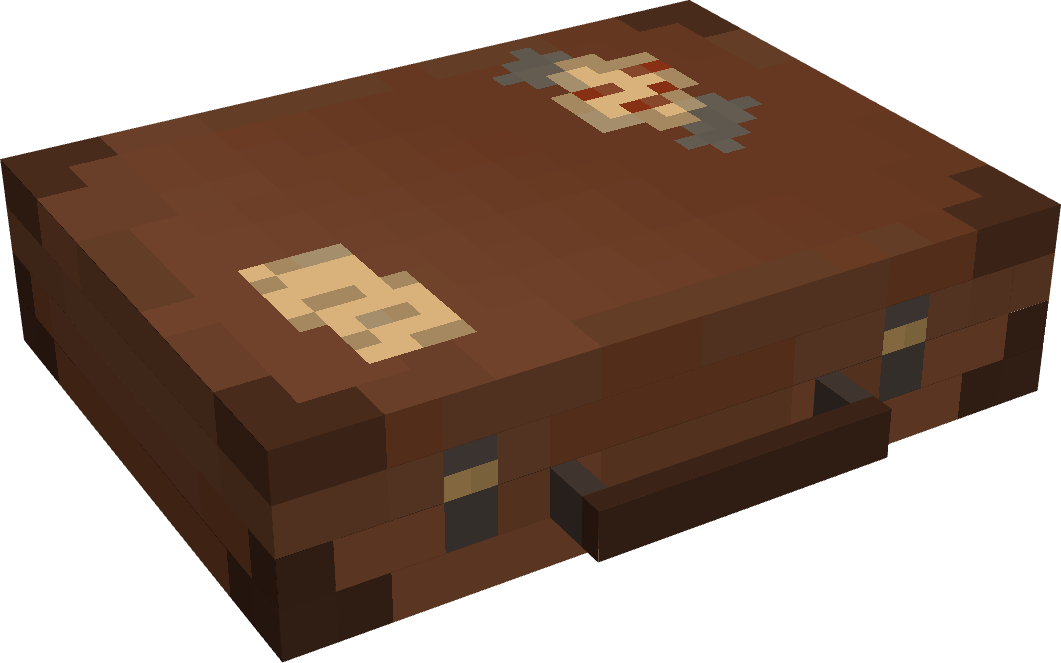
向 Minecraft 中添加 旅行者的手提箱 方块。
解锁并进入这个“内里空间更大”的手提箱。
提供一个玩家可以利用和共享的口袋维度。


💼 旅行者的手提箱
使用重命名过的钥匙解锁你的手提箱。
在打开的手提箱上潜行以访问你个人的口袋维度。
根据需要构建和利用该区域。
制作口袋门和隐藏方块来伪装你维度的入口。
🗝️ 钥匙
制作、修复并重命名一把破损的钥匙,以便解锁手提箱。
你进入的维度直接由钥匙的名称决定。
分享钥匙名称,允许其他玩家从他们自己的手提箱进入你的私人维度。
空钥匙会创建一个空白维度。
岛屿钥匙会创建一个浮空岛。
世界钥匙会创建一个类似主世界的维度。

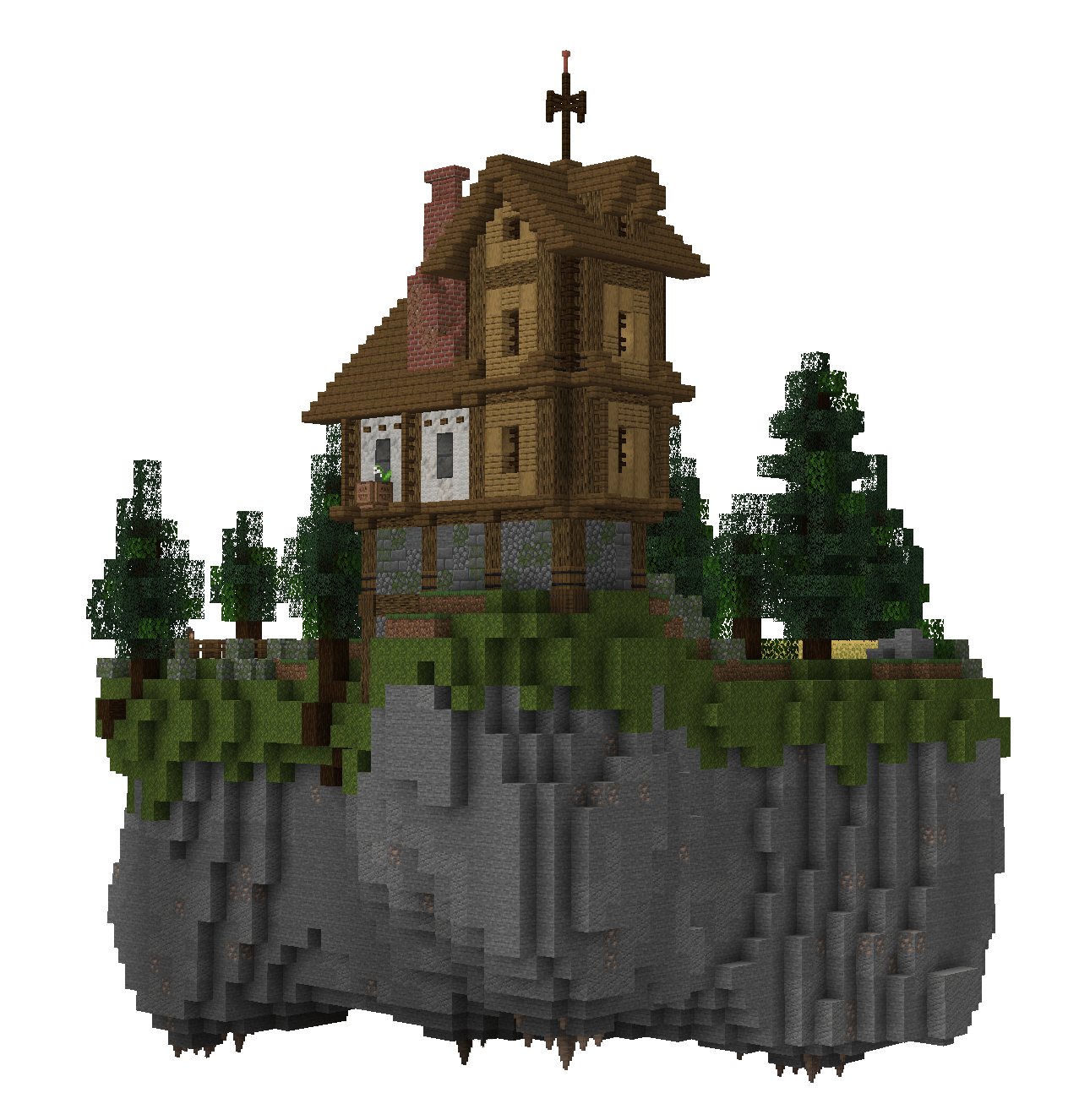
🕳️ 口袋维度
口袋岛屿是一个默认不生成怪物的安全空间。
进入手提箱会将你带到你专属的口袋岛屿,这取决于你钥匙的名称。
在口袋维度内的任何地方右键点击骨头,可以更改玩家的进入位置。
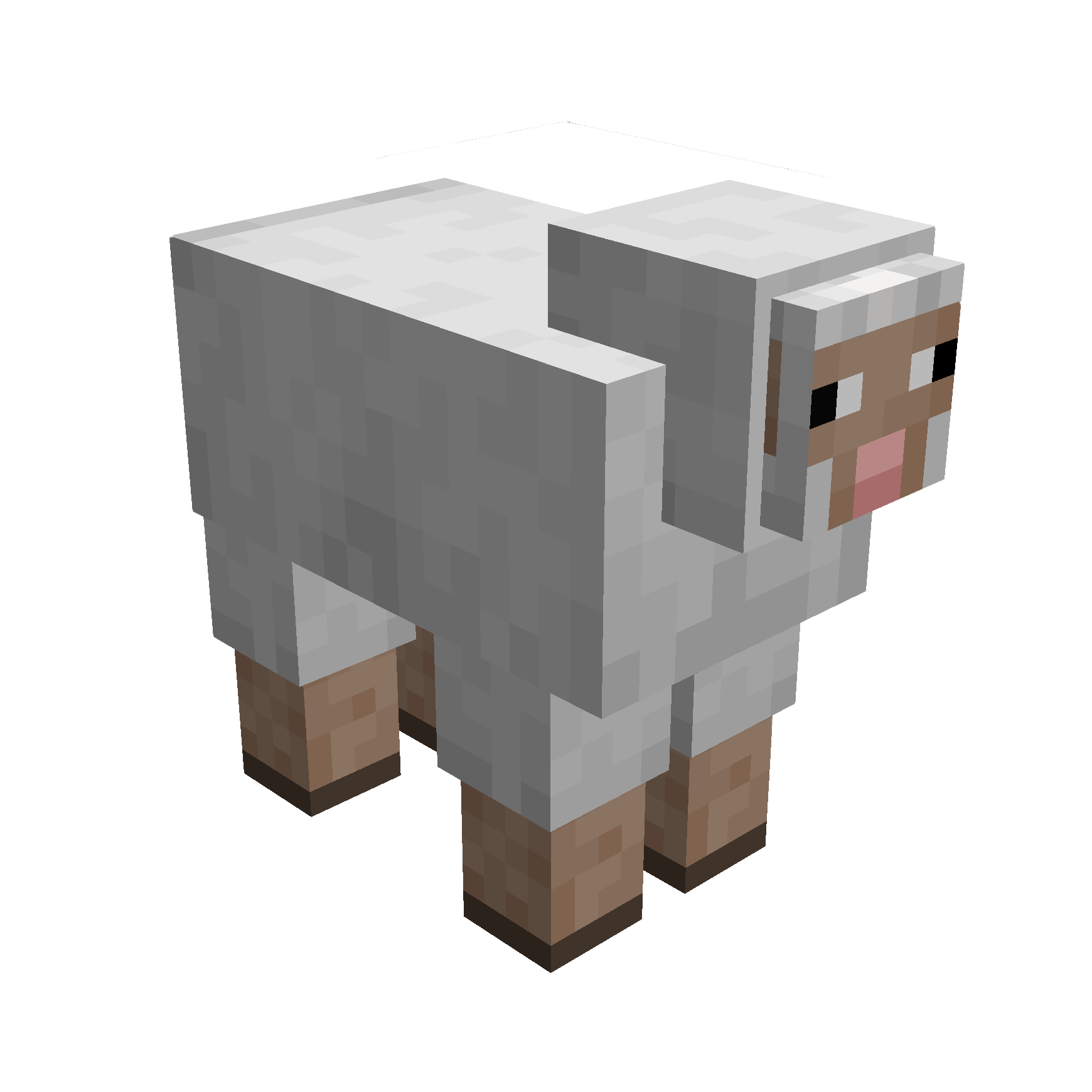
🪶 捕捉生物
只需用手提箱右键点击怪物即可将其捕捉。
在口袋维度内,你可以使用拴绳改变怪物的进入位置。
在口袋维度内用钥匙右键点击怪物即可释放它们。
📝 其他功能
- 使用退出基石瞬间返回主世界。
- 当手提箱处于锁定状态时,蹲下并与手提箱交互以敲门。里面的人能听到声音。音量可调节。

旅行者的手提箱

空白钥匙、岛屿钥匙、世界钥匙

隐藏宝箱、隐藏桶、口袋门

退出传送门方块、退出传送门门、退出基石


🧩 兼容性
本模组支持单人及多人游戏。
如果在服务器上运行,客户端和服务器端都需要安装。
Fabric 版本需要 Fabric API。
与 Sable 模组兼容。
📟 命令
设置被捕捉生物的进入点: 必须在口袋维度内执行
/pocketRepose setMobEntry
设置玩家进入点: 必须在口袋维度内执行
/pocketRepose setPlayerEntry
重置玩家进入点: 必须是 OP(管理员)
/pocketRepose resetPlayerEntry <dimensionNameHere>
列出口袋维度: 必须是 OP(管理员)
/pocketRepose pocketDimensions list
捕捉生物黑名单: 必须是 OP(管理员)
/pocketRepose pocketDimensions captureBlacklist add/remove/list/clear
允许捕捉敌对生物: 必须是 OP(管理员)
/pocketRepose pocketDimensions allowHostileMobCapture true/false (默认为 false)
可捕获被动生物: 必须是 OP(管理员)
/pocketRepose pocketDimensions allowPassiveMobCapture true/false(默认值为 true)
敌对生物生成: 必须是 OP(管理员)
/pocketRepose pocketDimensions allowHostileMobSpawning true/false(默认值为 false)
允许敌对生物在口袋维度内自然生成。
被动生物生成: 必须是 OP(管理员)
/pocketRepose pocketDimensions allowPassiveMobSpawning true/false(默认值为 true)
允许被动生物在口袋维度内自然生成。
生成口袋岛屿: 必须是 OP(管理员)
/pocketRepose pocketDimensions spawnIsland true/false(默认值为 true)
如果为 true,绑定新钥匙时将生成口袋岛屿。
如果为 false,绑定新钥匙时将在该位置生成一个草方块以替代岛屿。
允许递归: 必须是 OP(管理员)
/pocketRepose pocketDimensions allowRecursion true/false(默认值为 true)
允许手提箱在其他手提箱内部使用。
名称与维度名称匹配的手提箱将无法相互嵌套使用。
允许设置重生点: 必须是 OP(管理员)
/pocketRepose pocketDimensions allowSetSpawnPoint true/false(默认值为 false)
允许玩家在口袋维度内通过床来设置自己的重生点。
允许在地狱中使用: 必须是 OP(管理员)
/pocketRepose pocketDimensions allowInNether true/false(默认值为 true)
允许在地狱中进入口袋方块。
允许在外域中使用: 必须是 OP(管理员)
/pocketRepose pocketDimensions allowInEnd true/false(默认值为 true)
允许在外域中进入口袋方块。
敲门音量: 必须是 OP(管理员)
/pocketRepose pocketDimensions setKnockVolume <volume>(默认值为 0.5,最大值为 10)
设置在口袋维度内听到上锁手提箱敲门声的音量大小。
进入时关闭: 必须是 OP(管理员)
/pocketRepose closeOnEntry true/false(默认值为 false)
如果为 true,未上锁的口袋方块会在玩家进入后自动关闭。
进入上锁方块时关闭: 必须是 OP(管理员)
/pocketRepose closeOnLockedEntry true/false(默认值为 true)
如果为 true,上锁的口袋方块会在玩家进入后自动关闭。
退出钥石冷却时间: 必须是 OP(管理员)
/pocketRepose exitKeystone setCooldown <seconds>(默认值为 1,最大值为 600)
退出钥石在主世界生效: 必须是 OP(管理员)
/pocketRepose exitKeystone worksInOverworld true/false(默认值为 false)
如果为 true,退出钥石会将玩家从主世界传送回其重生点。
退出钥石在地狱生效: 必须是 OP(管理员)
/pocketRepose exitKeystone worksInNether true/false(默认值为 true)
如果为 true,退出钥石会将玩家从地狱传送回其重生点。
退出钥石在外域生效: 必须是 OP(管理员)
/pocketRepose exitKeystone worksInEnd true/false(默认值为 true)
如果为 true,退出钥石会将玩家从外域传送回其重生点。
走廊光影效果: 仅客户端,任何位置均可
/pocketReposeClient hallwayShader true/false(默认值为 true)
切换口袋方块的“里面比外面大”视觉效果。
如果为 false,将显示一个黑色平面作为替代。
❓ 常见问题解答
问:如何进入手提箱?
答:制作一把钥匙和一个手提箱,在工作台中重命名钥匙,用钥匙右键点击手提箱打开它,然后潜行即可进入。
问:口袋维度是如何处理的?
答:口袋维度与钥匙绑定,而非手提箱。每次重命名并绑定钥匙时,都会在该特定名称下创建一个新的维度。
名称可以共享,也可以保密。
问:如果我的手提箱和钥匙被摧毁了怎么办?
答:制作一把新钥匙并使用原始名称进行重命名。口袋维度不会丢失。
Adds the Traveler's Suitcase block to Minecraft.
Unlock and climb inside the "bigger on the inside" suitcase.
Provides a Pocket Dimension that players can utilize and share.
💼 The Traveler's Suitcase
Unlock your suitcase with a renamed key.
Sneak on an open suitcase to access your personal pocket dimension.
Build and utilize the area within however you see fit.
Craft pocket doors and secret blocks to disguise your dimension's entrance.
🗝️ The Keys
Craft, repair, and rename a broken key in order to unlock the suitcase.
The dimension you enter is directly linked to the key's name.
Share Key names to allow other players to enter your private dimension from their own suitcase.
The Empty Key creates a blank dimension.
The Island Key creates a floating island.
The World Key creates an Overworld esque dimension.
🕳️ The Pocket Dimension
The pocket island is a safe space where mobs do not spawn by default.
Entering the suitcase will bring you to your very own pocket island, individual to your key's name.
Right-click anywhere inside a pocket dimension with a bone to change the players entry location.
🪶 Capture Creatures
Simply right-click a mob with your suitcase to capture them.
While inside the pocket dimension you can change a mobs entry location with a lead.
Right-click a mob inside your pocket dimension with a key to release them.
📝 Other Features
- Use an Exit Keystone to instantly return to the Overworld.
- While a suitcase is locked, crouch-interact with the suitcase to knock. Anyone on the inside will hear. The volume can be adjusted.
Traveller's Suitcase
Blank Key, Island Key, World Key
Secret Chest, Secret Barrel, Pocket Door
Exit Portal Block, Exit Portal Door, Exit Keystone
🧩 Compatibilities
This mod is singleplayer and multiplayer friendly.
Required on client and server if using on a server.
Fabric versions require Fabric API.
Compatible with the Sable mod.
📟 Commands
Set Captured Mobs Entry Point: Must be in a pocket dimension
/pocketRepose setMobEntry
Set Player Entry Point: Must be in a pocket dimension
/pocketRepose setPlayerEntry
Reset Player Entry Point: Must be an OP
/pocketRepose resetPlayerEntry <dimensionNameHere>
List Pocket Dimensions: Must be an OP
/pocketRepose pocketDimensions list
Capture Mob Blacklist: Must be an OP
/pocketRepose pocketDimensions captureBlacklist add/remove/list/clear
Can Capture Hostile Mobs: Must be an OP
/pocketRepose pocketDimensions allowHostileMobCapture true/false (default false)
Can Capture Passive Mobs: Must be an OP
/pocketRepose pocketDimensions allowPassiveMobCapture true/false (default true)
Hostile Mob Spawning: Must be an OP
/pocketRepose pocketDimensions allowHostileMobSpawning true/false (default false)
Allows hostile mobs to naturally spawn inside pocket dimensions.
Passive Mob Spawning: Must be an OP
/pocketRepose pocketDimensions allowPassiveMobSpawning true/false (default true)
Allows passive mobs to naturally spawn inside pocket dimensions.
Spawn Pocket Island: Must be an OP
/pocketRepose pocketDimensions spawnIsland true/false (default true)
If true, the pocket island will spawn when binding a new key.
If false, when binding a new key a grass block will spawn in place of the island.
Allow Recursion: Must be an OP
/pocketRepose pocketDimensions allowRecursion true/false (default true)
Allows suitcases to work inside other suitcases.
Suitcases that match the dimension name will not work within eachother.
Allow Spawn Points: Must be an OP
/pocketRepose pocketDimensions allowSetSpawnPoint true/false (default false)
Allows players to set their spawn point with a bed inside pocket dimensions.
Allow In Nether: Must be an OP
/pocketRepose pocketDimensions allowInNether true/false (default true)
Allows pocket blocks to be entered while in the Nether.
Allow In End: Must be an OP
/pocketRepose pocketDimensions allowInEnd true/false (default true)
Allows pocket blocks to be entered while in the End.
Knock Volume: Must be an OP
/pocketRepose pocketDimensions setKnockVolume <volume> (default 0.5, max 10)
Sets how loud a knock on a locked suitcase is heard inside the pocket dimension.
Close On Entry: Must be an OP
/pocketRepose closeOnEntry true/false (default false)
If true, unlocked pocket blocks will close behind players who enter them.
Close On Locked Entry: Must be an OP
/pocketRepose closeOnLockedEntry true/false (default true)
If true, locked pocket blocks will close behind players who enter them.
Exit Keystone Cooldown: Must be an OP
/pocketRepose exitKeystone setCooldown <seconds> (default 1, max 600)
Exit Keystone In Overworld: Must be an OP
/pocketRepose exitKeystone worksInOverworld true/false (default false)
If true, the Exit Keystone will return players to their spawn point from the Overworld.
Exit Keystone In Nether: Must be an OP
/pocketRepose exitKeystone worksInNether true/false (default true)
If true, the Exit Keystone will return players to their spawn point from the Nether.
Exit Keystone In End: Must be an OP
/pocketRepose exitKeystone worksInEnd true/false (default true)
If true, the Exit Keystone will return players to their spawn point from the End.
Hallway Shader: Client side, can be anywhere
/pocketReposeClient hallwayShader true/false (default true)
Toggles the bigger on the inside effect for pocket blocks.
If false, a black plane is shown instead.
❓ Q&A
Q: How do you enter a suitcase?
A: Craft a key and suitcase, rename the key in an anvil, right click the suitcase with the key, open the suitcase, then sneak to enter.
Q: How are the pocket dimensions handled?
A: Pocket dimensions are linked to the keys, not the suitcases. Every time a key is renamed and bound, a new dimension is created under that specific name.
Names can be shared or kept secret.
Q: What if my suitcase and key are destroyed?
A: Make a new key and rename it with the original name. Pocket dimensions cannot be lost.

下载 Pocket Repose
需要联机服务器吗?
稳定流畅、一键部署,几分钟即可和朋友联机开服
最低仅需 8 元/月 即可畅快联机
下载 Pocket Repose
需要联机服务器吗?
稳定流畅、一键部署,几分钟即可和朋友联机开服
最低仅需 8 元/月 即可畅快联机
下载 Pocket Repose
下载 Pocket Repose
下载 Pocket Repose
需要联机服务器吗?
稳定流畅、一键部署,几分钟即可和朋友联机开服
最低仅需 8 元/月 即可畅快联机
下载 Pocket Repose
需要联机服务器吗?
稳定流畅、一键部署,几分钟即可和朋友联机开服
最低仅需 8 元/月 即可畅快联机
下载 Pocket Repose
需要联机服务器吗?
稳定流畅、一键部署,几分钟即可和朋友联机开服
最低仅需 8 元/月 即可畅快联机
下载 Pocket Repose
需要联机服务器吗?
稳定流畅、一键部署,几分钟即可和朋友联机开服
最低仅需 8 元/月 即可畅快联机
下载 Pocket Repose
下载 Pocket Repose
新增内容
- 秘密桶、秘密箱和暗门现在可以单独放入合成网格中,还原为手提箱。手提箱会保留其绑定状态。
- 出口传送门门现在可以单独放入合成网格中,还原为出口传送门方块。
- 钥匙现在会显示提示图标,标明它们将创建的结构类型。
- 新的模组图标。
更改
- 传送门方块已更名为出口传送门方块。
- 钥匙在重命名之前会保持损坏的纹理。
- 更新了钥匙的提示信息和绑定消息。
- 空白钥匙现在使用钻石而非下界碎片制作。
更新内容
- 大幅提升了服务器性能。不再每隔几秒在所有已加载维度中搜索手提箱。掉落的手提箱会在加载和卸载时进行追踪。仅在实体离开口袋维度时才调用手提箱的位置信息。
- 不再每隔几秒扫描玩家周围的容器以查找手提箱。仅在有人退出时才会搜索容器周围的区域。
- 减少了检查从口袋维度底部掉落的生物和物品的频率。
新增内容
- 为游戏内玩家客户端添加了配置菜单,以便那些希望更方便访问的玩家补充传统的控制台命令。
- 每个世界现在都有一个
pocket-repose-server.toml配置文件(取代了原来的配置文件),使服务器自定义更加便捷。 - 增加了对模组 Sable 的兼容性支持。
修复
- 传送门之门(Exit Portal Doors)原本没有掉落表。现在将其破坏后会掉落自身。
修复
- 传送门之门(Exit Portal Doors)原本没有掉落表。现在将其破坏后会掉落自身。
新增功能
- 添加了空白钥匙和世界钥匙。空白钥匙允许您创建空的口袋维度,供希望建造自己岛屿的玩家使用。世界钥匙旨在在游戏后期获得,可创建一个模拟主世界维度的口袋维度。
- 添加了退出石钥。使用该物品可立即退出当前口袋维度并返回入口点。如果在下界或末地使用该物品,它会消耗耐久度并将您瞬间传送至重生点。(此功能可通过设置关闭,使其仅在口袋维度中生效。)
- 添加了口袋传送门门。就像手提箱一样,可作为通往您口袋维度的便携式门户。可使用现有的木门类型进行合成。
- 添加了秘密箱子方块,其功能与手提箱方块相同。
- 添加了向口袋维度内外投掷物品的功能。物品会出现在玩家进入口袋维度的位置。
- 添加了敲击上锁的手提箱的功能。在多人游戏中,敲击声会在内部被听到。
- 为所有口袋方块添加了更大的内部光影效果。可通过客户端命令禁用。目前它们不兼容其他光影。
- 现在可以在口袋维度内设置重生点。默认情况下该功能处于关闭状态。
更改内容
- 现在可以合成传送门方块。用于新制作的退出石钥和退出传送门门的配方中。
- 进入上锁的手提箱时,手提箱会在您身后关闭。
- 钥匙命名后将自动绑定到对应的维度。这有助于消除关于如何绑定钥匙的任何困惑。
- 您不能再第二次重命名一把钥匙。必须制作新的钥匙。
- 如果生物被推入虚空,它们现在将被移出口袋维度。
- 控制台命令已重新整理。
修复问题
- 如果玩家在同一个维度内持有重复的手提箱,生物现在将正确离开口袋维度。
- 玩家离开手提箱时不再出现轻微掉落的问题。
- 玩家退出时现在能正确面向手提箱的前方。
- 进出声音现在正常播放。
更改内容
- 优化了手提箱退出传送的代码。现在应能正确找到出口,并始终提供备用位置。
- 增强了多人游戏功能,以更好地追踪手提箱,特别是在检测容器内的手提箱时。
- 手提表现在可以在其他维度中使用。
- 添加了命令 pocketRepose allowRecursion true/false。此选项允许手提箱在另一个手提箱内部正常工作。
关于这个资源的讨论、问题反馈与使用心得
还没有讨论,来发第一帖吧
你是这个资源的作者?登录后可认领此资源。
相似资源
 模组

可定制的鞘翅模组,支持装饰纹饰、旗帜图案等更多功能!
 模组

一个用于收集生物掉落物的多区块模组。
 模组

显示你正在注视的方块的信息。(适用于 Minecraft 1.16+ 的 Hwyla/Waila 分支)
 模组
在游戏画面角落显示附近世界地形、玩家、生物和实体的地图。可创建路径点,帮助你找到标记过的位置。
 模组

查看物品与配方
 模组
使用 JavaScript 编辑配方、添加自定义物品、编写世界事件!
评论 0
登录后参与评分
还没有评论,来抢沙发吧