Pocket Browser
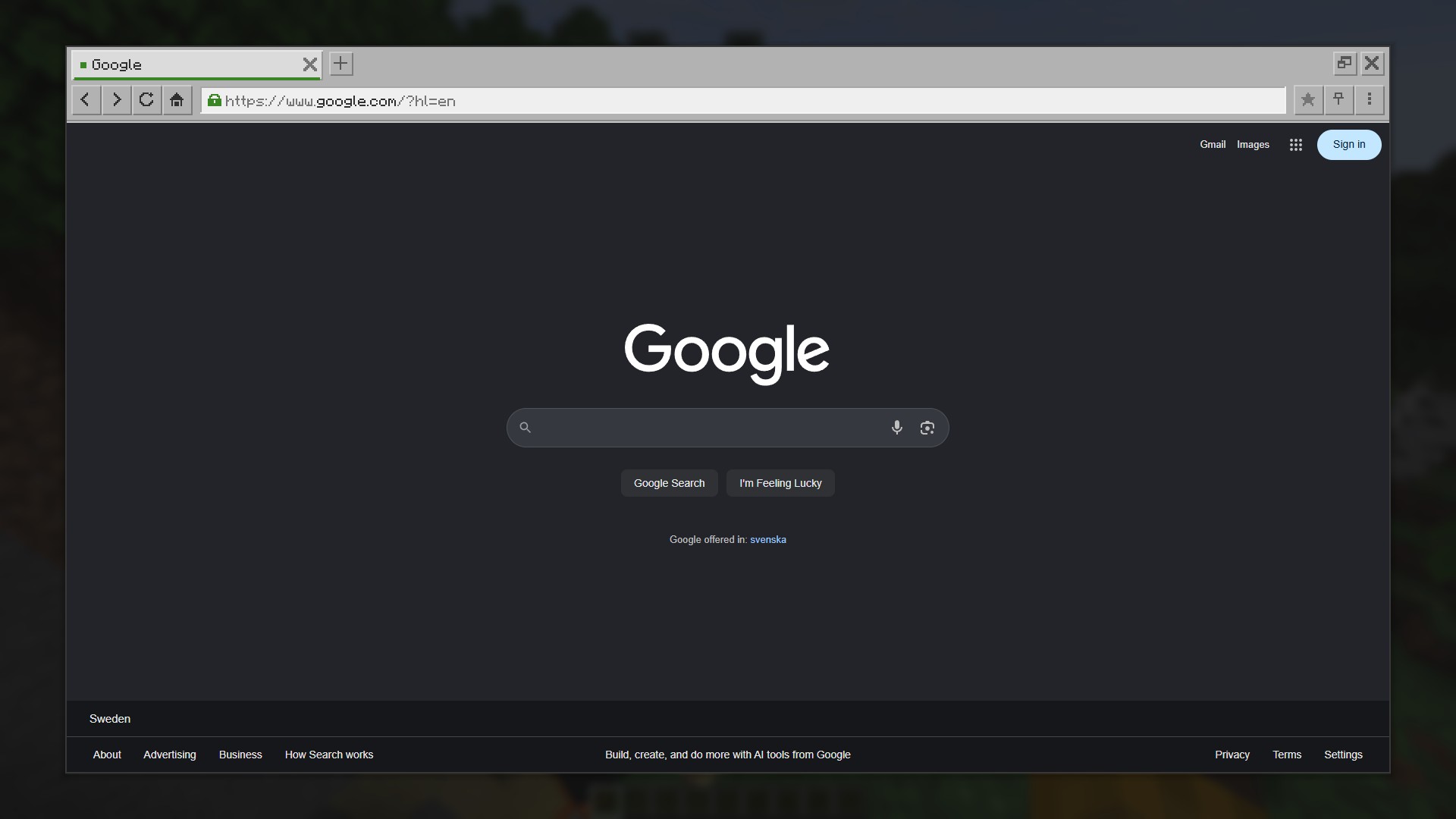
在 Minecraft 中运行真正的浏览器。观看直播、浏览维基、保持指南页面打开,无需切出游戏(Alt+Tab)。
请先阅读此内容
Pocket Browser 本身并不包含浏览器。它驱动的是你电脑上已安装的基于 Chromium 的浏览器,并将其画面显示在游戏内。你需要拥有以下浏览器之一:Chrome、Edge、Brave、Vivaldi 或 Chromium。在 Windows 上,Edge 是系统自带组件,因此你很可能已经安装了它。
该模组仅适用于客户端。服务器端无需任何配置,其他玩家也不需要安装此模组。
浏览器作为一个独立的隐藏程序运行,并通过仅监听 127.0.0.1 的端口与模组通信。数据不会发送到任何其他位置。浏览器仅加载你在其中打开的页面。
功能特性
- 完整网页支持
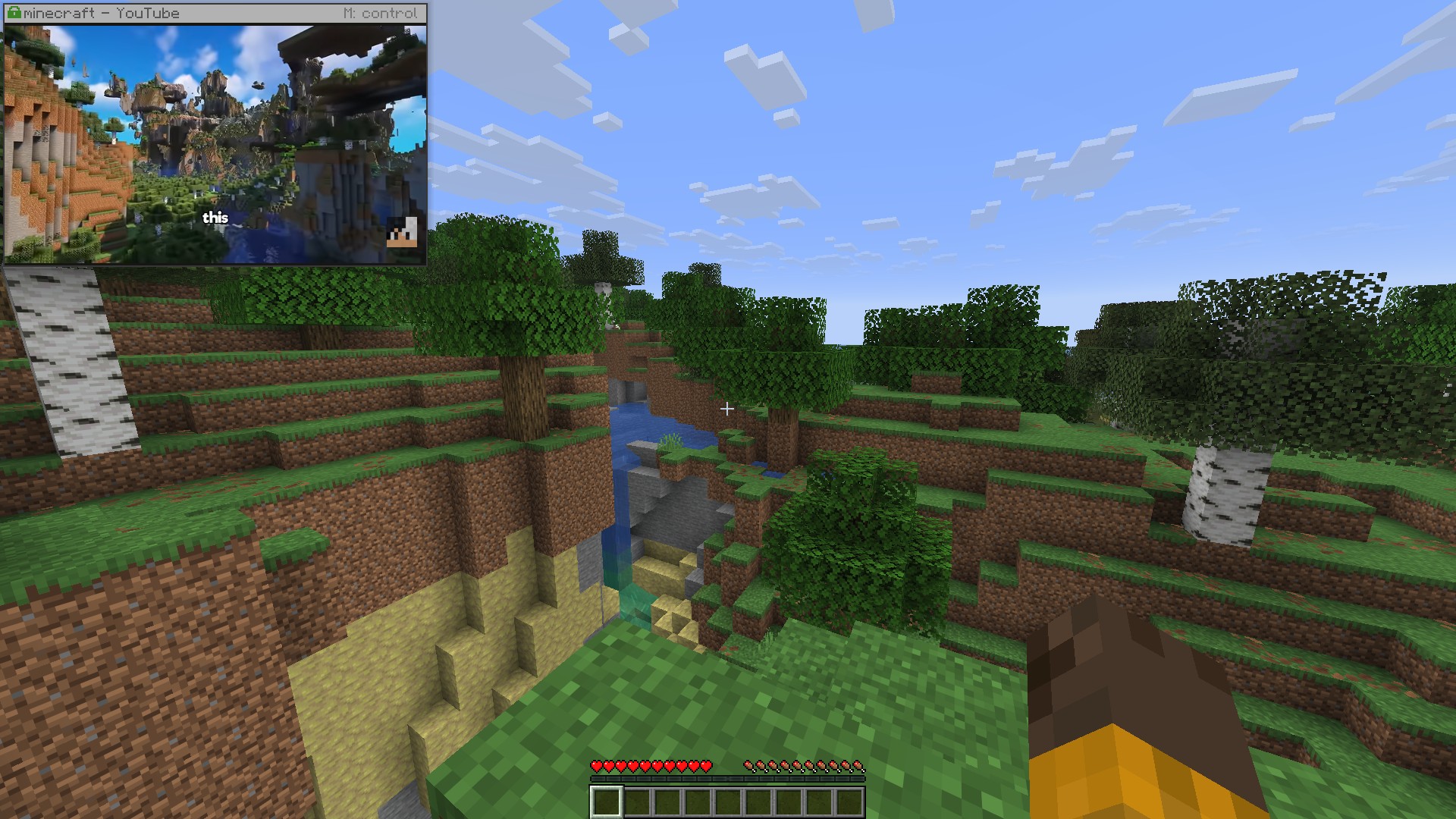
- 可固定的迷你窗口
- 带声音的视频和直播流
- 清晰的文字渲染
- 你的账号登录状态有效,会话得以保留
- 三种外观主题:原版(Vanilla)、暗色(Dark)和亮色(Light)
使用方法
按 B 键,或在暂停菜单/主菜单中点击地球图标按钮。
| 按键 |
操作 |
| B |
打开浏览器 |
| N |
固定或取消固定迷你窗口 |
| M |
获取固定窗口的控制权 |
| P |
视频:播放或暂停 |
| [ 和 ] |
快退或快进 10 秒 |
| O |
静音视频 |
当调试屏幕(F3)开启时,以及在全 HUD 关闭模式(F1)下,固定窗口会自动隐藏。所有按键均可在“选项” > “控制”中进行修改。
设置
设置可通过浏览器自带的菜单打开,如果你安装了 Mod Menu,也可以从模组列表中的设置入口进入。图片质量部分包含一个预设选项及其背后的调节旋钮:
| 预设 |
适用场景 |
| Performance(性能) |
配置较低的电脑。图像较小,对游戏性能影响最小。 |
| Fluid(流畅) |
视频播放和快速滚动。提供最高帧率。 |
| Balanced(平衡) |
默认选项。在舒适的帧率下保持完全清晰。 |
| Sharp(清晰) |
阅读文本。全尺寸,压缩最少。 |
| Lossless(无损) |
即使在移动时也能呈现完美画质,但帧率较低。 |
登录账号
打开浏览器菜单并选择“登录账号”。隐藏的浏览器将关闭,并在普通可见的浏览器窗口中打开相同的配置文件。在该窗口中完成登录后,关闭窗口,浏览器将重新出现,且你的登录会话得以保留。
该模组不会自动化操作该窗口,也绝不会看到你输入的密码或其他信息。
数据存储
模组会在 .minecraft/pocketbrowser/profile 路径下保存其专用的浏览器配置文件,与你日常使用的浏览器完全隔离。该文件夹包含你的已登录会话信息,因此请勿将其放入整合包中,并从云备份中排除。
书签和历史记录以纯文本文件形式保存在旁边,仅包含网址和标题。
常见问题
我必须安装浏览器吗?
几乎肯定不需要。Windows 系统自带 Edge,而 Chrome、Brave、Vivaldi 或 Chromium 同样可以正常工作。如果未找到任何支持的浏览器,模组会报错提示。
它会降低游戏帧数吗?
当你首次打开覆盖层时浏览器才会启动;当没有内容显示时,它会立即停止渲染;在闲置十分钟后,它会自动关闭。
其他玩家需要安装此模组吗?
不需要。它仅适用于客户端,不涉及服务器端交互。
模组会将我的数据发送到其他地方吗?
不会。模组本身不上传任何数据,浏览器仅加载你在其中打开的页面。
依赖项
Pocket Browser
A real browser inside Minecraft. Watch a stream, follow a wiki, keep a guide open, without
alt-tabbing out of the game.
Read this first
Pocket Browser does not contain a browser. It drives a Chromium-based browser that is already
installed on your computer and shows its picture inside the game. You need one of: Chrome, Edge,
Brave, Vivaldi or Chromium. On Windows, Edge is part of the system, so you almost certainly already
have it.
The mod is client side only. Nothing is needed on the server, and other players do not need it.
The browser runs as a separate hidden program and talks to the mod over a port that listens on
127.0.0.1 only. Nothing is sent anywhere else. The browser loads only the pages you open in it.
Features
- Full pages
- A pinned mini window
- Video and streams with sound
- Sharp text
- Your accounts work, and the session is kept
- Three looks: Vanilla, Dark and Light
How to use it
Press B, or click the globe button in the pause menu or on the title screen.
| Key |
Action |
| B |
Open the browser |
| N |
Pin or unpin the mini window |
| M |
Take control of the pinned window |
| P |
Video: play or pause |
| [ and ] |
Rewind or forward 10 seconds |
| O |
Mute video |
The pinned window hides while the debug screen (F3) is up, and with the rest of the HUD on F1. All
keys can be changed in Options, Controls.
Settings
Settings open from the browser's own menu, or from Mod Menu if you have it. Picture holds a quality
preset plus the knobs behind it:
| Preset |
Best for |
| Performance |
Weaker computers. Smaller picture, lightest on the game. |
| Fluid |
Video and fast scrolling. Highest frame rate. |
| Balanced |
The default. Full sharpness at a comfortable frame rate. |
| Sharp |
Reading. Full size, least compression. |
| Lossless |
A perfect picture even while moving, at a low frame rate. |
Signing in to accounts
Open the browser menu and choose "Sign in to an account". The hidden browser closes and the same
profile opens in an ordinary, visible browser window. Sign in there, then close the window, and the
browser comes back with your session kept.
The mod does not automate that window and never sees what you type into it.
What it stores
The mod keeps its own browser profile in .minecraft/pocketbrowser/profile, sharing nothing with
your everyday browser. That folder holds your signed-in sessions, so do not put it into a modpack,
and exclude it from cloud backups.
Bookmarks and history are kept beside it in plain files holding addresses and titles only.
Questions
Do I have to install a browser?
Almost certainly not. Windows ships with Edge, and Chrome, Brave, Vivaldi or Chromium work just as
well. If none of them is found, the mod will report it.
Will it slow the game down?
The browser starts when you first open the overlay, stops drawing as soon as nothing is showing it,
and shuts itself down after ten minutes unused.
Do other players need the mod?
No. It is client side only and does not touch the server.
Does the mod send my data anywhere?
No. The mod itself uploads nothing, and the browser loads only the pages you open in it.
Requirements
- Fabric API, required
- Mod Menu, optional, puts the settings in the mod list
- A Chromium-based browser installed on the computer


 模组

 模组

 模组
 模组
 模组
 模组
评论 0
登录后参与评分
还没有评论,来抢沙发吧