Pointless Tech 2
关于未来更新的公告:- 请注意,我将不再对该模组进行任何更新。我知道这可能会引起一些不满,但我已没有时间继续制作这些模组。针对要求更新此模组的消息或评论将不会得到回复。感谢多年来下载该模组的所有玩家。
为您的 Minecraft 世界提供更多无厘头的科技与 gadgets(小装置)。
它是什么?
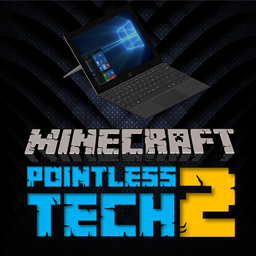
Pointless Tech 2 延续了原版“Pointless Tech”模组的精神,为您的 Minecraft 建筑带来更多高度细致且逼真的科技物品。如同原版模组,PT2 将添加多种计算机,包括 Mech Pro、Surface 笔记本电脑以及 Mech Cinema Display(机械影院显示器),此外还包含许多其他随机且无厘头的电子设备,从而丰富您的 Minecraft 体验(至少在装饰方面)。
包含内容
- 智能家居助手(类似亚马逊 Echo)
- 中型 LCD 电视(独立式)
- 中型 LCD 电视(壁挂式)
- 环绕声音响音箱
- 机械影院显示器
- 工作室桌面麦克风
- 吸音泡沫块
- 大型 LCD 电视(独立式)
- 大型 LCD 电视(壁挂式)
- LBOX One 游戏主机
- Mech Pro
- Kraft M2 调音台
- Surface 笔记本电脑
要求
要使用此模组,您需要
安装最新版本的 Minecraft Forge 并使用 Minecraft 版本
1.12.2。
您可以点击以下链接下载最新版本
的 Minecraft Forge;
安装
首先,您需要确保已正确安装
Minecraft Forge 并且它能在您的
Minecraft 客户端中正常运行。此外,请确保您使用的
Minecraft 版本为 1.12.2。
如果您不知道如何为
Minecraft 安装模组,请参考以下指南。如果仍有疑问,强烈建议观看一些 YouTube 教程。
Windows 安装
- 下载
- GymCraft .zip 文件
- 将
- .zip 文件移动到你的“模组”文件夹,可通过以下路径找到该
- 文件夹
- 打开任意文件或 Windows 资源管理器
- 清空地址栏并输入
- %appdata% 然后按回车键
- 打开 .Minecraft 文件夹
- 打开 “mods” 文件夹
- 将 .zip 文件拖放至此
Mac 安装方法
- 下载
- GymCraft .zip 文件
- 将 .zip 文件移动到你的 “mods” 文件夹,可通过以下路径 /Library/Application Support/Minecraft/mods 找到该文件夹
- 将 .zip 文件拖放至此
联系
如果您喜欢
我的内容,请查看我其他可供下载的模组,并订阅以获取新内容的定期更新。
关注我
在 Twitter 上 @Leon90_
订阅
我的 YouTube 频道 90TV以获取内容预览、教程和更新。
?
鸣谢
本模组由我(Leon90)使用 MCreator()开发,所有自定义模型(如有)均使用 Cubik Studio()制作。所有创意和设计均为本人原创,但部分纹理和模型可能因基于现实物品而存在相似之处,在此情况下,已尽力避免侵犯任何版权材料。
如需了解更多关于我的内容,请访问我的网站
Pointless Tech 2
NOTICE ABOUT FUTURE UPDATES:- Please note that I will not be updating this mod any further. I appreciate this may cause some frustration, however I no longer have the time to make these mods. Messages or comments asking for this mod to be updated won’t be responded to. Thank you to all those who have downloaded the mod, over the years.
More pointless tech and gadgets for your Minecraft realms.
What is it?
Pointless Tech 2 follows on from the original 'Pointless Tech' mod by bringing even more highly detailed and realistic tech items for your Minecraft builds. Like the original mod, PT2 will add in a number of computers including the Mech Pro, a Surface laptop and even a Mech Cinema Display, it also features a number of other random and pointless electronic items which will enhance your Minecraft experience (at least in a decorative way).
Included Content
- Smart Home Assistant (Like the Amazon Echo)
- Medium Sized LCD TV (Free Standing)
- Medium Sized LCD TV (Wall Mounted)
- Surround Sound Speaker
- Mech Cinema Display
- Studio Desk Microphone
- Acoustic Foam Block
- Large LCD TV (Free Standing)
- Large LCD TV (Wall Mounted)
- LBOX One Games Console
- Mech Pro
- Kraft M2 Mixer
- Surface Laptop
Requirements
To use this mod, you will need to
have the latest version of Minecraft Forge and be using Minecraft version
1.12.2.
You can download the latest version
of Minecraft Forge by following the link below;
Installation
Firstly you will need to ensure you
have installed Minecraft Forge correctly and this is working with your
Minecraft Client, you should also make sure the version of Minecraft you are
using is version 1.12.2.
If you do not know how to install
mods for Minecraft, follow the below guidance. I would strongly recommend
viewing some YouTube tutorials if you are still unsure.
Windows Installation
- Download
- GymCraft .zip file
- Move
- .zip file to your ‘Mods’ folder, this can be found by going to the following
- folder
- Open up any file/Windows Explorer
- Clear the address bar and type in
- %appdata% and press enter
- Open the .Minecraft folder
- Open the ‘mods’ folder
- Drag and drop the .zip file here
Mac Installation
- Download
- GymCraft .zip file
- Move .zip file to your ‘mods’ folder, this can be found by following the following path /Library/Application Support/Minecraft/mods folder
- Drag and drop the .zip file here
Connect
If you like
my content, please check out some of my other mods which are available to
download and subscribe for regular updates on new content.
Follow me
on Twitter @Leon90_
Subscribe
to 90TV on YouTube for content
previews, tutorials and updates.
?
Credits
This mod has been developed by myself (Leon90) using MCreator () and all custom models (if any) have been made with Cubik Studio (). All ideas and designs are my own however some textures and models may have similarities if they are based on real world items, in which case every effort has been made to not infringe any copyrighted material.
For more information about my content, please visit my website

 模组

 模组

 模组

 模组
 模组

 模组

评论 0
登录后参与评分
还没有评论,来抢沙发吧