传送门与维度
创建完全可定制的传送门,连接至程序化生成的维度——全部通过直观的游戏中 GUI 实现。
功能特性
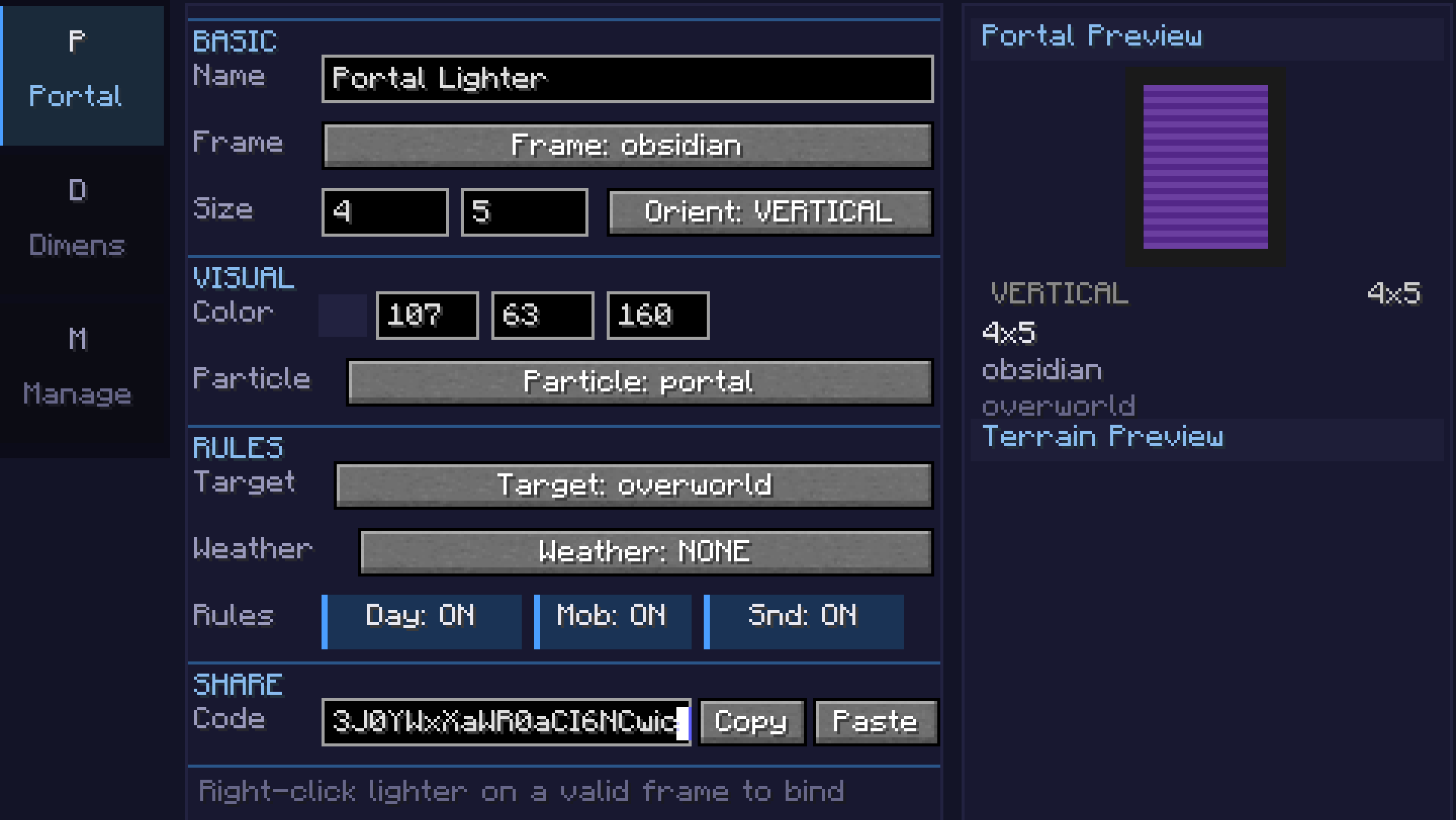
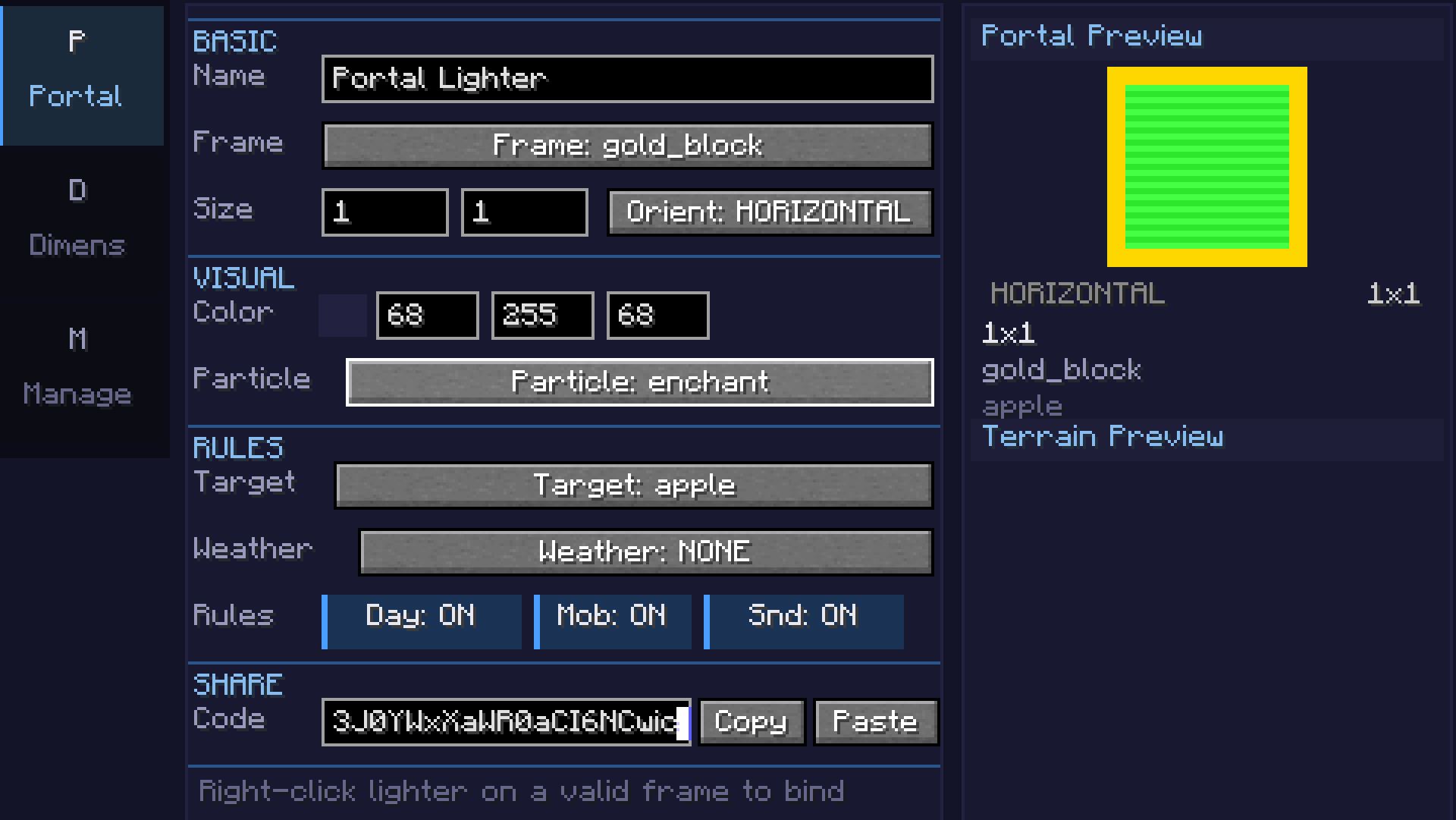
自定义传送门
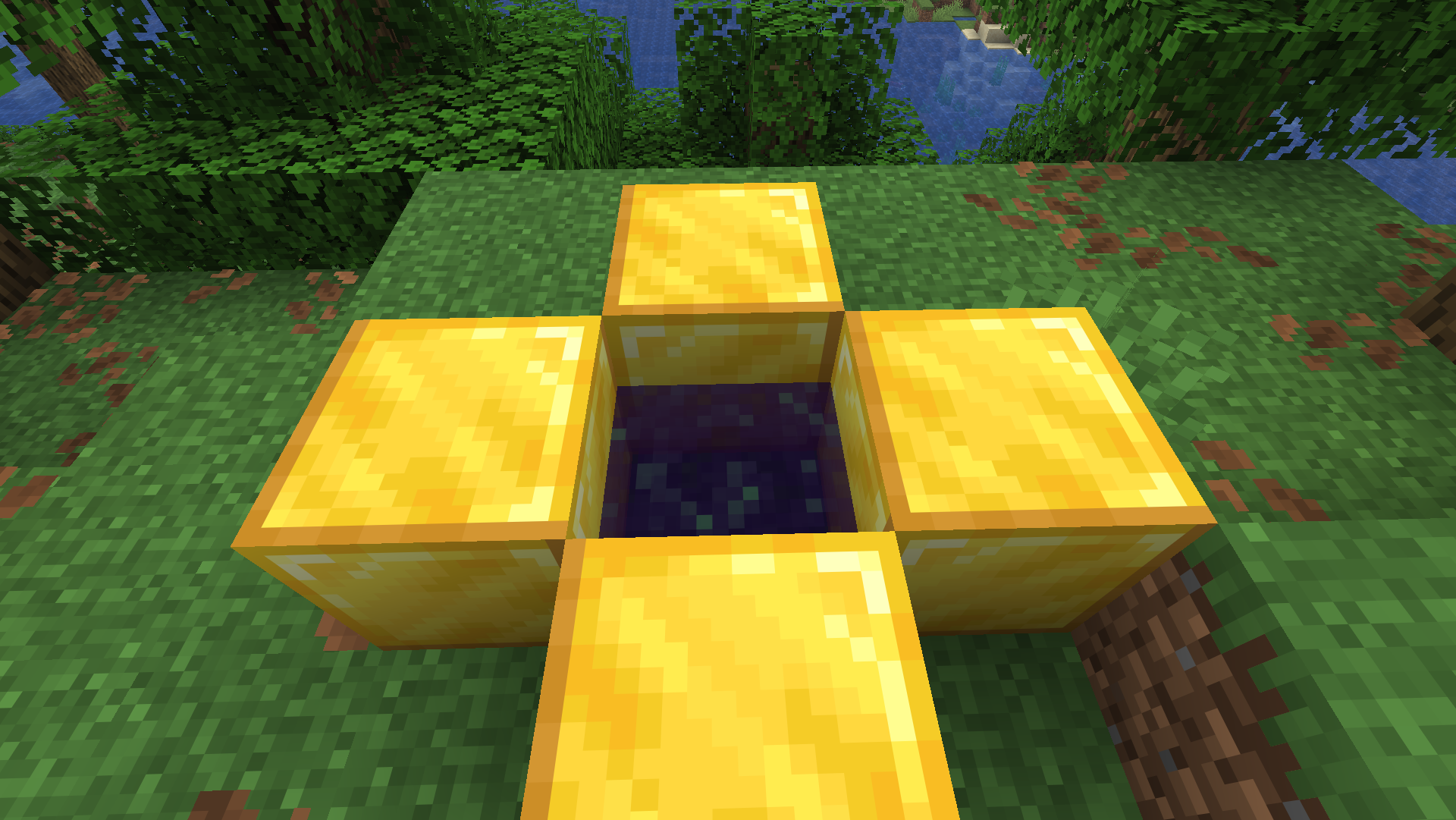
- 使用任意固体方块(黑曜石、钻石块、金块等)构建传送门框架
- 可调节的传送门尺寸(宽 x 高)
- 支持配置 24 位传送门颜色,并提供实时预览
- 支持水平与垂直方向的传送门朝向
- 提供调色板、最近颜色以及 RGB 输入的颜色选择器
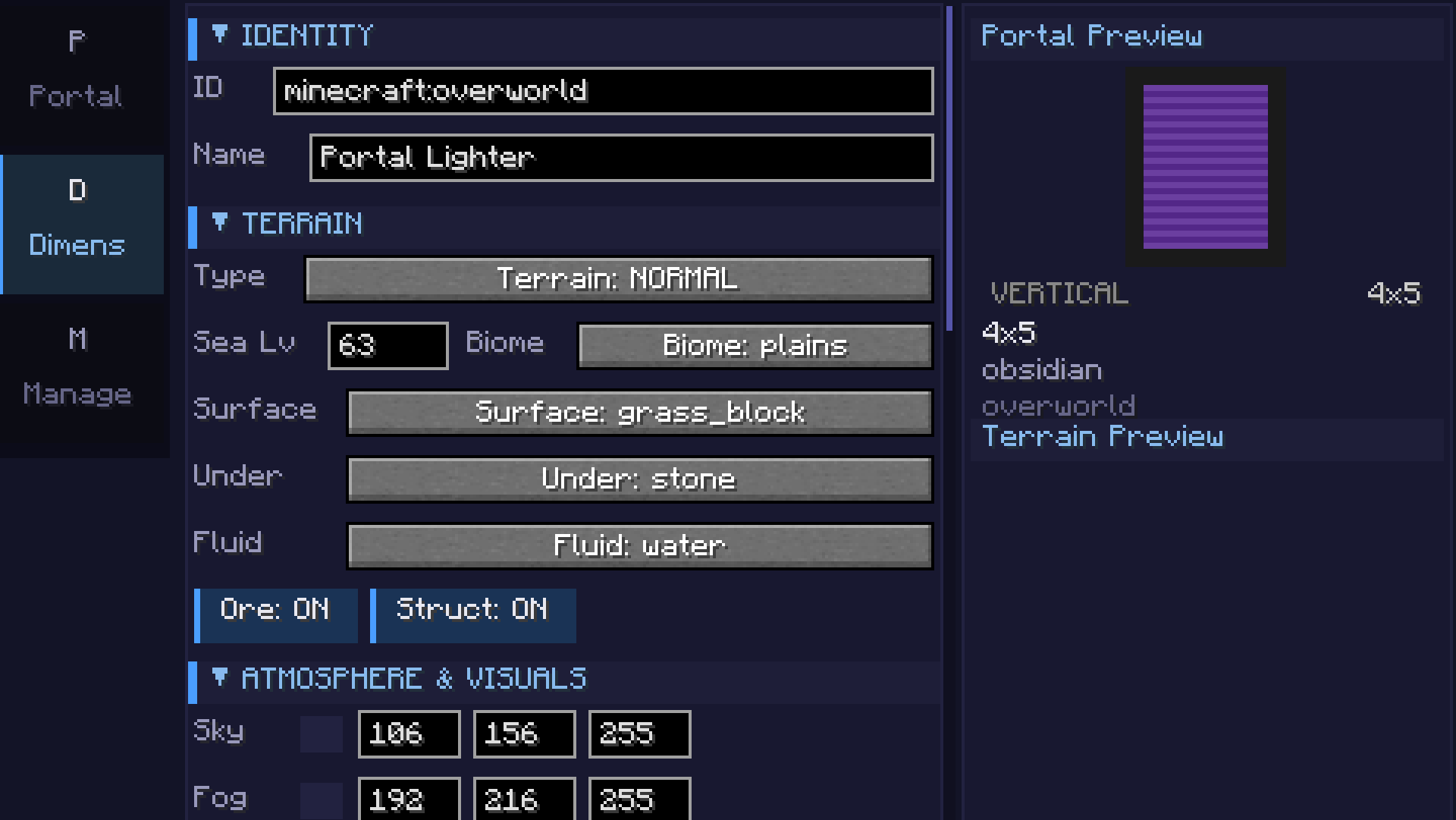
自定义维度
- 7 种地形类型:虚空 (Void)、平坦 (Flat)、普通 (Normal)、放大 (Amplified)、下界 (Nether)、末地 (End) 以及 数学公式
- 数学地形:使用
sin、cos、noise、perlin、fbm 及自定义表达式定义地形——支持 2D 高度图和完整的 3D 密度函数
- 地形拉伸/压缩坐标缩放滑块
- 平滑地形开关,用于生成自然外观的山坡
- 可配置的海平面、地表/地下/流体方块
- 洞穴生成,密度可调
- 矿物生成(煤、铁、铜、金、红石、钻石、青金石)
- 结构生成(村庄、神庙等)——可切换启用/禁用
- 混合生物群系支持,基于 Perlin 噪声进行过渡
大气环境
- 天空、雾效、环境光、水和云朵的颜色自定义
- 雾效密度控制
- 天光、天花板和超暖维度属性设置
- 光照等级覆盖(0-15)
- 可配置的环境粒子效果(传送门、末影烛、灵魂之火、岩浆等)
游戏规则(按维度独立配置)
- 昼夜循环 & 固定时间
- 生物生成、自然生成、PvP、摔落伤害、火灾蔓延
- 保留经验/物品、床可用、允许重生
- 天气锁定(晴朗、雨天、雷暴)
- 重力倍数
命令
/pdims list — 列出所有已配置的自定义维度
/pdims tp <dimension> — 传送至指定自定义维度
/pdims info <dimension> — 查看维度配置详情
/pdims reload — 从文件重新加载维度配置
截图

数学公式地形
| 类别 |
示例 |
描述 |
| 2D 基础 |
sin(x/10)*cos(z/10)*20 + 50 |
起伏山丘 |
| 2D 中级 |
noise(x/20,z/20)*30 + 60 |
平滑噪声地形 |
| 2D 高级 |
fbm(x/40,z/40,4,2,0.5)*40 + 50 |
分形山脉 |
| 3D |
fbm(x/30,y/15,z/30,3,2,0.5) > 0.5 |
浮空岛 / 洞穴 |
| 初学者 |
abs(x/10) + abs(z/10) * 2 + 40 |
山谷 |
可用函数: sin, cos, tan, abs, sqrt, pow, min, max, mod, floor, ceil, round, noise(x,z), perlin(x,y,z), fbm(x,y,z,octaves,lacunarity,gain), if(cond, a, b), random(x,z), dist(x,z), gauss(x,z), mix(a,b,t), remap(v, inLo, inHi, outLo, outHi)
依赖要求
- Minecraft 26.1.x
- Fabric Loader 0.18.5+
- Fabric API 0.145.3+
快速上手
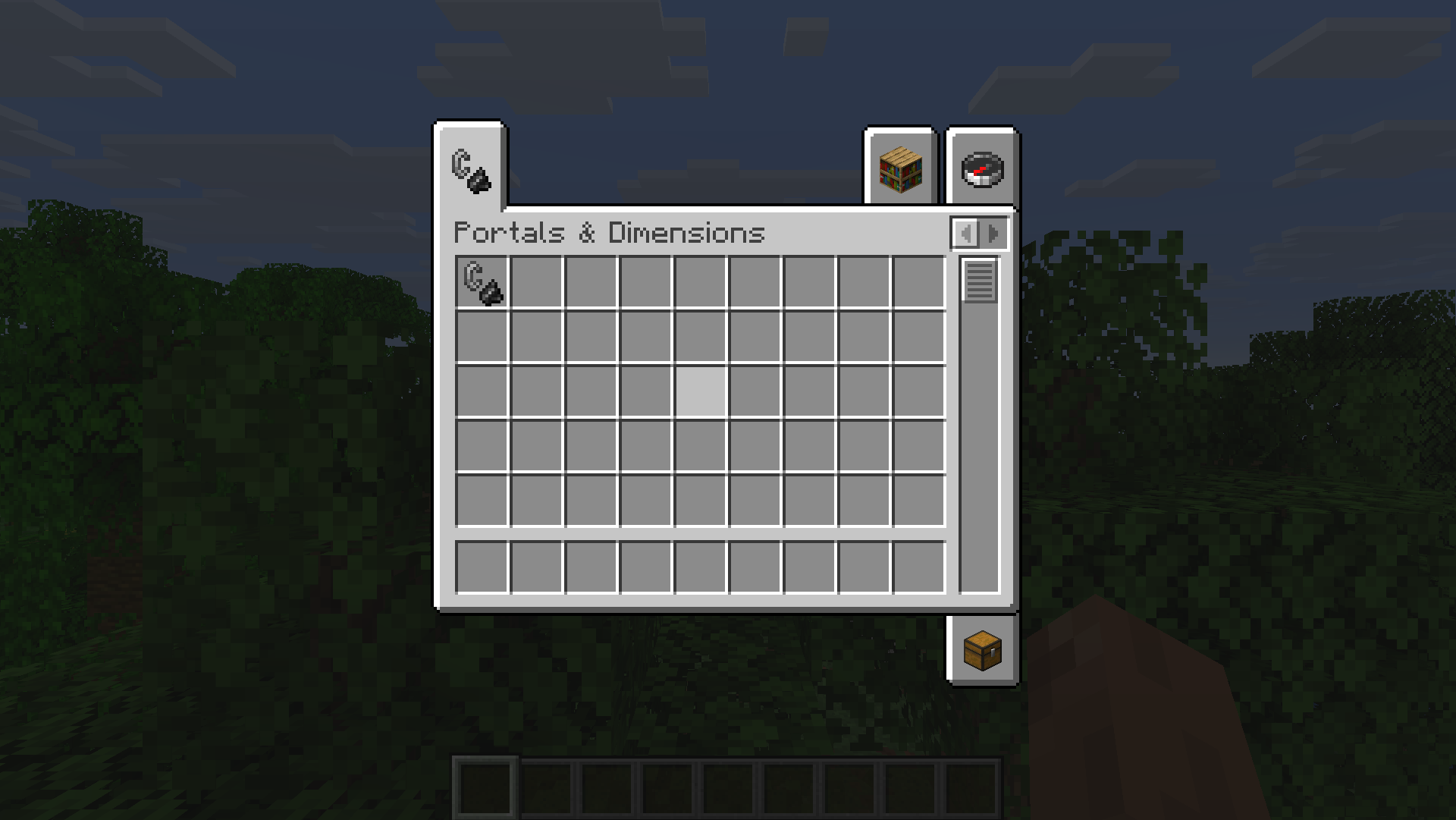
- 制作或获取 Portals & Dimensions lighter(创造模式标签页或通过
/give 指令获得)
- 右键点击以打开配置 GUI
- 传送门标签页:设置框架方块、传送门颜色和尺寸
- 维度标签页:配置地形类型、公式、生物群系、颜色和游戏规则
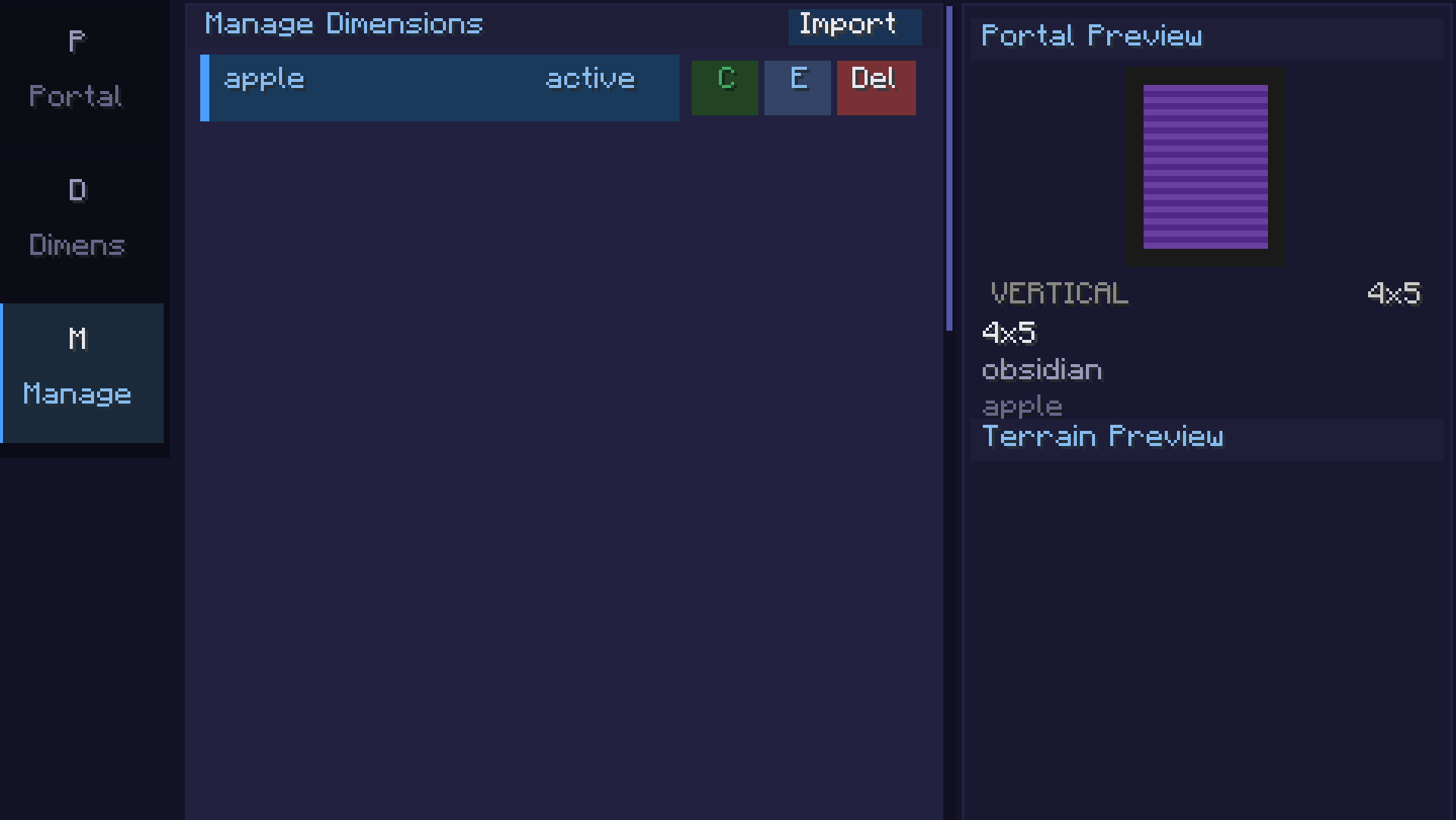
- 管理标签页:保存、克隆、导出或导入维度配置
- 使用配置好的 lighter 点燃传送门框架,即可创建链接的传送门

Portals & Dimensions
Create fully customizable portals linked to procedurally generated dimensions — all from an intuitive in-game GUI.
Features
Custom Portals
- Build portal frames from any solid block (obsidian, diamond, gold, etc.)
- Adjustable portal size (width x height)
- Configurable 24-bit portal color with live preview
- Horizontal and vertical portal orientations
- Color picker with palette, recent colors, and RGB input
Custom Dimensions
- 7 terrain types: Void, Flat, Normal, Amplified, Nether, End, and Math formula
- Math terrain: Define terrain with
sin, cos, noise, perlin, fbm, and custom expressions - supports 2D heightmap and full 3D density
- Coordinate scale slider for terrain stretch/compression
- Smooth terrain toggle for natural-looking slopes
- Configurable sea level, surface/underground/fluid blocks
- Cave generation with adjustable density
- Ore generation (coal, iron, copper, gold, redstone, diamond, lapis)
- Structure generation (villages, temples, etc.) - toggleable
- Mixed biome support with Perlin-noise-based transitions
Atmosphere
- Sky, fog, ambient light, water, and cloud color customization
- Fog density control
- Skylight, ceiling, and ultrawarm dimension properties
- Light level override (0-15)
- Configurable ambient particles (portal, end rod, soul fire, lava, etc.)
Game Rules (per-dimension)
- Day/night cycle & fixed time
- Mob spawning, natural spawning, PvP, fall damage, fire spread
- Keep inventory, bed works, respawn allowed
- Weather lock (clear, rain, thunder)
- Gravity multiplier
Commands
/pdims list — List all configured custom dimensions
/pdims tp <dimension> — Teleport to a custom dimension
/pdims info <dimension> — View dimension configuration details
/pdims reload — Reload dimension configs from file
Screenshots

Math Formula Terrain
| Category |
Example |
Description |
| 2D Basic |
sin(x/10)*cos(z/10)*20 + 50 |
Rolling hills |
| 2D Intermediate |
noise(x/20,z/20)*30 + 60 |
Smooth noise terrain |
| 2D Advanced |
fbm(x/40,z/40,4,2,0.5)*40 + 50 |
Fractal mountains |
| 3D |
fbm(x/30,y/15,z/30,3,2,0.5) > 0.5 |
Floating islands / caves |
| Beginner |
abs(x/10) + abs(z/10) * 2 + 40 |
Valley |
Available functions: sin, cos, tan, abs, sqrt, pow, min, max, mod, floor, ceil, round, noise(x,z), perlin(x,y,z), fbm(x,y,z,octaves,lacunarity,gain), if(cond, a, b), random(x,z), dist(x,z), gauss(x,z), mix(a,b,t), remap(v, inLo, inHi, outLo, outHi)
Requirements
- Minecraft 26.1.x
- Fabric Loader 0.18.5+
- Fabric API 0.145.3+
Getting Started
- Craft or get the Portals & Dimensions lighter (creative tab or
/give)
- Right-click to open the configuration GUI
- Portals tab: Set frame block, portal color, and size
- Dimension tab: Configure terrain type, formula, biome, colors, and game rules
- Manage tab: Save, clone, export, or import dimension configs
- Light a portal frame with the configured lighter to create a linked portal
评论 0
登录后参与评分
还没有评论,来抢沙发吧