简介
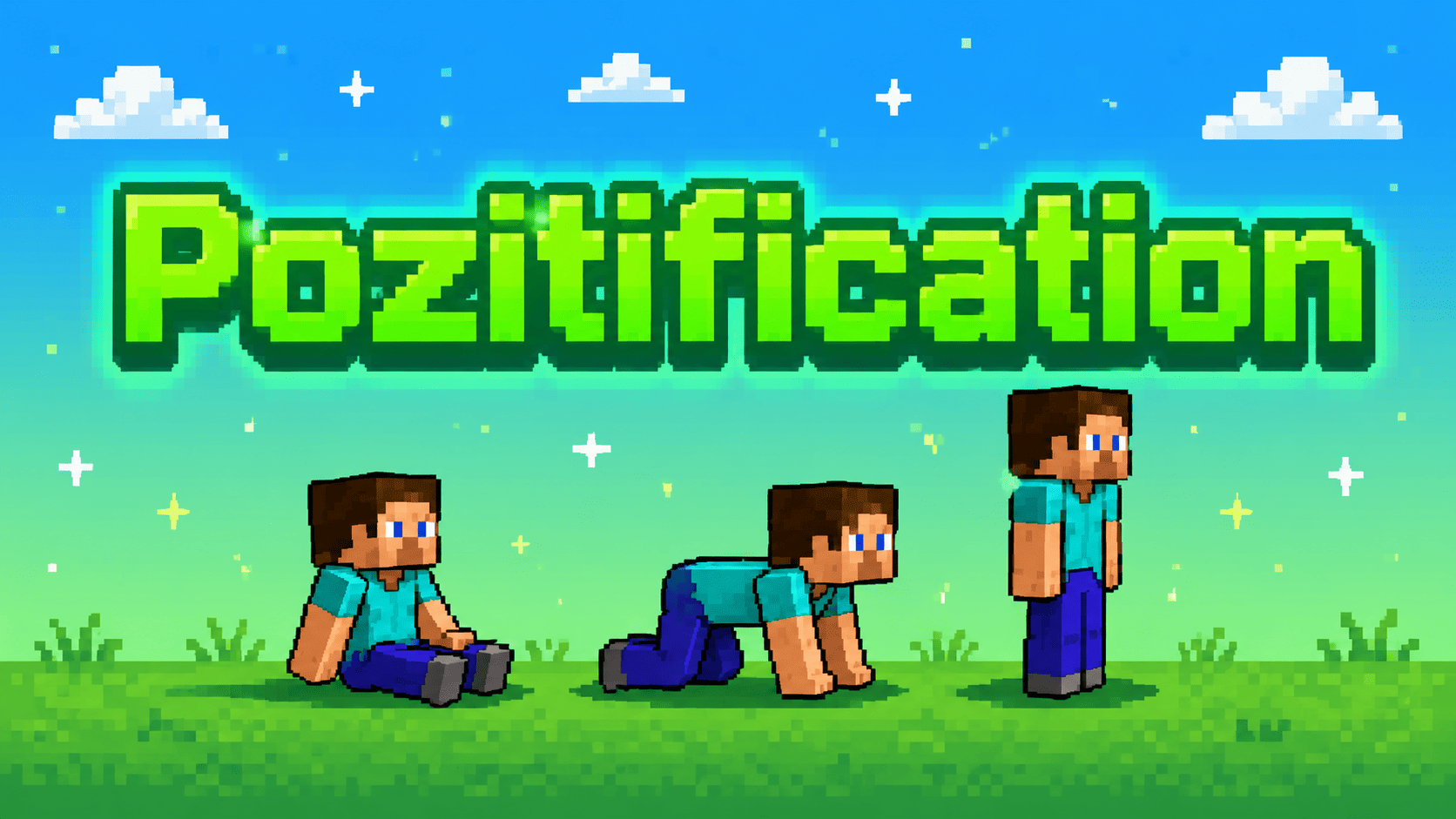
Pozitification 为基于 Fabric 的 Minecraft 添加了一组实用的玩家姿势。它允许你坐下、爬行、躺下并恢复到正常的站立状态,而无需将玩家替换为小船或依赖潜行动画。这些姿势是玩家实际状态的一部分,因此它们会影响角色的定位和渲染方式,而不仅仅是作为本地客户端的视觉变化。
该模组旨在融入常规游戏玩法。控制方式简单,实现轻量,其行为设计为能与周围世界自然配合,包括高度变化、低天花板和部分方块等场景。
功能
坐下。 坐在地面或合适的表面上,直到你站起来或切换到其他可用姿势之前保持该状态。
爬行。 移动时使角色贴近地面。爬行适用于狭窄空间、探索、角色扮演和截图,且不依赖于原版的游泳动画。
躺下。 使用更低、水平的姿势,当你希望角色在地面上休息或营造更放松的场景时使用。
同步多人游戏姿势。 已安装该模组的玩家之间会同步姿势状态。每个人都能正确看到彼此的姿势。
环境感知定位。 在放置玩家时,模组会考虑表面的实际形状。台阶、楼梯、地毯、雪层和其他部分方块会根据其碰撞或支撑形状进行处理,而不是被视为完整方块。
可配置的控制。 每个动作都可以通过 Minecraft 的标准“控制”菜单分配不同的按键。
默认控制
| 动作 |
默认按键 |
| 坐下 |
X |
| 爬行 |
Z |
| 躺下 |
C |
| 站起 |
左 Shift |
按键绑定并非固定不变。在 Minecraft 中打开 选项 → 控制 即可更改为你觉得最方便的布局。
多人游戏
Pozitification 既可用于多人游戏服务器,也可用于单人世界。模组必须安装在 客户端和服务端 —— 这样才能确保所有玩家之间的姿势完全同步。
由于姿势变化是同步的,所有安装了该模组的玩家都可以看到你坐下、爬行或躺下的动作。这使得该模组非常适合角色扮演服务器、社交建筑、机器电影(machinima)、截图以及玩家间的休闲互动。
为什么使用 Pozitification?
Minecraft 只有少数几种内置的玩家姿态改变方式。潜行虽然可以暗示玩家正在降低身形,但并不能提供真正的坐下或爬行状态,而小船在大多数情况下也不是实用的解决方案。Pozitification 填补了这一空白,且没有添加大型动画框架或改变基础移动系统。
在任何需要玩家在世界中更具实体感的场景中,该模组都非常有用:坐在篝火旁、穿过低矮通道、为场景躺下、拍摄截图,或者只是在与其他人一起玩时稍作休息。
安装
- 为支持的 Minecraft 版本安装 Fabric Loader
- 将 Fabric API 和 Pozitification 放入
mods 文件夹
- 启动游戏
对于多人游戏服务器,模组必须安装在 服务端和所有客户端 —— 否则玩家将无法加入服务器。
要求
| 组件 |
要求 |
| Minecraft |
26.1 或更高版本 |
| 加载器 |
Fabric Loader |
| 依赖项 |
Fabric API |
| Java |
Java 25 |
必须安装 Fabric API。不需要其他可选依赖项。
常见问题
Pozitification 能在服务器上运行吗?
可以,但模组必须同时安装在服务端和所有客户端上。如果没有安装该模组,玩家将无法加入服务器。
我可以更改按键绑定吗?
可以。所有姿势控制都可以在 Minecraft 标准的 控制 菜单中进行更改。
该模组能与其他 Fabric 模组兼容吗?
设计上保持轻量并使用正常的 Minecraft 实体和渲染行为。兼容性仍可能取决于其他模组所做的更改,因此如果遇到可复现的冲突,请提供相关的模组列表和游戏版本进行报告。
Pozitification 是否添加了复杂的动画?
重点在于可靠的姿势状态和实用的定位,而非大量脚本化的动画集合。角色的位置、尺寸和渲染都会进行调整,以确保姿势在正常游戏玩法中可用。
是否有 Forge 或 NeoForge 版本?
该项目目前仅针对 Fabric。
链接
© 2026 kasperoid — 保留所有权利
About
Pozitification adds a small set of practical player poses to Fabric-based Minecraft. It lets you sit, crawl, lie down and return to a normal standing position without replacing the player with a boat or relying on a crouching animation. The poses are part of the player's actual state, so they affect the way the character is positioned and rendered rather than serving only as a visual change for the local client.
The mod is intended to fit into ordinary gameplay. The controls are simple, the implementation is lightweight, and the behavior is designed to work naturally with the world around the player, including changes in height, low ceilings and partial blocks.
Features
Sitting. Sit on the ground or on a suitable surface and remain there until you stand up or switch to another available pose.
Crawling. Move while keeping the character close to the ground. Crawling is useful for narrow spaces, exploration, roleplay and screenshots, and it does not depend on the vanilla swimming animation.
Lying down. Use a lower, horizontal pose when you want the character to rest on the ground or create a more relaxed scene.
Synchronized multiplayer poses. The pose state is synchronized between all players who have the mod installed. Everyone sees each other's poses correctly.
World-aware positioning. The mod takes the actual shape of the surface into account when placing a player. Slabs, stairs, carpets, snow layers and other partial blocks are handled according to their collision or support shape rather than being treated as full blocks.
Configurable controls. Every action can be assigned to a different key through Minecraft's standard Controls menu.
Default Controls
| Action |
Default key |
| Sit |
X |
| Crawl |
Z |
| Lie |
C |
| Stand up |
Left Shift |
The key bindings are not fixed. Open Options → Controls in Minecraft to change them to whatever layout is most convenient for you.
Multiplayer
Pozitification is designed to be used on multiplayer servers as well as in single-player worlds. The mod must be installed on both the client and the server — this ensures full synchronization of poses between all players.
Because pose changes are synchronized, all players with the mod can see when you sit, crawl or lie down. This makes the mod suitable for roleplay servers, social builds, machinima, screenshots and casual interaction between players.
Why use Pozitification?
Minecraft has only a few built-in ways for a player to change their posture. Crouching can suggest that a player is lowering themselves, but it does not provide a real sitting or crawling state, and boats are not a practical solution for most situations. Pozitification fills that gap without adding a large animation framework or changing the basic movement system.
The mod is useful wherever a player needs more physical presence in the world: sitting beside a campfire, crawling through a low passage, lying down for a scene, posing for a screenshot or simply taking a break while playing with others.
Installation
- Install Fabric Loader for a supported version of Minecraft
- Place Fabric API and Pozitification in the
mods folder
- Launch the game
For multiplayer servers, the mod must be installed on both the server and all clients — otherwise, players won't be able to join.
Requirements
| Component |
Requirement |
| Minecraft |
26.1 or newer |
| Mod loader |
Fabric Loader |
| Dependency |
Fabric API |
| Java |
Java 25 |
Fabric API is required. No additional optional dependencies are needed.
FAQ
Does Pozitification work on servers?
Yes, but the mod must be installed on both the server and all clients. Without the mod, players cannot join the server.
Can I change the key bindings?
Yes. All pose controls can be changed in Minecraft's standard Controls menu.
Does the mod work with other Fabric mods?
It is designed to remain lightweight and use normal Minecraft entity and rendering behavior. Compatibility can still depend on what another mod changes, so please report a reproducible conflict with the relevant mod list and game version.
Does Pozitification add complex animations?
The focus is on reliable pose states and practical positioning rather than a large collection of scripted animations. The character's position, dimensions and rendering are adjusted to make the poses usable during normal gameplay.
Is there a Forge or NeoForge version?
The project currently targets Fabric.
Links
© 2026 kasperoid — All Rights Reserved


 模组
 模组

 模组
 模组

 模组

 模组

评论 0
登录后参与评分
还没有评论,来抢沙发吧